
Company Snapshot – Real-Time Business Data And Performance Summary
Route4Me’s Company Snapshot gives enterprise businesses a clear, organized view of data and analytics across their entire operation. Built for businesses managing last mile route optimization at scale, it helps you monitor performance, spot trends, and stay on top of operations without switching between individual tools or records. With everything organized into a single set of tabs, you can quickly review company-wide performance and make informed decisions that improve efficiency.
Table of Contents
Open Company Snapshot – Access Company Data And Analytics Overview
To open your Company Snapshot, go to “Business Operations” > “Company Snapshot” from the Navigation Menu.
From your Company Snapshot, you can review all data and analytics associated with your company’s overall operations. The Snapshot is organized into multiple tabs, each corresponding to a specific category of company-wide data.
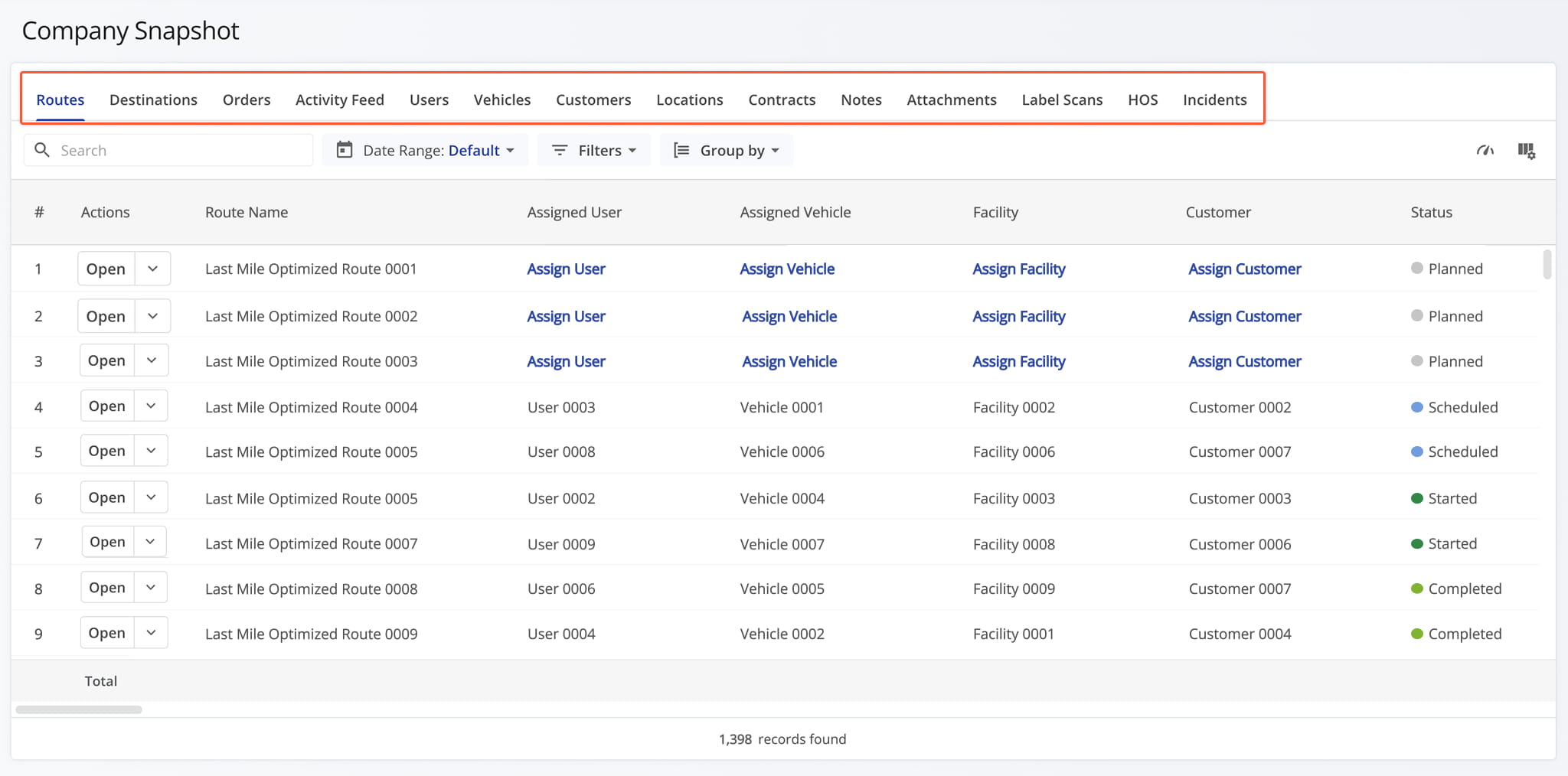
Company Snapshot Categories – Company Analytics Data Tabs
Routes Tab – Company-Wide Route Data Overview
The Routes Tab provides a detailed analytics table of every route across your company, giving you real-time performance metrics you can filter and drill into as needed.
Instead of opening each route individually, you can quickly compare performance across your entire operation, uncover trends, and make informed decisions that improve efficiency company-wide. From this tab, you can:
- Use the Search field to locate specific routes.
- Apply Date Range and other Filter and Group By options, detailed below, to narrow down which data appears in the table.
- Click the Metrics Icon to view real-time performance insights for your routes.
- Click “Open” next to a route to access its Routes Snapshot.
- Click the Down Arrow button and select “Edit” to modify the Route in the Route Editor.
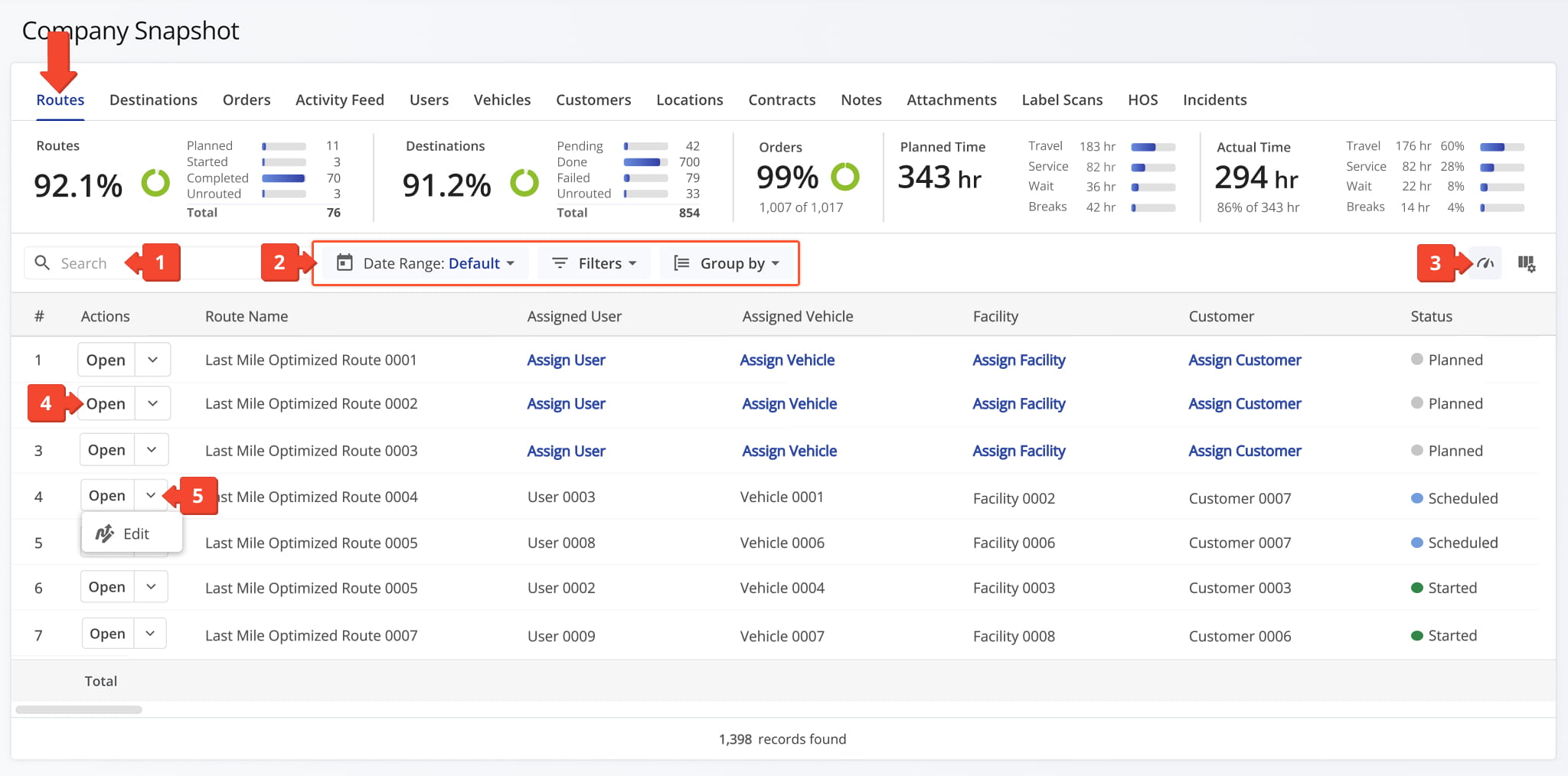
Routes Filters
You can also customize the data displayed in the table. Click the Column Icon in the upper right corner to select which route data fields appear and adjust their order to suit your operational needs.
The table below provides an overview of all available data columns, which you can reorder by dragging them into place.
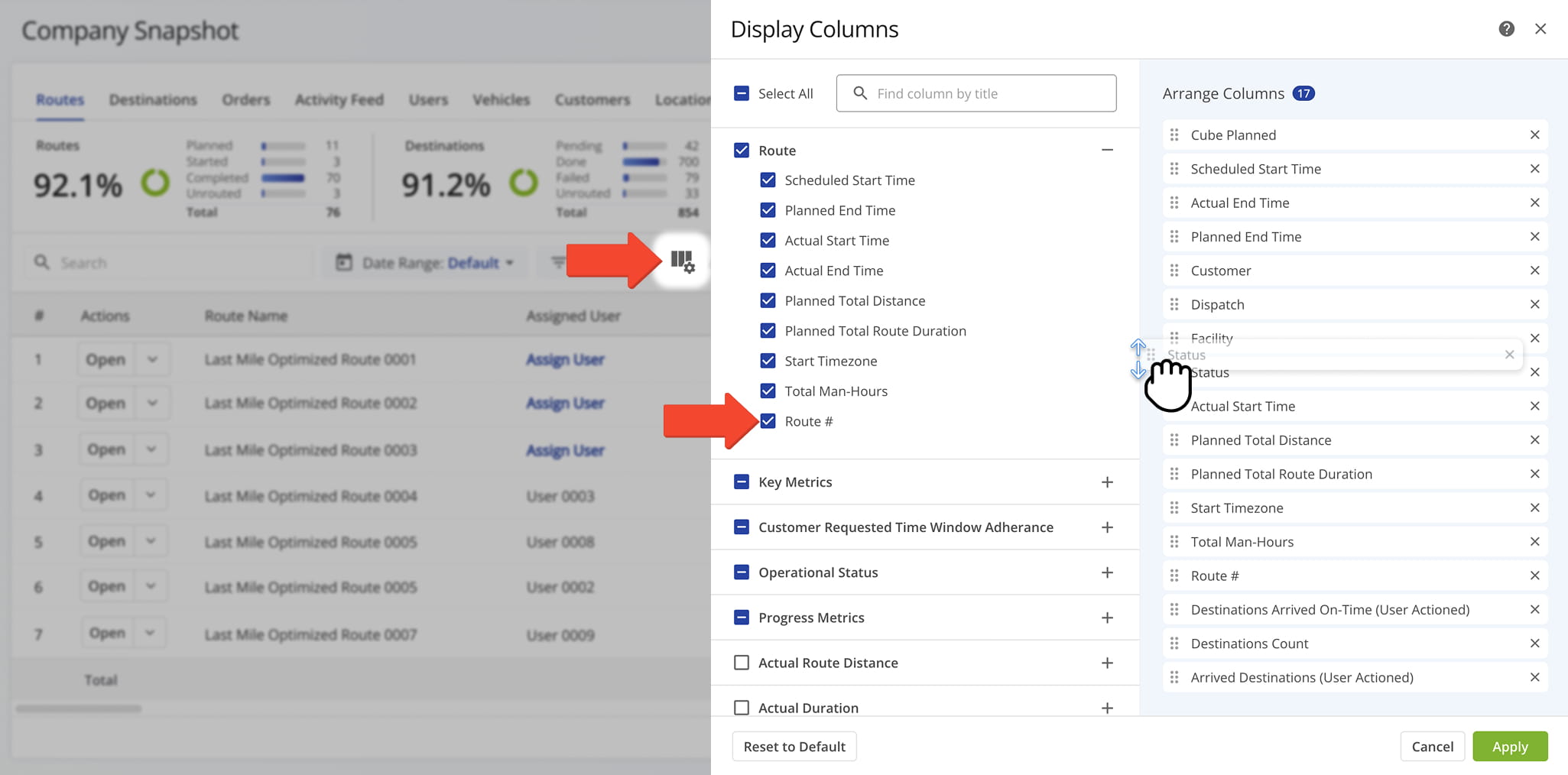
Routes Data Columns
Destinations Tab – Destinations And Service Data Overview
The Destinations Tab provides a detailed table of every destination associated with routes across your company, giving you visibility into delivery and service data at the individual stop level.
Instead of checking destination details route by route, you can review this information across your entire operation in one place. From this tab, you can:
- Use the Search field to locate specific destinations.
- Apply Date Range and other Filter and Group By options, detailed below, to narrow down which data appears in the table.
- Click the Down Arrow next to a route to view all associated destination details.
- Click “Open” next to a destination to access its Destination Snapshot.
- Click the Down Arrow button next to a destination to access additional options: select “Edit” to modify the destination’s details, “Open Route” to open its associated Route Snapshot, or “Edit Route” to open the Route Editor and modify the destination’s associated route.
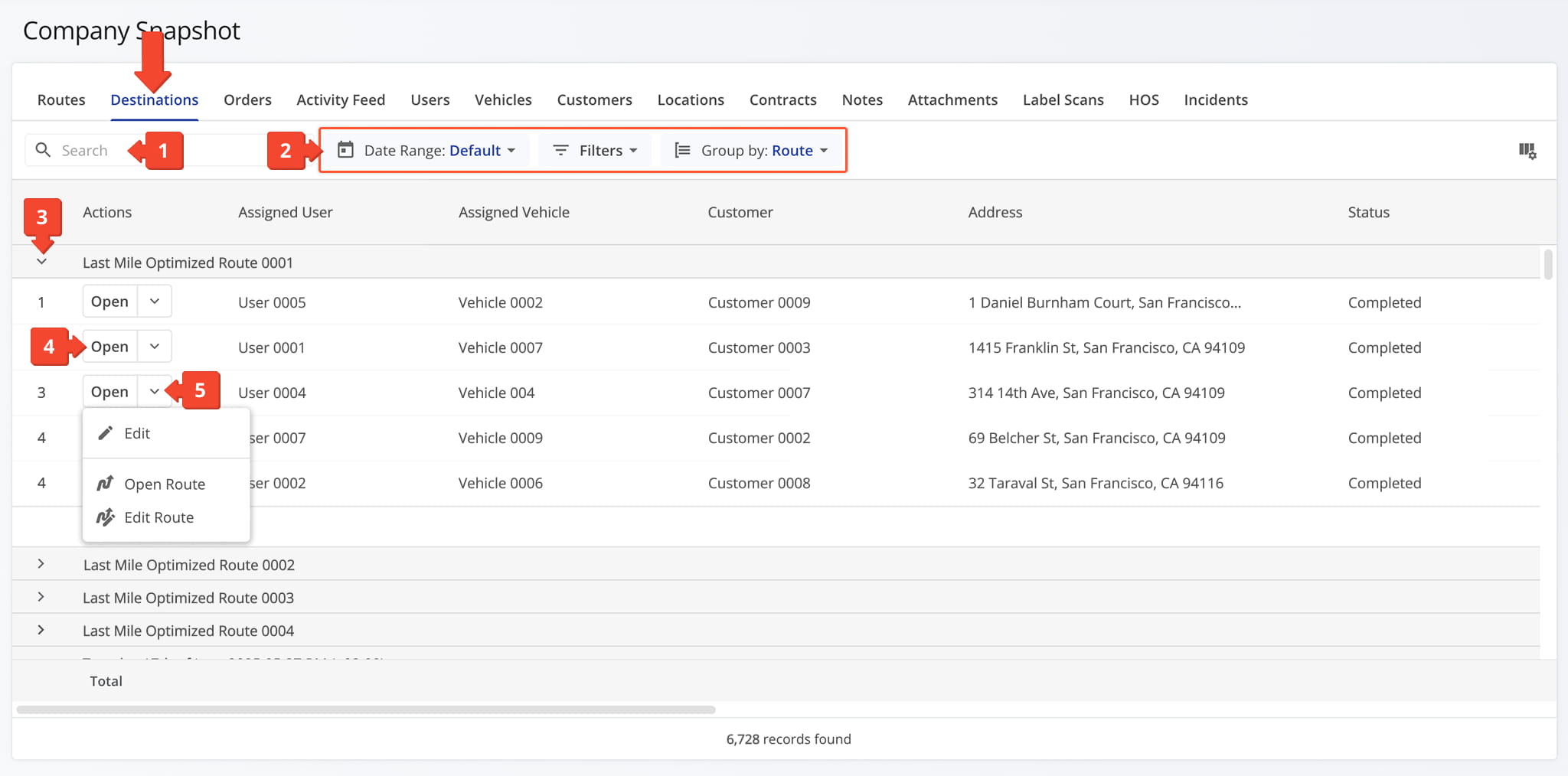
Destinations Filters
You can also customize the data displayed in the table. Click the Column Icon in the upper right corner to select which destinations data fields appear and adjust their order to suit your operational needs.
The table below provides an overview of all available data columns, which you can reorder by dragging them into place.
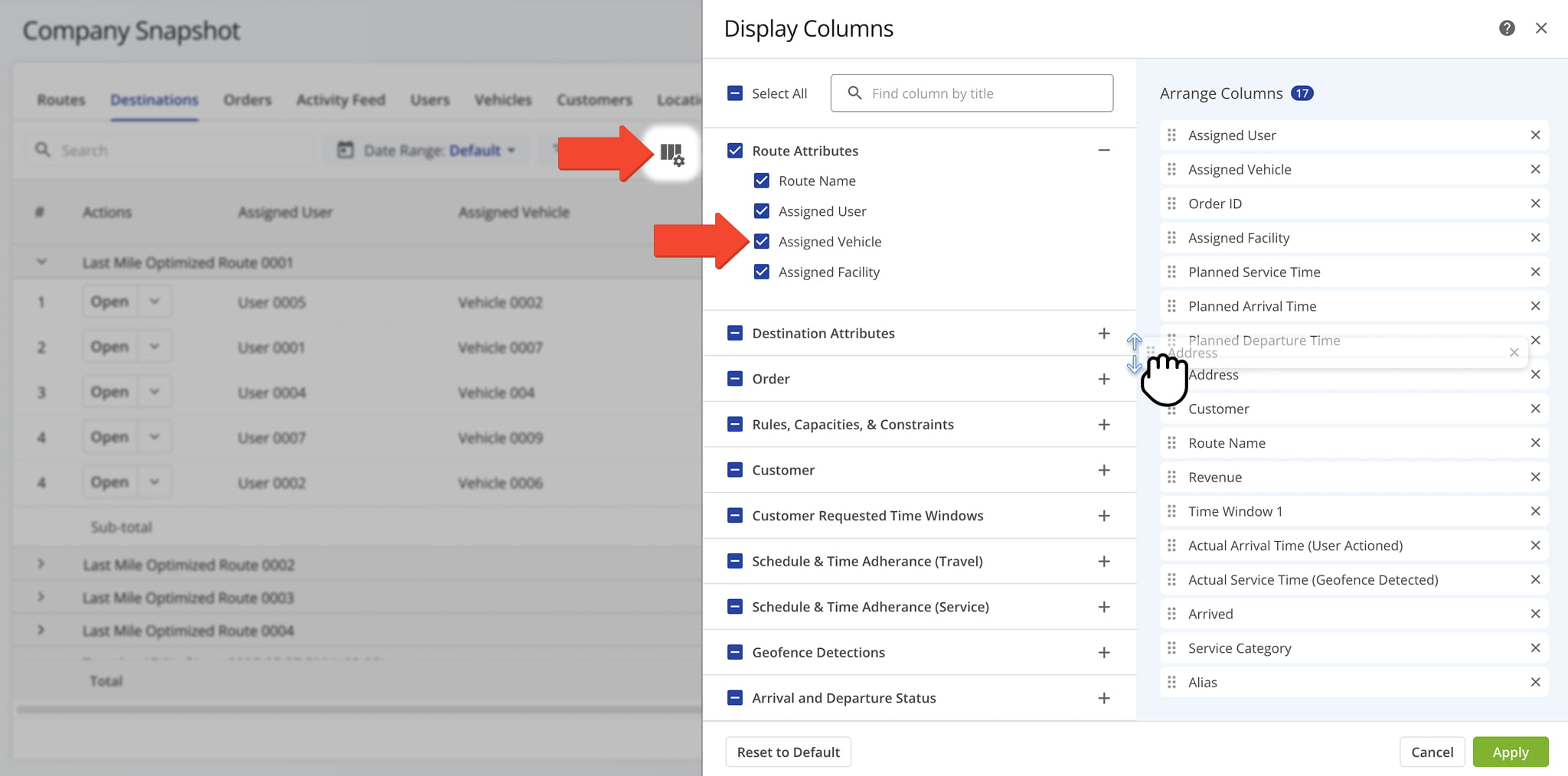
Destinations Data Columns
Orders Tab – Order Details And Fulfillment Overview
The Orders Tab provides a detailed table of every order associated with routes across your business, giving you visibility into order status, fulfillment details, and key order data in one place.
Instead of tracking orders through individual routes, you can review and manage this information across your entire operation. From this tab, you can:
- Use the Search field to locate specific orders.
- Apply Date Range and other Filter options, detailed below, to narrow down which data appears in the table.
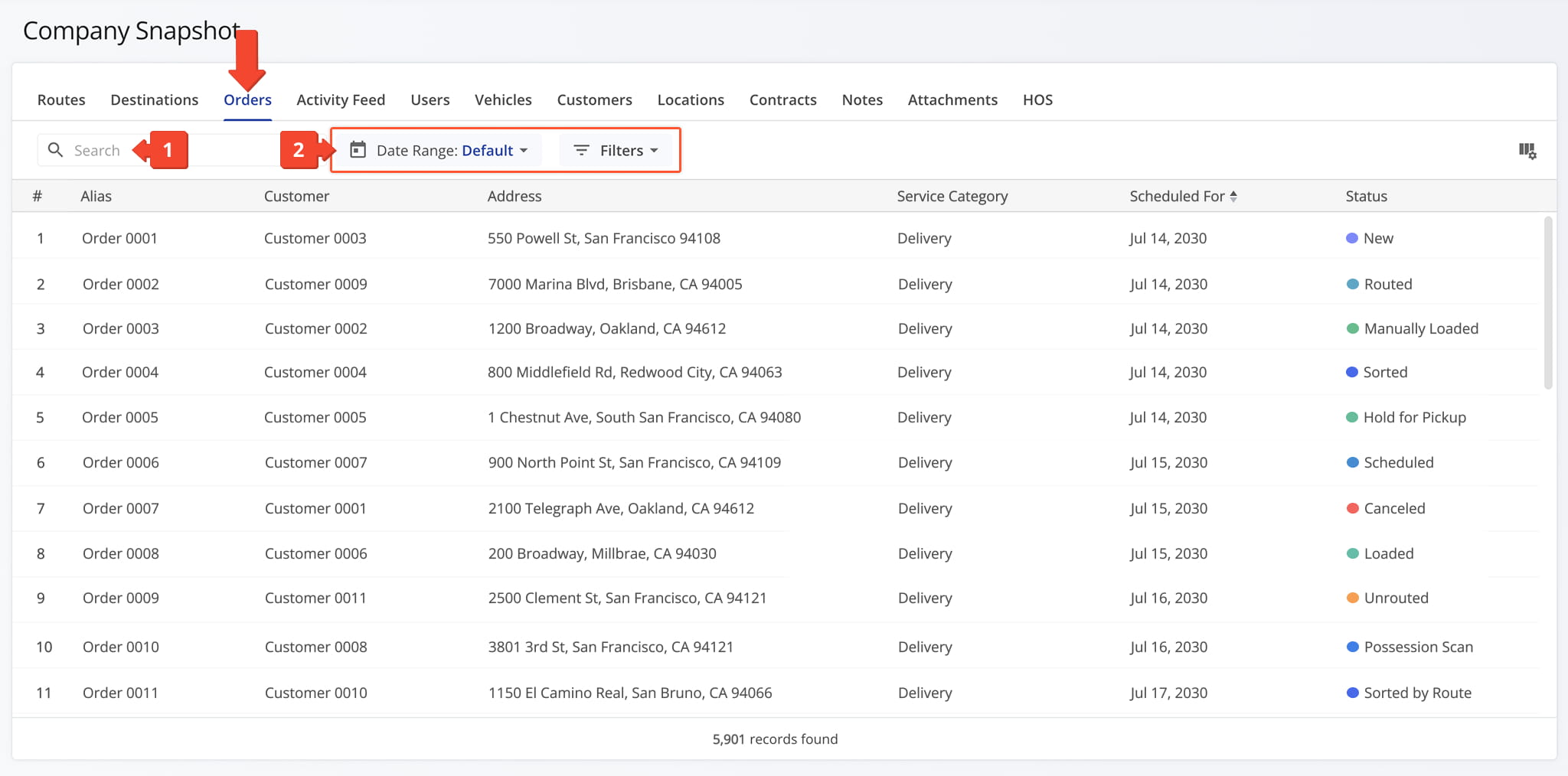
Orders Filters
You can also customize the data displayed in the table. Click the Column Icon in the upper right corner to select which orders data fields appear and adjust their order to suit your operational needs.
The table below provides an overview of all available data columns, which you can reorder by dragging them into place.
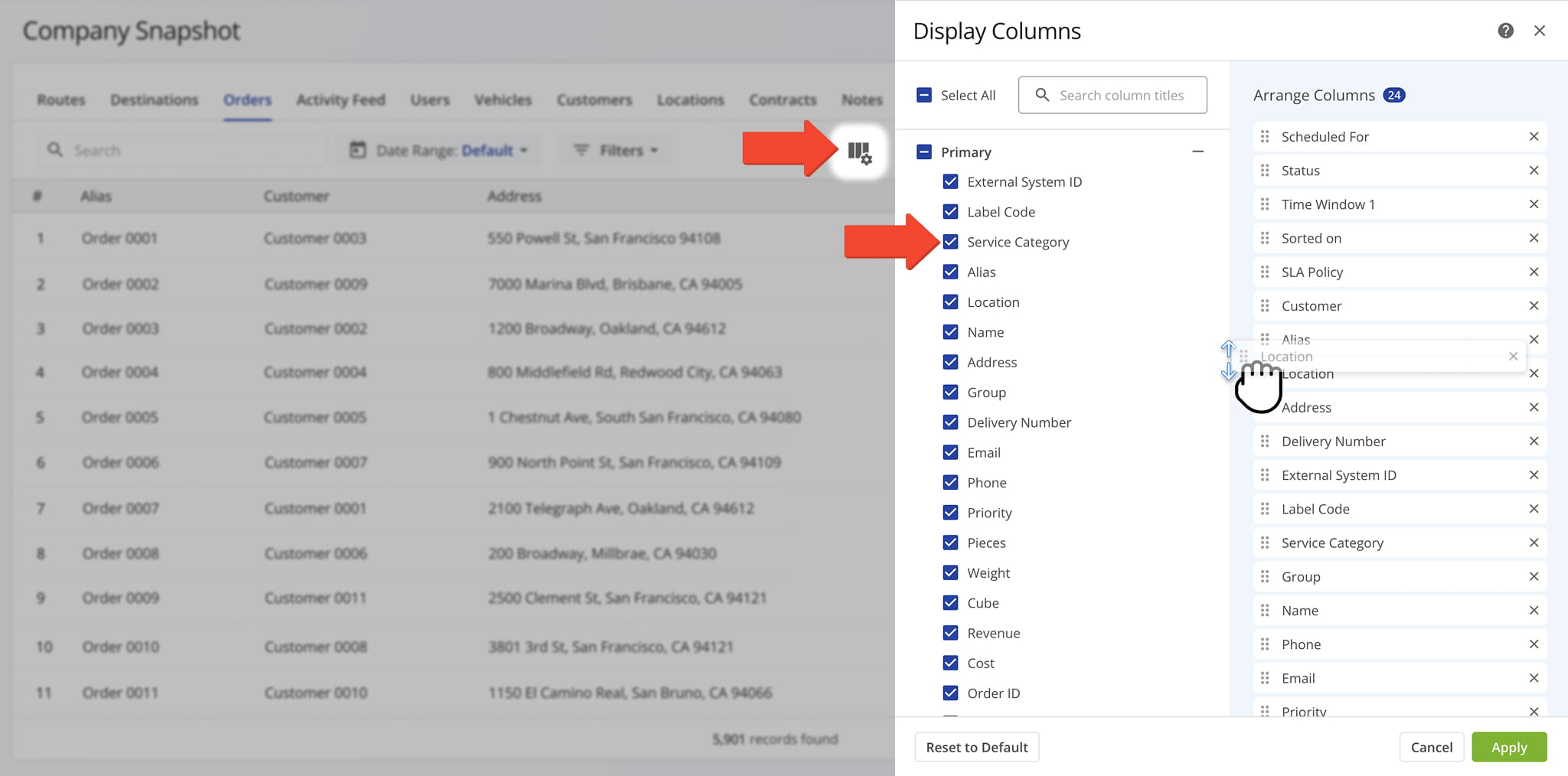
Orders Data Columns
Activity Feed Tab – Activity And Event History Overview
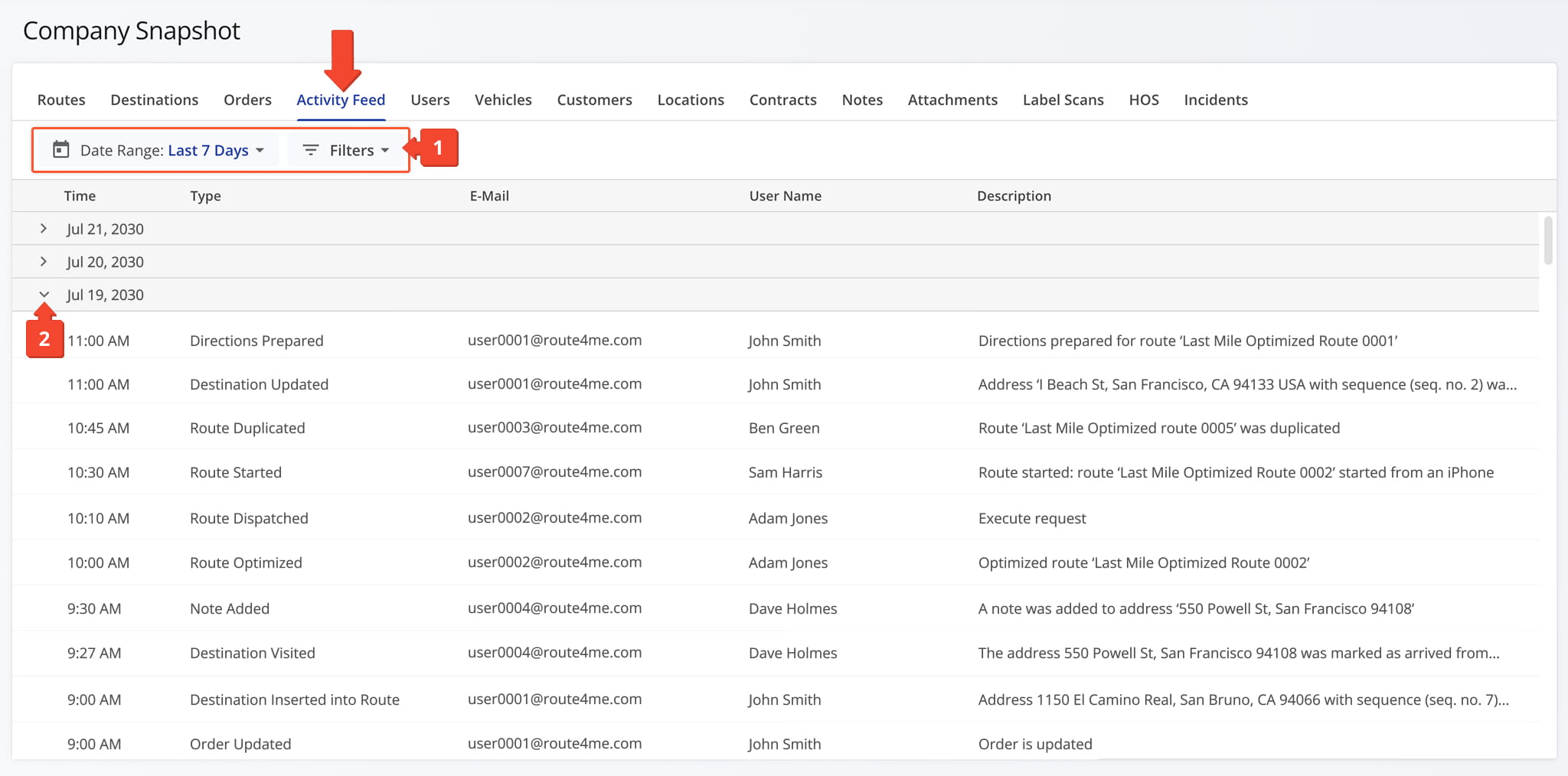
The Activity Feed Tab displays a chronological log of activity across your company, organized by date, including the activity type, a brief description, and the username and email of the person associated with each activity. From this tab, you can:
- Apply Date Range and “Activity Type” filters, detailed in the table below, to narrow down which activity data is shown.
- Click the Down Arrow button next to a date to expand the list of activities that took place that day.
Activity Filters
Users Tab – Company User Data Overview
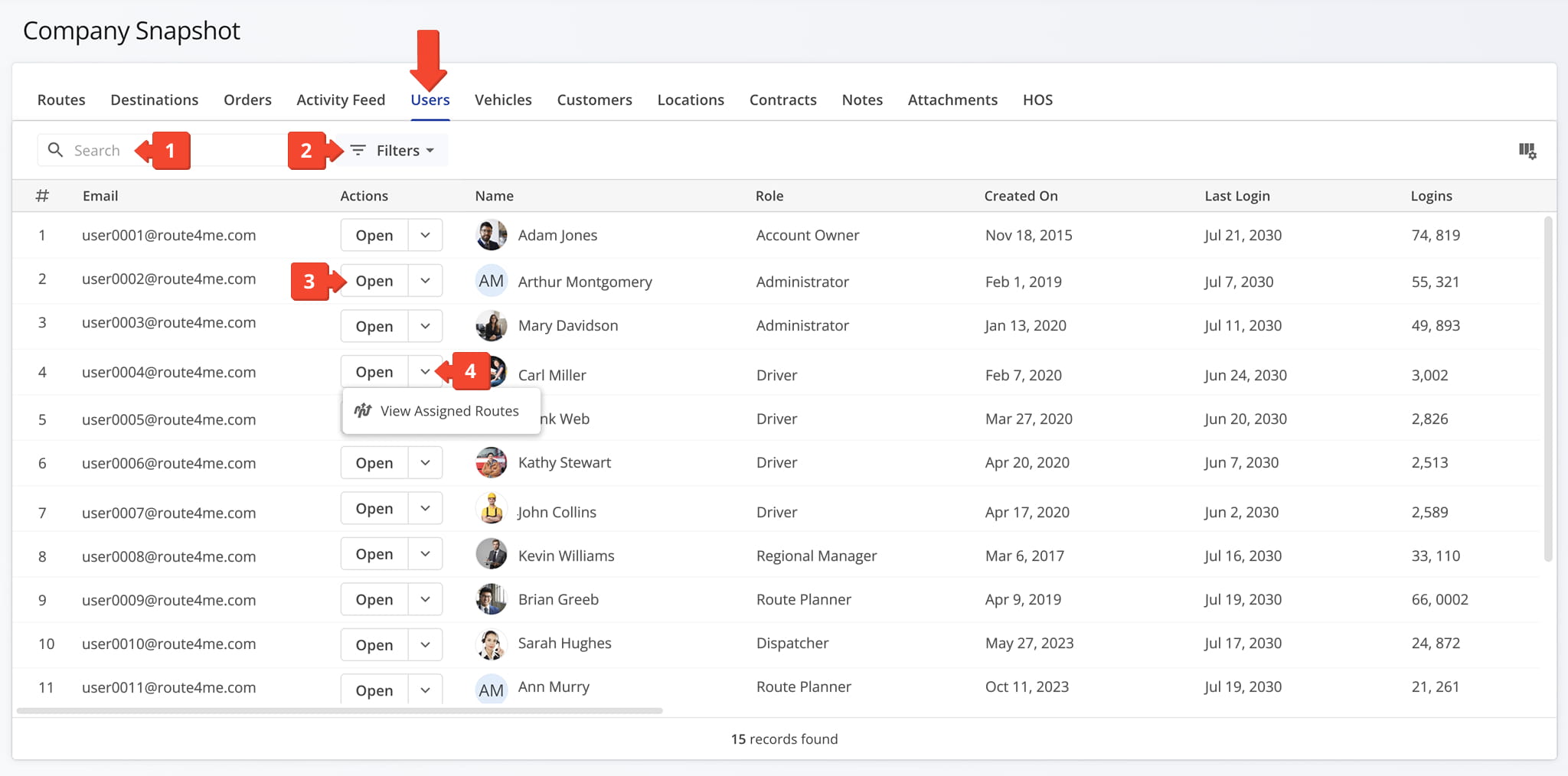
The Users Tab provides a detailed table of every user associated with your company, giving you visibility into account details, roles, and access levels in one place.
Instead of managing users through individual routes or settings pages, you can review and administer your entire team’s accounts from a single, centralized view. From this tab, you can:
- Use the Search field to locate specific users.
- Apply filters, detailed in the table below, to narrow down which users appear in the data table.
- Click “Open” next to a user to access their User Snapshot.
- Click the Down Arrow button next to a user and select “View Assigned Routes” to view their assigned routes.
Users Filters
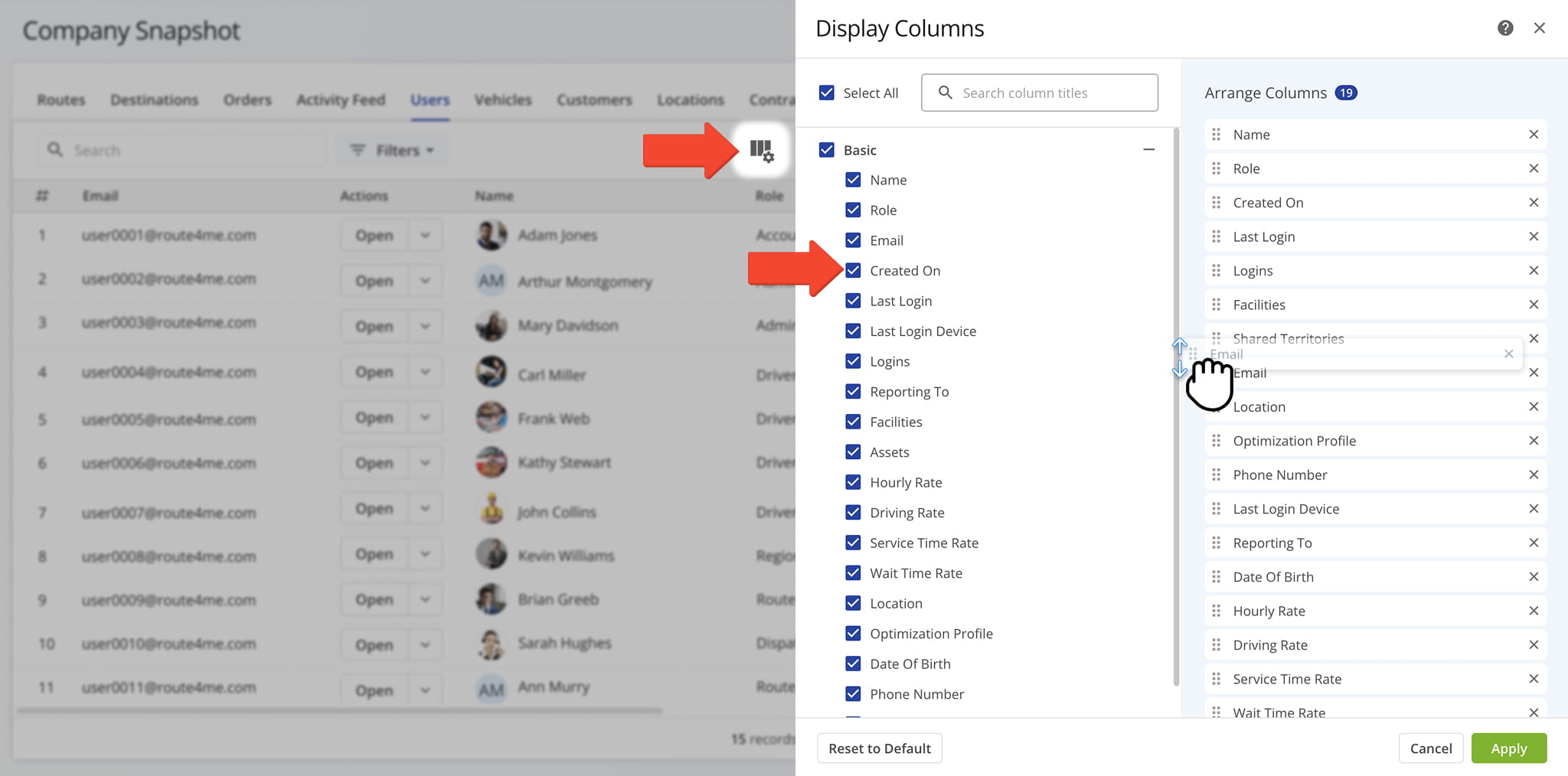
You can also customize the data displayed in the table. Click the Column Icon in the upper right corner to select which users data fields appear and adjust their order to suit your operational needs.
The table below provides an overview of all available data columns, which you can reorder by dragging them into place.
Users Data Columns
Vehicles Tab – Vehicle Data And Fleet Overview
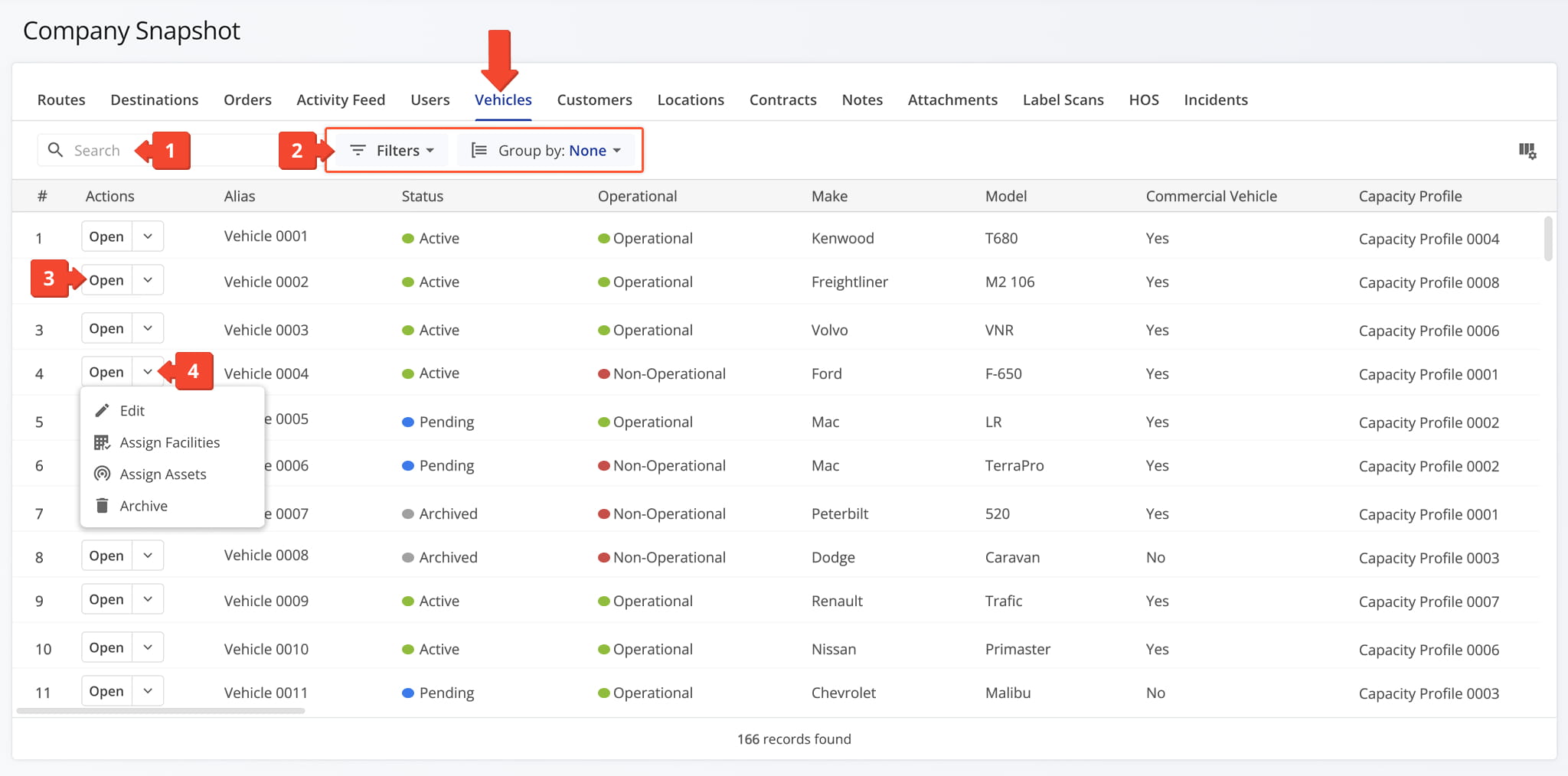
The Vehicles Tab provides a detailed table of every vehicle in your company’s fleet, giving you visibility into vehicle details, assignments, and status in one place.
This gives you a complete, up-to-date picture of your fleet’s availability and utilization, so you can make faster decisions about vehicle assignments and maintenance needs. From this tab, you can:
- Use the Search field to locate specific vehicles.
- Apply Filter and Group By options, detailed in the table below, to narrow down which vehicles appear in the data table.
- Click “Open” next to a vehicle to access its Vehicle Snapshot.
- Click the Down Arrow to open the Actions Menu, where you can edit the vehicle, update its assigned facilities or assets, or archive it.
Vehicles Filters
You can also customize the data displayed in the table. Click the Column Icon in the upper right corner to select which vehicles data fields appear and adjust their order to suit your operational needs.
The table below provides an overview of all available data columns, which you can reorder by dragging them into place.
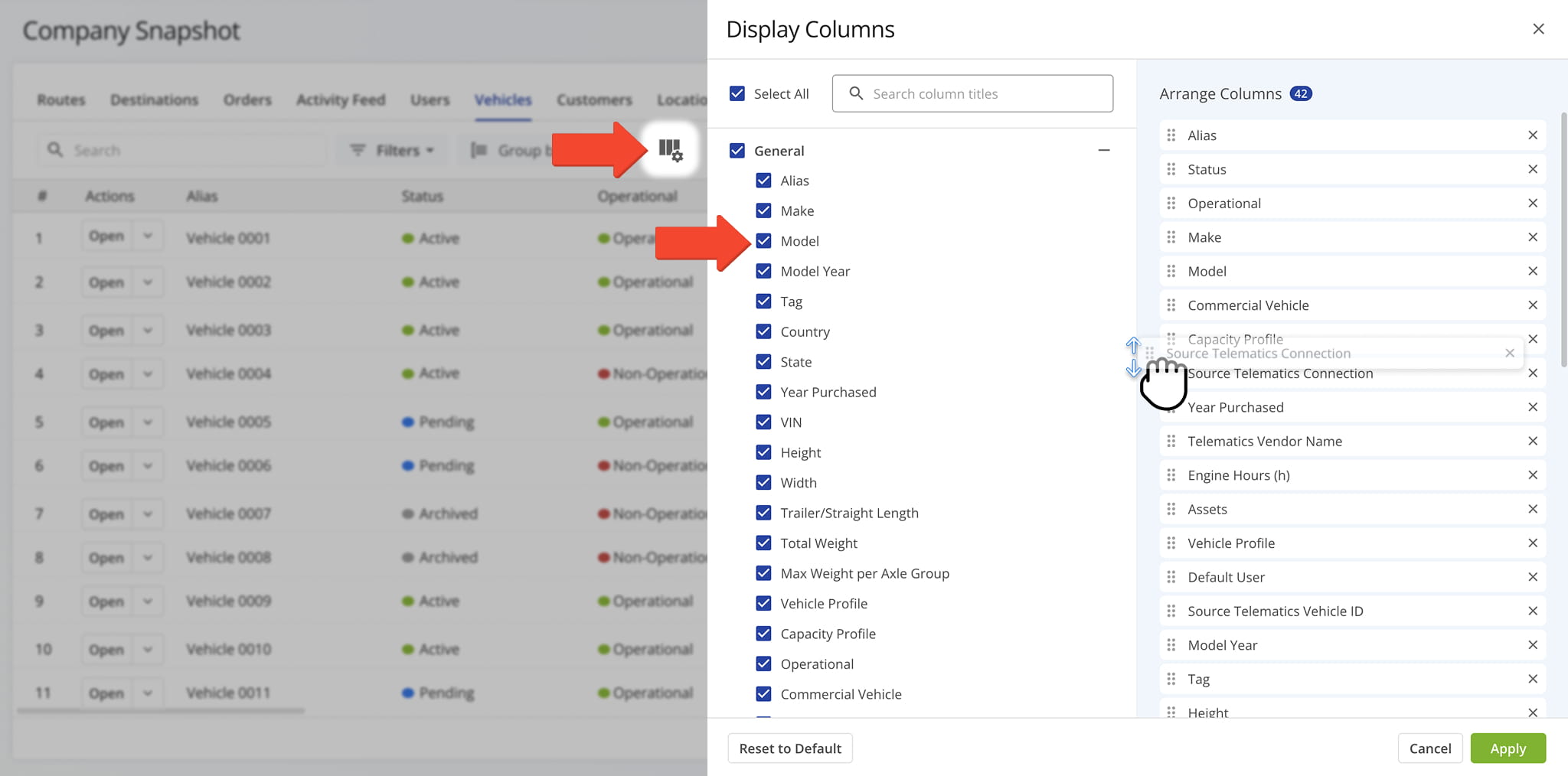
Vehicles Data Columns
Customers Tab – Customer Records And Account Overview
The Customers Tab provides a detailed table of every customer associated with your company, giving you visibility into customer details, contact information, and account data in one place.
This lets you quickly look up a specific customer’s information, review their account history, or confirm contact details without searching through individual routes or orders. From this tab, you can:
- Use the Search field to locate specific customers.
- Apply filters, detailed in the table below, to narrow down which customers appear in the data table.
- Click “Open” next to a customer to access their Customer Snapshot.
- Click the Down Arrow to access additional actions: “Edit“, “Assign Facilities“, “Assign Assets“, and “Archive“.
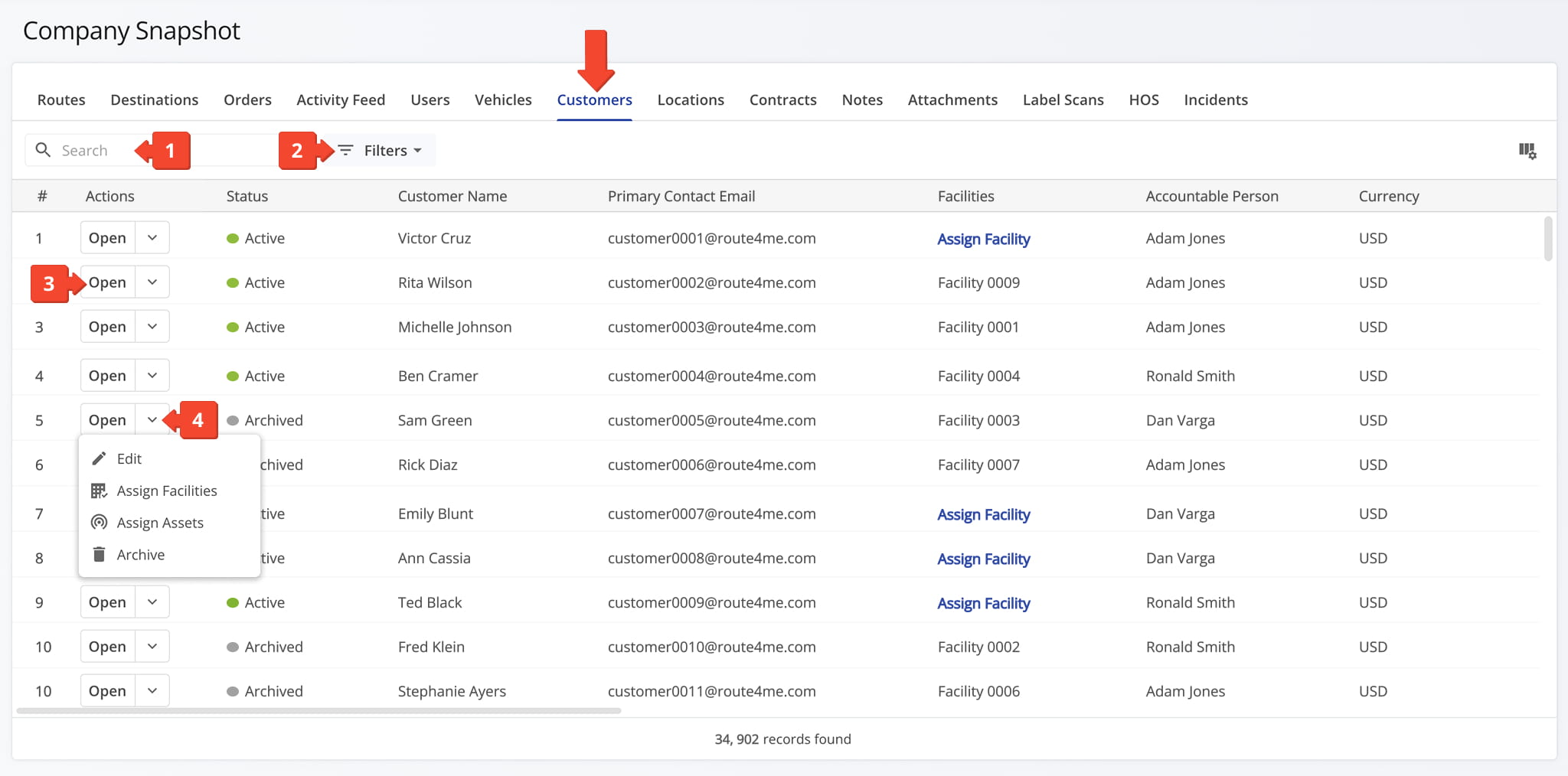
Customers Filters
You can also customize the data displayed in the table. Click the Column Icon in the upper right corner to select which customers data fields appear and adjust their order to suit your operational needs.
The table below provides an overview of all available data columns, which you can reorder by dragging them into place.
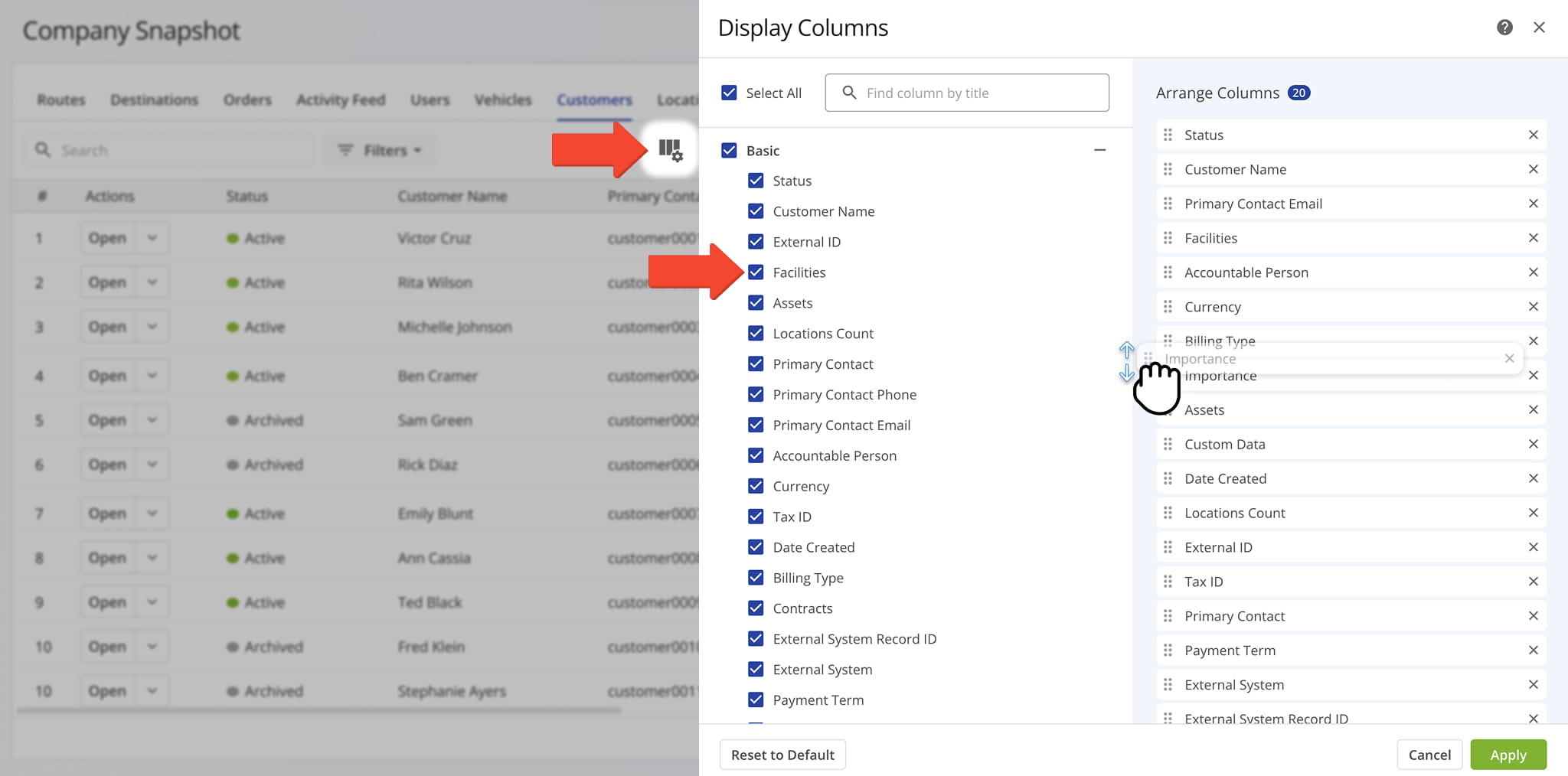
Customers Data Columns
Locations Tab – Delivery And Service Location Overview
The Locations Tab provides a detailed table of every location your company delivers to or services, giving you visibility into address details, service history, and related data in one place.
Whether you’re confirming an address, reviewing service history at a specific location, or checking which locations are tied to upcoming routes, you can access all the data you need from this tab. Here, you can:
- Use the Search field to locate specific locations.
- Apply Filter and Group By options, detailed below, to narrow down the data that appears in the table.
- Click “Open” next to a location to access its Location Snapshot.
- Click “Add Location” to add a new location to your database.
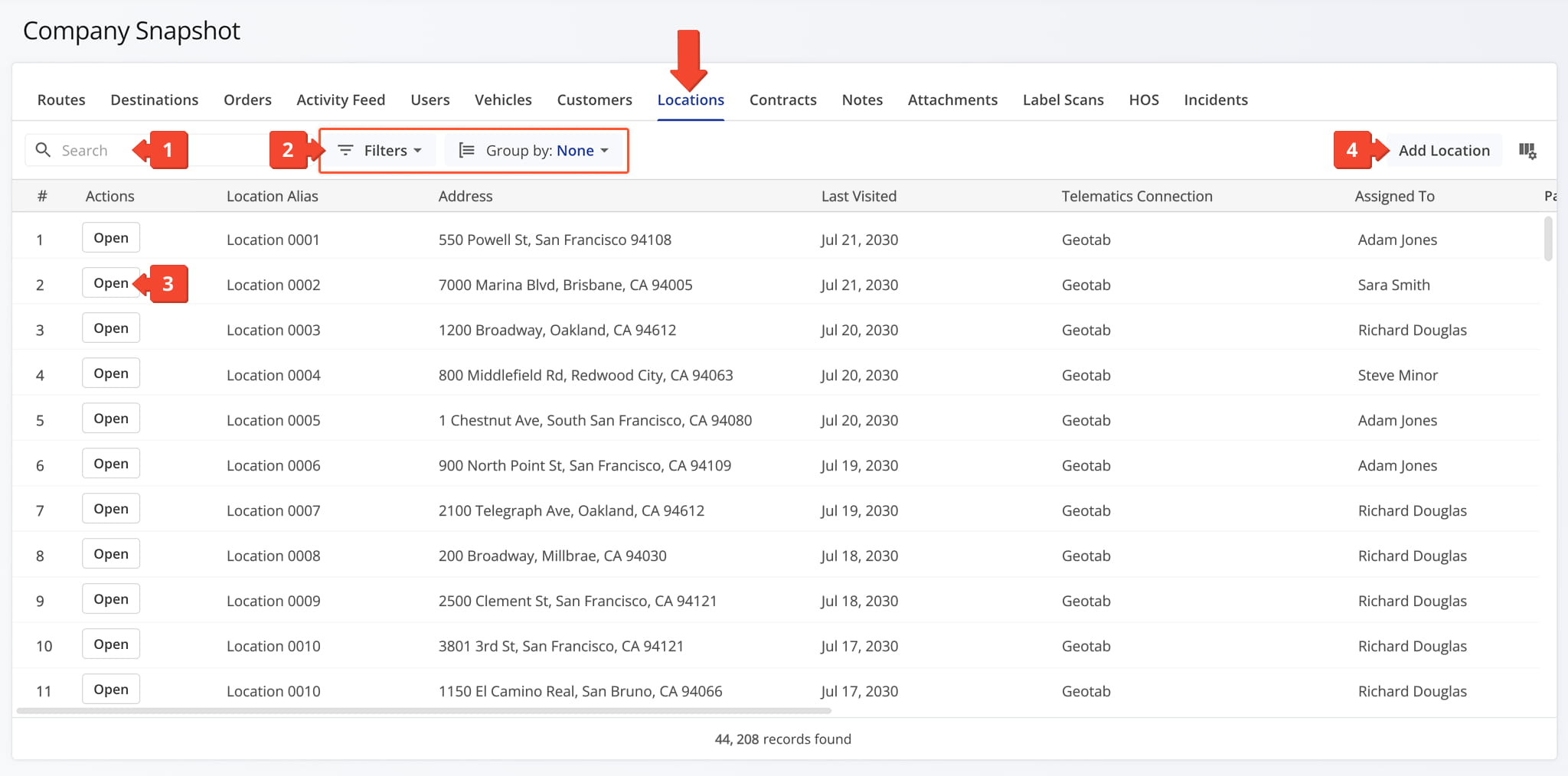
Location Filters
You can also customize the data displayed in the table. Click the Column Icon in the upper right corner to select which locations data fields appear and adjust their order to suit your operational needs.
The table below provides an overview of all available data columns, which you can reorder by dragging them into place.
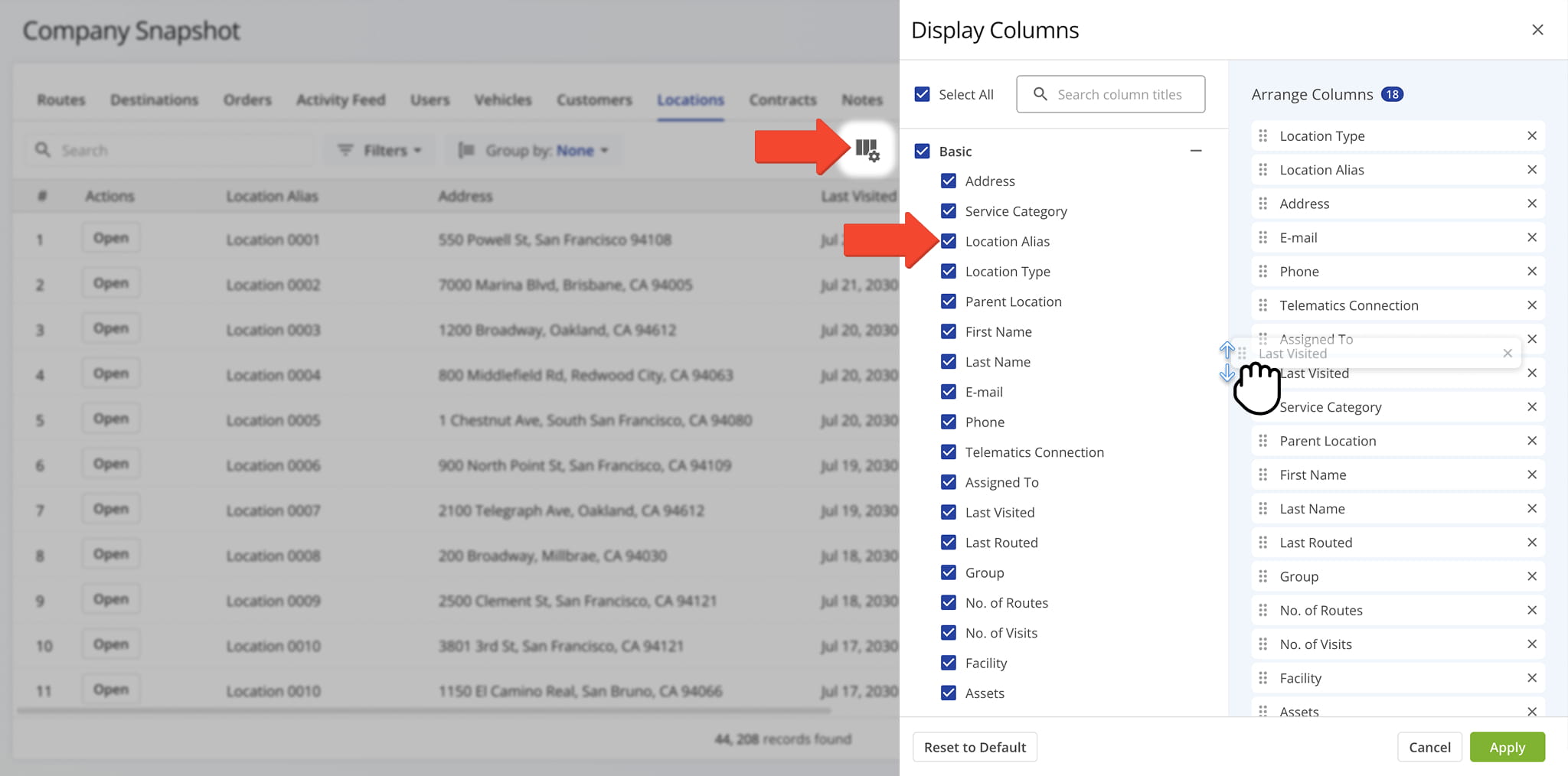
Location Data Columns
Contracts Tab – Contract Details And Agreement Overview
The Contracts Tab provides a detailed table of every contract associated with your company, giving you visibility into contract terms, status, and related data in one place.
This makes it easy to stay on top of active agreements, track renewal or expiration dates, and confirm contract details tied to specific customers or routes. From this tab, you can:
- Use the Search field to locate specific contracts.
- Apply date or other filters, detailed in the table below, to narrow down which contracts appear in the data table.
- Click “Open” next to a contract to access its Contract Snapshot.
- Click the Down Arrow to edit or delete the contract.
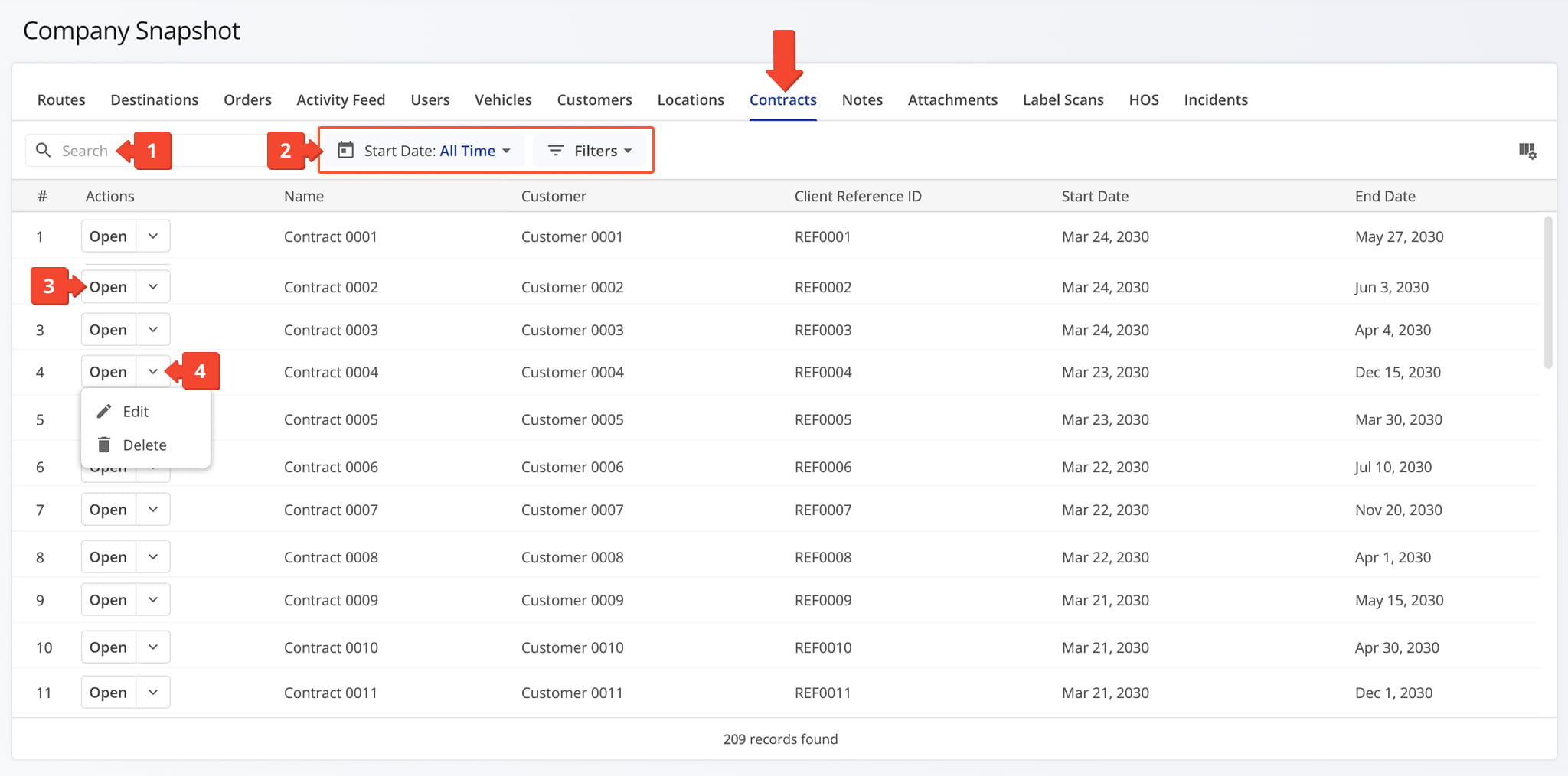
Contract Filters
You can also customize the data displayed in the table. Click the Column Icon in the upper right corner to select which contracts data fields appear and adjust their order to suit your operational needs.
The table below provides an overview of all available data columns, which you can reorder by dragging them into place.
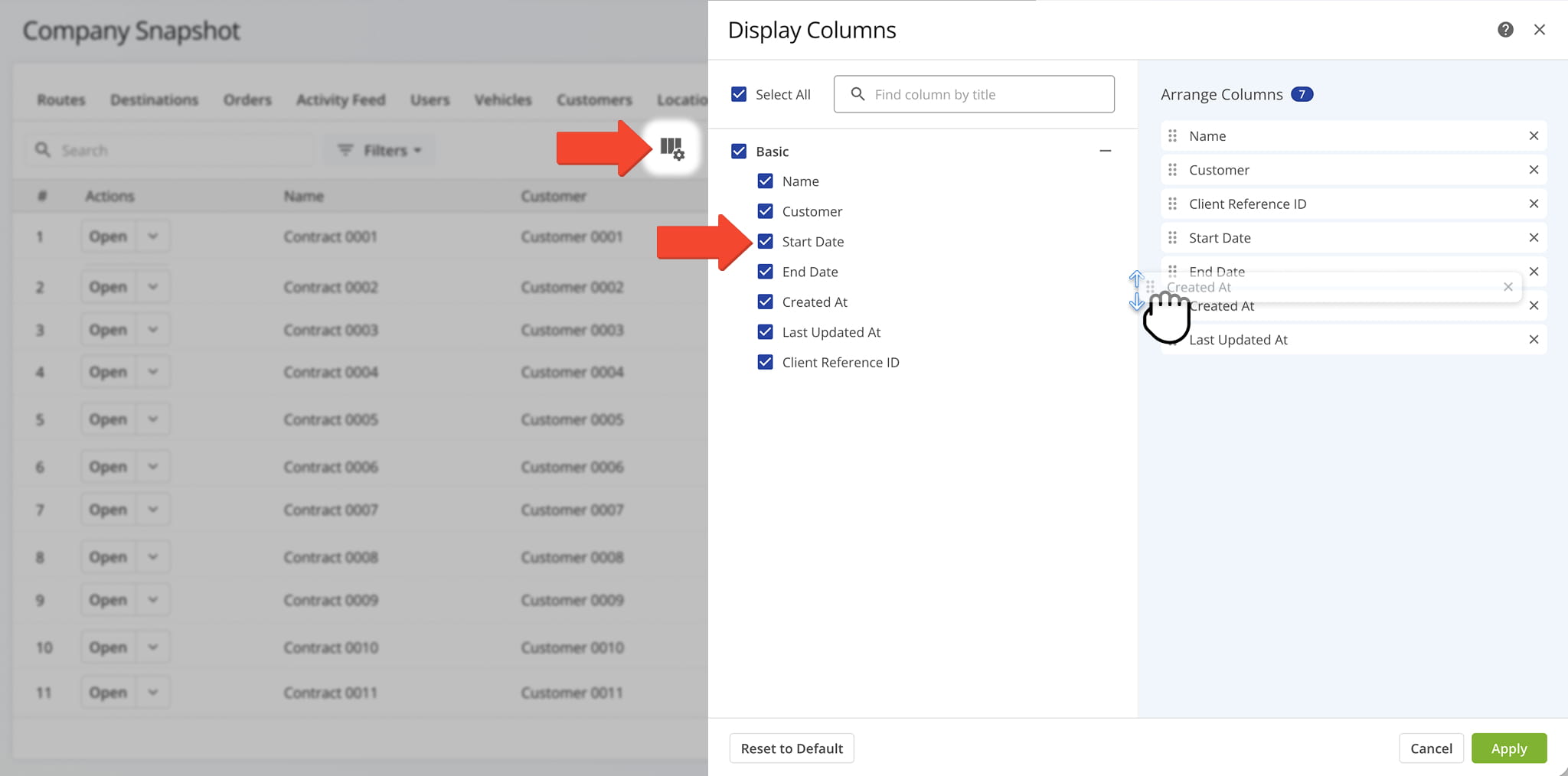
Contract Data Columns
Notes Tab – Delivery And Service Note Overview
The Notes Tab provides a detailed table of every note logged during delivery or service calls across your company, giving you visibility into note content, the location where it was recorded, and the device or source used to capture it.
This makes it easy to trace exactly where and how a note was left, whether you’re verifying a driver’s location at the time or confirming which device was used to record it. From this tab, you can:
- Use the Search field to locate specific notes.
- Apply Date Range and Filter options, detailed in the table below, to narrow down which notes appear in the data table.
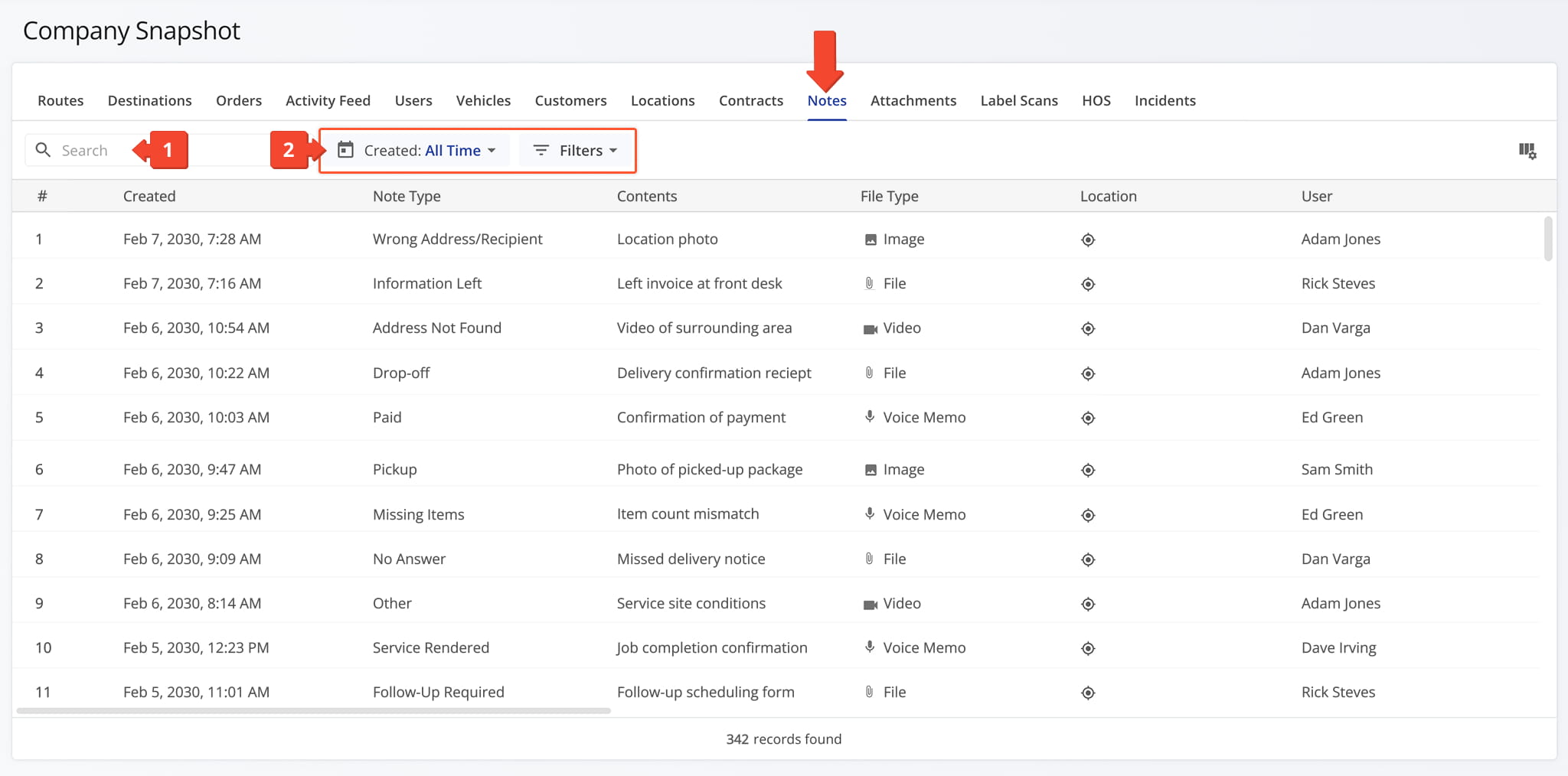
Notes Filters
You can also customize the data displayed in the table. Click the Column Icon in the upper right corner to select which notes data fields appear and adjust their order to suit your operational needs.
The table below provides an overview of all available data columns, which you can reorder by dragging them into place.
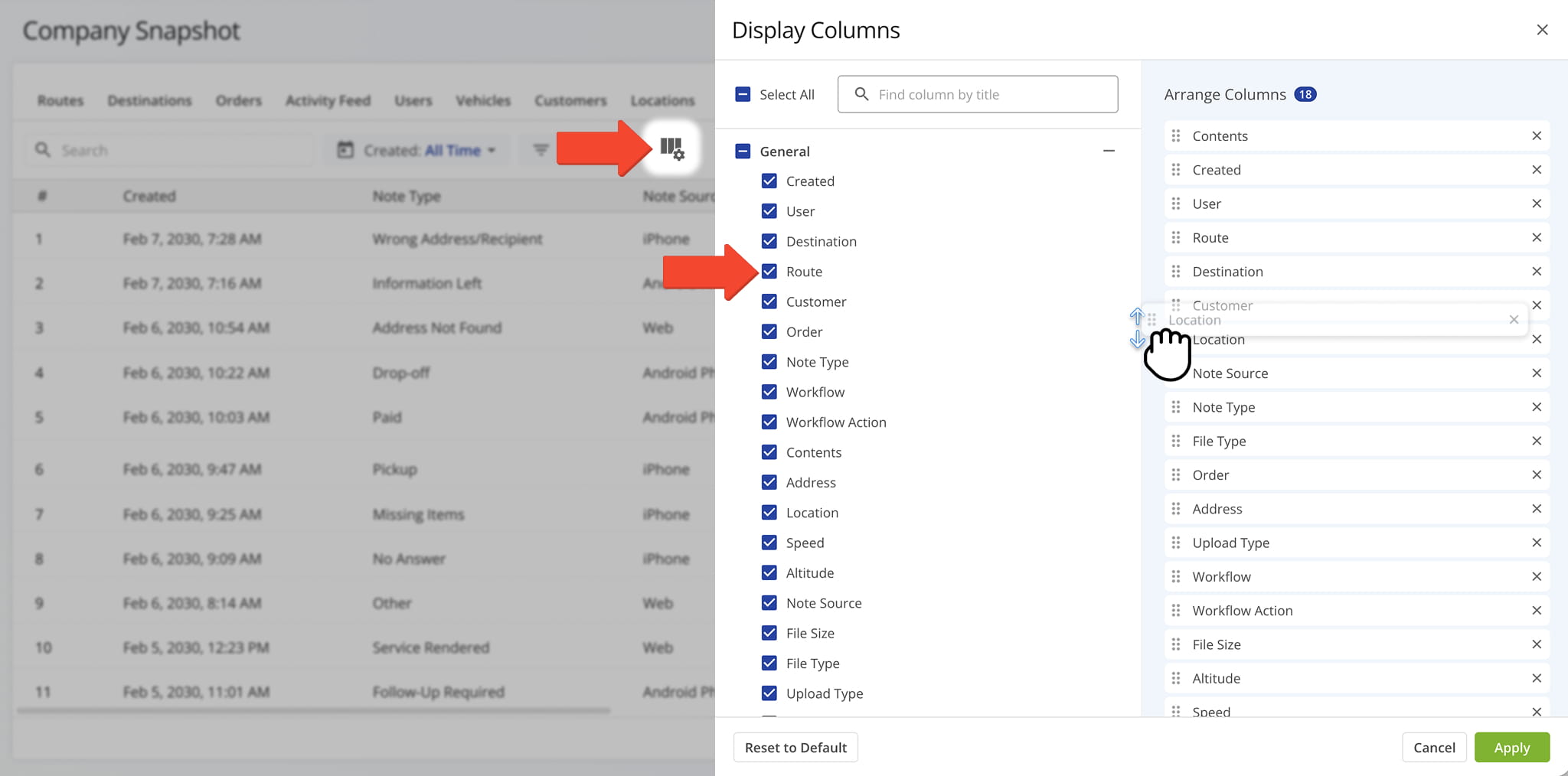
Notes Data Columns
Attachments Tab – Attached Files And Proof Of Visit Overview
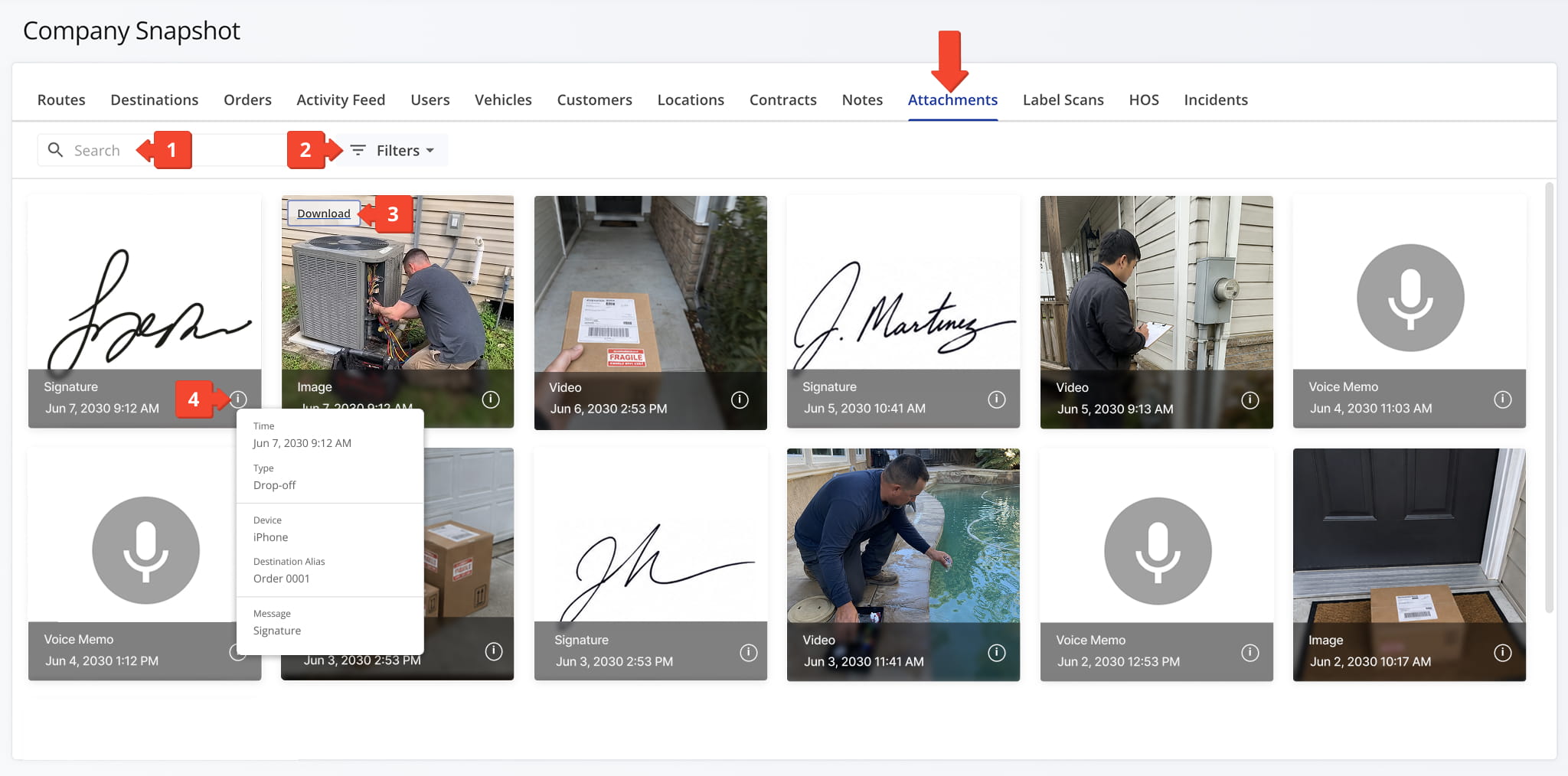
The Attachments Tab provides a centralized view of every file attached to a delivery or service call across your company, including images, videos, and signatures.
This makes it easy to locate proof of visit or service documentation without having to search through individual notes or destinations. From this tab, you can:
- Use the Search field to locate specific attachments.
- Apply filters, detailed in the table below, to narrow down which attachments appear in the data table.
- Hover over an image to access the Download button or double-click the image to view a full-screen version.
- Hover over the Information Icon to view an attachment’s details.
Attachments Filters
Label Scans Tab – Scan Activity Overview
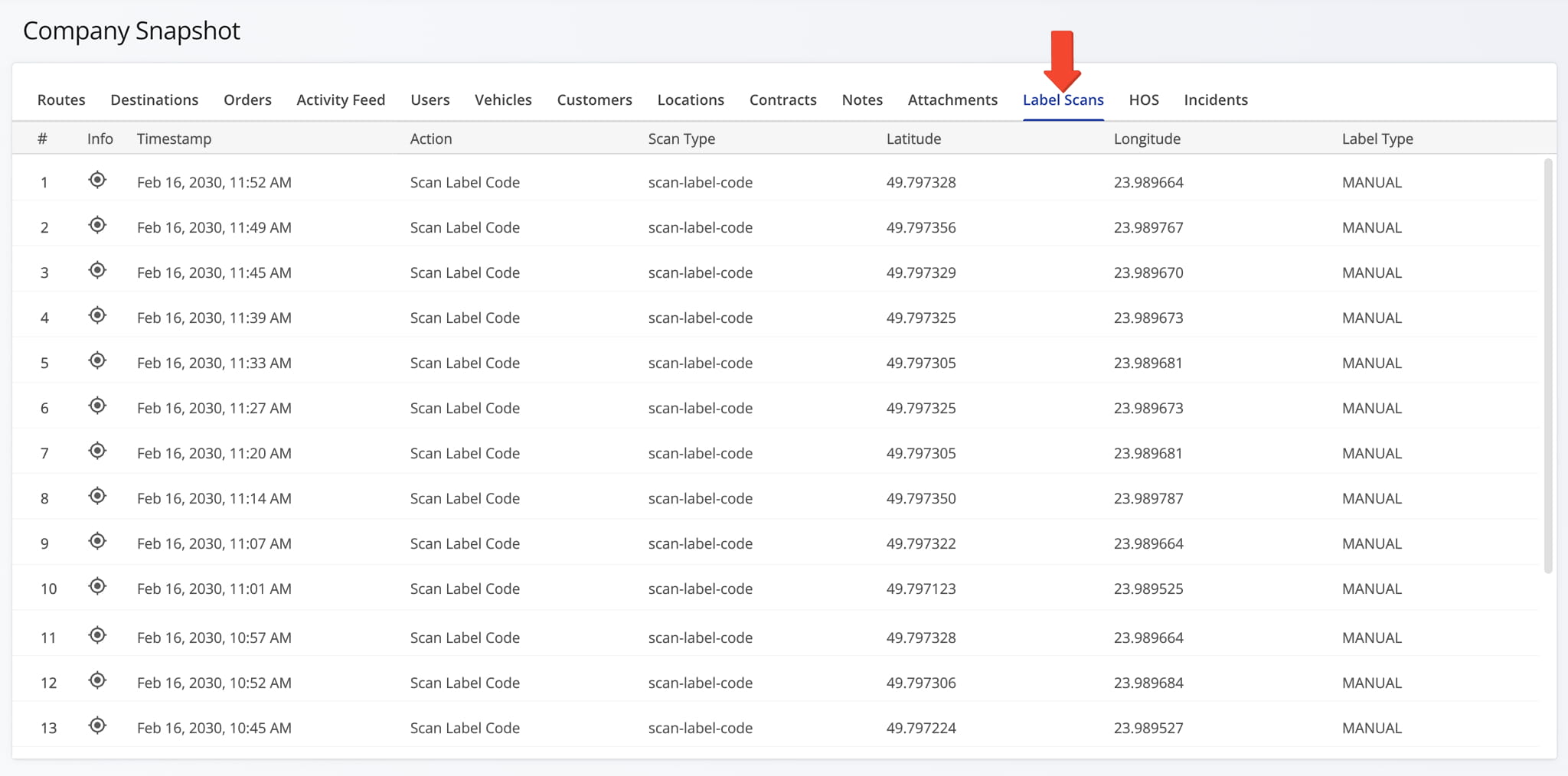
The Label Scans Tab displays all label scan activity associated with your company in a preset data table, including timestamp, action, scan type, latitude, longitude, and label type.
Hover over the Information Icon next to a scan to view the exact latitude and longitude of where it took place.
HOS Tab – Hours Of Service Activity And Compliance Overview
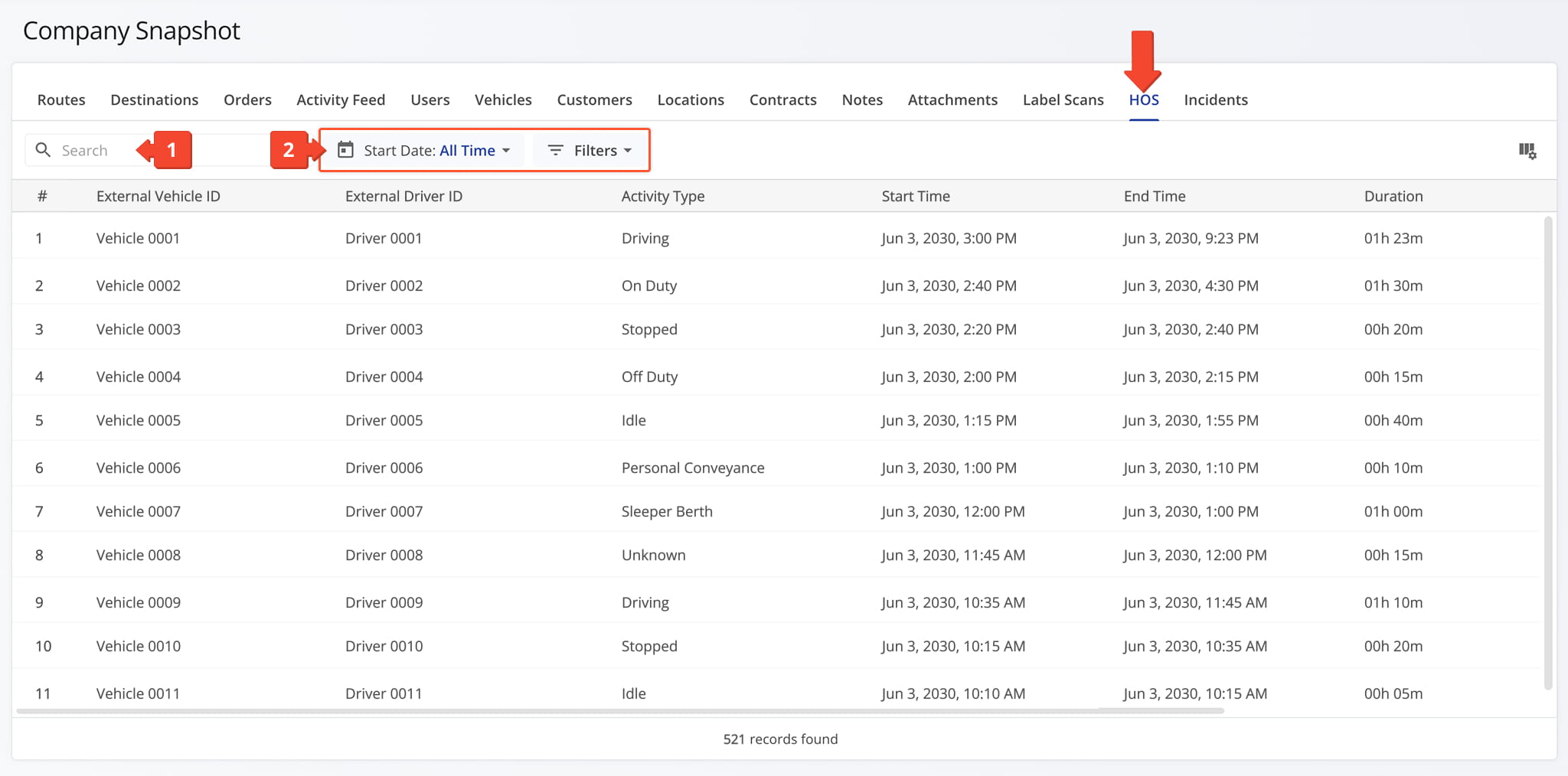
The HOS Tab provides a detailed breakdown of Hours of Service data for drivers and field team members across your company, including activity type, duration, and source.
This makes it easy to monitor compliance, review driving and off-duty time, and confirm HOS activity without switching between individual driver or vehicle records. From this tab, you can:
- Use the Search field to locate specific attachments.
- Apply Date Range and Filter options, detailed in the table below, to narrow down which HOS data appears in the data table.
HOS Filters
You can also customize the data displayed in the table. Click the Column Icon in the upper right corner to select which HOS data fields appear and adjust their order to suit your operational needs.
The table below provides an overview of all available data columns, which you can reorder by dragging them into place.
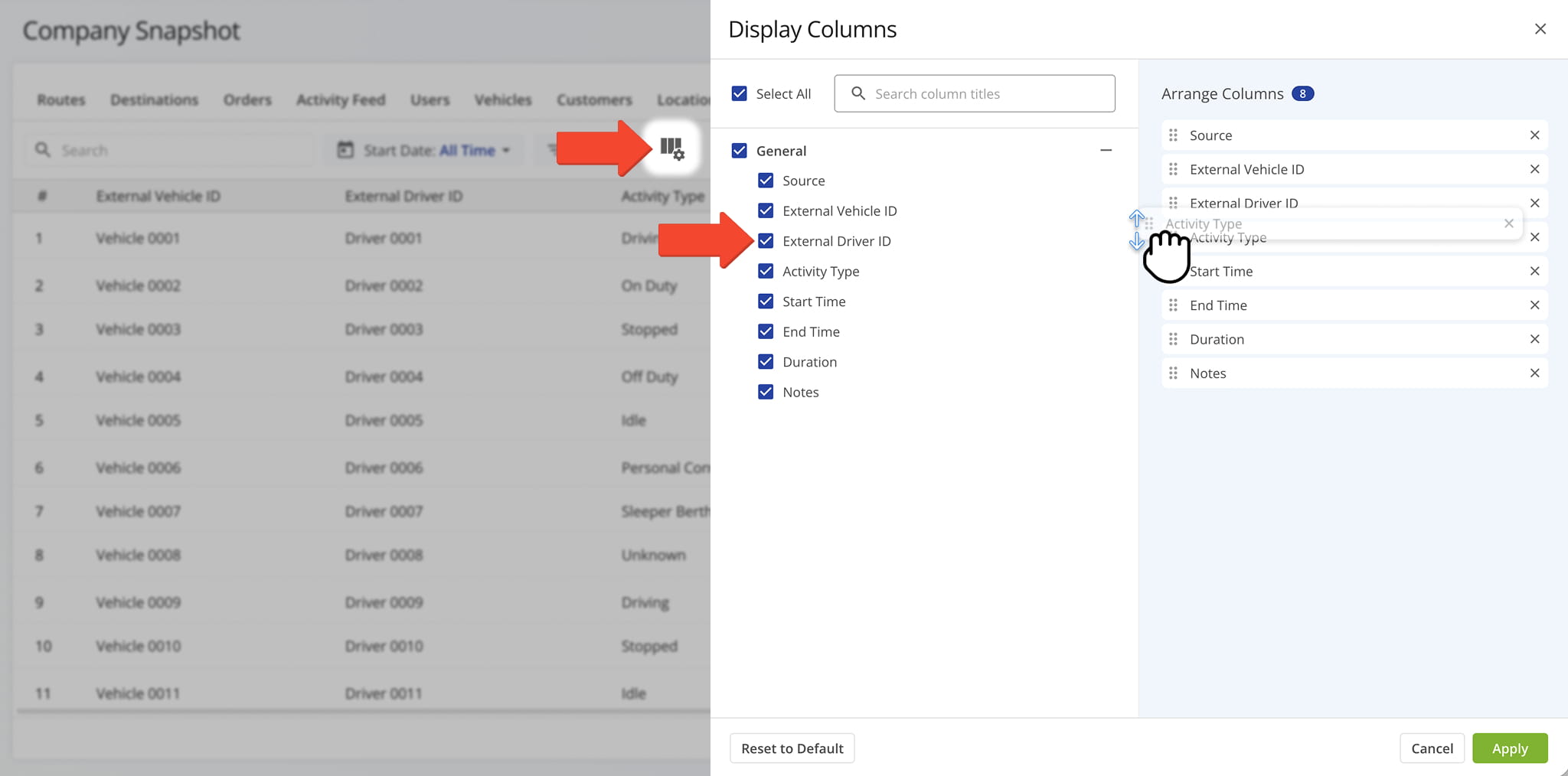
HOS Data Columns
Incidents Tab – Recorded Safety Incidents Overview
The Incidents Tab displays all recorded safety incidents across your company, pulled from telematics connections and dash cams installed on your vehicles, along with their details.
This gives you a centralized view of safety events, so you can review incident severity, investigate what happened, and identify patterns across your fleet. From this tab, you can:
- Use the Search field to locate specific incidents.
- Apply Date Range and Filter options, detailed in the table below, to narrow down which incidents appear in the data table.
- Click the “View Media” button to open the media player and inspect the recording associated with an incident.
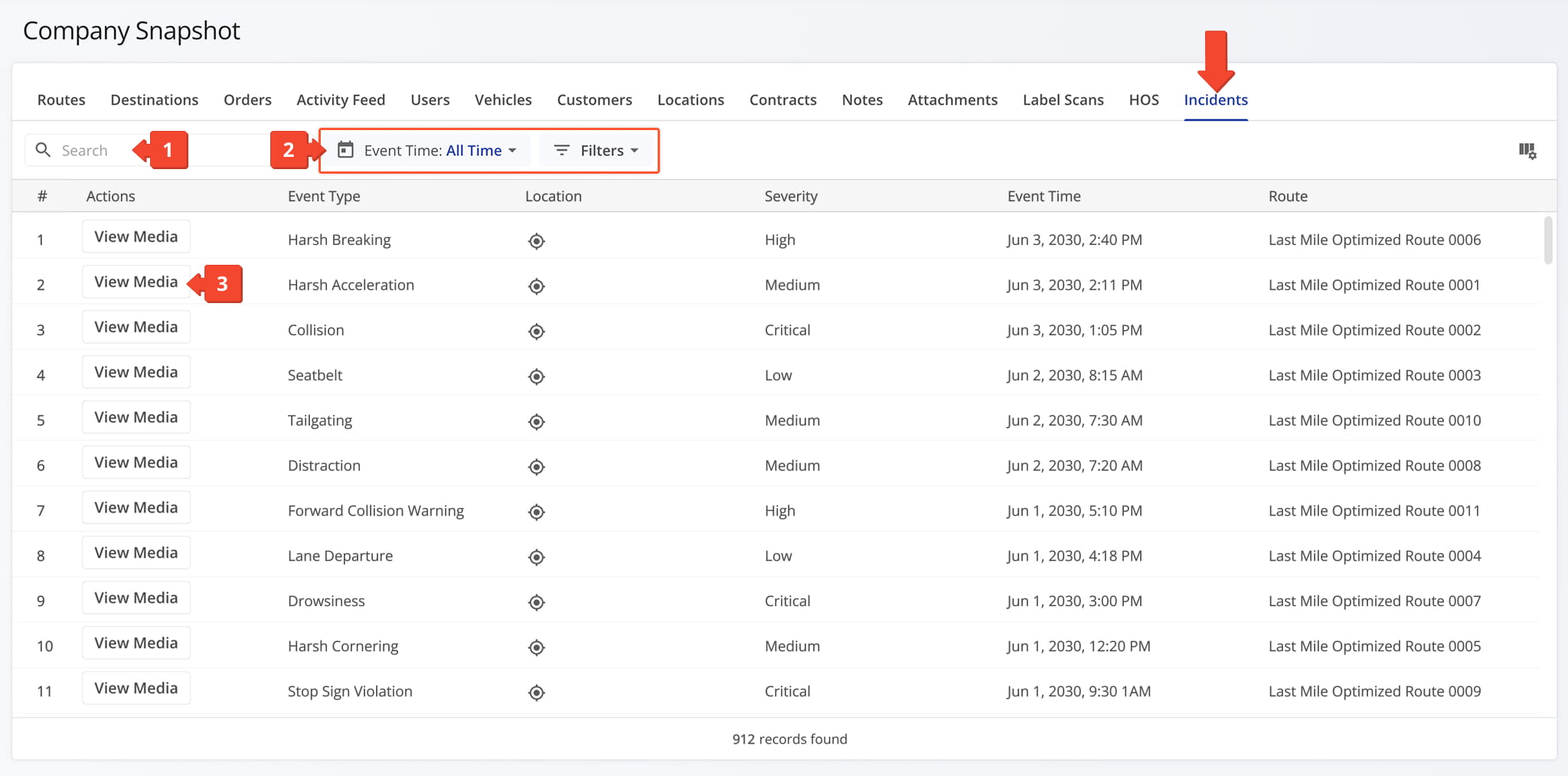
Incidents Filters
You can also customize the data displayed in the table. Click the Column Icon in the upper right corner to select which incidents data fields appear and adjust their order to suit your operational needs.
The table below provides an overview of all available data columns, which you can reorder by dragging them into place.
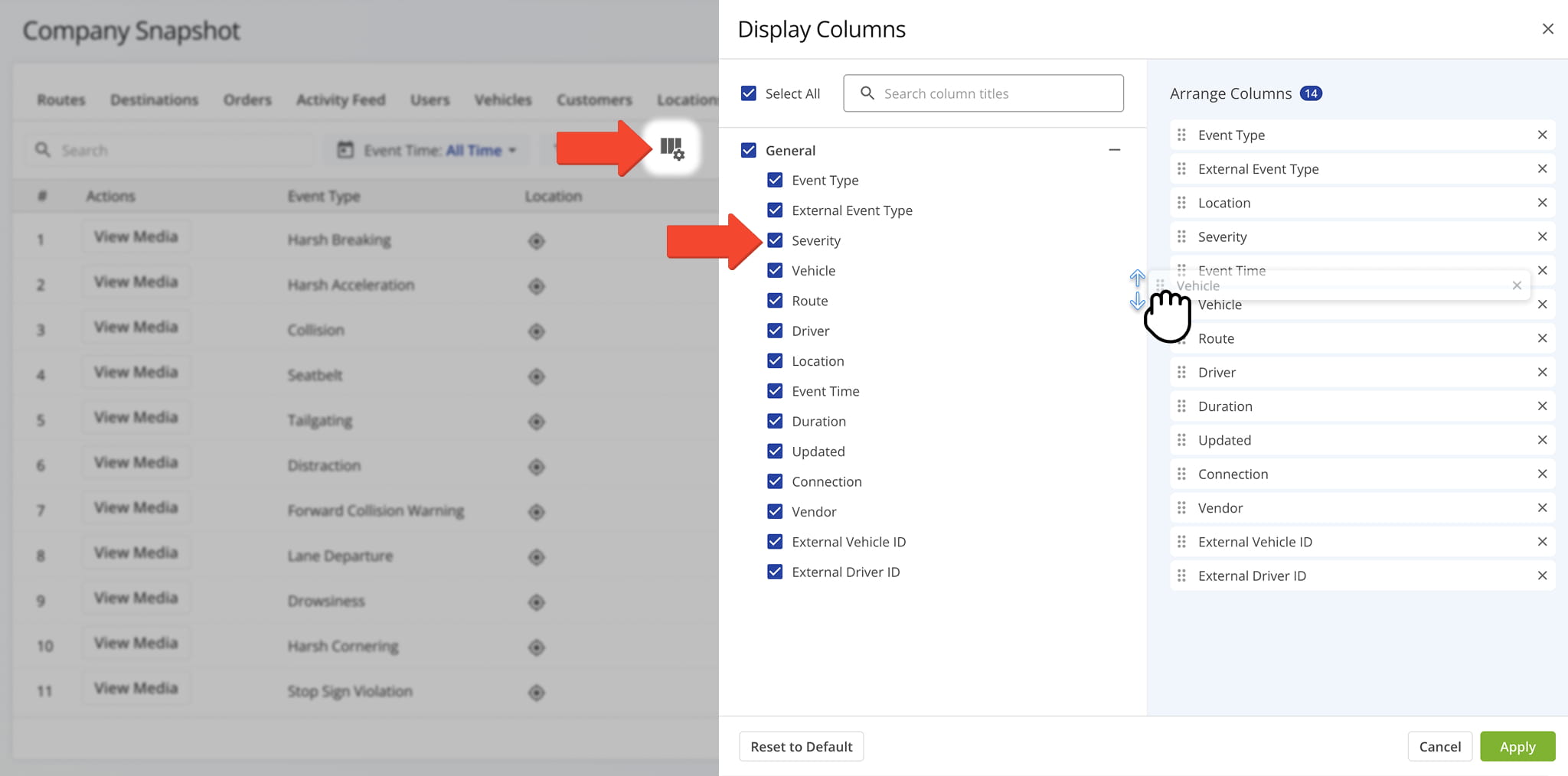
Incidents Data Columns
Visit Route4Me's Marketplace to Check out Associated Modules:
- Operations
Audit Logging and Activity Stream
- Operations
Custom Data Add-On
- Operations
Advanced Team Management Add-On
Last Updated:
About author: Daniel Archer

