
Custom Location Geofences – Set Up Location Geozones For Visit Detection
Route4Me’s geofences automatically detect when users arrive at or depart from route destinations, generating immutable Arrival and Departure Time timestamps. In addition to your default account geofencing settings, you can set up custom geofences for Customer Locations. These geozones enable you to maintain automatic visit detection even for locations with unusual layouts, off-site parking, and other factors your default geofences can’t account for.
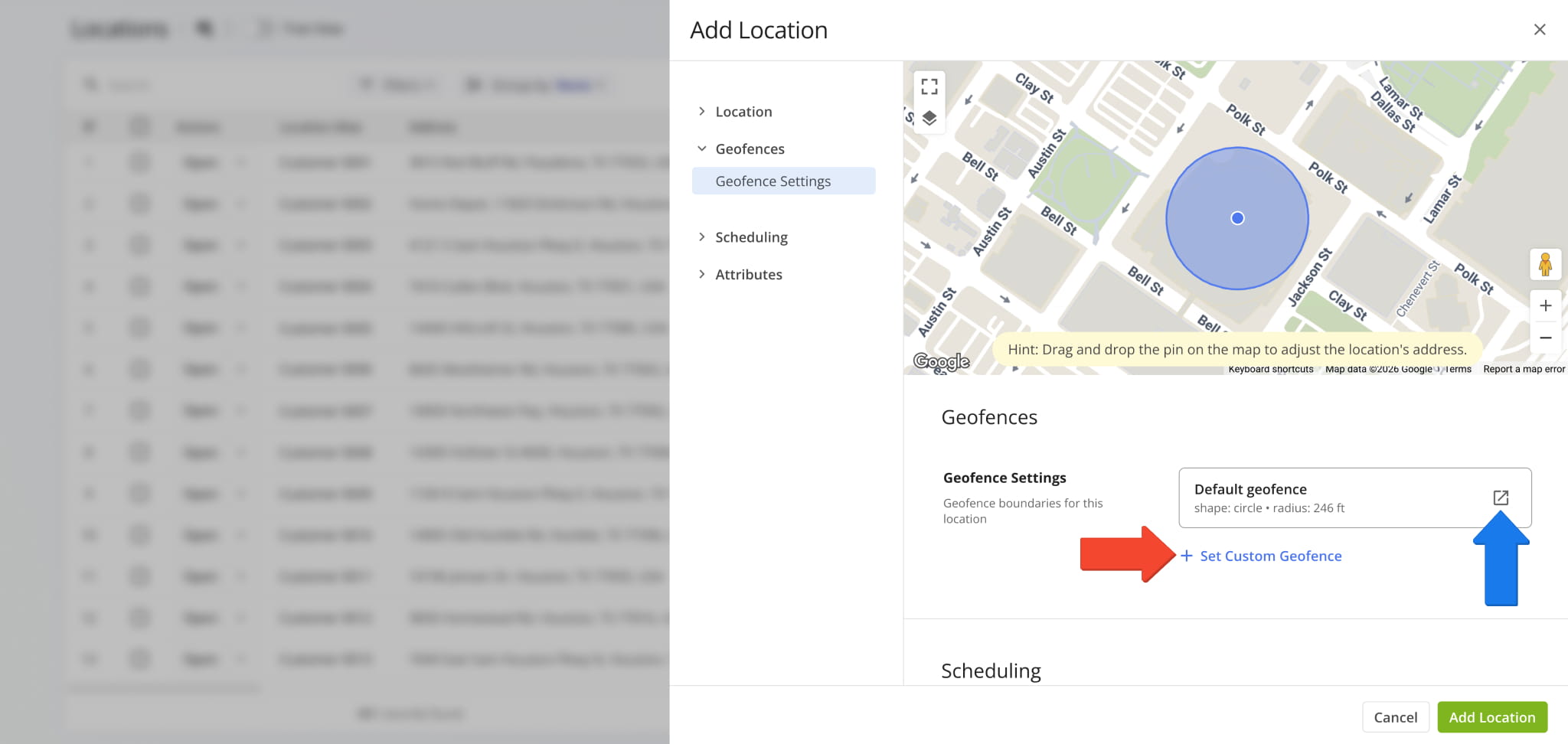
When you add a Location, go to “Geofences Settings” to see how your default geofences look in relation to it and create custom geozones if needed. If geofencing is enabled on your account, you can click the Open Icon to go to your Geofence Settings.
To create a custom Location Geofence, click “Set Custom Geofence” and follow the instructions below.
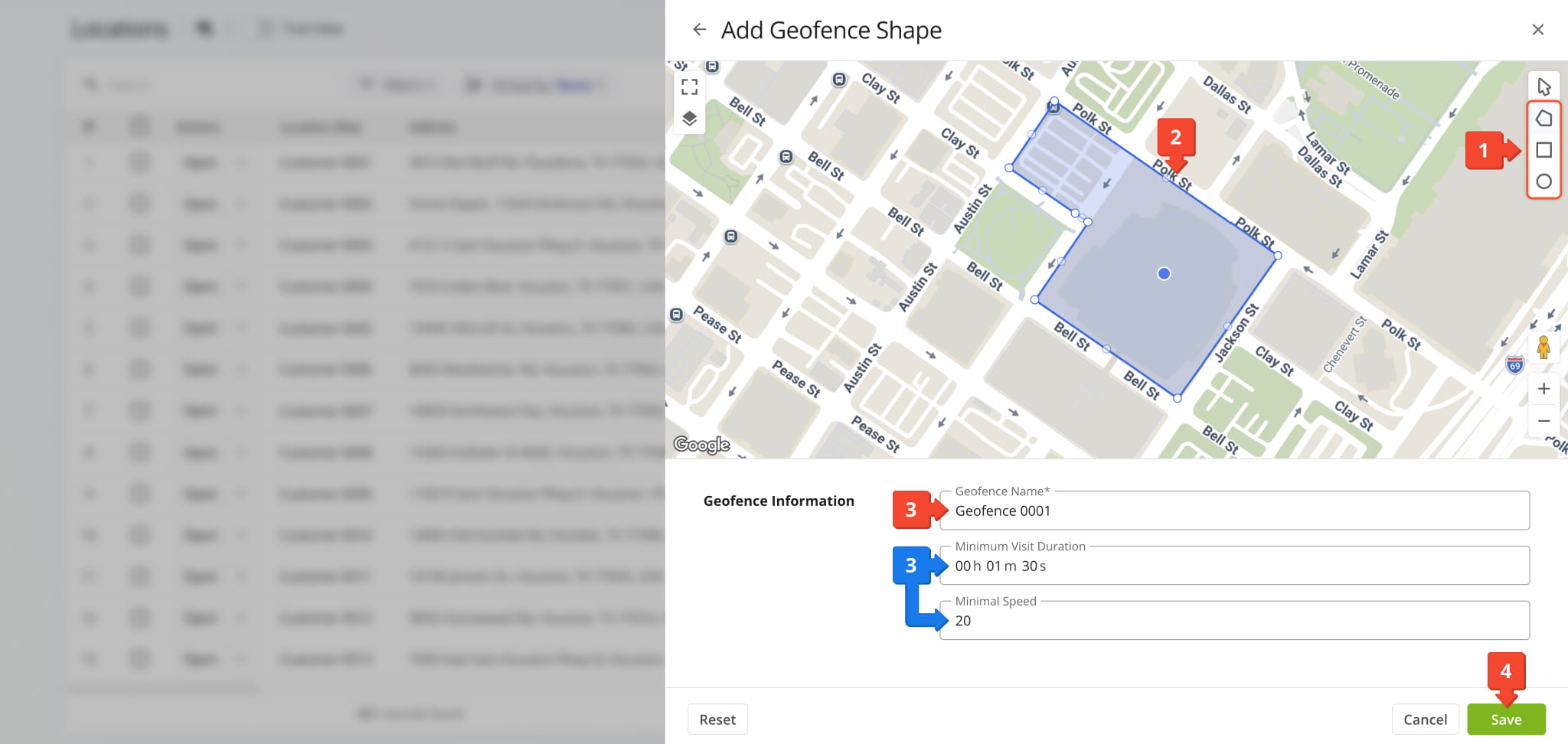
- Select a shape option (custom, rectangular, or circular)
- Draw your geofence on the map using the mouse
- Enter a “Geofence Name” to easily identify your new geofence
- Click “Save” to finalize
You can optionally input a “Minimum Visit Duration” and “Minimal Speed” to ensure assigned users are entering and staying within the geofence for automatic visit detection. Learn more about using geofences to track route compliance.
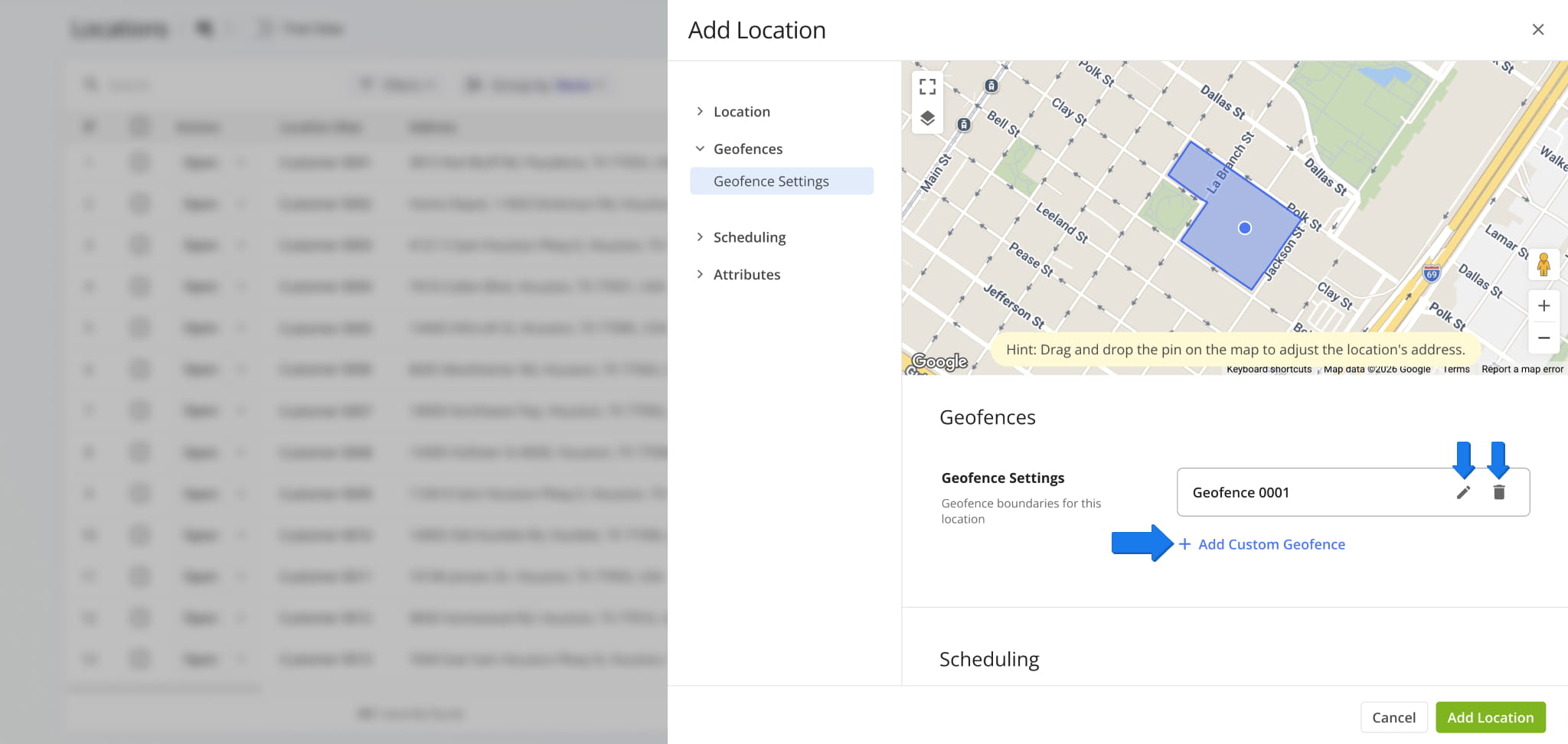
The new geofence will replace your default Geofence Settings for the Location. You can add more geofences with the “Add Custom Geofence” button, edit the geofence with the Pencil Icon, or delete it and use account defaults by clicking the Delete Icon.
Visit Route4Me's Marketplace to Check Out More Add-Ons and Modules:
- Route Optimization
Address Book and Territories Planning
- Operations
Custom Data Add-On
About author: Kristian Andreev

