
Business Units Guide – Add And Manage Business Units
Route4Me’s Business Units page helps your enterprise business organize users and teams into structured groups. By centralizing the management of your Business Units, you can improve visibility, reporting accuracy, and route planning efficiency across your organization. This guide explains how to use your Business Units page.
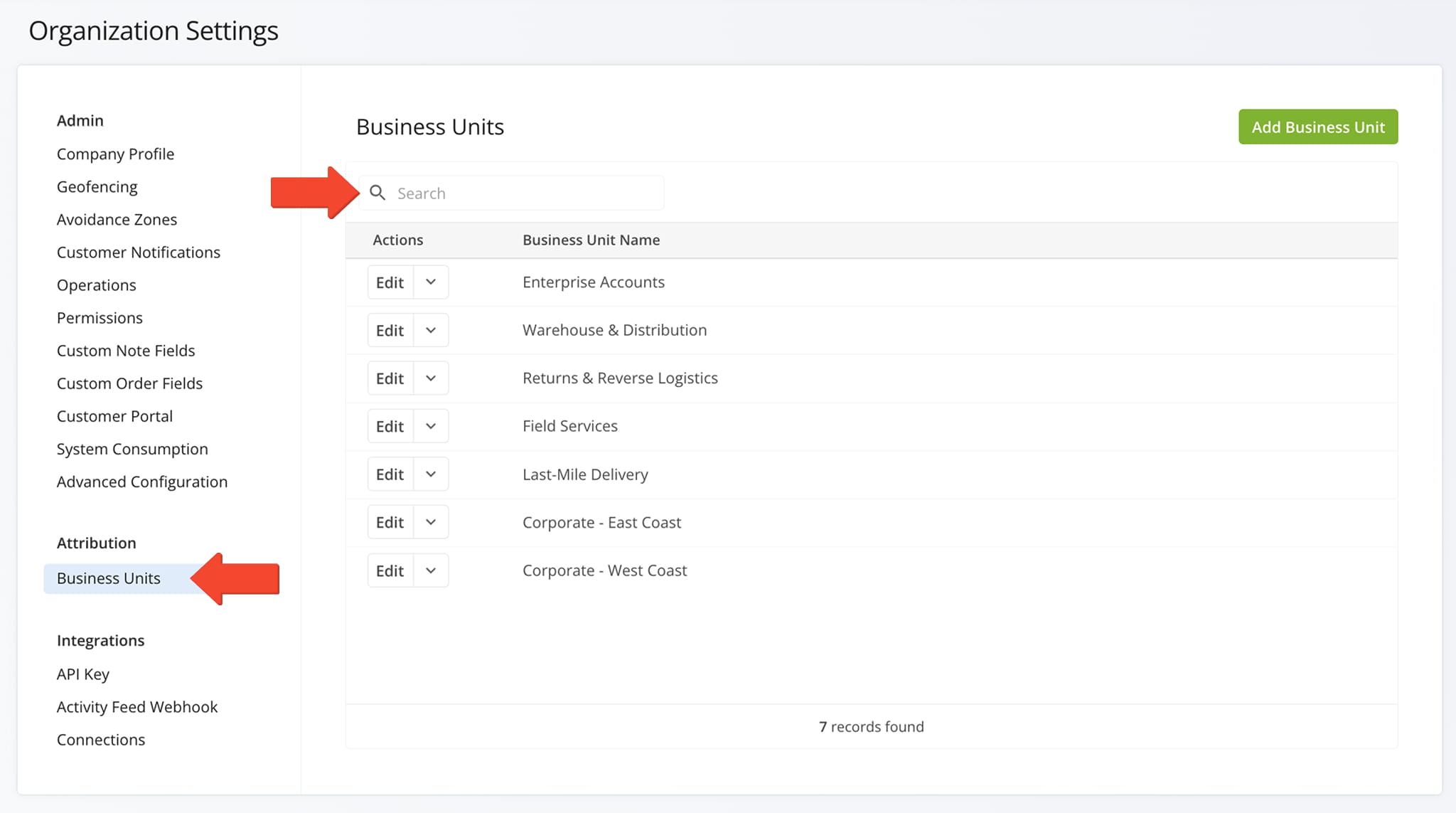
To access your Business Units page, go to “Settings” > “Organization Settings” from the Navigation Menu, then select “Business Units“. This page displays all Business Units in your organization.
If you have numerous Business Units, use the Search Bar to quickly locate a specific Unit.
Open Your Organization Settings
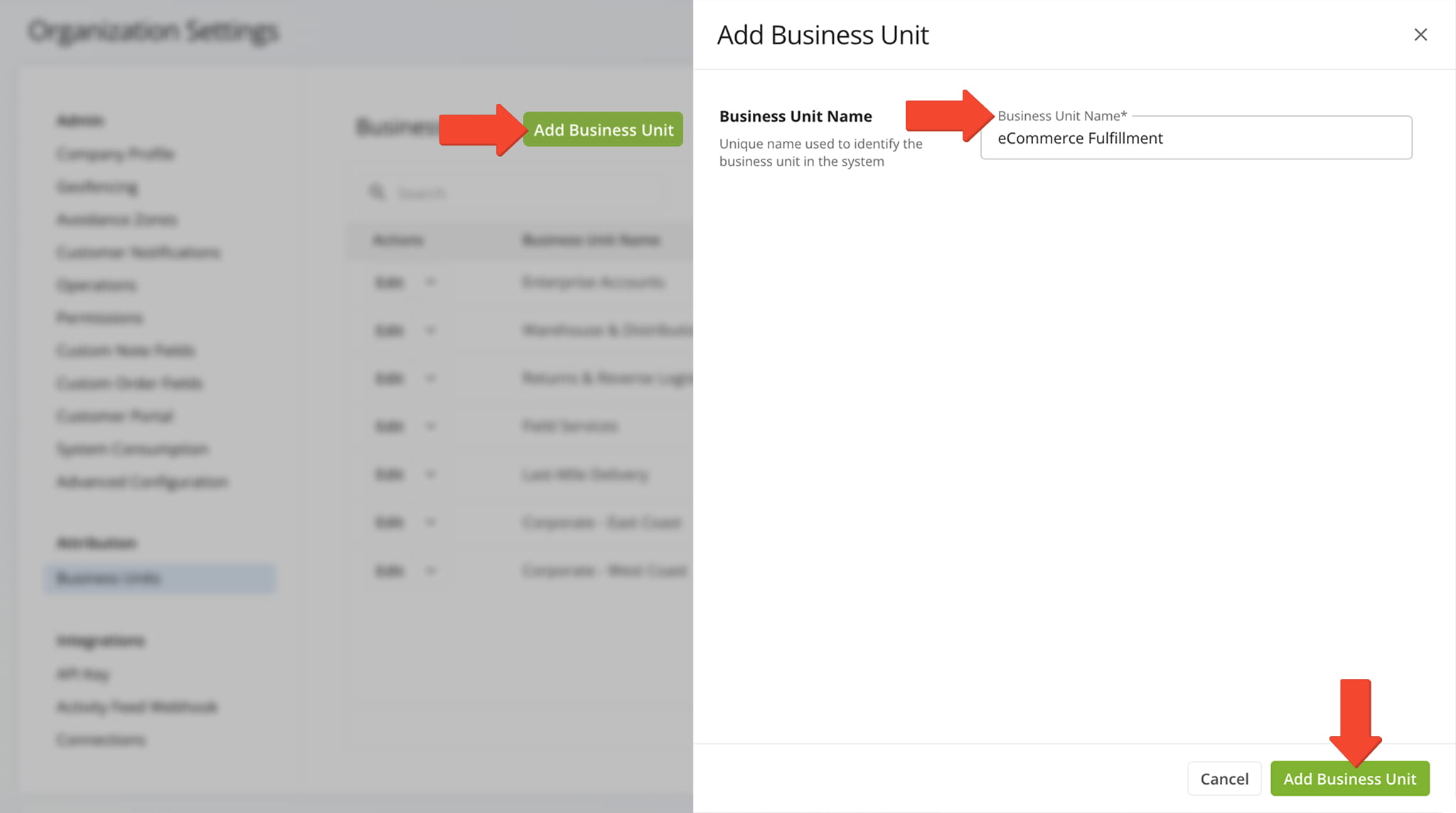
From this page, you can add and manage the Business Units within your organization.
To add a Business Unit, click “Add Business Unit” in the top-right corner of the page. Enter the name of the Business Unit into the “Business Unit Name” field and click “Add Business Unit” to save.
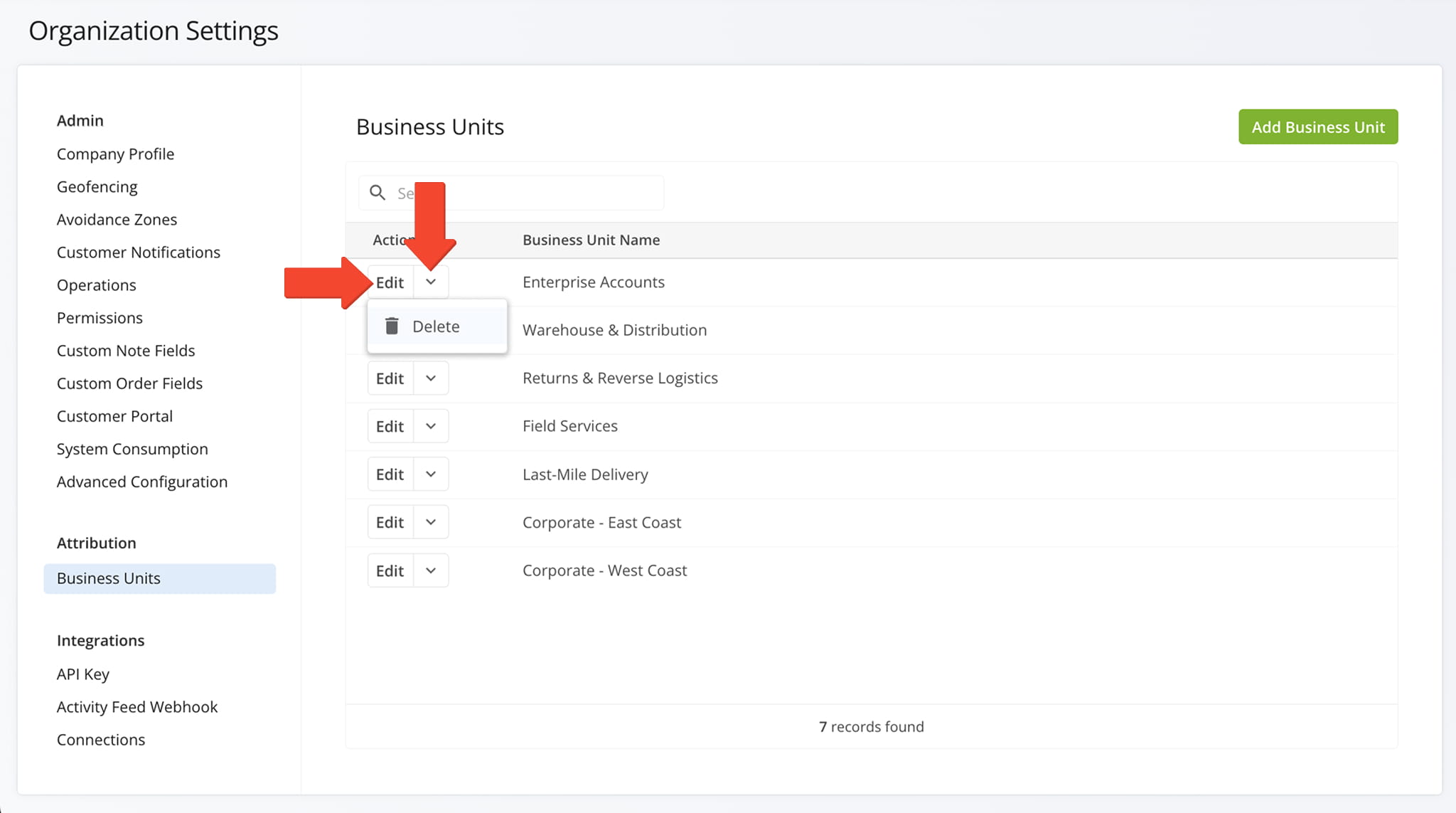
To edit a Business Unit, click the “Edit” button next to the one you want to update. To delete a Business Unit, click the Down Arrow button next to it and select “Delete“.
Visit Route4Me's Marketplace to Check out Associated Modules:
- Operations
Audit Logging and Activity Stream
- Operations
Custom Data Add-On
- Operations
Advanced Team Management Add-On
About author: Daniel Archer

