
Hours of Service (HoS) Data – Driver Compliance Tracking
For enterprise businesses running last mile route optimization at scale, tracking driver breaks and man hours is key to staying compliant and controlling costs. Your connected telematics provider generates this as Hours of Service (HoS) data, which Route4Me imports for you to view, not something Route4Me manages or enforces itself. This data falls into a few standard categories and is viewable in the Telematics Snapshot alongside your other route data.
Table of Contents
What Is Hours Of Service? – Why HoS Matters
Hours of Service (HoS) refers to the limits placed on how long a driver or field team member may drive and work before they are required to rest. Captured by a telematics device, HoS data syncs into Route4Me and is typically broken into a few standard categories, detailed below:
What is HoS Data?
HoS rules vary by country, industry, and even vehicle type, but the underlying purpose stays consistent. Whether it’s a formal regulatory requirement or an internal policy, tracking this data generally supports a few common goals, detailed below:
Why HoS Data Matters
Importing Driver Activity Data – Telematics Integrations
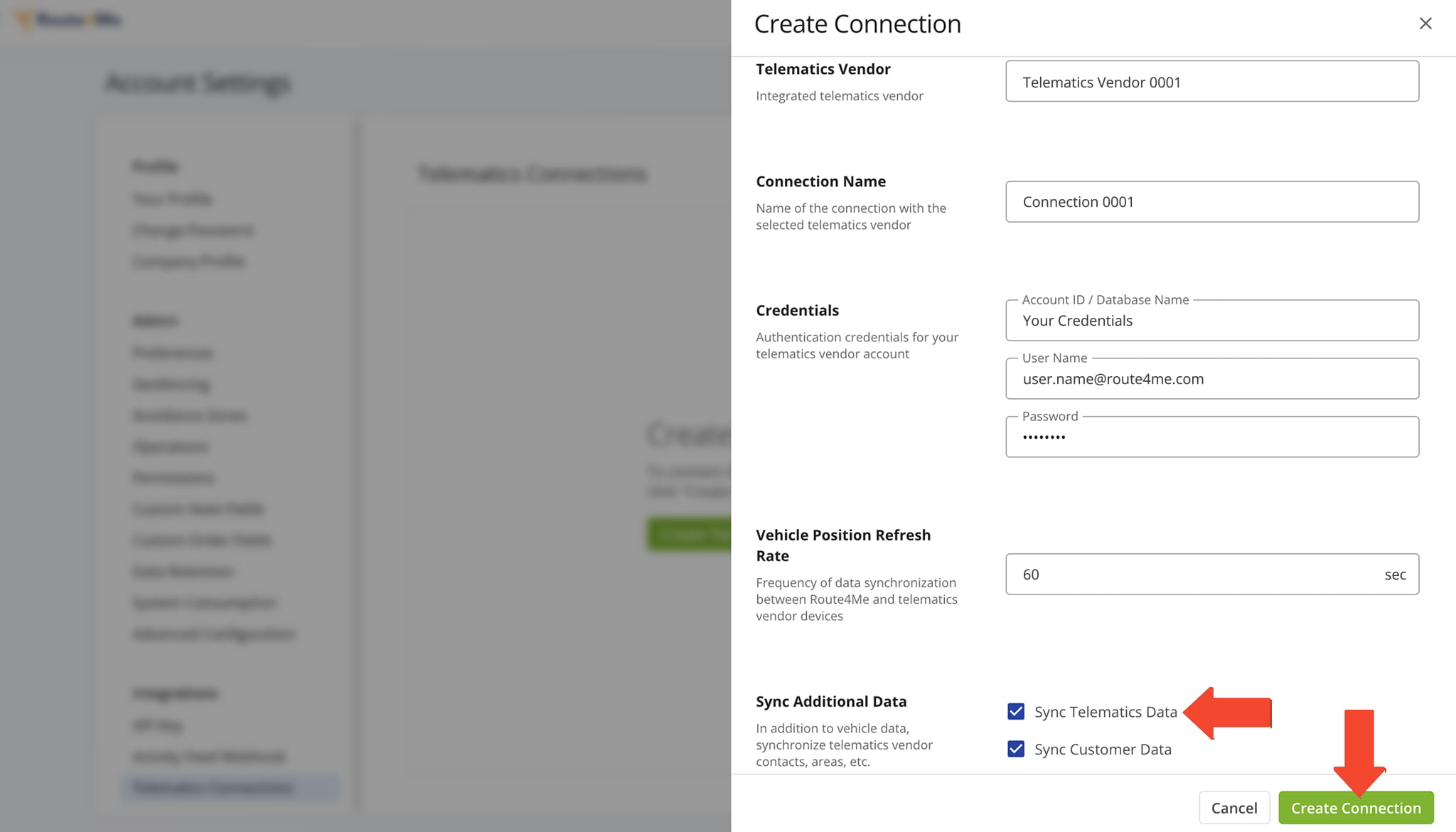
HoS data comes from your telematics vendor, not manual entry in Route4Me. Once you connect a supported vendor – such as Geotab, Samsara, Motive, or another – Route4Me imports HoS records automatically.
NOTE: Learn more about setting up a telematics connection.
Open Your Telematics Connections
Viewing HoS Records – Telematics Snapshot
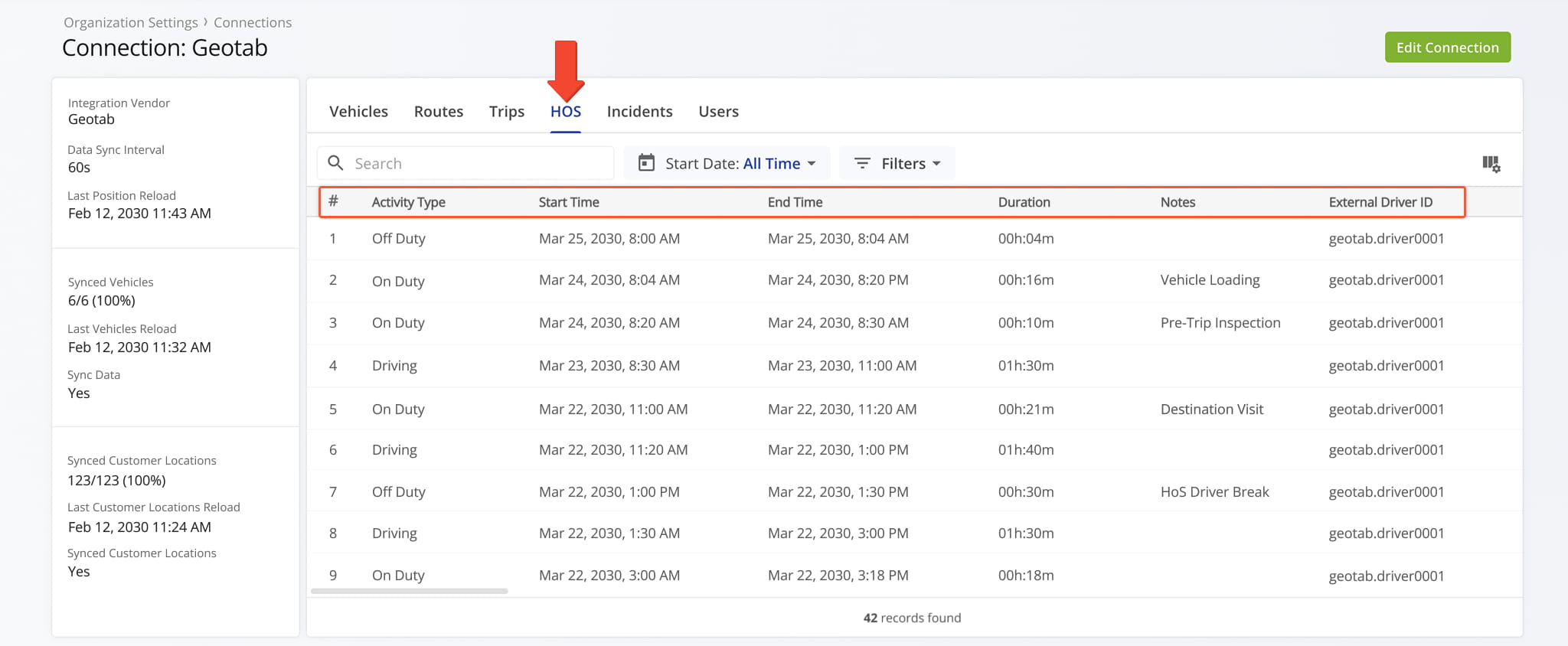
The Hours of Service tab in the Telematics Snapshot displays driver activity records imported from your telematics connection, giving you visibility into on-duty status, driving time, and remaining hours alongside your other telematics data.
Your telematics vendor remains the system of record for compliance status. Route4Me imports and displays the records that vendor sends, detailed in the table below.
Telematics Snapshot Data
Inserting HoS As Driver Breaks – Automatic Break Insertion
When enabled on your account, Route4Me can automatically insert a break into a driver’s route as soon as their telematics device reports that they’ve gone off duty.
The break is added directly to the route assigned to that vehicle, so a driver’s rest time is reflected in their schedule without any manual entry. To use this functionality, three things need to be in place on your account:
- The feature must be enabled on your account. To turn it on, contact Route4Me Support.
- Enable the required advanced configuration using the Advanced Configuration Editor. Add the configuration “TELEMATICS_BUFFERED_HOS_BREAK_INSERTION” and set it to “TRUE” to enable it.
- The “Insert Driver Breaks” checkbox must be selected when creating or editing your telematics connection.
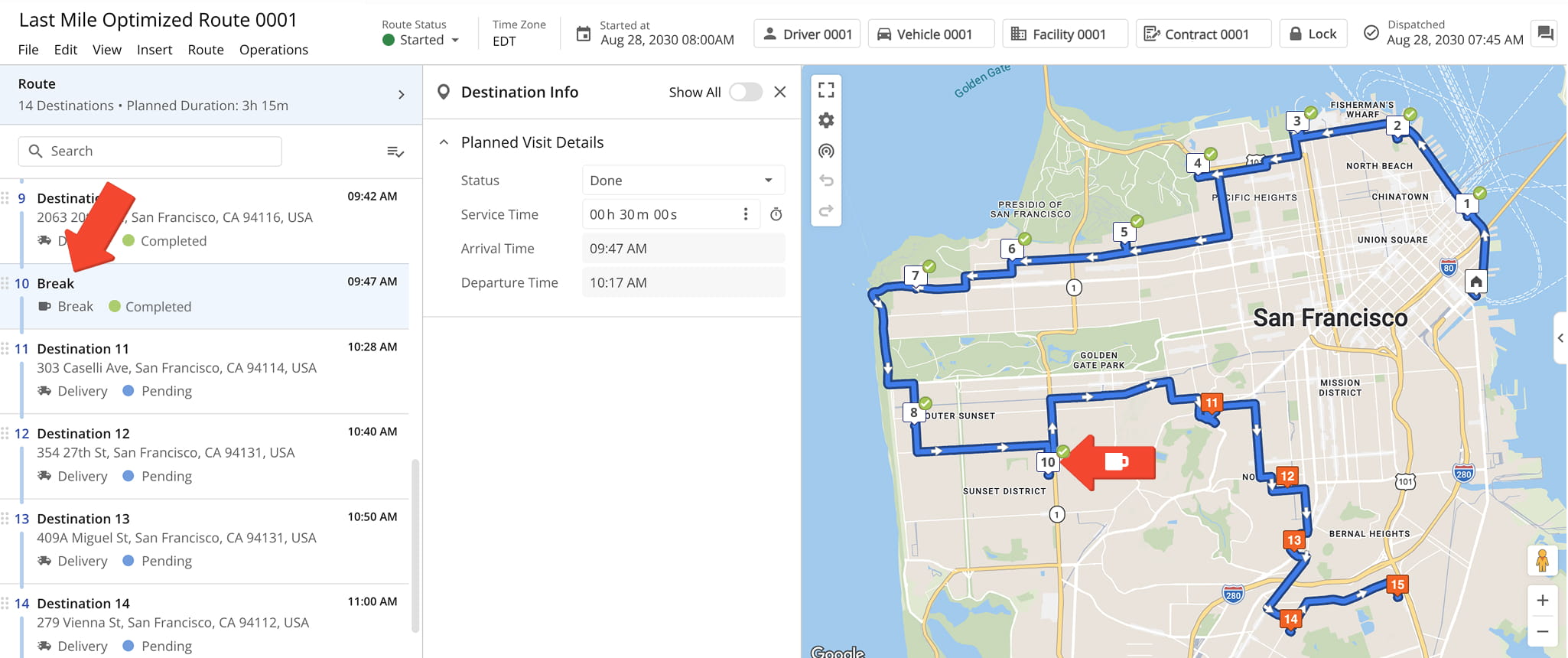
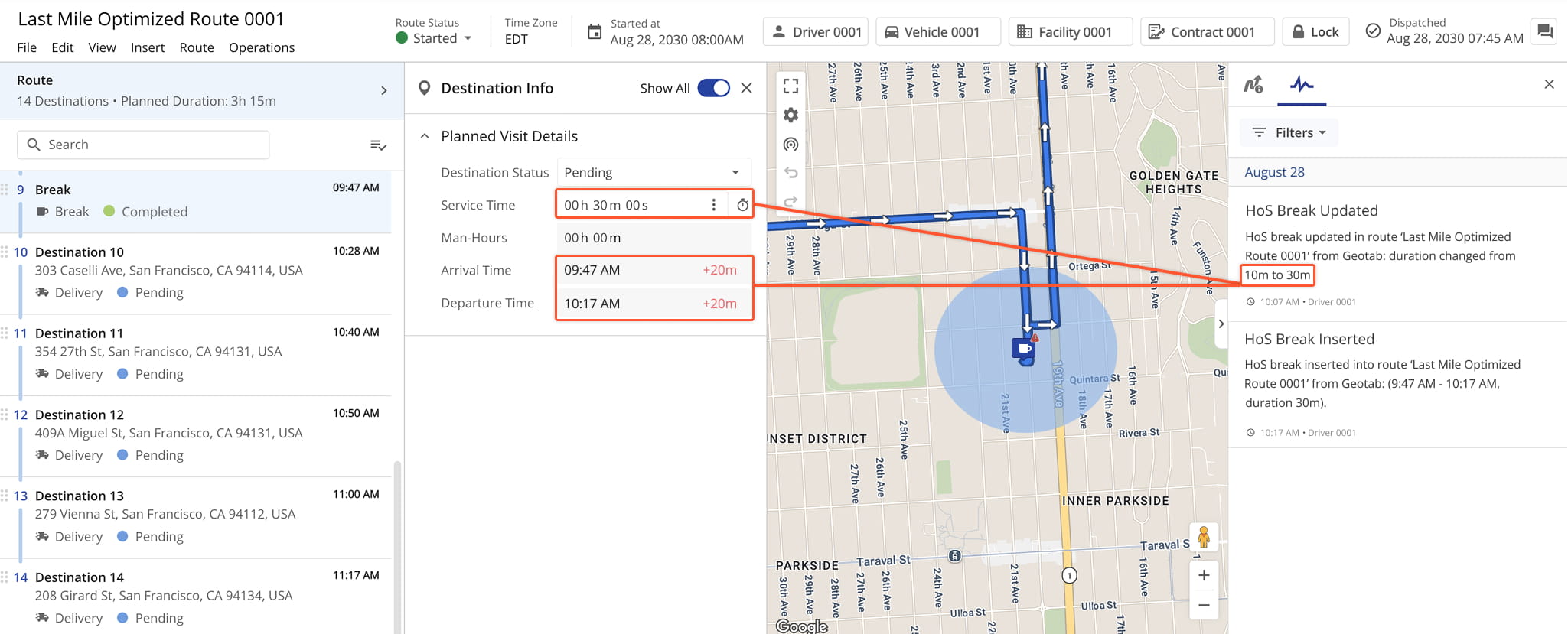
Once these are in place, Route4Me also compares inserted breaks against any break your team already planned.
If a driver’s actual off-duty time exceeds the planned break – say, a 10-minute break where the driver is off duty for 30 – Route4Me updates that existing break to reflect the actual time, rather than adding a duplicate.
Visit Route4Me's Marketplace to Check out Associated Modules:
- Operations
Custom Data Add-On
- Operations
Advanced Team Management Add-On
- Route Optimization
Time Windows
About author: Daniel Archer

