
Insert Customer Notifications Placeholders – Placeholder Reference Table
Notification Placeholders are dynamic variables that automatically insert route, order, customer, and other available data into customer messages. Placeholders can display information such as customer details, estimated arrival times, tracking links, and other notification-related data. This document explains how to add Placeholders to Customer Notifications. It also includes a complete reference table of available Placeholders and their corresponding values.
Table of Contents
Insert Placeholders Into Customer Notifications (Updated Version)
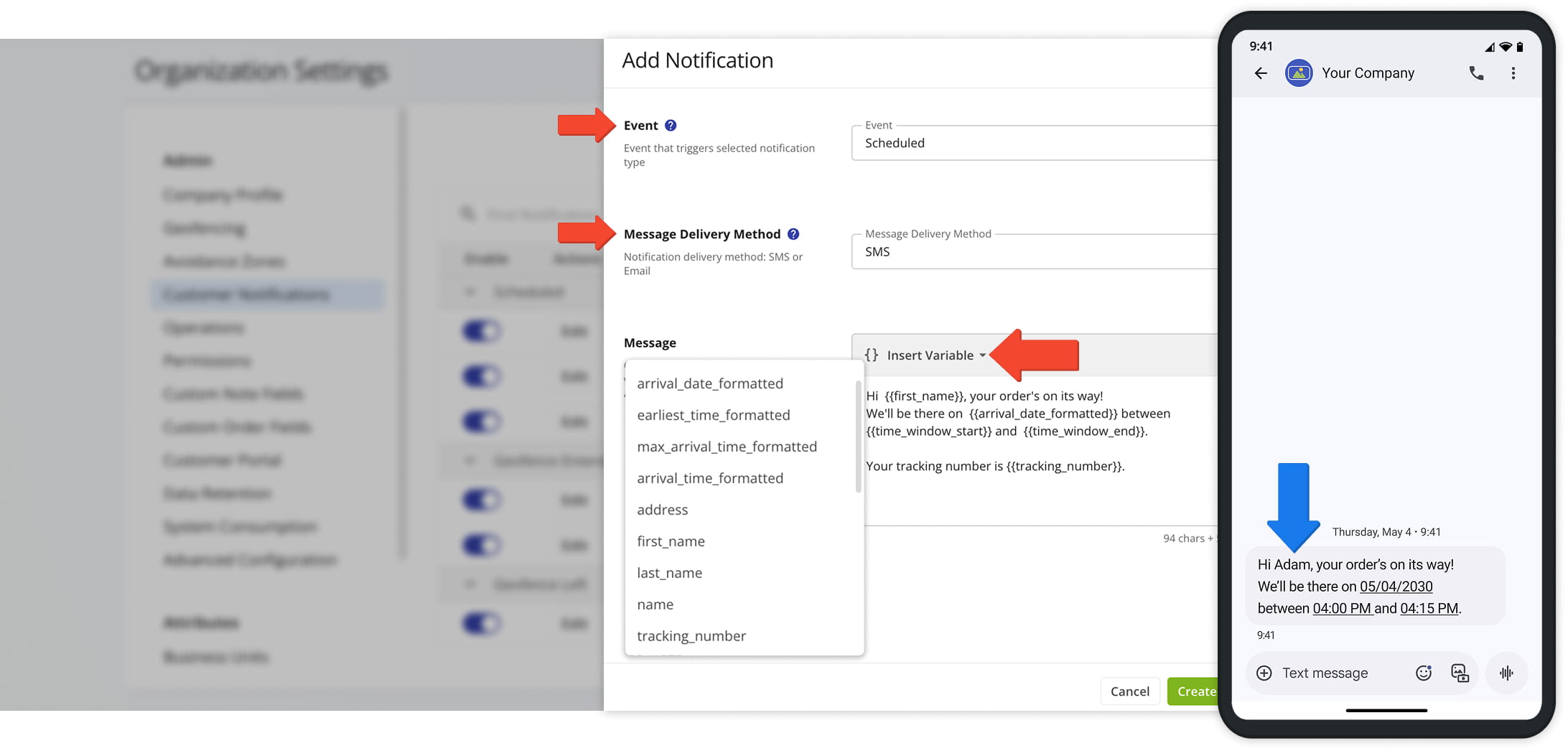
To insert placeholders into a Customer Notification from Route4Me’s updated Customer Notifications portal, go to “Settings” > “Organization Settings” >”Customer Notifications” from the Navigation Menu.
To create a new Notification, select an “Event” and “Message Delivery Method“. Then, in the “Message” field, choose from the “Insert Variable” dropdown menu the variables you wish to embed into your message.
The table below lists all available Notification placeholders.
Open Your Notification Settings
Insert Placeholders Into Customer Notifications (Classic Version)
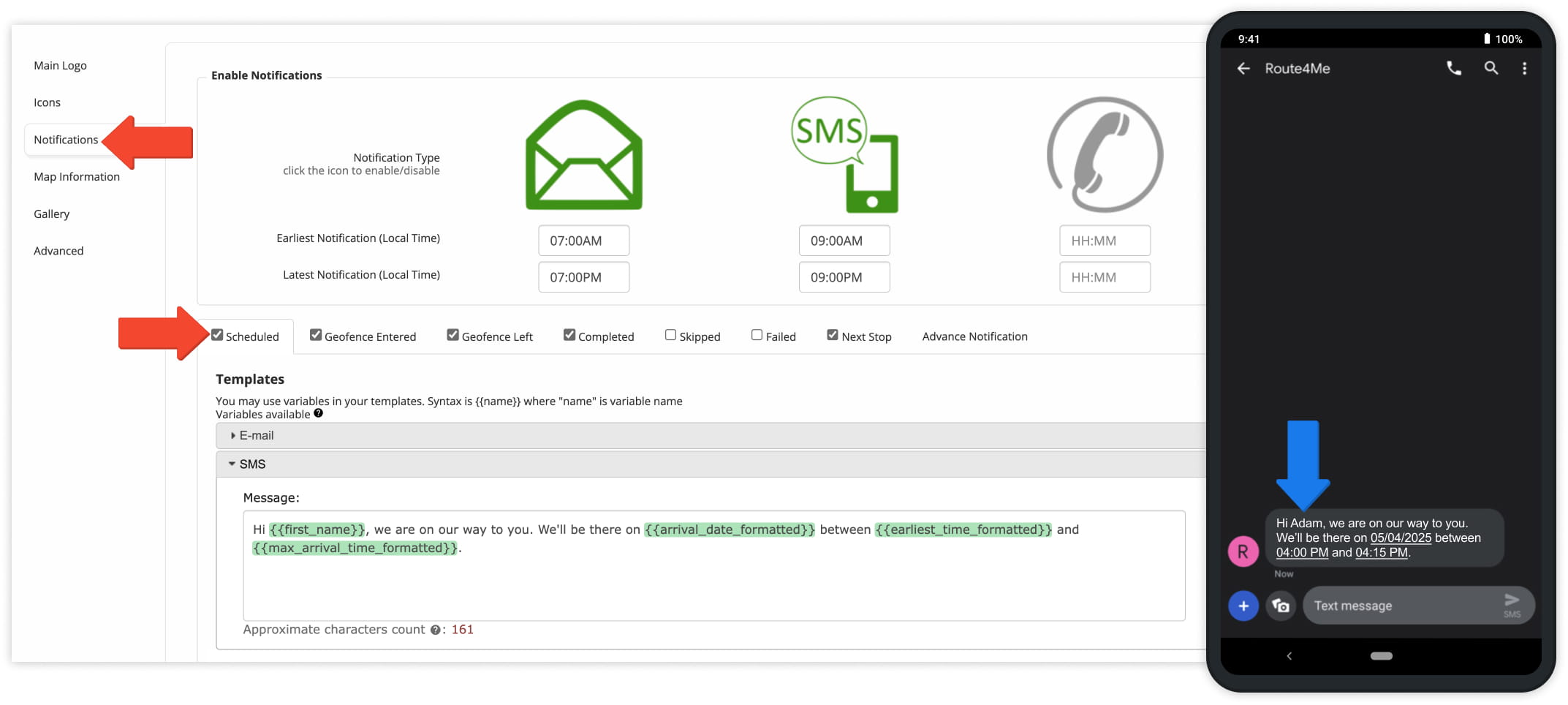
To insert placeholders into a Customer Notification from Route4Me’s classic Customer Notifications portal, go to “Customer Experience” > “Customer Notifications“ > “Notifications” from the Navigation Menu.
Select the type of Notification you want to configure (such as Scheduled, Geofence Entered, or Next Stop). Based on the selected Notification type, Route4Me provides pre-populated placeholders.
You can also customize the message using any of the Placeholders listed in the the table below.
Open Your Notification Settings
Dynamic Notifications Variables – Table Of All Available Placeholders
Use dynamic variables in Notification templates to automatically insert relevant data into customer messages. The table below lists all available placeholders.
Notification Placeholder Values
Visit Route4Me's Marketplace to Check out Associated Add-Ons:
- Notifications & Alerts
Route Scheduled
- Notifications & Alerts
Geofence Entered
- Notifications & Alerts
Geofence Departed
- Notifications & Alerts
Visit Completed
- Notifications & Alerts
Notify Next Customer
About author: Daniel Archer

