
Duplicate Routes On Mobile – Copy And Reuse Routes In Route Planner App
Route4Me’s Route Planner App makes it easy to reuse a route you’ve already planned, rather than building a similar one from scratch. Duplicating a route copies its destinations, sequence, and settings into a new route, which you can then assign a new name, start date, and start time. This is especially useful for routes you run on a recurring basis, like weekly deliveries or regular service stops. Learn more in this guide.
Table of Contents
Duplicate A Route From The Routes List
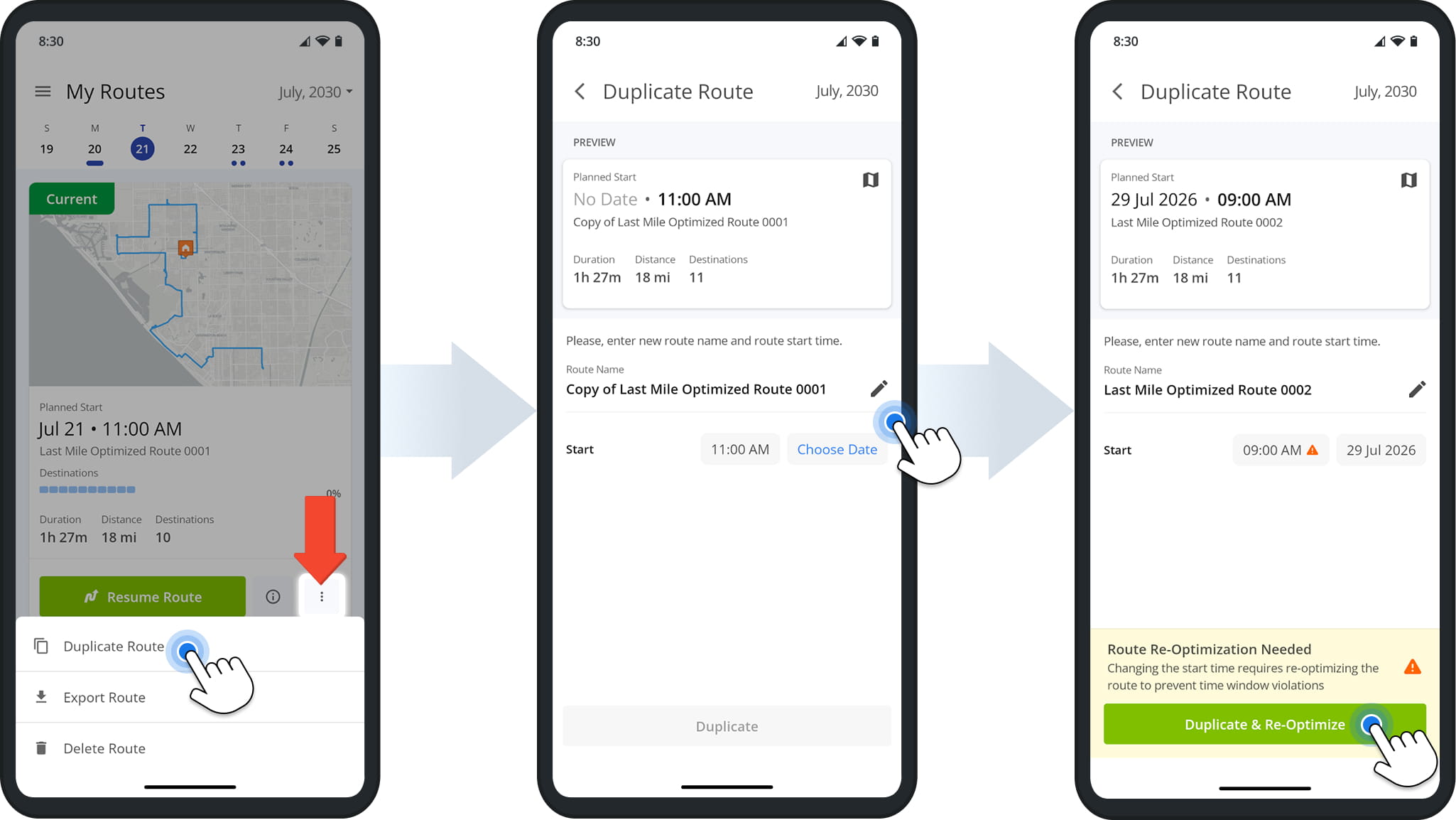
To duplicate a route, locate it in your Routes List, tap the 3-Dot Button next to the route, and select “Duplicate Route” from the pop up actions menu.
From the Preview screen, enter a new route name, start date, and start time, then tap “Duplicate & Re-Optimize“. The route will immediately appear in your Routes List under the start date you assigned.
NOTE: If your new start time differs from the original, you’ll be prompted to re-optimize the route. This recalculates the stop sequence so your delivery or arrival windows aren’t violated.
Duplicate A Route From Route Details Panel
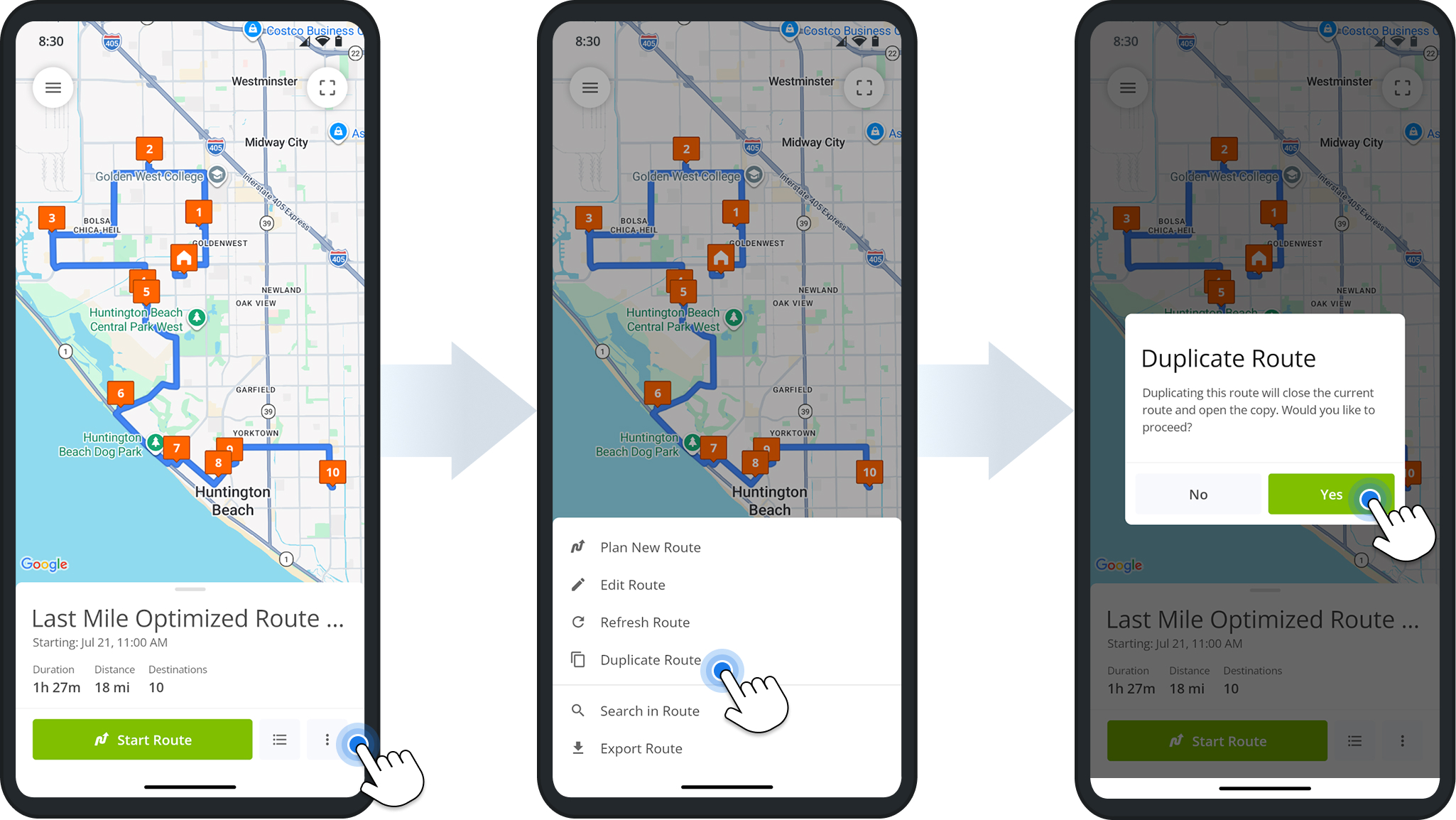
After tapping on a route in the Routes List, you can also duplicate it from its Route Details panel.
Tap the 3-Dot Button at the bottom of the screen and select “Duplicate Route“. from the pop up actions menu. If the route is currently open or in progress, you will be asked to close it before the copy is created.
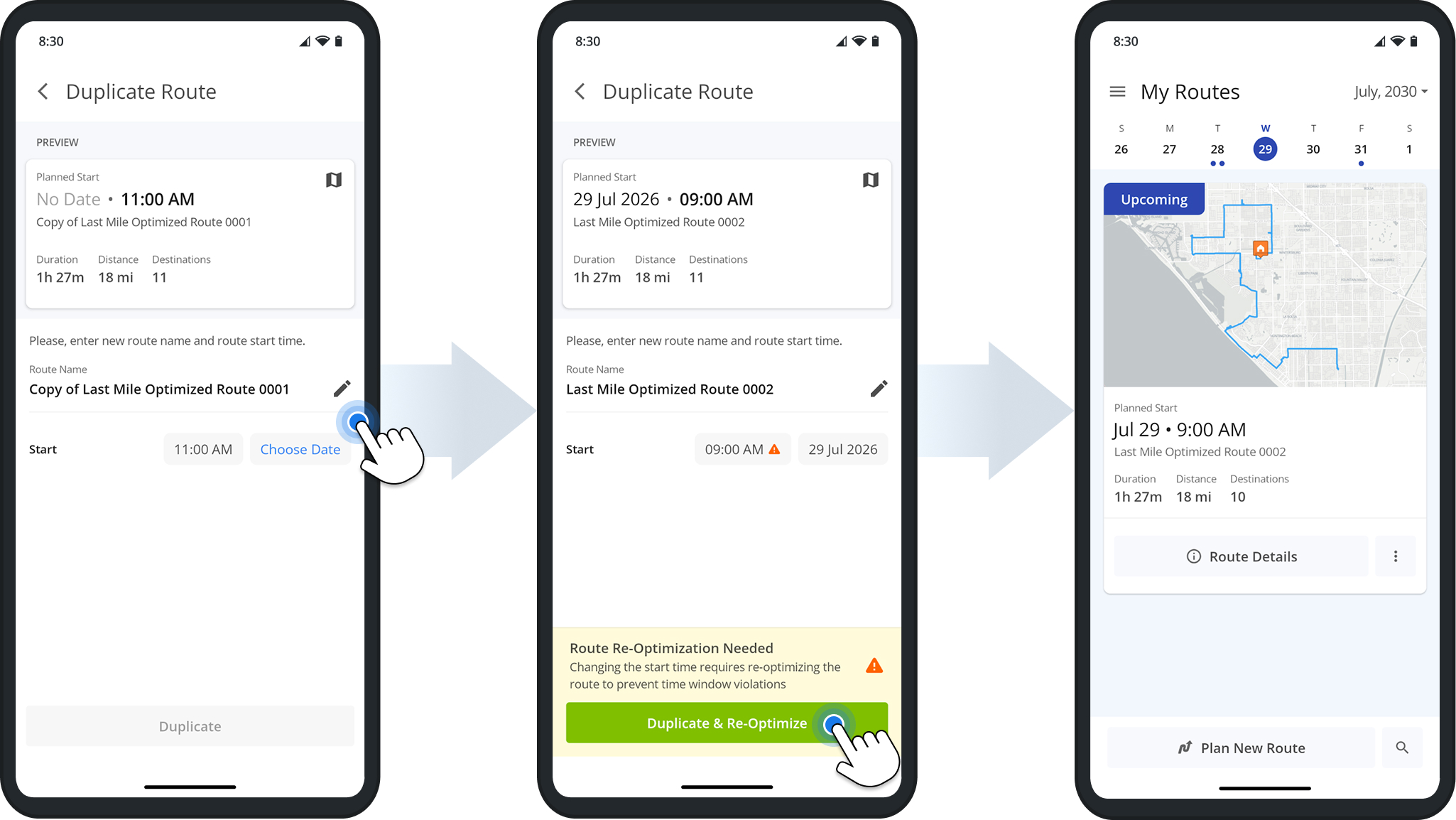
From the Preview screen, enter a new route name, start date, and start time, then tap “Duplicate & Re-Optimize“. The route will immediately appear in your Routes List under the start date you assigned.
NOTE: Since changing the start time can affect delivery or arrival windows, you’ll see a message noting that route re-optimization is needed. This ensures the new route avoids time window violations.
Visit Route4Me's Marketplace to Check out Associated Modules:
- Route Optimization
Mixed Vehicles Routing
- Route Optimization
Route Optimization for Multiple Drivers Without Advanced Constraints
- Route Optimization
Commercial Vehicle Route Planning
About author: Daniel Archer

