
Invoice Snapshot – Centralized Invoice Data Overview
Route4Me’s Invoice Snapshot provides enterprise business users with a centralized view of detailed invoice data from your ERP system. You can quickly review line items, track amounts, and analyze totals, discounts, and taxes in one place. Filters, search, and customizable columns help streamline invoice analysis and ensure fast access to the information you need.
Table of Contents
Access Invoice Snapshot – View Detailed Customer Invoice Data
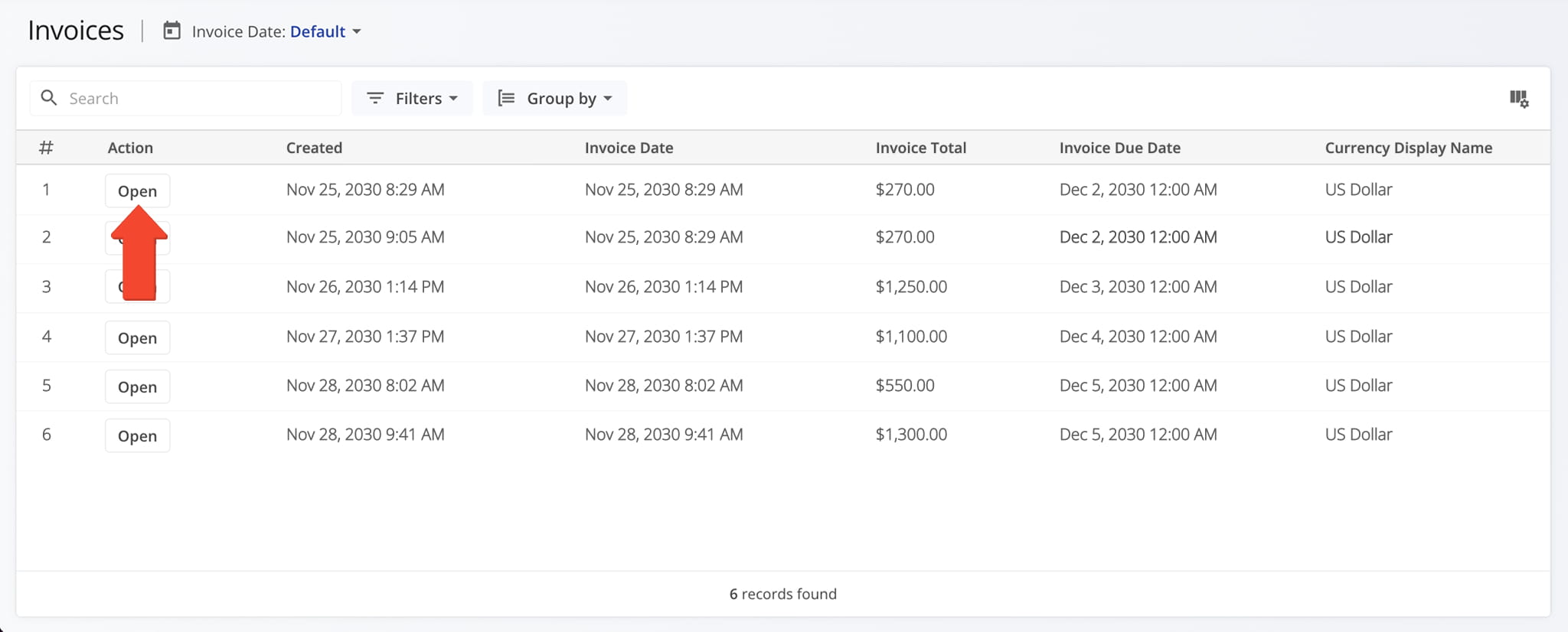
To open the Invoice Snapshot for any invoice, select “ERP” > “Invoice” from the Navigation Menu. Then, from the Invoice Page, click “Open” next to the desired invoice.
Invoice Overview Panels – Invoice Dates, Amount, And Details
Invoice Creation Panel – Invoice History And Associated Details
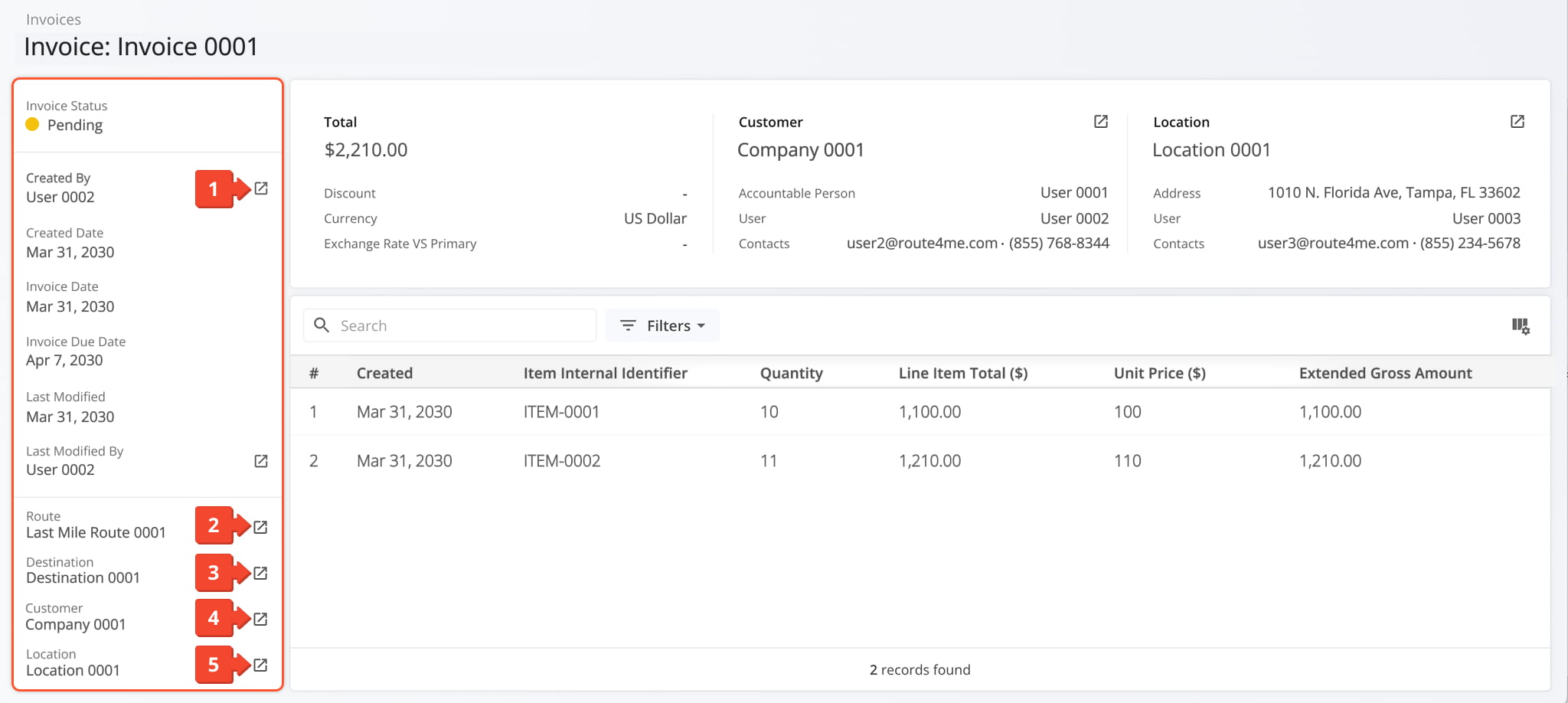
The Invoice Creation Panel displays key historical data, including Invoice creation date, Invoice due date, modification details, and more. From this panel you can:
- Click the Go-To Icon next to “Created By” or “Last Modified By” to access the User Snapshot for the associated team member
- Click the Go-To Icon next to “Route” to access its Route Snapshot.
- Click the Go-To Icon next to “Destination” to access its Destination Snapshot.
- Click the Go-To Icon next to “Customer” to access its Customer Snapshot.
- Click the Go-To Icon next to “Location” to access its Location Snapshot.
Invoice Summary Panel – Invoice Amount, Customer Details, Location Information
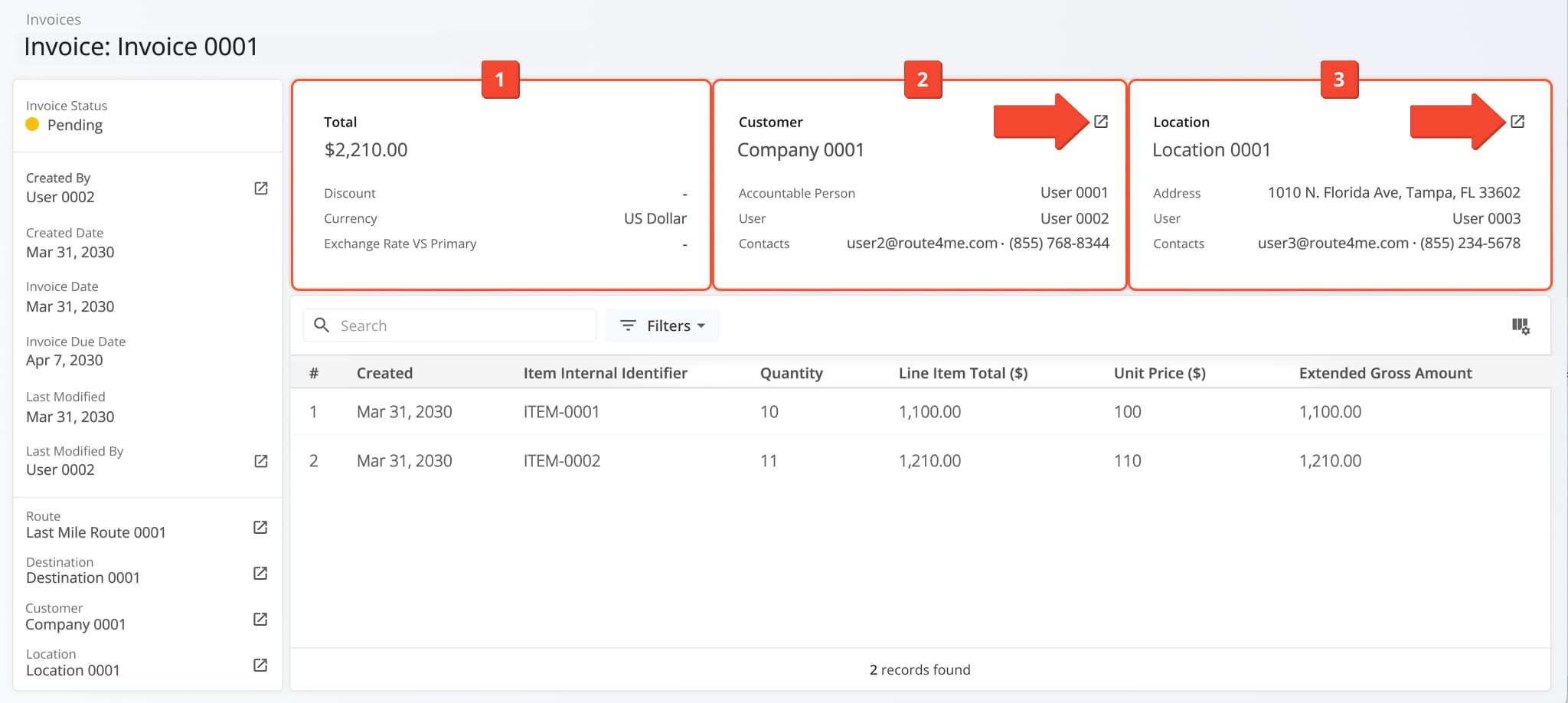
The Invoice Summary Panel provides an overview of the invoice, including amount, discount, currency, exchange rate, customer, and location details. From this panel, you can:
- View the total invoice amount, any applicable discounts, currency, and exchange rate compared to the primary currency if relevant.
- View customer details, including the customer’s name, responsible users, and contact information. Click the Go-To Icon to access its Customer Snapshot.
- View location details, including the destination’s name, address, responsible user, and contact information. Click the Go-To Icon to access its Location Snapshot.
Invoice Snapshot Data – Customizable Invoice Data Table
The customizable data table provides detailed invoice information, including creation date, item display name, unit price, quantities, totals, and other relevant fields. From the data table, you can:
- Use the Search field to locate a specific invoice.
- Apply filters to narrow down the data. See the table below for a full list of available filters.
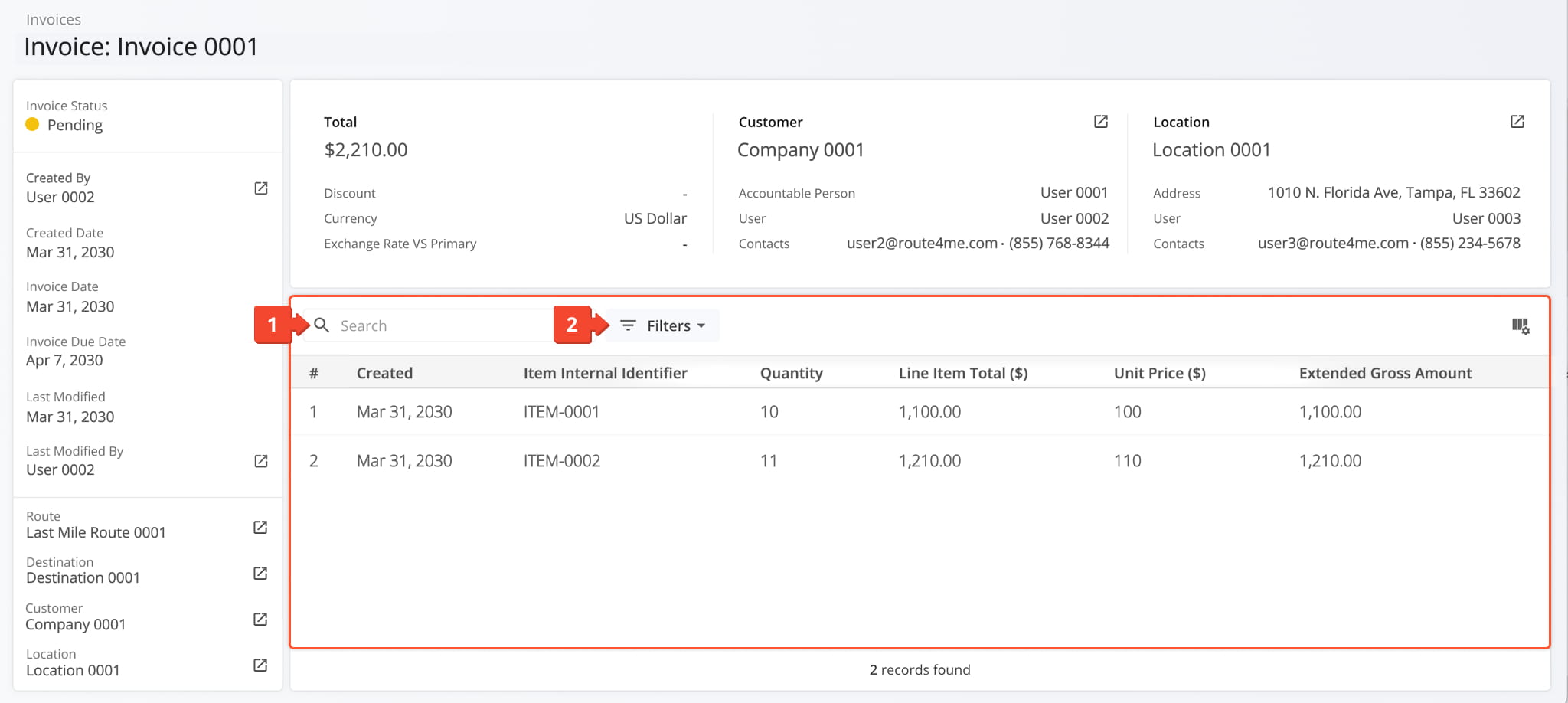
Invoice Snapshot Filters
To customize the data displayed in the table, click the Column Icon to select which data fields appear and adjust their order to suit your operational needs.
The table below provides an overview of all available data columns, which you can reorder by dragging them into place.
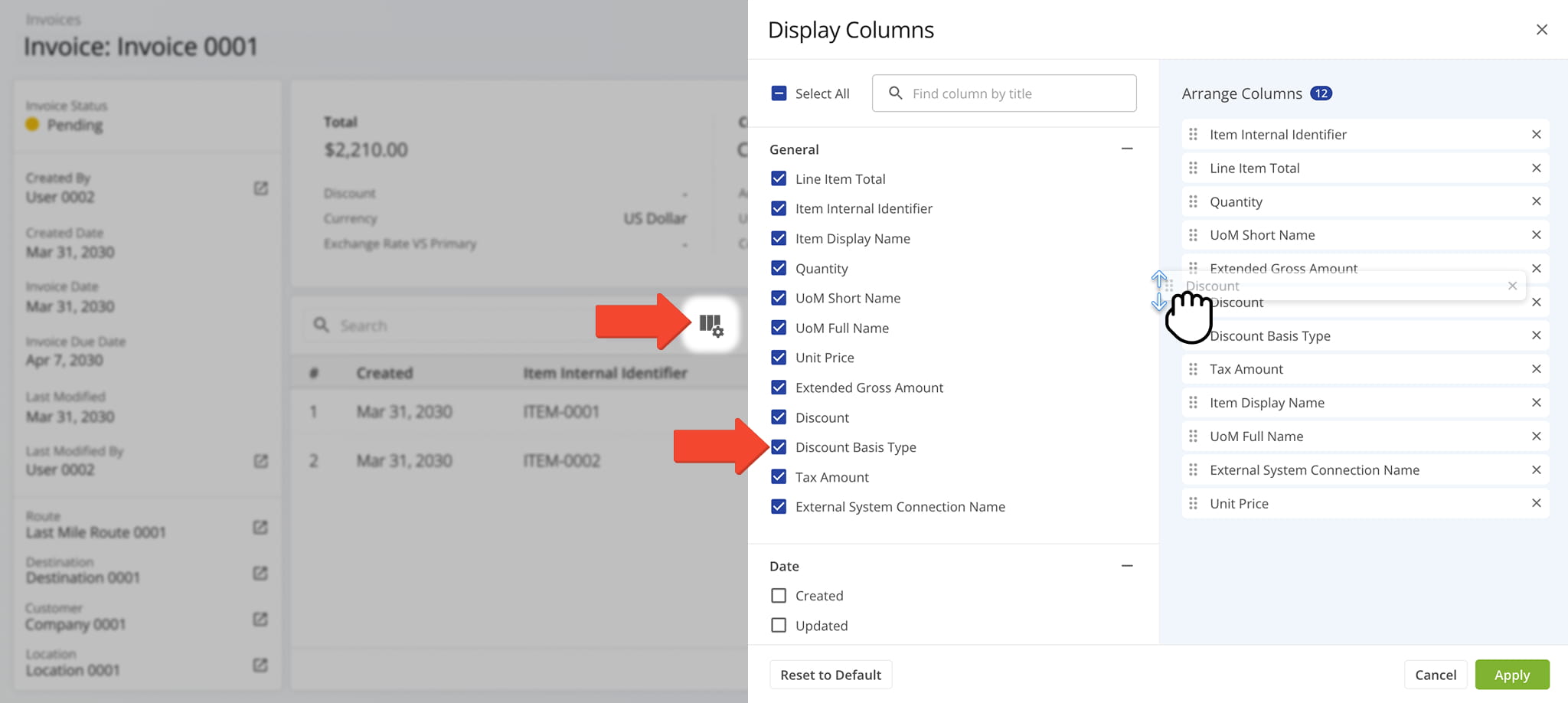
Invoice Snapshot Data Columns
Visit Route4Me's Marketplace to Check out Associated Modules:
- Operations
Audit Logging and Activity Stream
- Operations
Custom Data Add-On
- Operations
Advanced Team Management Add-On
About author: Daniel Archer

