
Strategic Locations Routing – Plan And Optimize Strategic Routes With Locations
Locations can be used to create Strategic Routing plans from saved location data in your Route4Me account. By selecting Locations from your database, you can build Strategic Optimizations, configure Strategic Scenarios, and generate optimized route plans based on your operational requirements. Strategic Routing helps streamline route planning, scheduling, and resource allocation across large datasets. Learn more about creating Strategic Routes using Locations.
Plan Strategic Routes With Locations – Turn Saved Locations Into Routes
To create a Strategic route with Customer Locations, start by clicking “Database” > “Locations” from the Navigation Menu.
From the “Locations” page, filter locations by a chosen metric or group them by Customer, Location Type, or Facility. Then, select the Locations you want to include in the route.

After selecting your Locations, click “Bulk Actions” and select “New Strategic Optimization“.

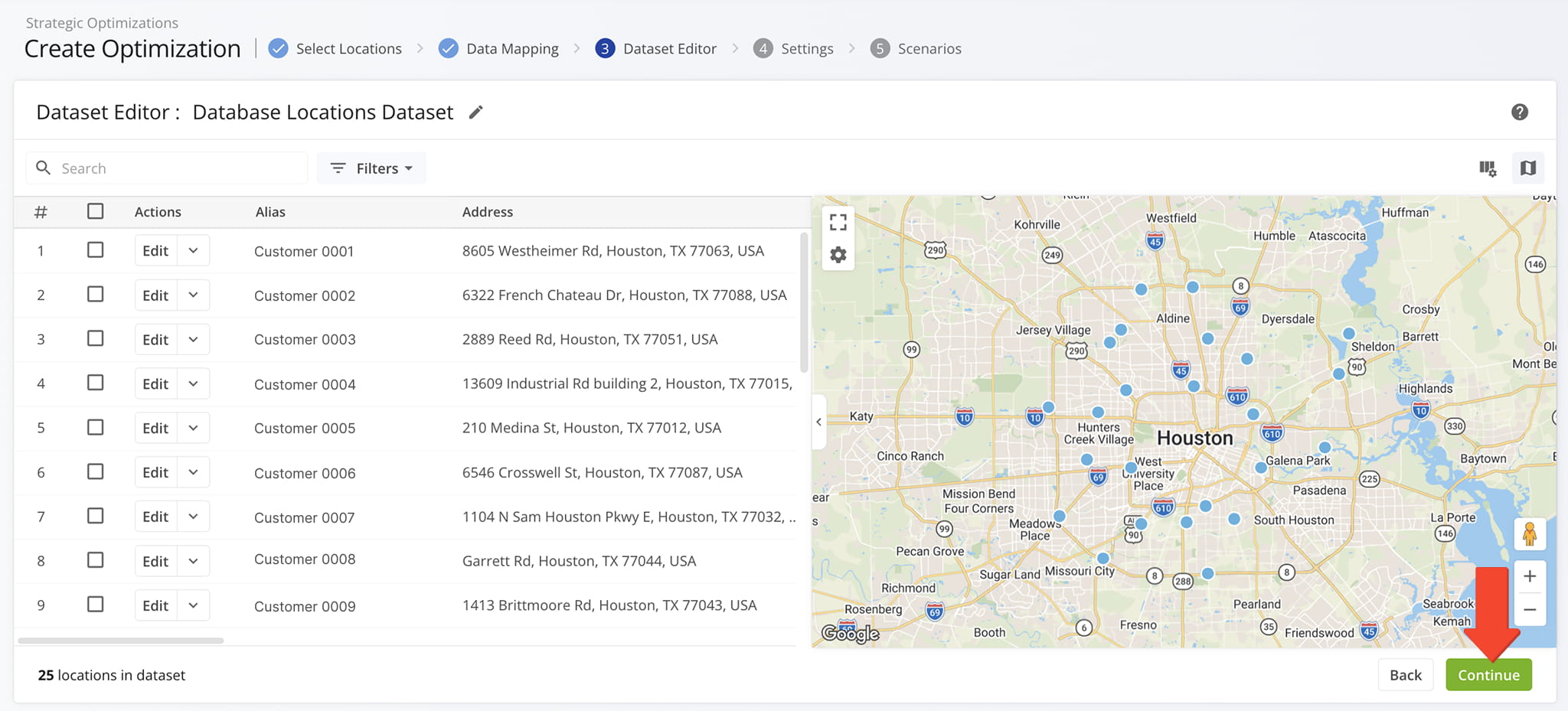
You’ll be redirected to your “Dataset Editor” where you can confirm or edit your selected Locations Dataset before creating a Strategic Optimization. NOTE: Learn more about Strategic Location Datasets.
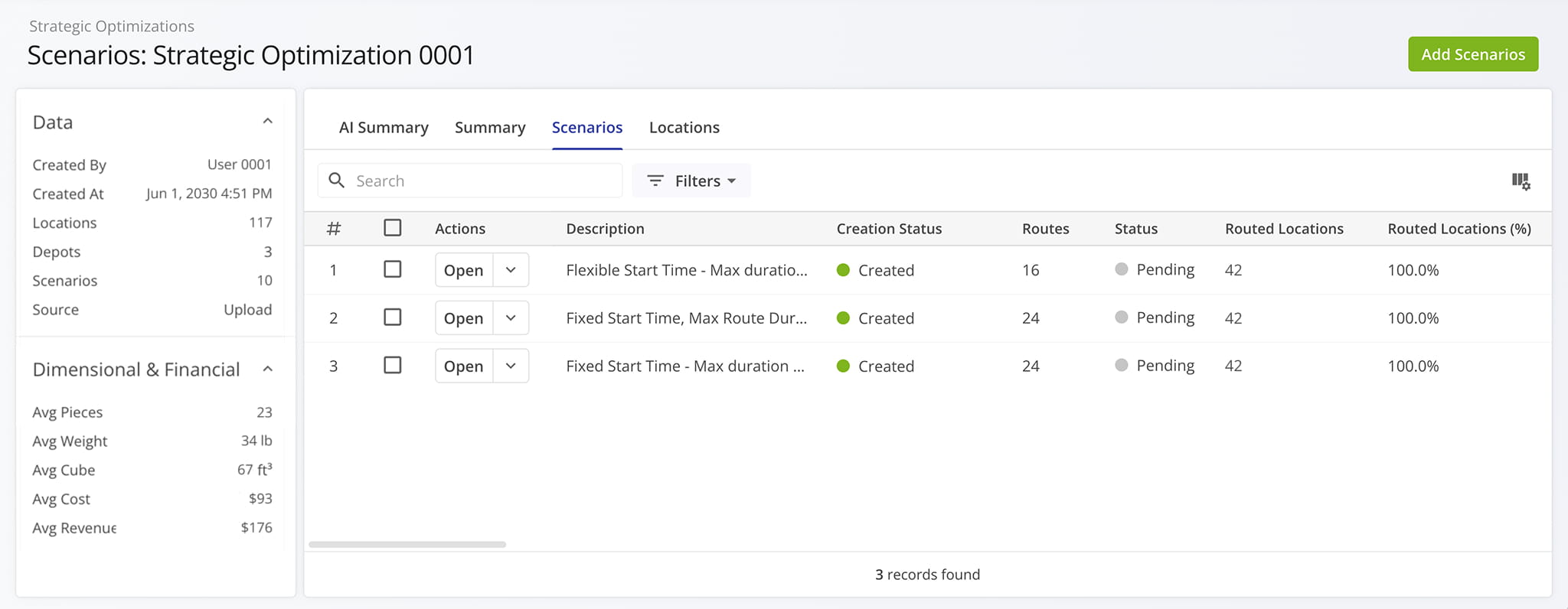
Then, from the Optimization’s “Scenarios” tab, you can access a list of all its included Scenarios. NOTE: Learn more about managing Strategic Optimizations.
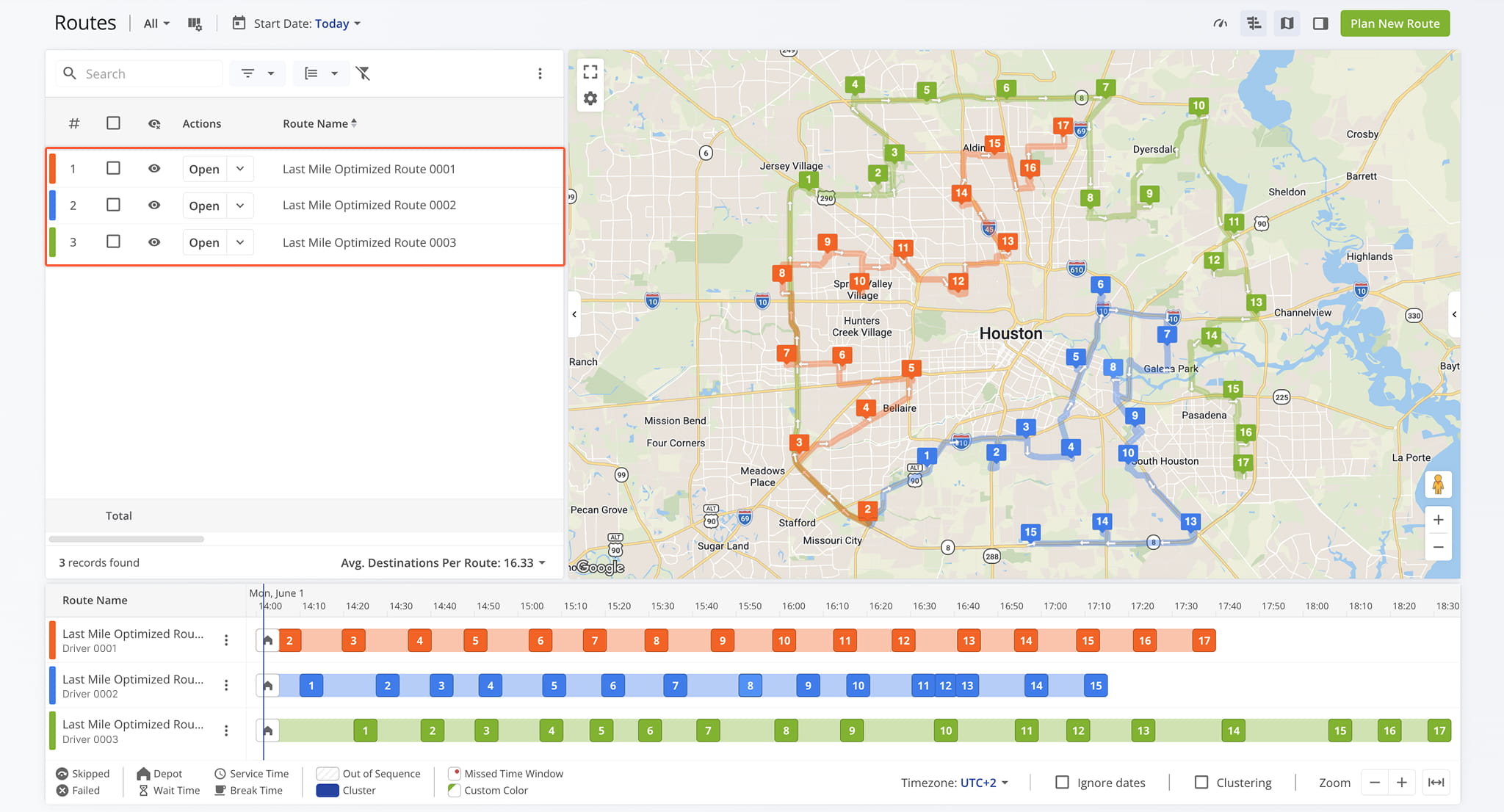
Once generated, route plans can be reviewed, imported as routes, and accessed from your Routes List.
Visit Route4Me's Marketplace to Check out Various Modules and Add-Ons:
- Route Optimization
Time Windows
- Operations
Advanced Team Management Add-On
About author: Daniel Archer

