
Account Settings – Manage Your Profile And Sign-In Credentials
Learn how to manage your Route4Me Account Settings and update your profile picture, contact details, change your password used for Account Authentication, and adjust account preferences like language, time zone, measurement units, and more.
Table of Contents
Your Profile – Personal Profile And Contact Details
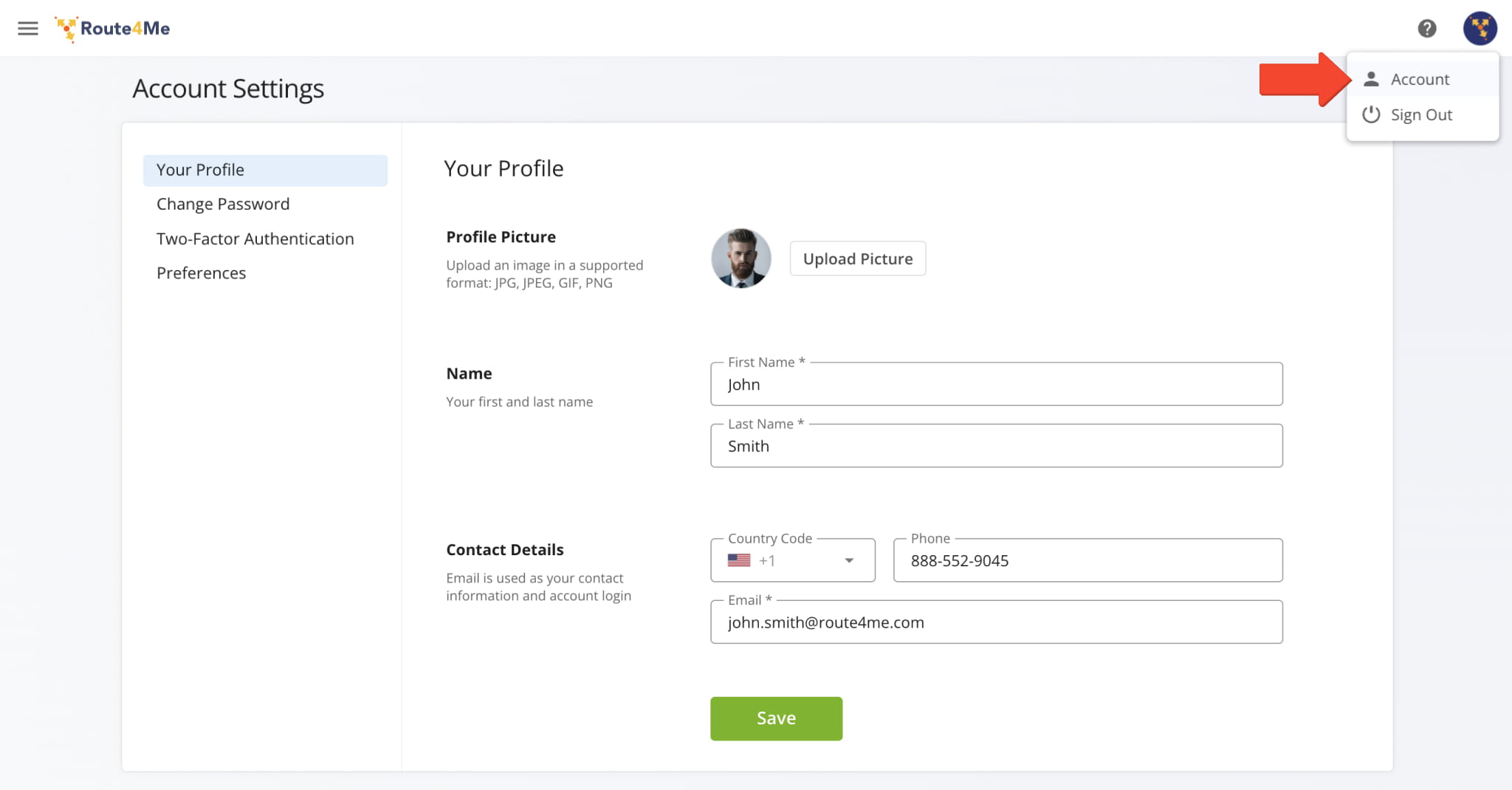
To access your Route4Me account settings, click “Settings” > “Account Settings” from the Navigation Menu.
The table below provides an overview of the tabs available in your Account Settings.
Account Settings Tabs
Change Password – Reset Your Route4Me Account Password
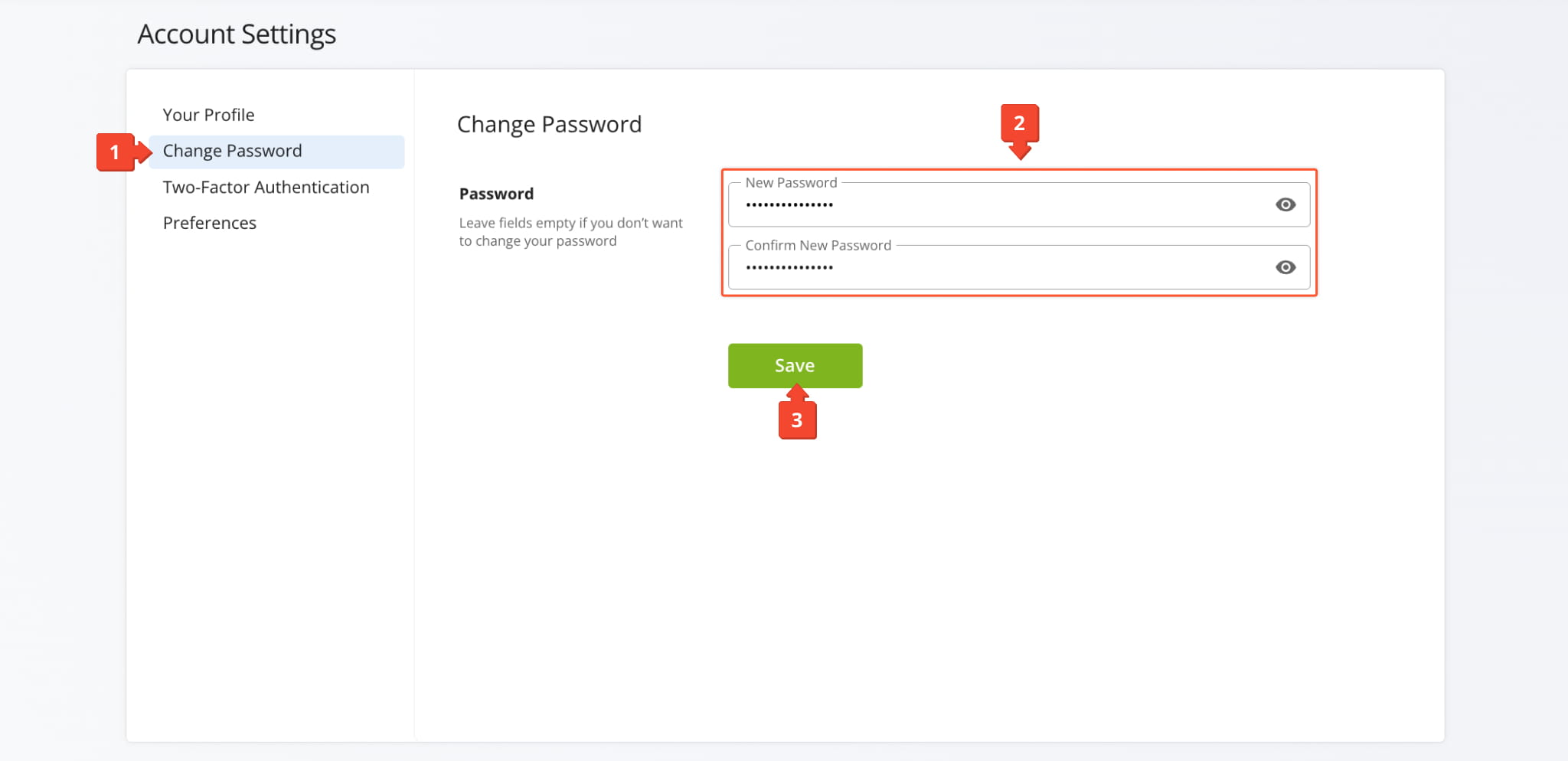
To change your password from the Account Settings page, follow the steps below:
- Click “Change Password” on the left of the page.
- Input a new password and confirm it in the respective fields.
- Click the “Save” button to change your account password.
After that, you can use your new password for Account Authentication when signing in using your email address and password.
Two-Factor Authentication – Enable 2FA, Use Recovery Codes And Toggle Trusted Devices
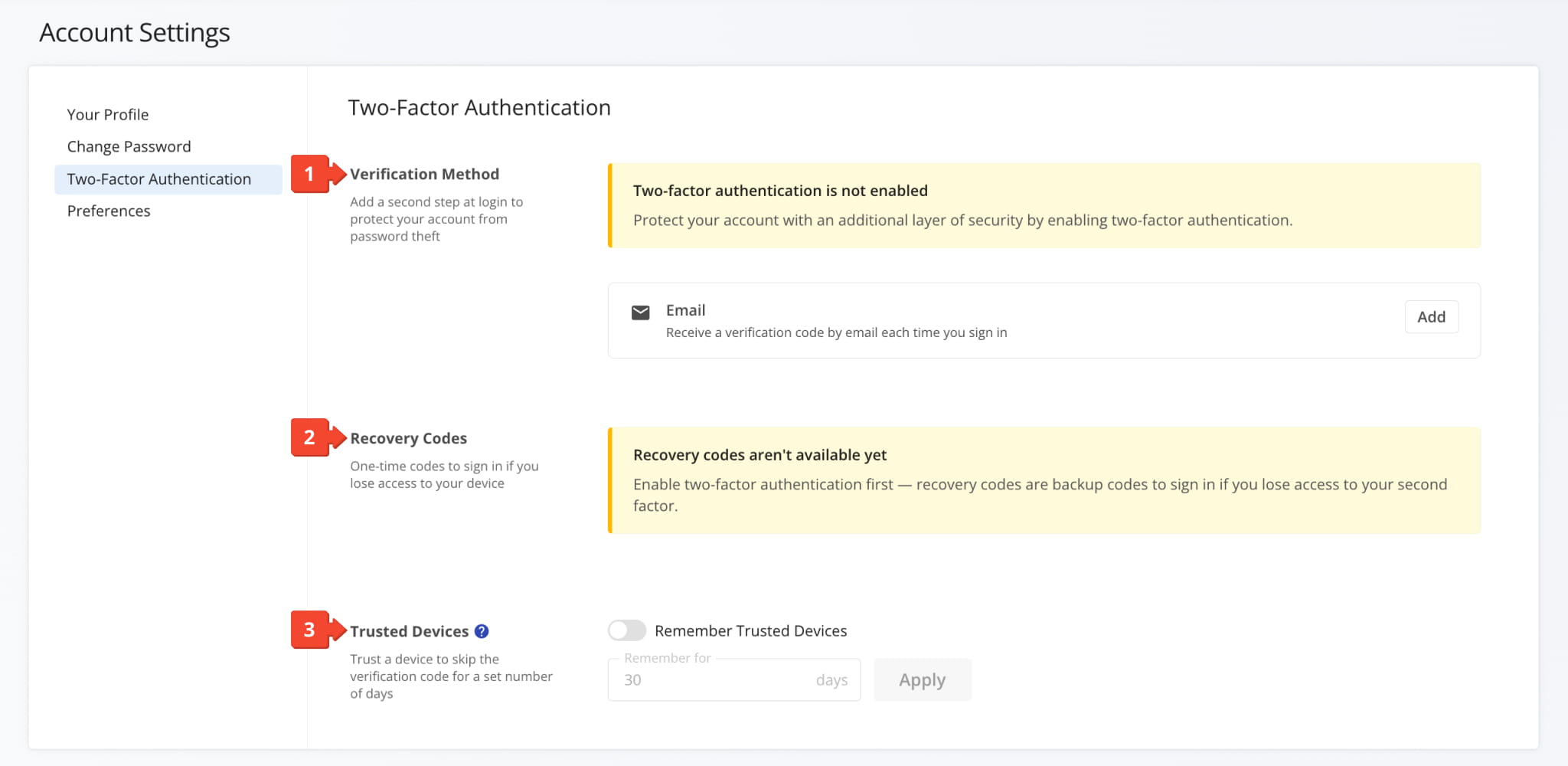
You can enable “Two-Factor Authentication” (2FA) from Account Settings with the following options:
- Verification Method: Here, you can enable 2FA by clicking “Add” in the “Email” field.
- Recovery Codes: When 2FA is enabled, you can generate backup recovery codes which can be used to sign in to your account if you’ve lost access to your second factor email or device.
- Trusted Devices: Use the “Remember Trusted Devices” toggle to skip 2FA on trusted devices for a customizable period.
Preferences – Change Language, Measurement Units, Time Zone And More
Click the “Preferences” tab to adjust a variety of settings including your account language, measurement units, timezone, etc. Scroll down in the preferences section to see every available option and the “Save” button at the bottom.
See the table below for a full list of options.
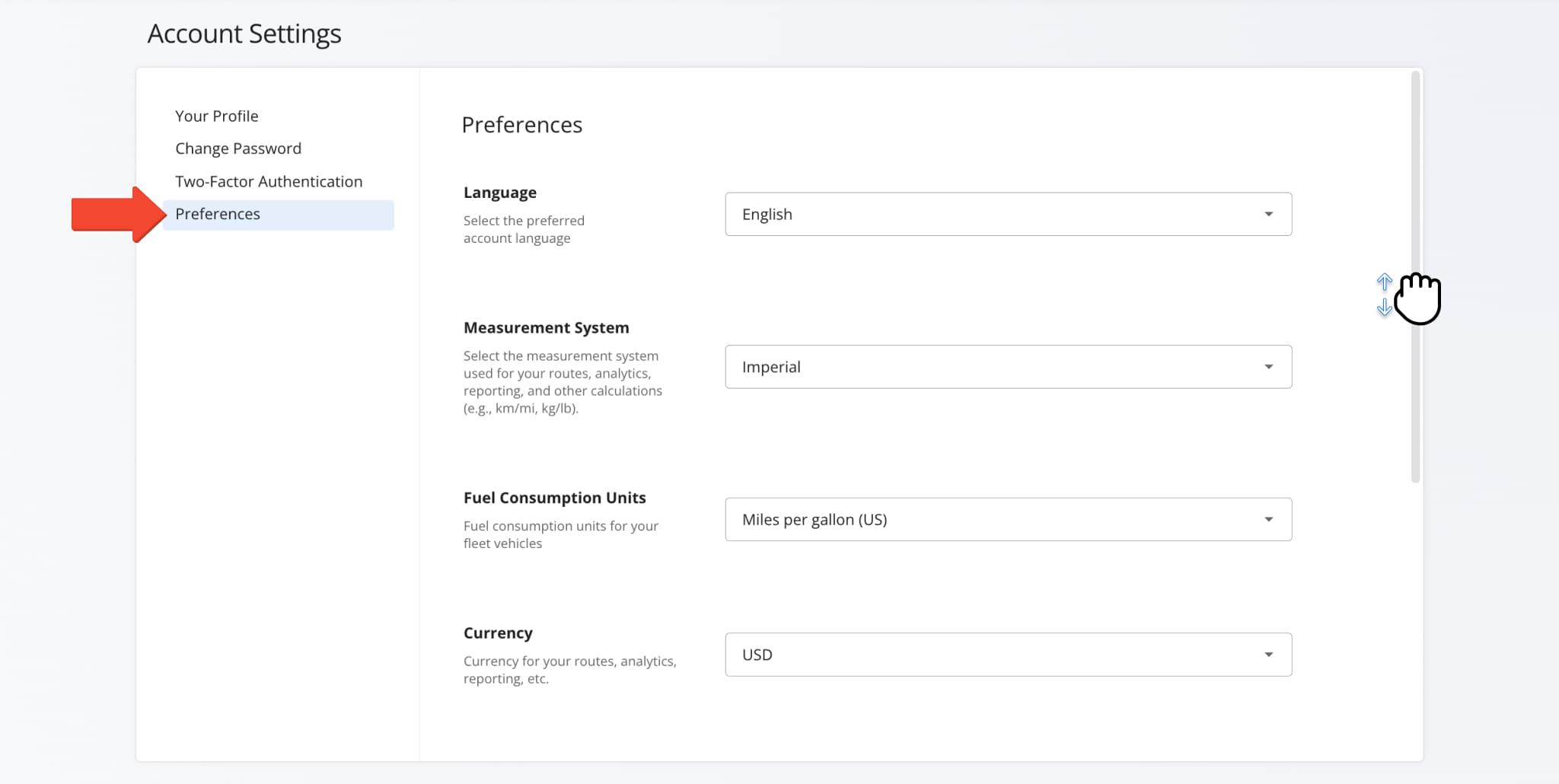
Preferences Settings
Visit Route4Me's Marketplace to Check out Associated Modules:
- Operations
Custom Data Add-On
- Operations
Advanced Team Management Add-On
About author: Kristian Andreev

