
Route4Trucks Android And iPhone Subscription Management
Your Route4Trucks account is linked to the Apple or Google account used for registration. Accordingly, you can only sign in to Route4Trucks using your Google or Apple account, and Route4Me doesn’t store or manage your account password. Keep reading to learn about Route4Trucks subscription settings on Android via the Google Play Store and on iPhone via the Apple App Store.
NOTE: Route4Trucks is a standalone app. Route4Trucks and Route4Me accounts and subscriptions are managed separately.
Table of Contents
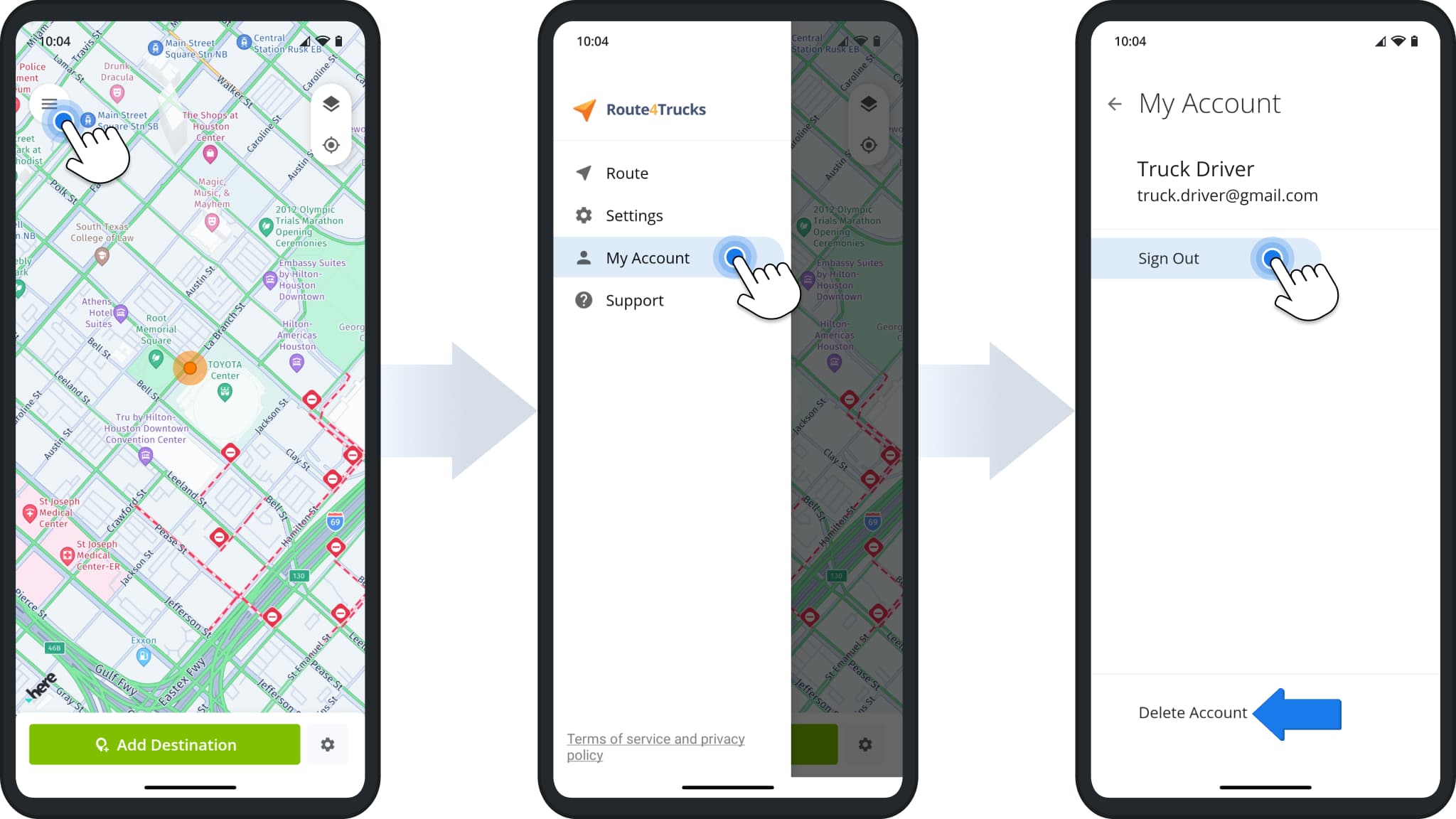
To open and manage your Route4Trucks account, tap the Menu Button in the top-left and go to “My Account” from the menu. Next, you can check your account details, sign out of your account, or delete your account.
NOTE: Deleting your Route4Trucks account is not the same as cancelling your subscription. The app vendor (Google or Apple) is responsible for billing and managing your subscription. Keep reading to learn more.
Route4Trucks Android App Subscription On Google Play Store
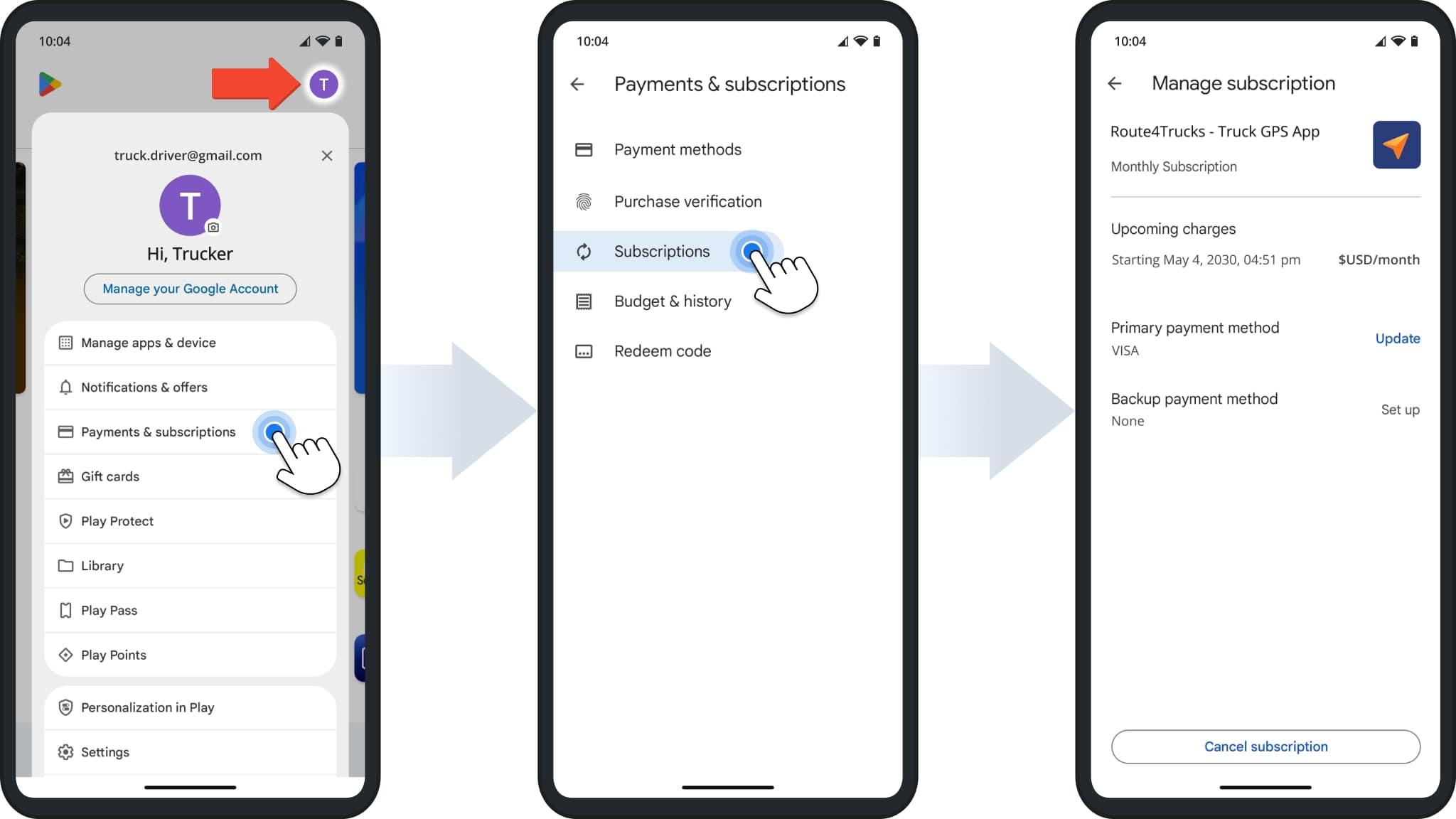
To open and manage your Route4Trucks subscription on Android, follow these steps:
- Open the Google Play Store.
- Tap your profile picture.
- Go to “Payments & subscriptions” > “Subscriptions“.
- Open your Route4Trucks subscription.
NOTE: Your subscription is billed and managed by Google. Learn more about Subscriptions Management on Google Play Help. Route4Me can’t change or cancel your Route4Trucks subscription or restore your Google account password.
Route4Trucks iOS App Subscription On Apple App Store
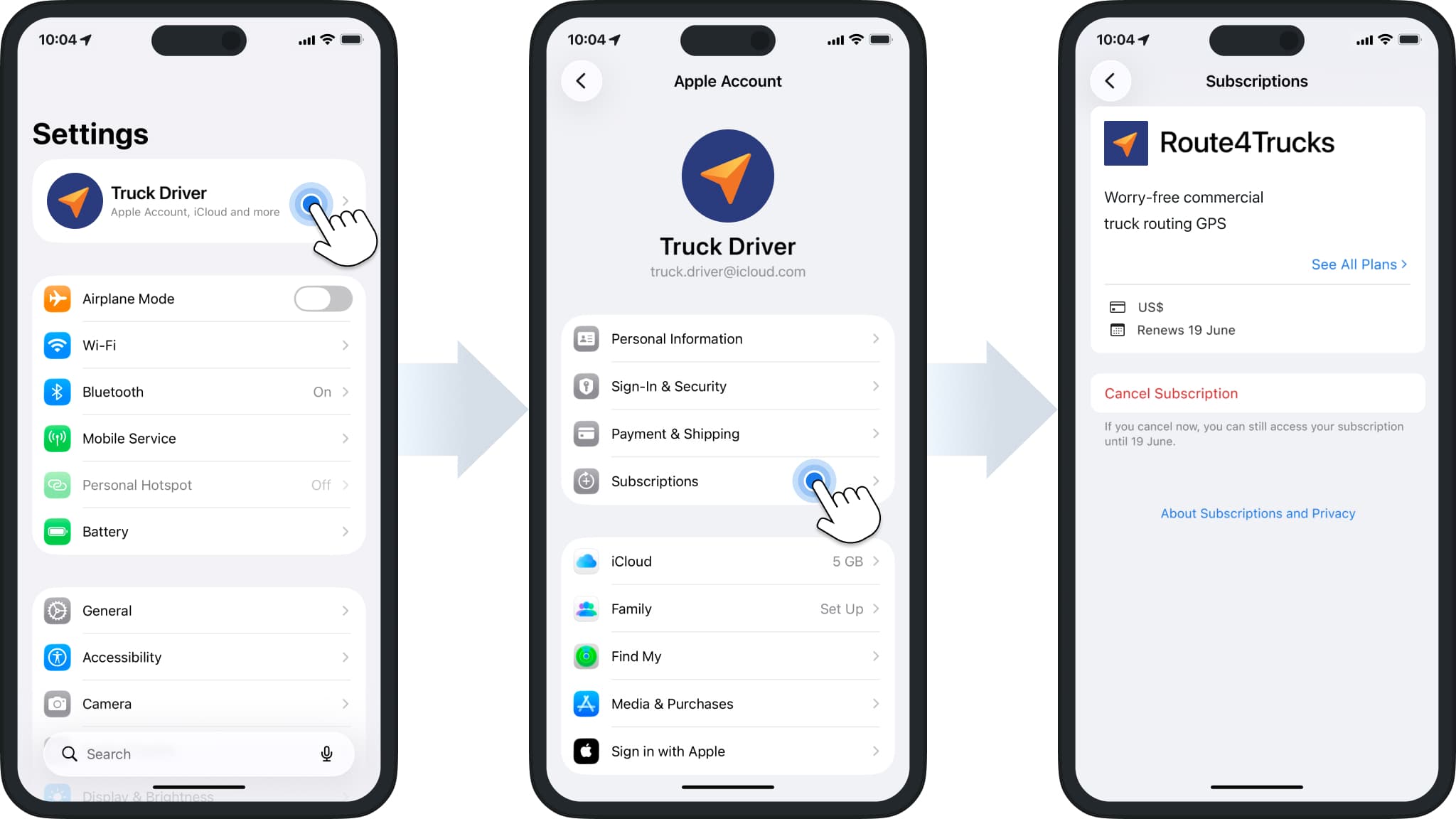
To open and manage your Route4Trucks subscription on an iPhone or iPad, follow these steps:
- Open the “Settings” app on your device.
- Tap your Apple ID to open your Apple account settings.
- Go to “Subscriptions” and then open the Route4Trucks subscription.
NOTE: Your subscription is billed and managed by Apple. Learn more about Subscription Management on Apple Support. Route4Me can’t change or cancel your Route4Trucks subscription or restore your Apple account password.
Visit Route4Me's Marketplace to Check Out More Add-Ons and Modules:
- Route Optimization
Commercial Vehicle & Truck Routing
About author: Kristian Andreev

