
Bulk Recurring Route Management – Manage Routes And Addresses At Scale
For enterprise businesses, managing Recurring Routes efficiently can help streamline last mile operations and support effective route optimization. Bulk management tools allow you to make changes to multiple Recurring Routes at once, including adding or removing addresses and applying actions to multiple routes. This guide explains how to use Bulk Address Operations and the Bulk Actions menu to manage Recurring Routes at scale.

Table of Contents
Bulk Address Operations – Add Or Remove Addresses In Bulk
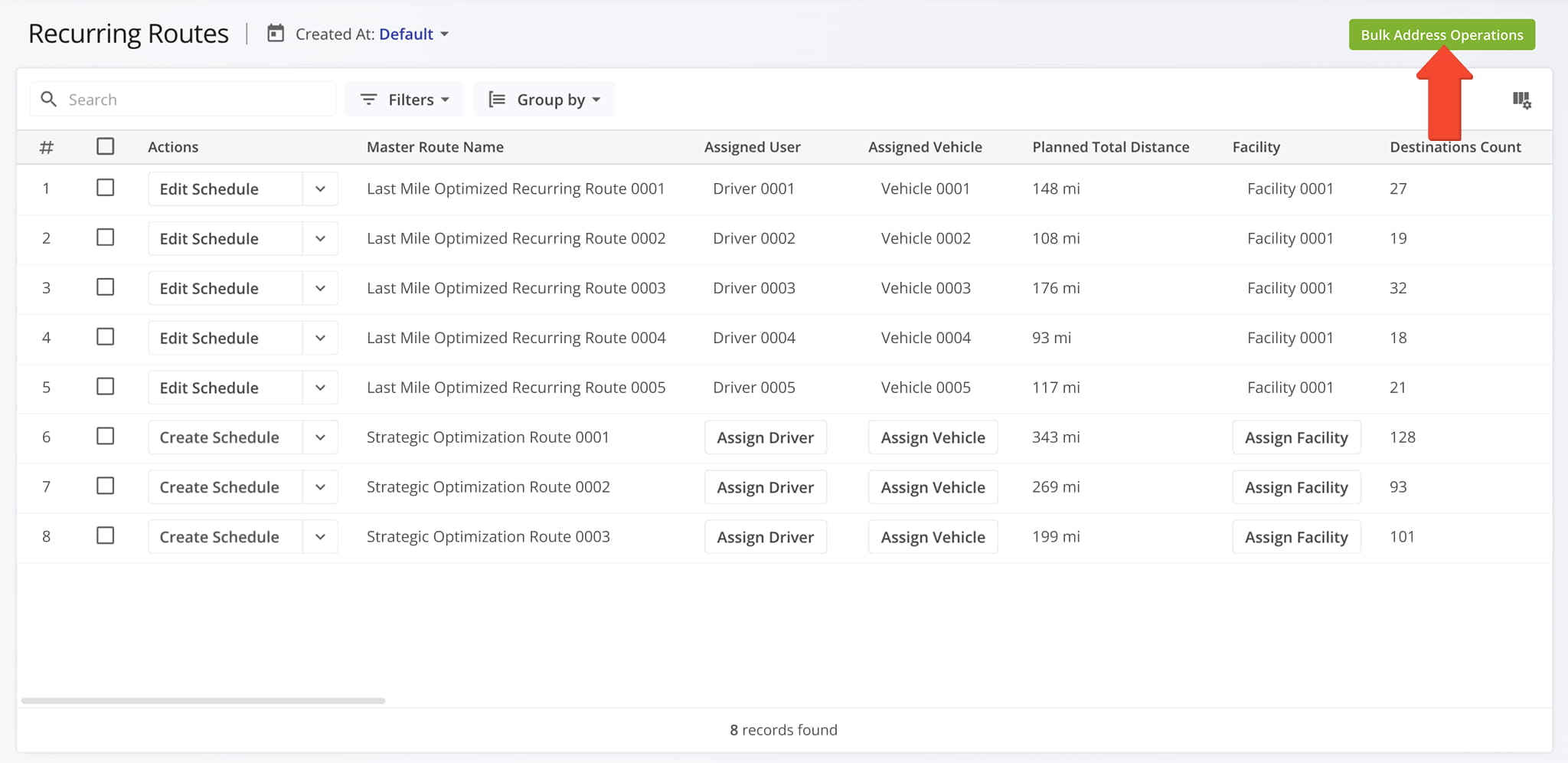
You can add or remove from recurring routes addresses in bulk by clicking the “Bulk Address Operations” button in the upper-right corner of the screen.
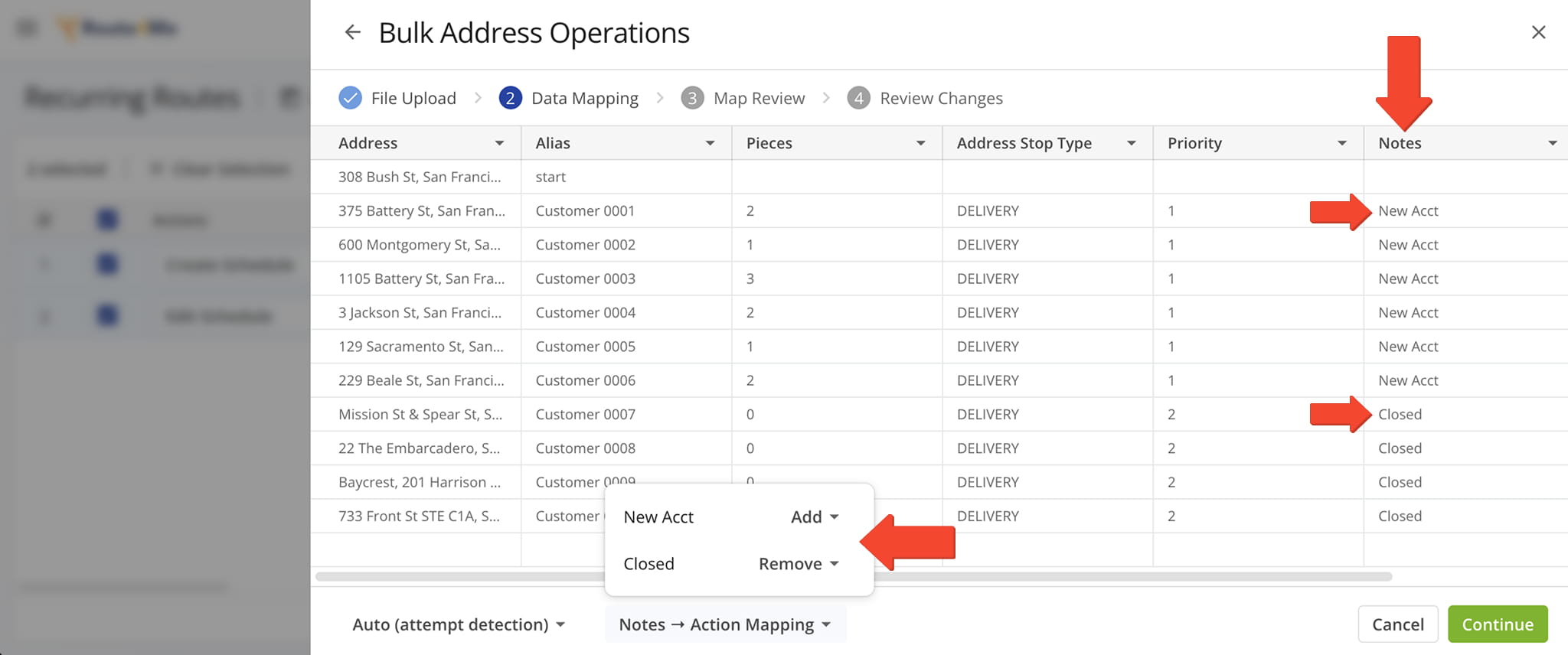
Upload an address file that includes a “Notes” column. In the “Notes” column, enter “New Acct” next to each new address you want to add and “Closed” next to each address you want to remove.
At the bottom of the screen, use the “Notes -> Action Mapping” menu to confirm that each note is mapped to the correct action. Then, click “Continue“.
NOTE: Learn more about Route4Me’s spreadsheet requirements.
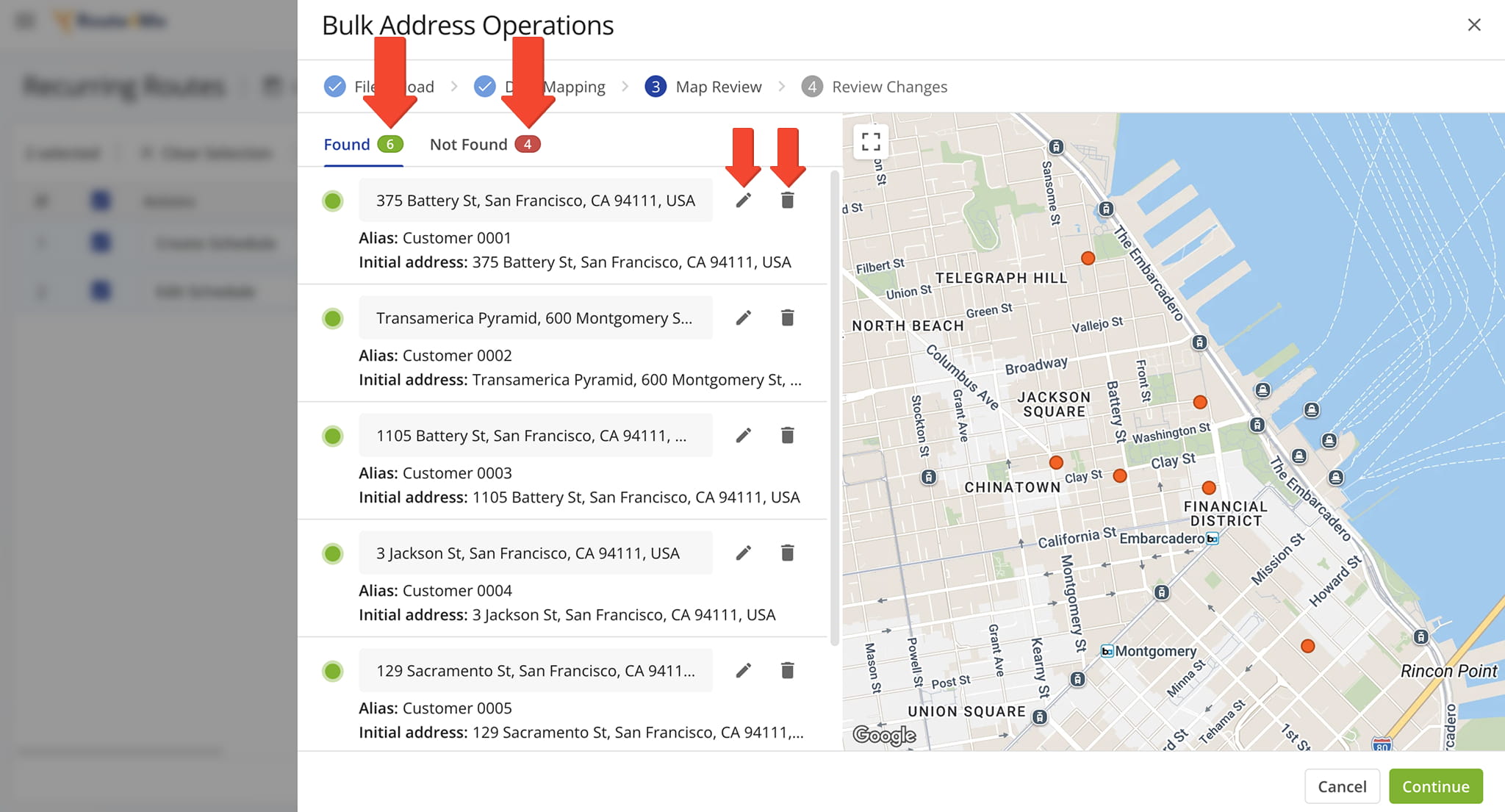
The system will geocode the new addresses and assign them to the best available routes.
Verified addresses that are successfully geocoded are highlighted in green. Addresses that cannot be geocoded are highlighted in red so you can review them before continuing.
You can also make changes to individual addresses before committing your updates. Click the Pencil Icon next to an address to edit its details. Click the Trashcan Icon to delete an address. When ready, click ” Continue” to proceed.
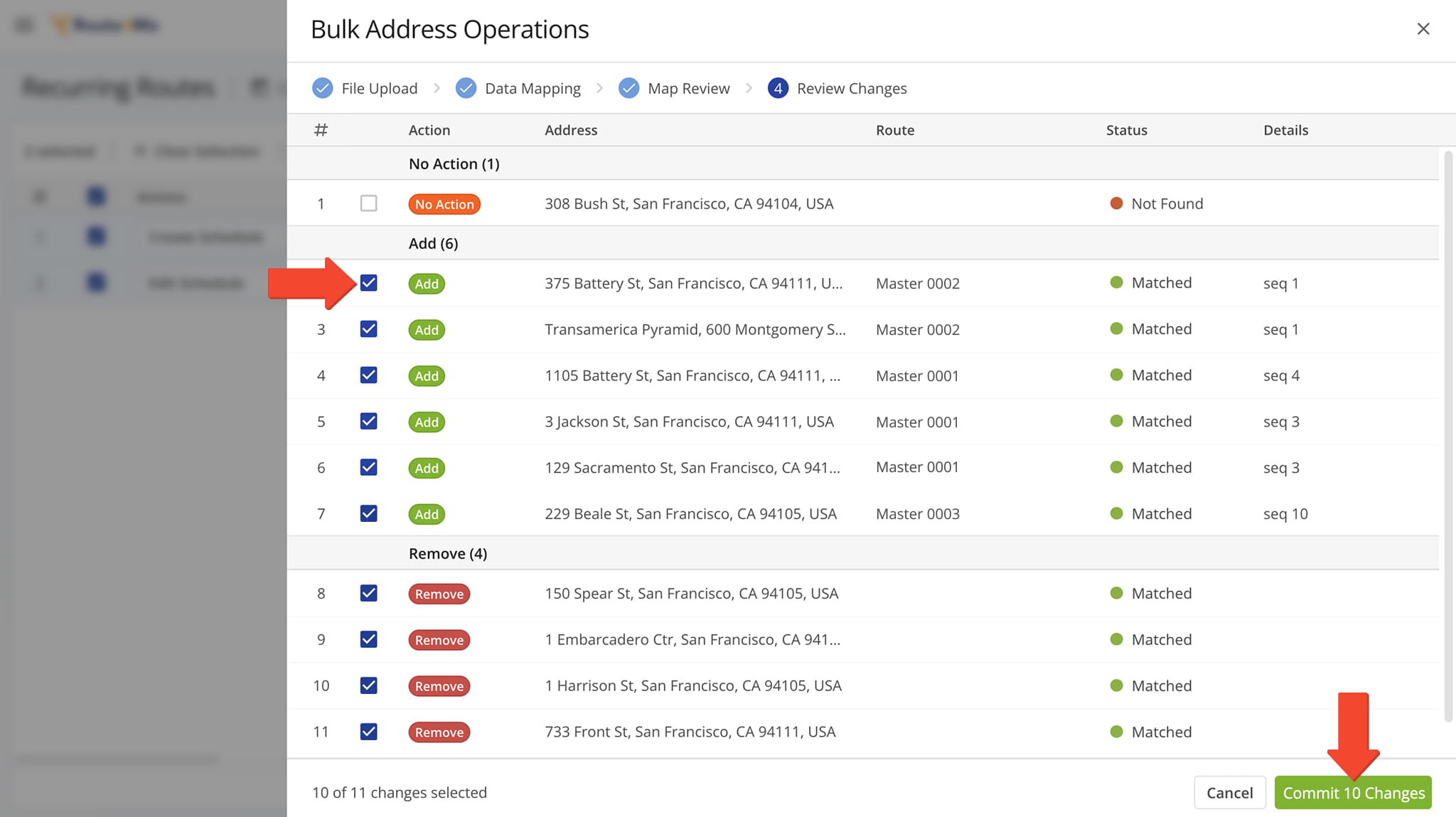
To finalize the bulk address changes, select the checkbox next to each address you want to add or remove, then click “Commit Changes” at the bottom of the screen.
After you commit the changes, you can view all affected Recurring Routes in your Routes List.
Bulk Actions Menu – Manage Multiple Recurring Routes
You can perform bulk actions on multiple Recurring Routes at once. Select the checkbox next to each Recurring Route you want to modify, then click “Bulk Actions” and select the action you want to perform.
The selected action will be applied to all Recurring Routes you selected. The table below details all available bulk actions.
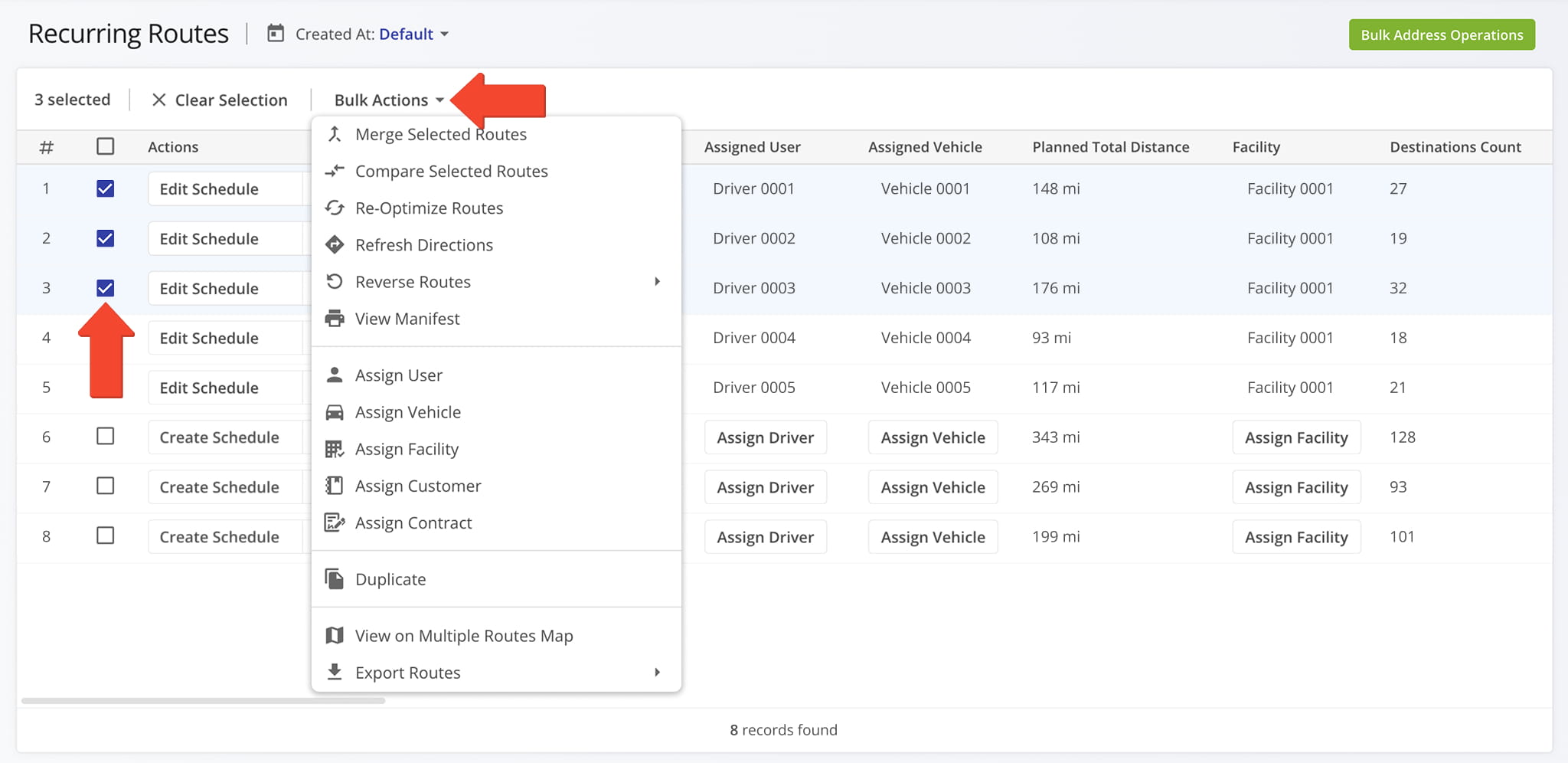
Bulk Actions Menu
Visit Route4Me's Marketplace to Check out Associated Modules:
- Operations
Audit Logging and Activity Stream
- Operations
Custom Data Add-On
- Operations
Advanced Team Management Add-On
About author: Daniel Archer

