
Break Profiles – Create & Manage Driver Break Rules
Break Profiles allow you to create and manage reusable break schedules for route drivers and field service teams. These profiles define how and when breaks should be inserted into routes based on factors such as elapsed time, travel time, or location count, helping standardize break scheduling across different routing workflows. This helps ensure consistent break rules while supporting more efficient route planning.
To access Route4Me’s Break Profiles feature, go to “Optimization Settings” > “Break Profiles” from the Navigation Menu.
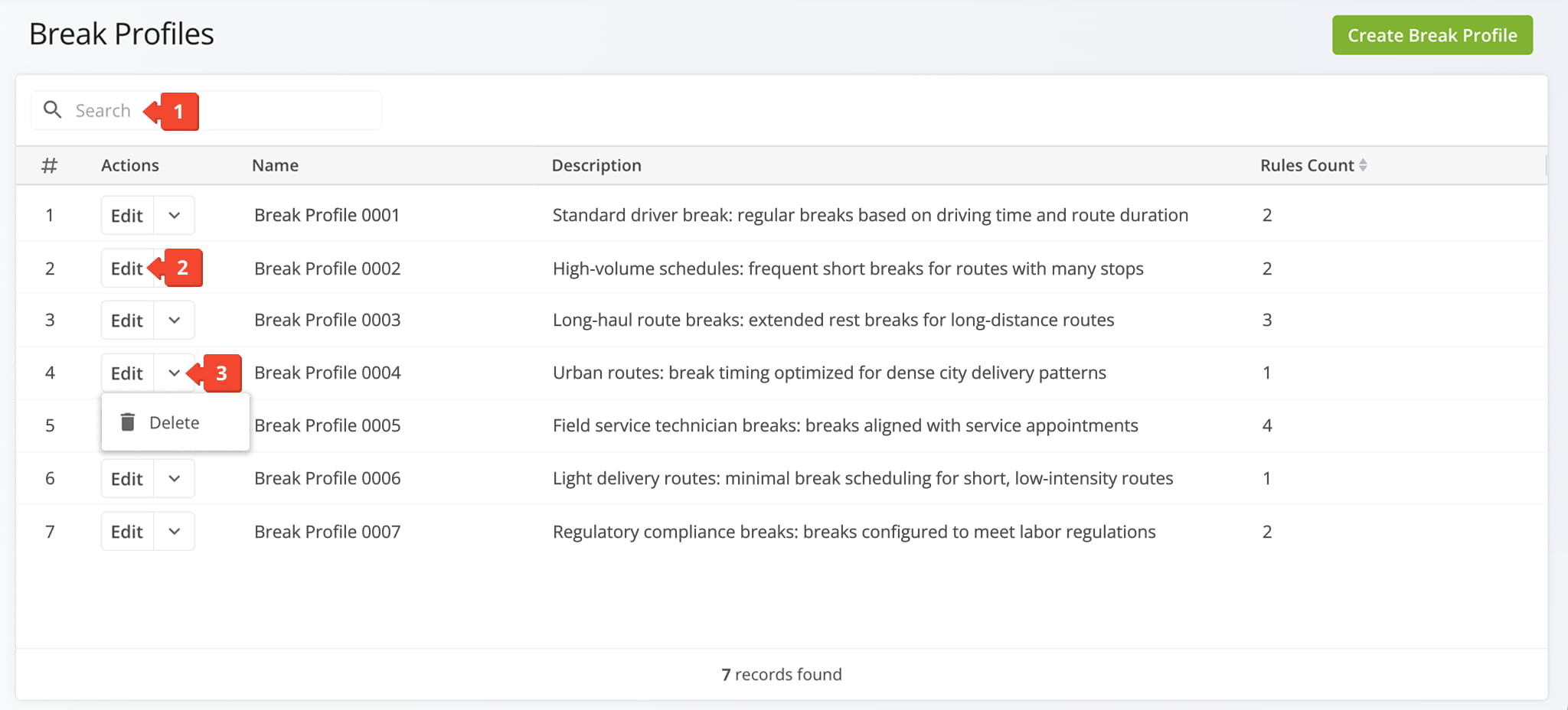
The Break Profiles Page lists all Break Profiles on your account. You can use your Break Profiles to manage break schedules and route break rules. NOTE: Learn more about inserting Driver Breaks into routes.
From the Break Profiles Page, you can:
- Use the “Search” field to locate a Break Profile.
- Click “Edit” to modify a Break Profile.
- Click the Down Arrow Button to delete a Break Profile.
You can also click “Create Break Profile” to set up a new Profile. From the “Create Break Profile” Editor, name the Break Profile you wish to create, describe the profile, and define its rules.
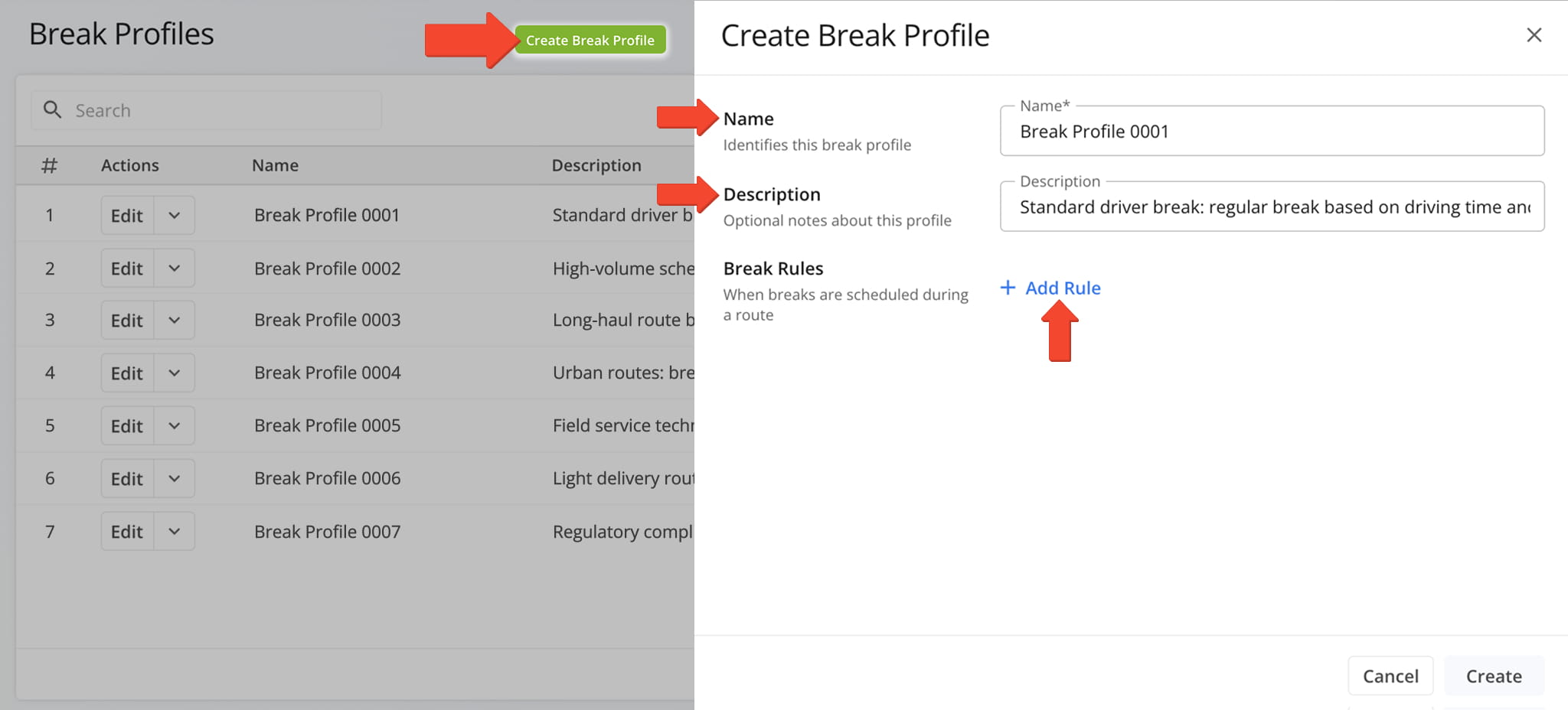
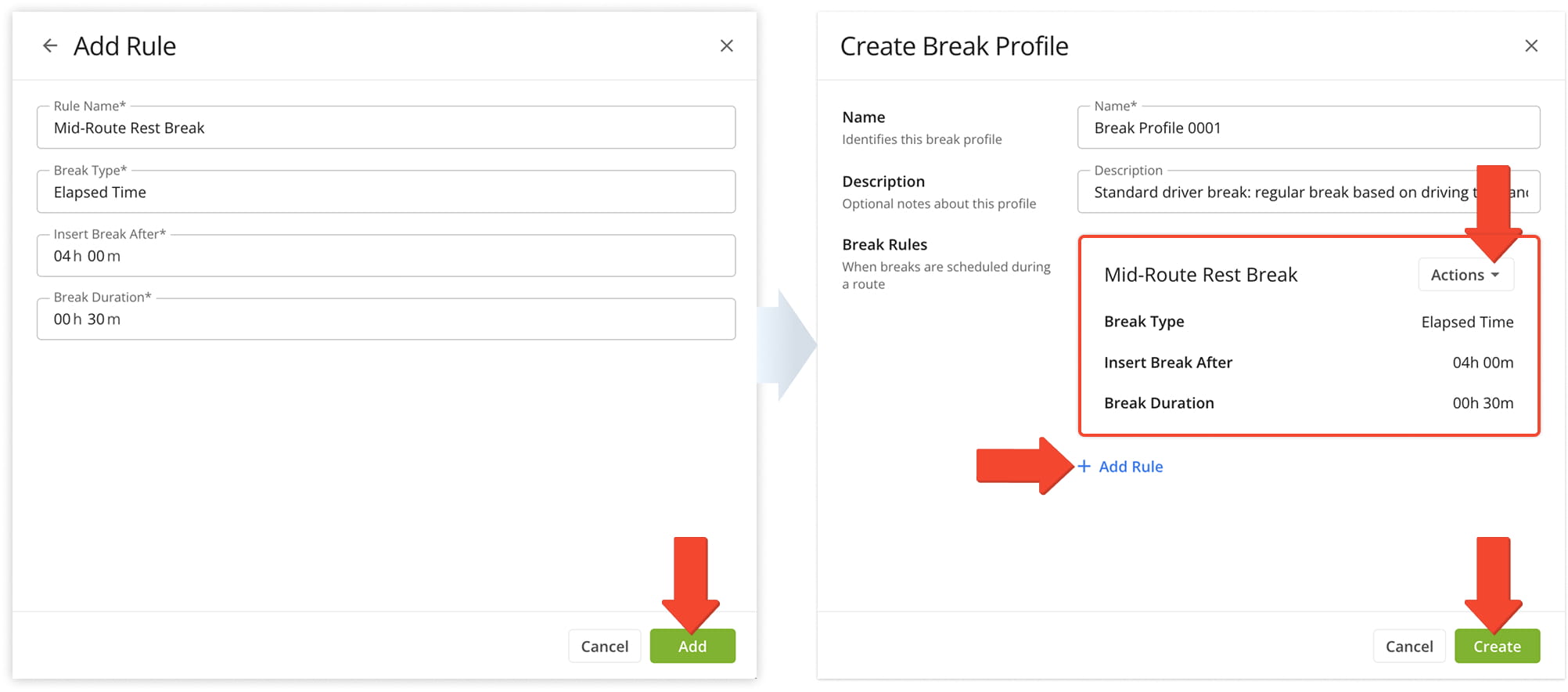
Break Rules can include a rule name, a break type (such as elapsed time, travel time, or location count), and parameters that control both the frequency of the break within a route and its duration.
Route4Me will add the rule to the Break Profile. Click “Actions” to edit or delete the rule, or click “Add Rule” to add additional rules to the Profile. When ready, click “Create” to save.
Visit Route4Me's Marketplace to Check Out More Add-Ons and Modules:
- Route Optimization
Mixed Vehicles Routing
- Operations
Custom Data Add-On
About author: Daniel Archer

