
Route Manifest – Route4Me Dynamic Route Manifest
Route4Me’s Dynamic Route Manifest gives enterprise businesses managing large-scale logistics a complete, easy-to-read view of every route. It covers everything from a full route overview and stop-by-stop destinations list to turn-by-turn directions and route metrics for every destination. Each stop’s directions even come with a QR code drivers can scan to navigate to the destination. Use the Manifest to review how the route was planned, then follow it stop-by-stop from start to finish.
NOTE: If you need access to the Route Manifest but it has been disabled on your account, Contact Route4Me Support.
Table of Contents
Open The Route Manifest – Access Route Metrics And Details
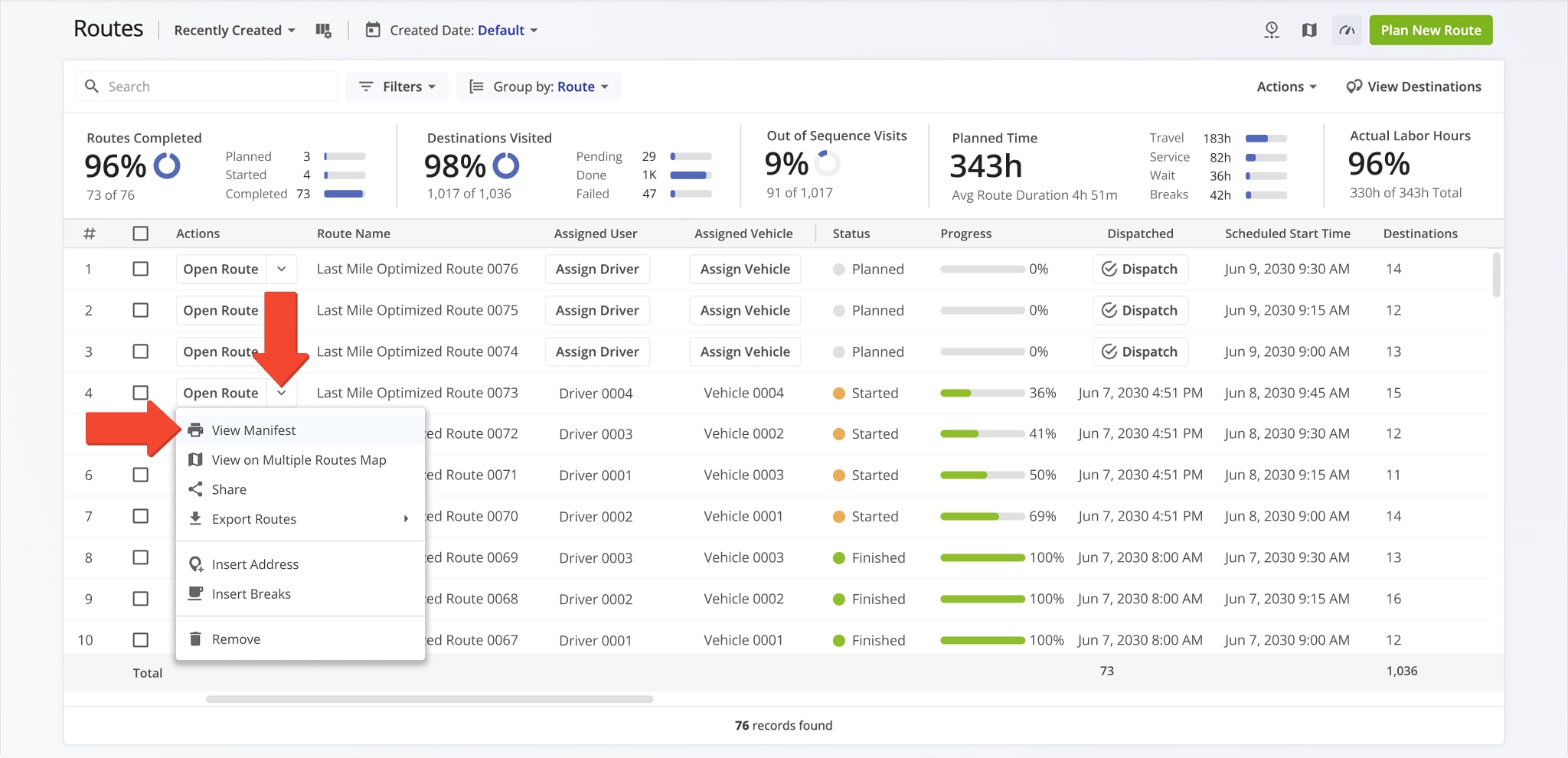
You can open a Route Manifest from your Routes List, Route Editor, or Routes Map. To access a Manifest from the Routes List, click the Down Arrow button next to a route and select “View Manifest“.
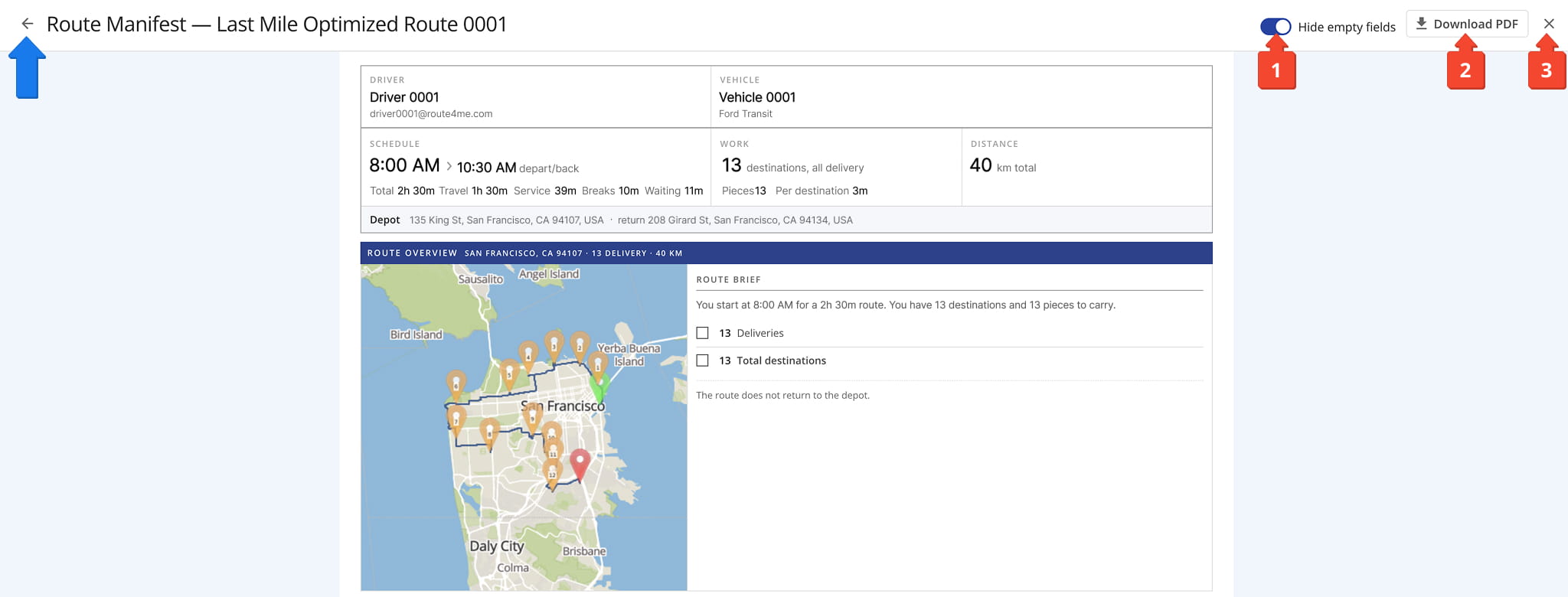
At the top of the Route Manifest, you’ll see a summary of key route details and an overview of the route. From here, you can:
- Toggle “Hide Empty Fields” so the Manifest only shows fields that are actually populated.
- Click “Download PDF” to save the Manifest as a PDF file you can print, email, or hand off to a driver without reliable connectivity.
- Click The “X” to exit the Route Manifest. (To exit, you can also click the Arrow Icon in the upper-left corner.)
Scroll down within the Manifest to see the complete breakdown of the route, from driver and schedule details to stop-by-stop directions for each destination.
Route Manifest Sections – View Route Maps, Metrics, And More
Route Details – Snapshot Of Route Driver, Vehicle, Schedule, And More
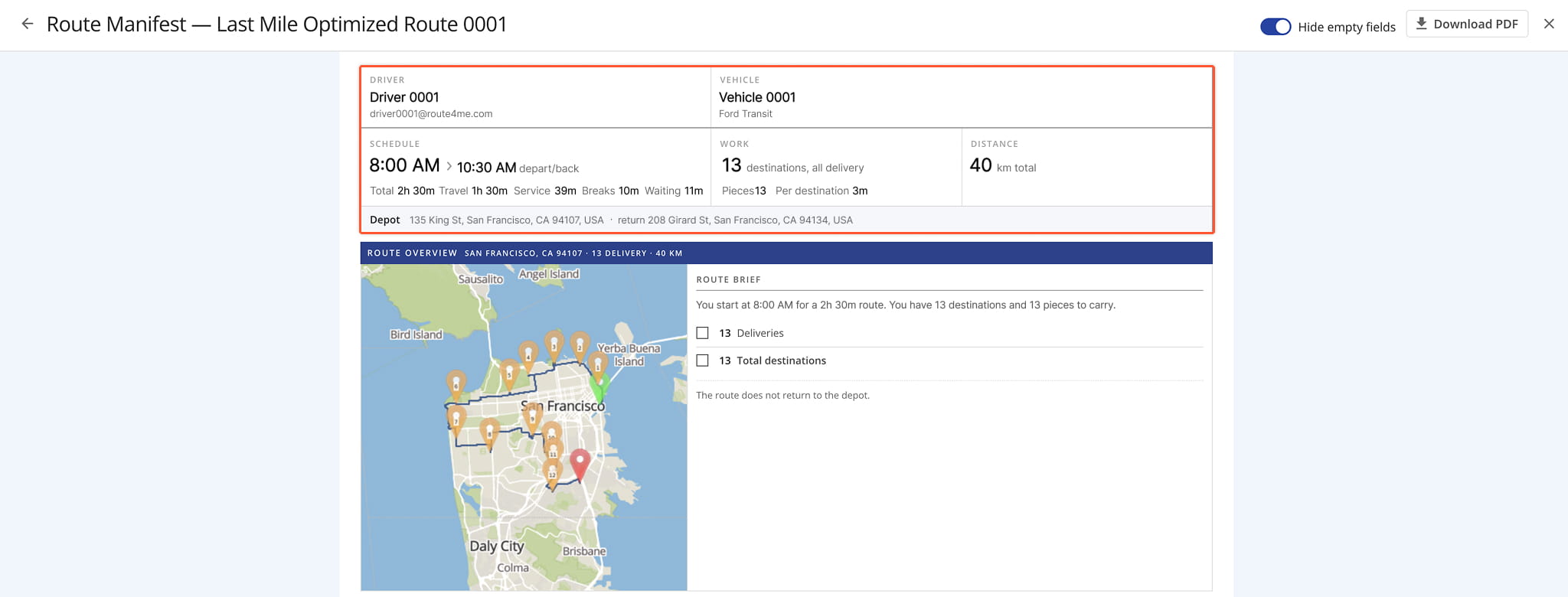
Key route details appear at the top of the Route Manifest, giving you a quick snapshot of the route before you dig into the full breakdown that follows. This summary includes the Driver, Vehicle, Schedule, Work, Distance, and Depot for the route.
See the table below for an overview of all route details available from this section.
Route Details
Route Overview – View Route Map And Route Brief
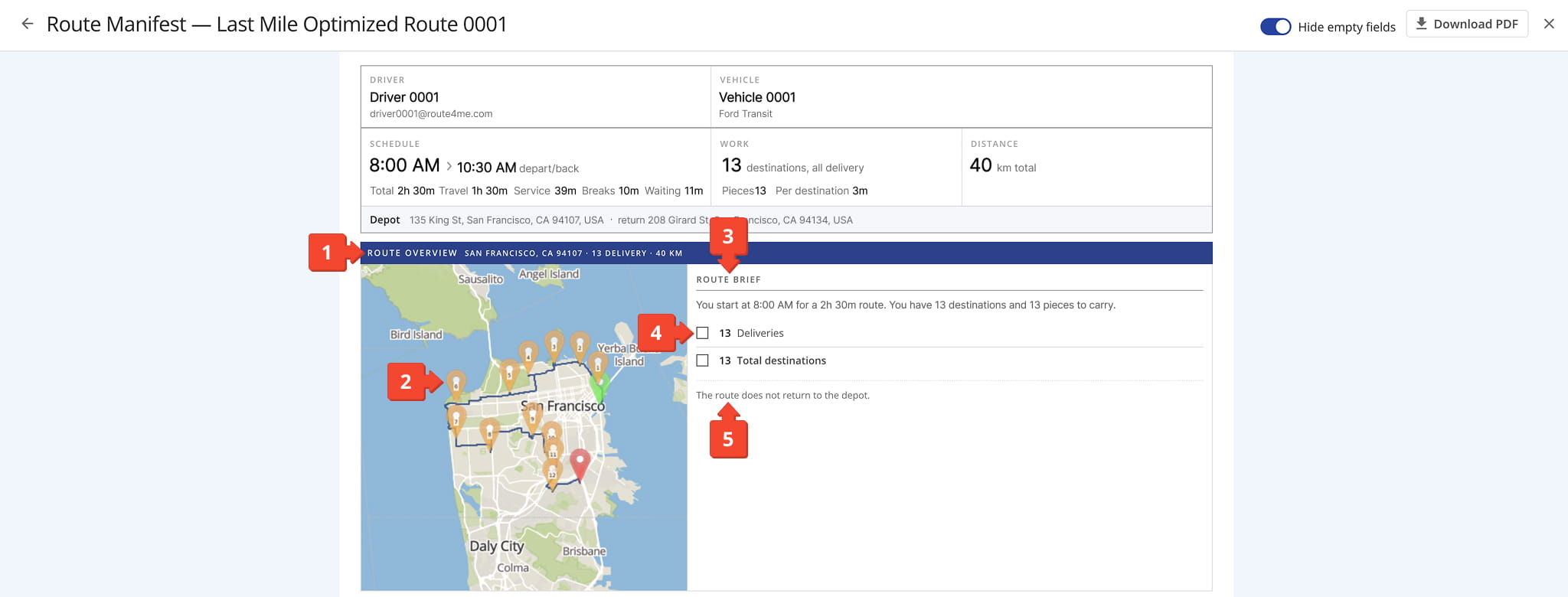
The Route Overview gives you a visual snapshot of the entire route alongside a written brief. In this section of the manifest, you’ll see:
- A header bar showing the route’s location, delivery count, and total distance.
- A map showing the route with numbered pins marking each destination.
- A Route Brief which includes its start time, total duration, number of destinations, and pieces.
- The total number of deliveries and the total number of destinations on the route.
- A final note regarding the route’s end point.
Destinations Overview – View Step-By-Step Route Directions
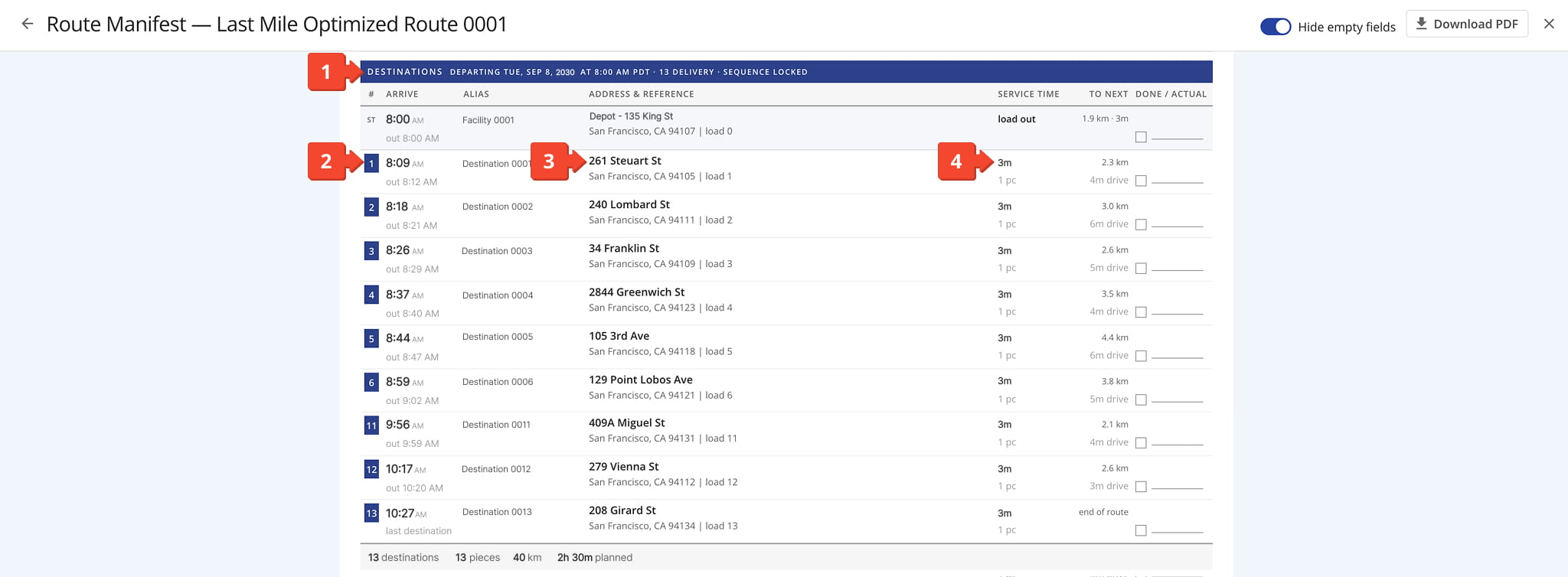
The “Destinations” section lists every stop on the route in sequence. In the section, you’ll see
- The header bar showing the route’s departure date and time, delivery count, and whether the stop sequence is locked.
- A numbered list of stops, each showing its planned arrival time and departure time (“out“).
- Each stop’s address and load number, under the “Address & Reference” column.
- The service time for each stop, along with how many pieces are being delivered there.
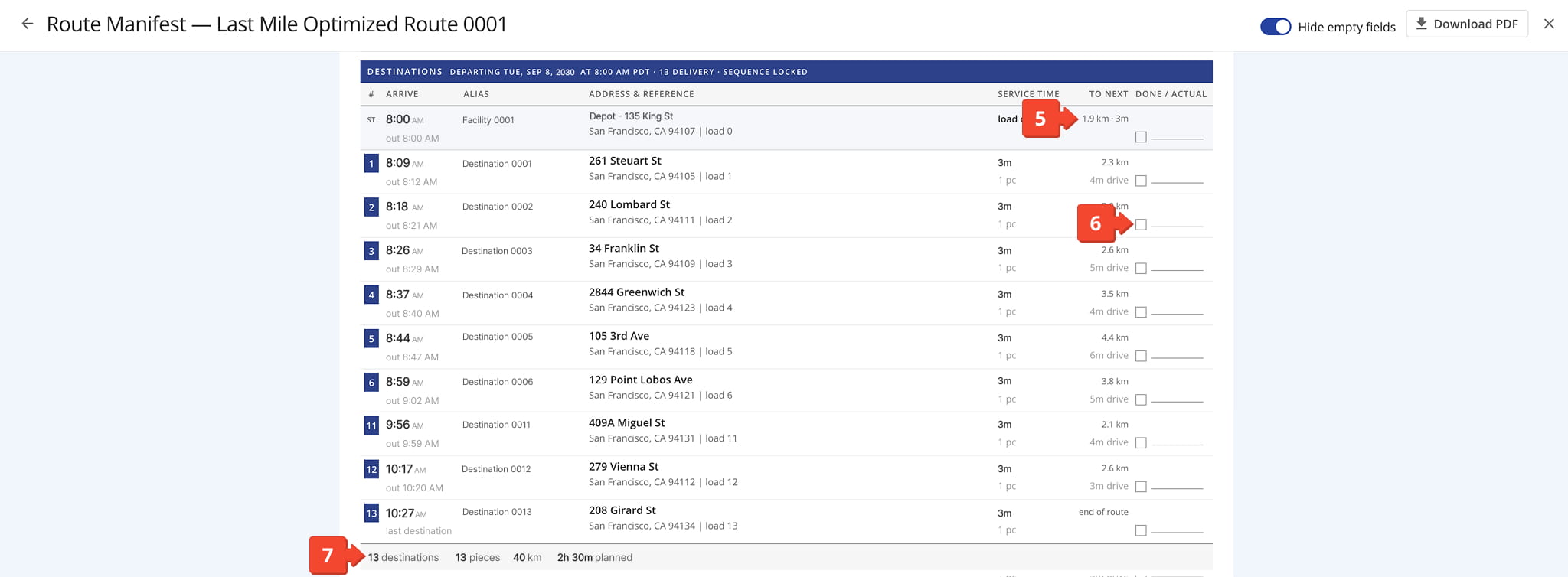
5. The distance and drive time to the next stop, under “To Next“.
6. A “Done / Actual” checkbox for marking each stop complete.
7. A summary line totaling the route’s destinations, pieces, distance, and planned duration.
Destination Detail – View Step-By-Step Route Directions
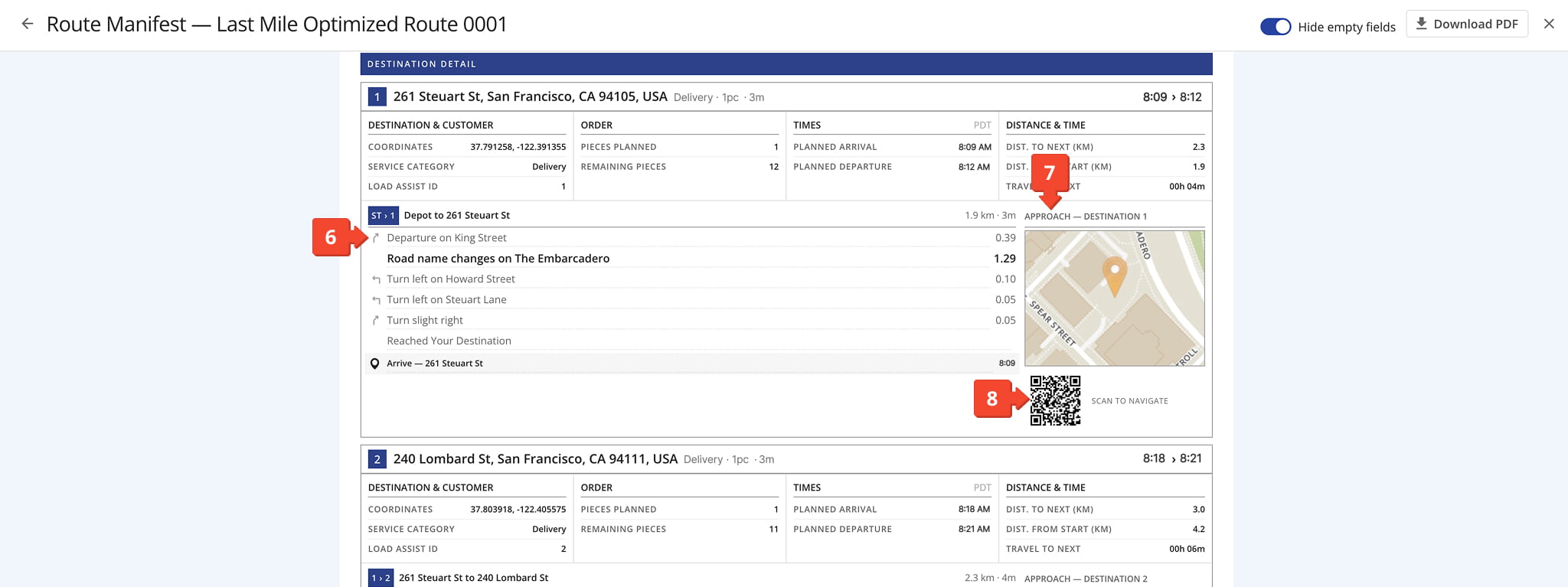
The “Destination Detail” section provides a full breakdown of each stop, including turn-by-turn directions to get there. In this section, you’ll see:
- A header row for each stop showing its number, address, service category, pieces, service time, and planned arrival/departure time.
- A “Destination & Customer” panel showing the stop’s coordinates, service category, and Load Assist ID.
- An “Order” panel showing the pieces planned for that stop and the pieces remaining on the vehicle afterward.
- A “Times” panel showing the planned arrival and departure times, in the route’s local time zone.
- A “Distance & Time” panel showing the distance to the next stop, the total distance from the start of the route, and the travel time to the next stop.
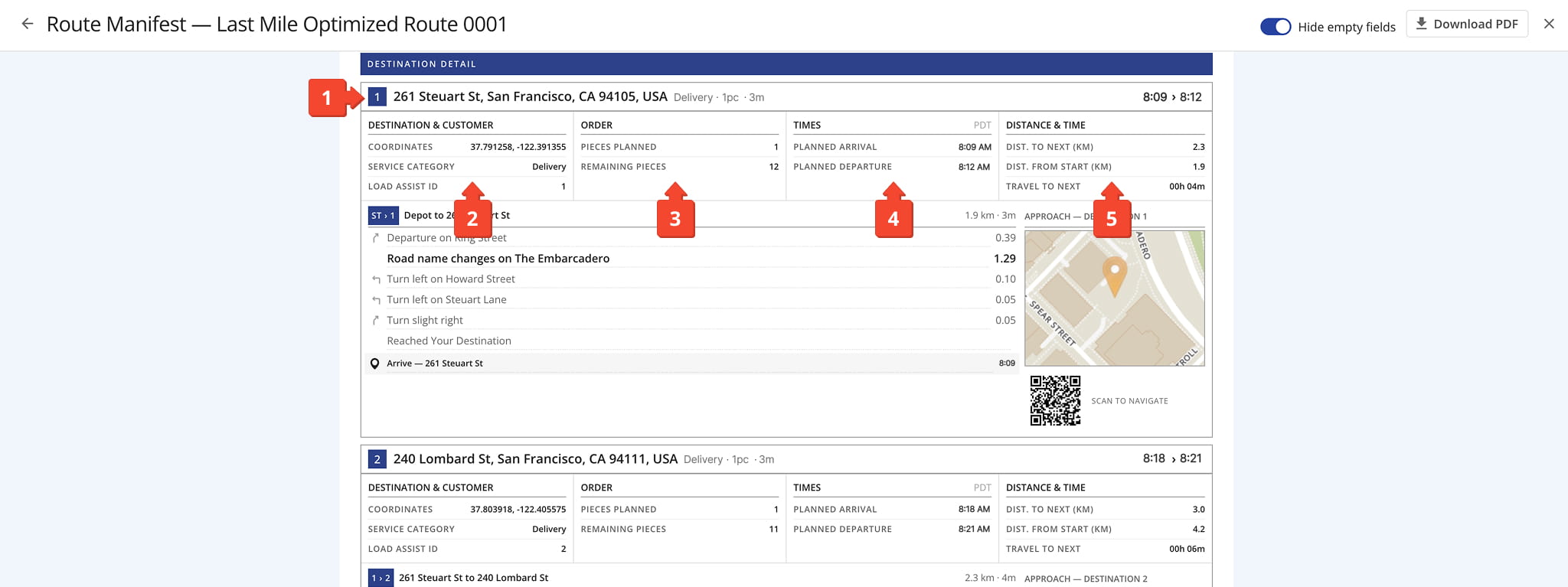
6. Turn-by-turn driving directions from the previous stop to the current one, with the distance covered at each turn.
7. A zoomed-in map showing the destination’s exact location, labeled “Approach“.
8. A QR code drivers can scan to navigate directly to the destination.
Visit Route4Me's Marketplace to Check out Associated Modules:
About author: Daniel Archer

