
Refueling On Routes – Get Fuel Level Notifications & Find Fueling Stations On The App
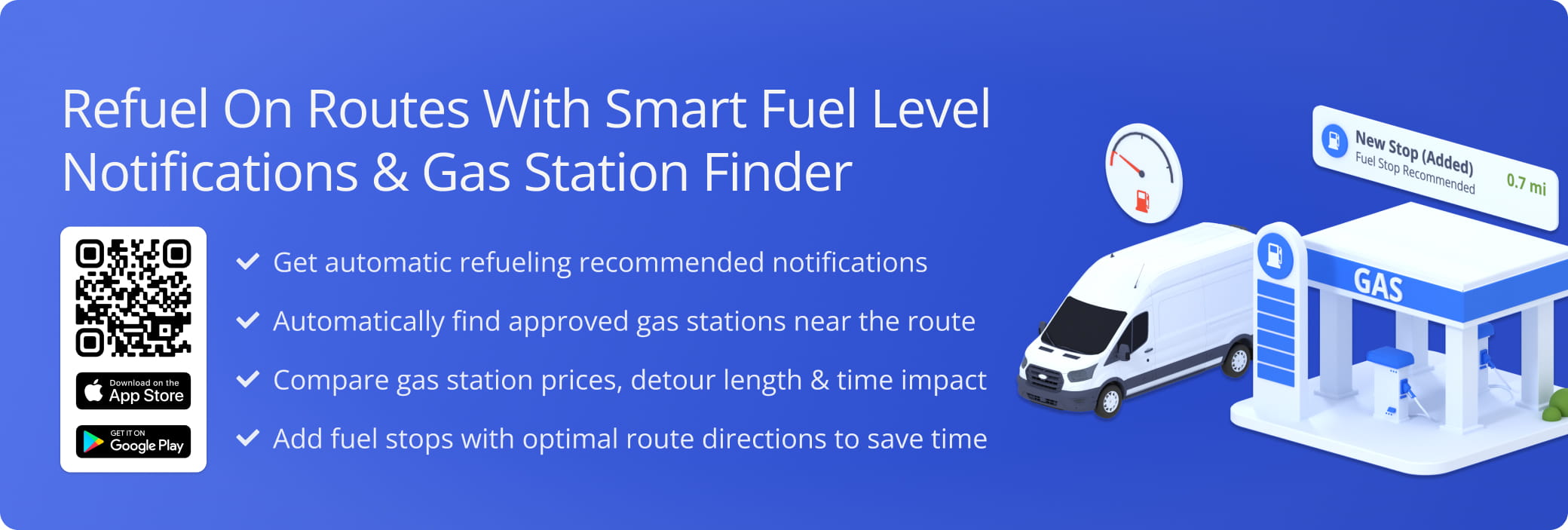
Route4Me’s last mile driver app automatically lets field employees know when they need to refuel on routes. The app tracks fuel levels against the remaining route distance and recommends refueling based on your company’s Fueling Strategy. It shows nearby fueling stations on the map with fuel prices, detour distance, and time impact. Drivers pick a station, and the app inserts it as a Destination and recalculates directions to minimize added time and mileage. This means fewer delays, fuel purchases that follow your company’s Fueling Strategy instead of guesswork, and routes that stay optimized after refueling.
Get Fuel Level Notifications And Find Fuel Stations On Routes
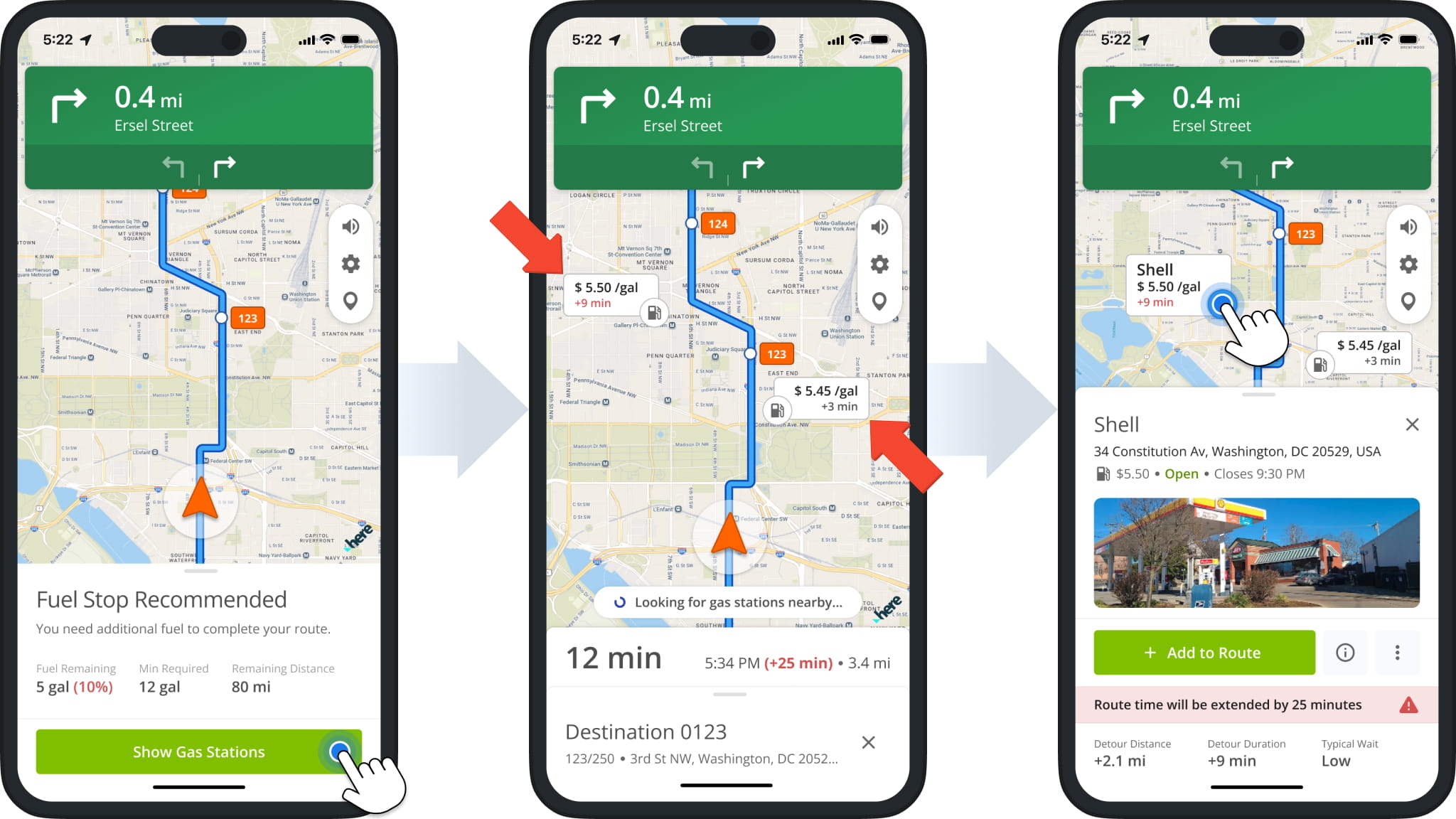
Based on your company’s Fueling Strategy, the app automatically notifies you when you need to refuel. Tap “Show Gas Stations” to see nearby fueling stations with their respective fuel prices and time impact.
You can tap a fuel station on the map to see more details like its closing time, route detour distance, typical wait time, and more.
Add Fuel Station To Route – Select Best Refuel Destination
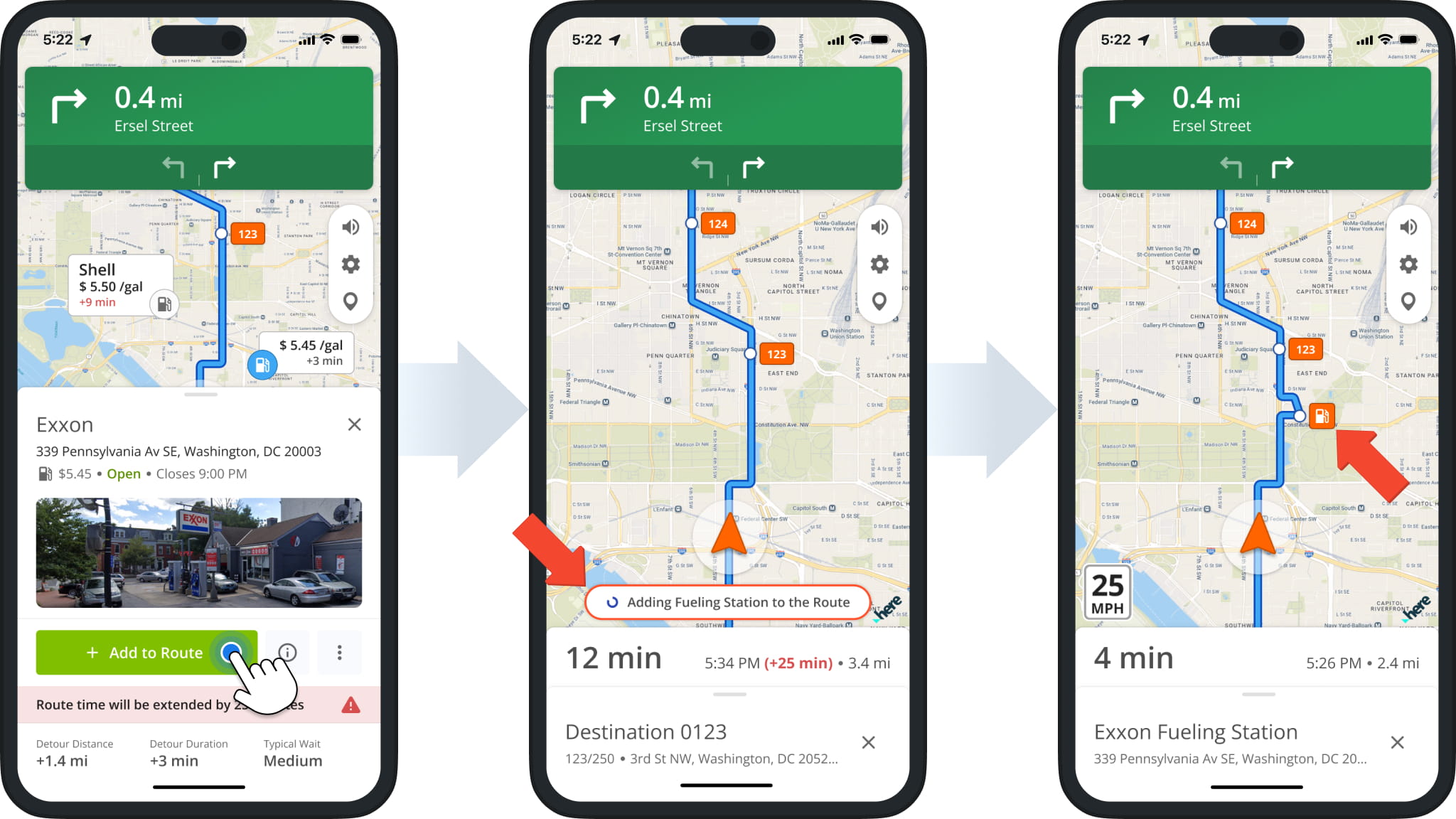
Every fuel station shown in the app is already approved under your company’s Fueling Strategy. Select a station depending on the circumstances of your route, prioritizing cheaper fuel or a shorter detour as needed. Tap “Add to Route”, and the app adds it as a new Destination and recalculates navigation directions to minimize the added time and distance.
Adding a fueling station increases the route’s total duration to account for both the detour and the time spent refueling. After refueling, you can continue to navigate and complete the route as usual.
Visit Route4Me's Marketplace to Check out Associated Modules:
- Operations
Custom Data Add-On
- Operations
Advanced Team Management Add-On
About author: Kristian Andreev

