
Skill Snapshot – Operational Data And Performance Overview

Route4Me’s Skill Snapshots provide a centralized view of all information associated with a specific Skill. From a single interface, you can explore related users, vehicles, locations, and orders linked to the Skill. By bringing together key datasets and analytics, the Skill Snapshot clarifies how Skills are used and connected across your operations.
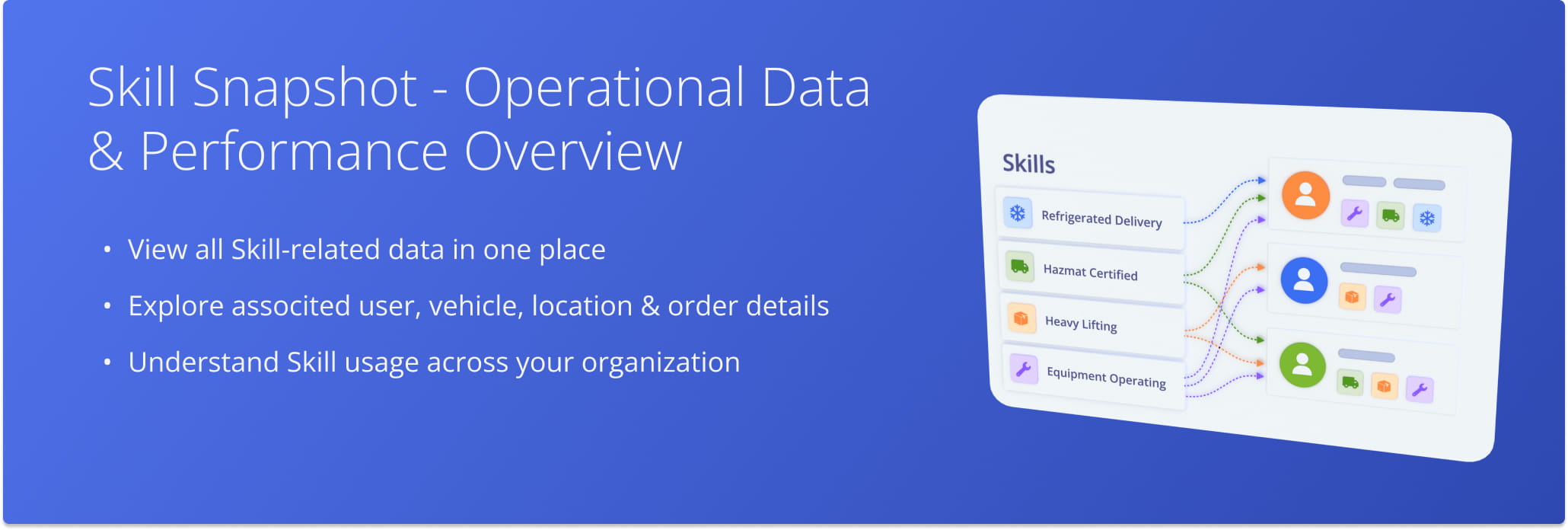
Route4Me’s Skill Snapshot gives you a centralized view of skill-related data and analytics across your operations.

NOTE: If you need to access or can’t open Skill Snapshots, contact Route4Me Support.


Open Skill Snapshot – Skill Data And Analytics Overview

To open a Skill Snapshot, go to “Optimization Settings” > “Skills” from the Navigation Menu. Then, from your Skills Page, click the “Open” button next to a Skill to access its Snapshot.
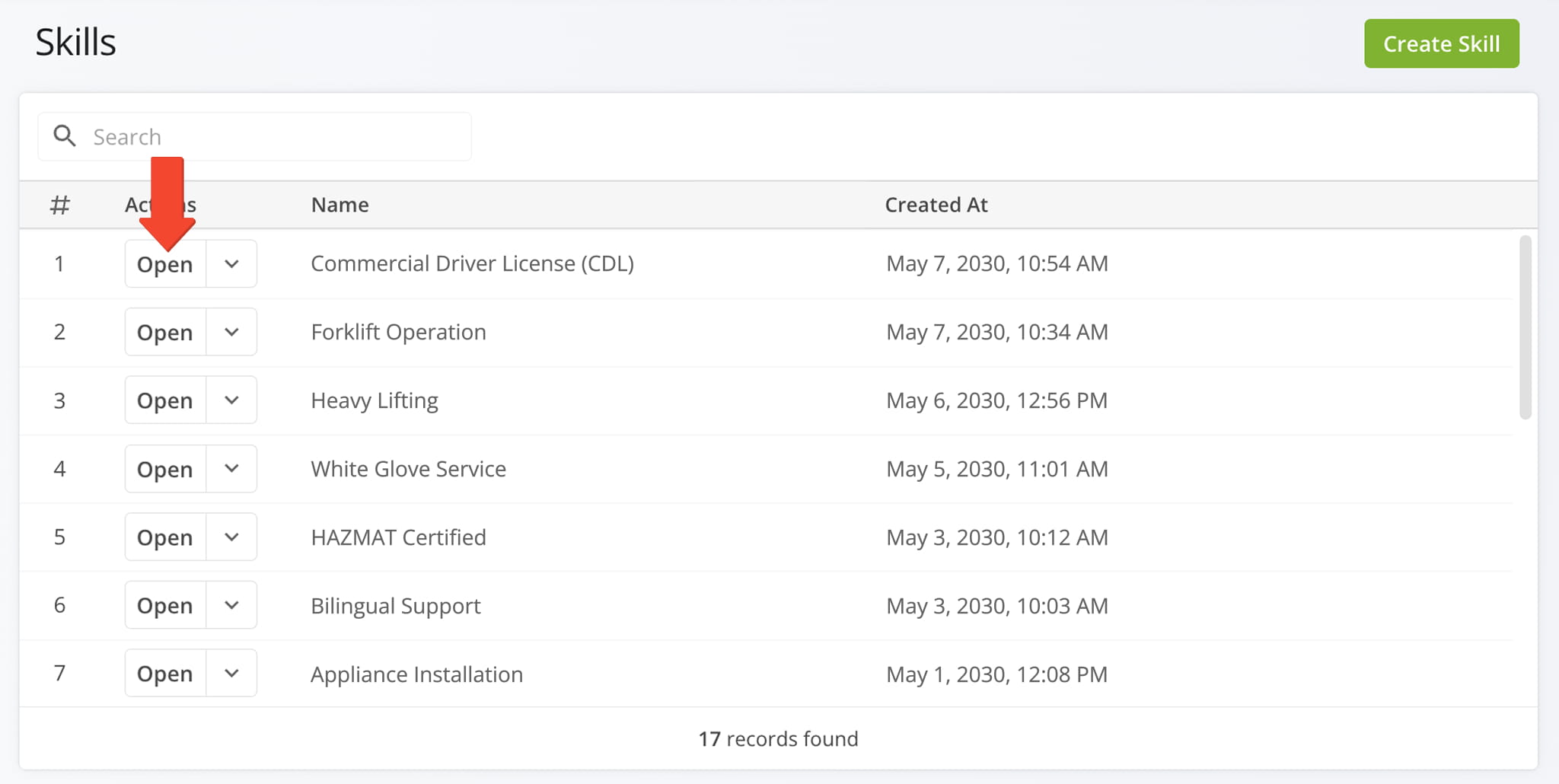
From your Skills Page, click Open next to any skill to open and review its associated Skill Snapshot, a centralized overview of data associated with the Skill.


Once the Snapshot is opened, you’ll see a detailed interface designed to help you review and manage all of the Skill’s related data in one place:

  1. Summary Panel: Overview of key information about the Skill.
  2. Skill Data Tabs: Switch between tabs to explore Skill-related data, which you can filter and customize as needed.
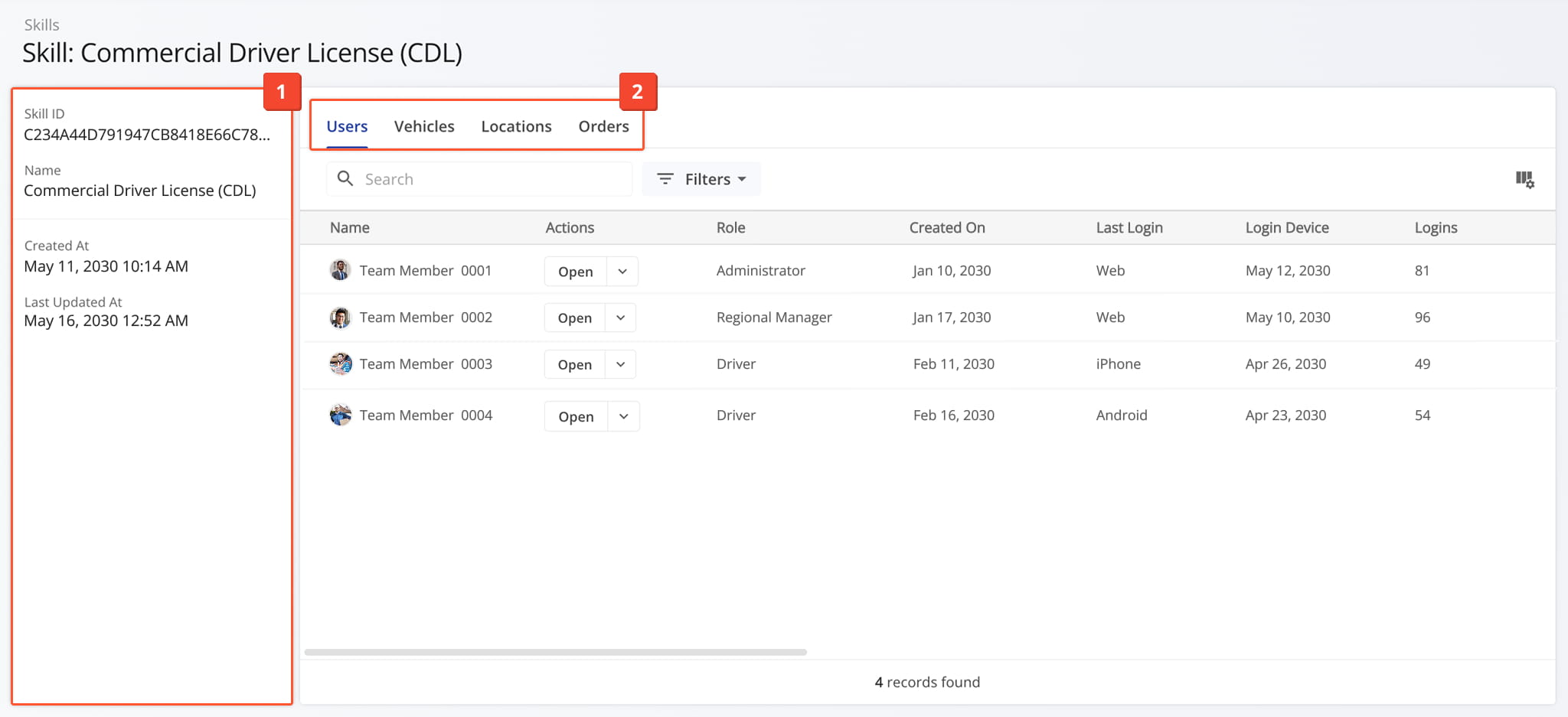
The Skill Snapshot provides a centralized view to review, edit, and organize data associated with a specific Skill.


Skill Overview Panel – Skill Details Summary

The Skill Information panel displays key details about the Skill, including its ID, Name, and the dates it was created and last updated. All information is organized in a single panel, making it easy to quickly view and understand Skill details at a glance.
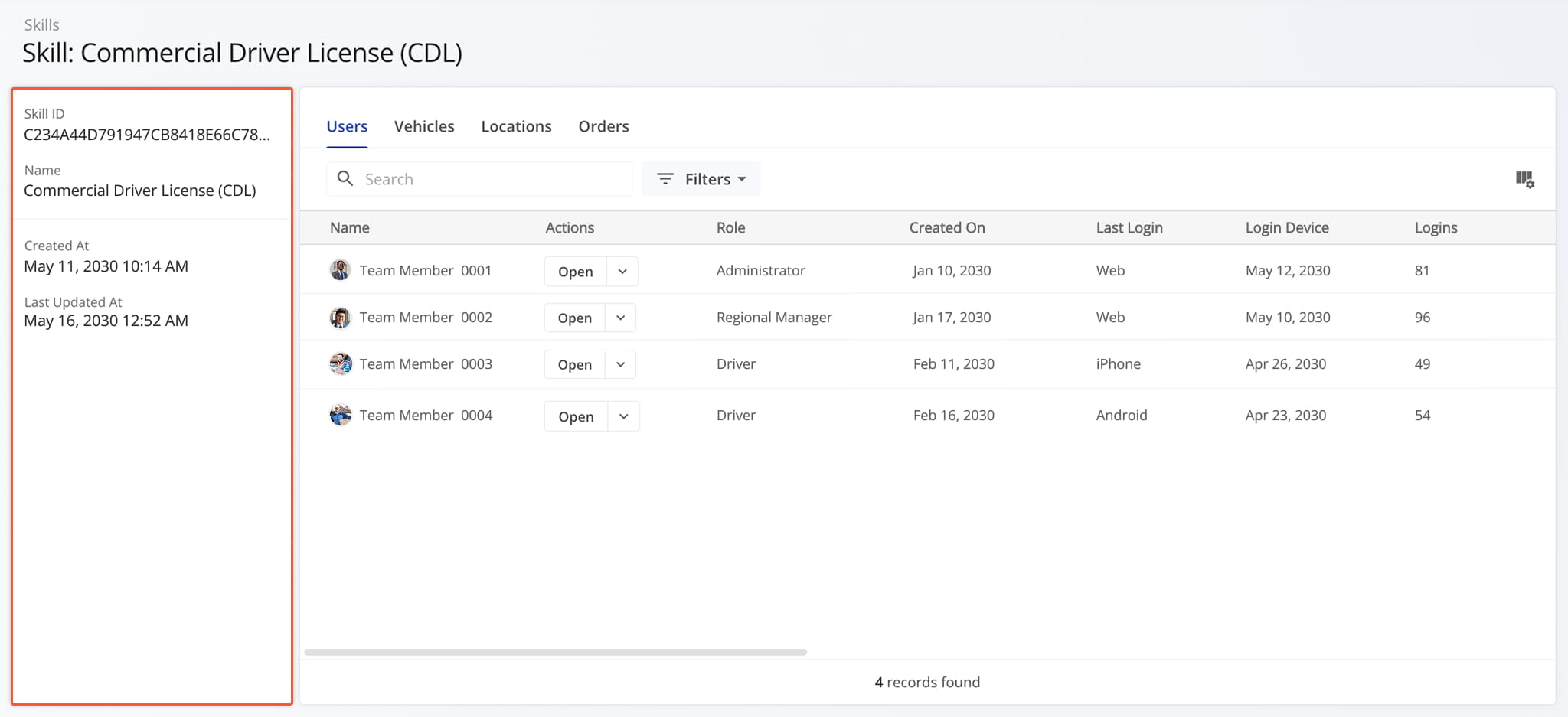
The Snapshot summary panel includes an overview of key details associated with a specific Skill added to your Route4Me Account.


Skill Snapshot Categories – Analytics Overview Data Tabs

The Skill Snapshot is organized by tabs, each tab corresponding to a specific category of data. See the table below to learn more about available Skill-related data.
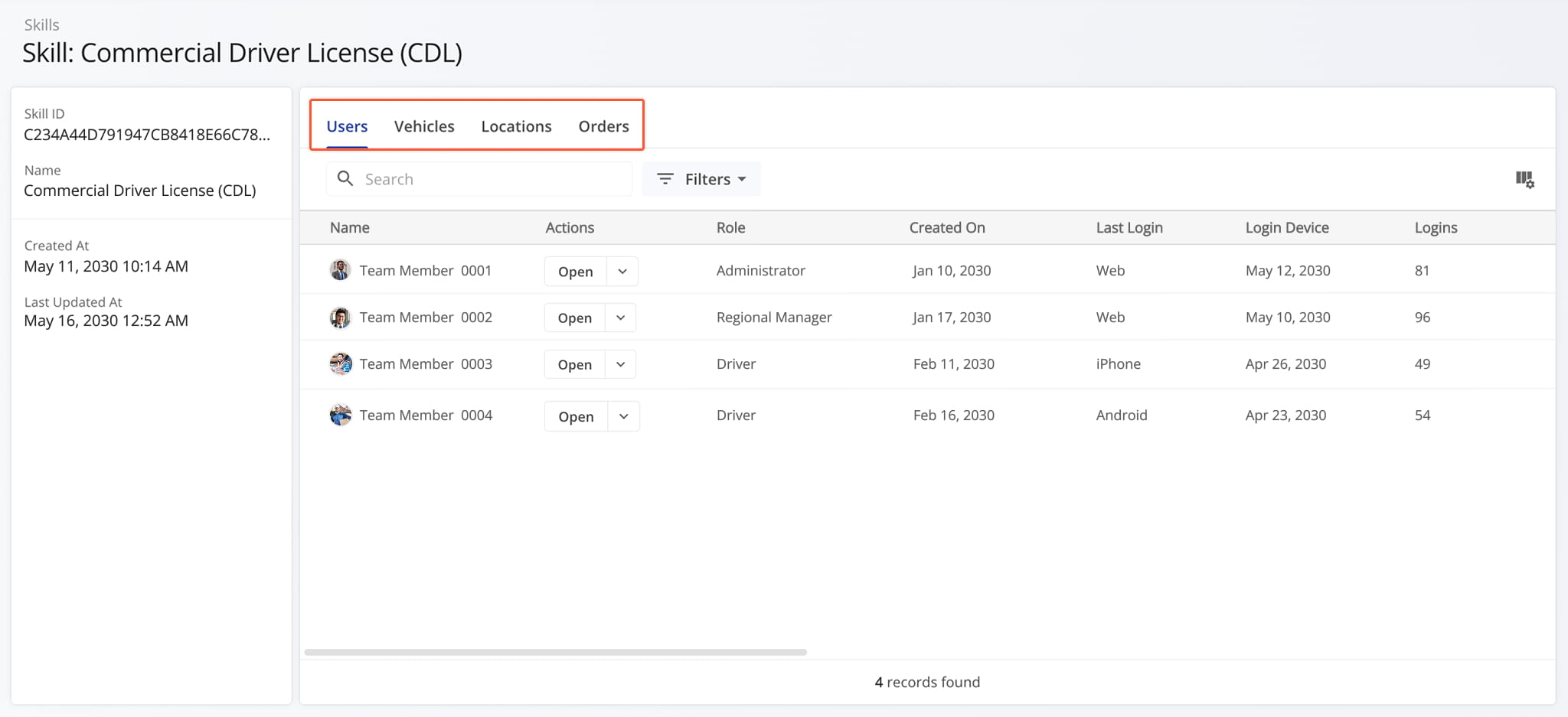
The Skill snapshot is organized by intuitive data tabs, each of which provide different insights into the Skill

FilterDescription
UsersView users associated with the Skill, including their roles and how they interact with Skill-related data.
VehiclesView vehicles linked to the Skill, including assigned profiles and operational details.
LocationsView locations associated with the Skill, including how they are assigned to and used in Skill-related workflows.
OrdersView orders connected to the Skill, including status, fulfillment details, and related routing activity.


Last Updated:

About author: Daniel Archer

Daniel ArcherWith a background in pedagogy and writing instruction, Daniel is a former tenured English Instructor who, after nearly 20 years of teaching, transitioned into content strategy and leading writing teams for global brands. Now, as Technical Documentation Manager at Route4Me, he translates complex logistics technology into clear, accessible content that empowers users.

Was this article helpful?
Still can't find what you're looking for? Contact us
Route4Me

About Route4Me

Route4Me has over 40,000 customers globally. Route4Me's Android and iPhone mobile apps have been downloaded over 2 million times since 2009. Extremely easy-to-use, Route4Me's apps create optimized routes, synchronize routes to mobile devices, enable communication with drivers and customers, offer turn-by-turn directions, delivery confirmation, and more. Behind the scenes, Route4Me's operational optimization platform combines high-performance algorithms with data science, machine learning, and big data to plan, optimize, and analyze routes of almost any size in real-time.
