
Skills Management – Specialized Team Skills, Capabilities, & Certifications
Route4Me Skills Management allows you to create and manage skills that define what types of work drivers and field team members can perform. These skills are used by Route4Me to match team members to destinations that require specific capabilities or services. The Skills Page provides a centralized view of all skills added to your account. From here, you can access and manage individual skills as needed.
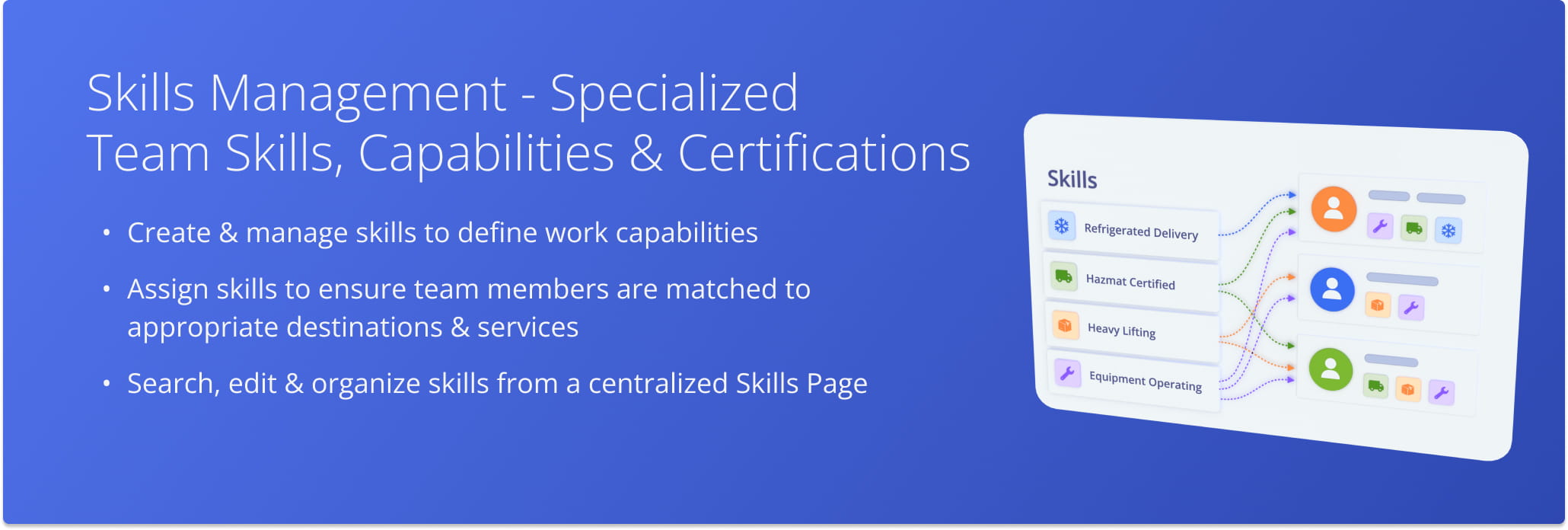
Table of Contents
Skills Management Page – Overview
To access Route4Me’s Skills Management feature, go to “Optimization Settings” > “Skills” from the Navigation Menu.
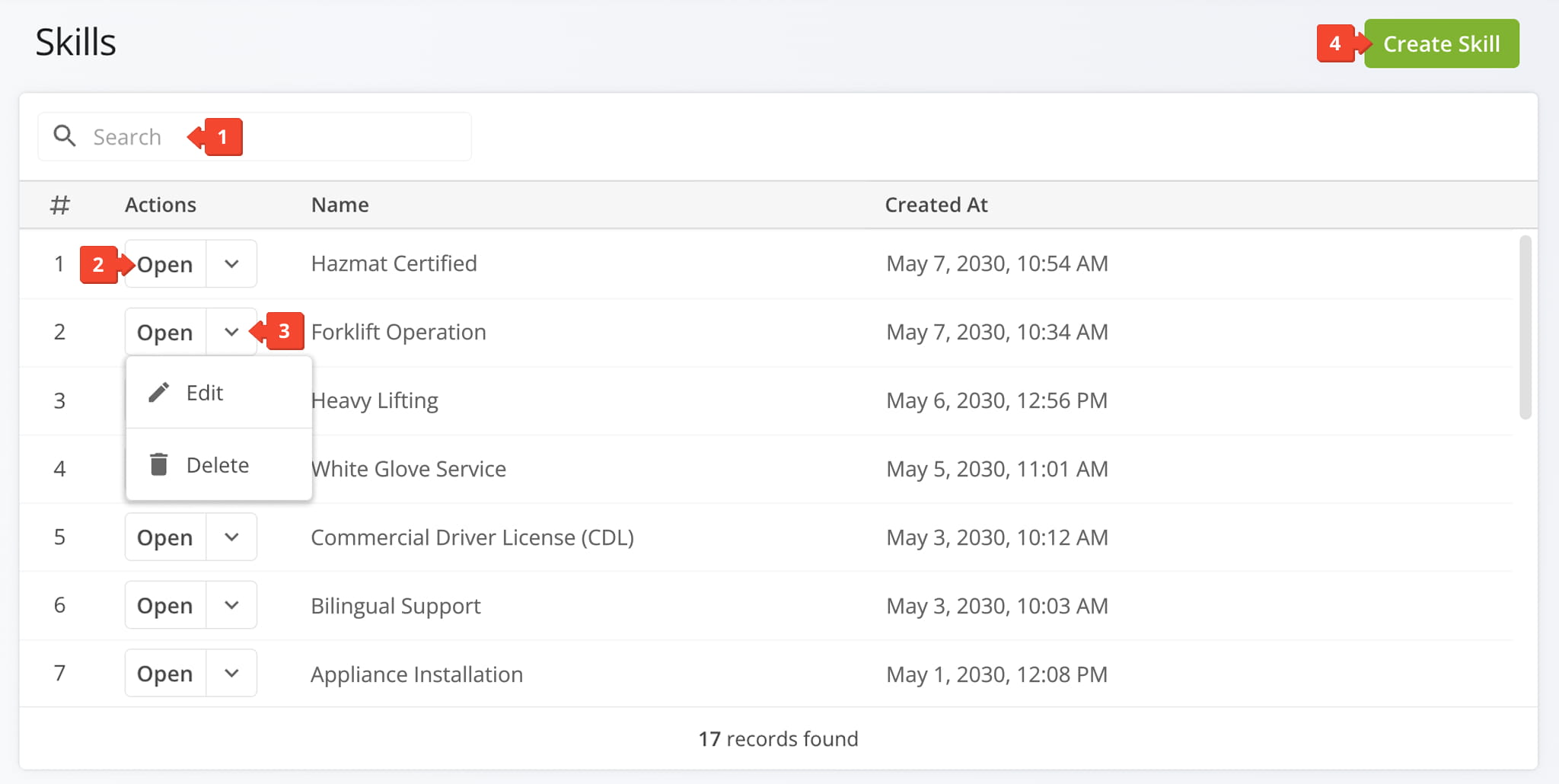
The Skills Page lists all skills you’ve added to your account, which can then be assigned to drivers and other team members and used to ensure destinations requiring specific services are routed to qualified personnel.
From the Skills Page, you can:
- Use the “Search” field to locate a specific skill.
- Click “Open” to access a Skill Snapshot for additional information about the selected skill.
- Click the Down Arrow Button to edit or delete a skill.
- Click “Create Skill” to add a new skill to your list.
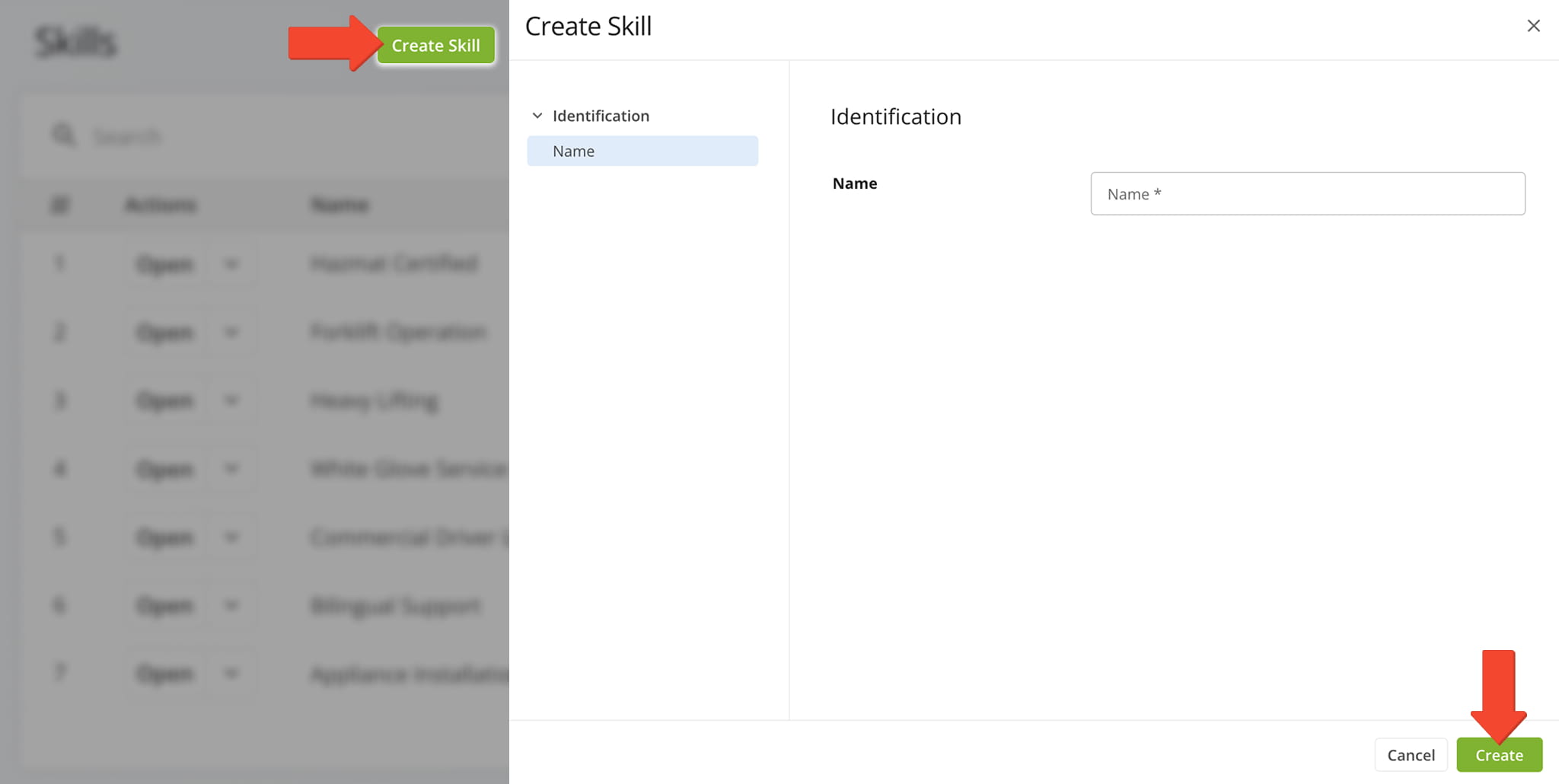
Add New Skills – Create Skill Profiles
To add a new skill, click the “Create Skill” button at the top-right corner of the page. Then, in the “Name” field, name the skill and click the “Create” button to finalize.
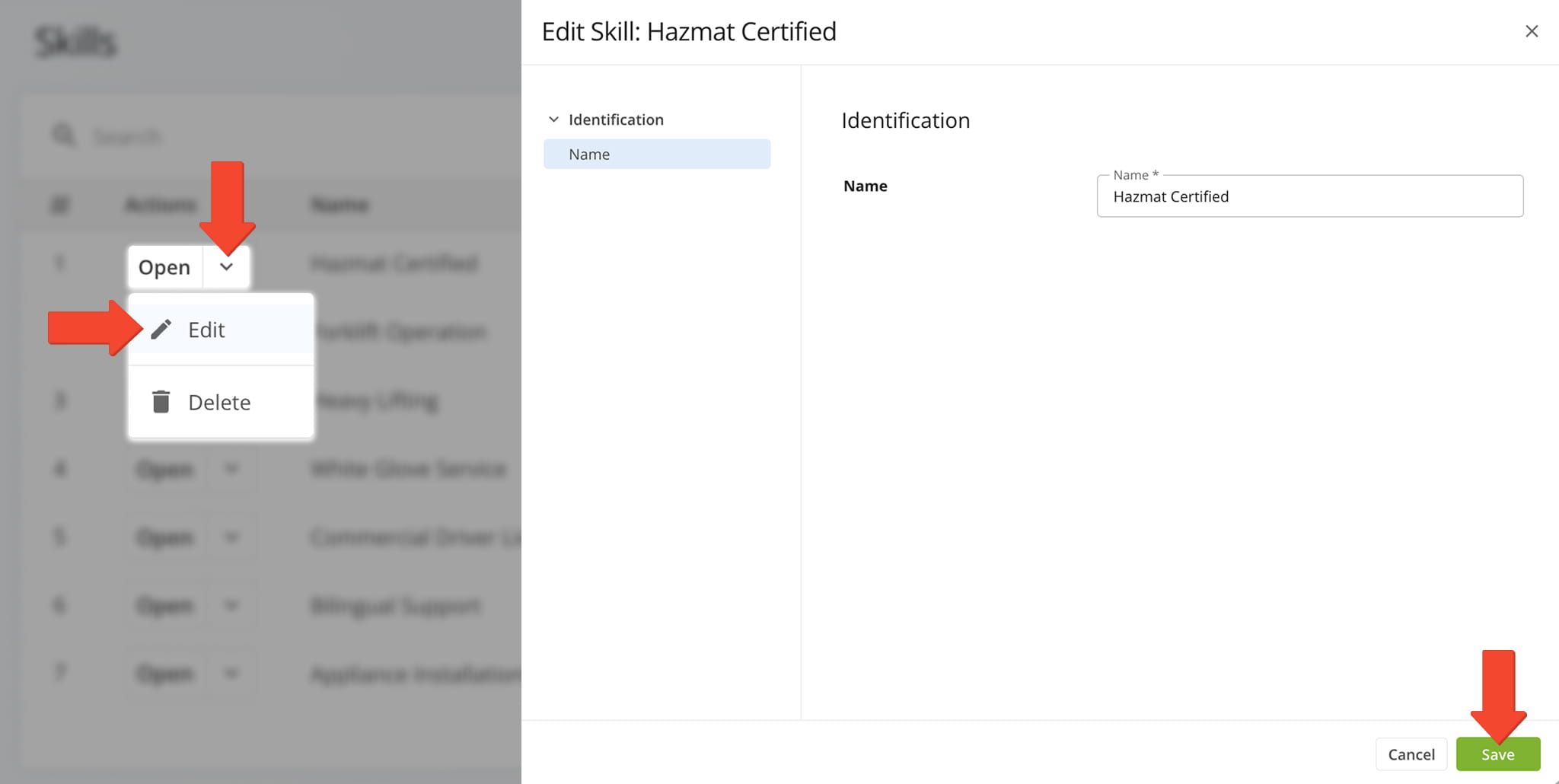
Manage Skills – Modify Skill Profiles
To modify a Skill Profile, click the Down Arrow button next to it and select the “Edit” button to open the Editor Panel. After making a modification, click “Save” to apply your changes.
Visit Route4Me's Marketplace to Check Out More Add-Ons and Modules:
- Route Optimization
Mixed Vehicles Routing
- Operations
Custom Data Add-On
About author: Daniel Archer

