
Android Route Planner App – Installation, Sign Up, Free Trial
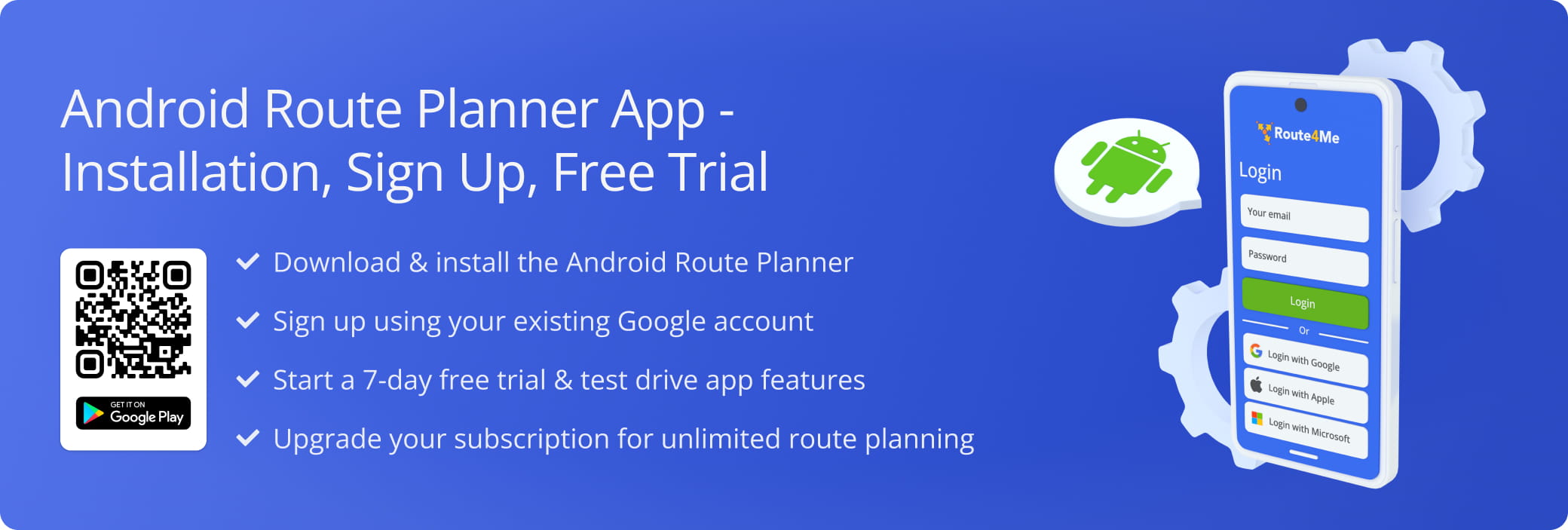
The Route4Me Android Route Planner App turns your phone into a multi-stop route planner and GPS navigator. This guide shows you how to install the app from the Google Play Store, allow location access, sign in, and start your seven-day free trial. You don’t need to create a Route4Me account. You sign in with the Google or Microsoft account you already use, and your subscription is handled through the Google Play Store.
NOTE: See our article on the the differences between Mobile and Marketplace Subscriptions.
Table of Contents
Download And Install The Android Route Planner App
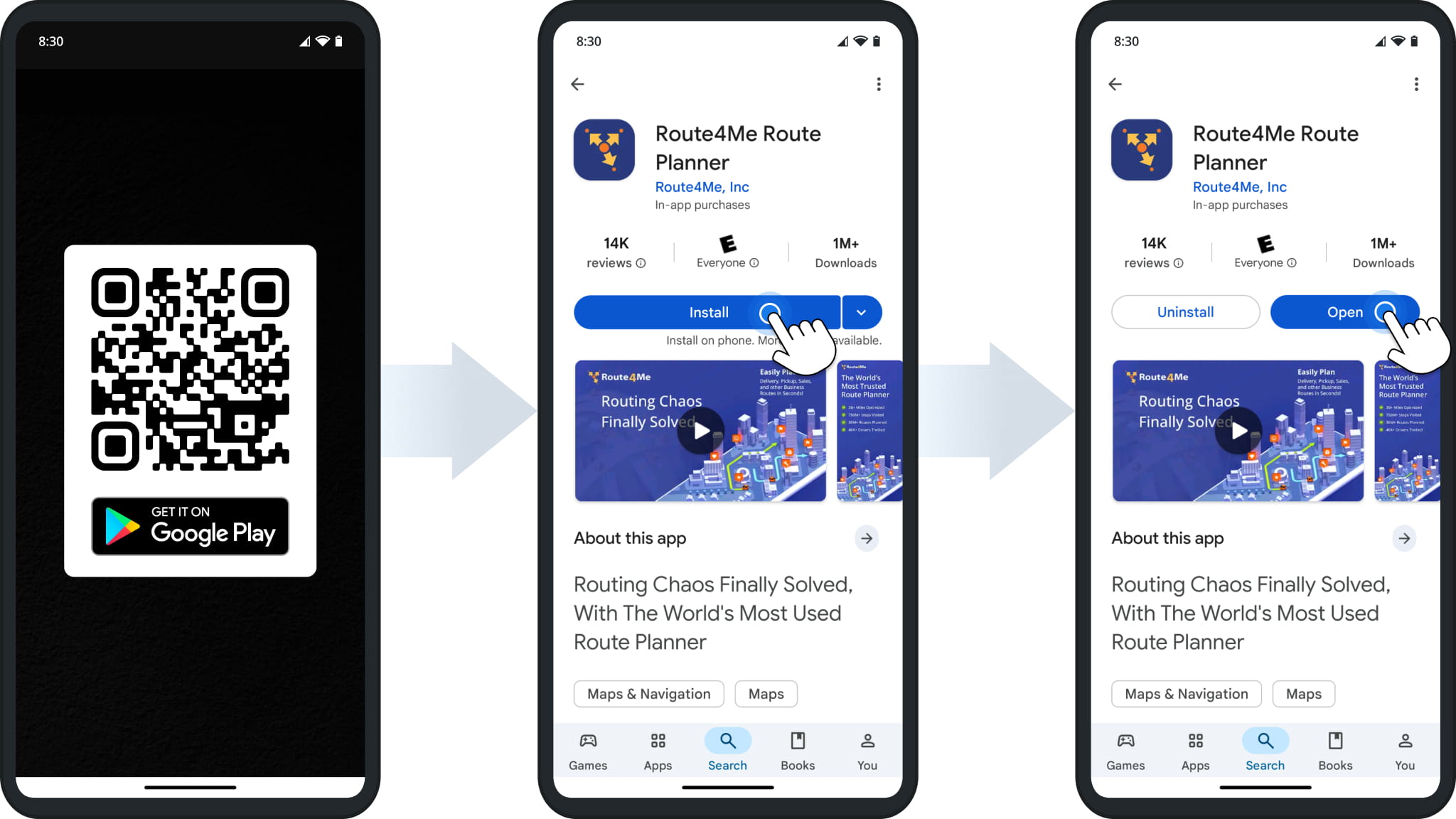
You can download and install the official Route4Me Android Route Planner app from the Google Play Store. Scan the QR code or tap the button below to open the app’s Google Play page, then:
- Tap “Install” to download and install the app on your device.
- Tap “Open” to launch the app.
Install Route4Me’s Android Route Planner App
Open The App And Allow Location Access
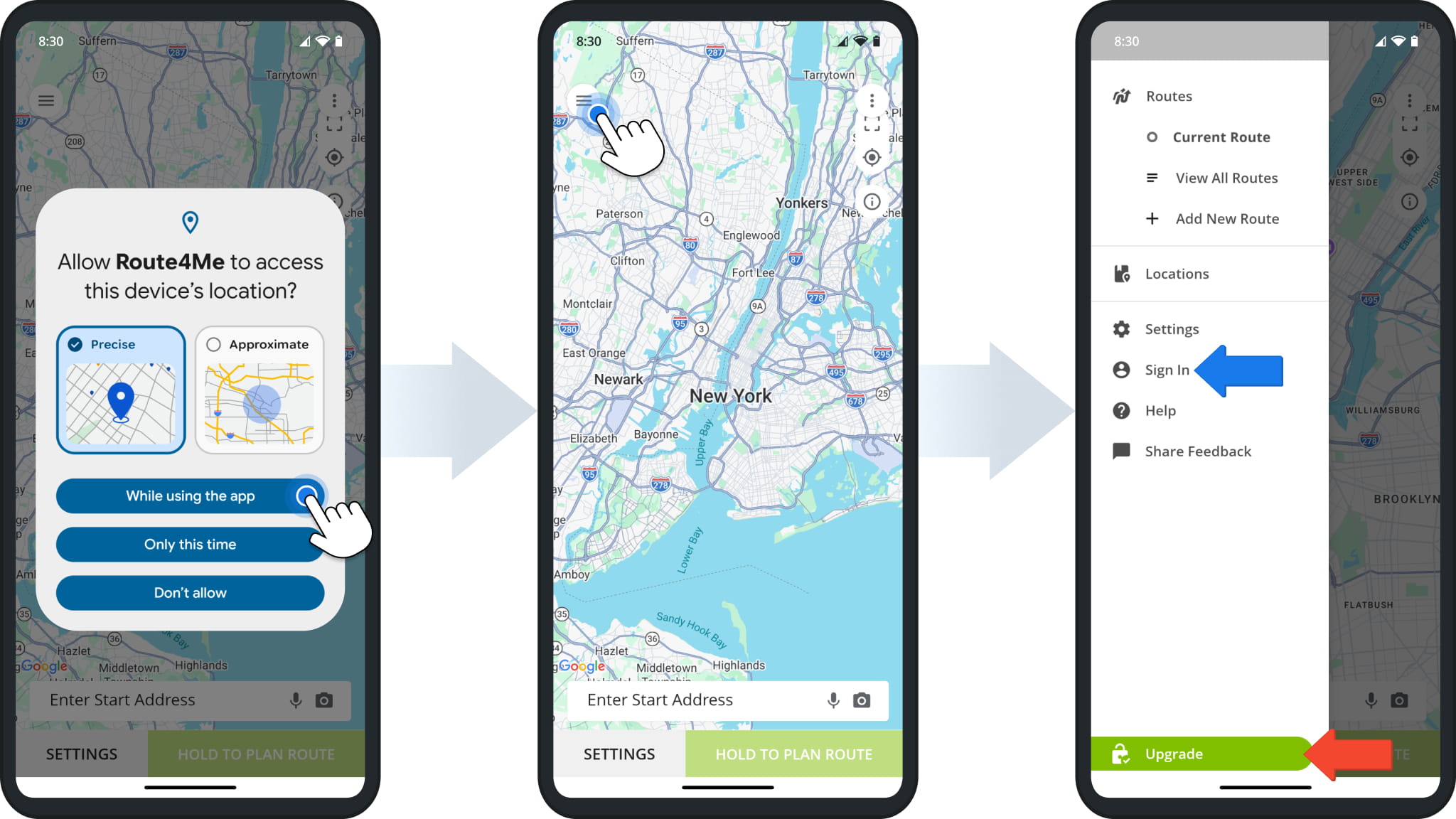
The app opens on the map, so the first thing you see is Android asking for location access. Route4Me uses your location to show your position on the map and provide GPS route navigation.
- Select “Precise” and tap “While using the app“.
- Tap the Menu Icon in the top-left corner of the map to open the app menu.
From the menu, you can plan and open routes, adjust app settings, sign in, and upgrade your subscription.
NOTE: Precise location access is required for mobile route navigation in the app.
Free Sign-Up And Free Route Planner App Trial Mode
You can start planning routes right away without signing in. Signing in unlocks additional features, such as saved Locations and planning routes from a spreadsheet upload.
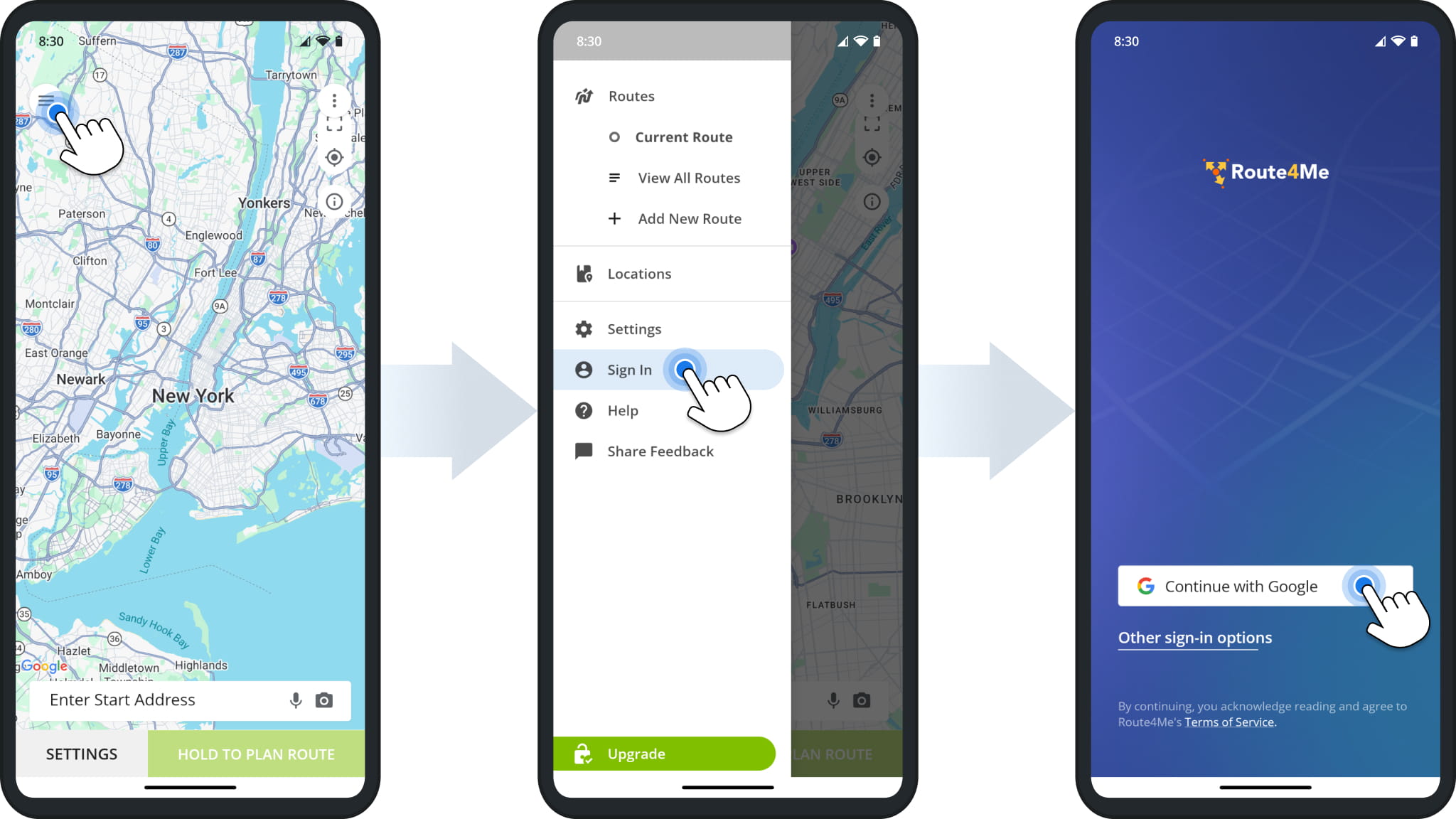
- Tap the Menu Icon, then tap “Sign In“.
- Tap “Continue with Google” or “Other sign-in options” to use Microsoft Single Sign-On (SSO) or a sign-in code sent to your email.
NOTE: The app signs you in with your existing Google or Microsoft account.
Upgrade Your Android Route Planner App Mobile Subscription
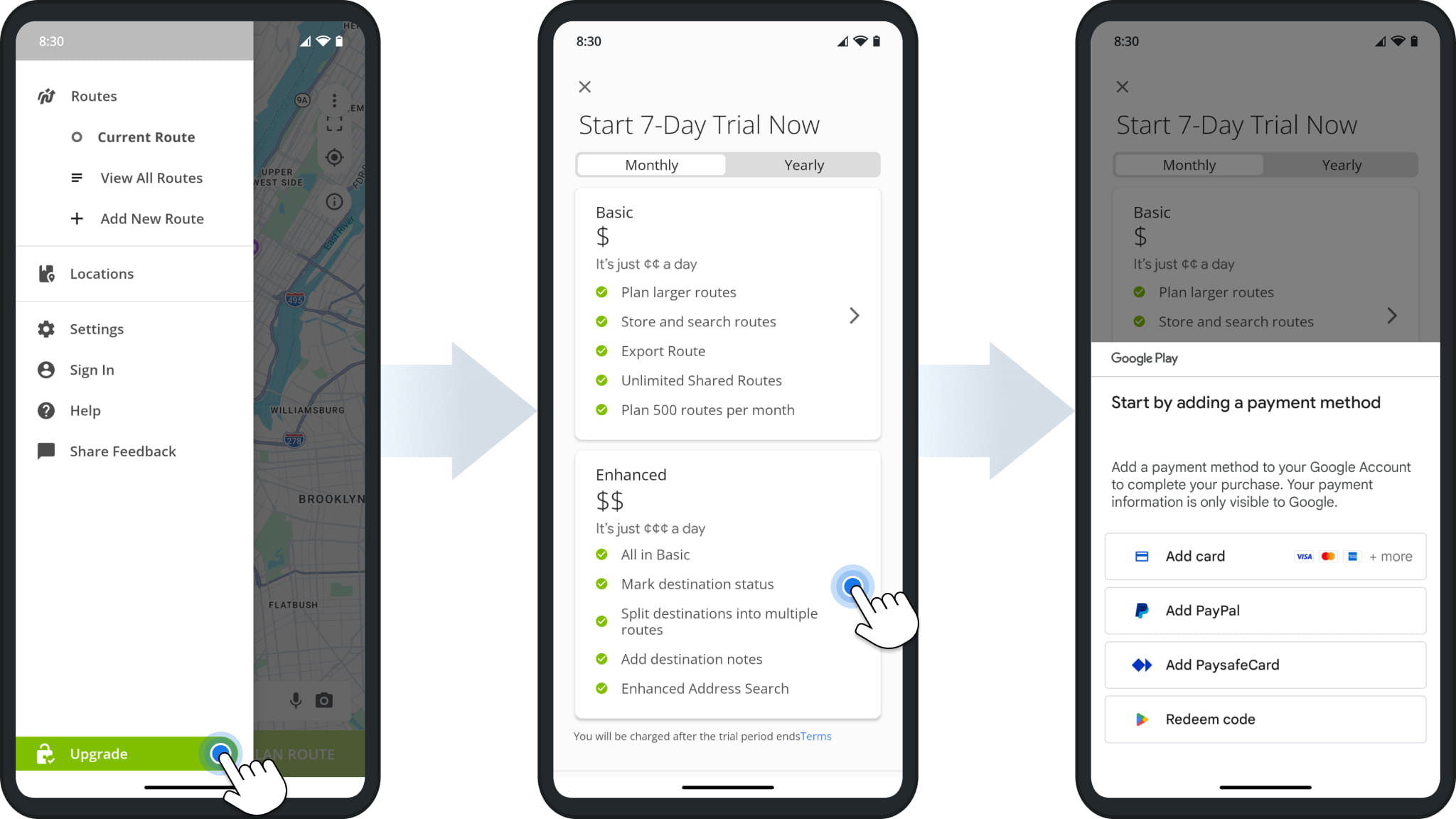
The app is free to use with limited functionality. Upgrading unlocks large route planning and the rest of your plan’s features, and every new subscription starts with a 7-day free route app trial.
- Tap the Menu Icon, then tap “Upgrade“.
- Select “Monthly” or “Yearly” billing, then select a plan.
- Add a payment method to your Google Account to confirm the subscription.
Your plan’s full features are available immediately, and you won’t be charged for the first seven days.
NOTE: Google Play handles billing for mobile subscriptions. You can cancel your subscription in the Play Store before billing starts.
Visit Route4Me's Marketplace to Check out Associated Modules:
- Operations
Custom Data Add-On
- Operations
Advanced Team Management Add-On
About author: Kristian Andreev

