
2025 Route4Me Release Notes & Product Updates
Discover what’s new in Route4Me and stay up to date with the latest releases, improvements, and product updates. This page provides a comprehensive overview of our completed and upcoming releases for 2025.
NOTE: If some features described on this page aren’t available on your account, Contact Route4Me Support.
2026 Release Notes
Stay up to date with the latest product changes and upcoming enhancements planned for 2025. Learn more about both planned and completed 2026 releases by visiting the 2026 Route4Me Release Notes page, which serves as the central reference for product updates and roadmap details.
December 2025
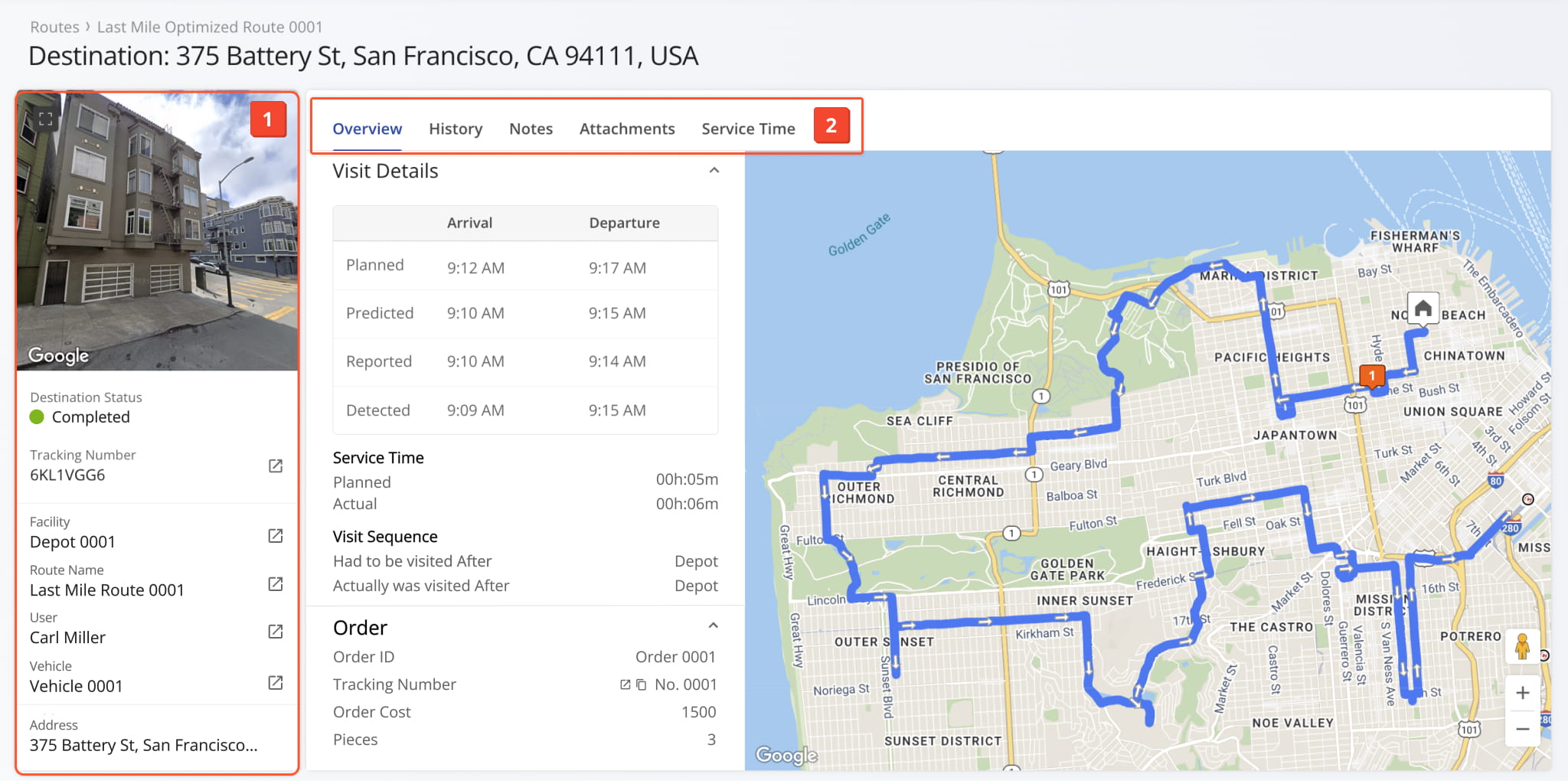
1The Destination Snapshot provides detailed information for each route destination, including associated routes, contact and order details, and visitation history.
November 2025
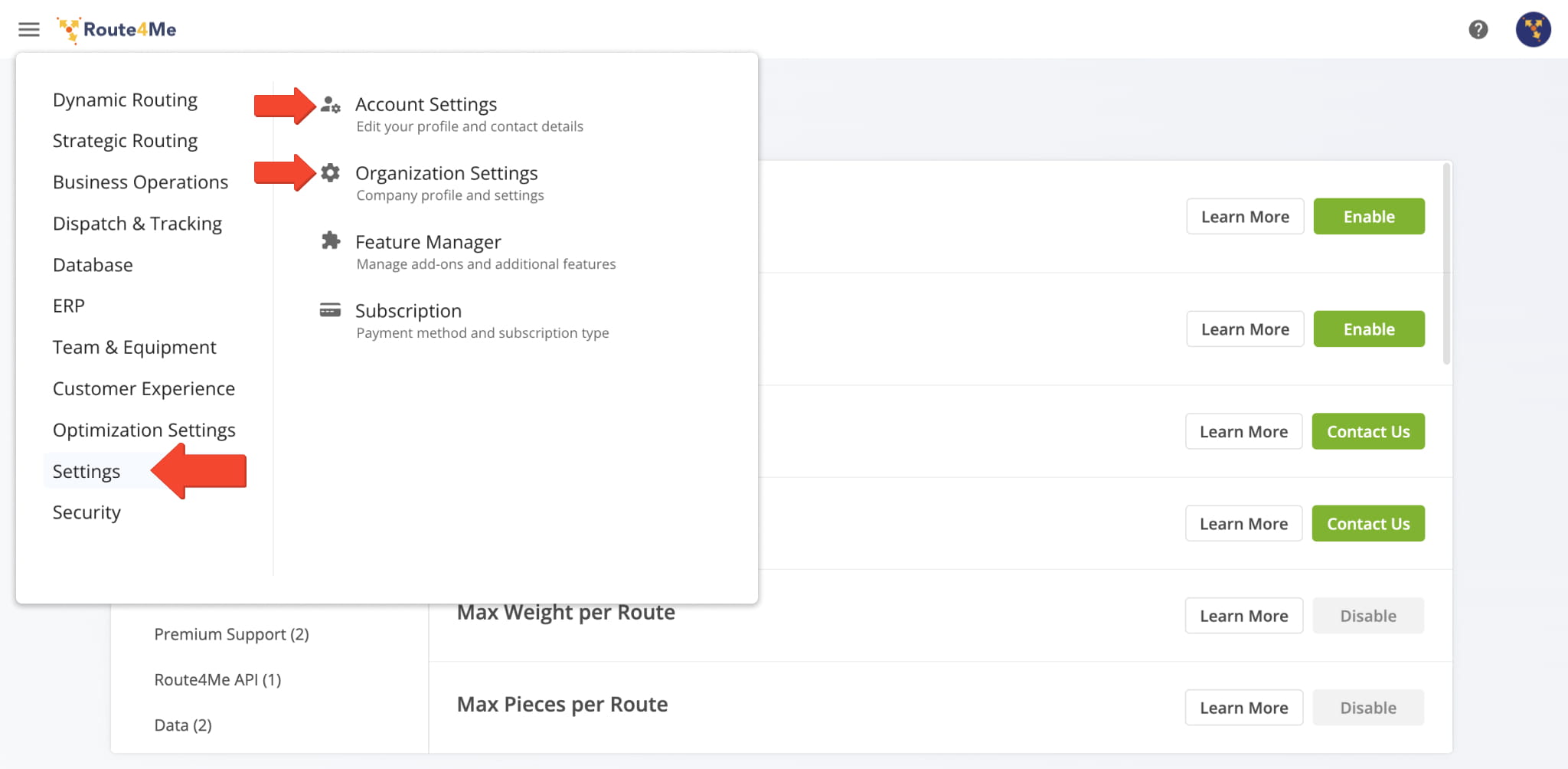
5Account Settings and Organization Settings are now on separate pages. Account Settings manage your personal account and profile details, while Organization Settings provide access to organization-wide configurations. This update makes it easier to locate and manage both.
Open Your Account Settings Open Your Organization Settings
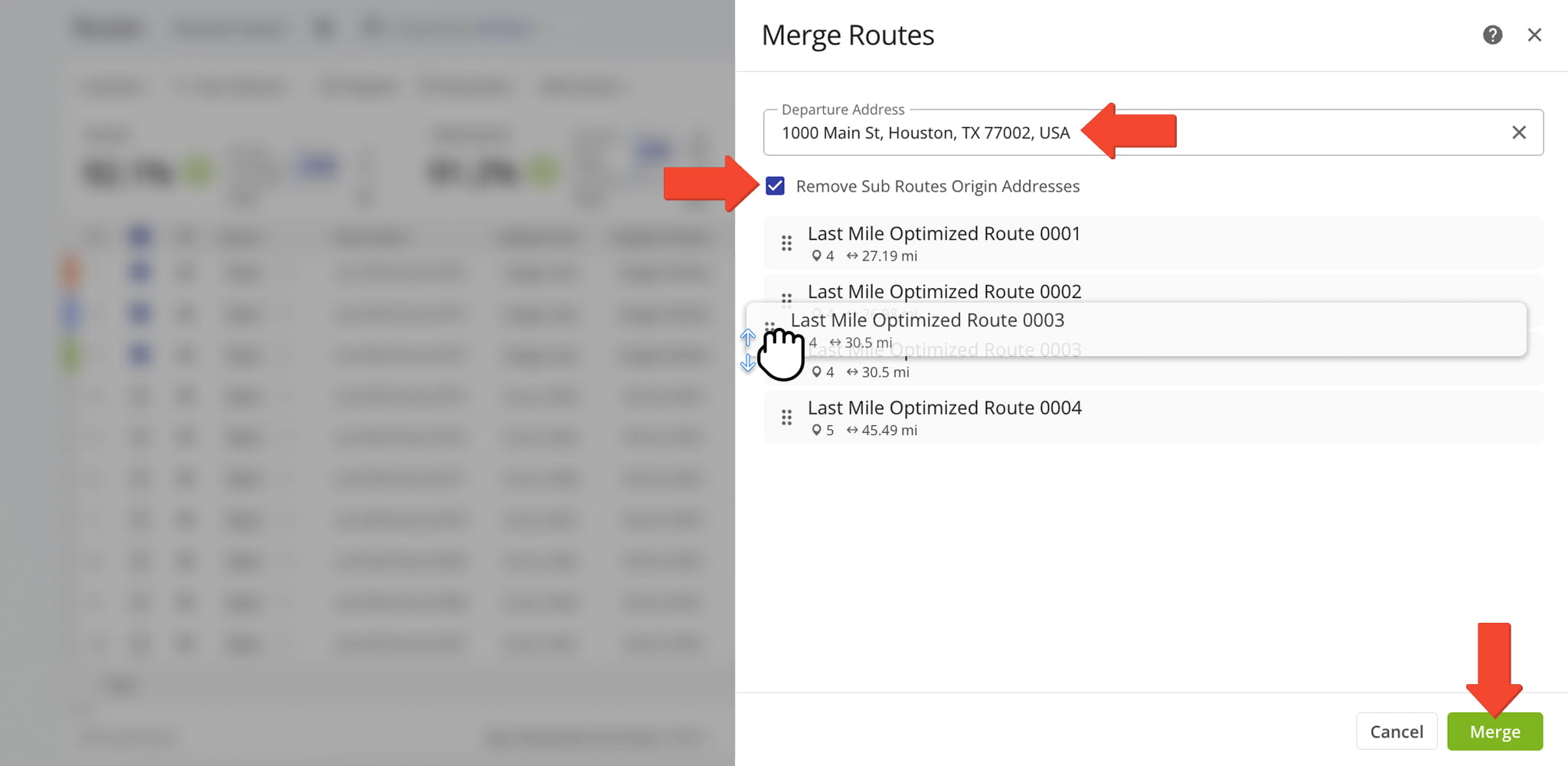
The Merge Routes interface has been updated with a modern design and now includes additional configuration options for merging routes.
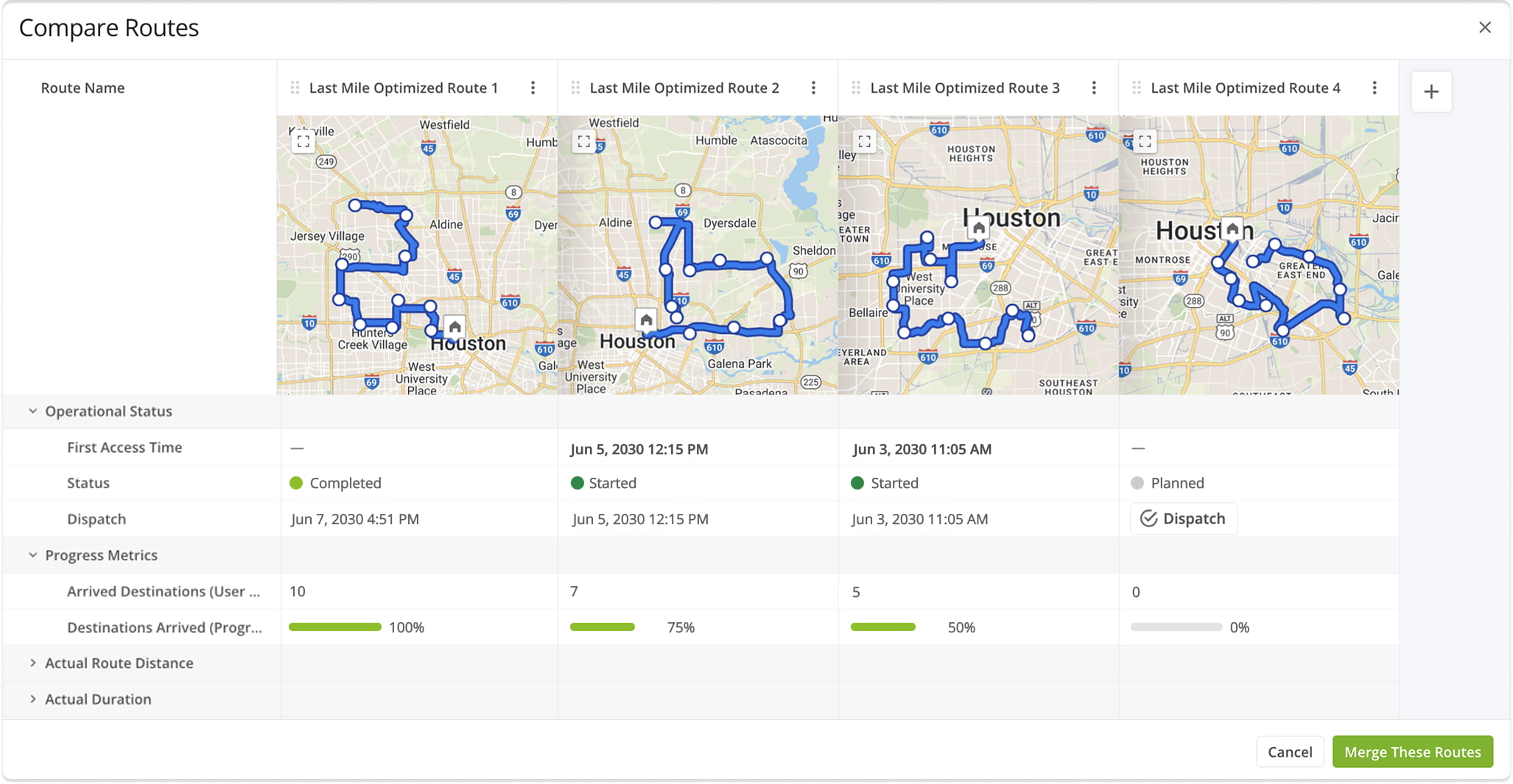
The Compare Routes interface has been updated to meet Route4Me’s latest UI standards and now provides enhanced metrics for comparing multiple routes side by side.
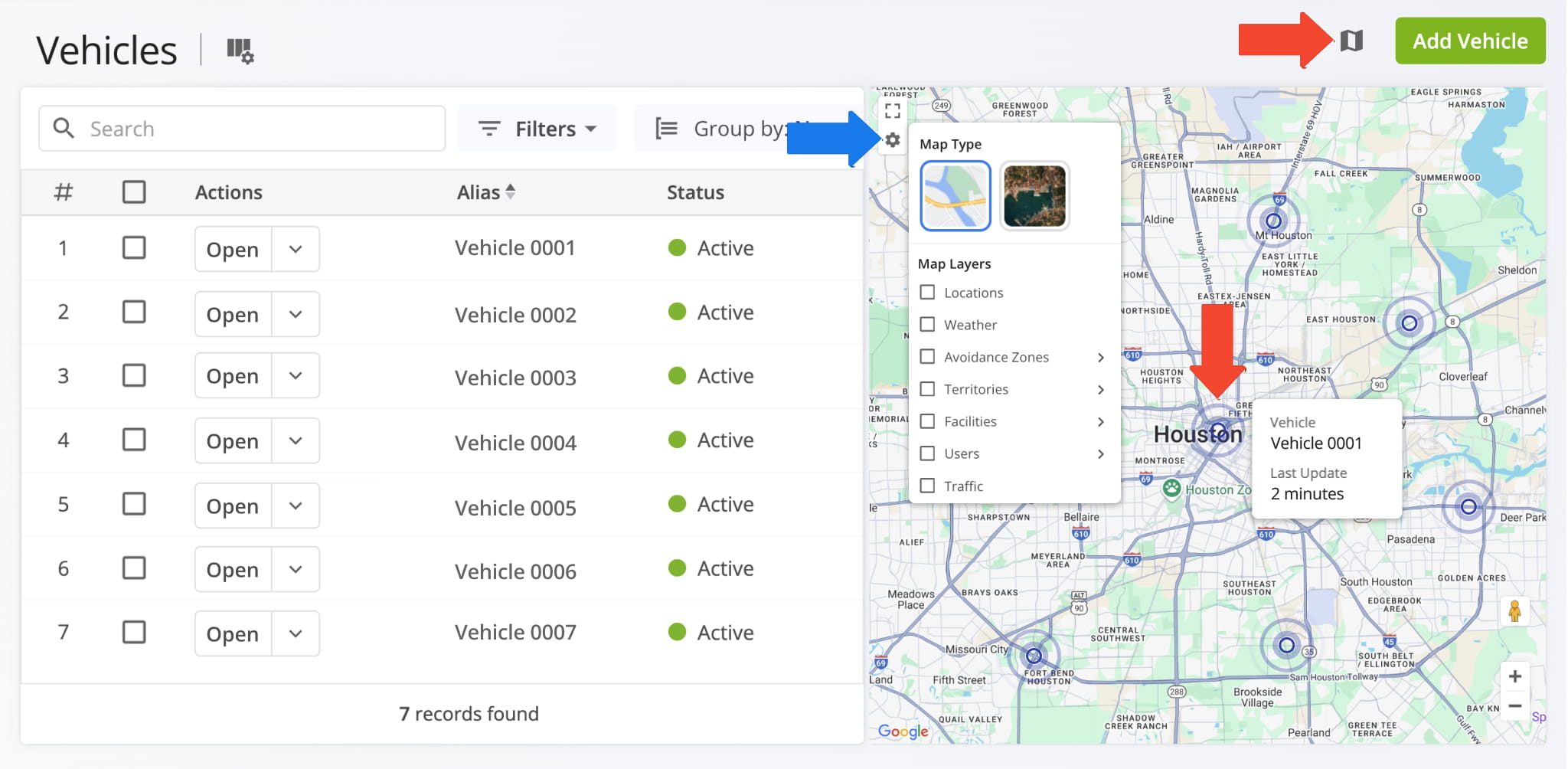
The Vehicles page now features an interactive map showing the real-time locations of your fleet vehicles.
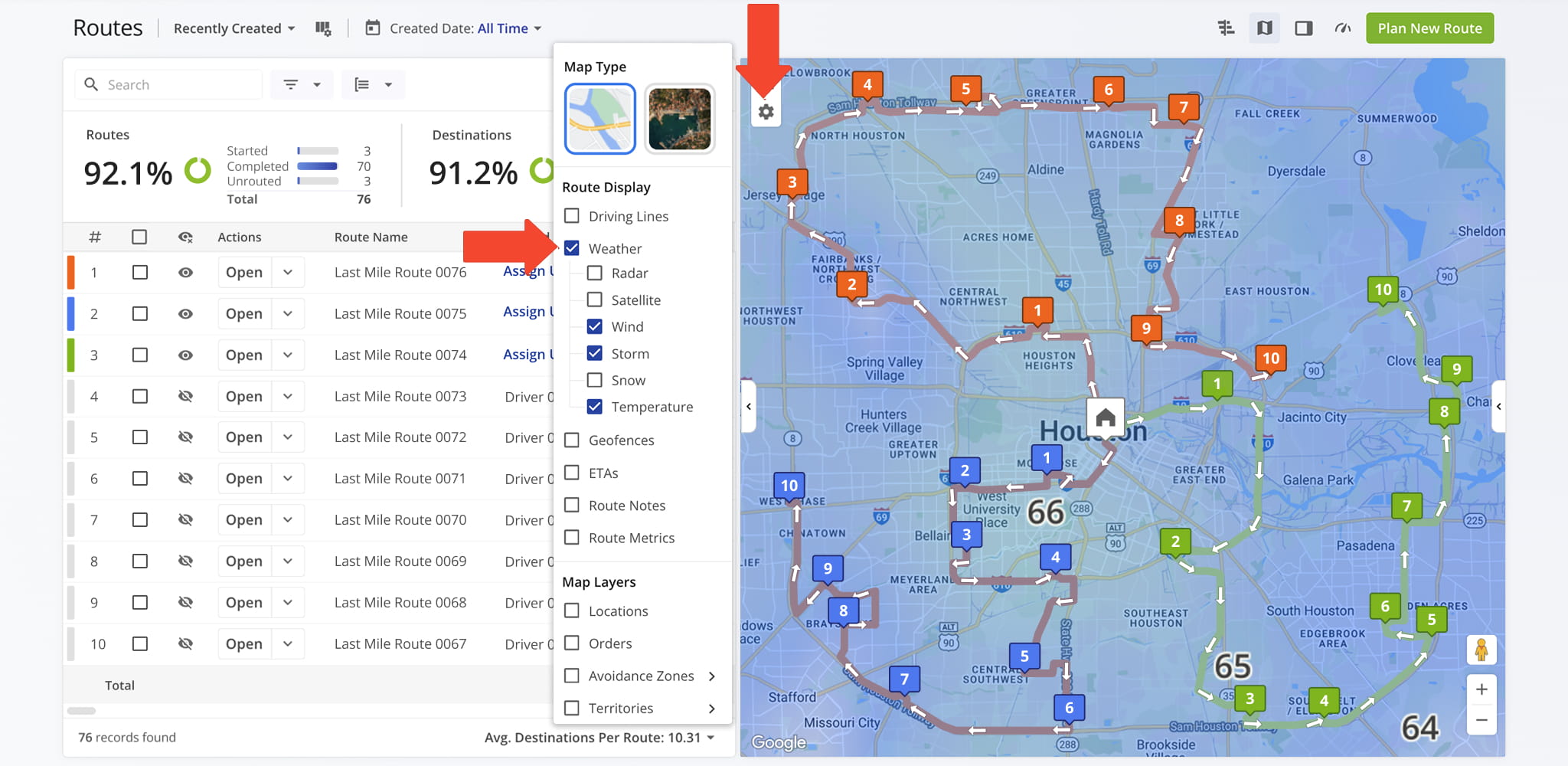
The Routes map now supports weather layers, letting you view weather details directly on the map. Routes can be filtered by date, and the map automatically displays the corresponding weather layers for the selected forecast.
October 2025
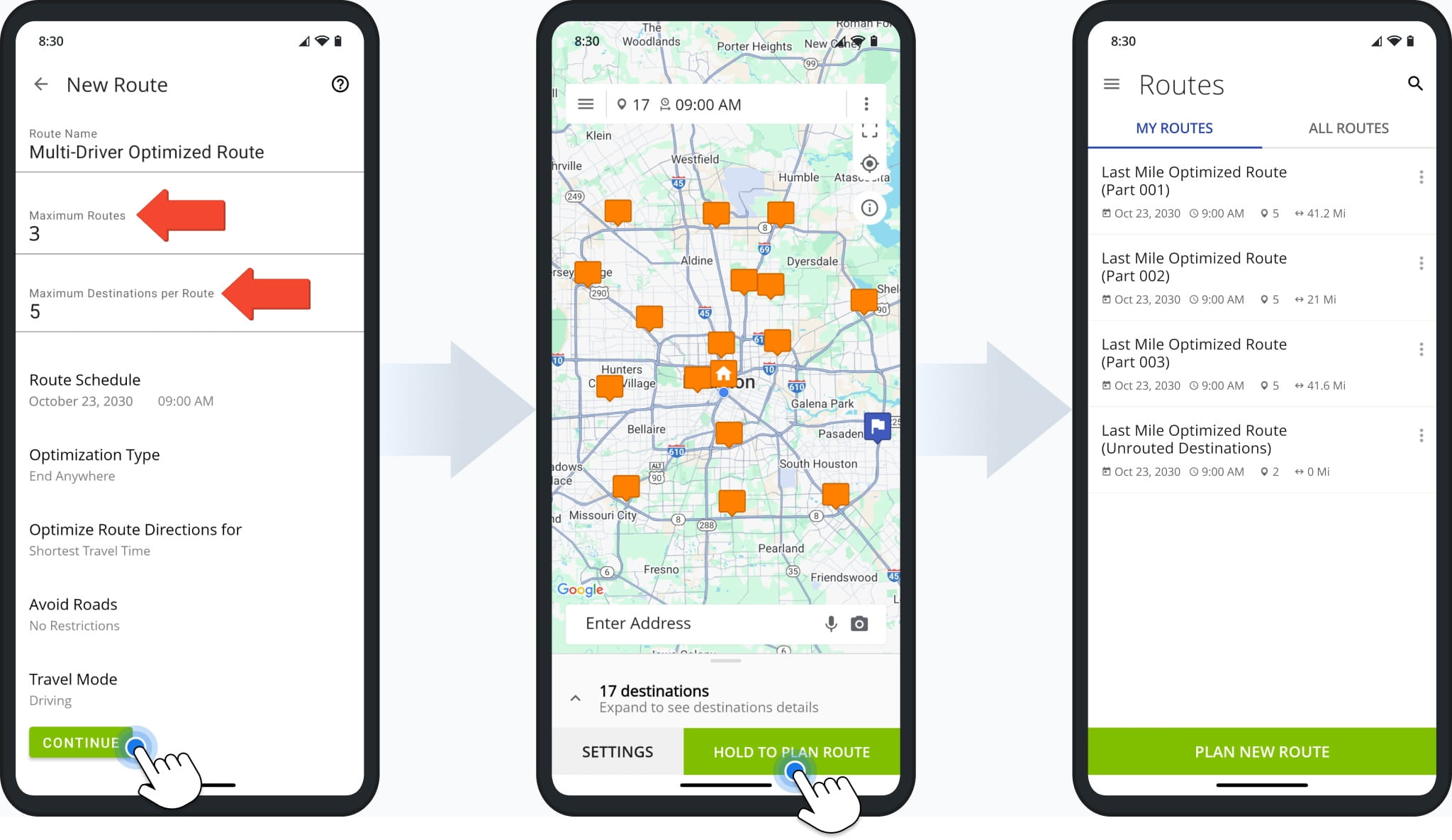
4Plan multiple optimized routes from a single set of addresses and destinations, with custom constraints such as the maximum number of routes and destinations per route.
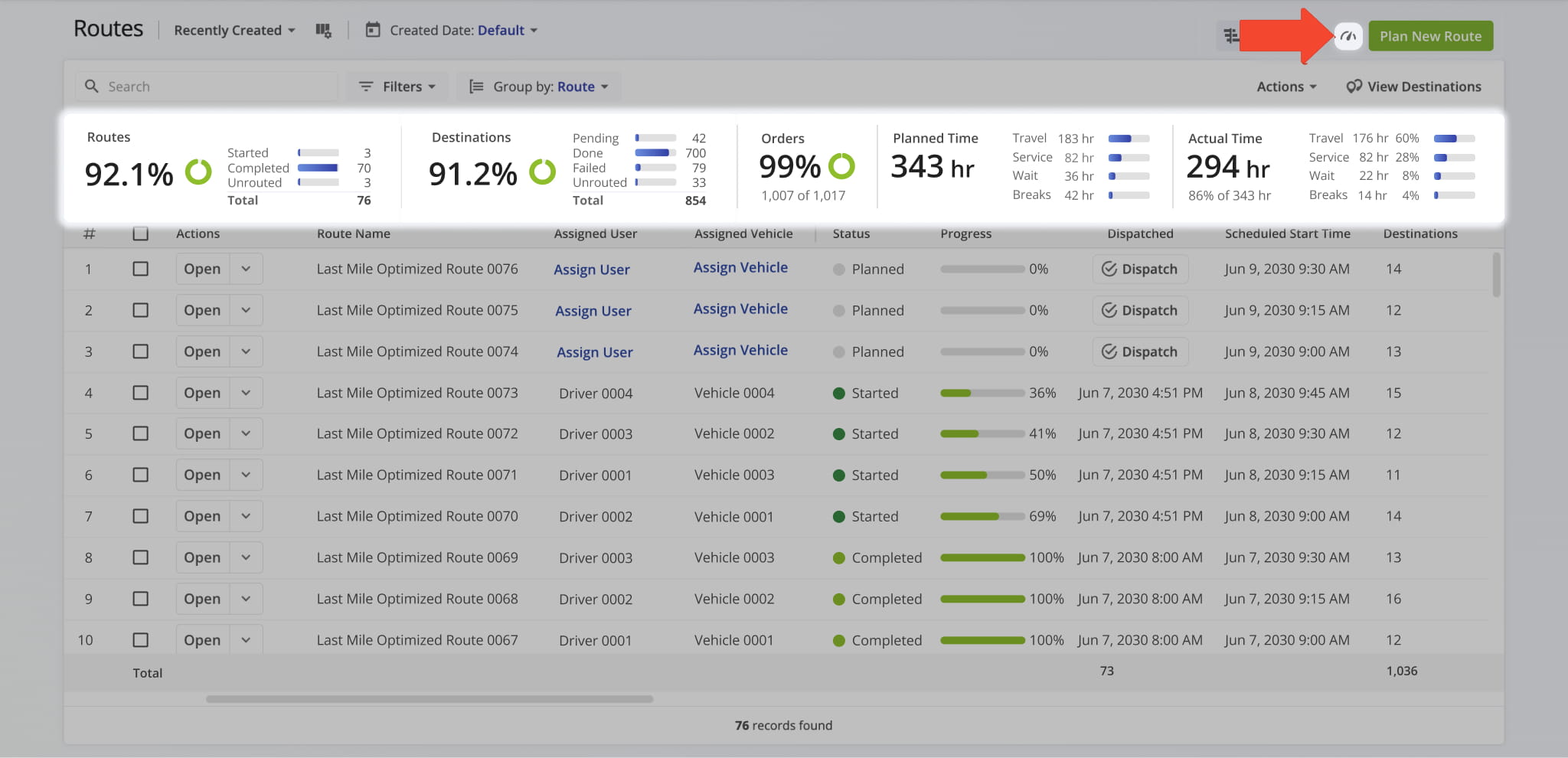
The new Route Metrics Dashboard on the Routes page provides a centralized view of route performance, including order and route completion, visitations, planned vs. actual metrics, and worked hours.
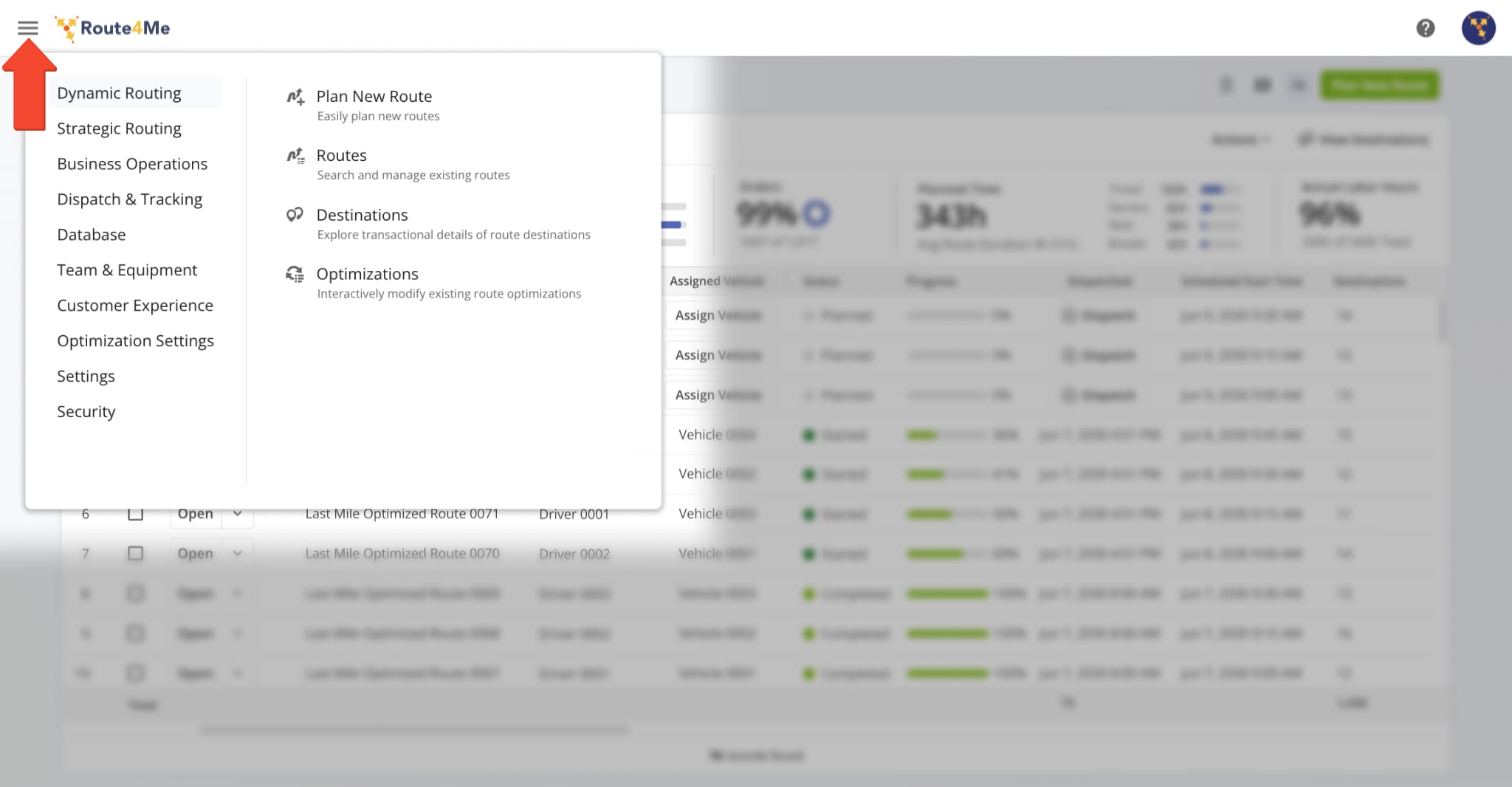
The Route4Me Web Platform Navigation Menu has been updated with a new structure and clearer menu item names for more intuitive and consistent navigation.
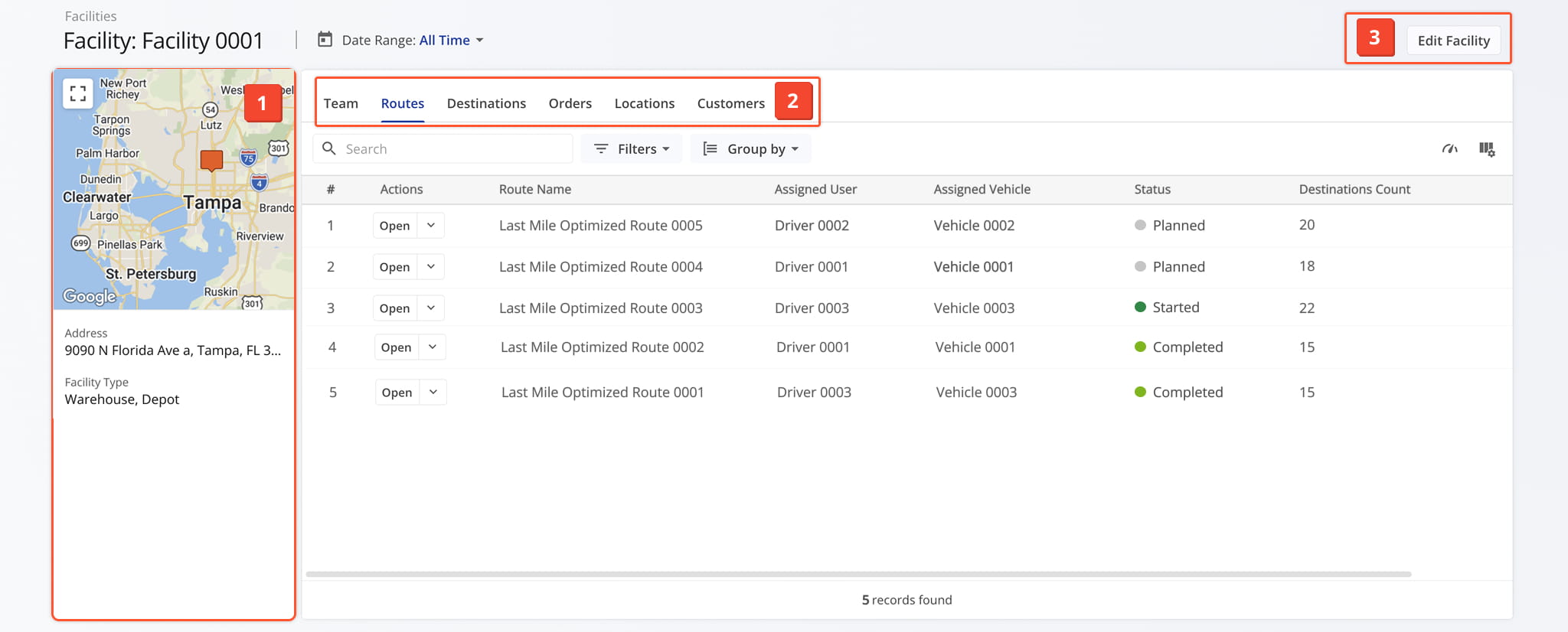
A Facility Snapshot provides enhanced visibility into facility usage across routes, users, vehicles, orders, and customers, offering improved operational performance insights.
Access From Your Facilities Page
September 2025
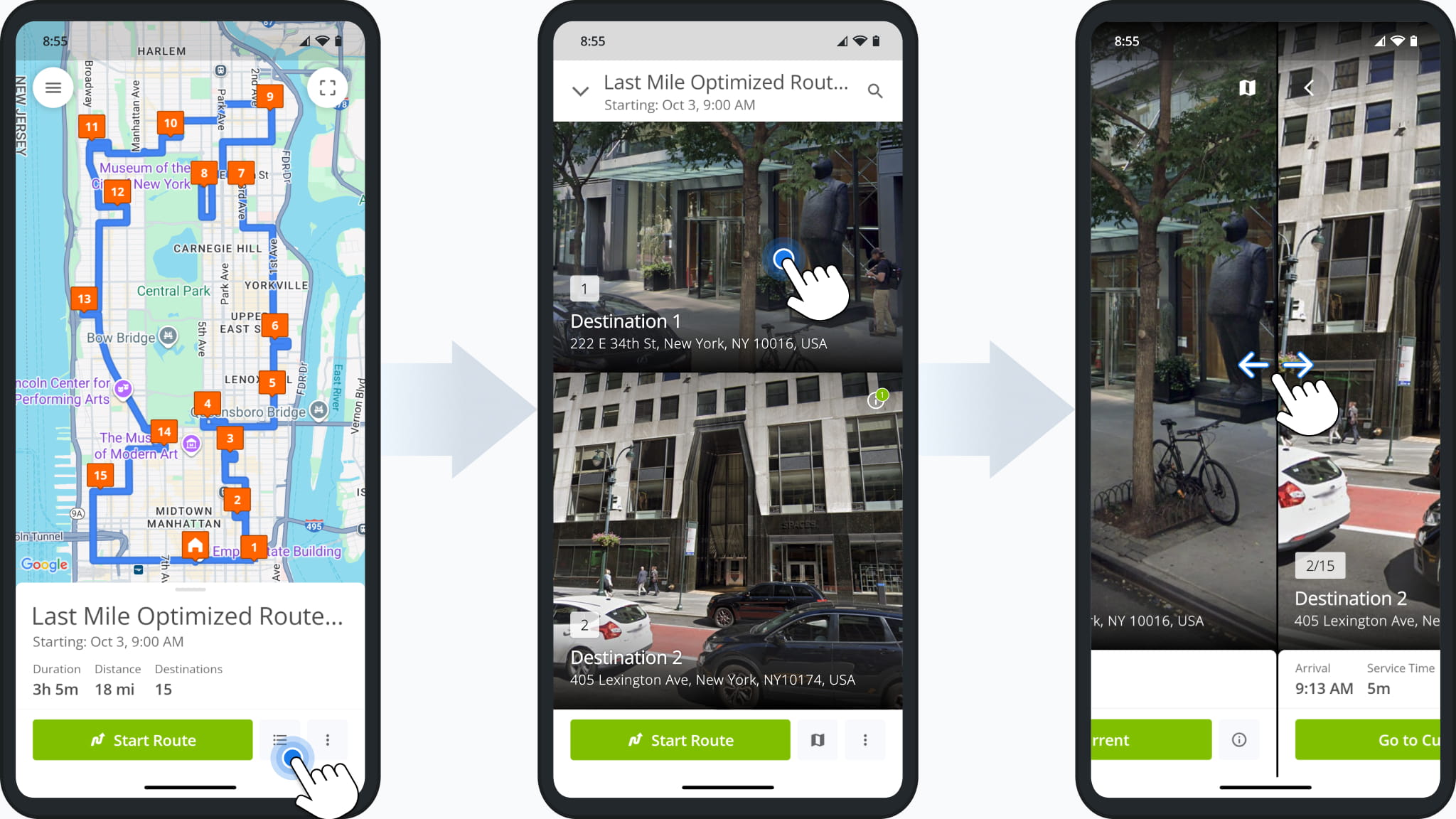
1Route4Me’s Mobile App Visually Immersive Route View mode provides Google Street View previews of destinations, helping drivers recognize entrances, loading docks, and drop-off points, especially useful for large buildings and complex sites. Users can preview destinations, prepare for challenges, and complete routes more efficiently, while keeping all essential destination details accessible.
August 2025
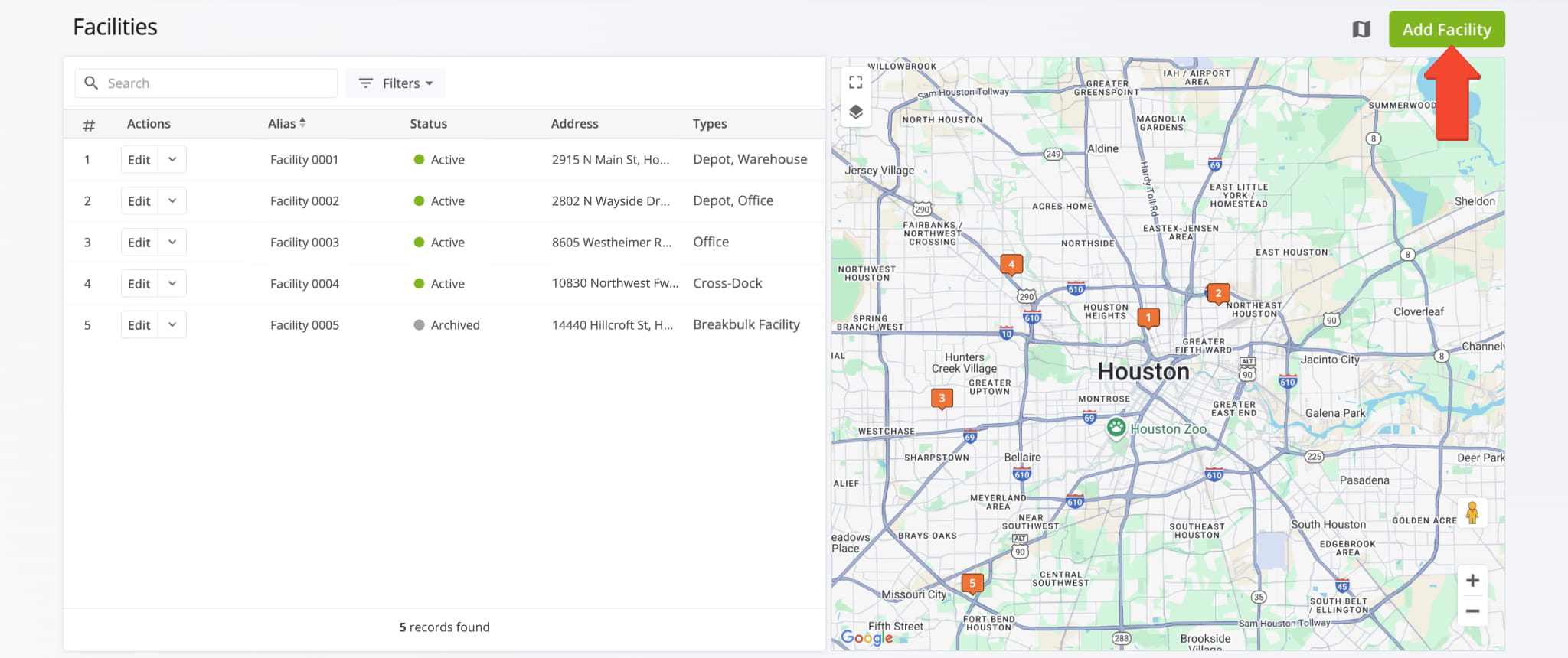
1Add your operational and business Facilities to Route4Me. Connect your routes, users, vehicles, and assets to warehouses, depots, offices, or service centers for smarter, location-specific planning.
July 2025
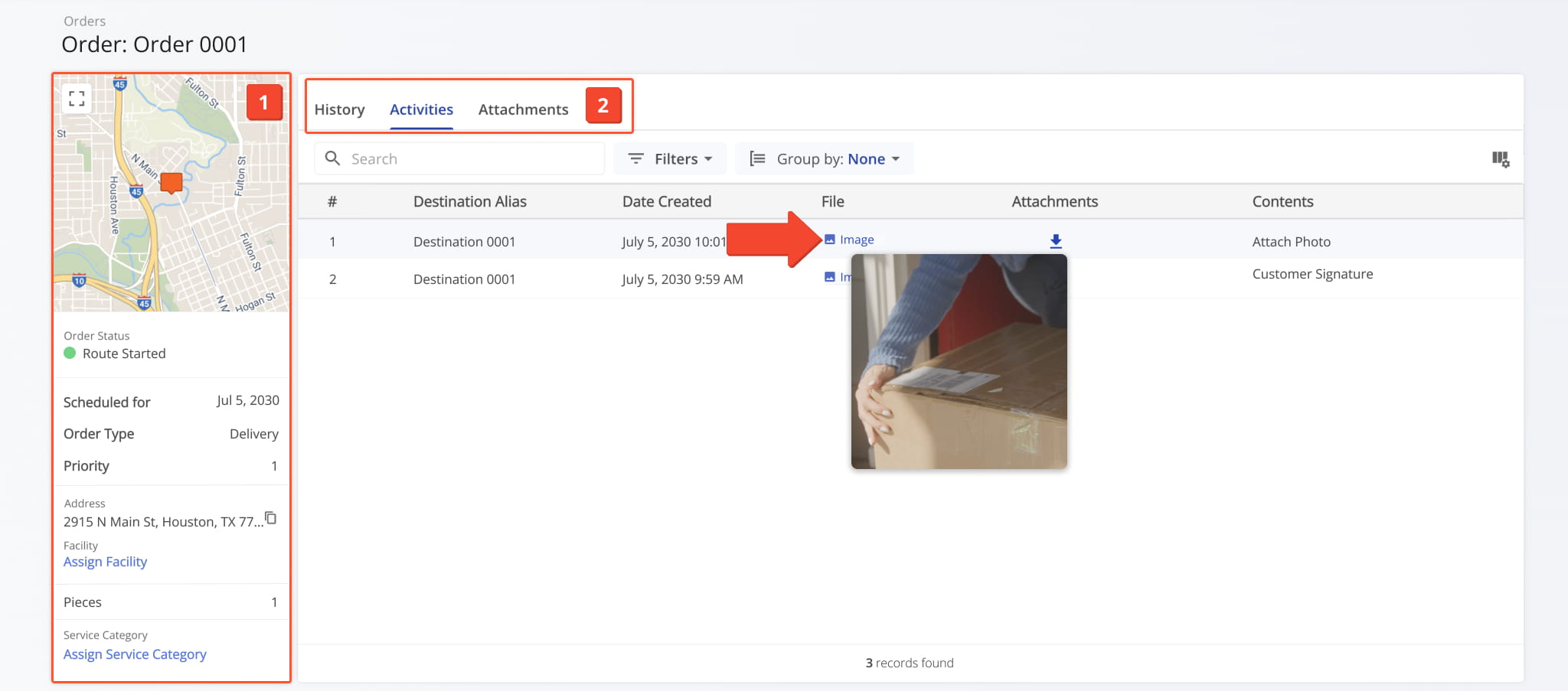
7The Order Snapshot provides detailed insights into an order, including contact and physical details, associated routes, and historical and last known visit information.
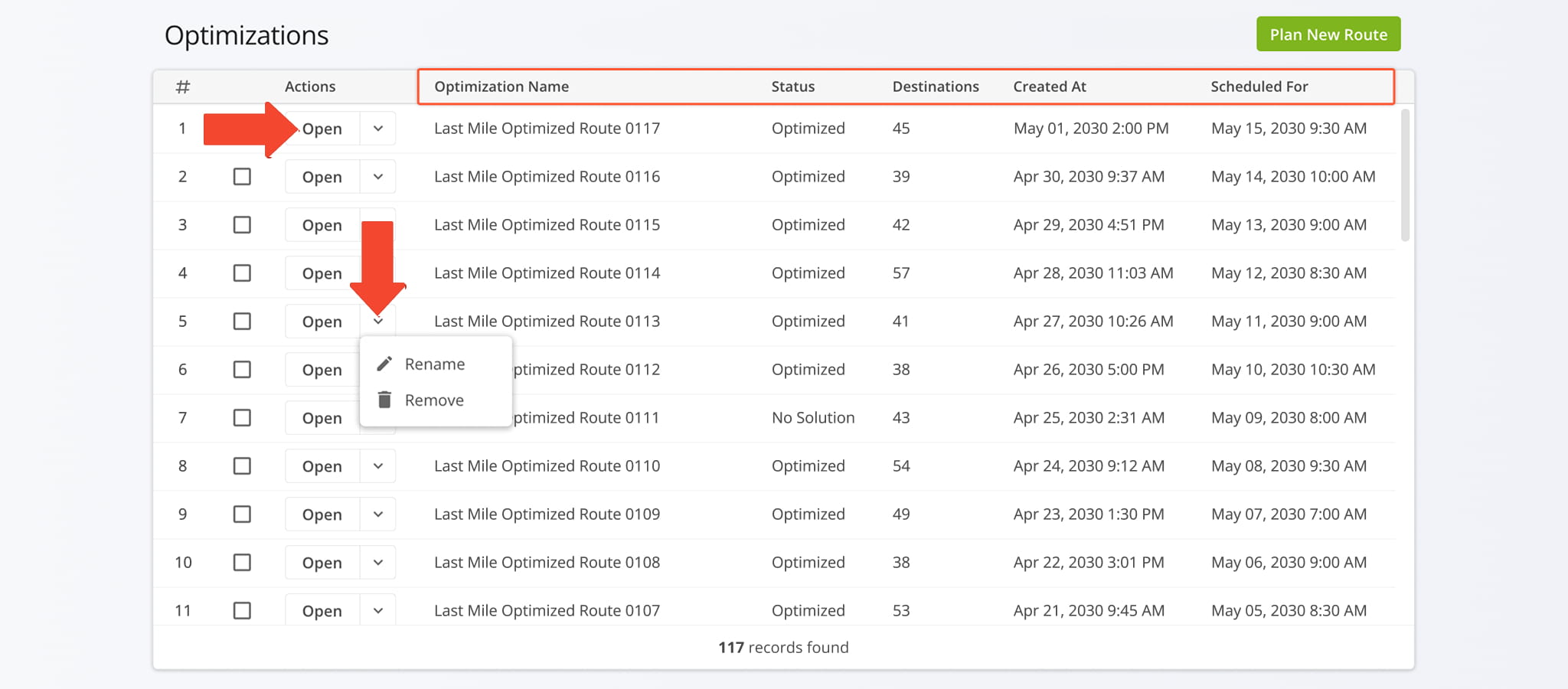
The Optimization Management page has been refined to include more detailed optimization information, additional columns, and the ability to open Optimization Snapshots.
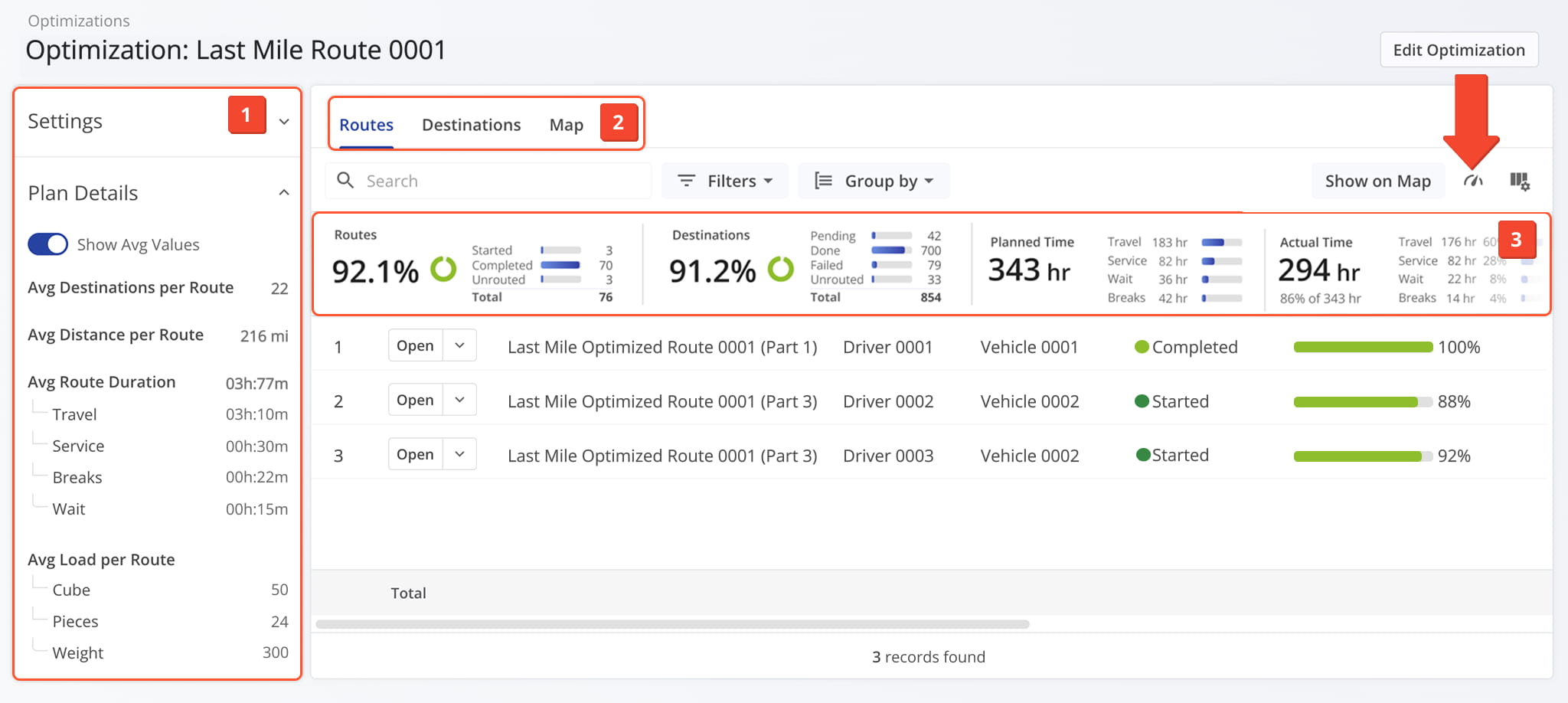
The Optimization Snapshot has been refined to include more detailed optimization metrics and insights.
Access From Your Optimizations Page
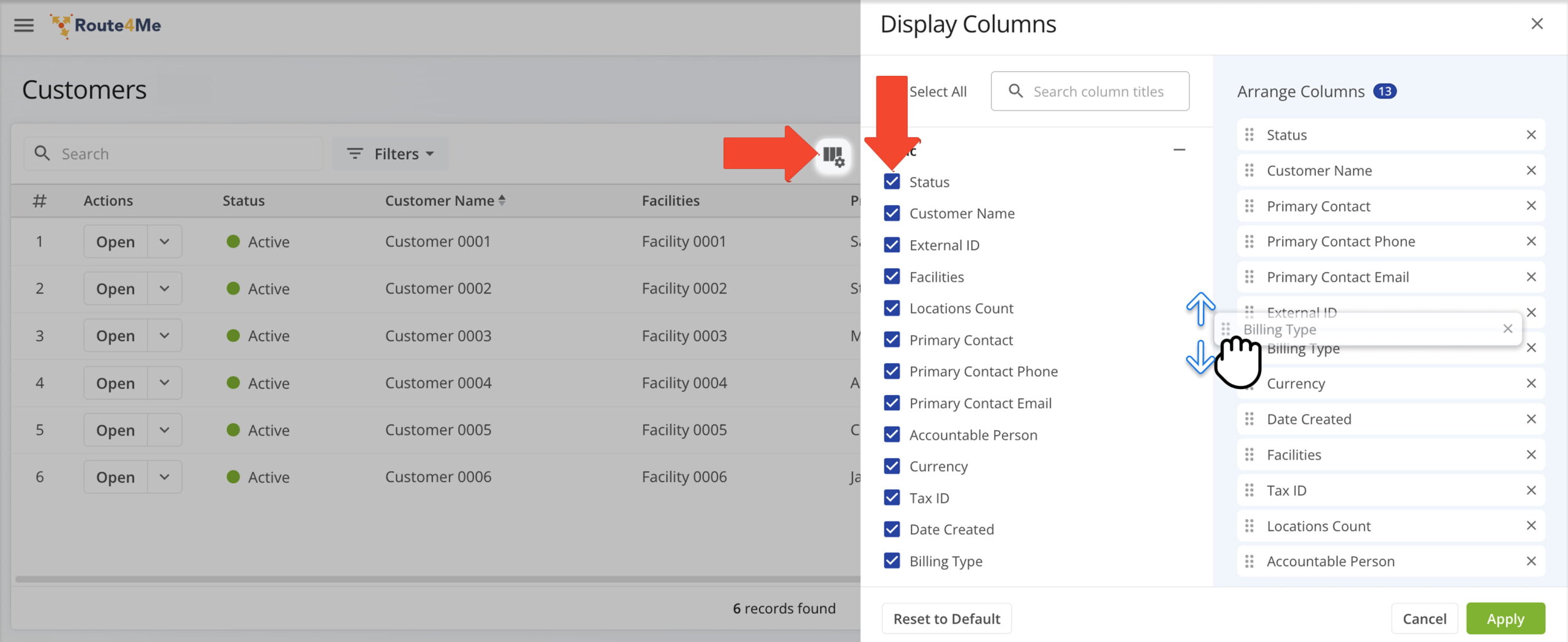
The Customers page allows you to store and manage customer and vendor profiles, including contact information, contract and billing details, and other essential business data.
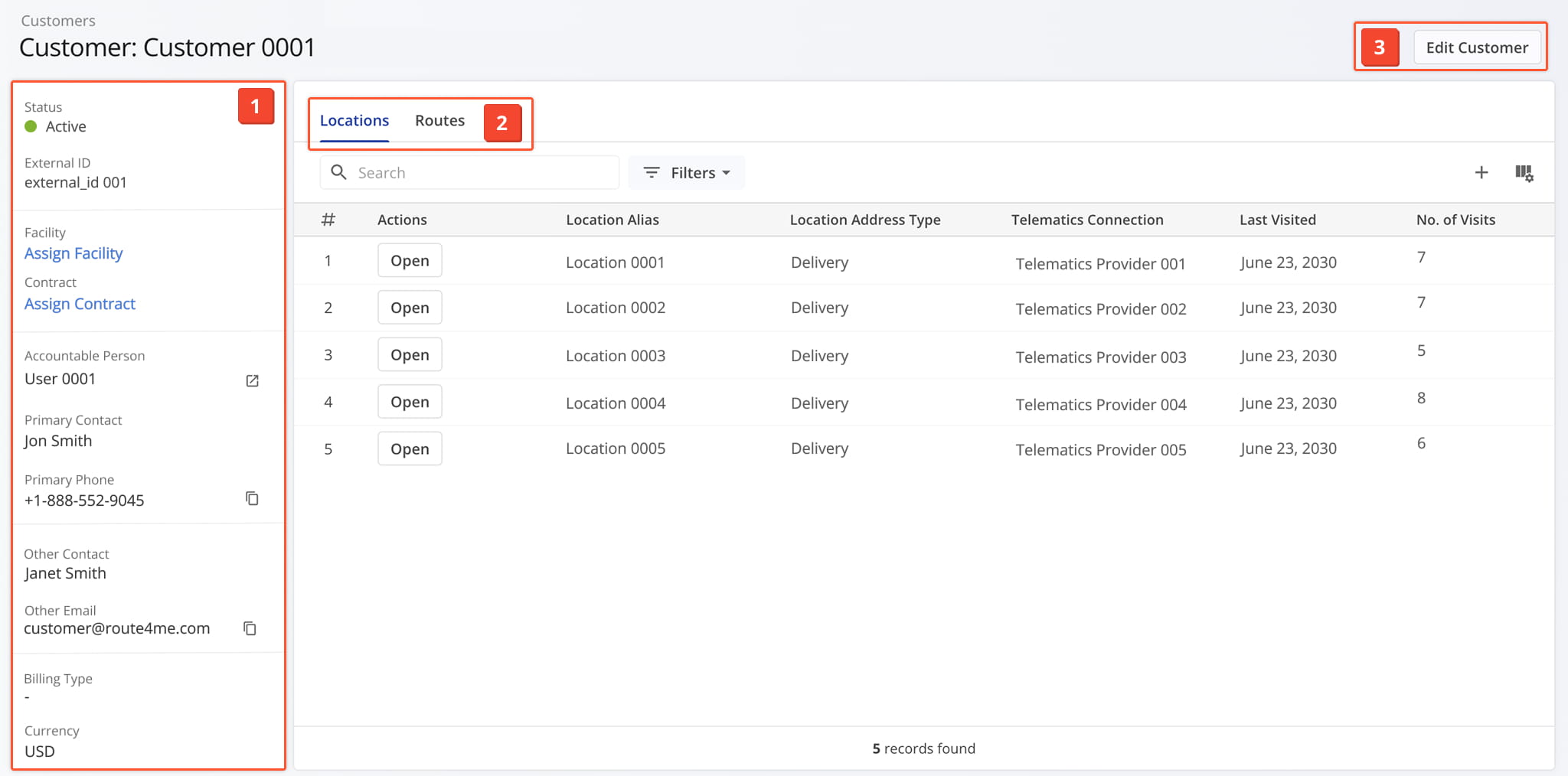
The Customer Snapshot provides performance metrics, route data, visitation history, and analytics for each customer, helping you assess engagement and service efficiency.
Access From Your Customers Page
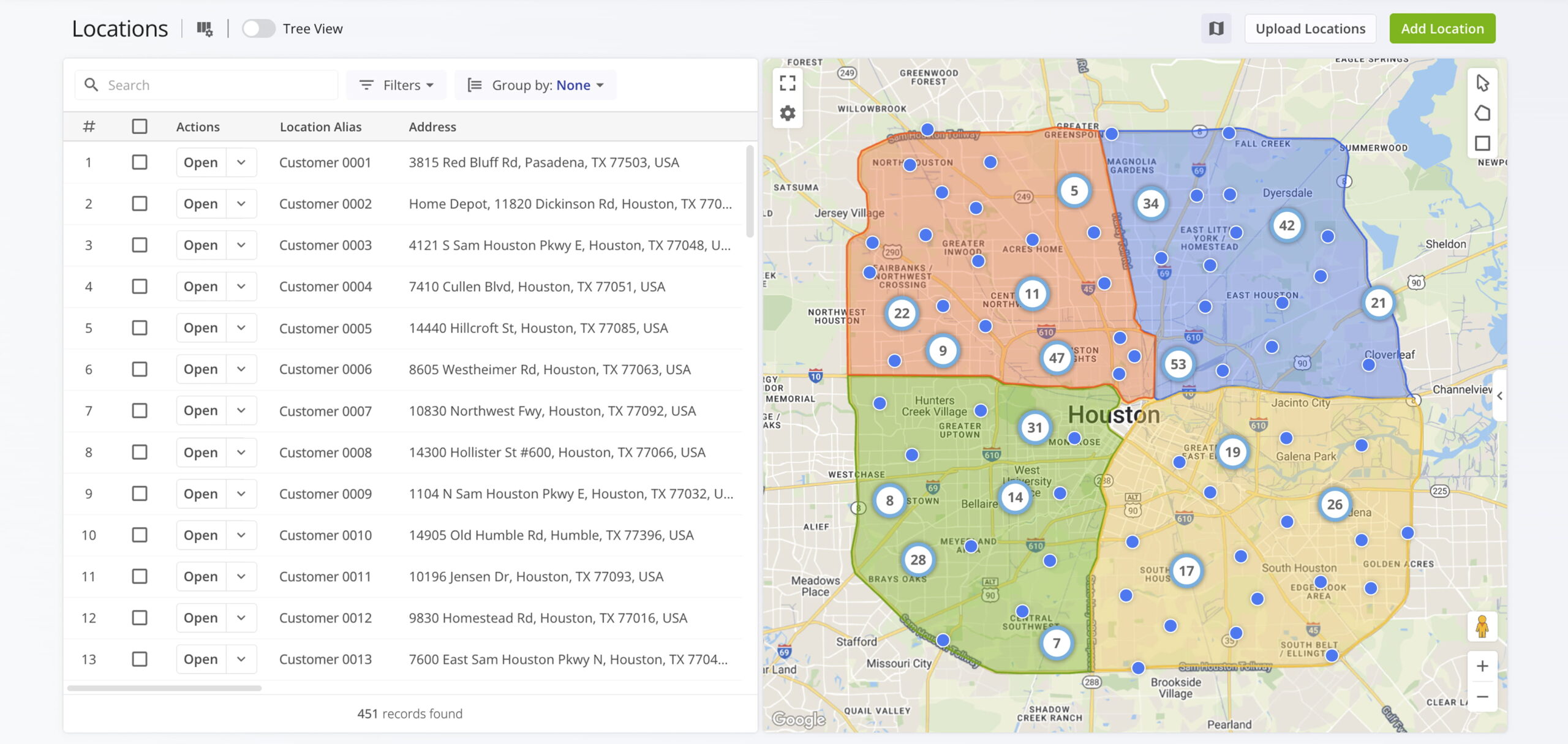
The Customer Locations page lets you store and manage large volumes of customer addresses, with map-based visualization and route optimization features.
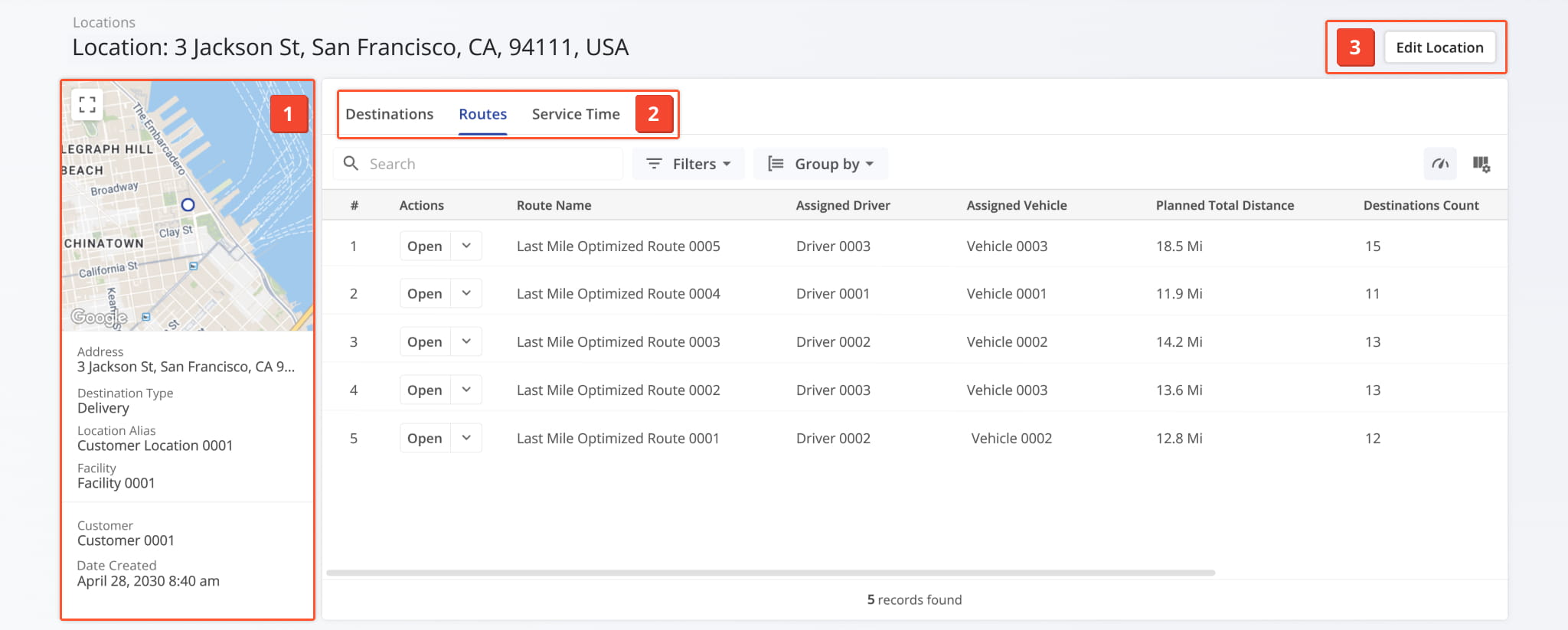
The Customer Location Snapshot provides detailed insights for each location, including associated routes, orders, contact information, and historical visit records.
Access From Your Location Page
June 2025
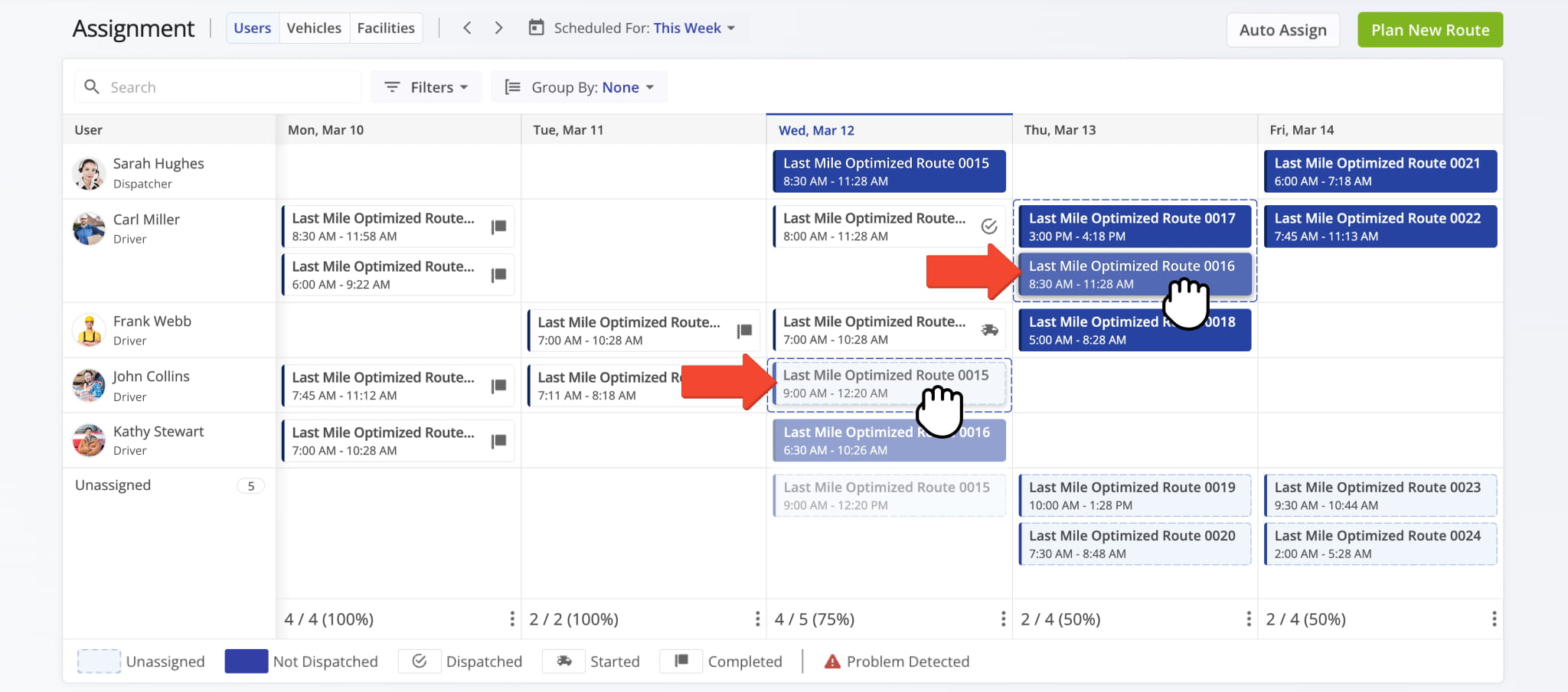
1The Assignment Dashboard provides a calendar overview of scheduled routes and streamlines dispatch by letting you drag and drop drivers, team members, and vehicles onto routes.
Open Your Assignment Dashboard
May 2025
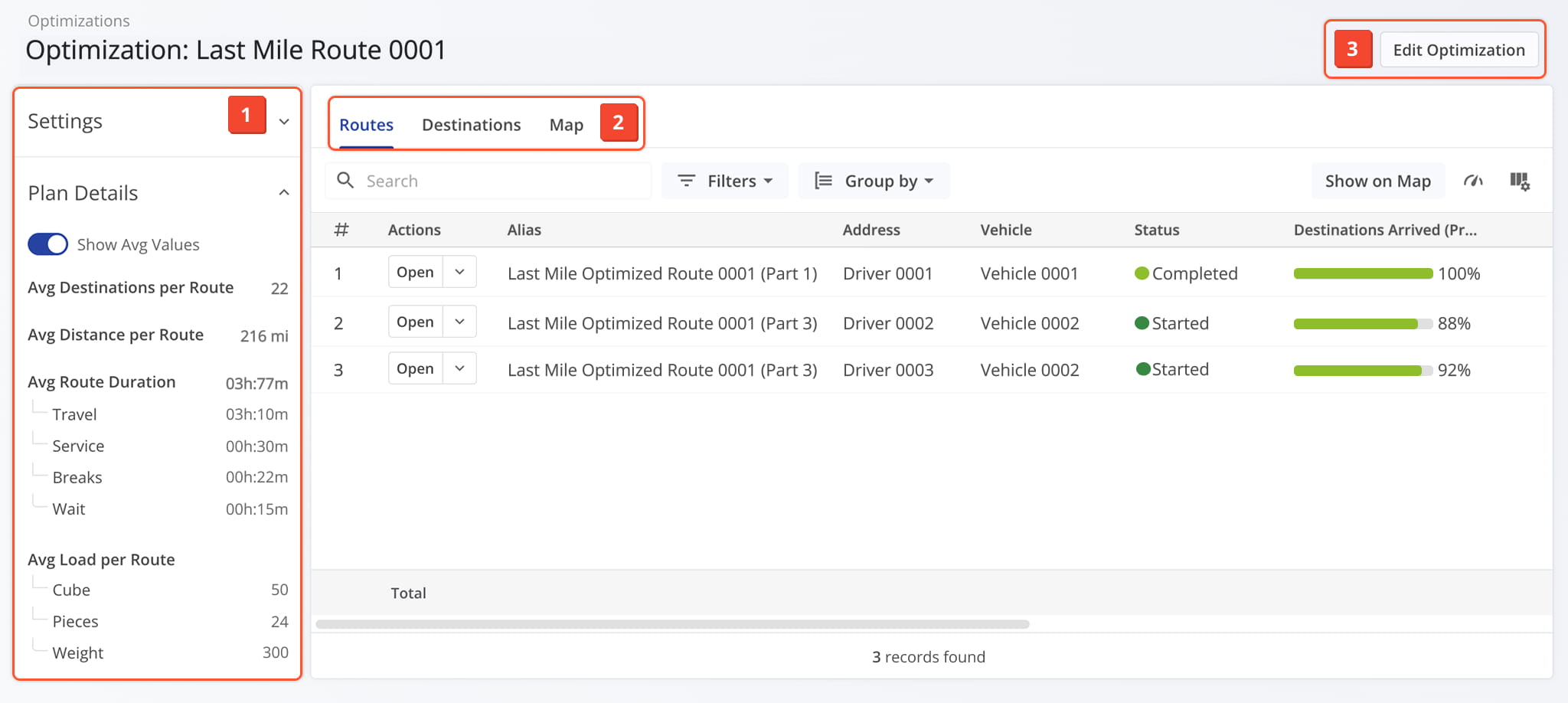
2The Optimization Snapshot provides a centralized view of optimization parameters and key performance metrics.
Access From Your Optimizations Page
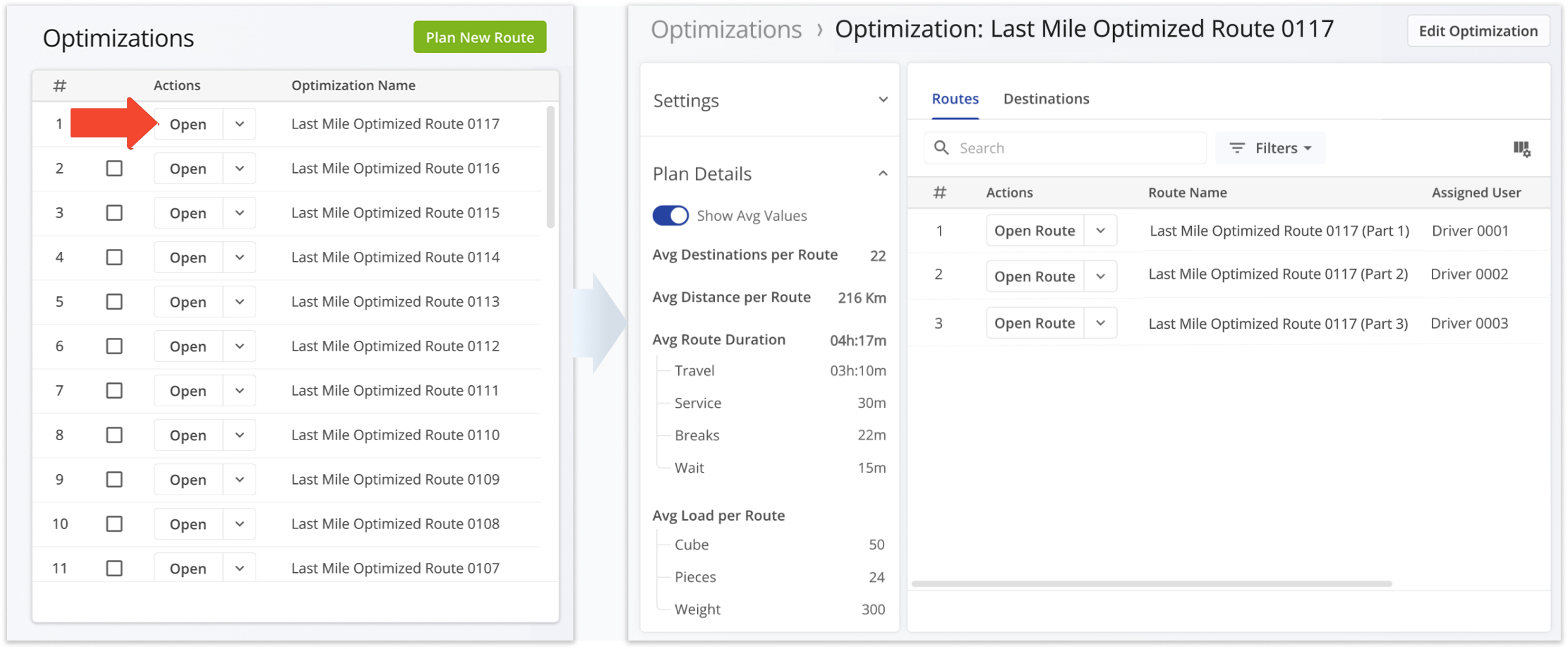
The Optimization Management page lets you manage optimizations and preview Optimization Snapshots in one place.
April 2025
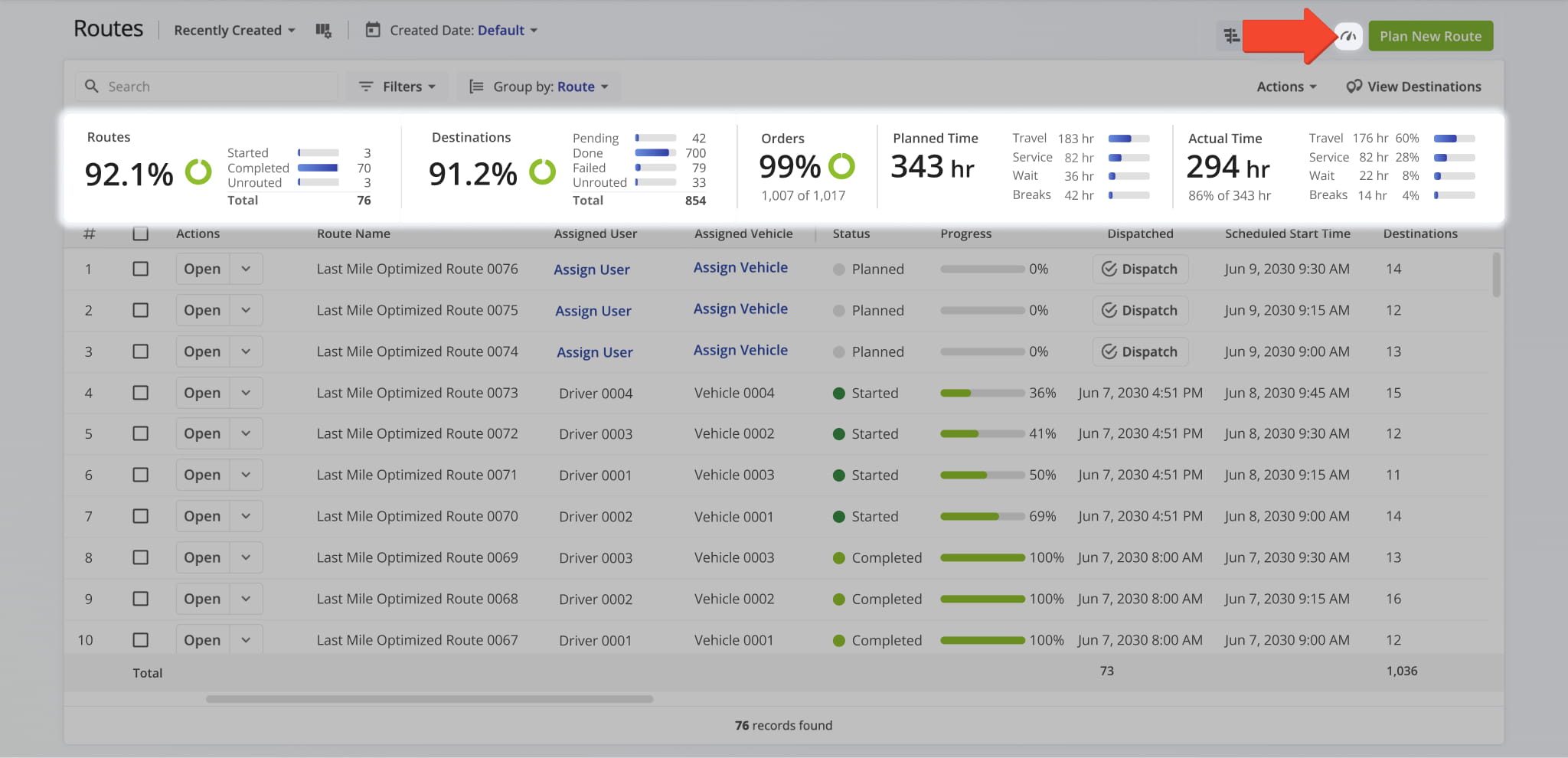
4The Routes page now includes a Route Metrics Summary Dashboard for enhanced performance tracking in real time. Easily filter routes and view key metrics to compare planned vs. actual performance, destinations, orders, labor hours, and more.
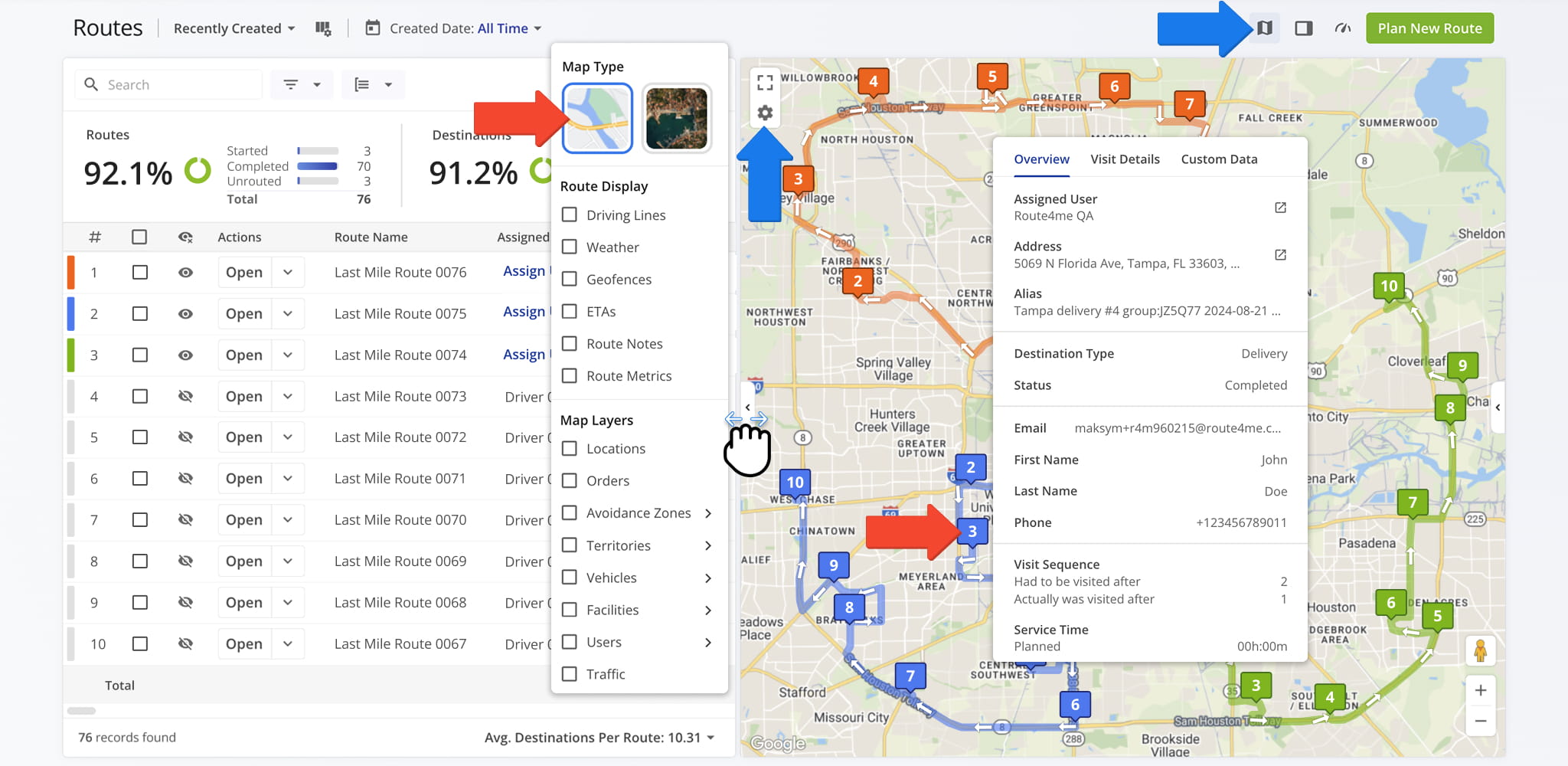
The Routes page now features an Interactive Route Map for easier route visualization. You can hide or open the map as needed, view planned routes, and click on destinations to see their details.
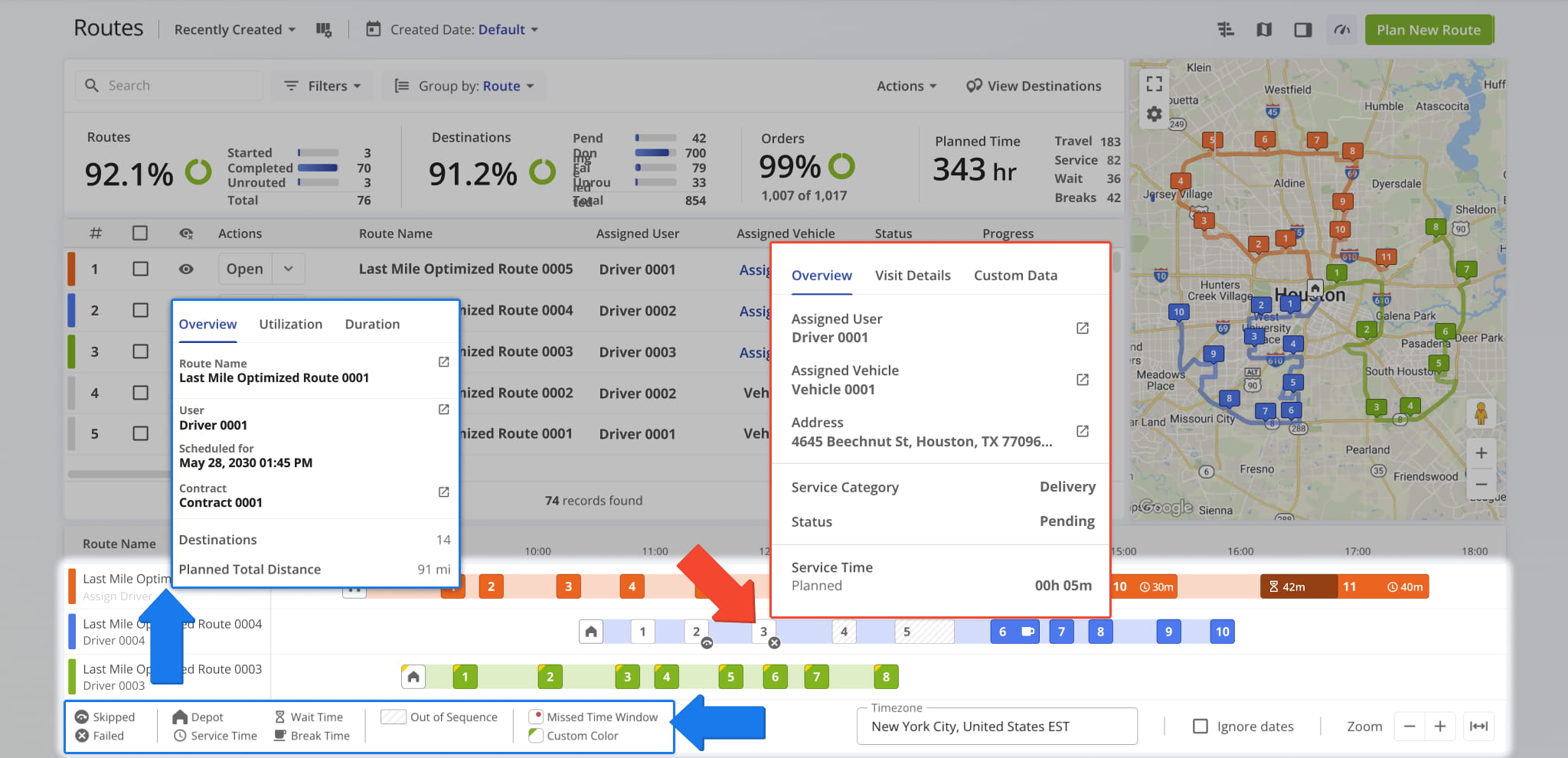
The Routes page now includes an Interactive Route Timeline. You can view scheduled routes side by side, check destination service times, wait times, missed time windows, out of sequence visits, order details, and more.
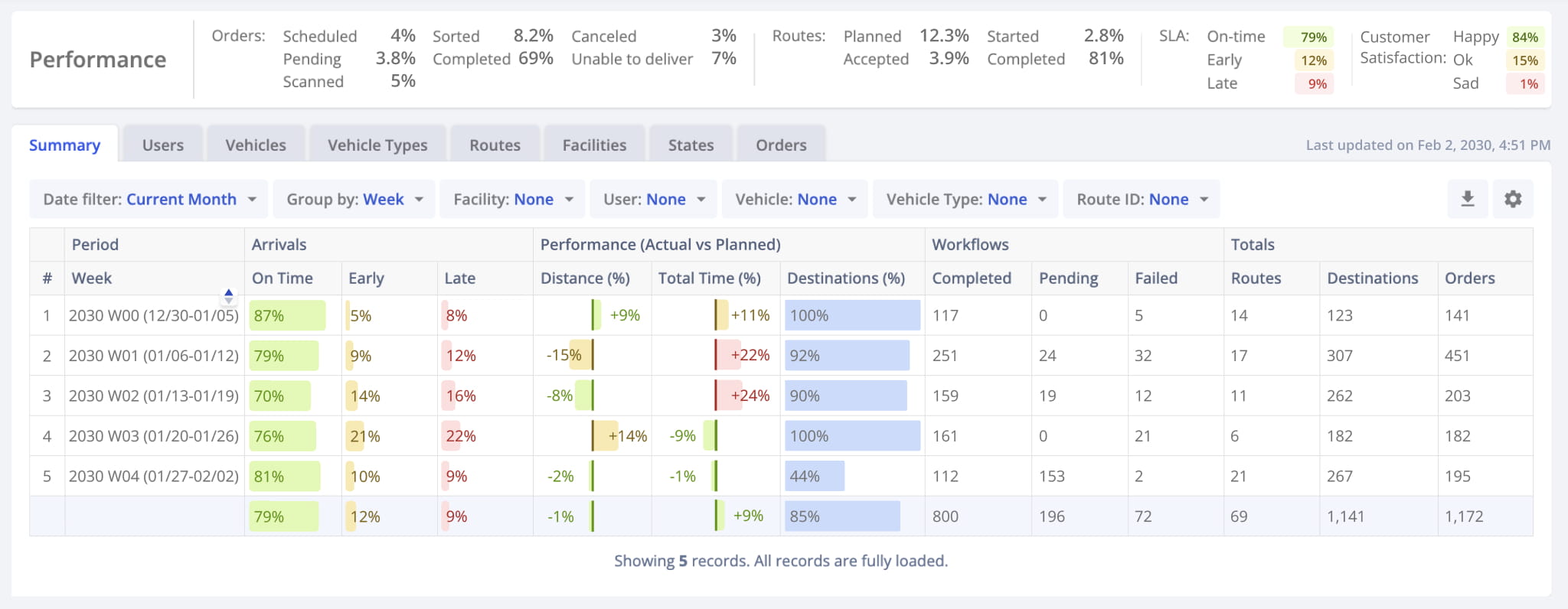
The Business Insights dashboard provides actionable performance metrics across your organization, with reports that can be easily filtered and grouped by users, vehicles, orders, routes, and other parameters.
March 2025
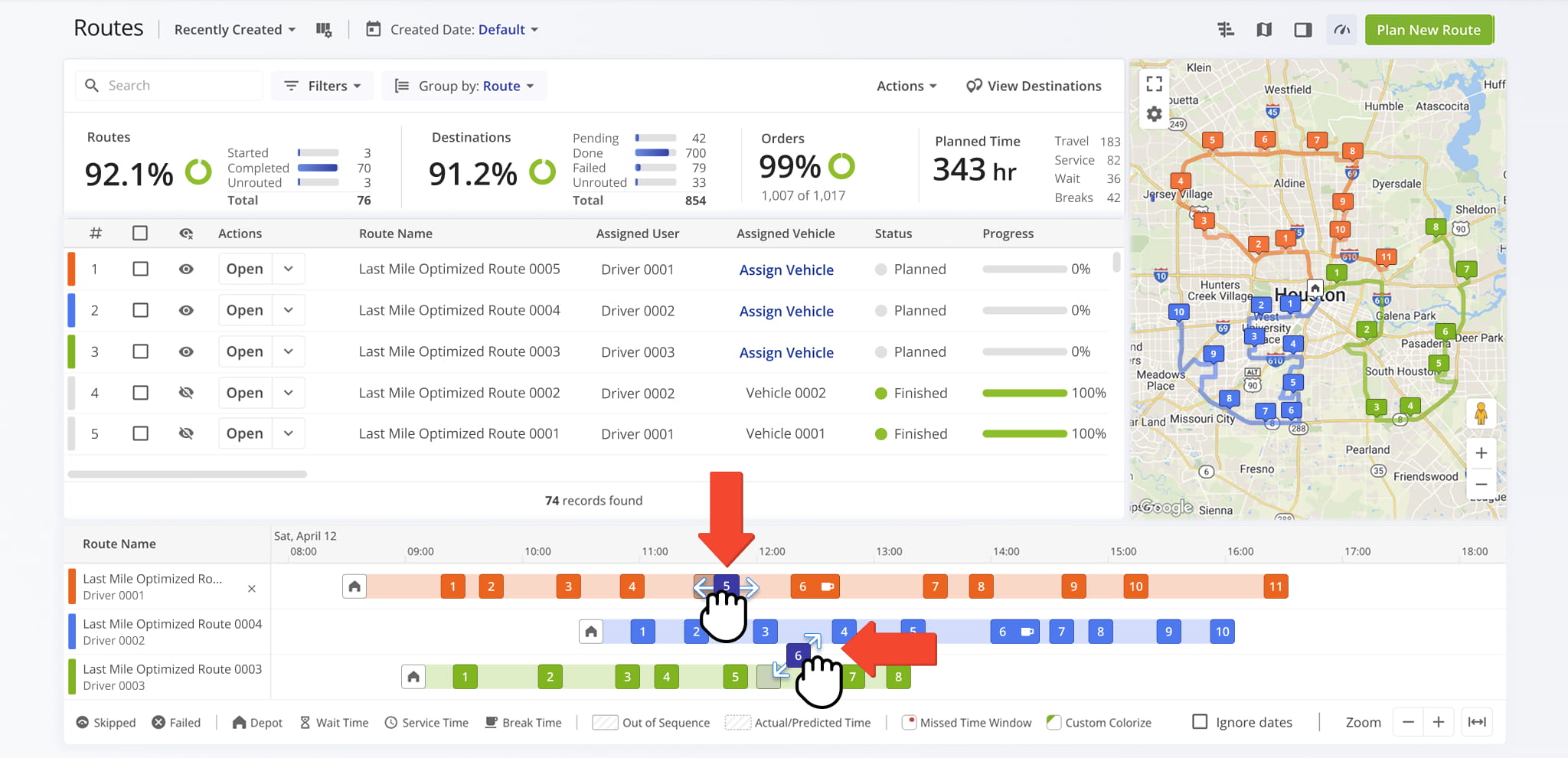
4You can now select multiple destinations in the Route Editor to rearrange their sequence, move destinations between multiple routes on the Routes Map, and adjust any destination’s position using the Route Timeline.
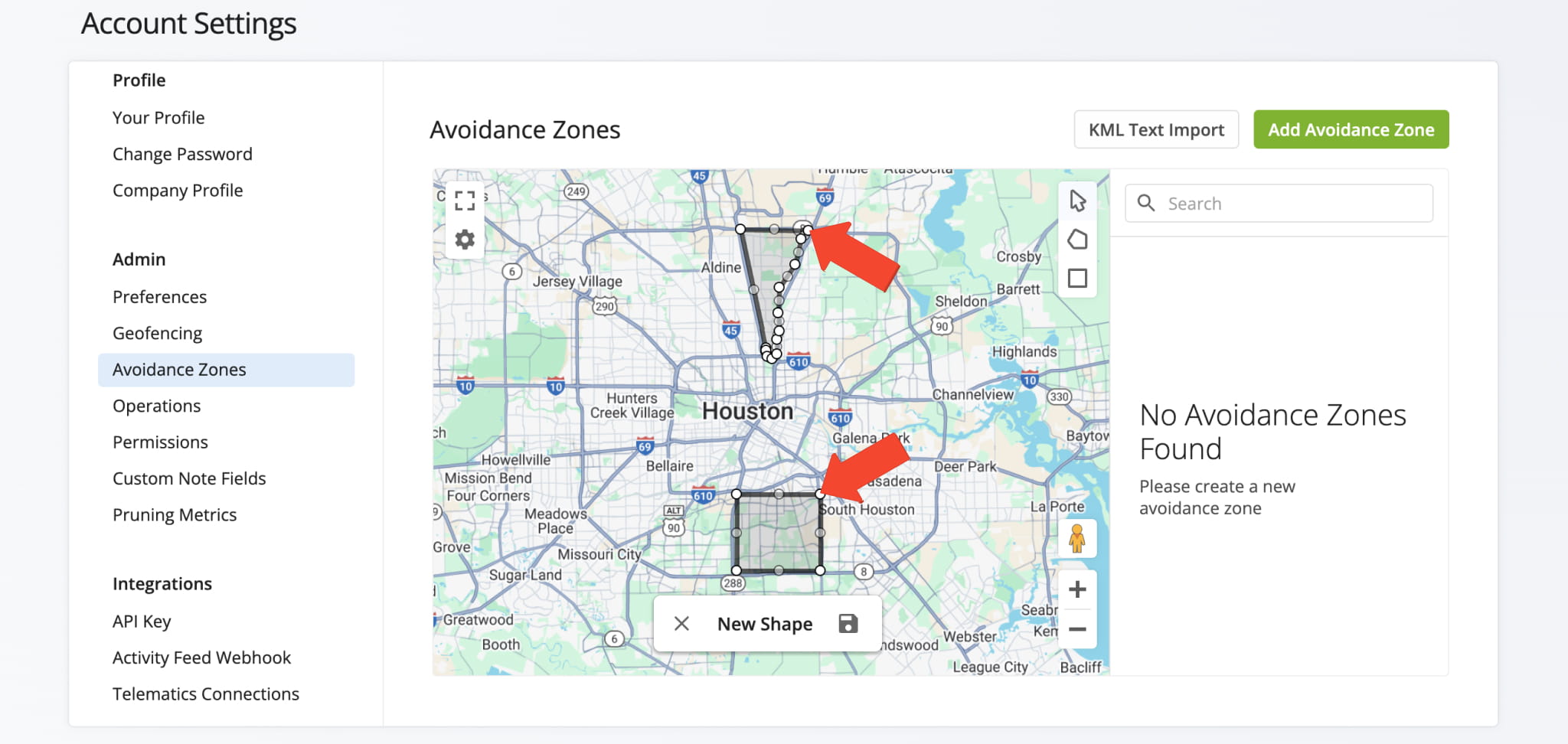
Avoidance Zones now support commercial truck routing, allowing routes to automatically bypass custom-shaped areas, restricted zones, and no-go areas.
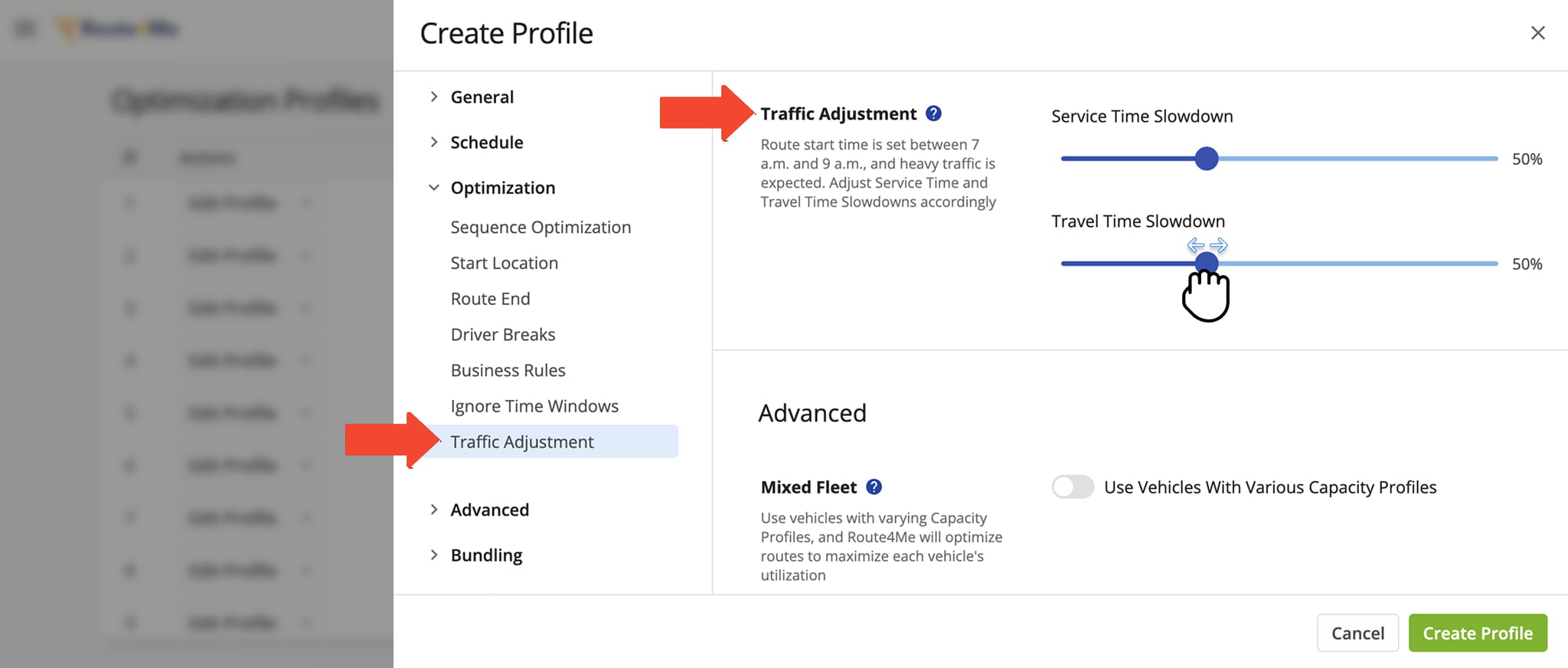
You can now adjust traffic, service, and travel slowdowns on planned and optimized routes with greater ease.
Open Your Optimization Profiles
We migrated API endpoints from “route4me.com” to “wh.route4me.com” to enhance performance, security, and scalability. Please update your integrations to the new domain to ensure uninterrupted service.
February 2025
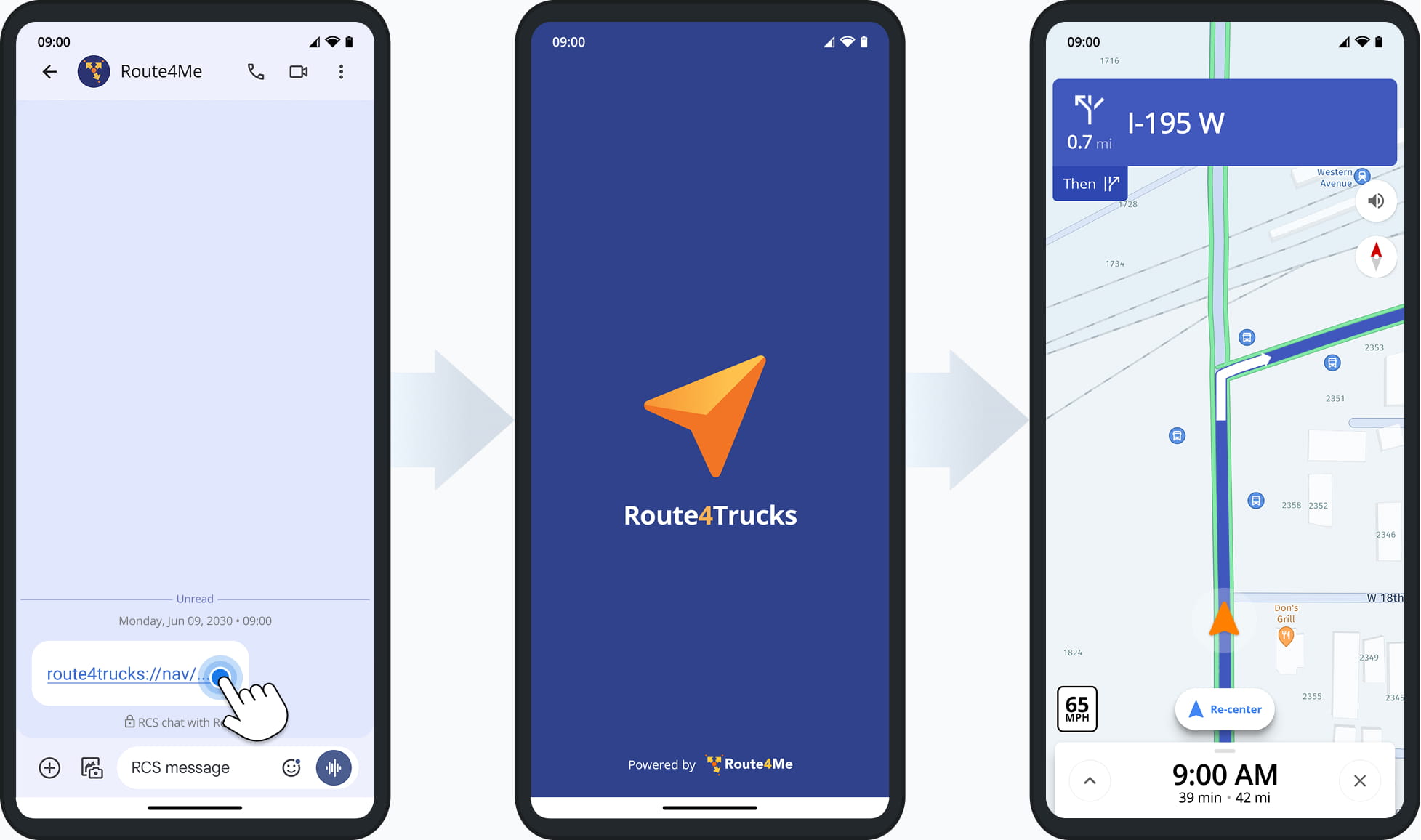
8Create a custom Deep Link (URL) containing route and commercial vehicle parameters for a specific destination, then send it to a driver via SMS, email, or other channels. When opened, the Route4Trucks GPS app launches automatically, navigates to the destination, and generates directions based on the vehicle parameters.
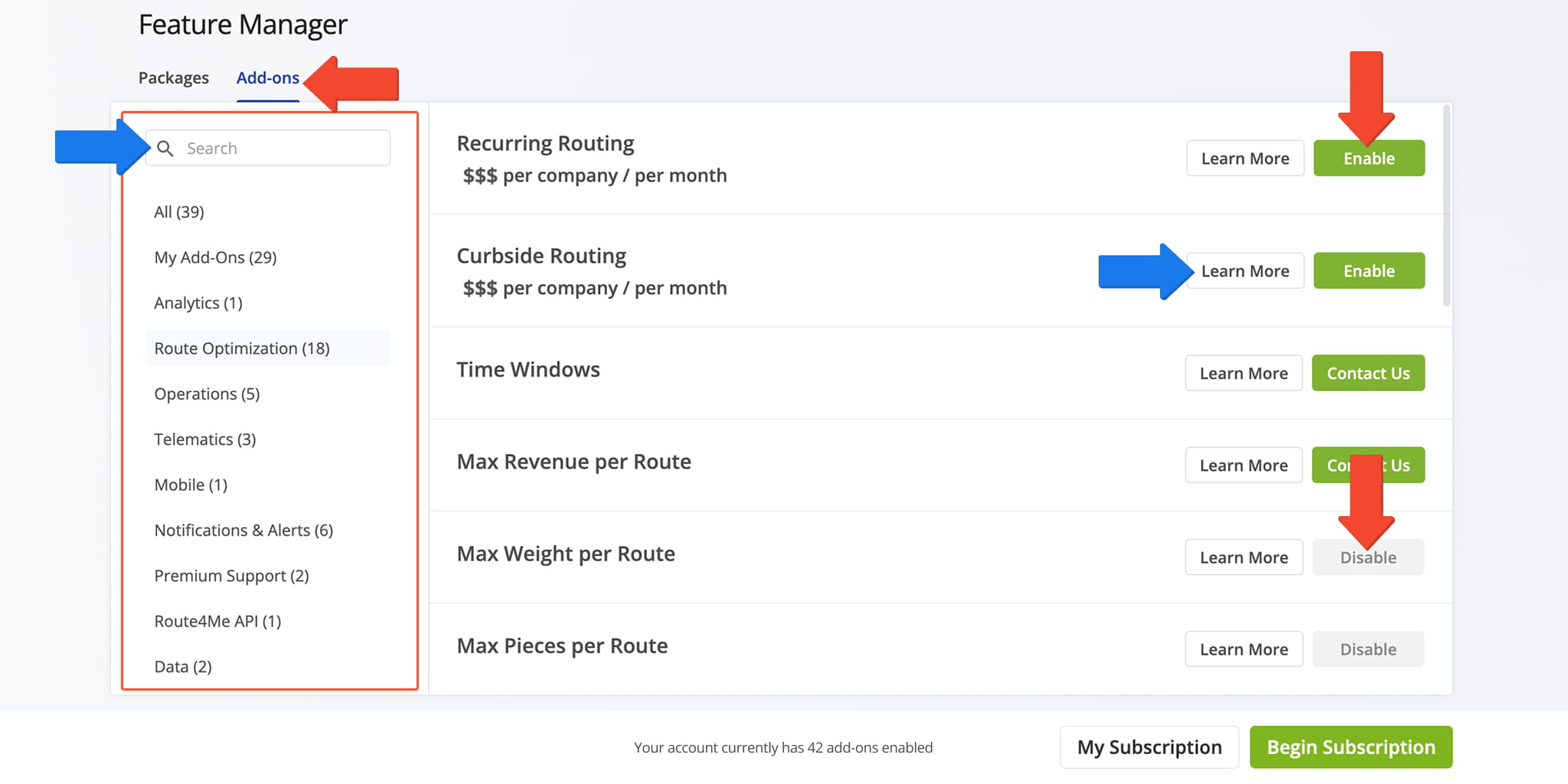
The Subscription Management page and Feature Manager have been redesigned to match Route4Me’s modern interface, making billing, subscriptions, and add-on management easier and more seamless.
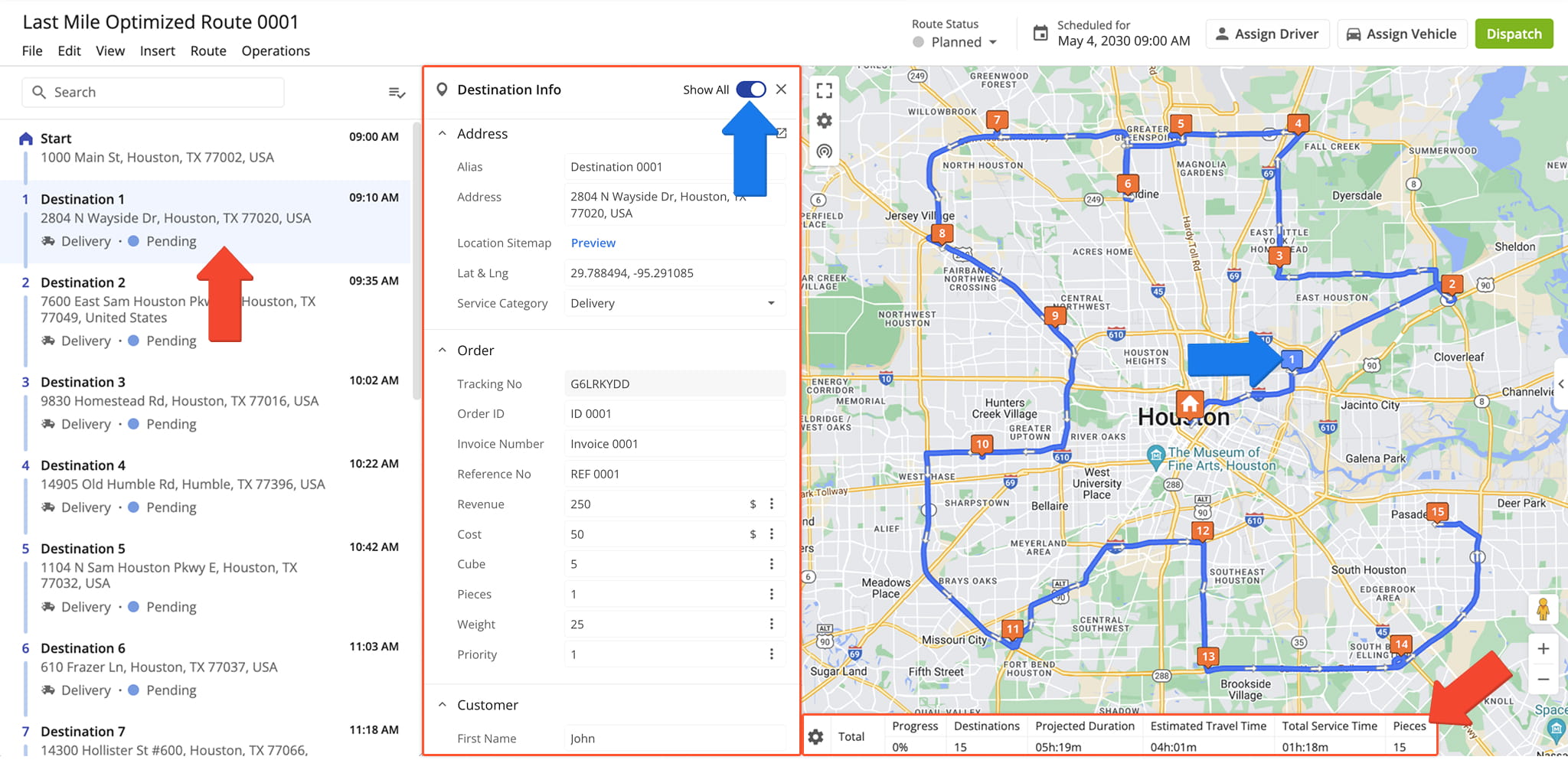
The Route Editor now features updated Destinations List and Destination Information screens with flexible, user-friendly fields, plus a configurable Summary Table displaying detailed route information below the map.
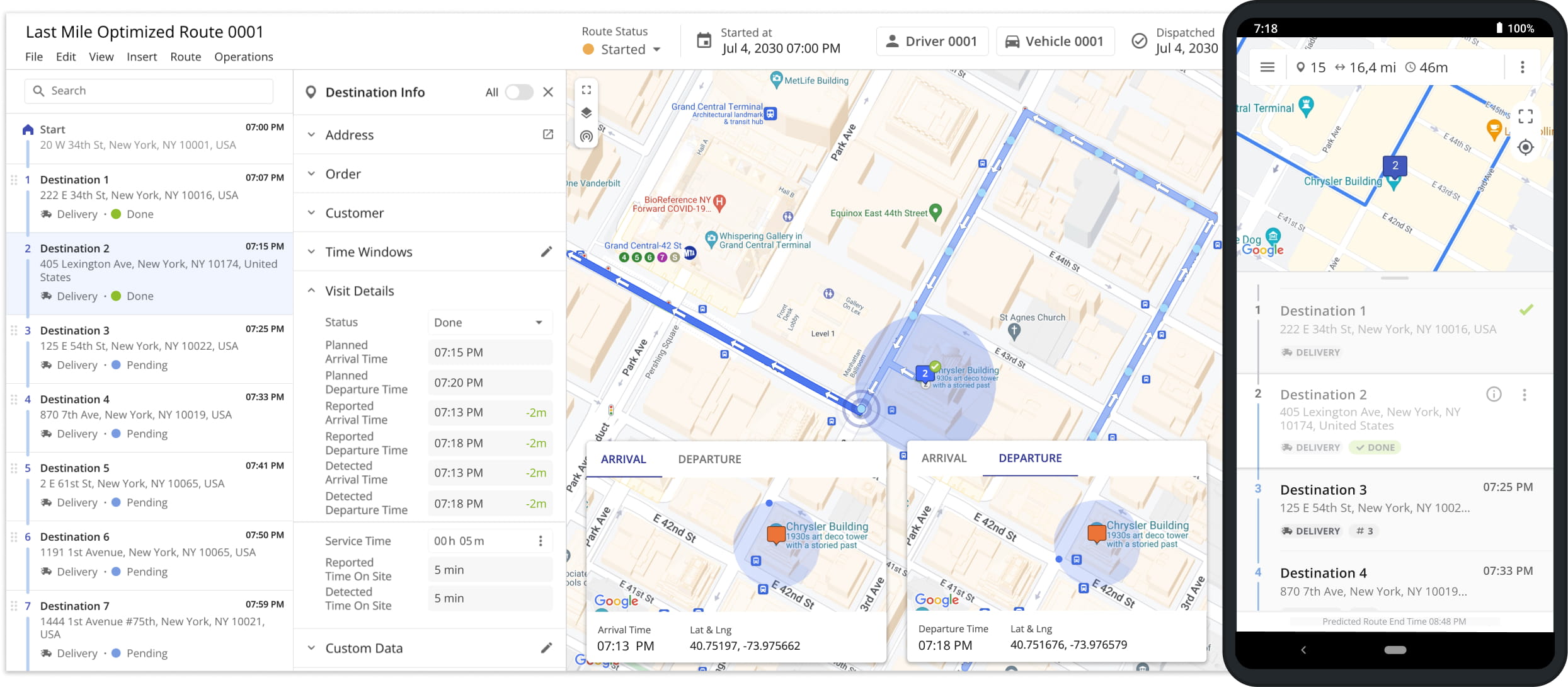
This Advanced Configuration automatically starts a route when the assigned driver or user exits the geofence around the route depot.
Open Your Advanced Configuration Editor
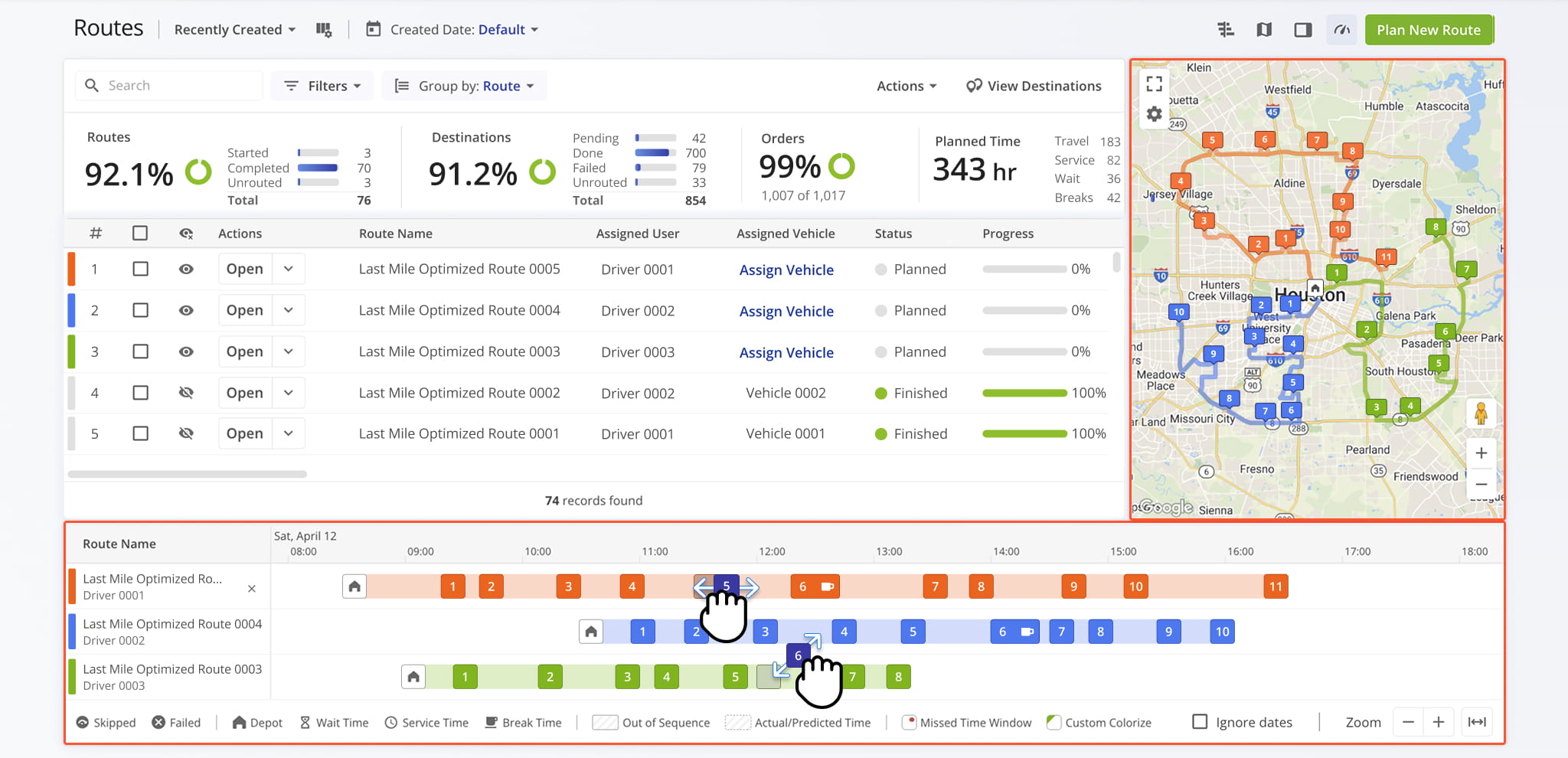
The Routes page now features a Map and Route Timeline, making it easier to visualize routes, track progress, and update destinations by adding, removing, or moving stops between routes.
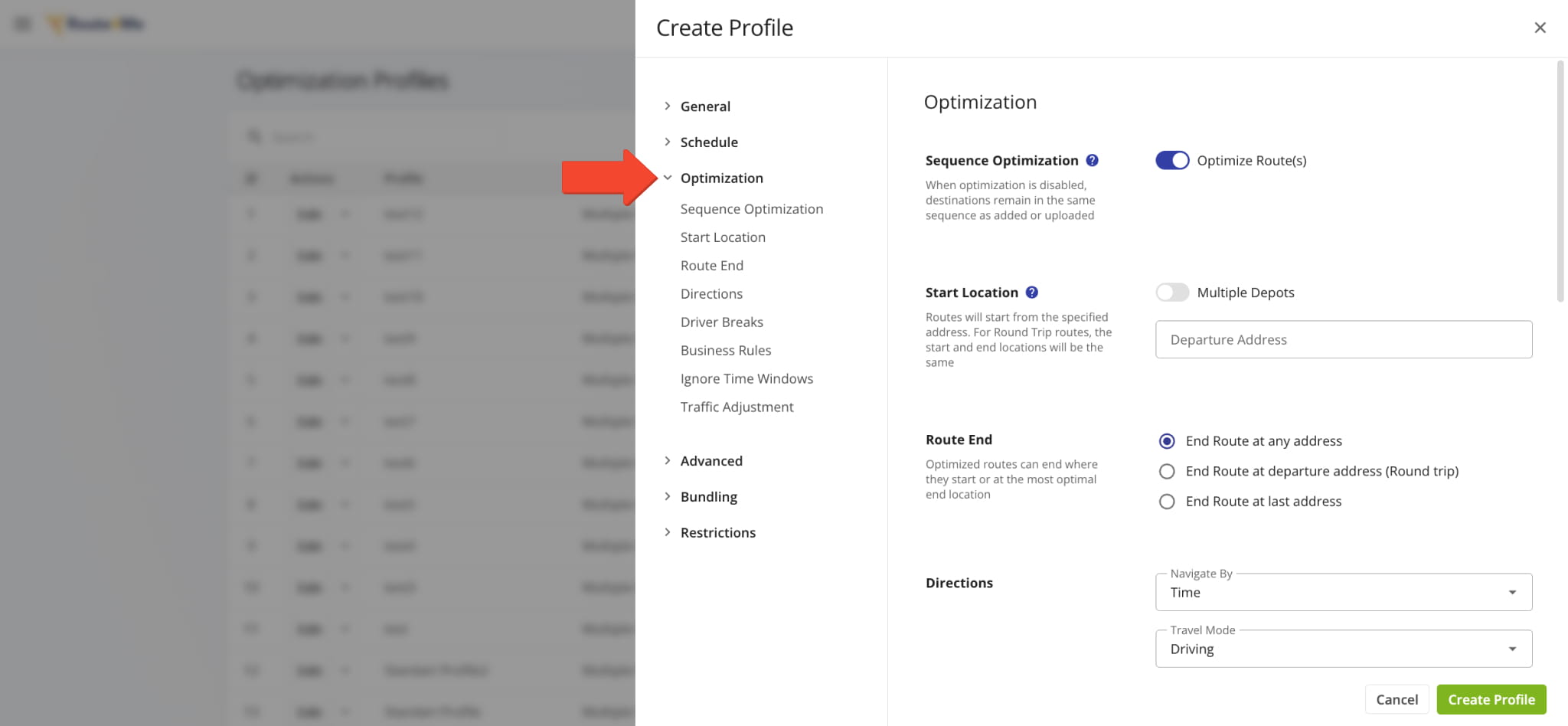
Optimization Profiles have been updated to match Route4Me’s modern UI, providing more flexible settings and enhanced route optimization options.
Open Your Optimization Profiles
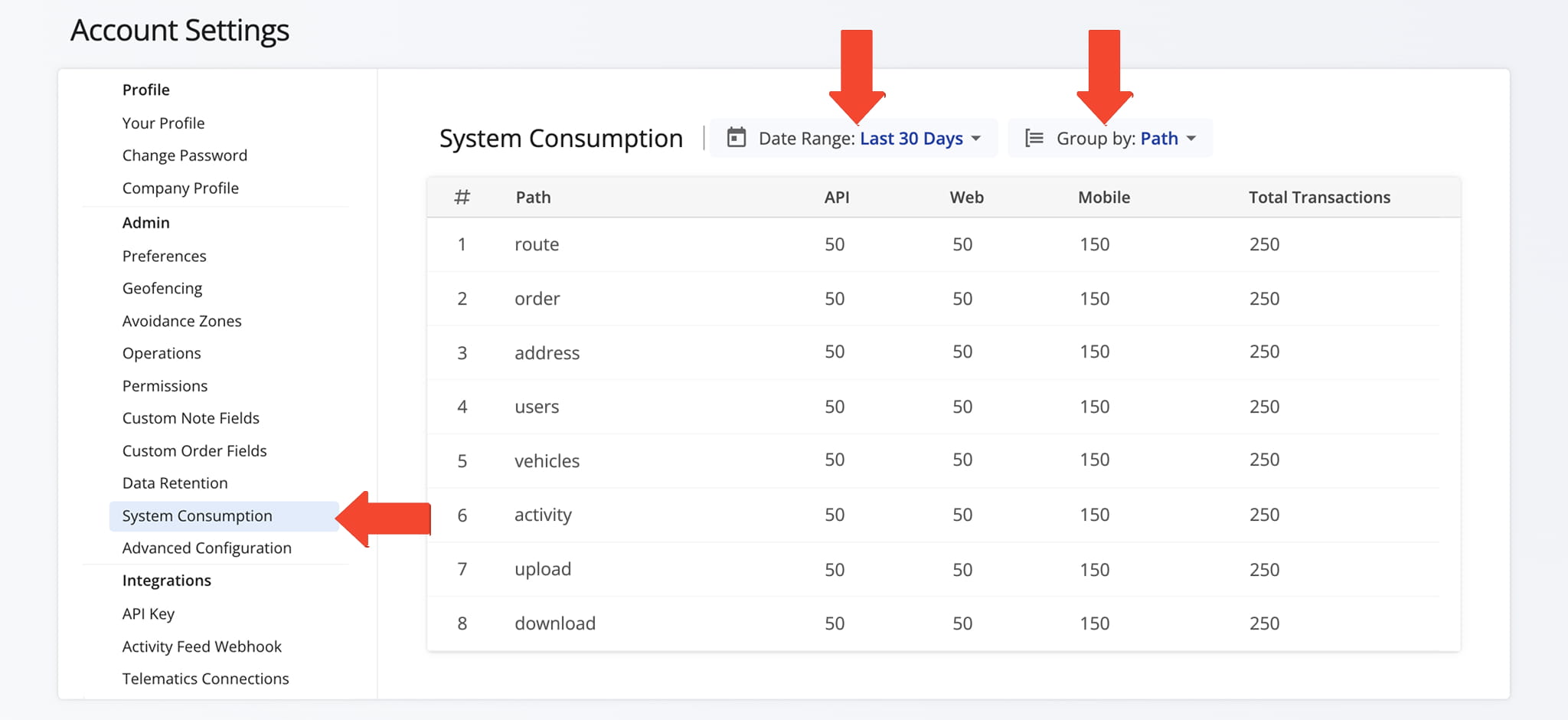
The System Consumption page in Account Settings shows your current usage metrics and the number of completed requests for each activity type.
Open Your System Consumption Page
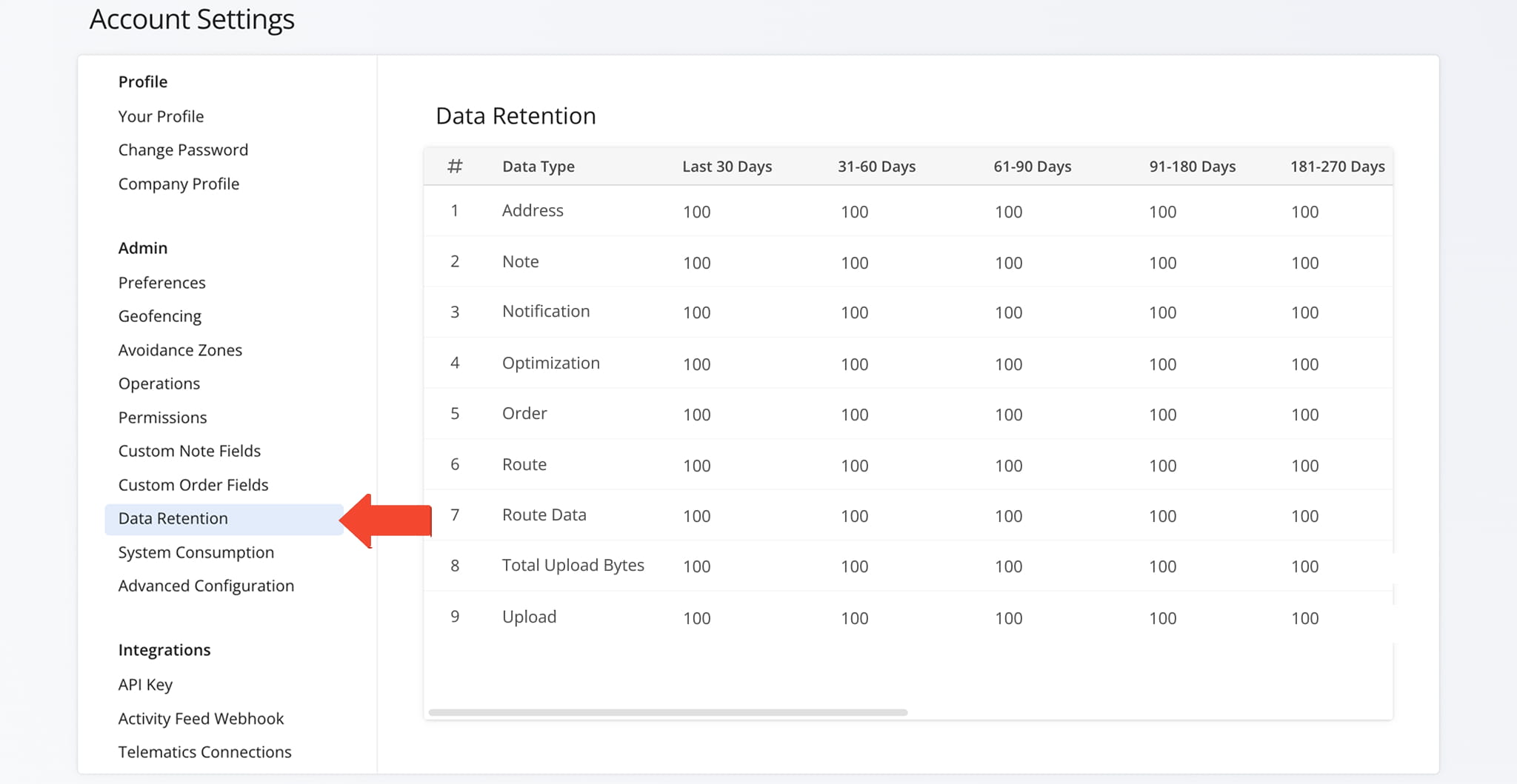
The Data Retention tab in Account Settings shows your current retention metrics, organized by activity and entity type.
January 2025
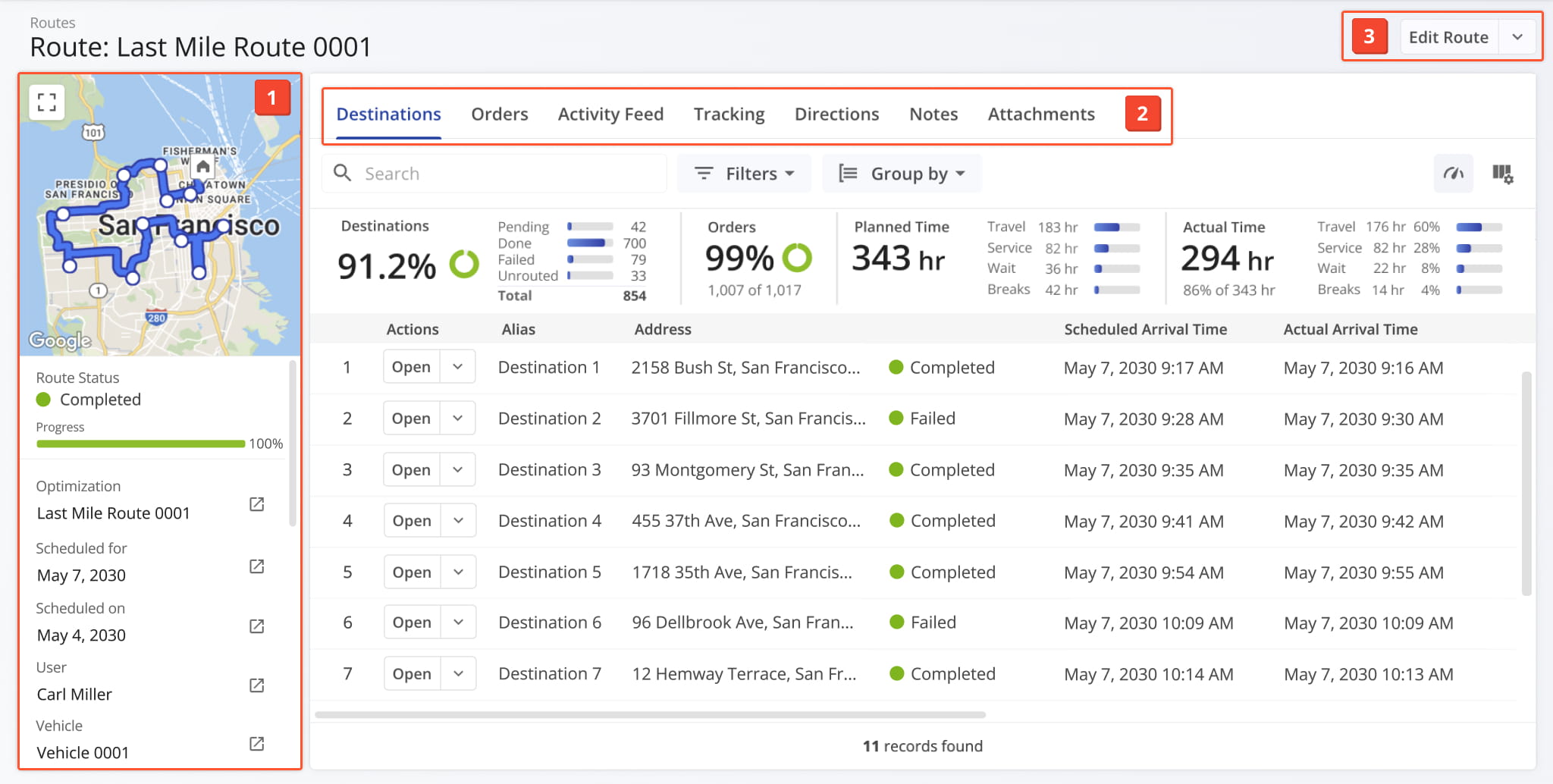
11The Route Snapshot provides a centralized summary of each route, including a map overview and key analytics for destinations, orders, proof of visit, and other activities.
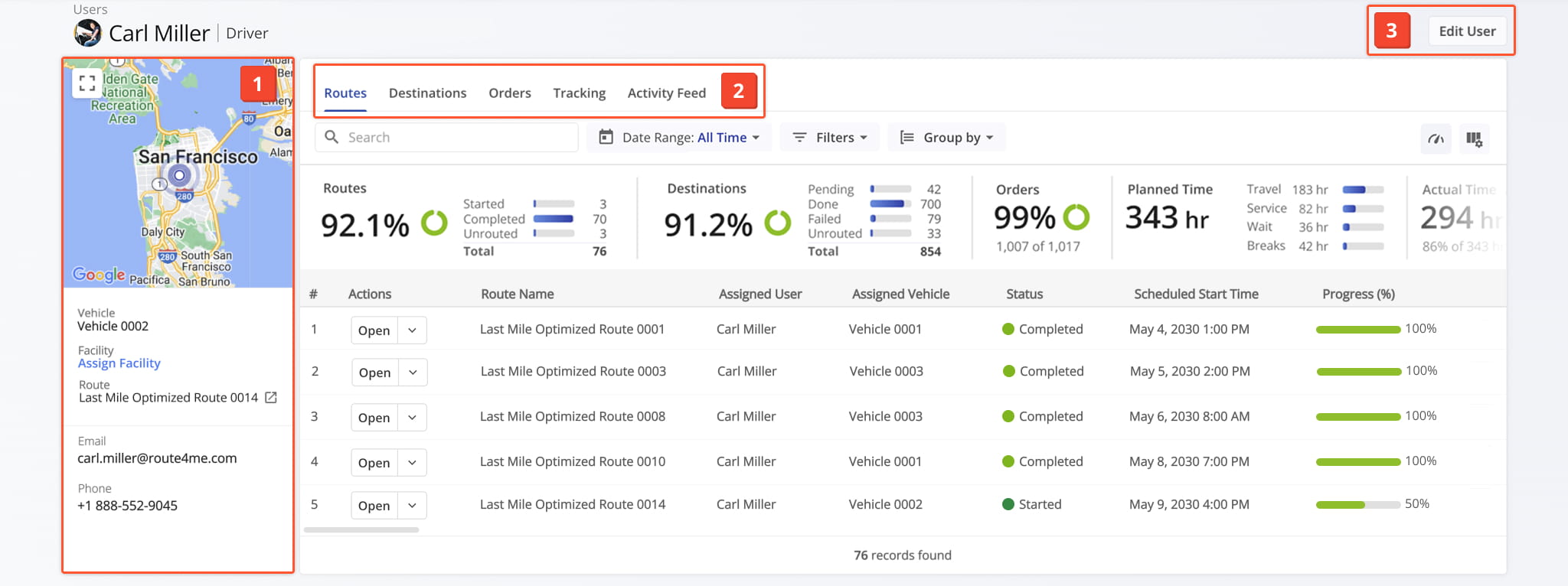
The User Snapshot provides a centralized summary of each user, showing their last known location on a map and key analytics for routes, destinations, orders, and activities.
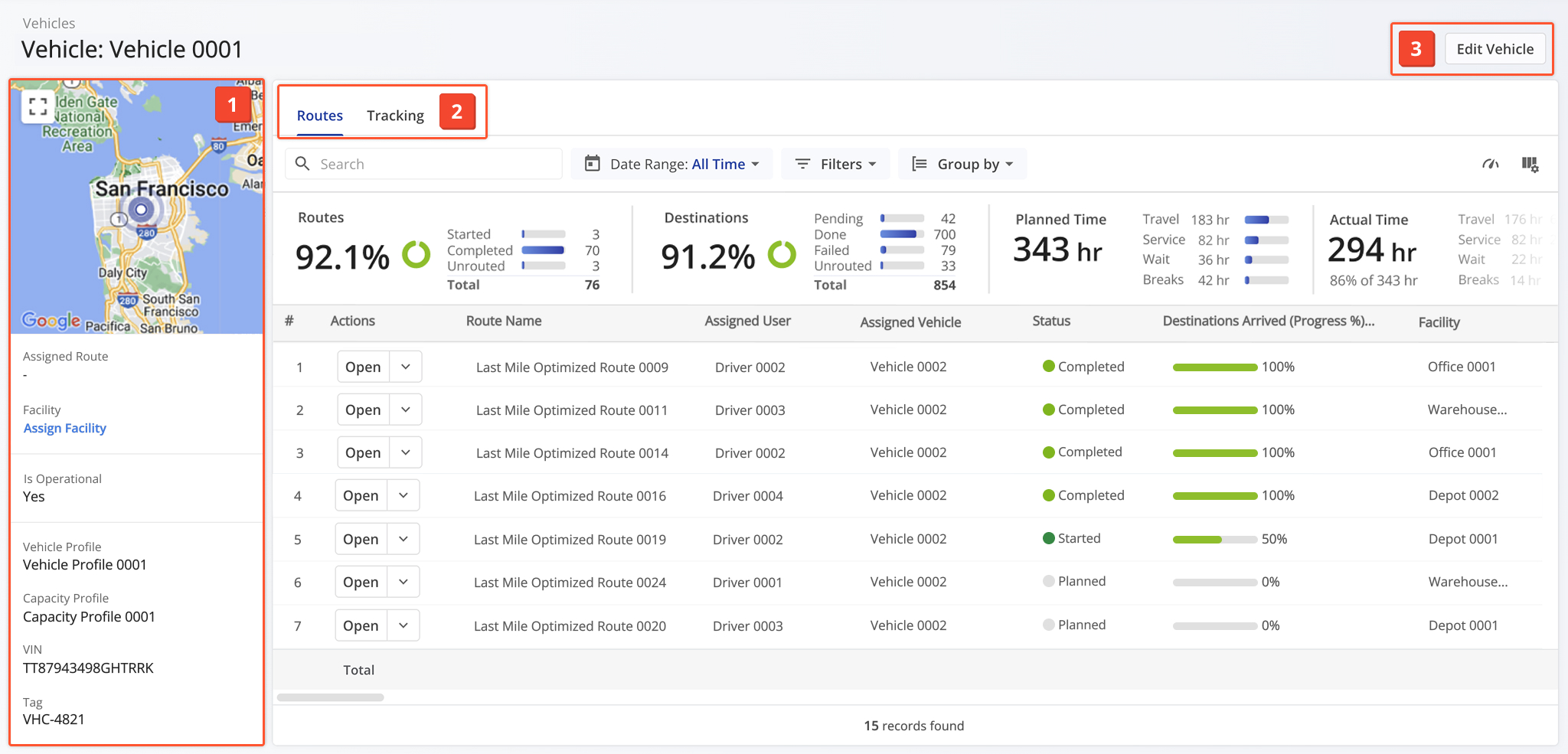
The Vehicle Snapshot provides a centralized summary of each vehicle, including key analytics for its associated routes.
Access From Your Vehicles Page
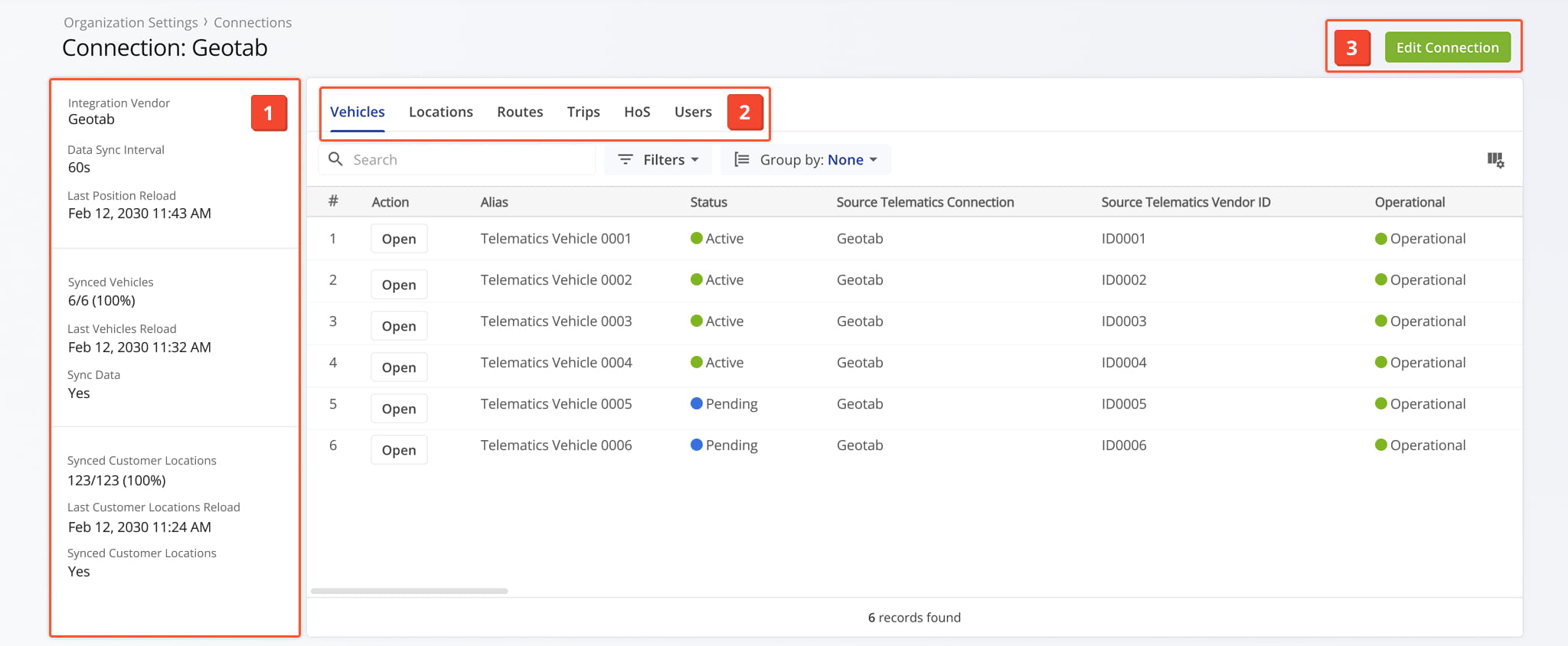
The Telematics Snapshot provides a centralized view of each telematics connection, showing real-time status and key details for synchronized vehicles.
Access From Your Telematics Connections Page
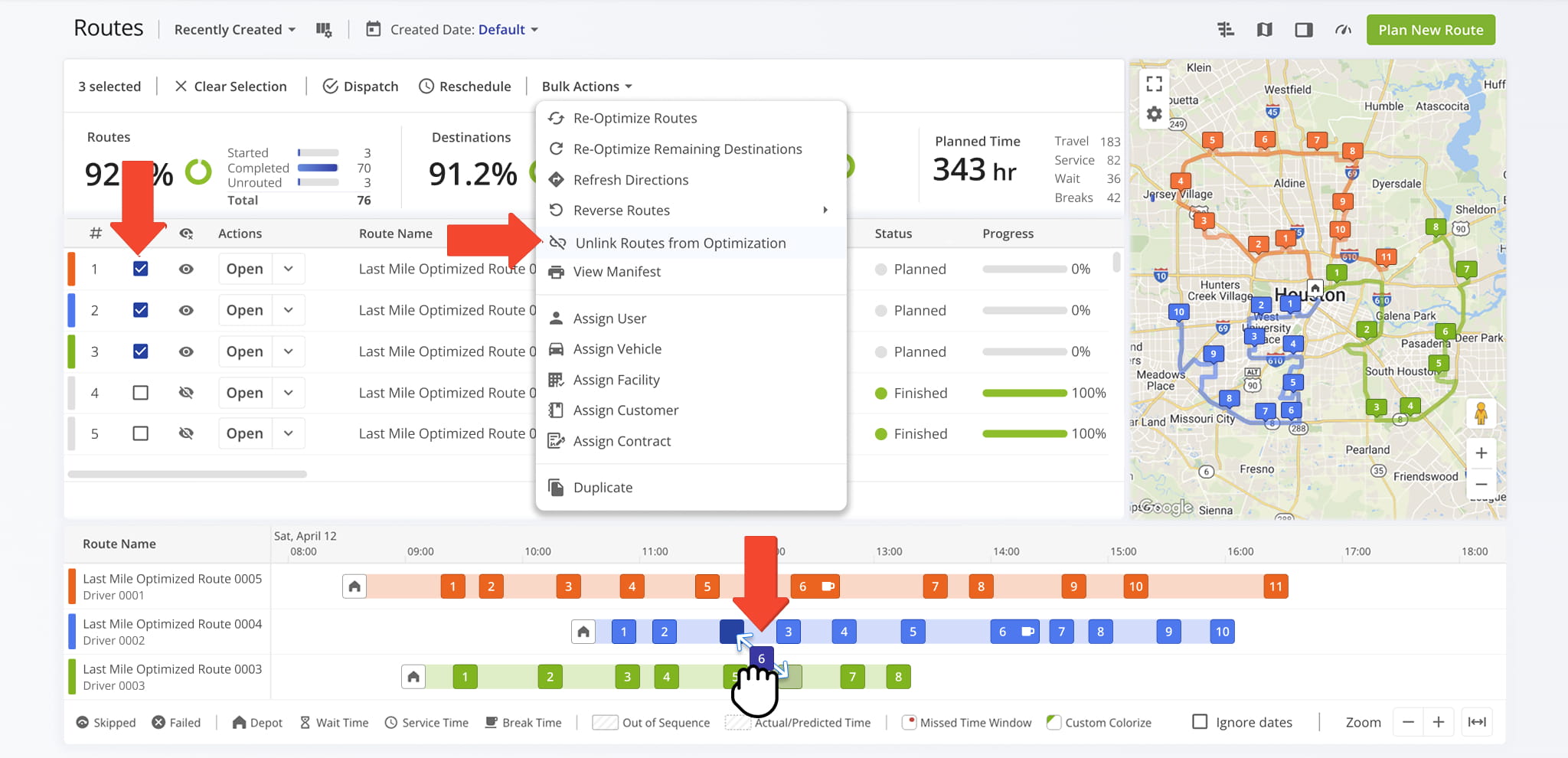
The updated Routes Map Timeline is easier to use, simplifying how you drag and drop destinations between routes. Please note that destinations can now only be moved to unvisited parts of a route.
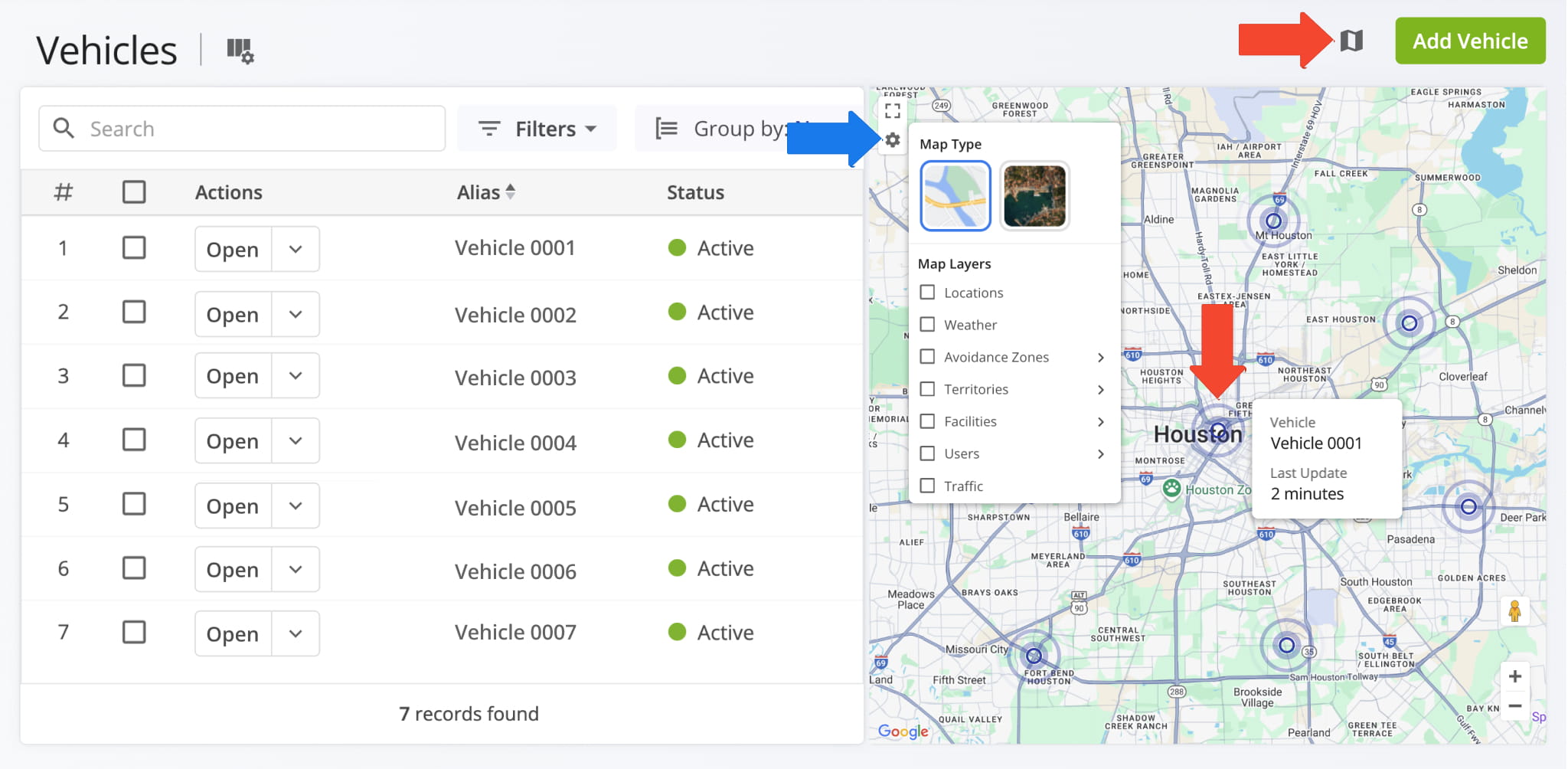
The Fleet Management Page now includes a collapsible Vehicles Map, making it easy to view the last known location of each fleet vehicle.
The Advanced Configuration Editor has been redesigned to match Route4Me’s modern interface, and is easier to access and manage from your Organization Settings.
Open Your Advanced Configuration Editor
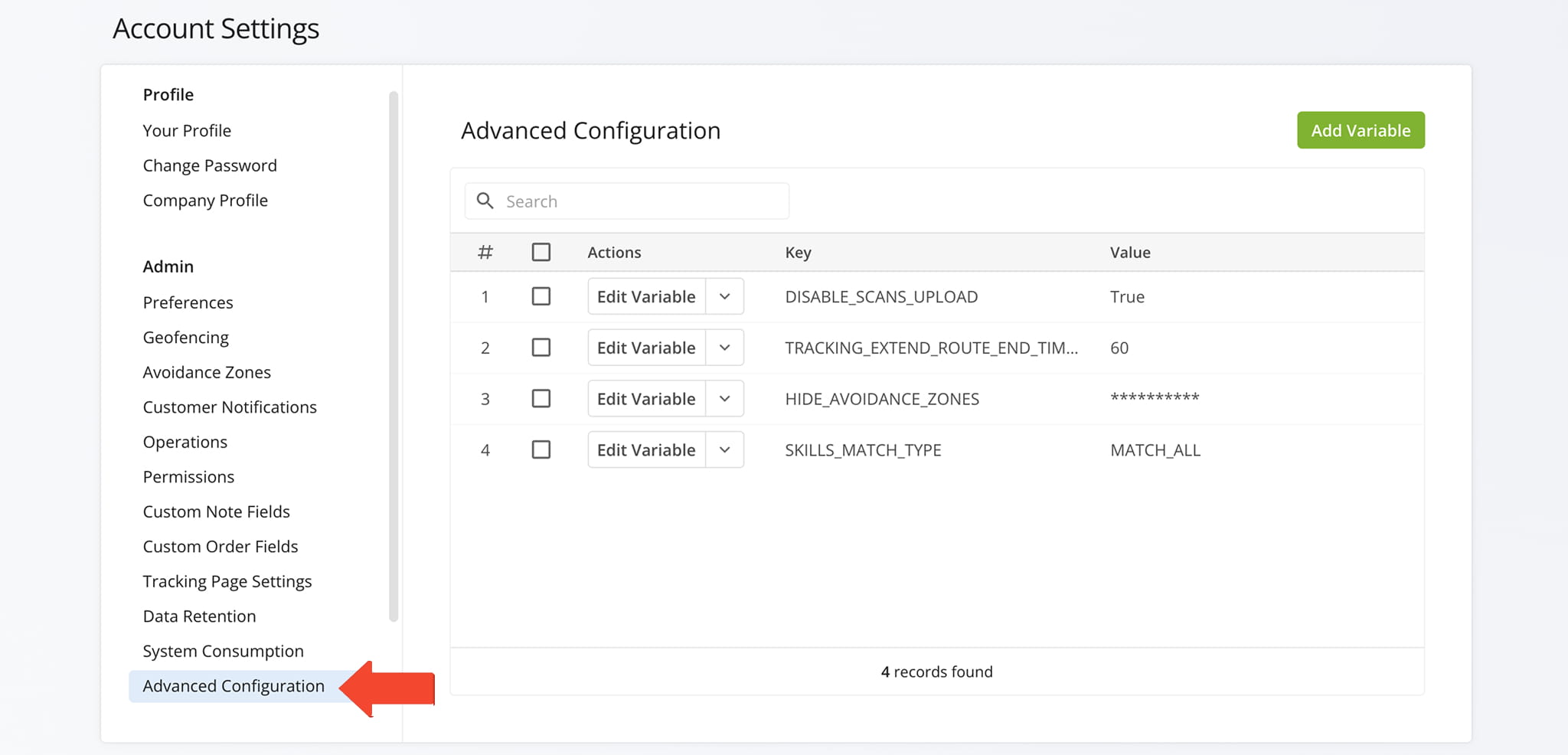
The Avoidance Zones interface has been redesigned to match Route4Me’s modern UI, with the updated settings now available as a dedicated tab in your Account Settings.
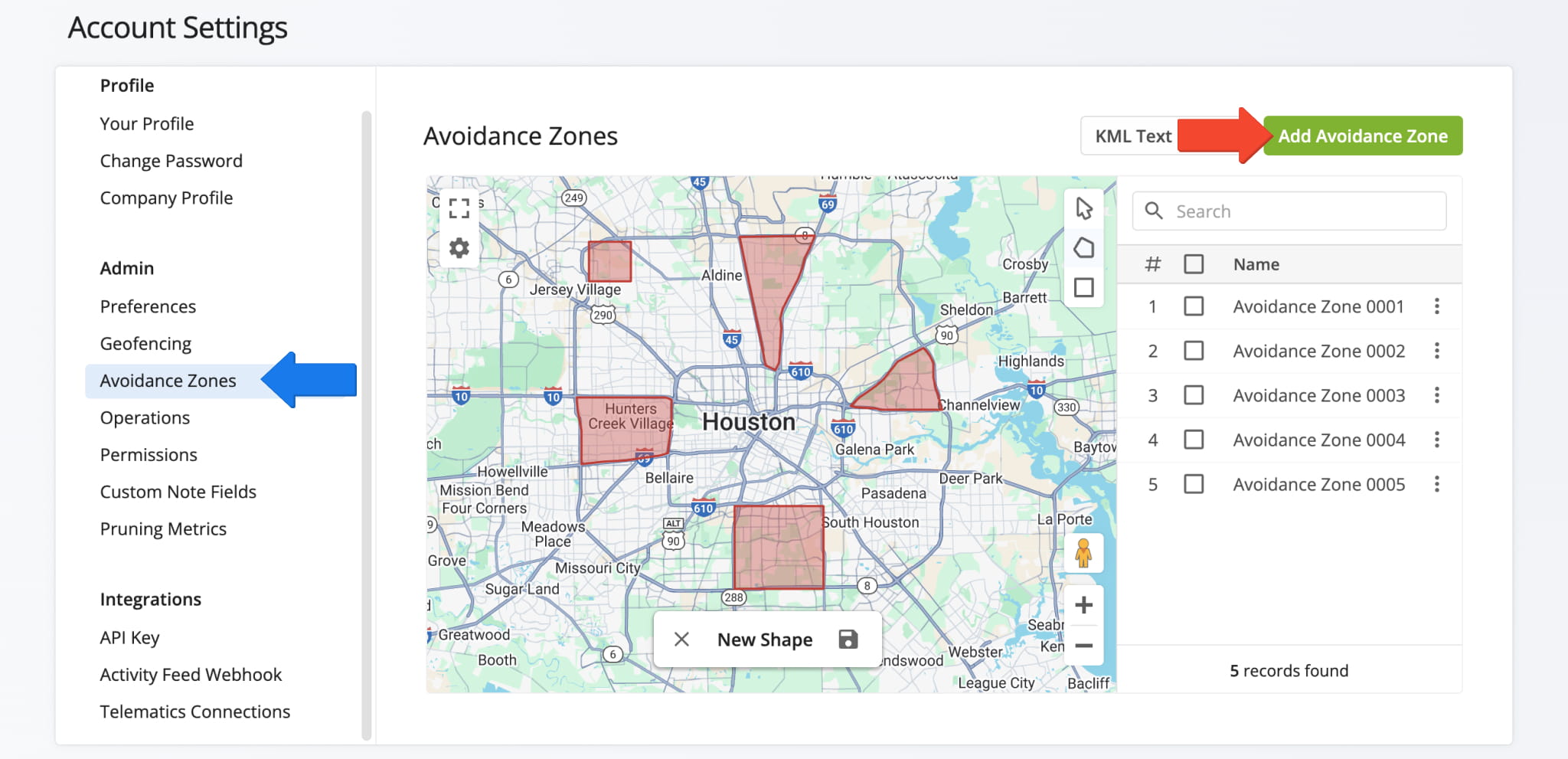
Facilities now includes advanced route, user, and vehicle attribution, making it easier to associate assets with facilities and gain deeper operational insights.
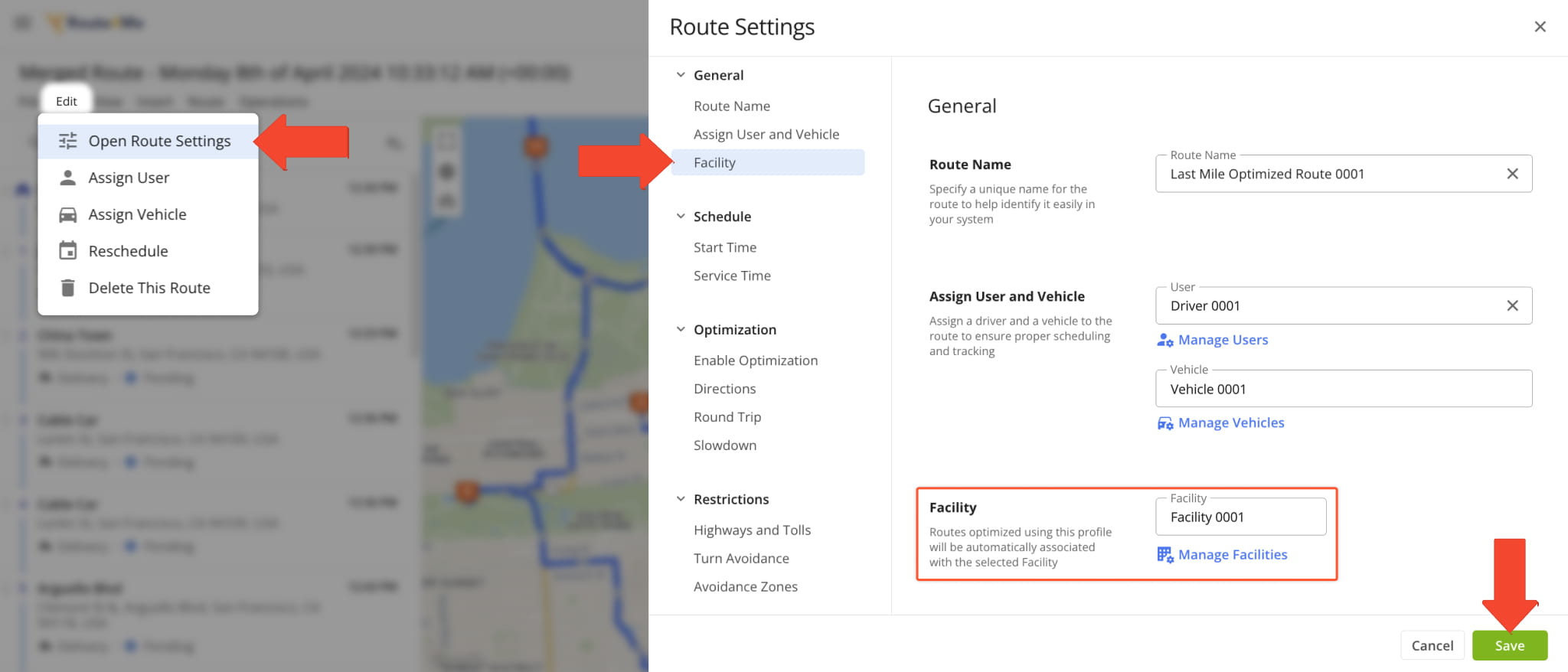
The Smart Optimizations interface has been redesigned to match Route4Me’s modern UI, making it easier to manage optimizations more efficiently.
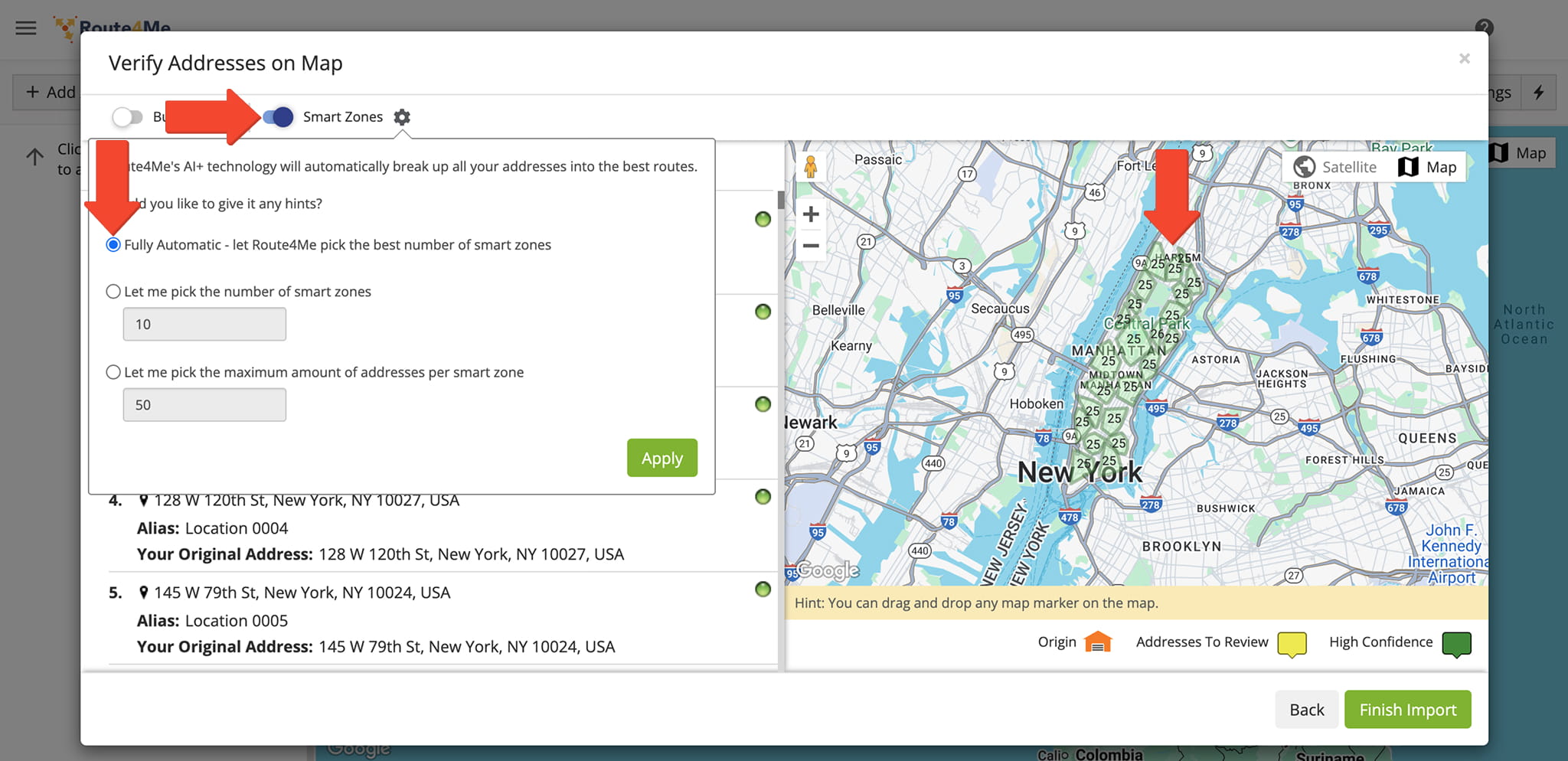
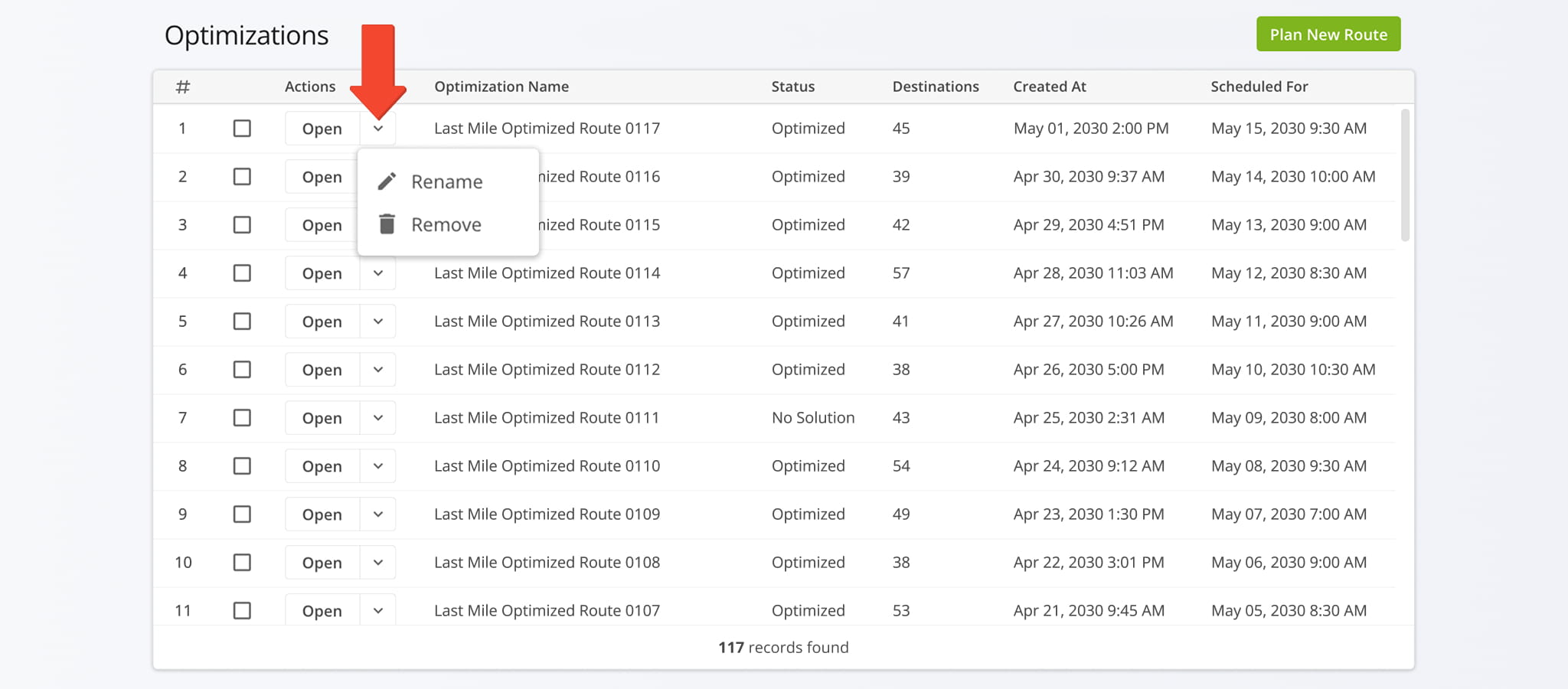
The Optimizations interface has been redesigned to match Route4Me’s modern UI, making it easier to manage and optimize routes efficiently.
Route4Me Update Types And Release Notes Legend
Route4Me’s industry-leading transportation management software is continuously evolving, with new features and updates released regularly. The table below lists the types of updates described on this page.
Route4Me Release Types & Release Notes Legend
● Highlights
Highlighted releases are major updates and brand new features.
Any of the release types listed below can be highlighted, and you can use the "Release Type" filter to add or exclude "Highlights" from the visible Release Notes.
● New Feature
Introduces brand-new functionality, pages, or tools. These updates expand the core capabilities of the platform, such as new optimization types and dedicated management modules.
● Enhancement
Improvements to existing features. This includes adding new data columns, advanced filtering options, or increasing the efficiency of current workflows.
● UI/UX Updates
Visual and structural changes. These updates focus on redesigns and navigation improvements to make the software more intuitive and easier to navigate.
● System Updates
Behind-the-scenes technical improvements. While not always visible, these updates enhance platform stability, security, and backend processing speed.
● Integration
Updates related to connecting Route4Me with external systems. This includes ERP and API integrations, Telematics providers, and third-party applications to ensure seamless data flow across your organization.
● Feature Removal
The retirement or deprecation of legacy tools.
Features are removed to reduce complexity, replace outdated tech, streamline the user experience, and ensure you always have access to the most up-to-date Route4Me functionality.
About author: Alex Yasko

