
Sign-In History – User Account Authentication And Log-In History
For compliance and stronger account security, you can monitor the sign-in and authentication history of your Route4Me account. This includes viewing details for each login attempt, such as who accessed the account and when. You can also review your sub-users’ sign-in activity to track when and how each user logged in.
To open your sign-in and authentication history, click “Security” > “Sign-In History” from the Navigation Menu. On the Sign-in History Page, the following columns detail every sign-in performed by you and your sub users:
Open Your Account Sign-In History
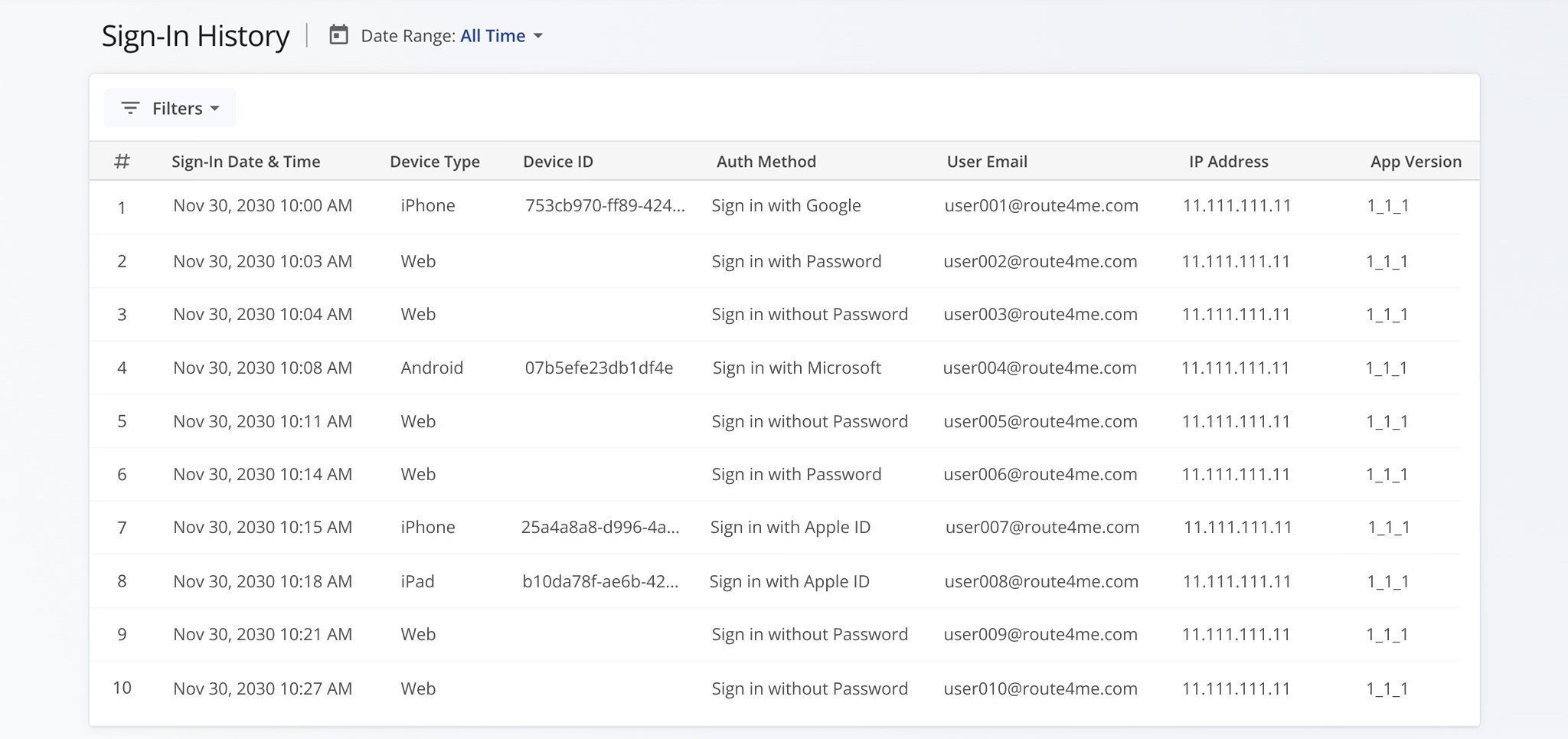
Sign-In History Data Columns
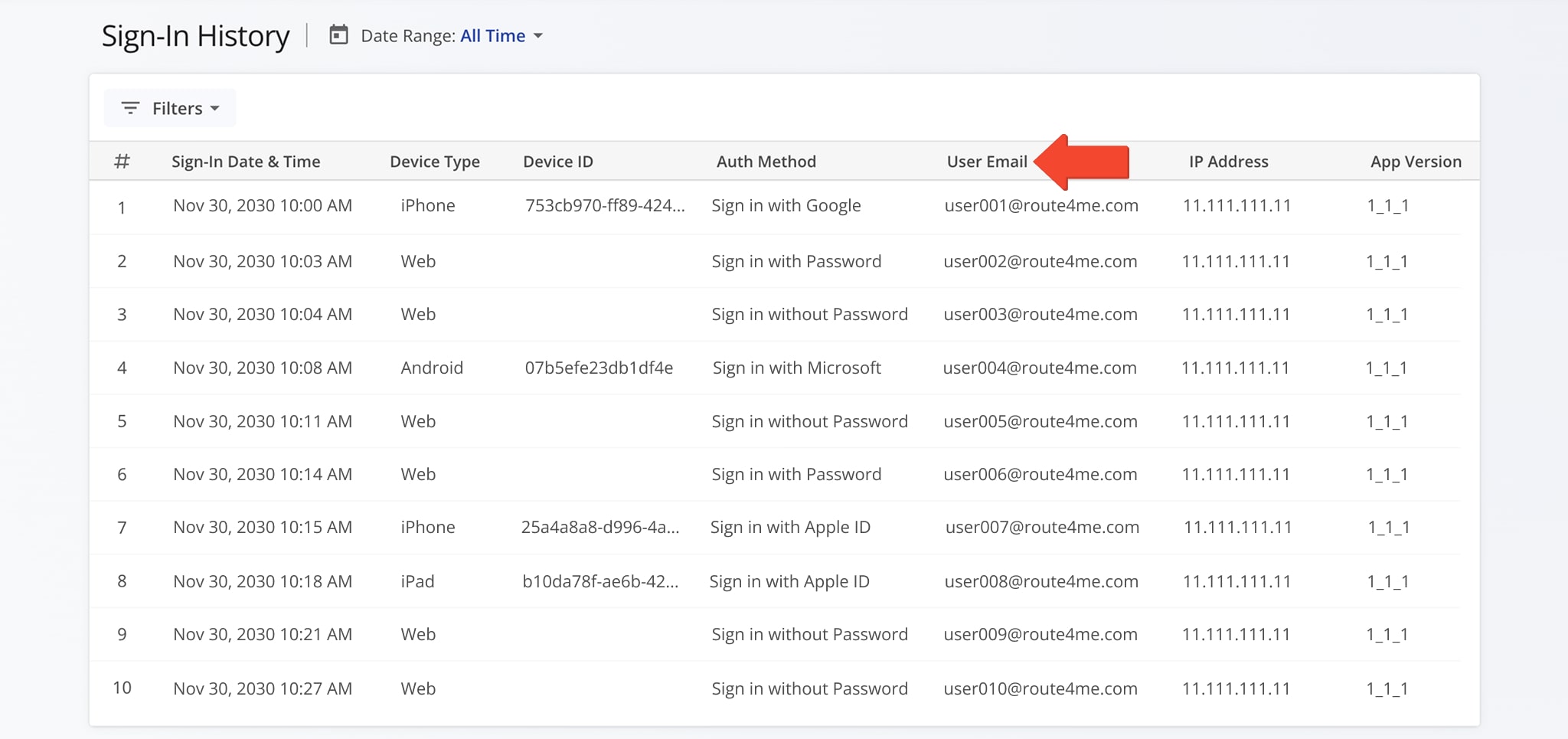
The “User Email” column displays the email addresses associated with you and your sub-users so you can easily track who has accessed your account. You will be able to see the specific dates, times and sign-in details connected to each user.
NOTE: For more on sub-user permissions, roles, and hierarchy, see Route4Me’s Team Hierarchy, User Types, and Account-Level Permissions.
To quickly find the records you need, filter by Date Range or use the “Filters” button. Select your preferred filter options and click “Apply” to narrow the results. The table below explains each available filter.
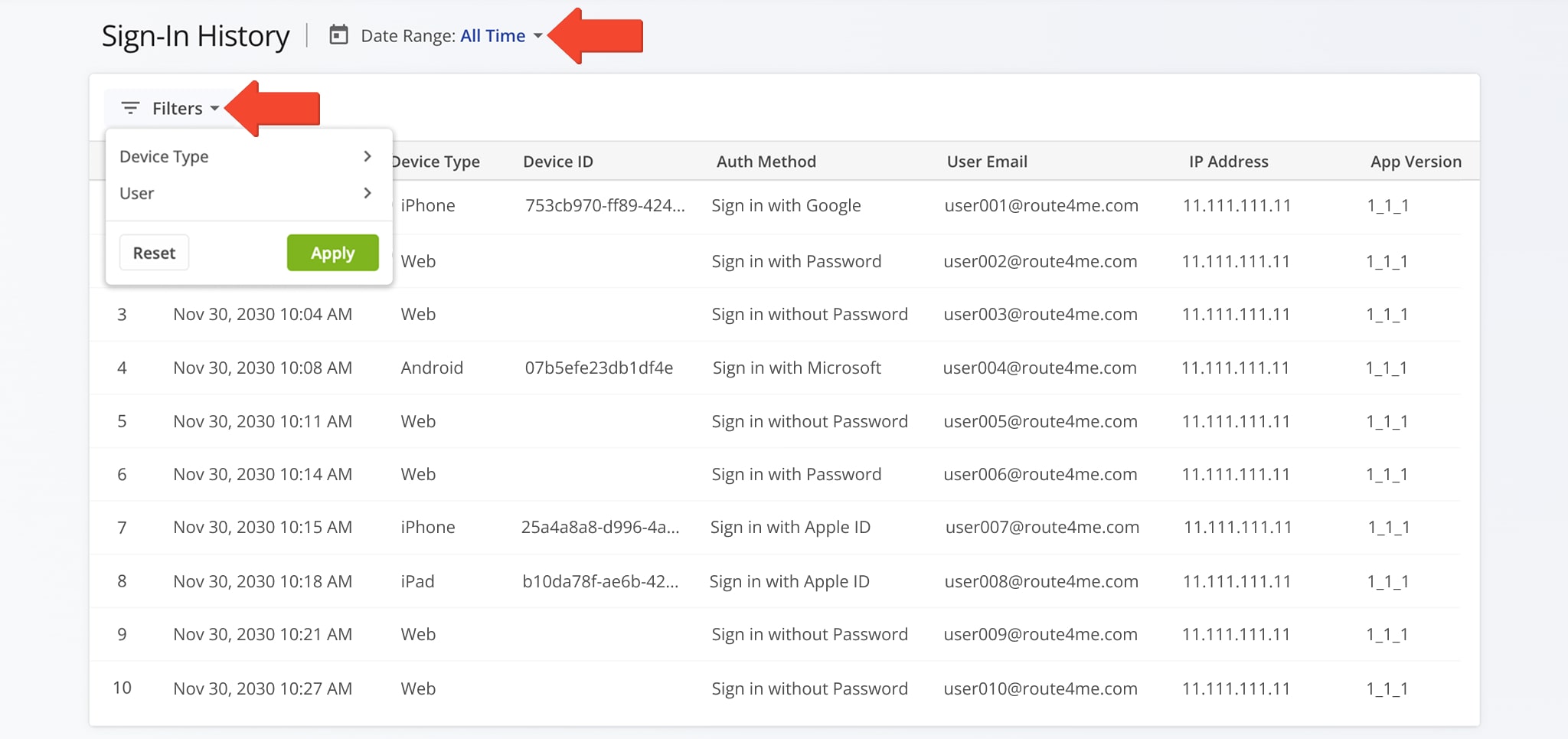
Sign-In History Filters
Visit Route4Me's Marketplace to Check Out More Add-Ons and Modules:
- Route Optimization
Address Book and Territories Planning
- Operations
Custom Data Add-On
About author: Daniel Archer

