
Optimization Snapshot AI Analysis – AI Route Optimization Audit, Insights, And Reporting
Every time you plan a route, Route4Me automatically creates an Optimization, capturing the parameters and solver logic behind that route. The Optimization Snapshot AI Analysis brings automated, narrative-driven insights to this data, helping logistics planners understand exactly how the solver reached its result. Built for enterprise business needs, this AI-generated report accelerates data analysis by explaining key constraints, fleet utilization, and cost assumptions in a single, readable format.
Table of Contents
AI Analysis Overview – Generating Your Optimization AI Summary
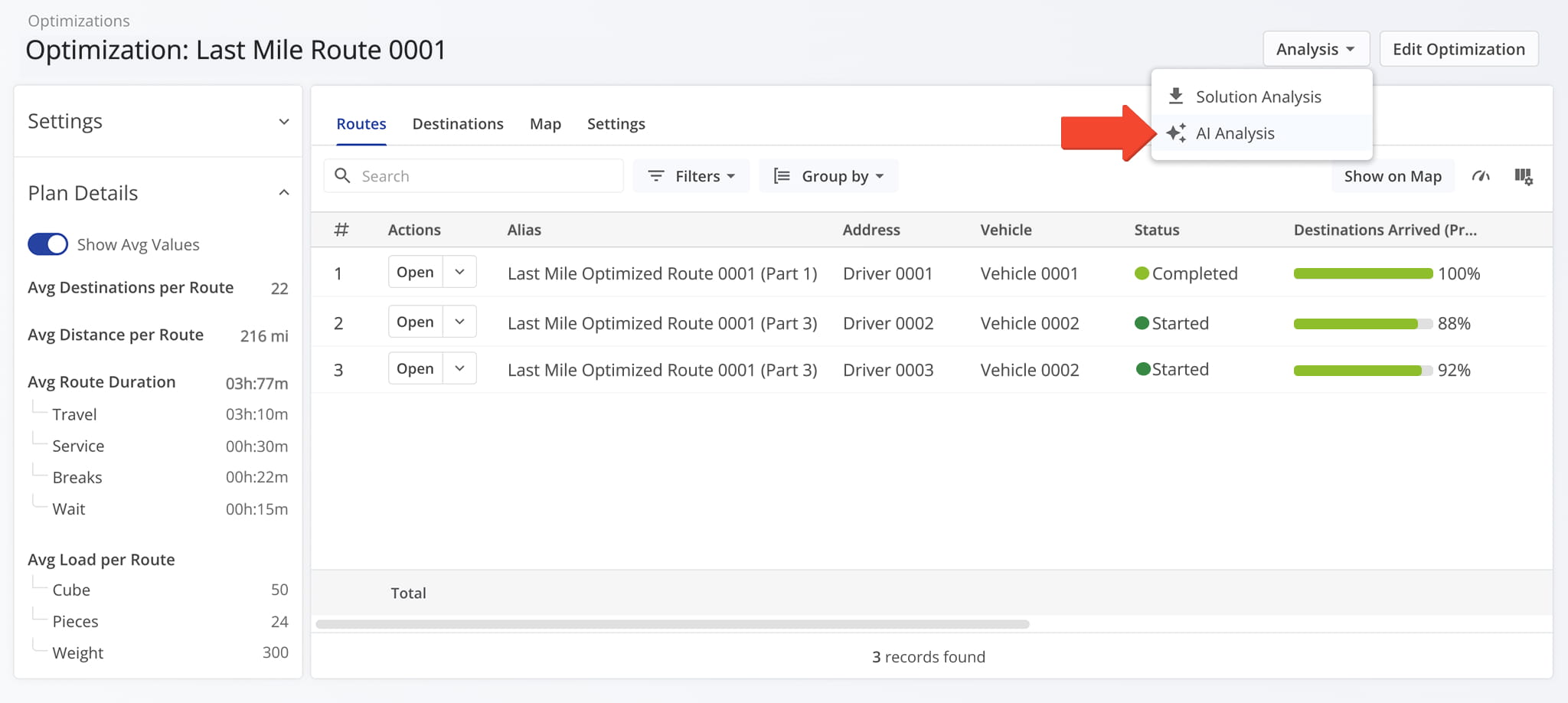
To access the AI-generated report from the Optimization Snapshot, open the “Analysis” menu and click “AI Analysis“.
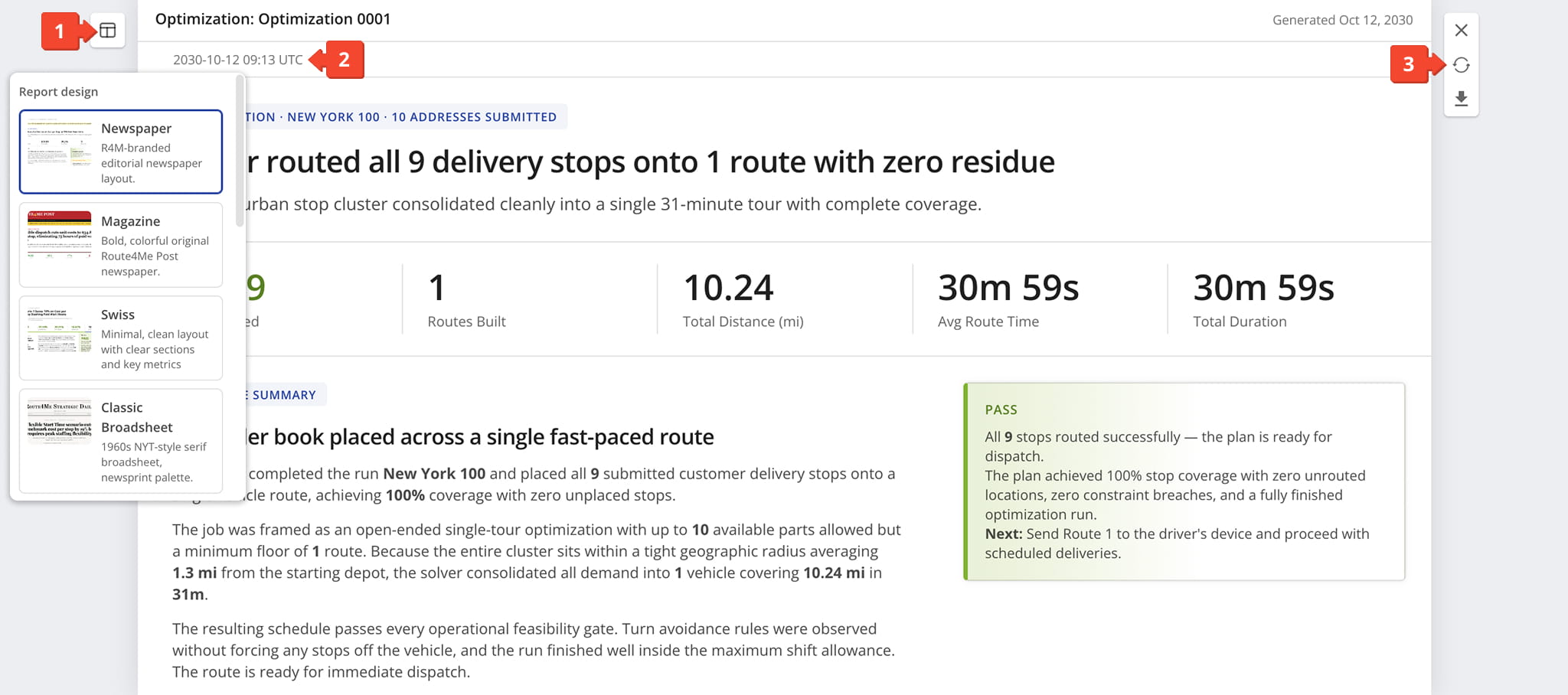
Route4Me automatically generates your AI audit, enabling you to quickly review key strategic insights, optimization results, and operational news at a glance. What you’ll find:
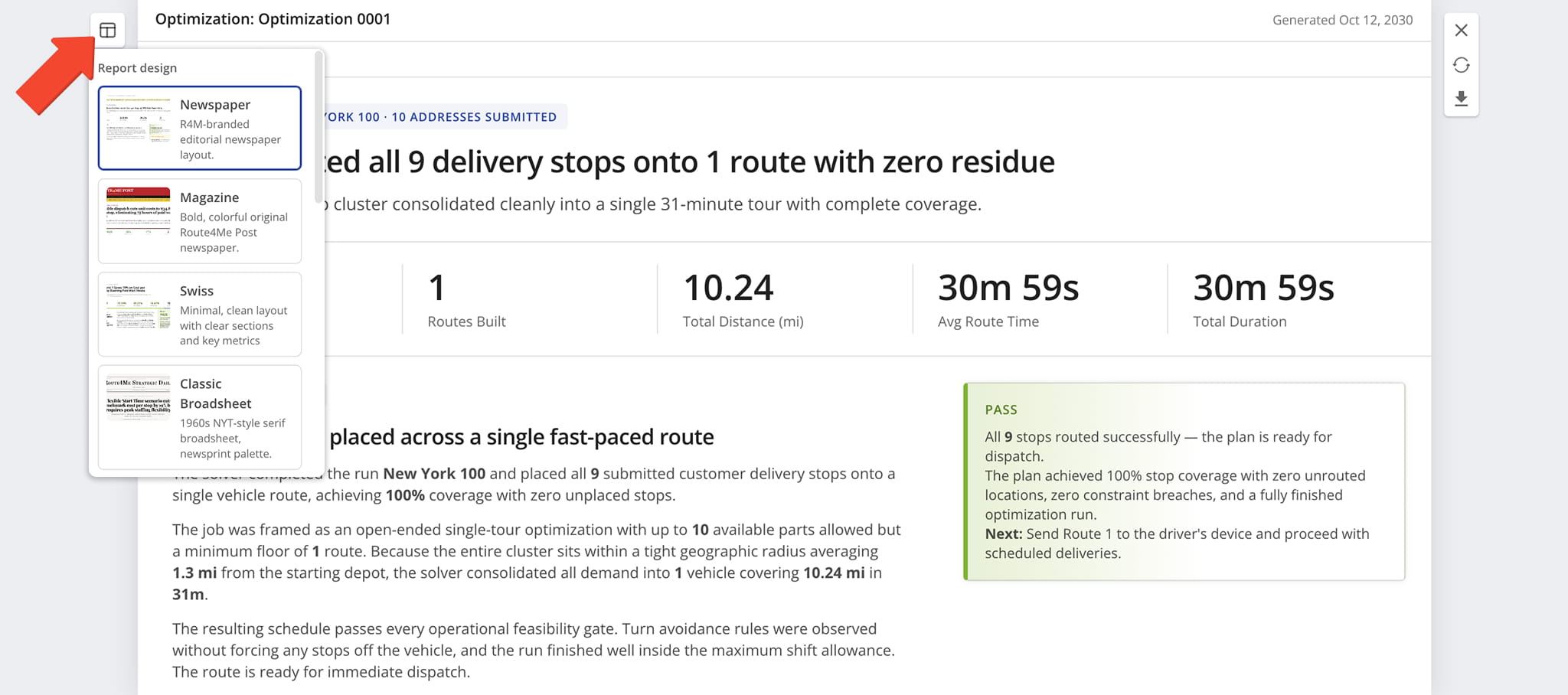
- Report design options which allow you to customize its appearance, described in detail further in this guide.
- A timestamp shows when the AI summary report was generated, along with its associated request and route IDs for reference.
- A control panel from which you can close the report by clicking “X“, regenerate the report by clicking the Circular Arrow Icon, or download a PDF version of the report by clicking the Download Icon.
NOTE: If you modify an Optimization after generating its AI Analysis, we recommend that you regenerate the report so it provides the most accurate, up-to-date insights.
AI Analysis Breakdown – Summary Report Structure And Contents
The report is organized into several parts, each covering a different aspect of the Optimization’s performance. Together, they give a complete picture of the Optimization.
Key Optimization Metrics – Headline Results And Core Stats
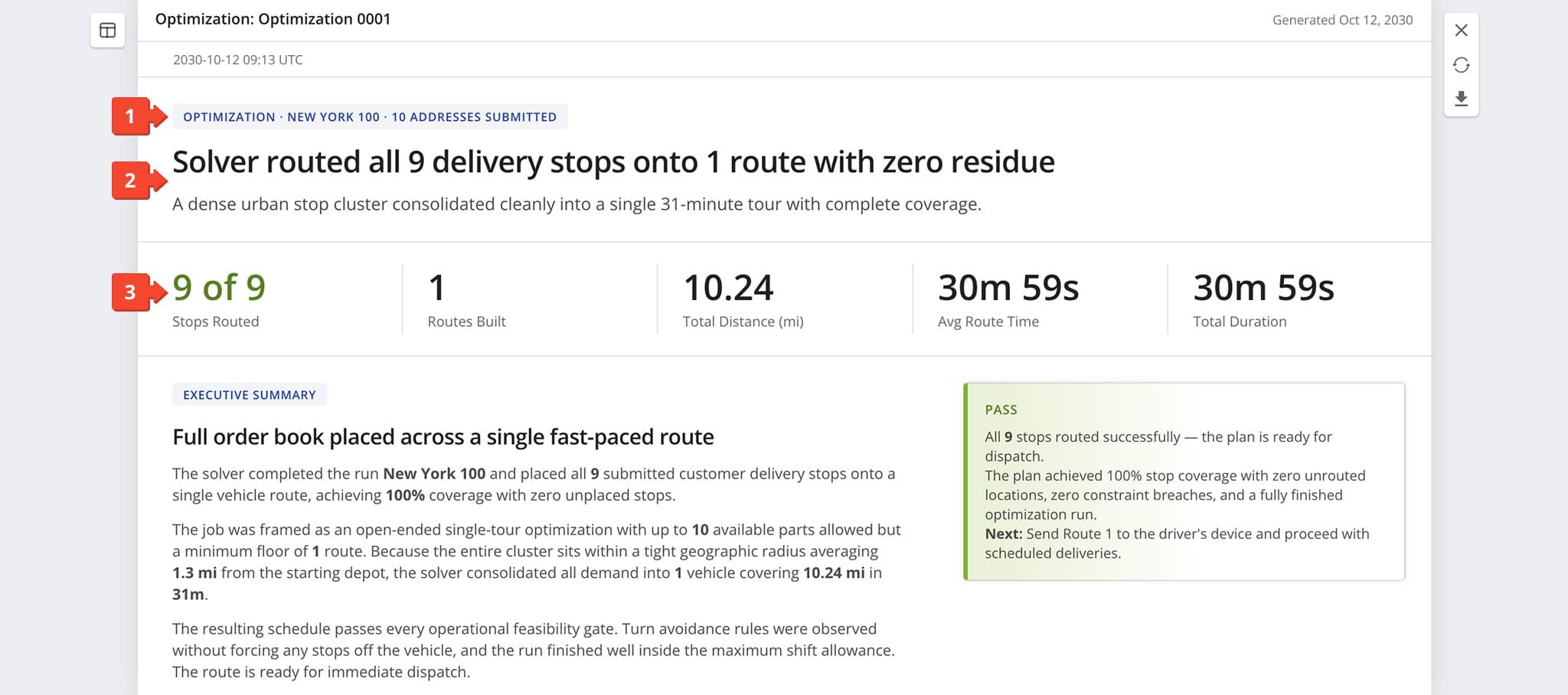
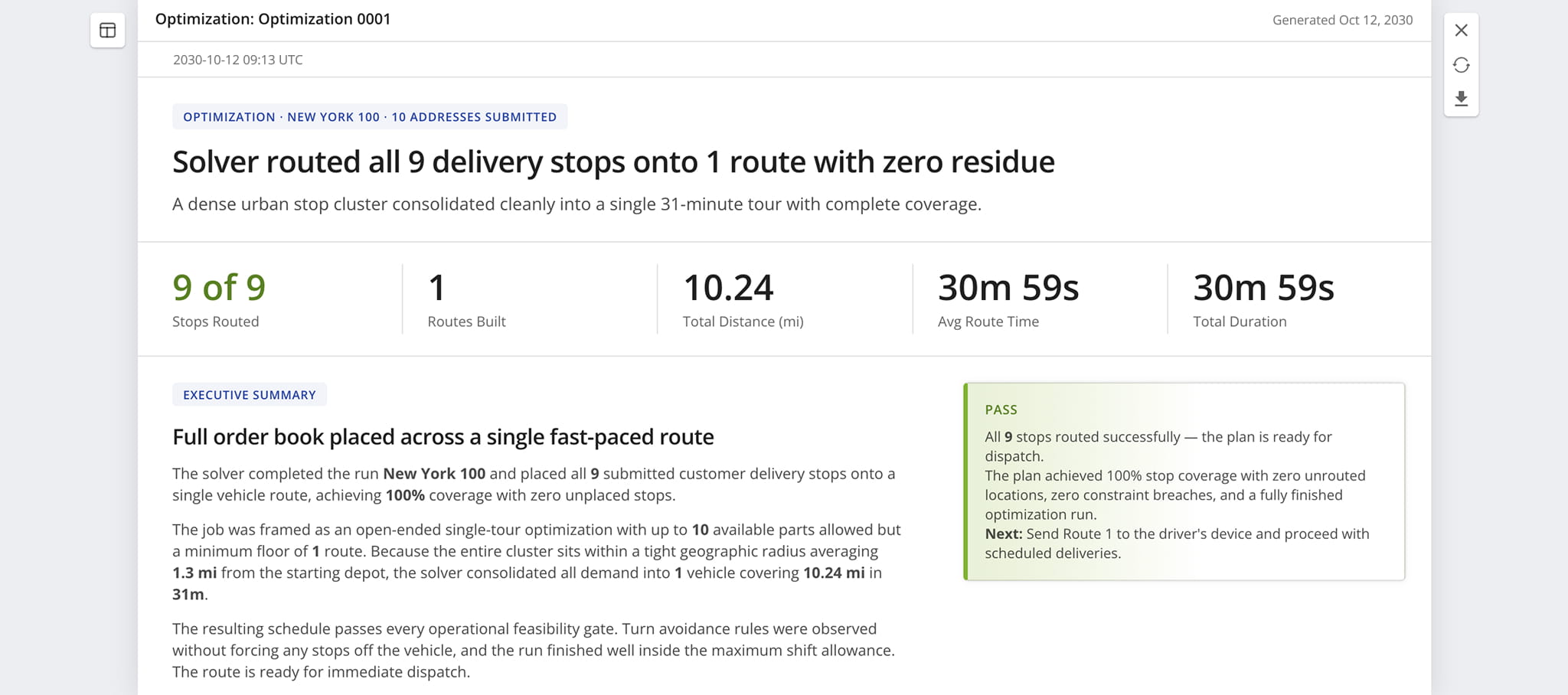
The top section of the report names the Optimization and highlights its most notable outcome alongside core metrics.
- Optimization Identifier Tag: Label identifying the Optimization’s name and the number of addresses submitted.
- Summary Headline: Headline and subheadline summarizing the Optimization’s outcome in plain language.
- Core Optimization Metrics: Aggregate metrics covering stops routed, routes built, total distance, average route time, and total duration.
Executive Summary And The Brief – Optimization Findings And Snapshot
Just below the metrics row, the report shifts into a written account of the Optimization’s outcome and the key factors behind it.
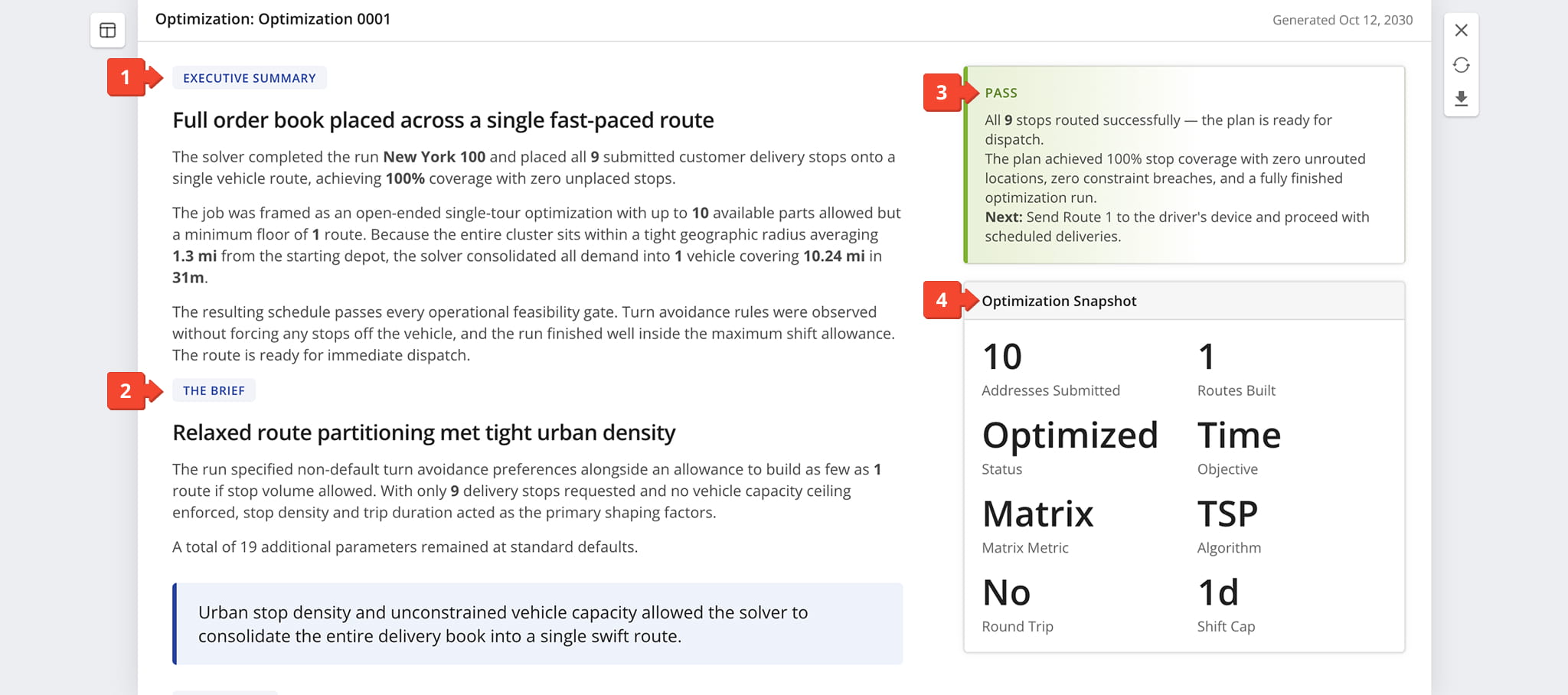
- Executive Summary: Condenses the Optimization’s outcome, including coverage, consolidation, and the resulting distance and duration.
- The Brief: Explains the key parameter that shaped the outcome, closing with a one-sentence takeaway.
- Status Callout: Confirms when the Optimization passes all checks, or warns you of any issues, with recommended next steps.
- Optimization Snapshot: Summary of the Optimization’s core scheduling and configuration details.
Optimization Constraints And The Plan – Settings, Route Composition, And Risks
This part of the AI Analysis lists the settings that shaped the solver’s result, summarizes the plan it produced, and calls out data limitations and potential risks.
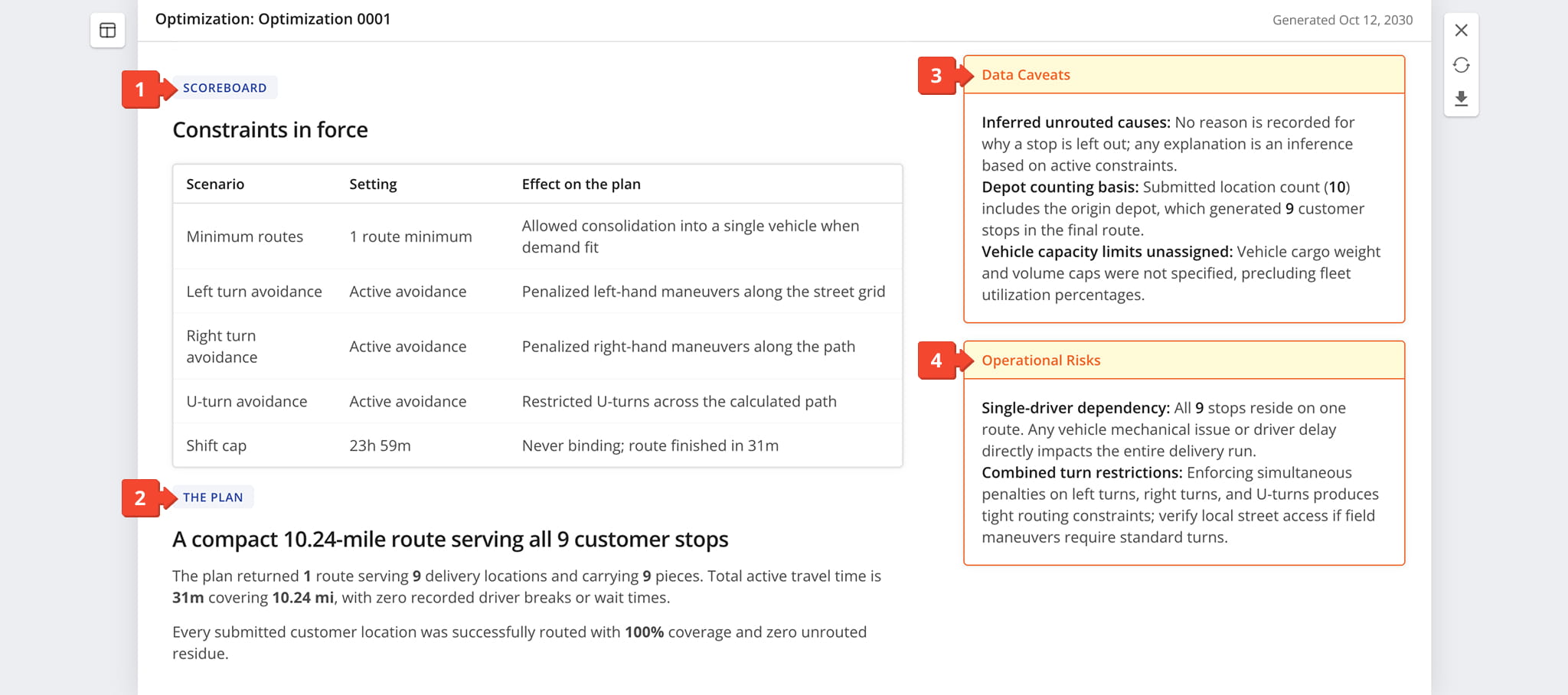
- Scoreboard: Table of the constraints applied to the Optimization, including each setting and its effect on the plan.
- The Plan: Summarizes the route the Optimization produced, including stops served, distance, travel time, and coverage.
- Data Caveats: Callout noting limitations, assumptions, or estimates in the underlying data.
- Operational Risks: Callout highlighting potential issues that could affect the plan.
Fleet Utilization And Workload Balance – Capacity, Cost, And Distribution
This part of the AI-generated report assesses how well the fleet’s capacity was used, what each stop costs in distance and time, and how work was shared across routes.
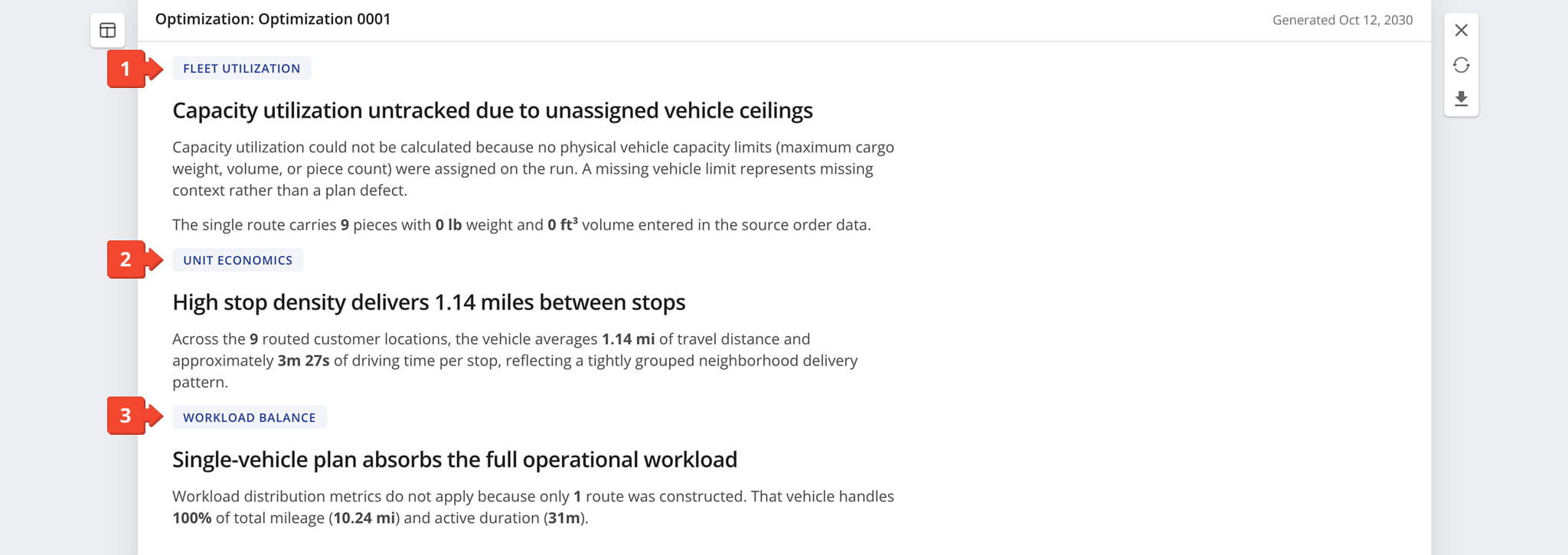
- Fleet Utilization: Assesses how much of the vehicles’ capacity the plan uses, or explains why utilization couldn’t be calculated, such as when no vehicle limits were set.
- Unit Economics: Breaks down the plan’s efficiency per stop, such as distance and driving time between stops.
- Workload Balance: Shows how mileage and duration are distributed across routes, or notes that distribution metrics don’t apply when only one route is built.
Recommended Action And Final Scorecard – Next Steps And Route Summary
This section closes the report with recommended next steps and a summary scorecard of the Optimization’s results.
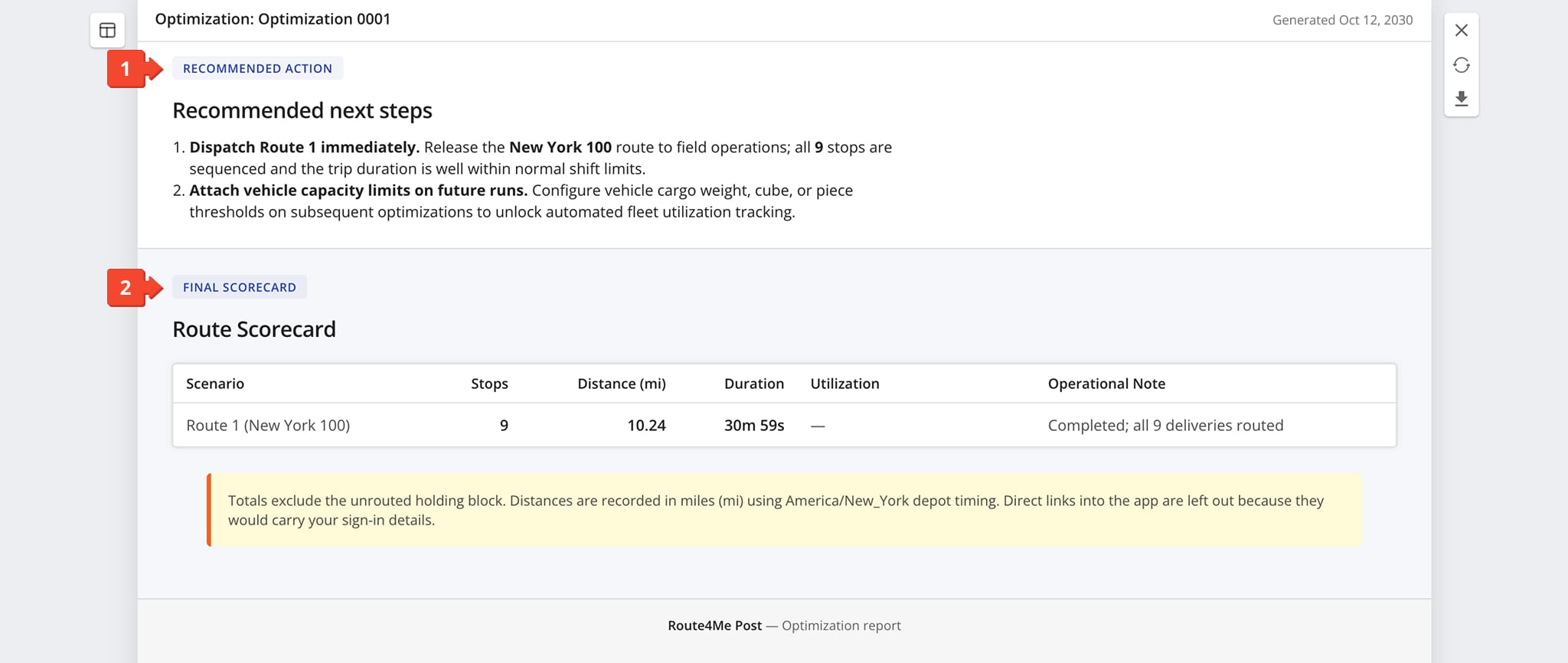
- Recommended Action: Lists numbered next steps, each with a short explanation.
- Final Scorecard: Table summarizing each route’s stops, distance, duration, utilization, and an operational note.
AI Analysis Appearance – AI-Generated Report Layout Templates
Click the “Report Design” button to adjust the visual style of the AI Analysis. Options range from Newspaper, Magazine, and Classic Broadsheet to Modern Editorial Magazine Cover and Infographic Dashboard.
Choosing a different layout can make the report easier to scan, present, or share depending on the audience. See the examples below.
Newspaper
A clean editorial layout styled after a traditional print newspaper, ideal for a structured, text-forward presentation.
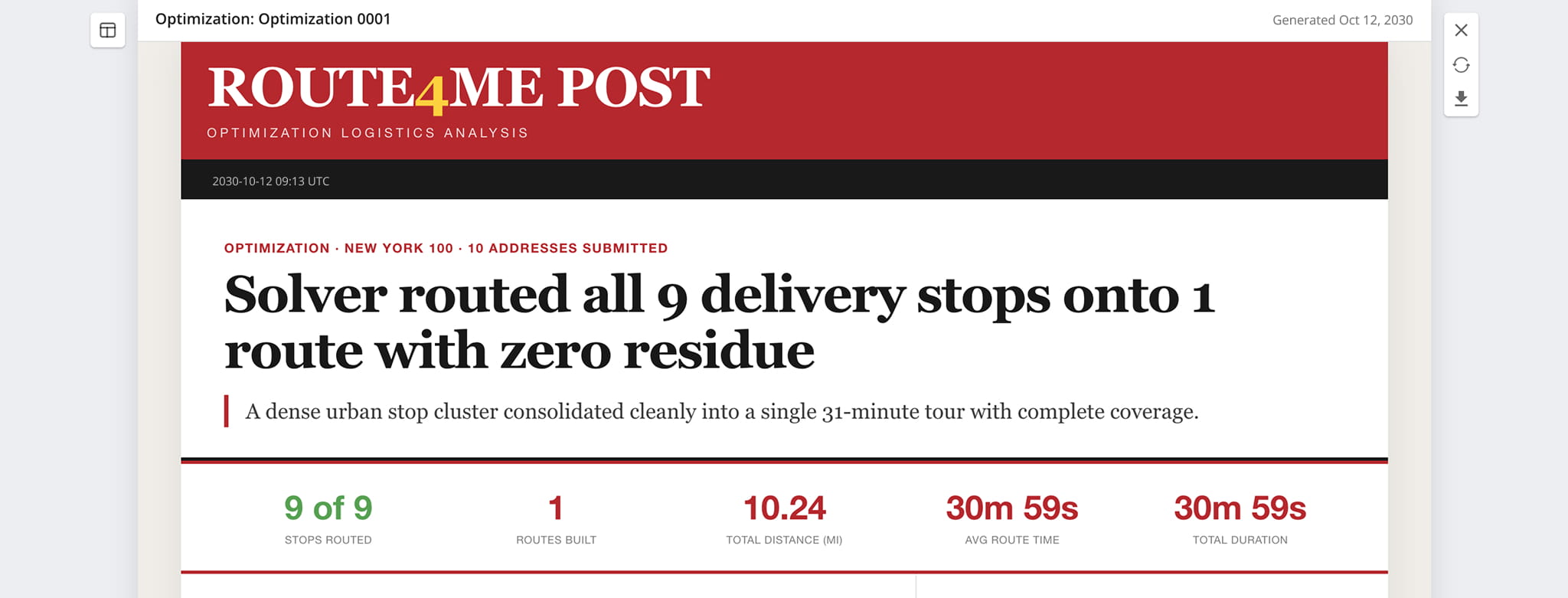
Magazine
A bold, colorful design with a modern editorial feel, suited for executive briefings and high-visibility presentations.
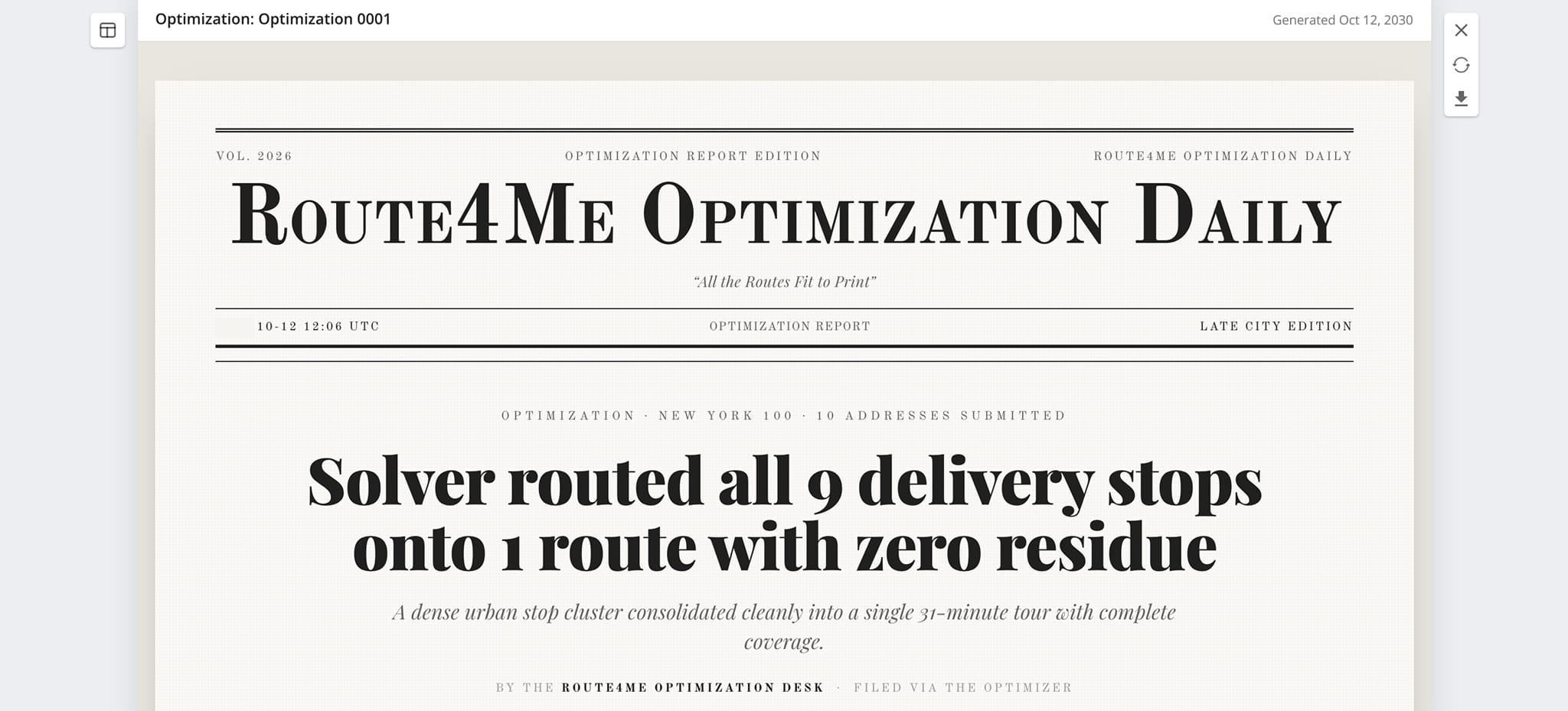
Classic Broadsheet
A serif-heavy, newsprint-palette layout inspired by legacy publications like the New York Times, lending a formal tone.
Visit Route4Me's Marketplace to Check out Associated Modules:
- Operations
Audit Logging and Activity Stream
- Operations
Custom Data Add-On
- Operations
Advanced Team Management Add-On
About author: Daniel Archer

