
Fuel Units & Prices – Fuel Consumption Units & Cost Settings
Route4Me lets you configure fuel-related settings throughout your account, ensuring consistency across your fleet management workflows. This guide explains how to set your preferred Fuel Consumption Unit and Fuel Costs, and where these settings are applied. Once configured, your chosen values are automatically reflected everywhere fuel data appears, from manual Vehicle setup to reporting such as Business Insights.
Table of Contents
Manage Fuel Consumption Units In Your Account
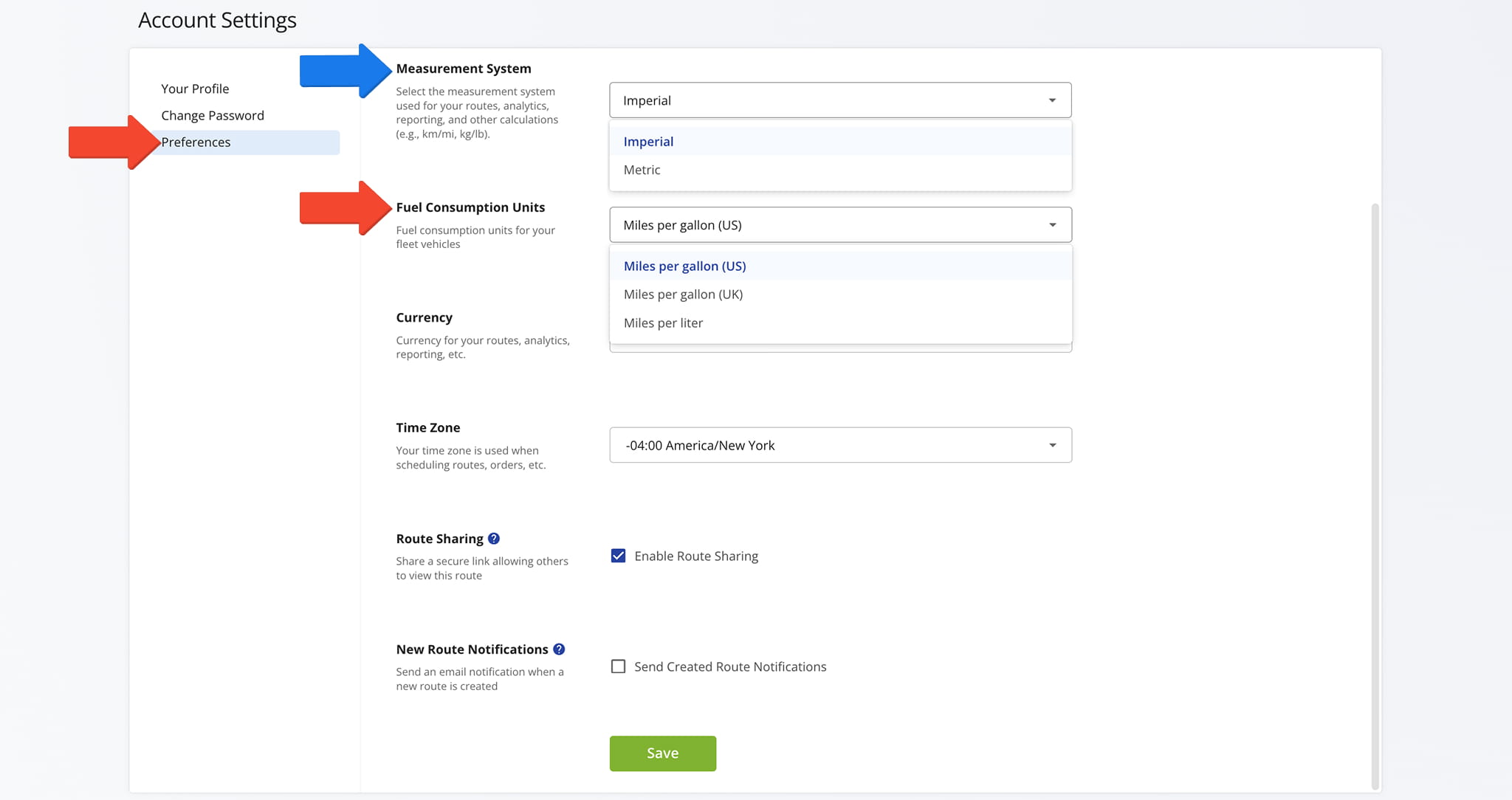
To access your Fuel Consumption Units settings, click “Settings” > “Account Settings” from the Navigation Menu.
From the “Preferences” tab, you can choose how Fuel Consumption Units are displayed throughout your account: “Miles Per Gallon (US)“, “Miles Per Gallon (UK)“, or “Miles Per Liter“. Click “Save” to save your setting.
NOTE: Fuel Consumption Unit are tied to your “Measurement System” settings. “Metric” defaults to “Miles Per Liter” while “Imperial” enables “Miles Per Gallon (US)” and “Miles Per Gallon (UK)“.
Manage Fuel Cost Settings In Your Account
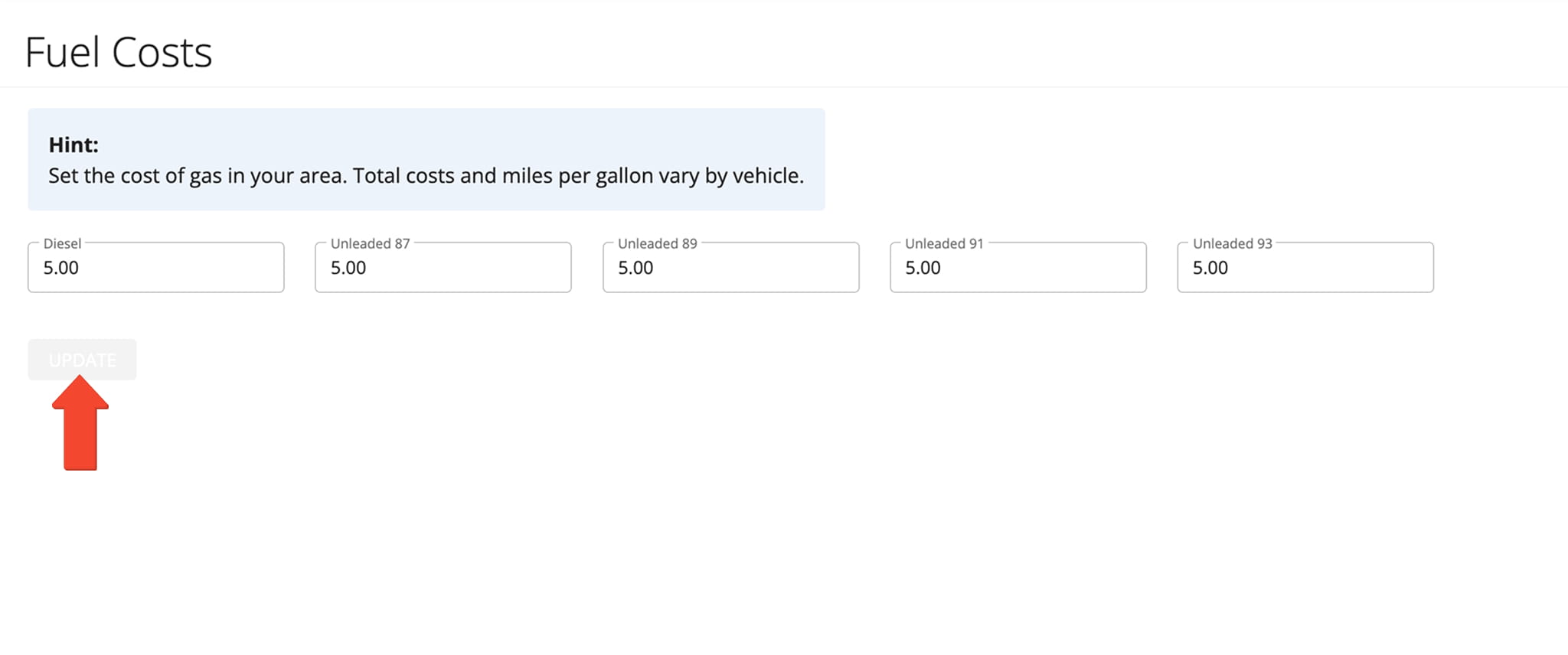
From the Fuel Costs page, enter the current price of fuel in your area. Route4Me uses this value alongside Fuel Consumption data throughout your account to calculate estimated fuel expenses, which appear in reporting such as Business Insights.
NOTE: If you do not have access to your Fuel Costs page, contact Route4Me Support for assistance.
View Fuel Consumption Units Across Your Account
After selecting a Fuel Consumption Unit, your preferred format is automatically used throughout your account wherever Fuel Consumption values are displayed. The following examples show some, but not all, of the areas where this setting takes effect.
Adding Vehicles To Your Fleet – Set Fuel Consumption Units Per Vehicle
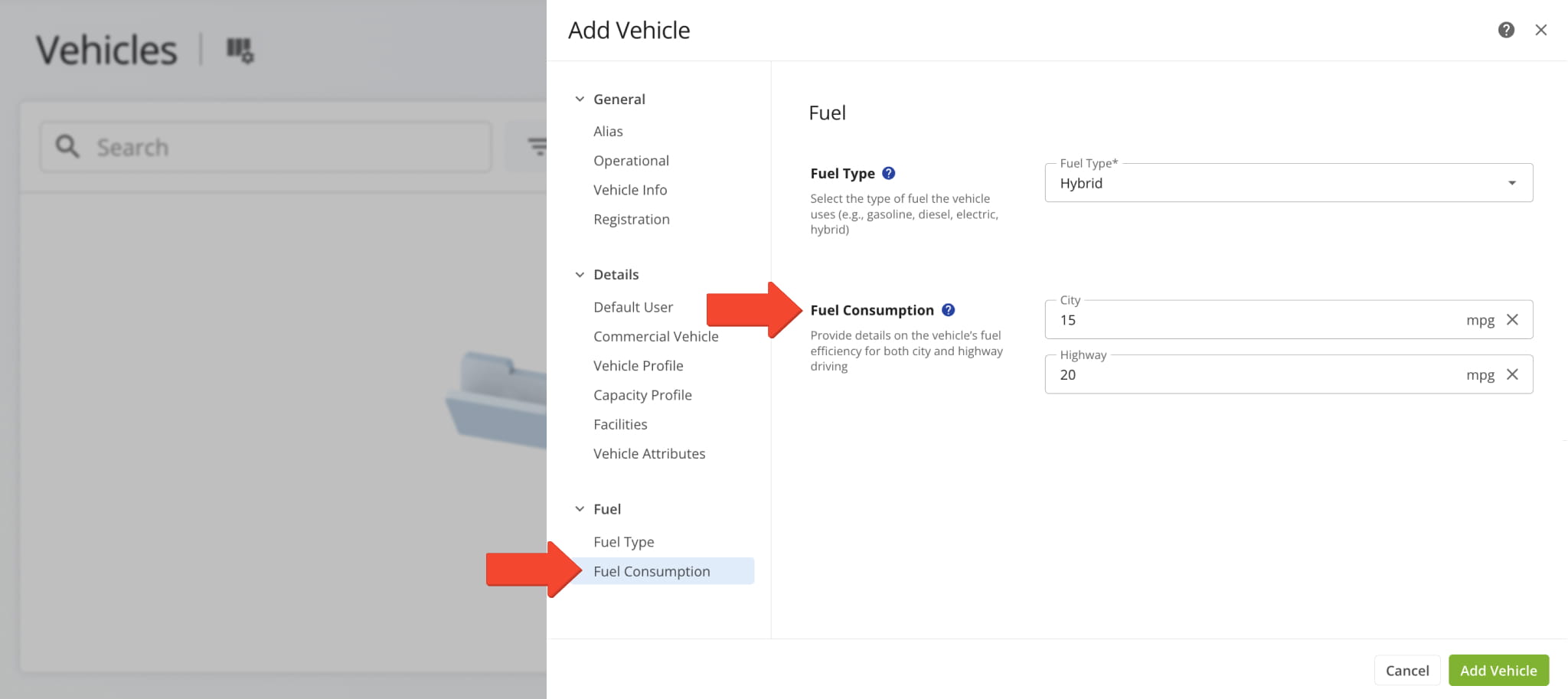
When adding a new Vehicle to your fleet, the “Fuel Consumption City” and “Fuel Consumption Highway” fields automatically use your configured Fuel Consumption Unit.
Vehicle List – Review Fuel Consumption Units For All Vehicles
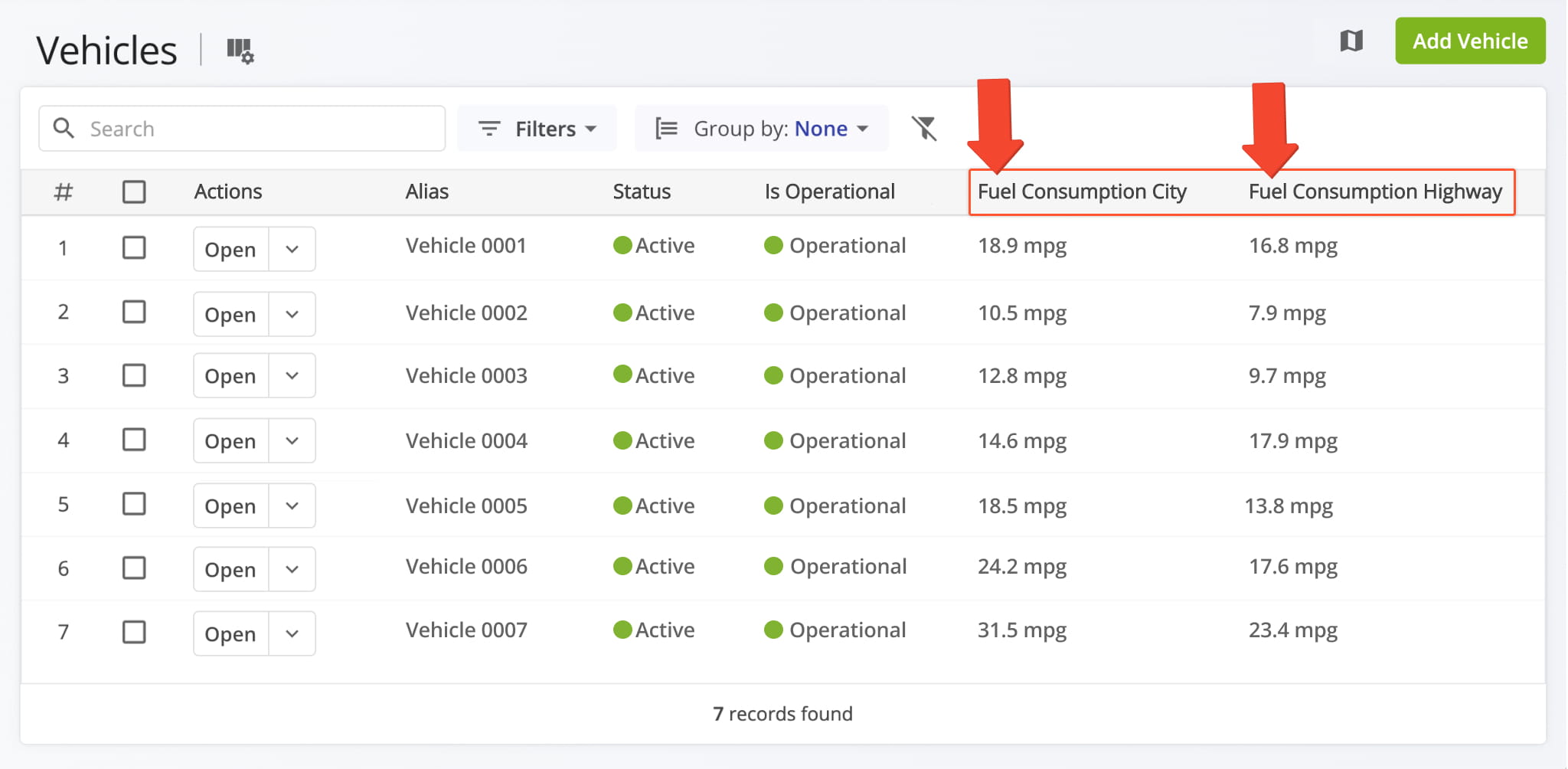
All vehicles displayed on your Vehicles Page show fuel consumption values in your configured unit. Both the “Fuel Consumption City“and “Fuel Consumption Highway” columns are clearly labeled, making it easy to review fuel efficiency across your fleet.
Open Your Vehicles Page
Creating Vehicle Profiles – Apply Fuel Consumption Units To Fleet Profiles
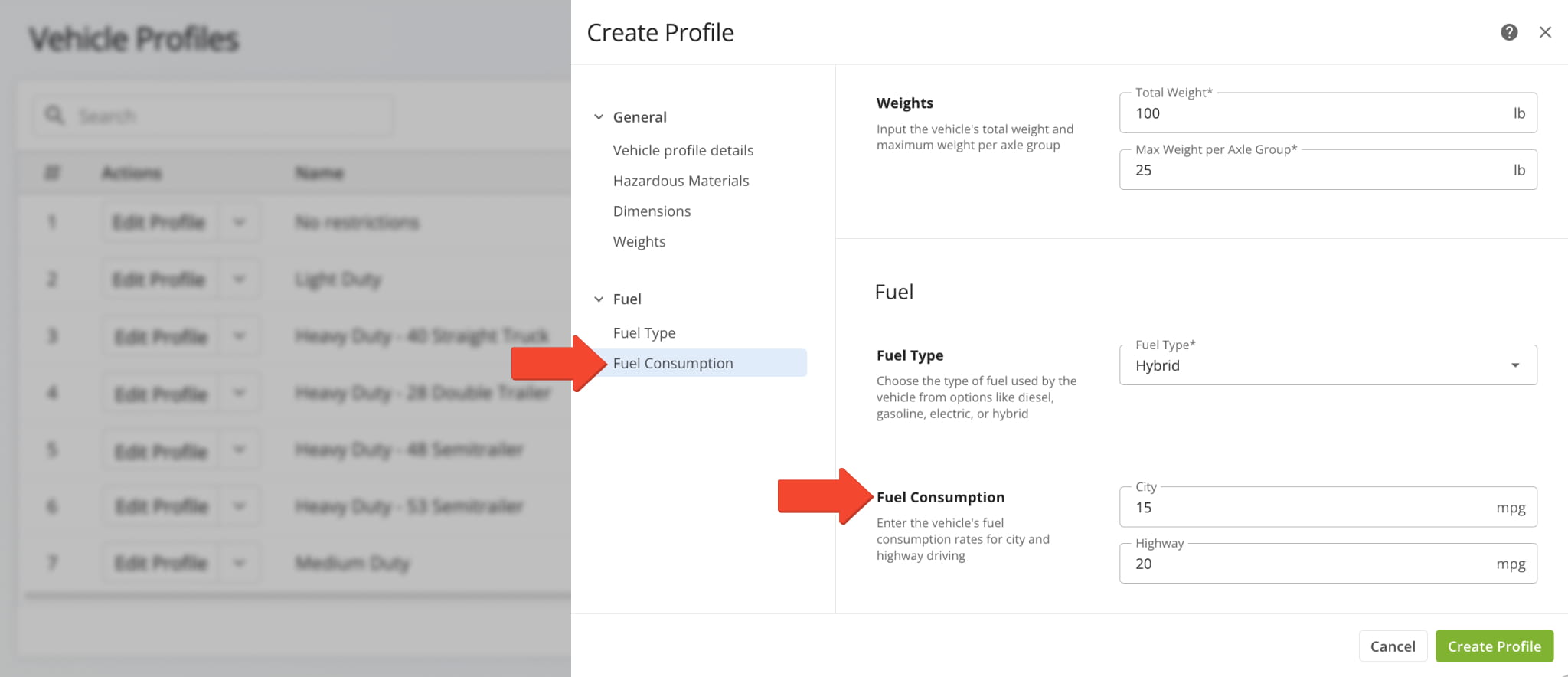
When Vehicle Profiles, the “Fuel Consumption City” and “Fuel Consumption Highway” fields apply your preferred Fuel Consumption Unit.
Exporting Route Destination Data – Fuel Consumption Units In Route Exports
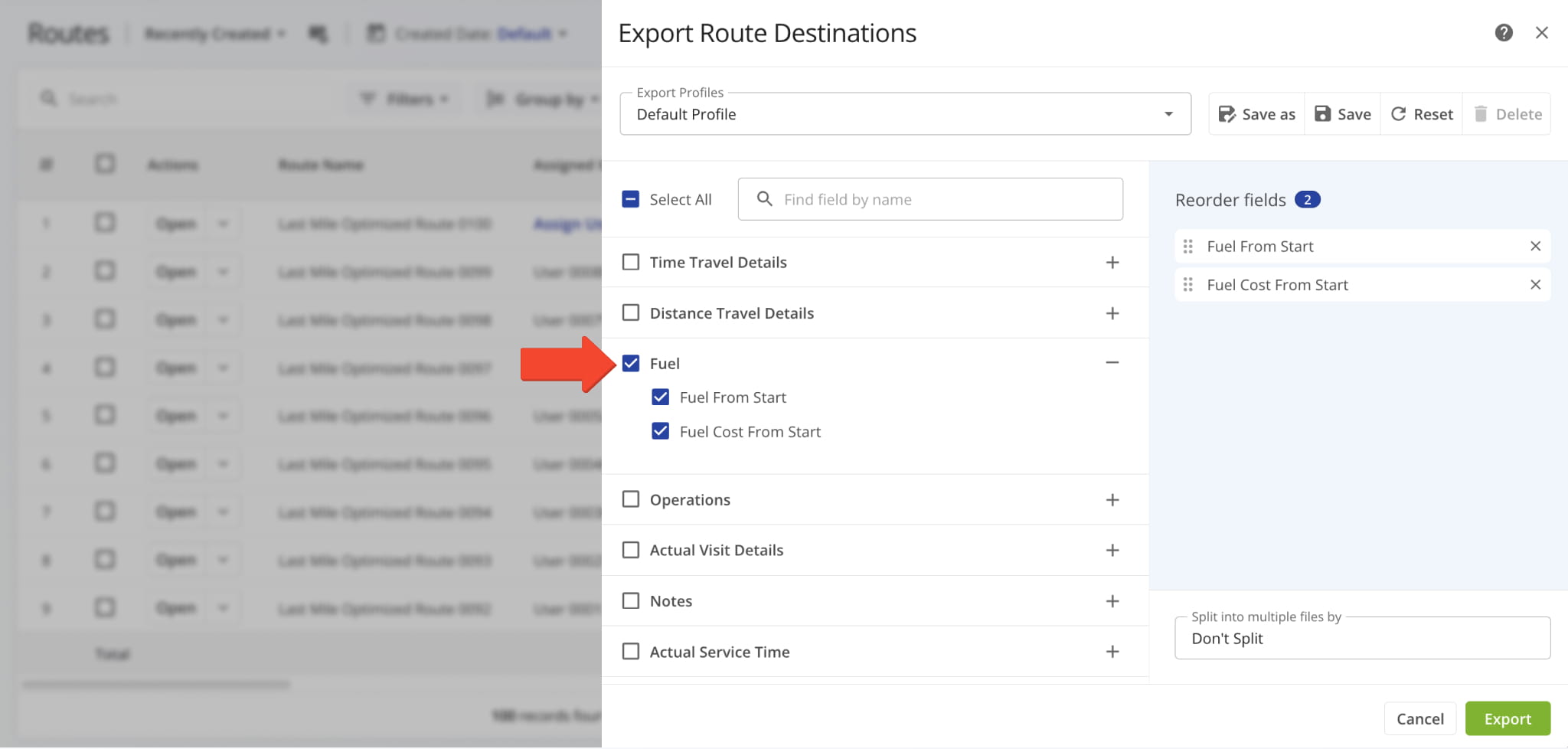
When exporting Route Destination Data from your Routes Page, fuel-related data is exported using your account’s Fuel Consumption Unit.
Visit Route4Me's Marketplace to Check out Associated Modules:
- Route Optimization
Mixed Vehicles Routing
- Route Optimization
Route Optimization for Multiple Drivers Without Advanced Constraints
- Route Optimization
Commercial Vehicle Route Planning
About author: Daniel Archer

