
Telematics Route Snapshot – Routes From Connected Telematics Systems
Route4Me’s Telematics Route Snapshot provides an overview of routes planned in your connected telematics system. These vendor routes are imported as drafts, allowing you to review locations, sequence, and timing details before creating a route in Route4Me. You can then use these routes for recurring route planning or dynamic route planning, with the flexibility to either preserve the original plan or optimize it for improved efficiency.
Table of Contents
Access Telematics Route Snapshot – View Route Data And Connection Details
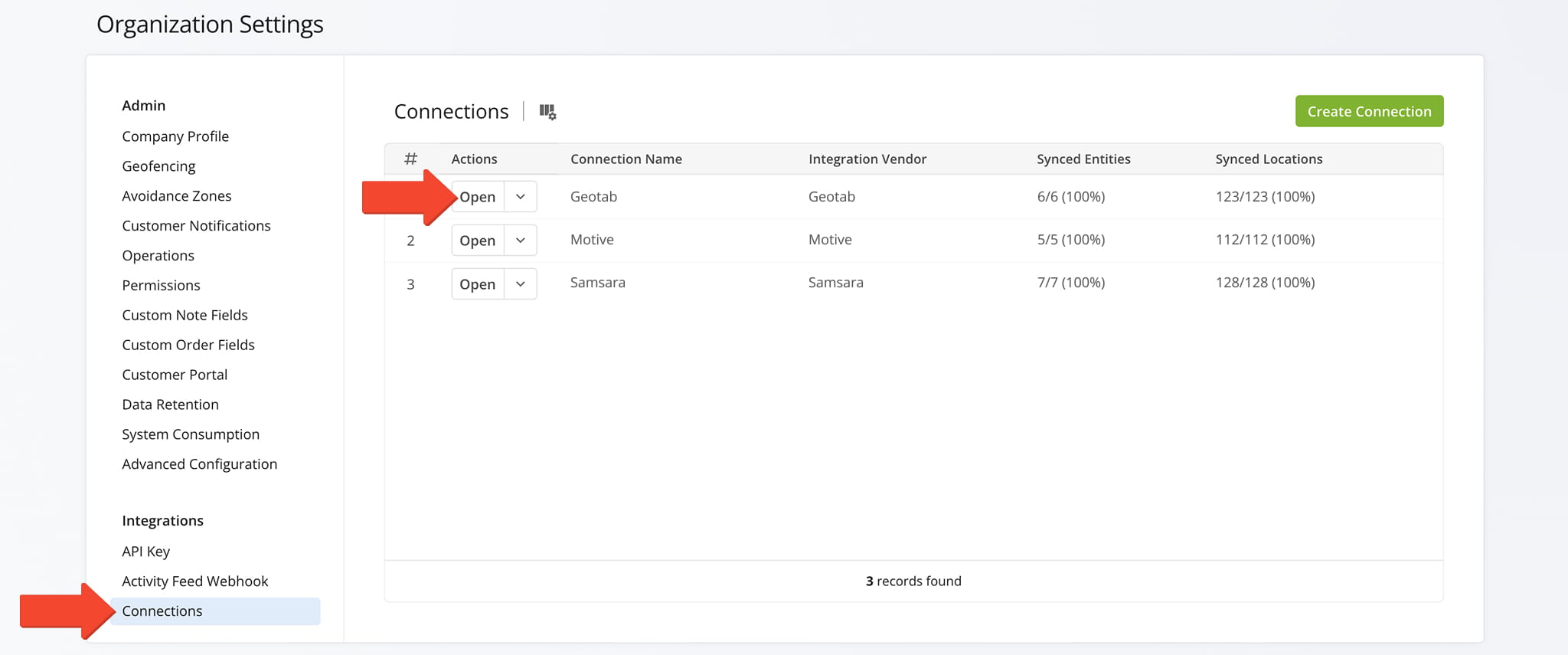
You first need to access a Telematics Route Snapshot. Select “Settings” > “Organization Settings” from the Navigation Menu. From the Organization Settings Page, click “Connections” to view your list of Telematics Connections.
Find the desired connection and click “Open” to access its Telematics Snapshot.
Open Your Telematics Connections
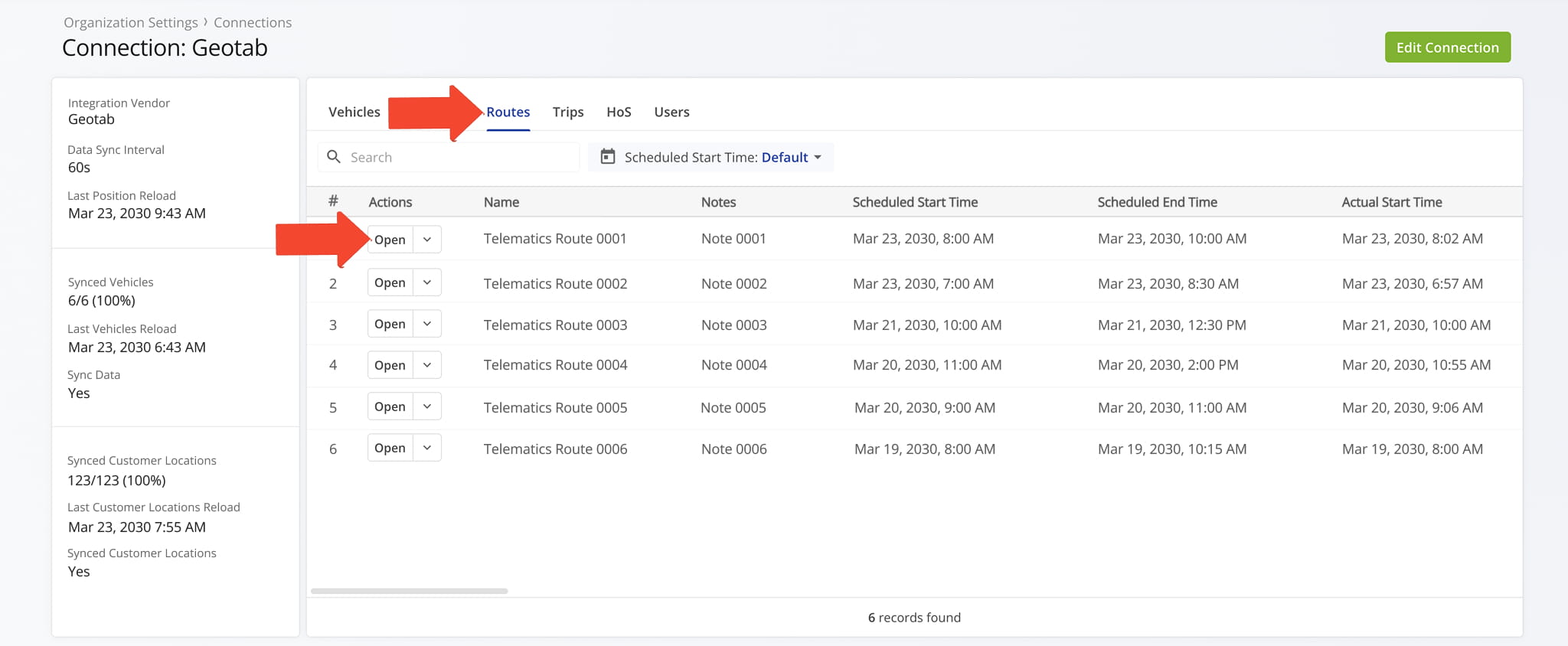
From the Snapshot’s “Routes” tab, click the “Open” button next to a route to access its Telematics Route Snapshot.
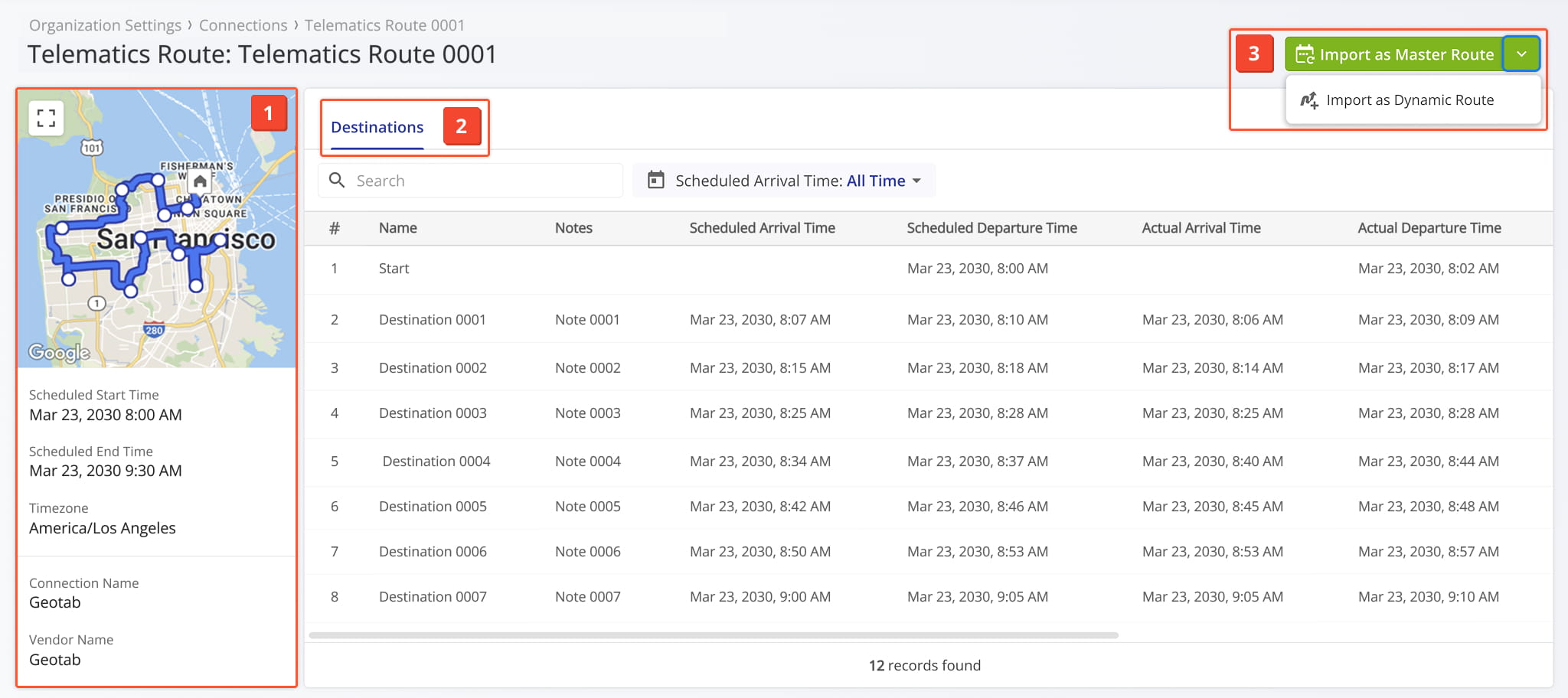
One the Snapshot is opened, you’ll see a detailed interface designed to help you review and manage all Telematics Route data:
- Telematics Route Summary: An overview of key details including the route’s scheduled start and end times, time zone, and more.
- Destinations Data Tabs: Explore the route’s destination data which you can filter as needed.
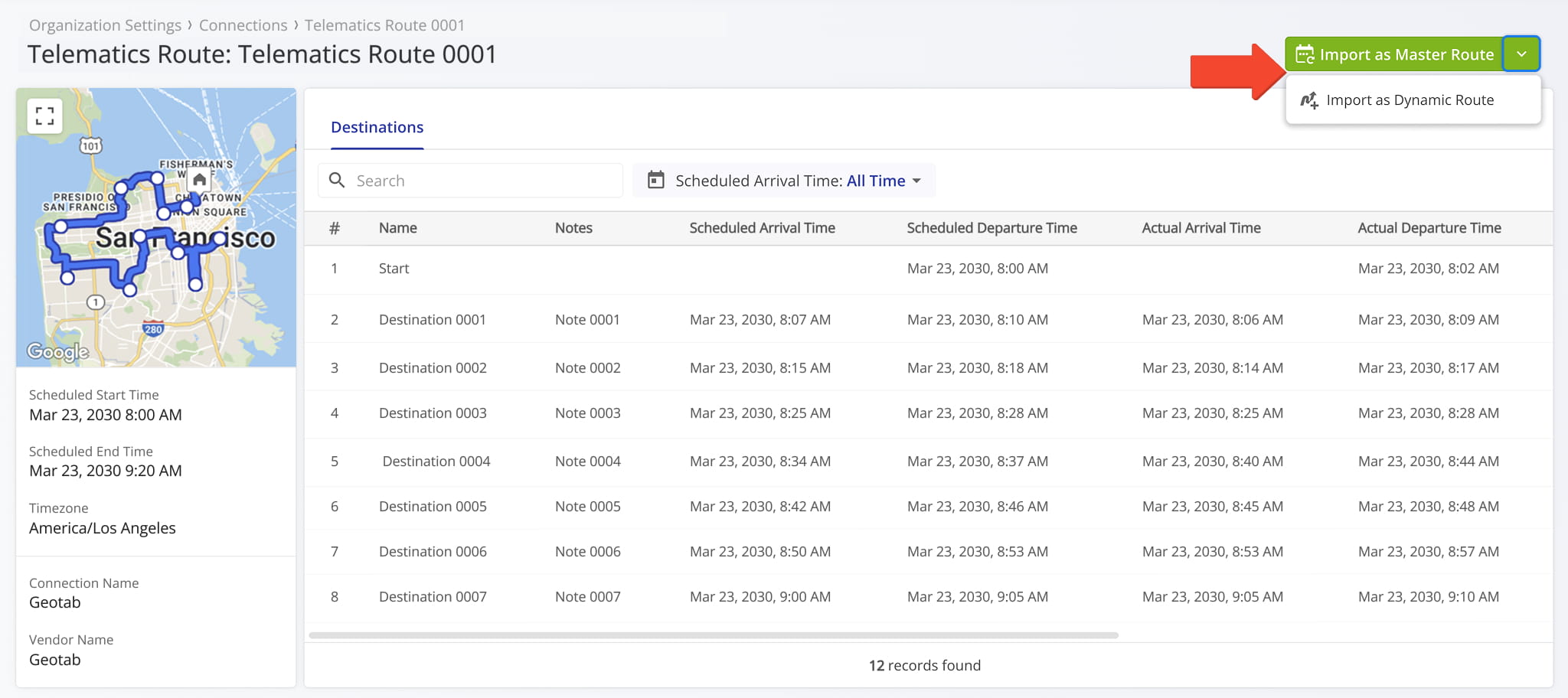
- Import Route Controls: Click the button to import the route as a Master Route or as a Dynamic Route.
Telematics Route Data Overview – Detailed Snapshot Information Panel
The Telematics Route Summary Panel on the left provides an overview of the selected route. From this panel you can:
- Click the Frame Icon to enlarge the map view.
- Hover over a route destination on the map to view its details.
- Review key route details as reported by your telematics vendor: scheduled start and end times, time zone, Connection name, and Vendor name.
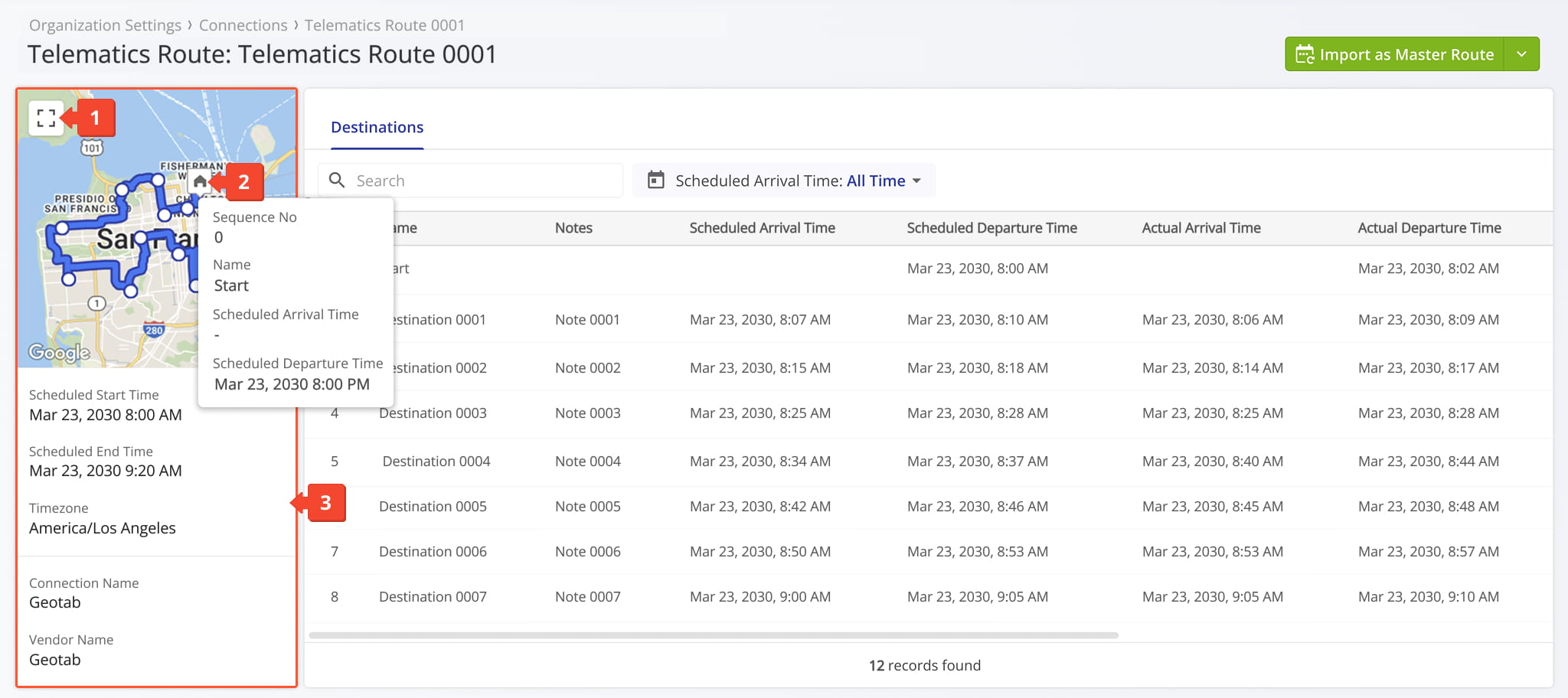
Telematics Route Snapshot Data – Detailed Route Information
The Destinations tab displays a table with detailed route information. See the table below for a full list of available data fields.
From this tab you can:
- Use the Search field to quickly find a specific destination.
- Apply date and time filters to narrow results based on your selected criteria. See table below for details.
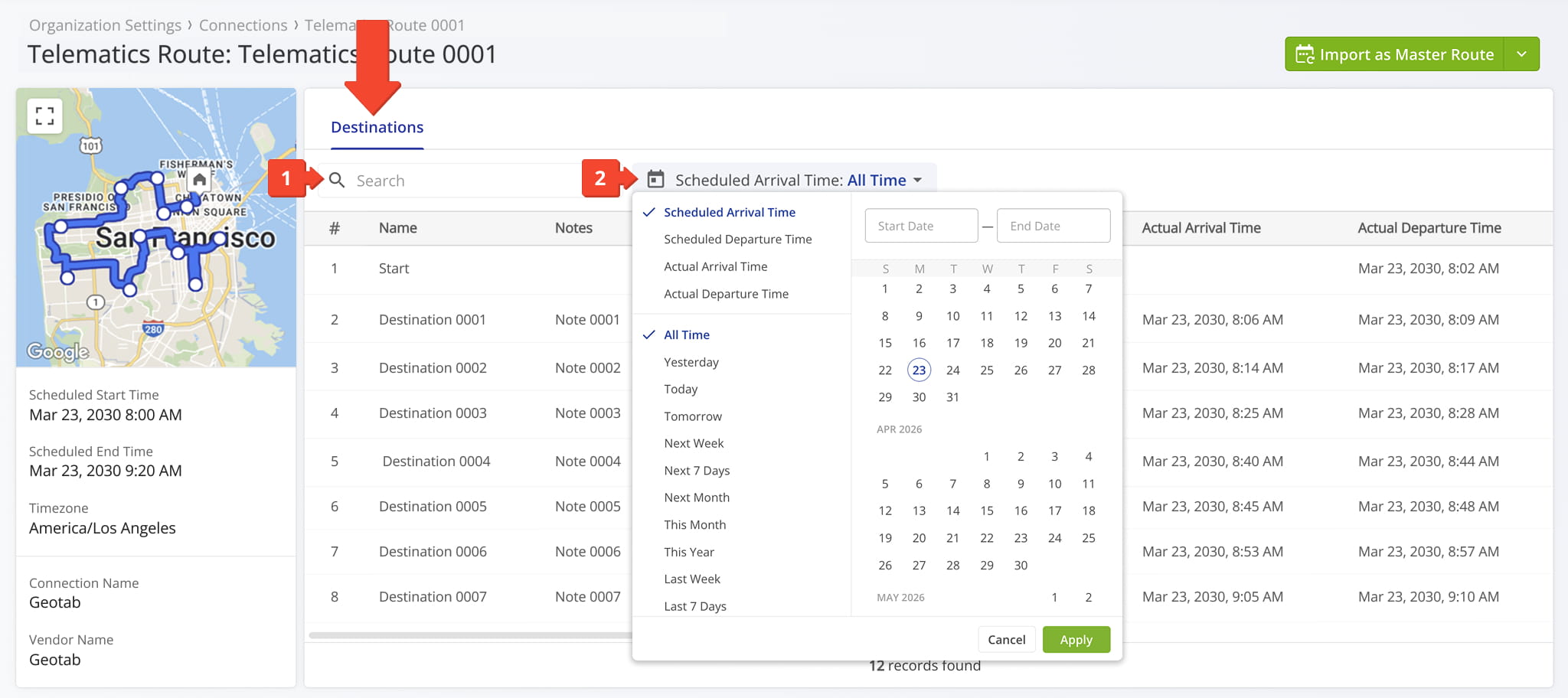
Telematics Route Snapshot Filters
Route Import Options – Import As Master Route Or Dynamic Route
You can import routes directly from your connected telematics system. Imported routes reflect the original planning in your telematics platform, including the start location, all destinations, the visit sequence, and associated location details.
You can choose if you want to preserve the route exactly as planned or optimize it through Route4Me for improved efficiency. You can also choose how the route should be used in Route4Me, either as a Master Route or as a Dynamic Route.
NOTE: Vendor routes must be imported before you can use them in Route4Me.
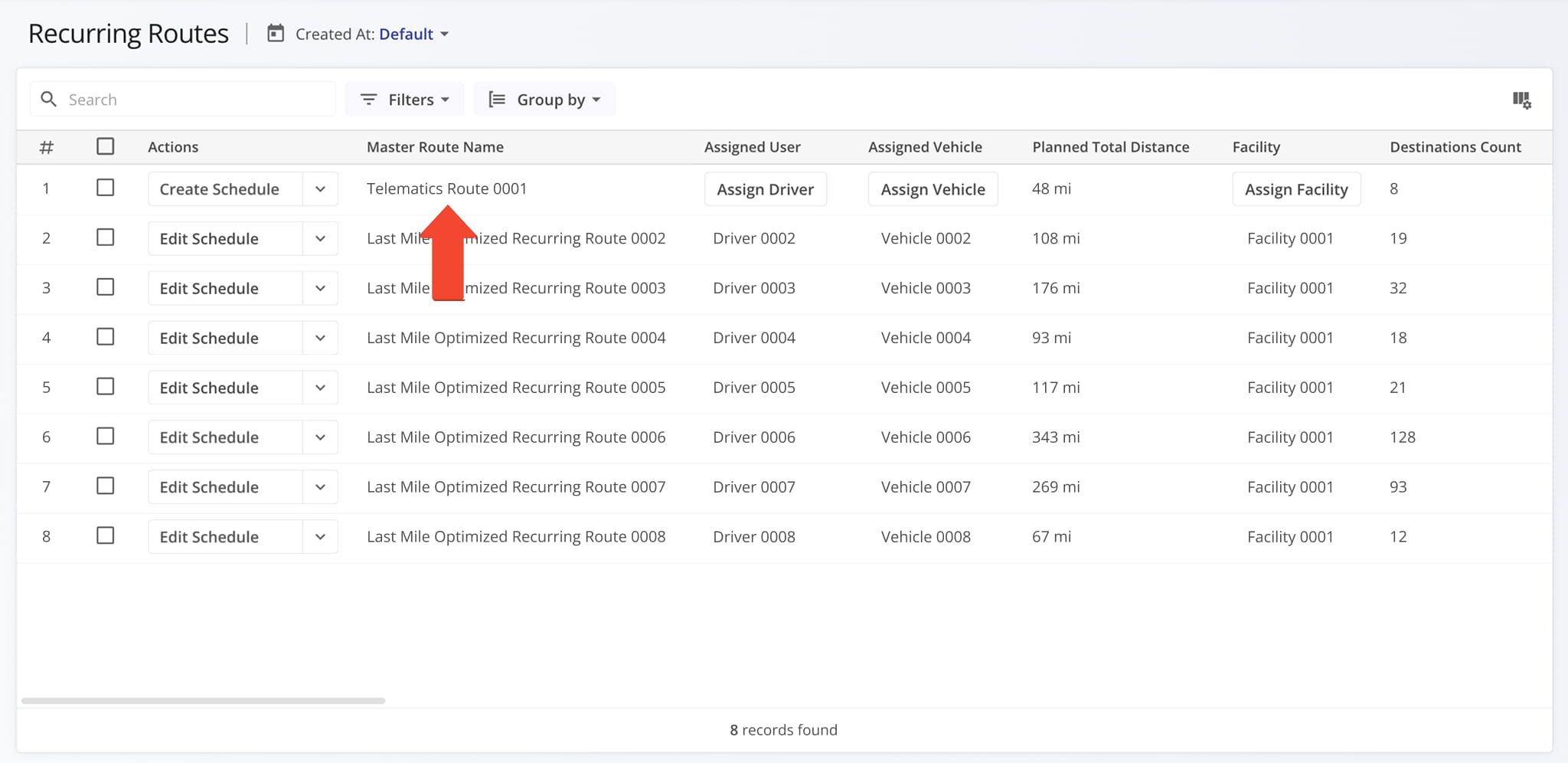
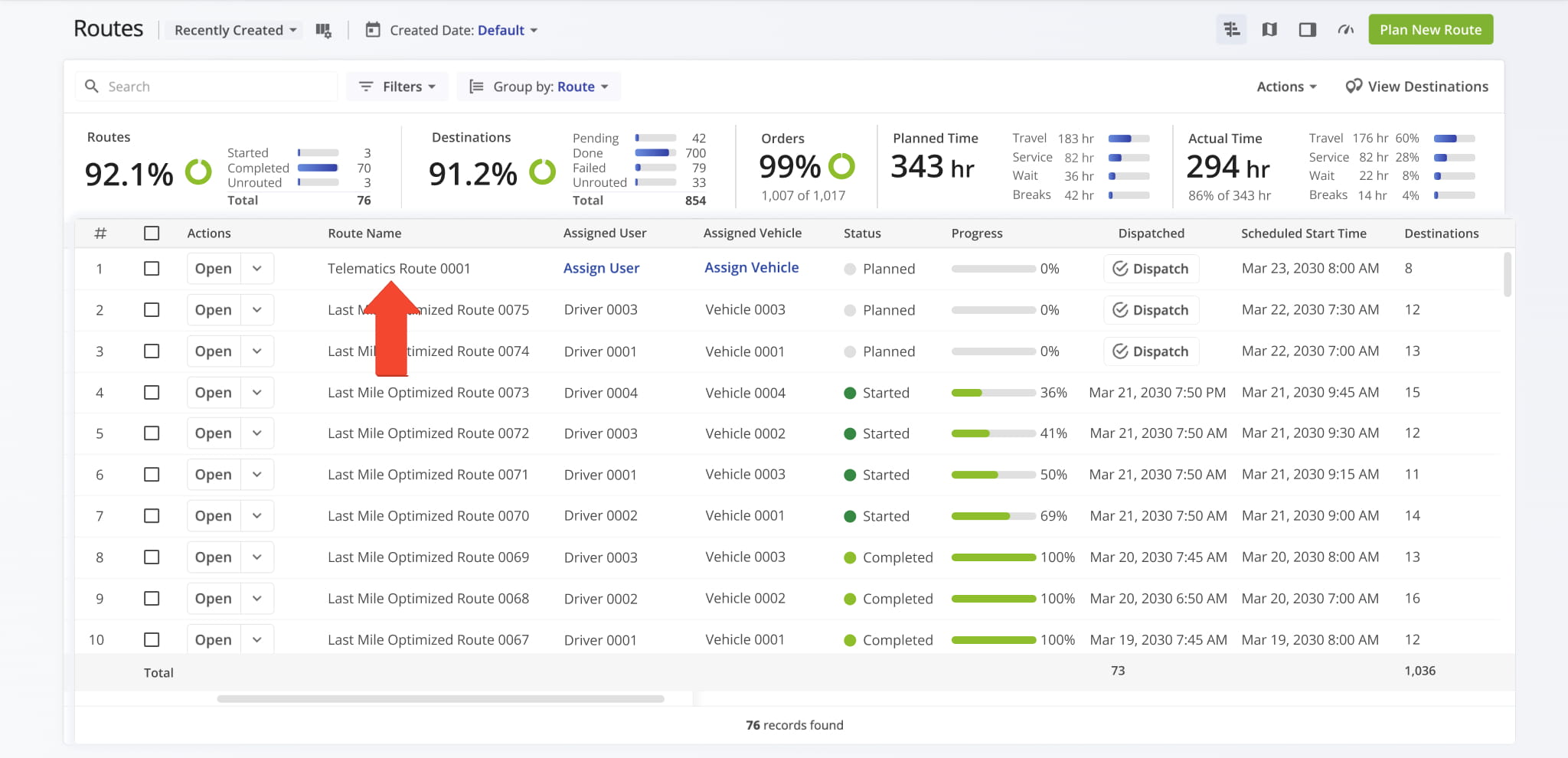
If you import the route as a Master Route, it will automatically appear in your list of Recurring Routes. You can use it as is or adjust as needed to create a Recurring Route schedule. NOTE: Learn more about managing Master Routes.
If you import the route as a Dynamic Route, it will automatically appear in your Routes List. You can plan the route as is or make adjustments and optimize the route as needed. NOTE: Learn more about managing Dynamic Routes.
Visit Route4Me's Marketplace to Check out Associated Modules:
- Operations
Audit Logging and Activity Stream
- Operations
Custom Data Add-On
- Operations
Advanced Team Management Add-On
About author: Daniel Archer

