
Crews – User Groups, Teams And Workforce Management
Crews enable you to organize your workforce by grouping Route4Me Users into delivery teams, field crews, and other groups based on their roles and responsibilities. You can create crews that reflect your real-world operations, improving coordination, accountability, and scalability as your operations grow. Keep reading to learn how to add and manage Crews.
NOTE: Crews functionality is currently only accessible by contacting Route4Me support.
Table of Contents
Create New User Groups And Delivery Teams
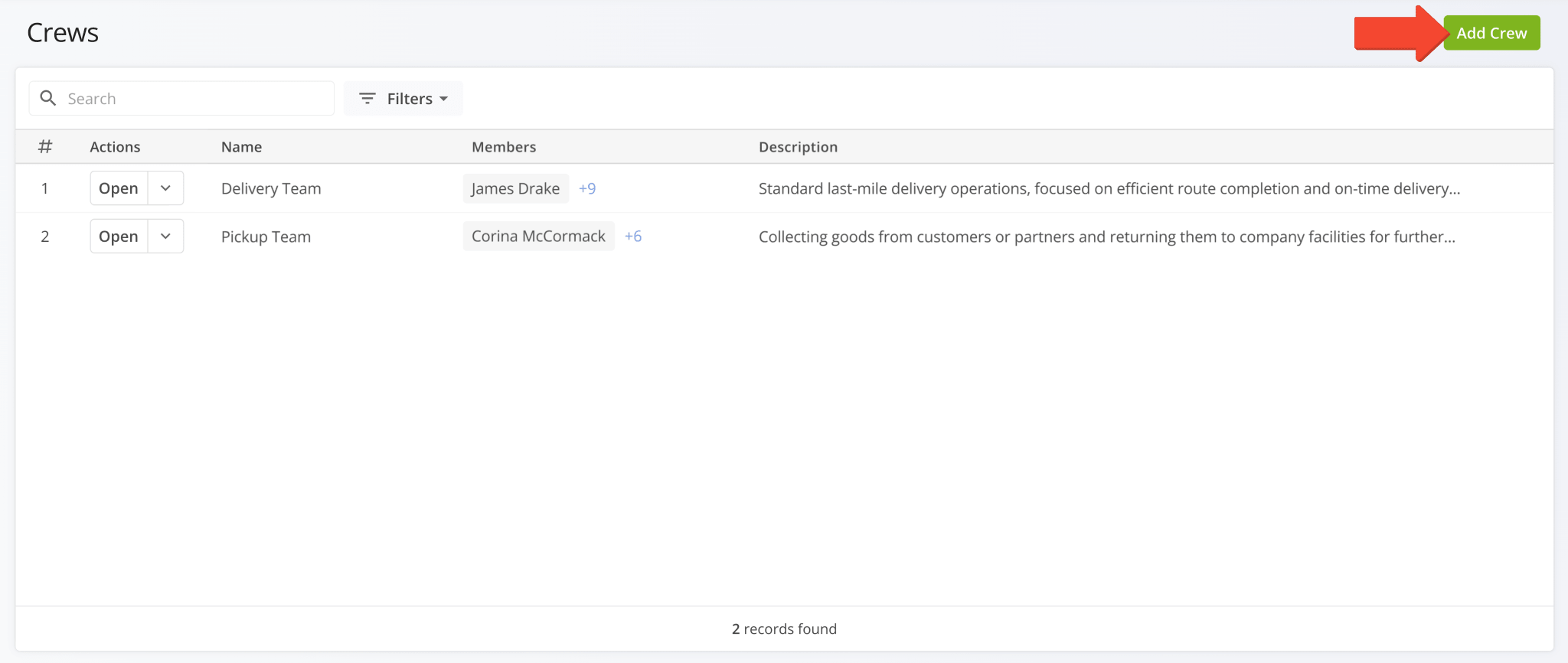
The “Crews” page is where you can see your delivery teams and user groups. To create a new Crew, click the “Add Crew” button.
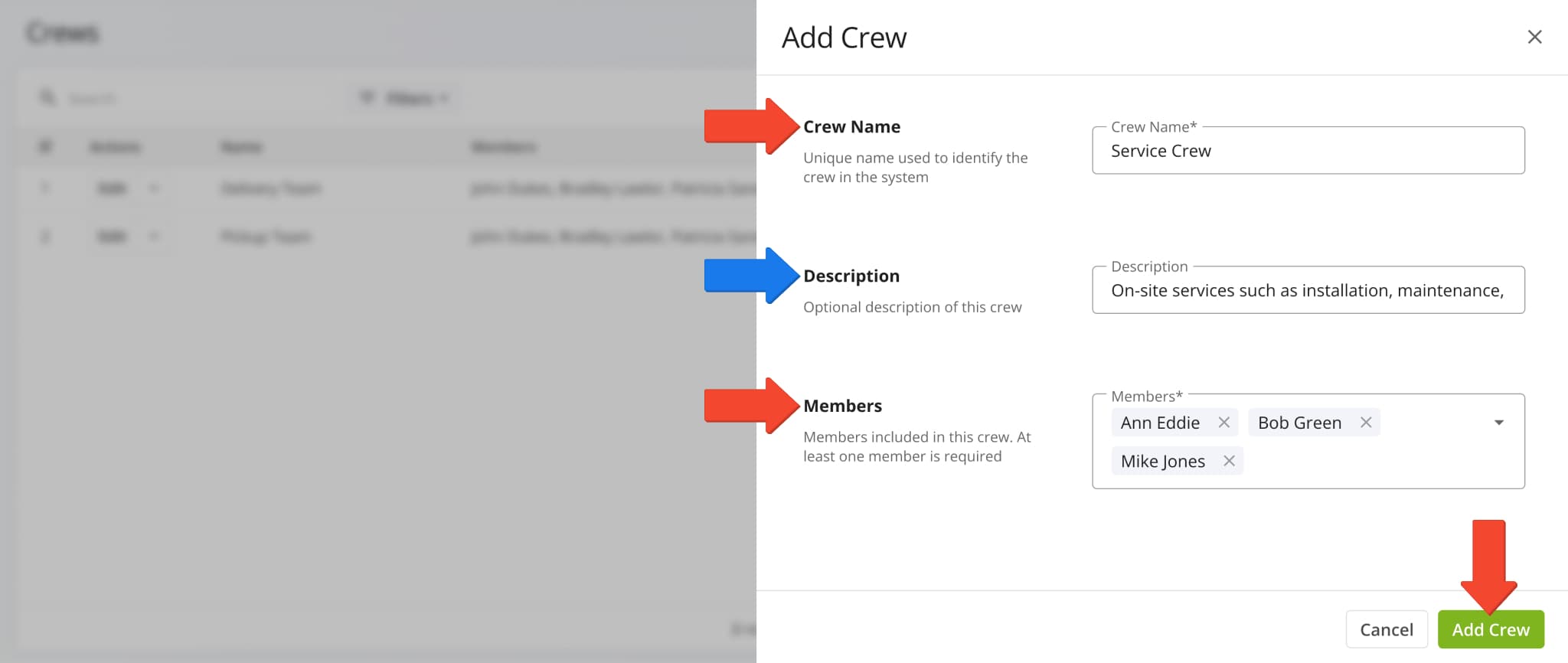
Next, enter a name in the “Crew Name” field and select users for the new Crew in the “Members” field. Optionally, you can enter a description for the Crew in the “Description” field. Click “Add Crew” to finalize.
Manage Crews – Filter, Edit And Delete Crews
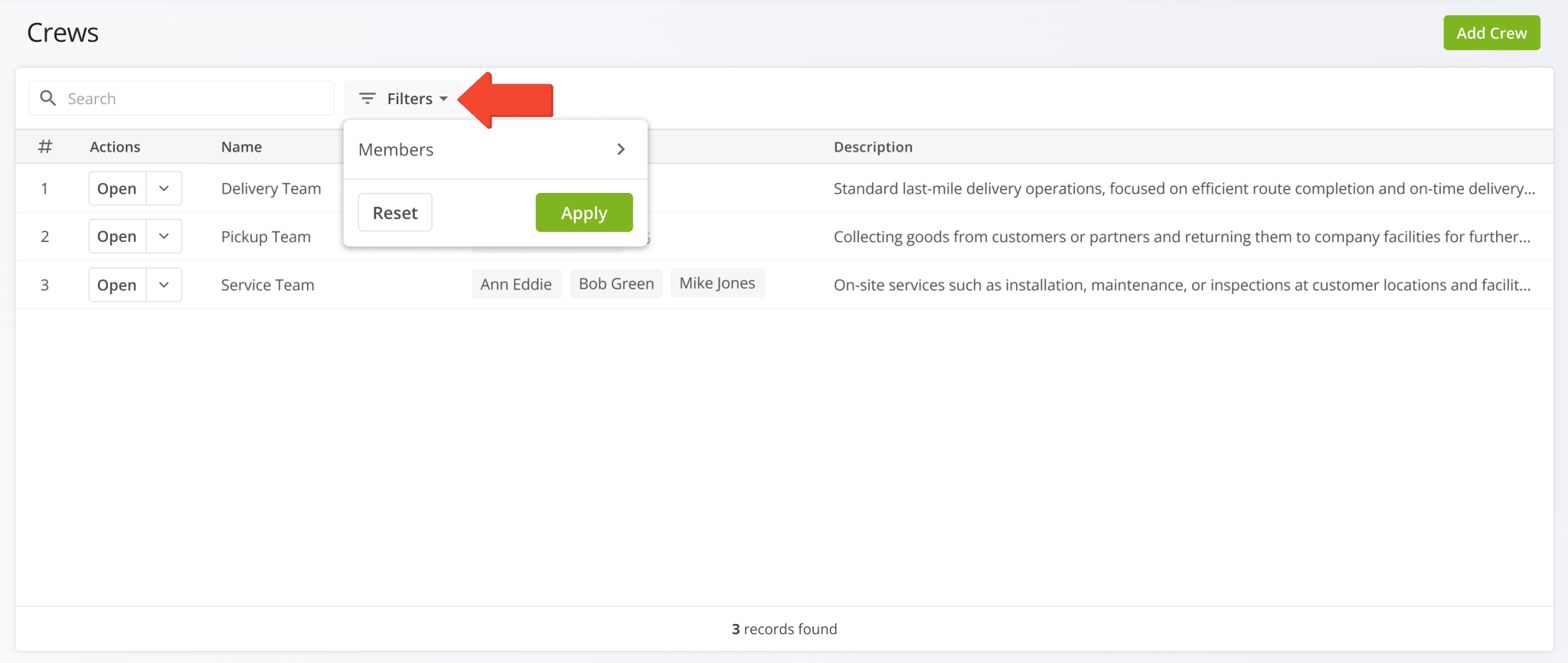
To easily find Crews with specific users associated with them, click “Filters” and select “Members“.
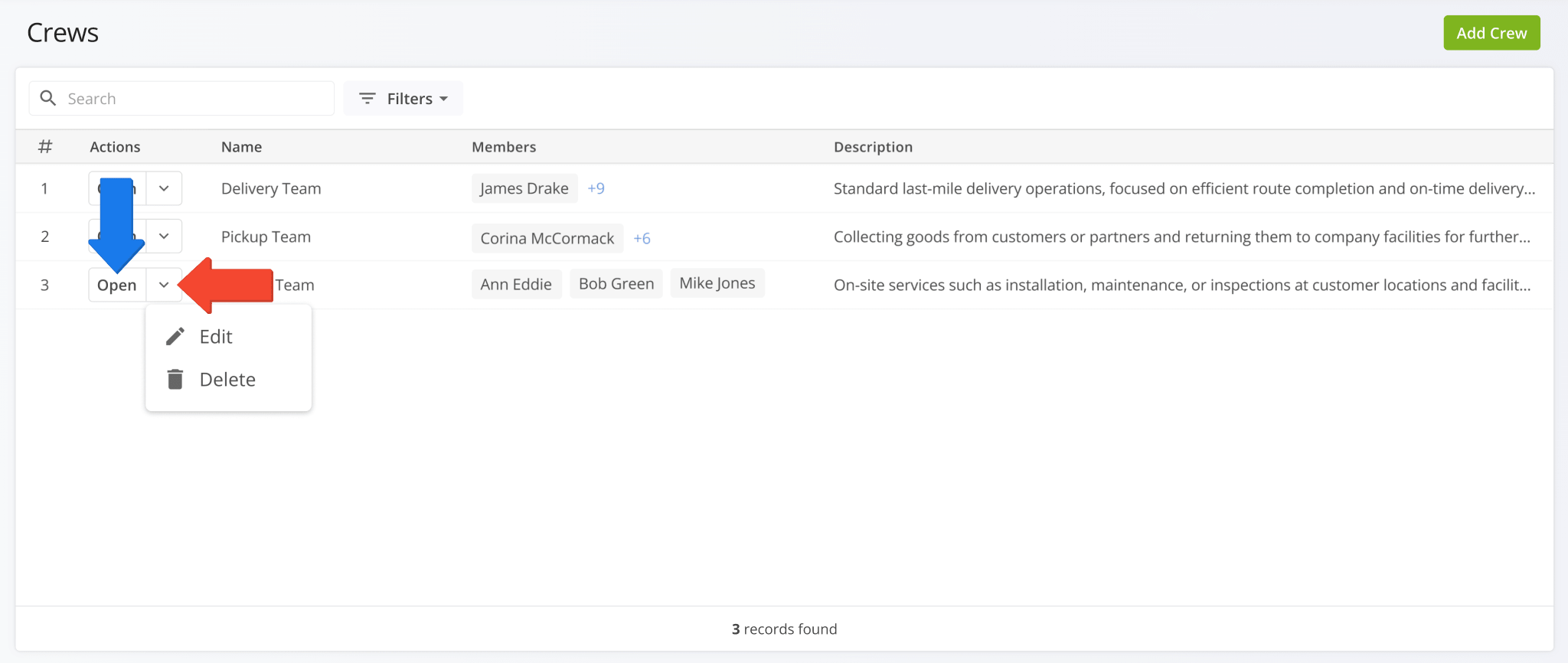
To edit or delete Crews, click the Down Arrow next to a Crew and select your preferred option from the action menu.
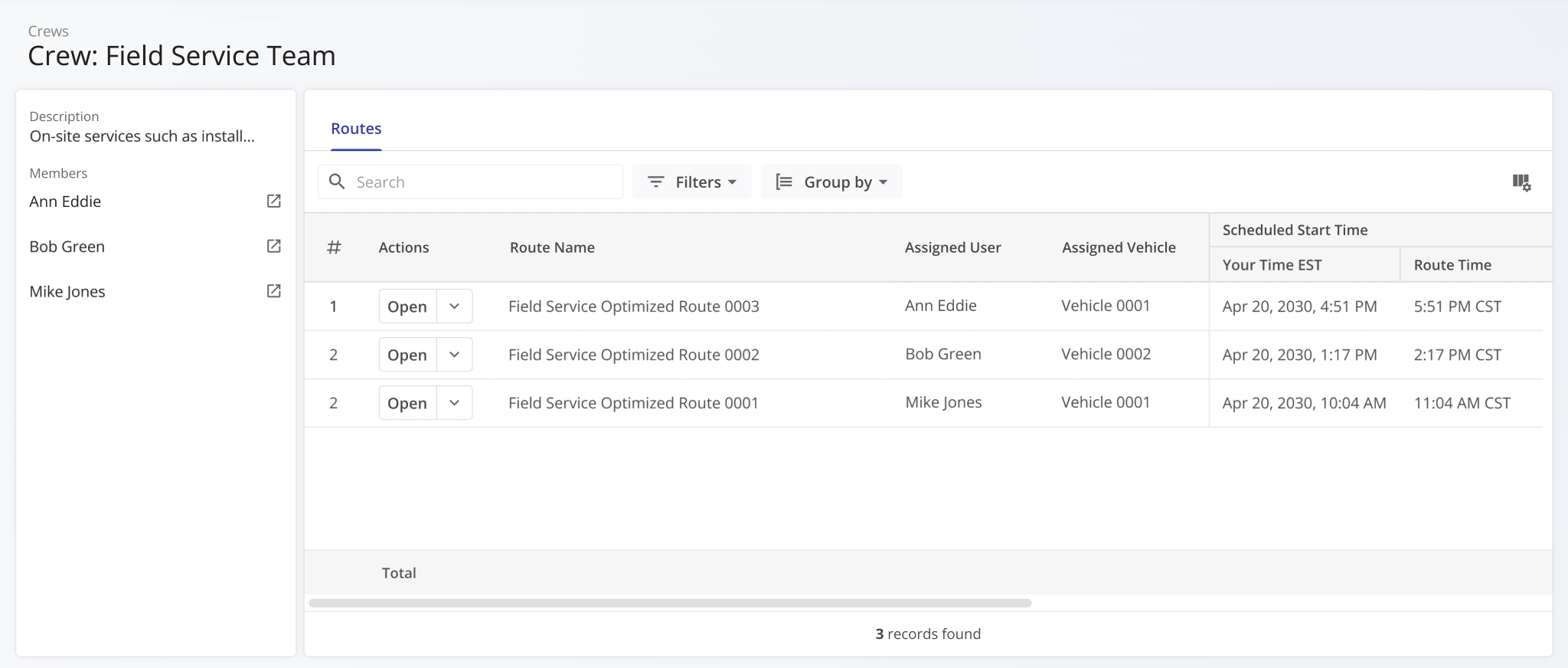
You can also click the “Open” button to instantly open a Crew’s corresponding Crew Snapshot analytics dashboard.
You can use Crew Snapshots to easily access the User Snapshots of team members and Route Snapshots of routes associated with a Crew. Additionally, the “Routes” section is a fully functional Route4Me data table that enables you to easily see the most important route information for your business needs.
Crew Attribution – Assign Crews To Planned Routes
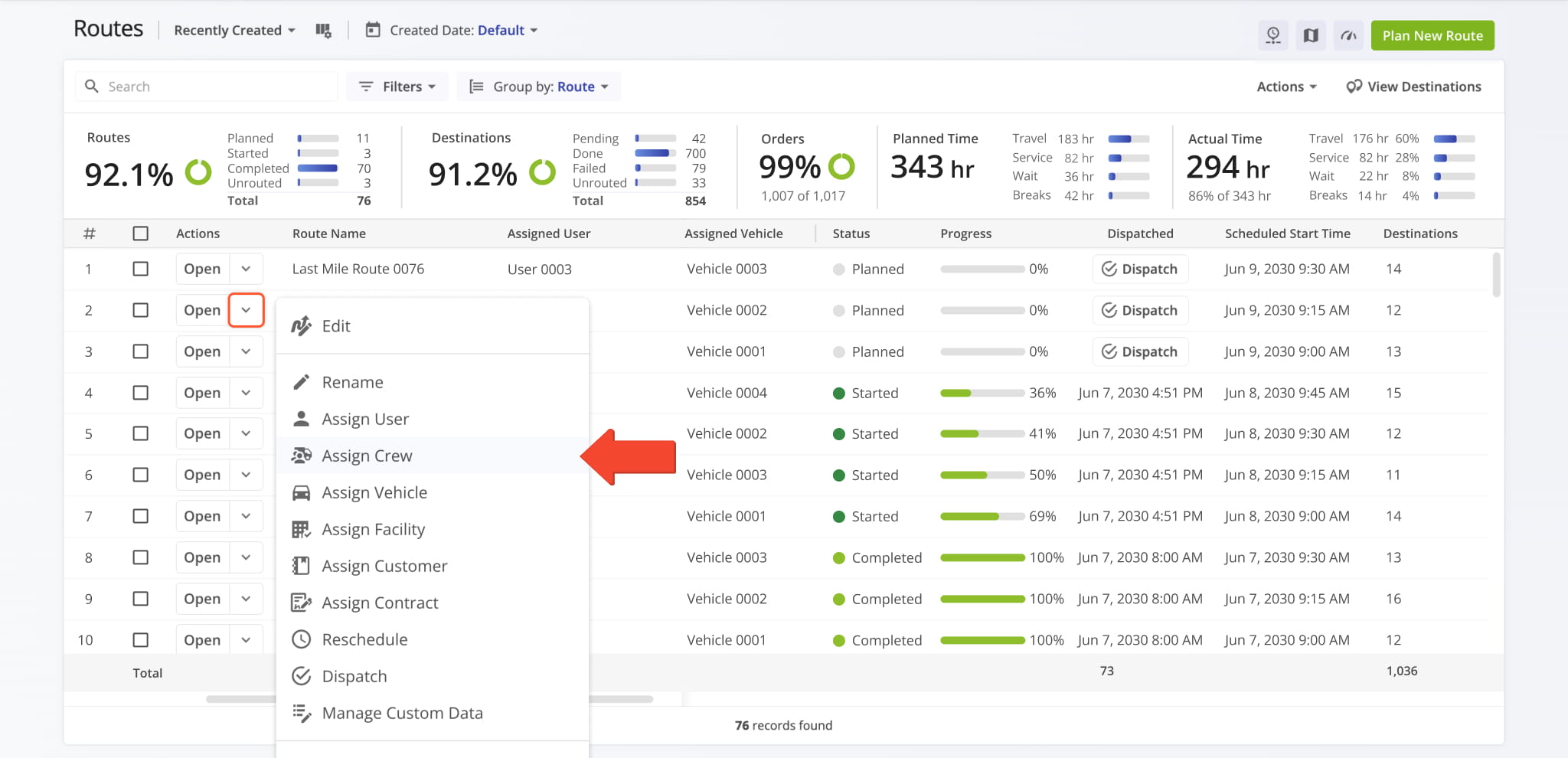
To assign a Crew to a planned route, go to the Routes Page, click the Down Arrow next to a route, and select “Assign Crew“.
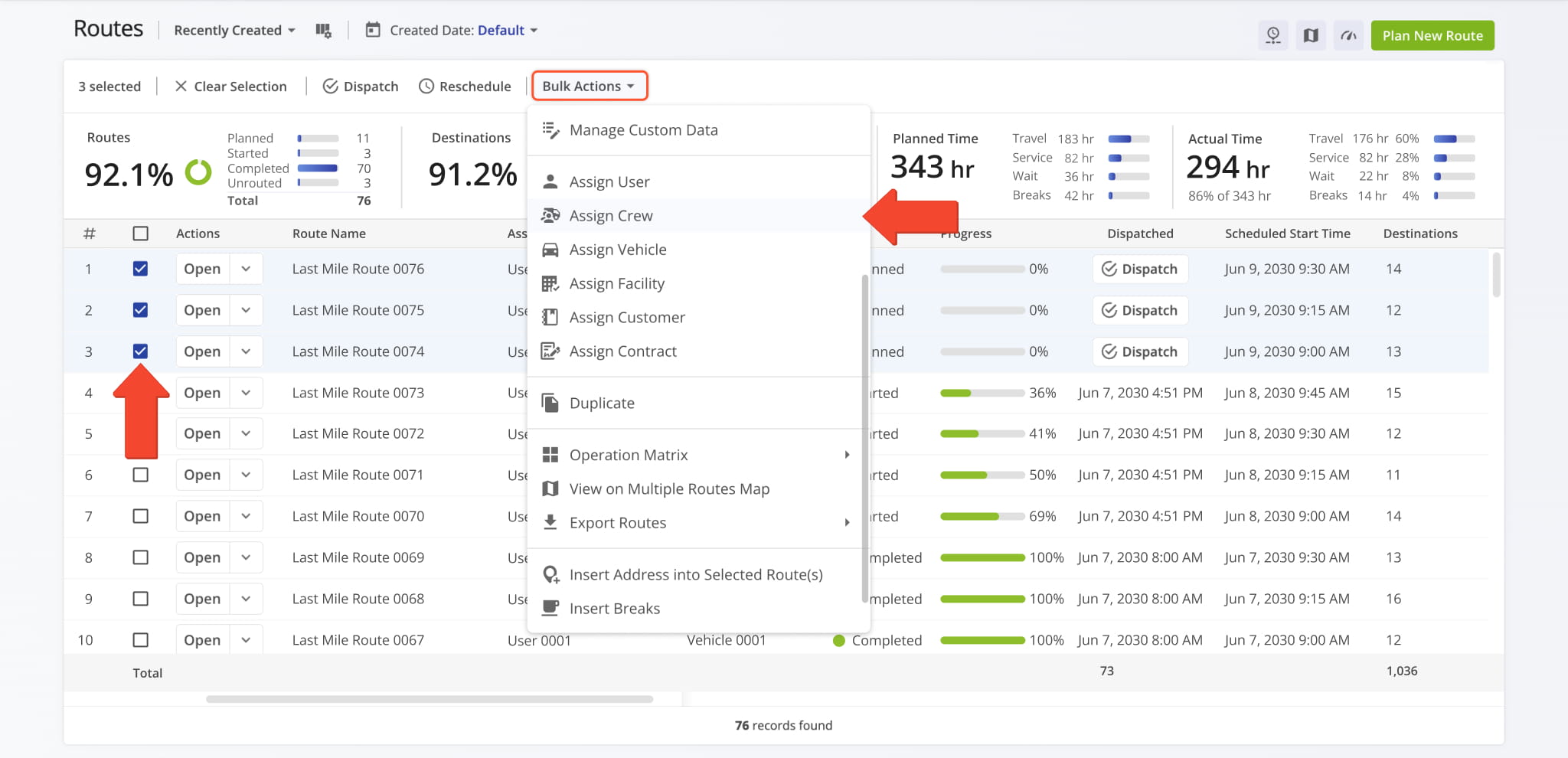
You can also assign a Crew to multiple routes simultaneously. To do so, first select routes by checking the boxes next to them. Then, click “Bulk Actions” and select “Assign Crew“.
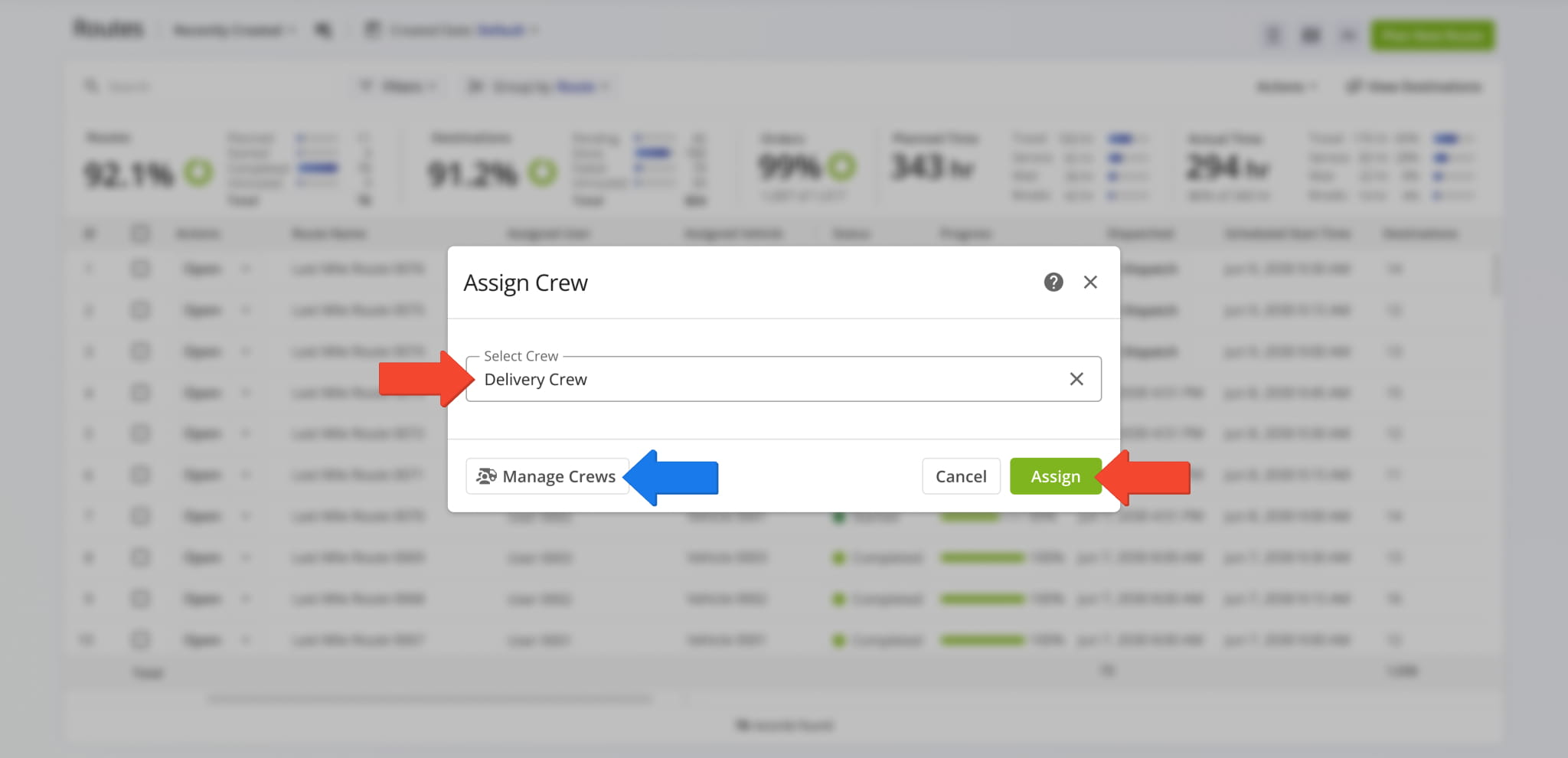
Next, use the “Select Crew” field to find a Crew and select it and click “Assign” to finalize. Additionally, you can click “Manage Crews” to go directly to the Crews Page to make changes if needed.
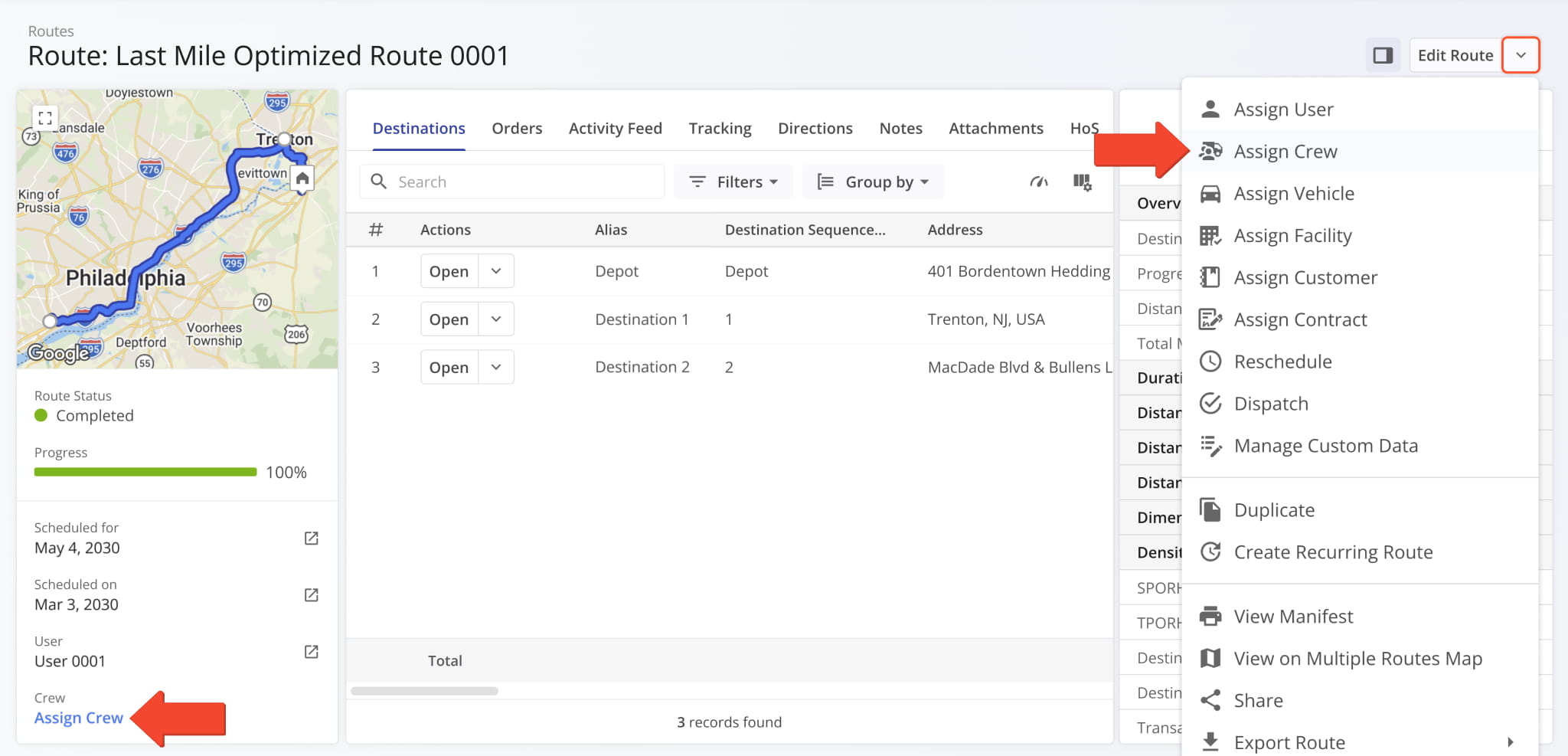
You can also assign Crews to routes from Route Snapshots. You’ll find the “Assign Crew” option in the Route Summary on the left and in the route management actions when you click the Down Arrow next to “Edit Route“.
Visit Route4Me's Marketplace to Check out Associated Modules:
- Operations
Advanced Team Management Add-On
- Operations
Audit Logging and Activity Stream
About author: Kristian Andreev

