
Price List – Manage ERP Pricing Data
The Price List page gives enterprise business users a centralized view of all pricing information in their ERP system. You can review unit prices, sale quantities, discounts and totals, and track effective dates for pricing records. Filters, grouping, and customizable columns help streamline price management and ensure quick access to relevant data. Learn more in this guide.
Table of Contents
Filter And Group Price List Data
To access your Price List page, click “ERP” > “Price List” from the Navigation Menu.
You can filter and group Price List data to quickly locate specific records or organize information for analysis. The table below details all available Filter and Grouping options. Using these options help ensure accurate pricing management and reporting.
NOTE: You can also use the Search Field to locate specific records.
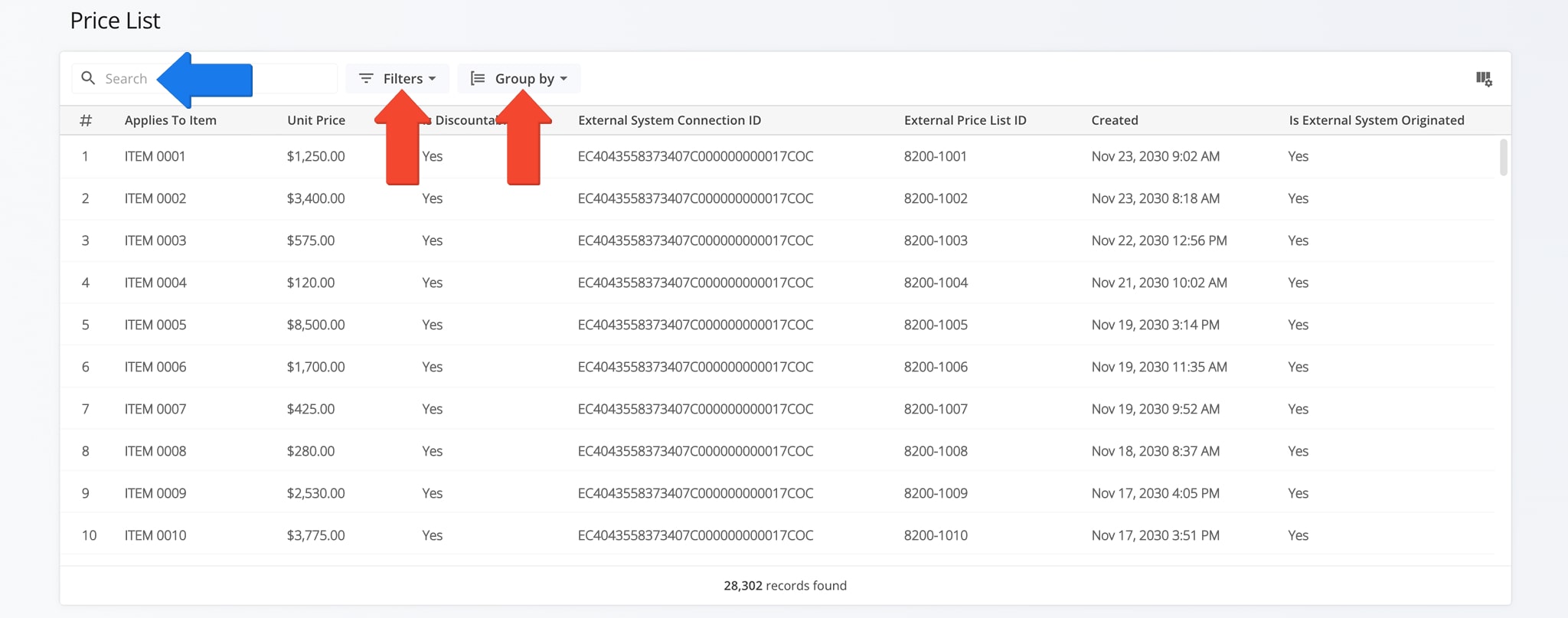
Price List Filters & Grouping Options
View And Customize Price List Data
The Price List page displays multiple columns of pricing data which can be customized to show only the information most relevant to your needs.
To customize the data, click the Column Icon, check the boxes next to the columns you want to see, and drag columns to arrange their display order. The table below provides a complete overview of available columns.
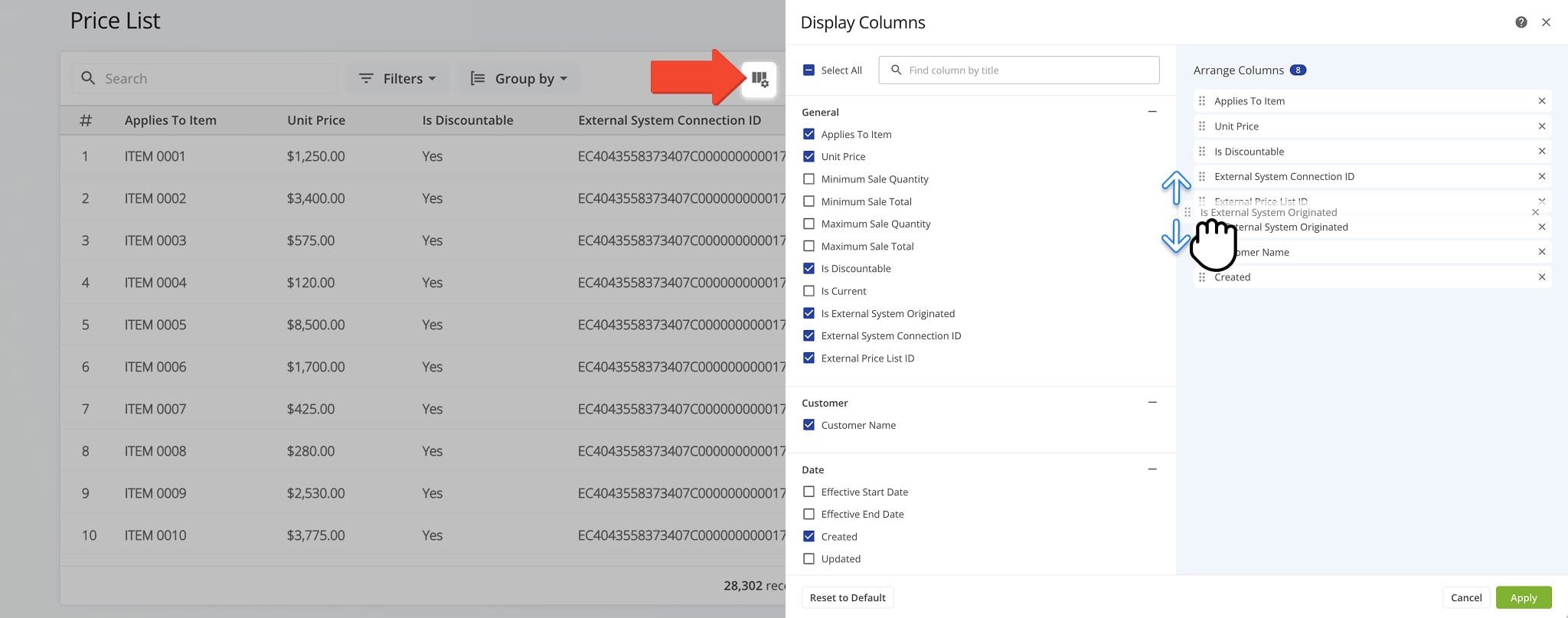
Price List Data Columns
Visit Route4Me Marketplace to Check Out More Add-Ons:
- Optimization
Address Book and Territories Planning
- Route Optimization
Commercial Vehicle & Truck Routing
- Operations
Audit Logging and Activity Stream
About author: Daniel Archer

