
Account Authorization – User Permissions, Visibility Settings And Hierarchy
Account Authorization defines what a user can see and do after their identity has been verified through Account Authentication. Authorization (AuthZ) settings determine access to company data, routes, fleet vehicles, and tools based on user roles, visibility options, and team hierarchy.
By configuring authorization and permissions settings, you can ensure each team member has the right level of access for their responsibilities. Keep reading to learn about role-based authorization and how to manage user permissions.
Table of Contents
User Types And Default Role-Based Authorization And Permissions
Route4Me offers a set of predefined user types, each with default role authorizations. With the Advanced Team Management add-on, these permissions can be customized further, enabling or restricting specific actions, such as editing routes, viewing historical data, or managing vehicles.
The table below outlines the default user types and their associated authorization. Additionally, learn more about Route4Me’s Team Hierarchy and User Types.
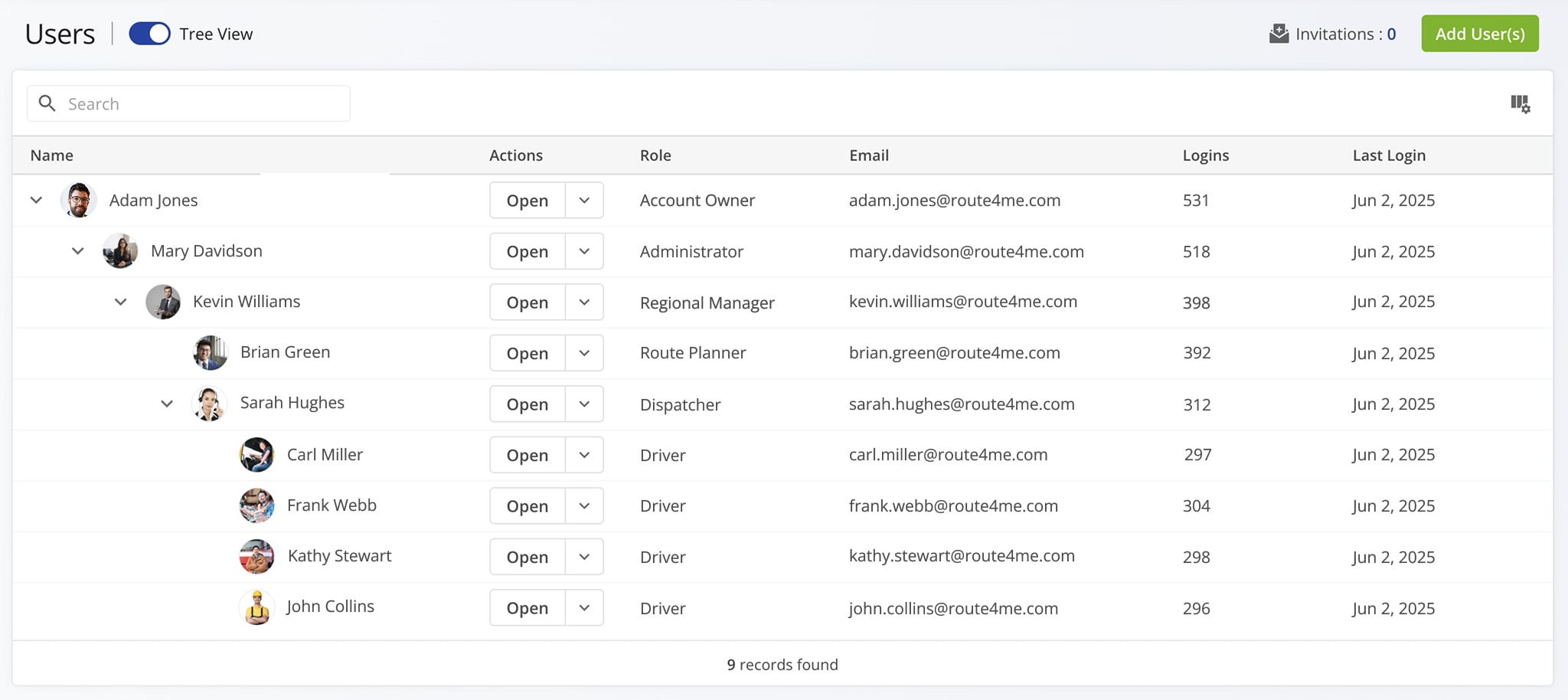
User Types & Authorization Settings
Authorization Settings And User Permissions Categories
In addition to default role authorizations, Route4Me provides granular permissions settings to fine-tune user access across your organization. These options work at multiple levels to define company visibility, vehicle access, and asset management authorization.
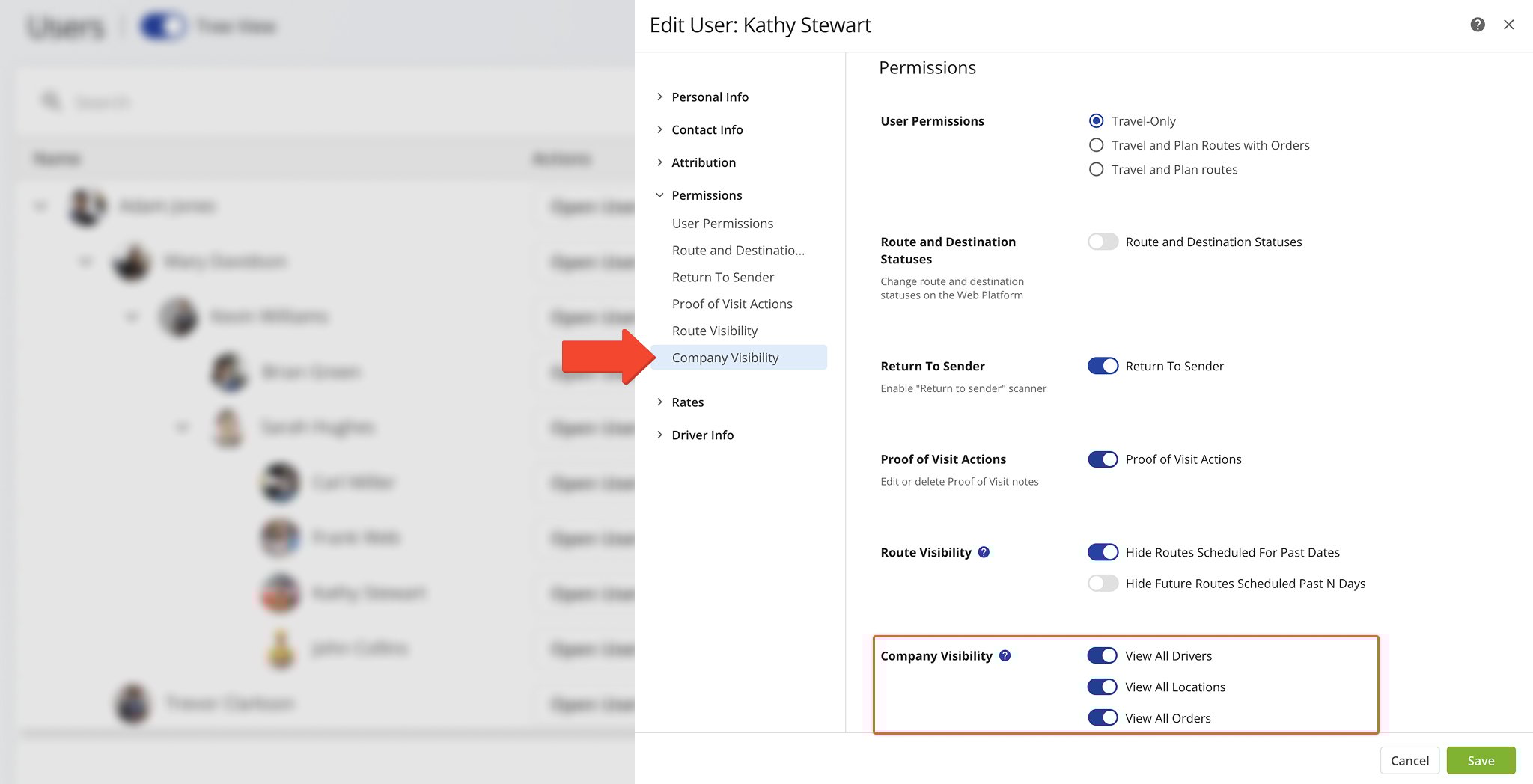
Company Visibility Settings And Authorization
Company visibility settings determine which parts of your organization’s data each user can access. For example:
- Restrict visibility so a driver only sees their assigned routes.
- Allow regional managers to see customers and orders within their territory but not other regions.
- Give executives and analysts full data and business insights access for oversight and auditing.
You can also control visibility of past and future routes, ensuring users only see what’s relevant to their work.
Learn more about Company Visibility Authorization.
Fleet Access Authorization And Vehicle Visibility
Fleet vehicle authorization settings determine whether a user can view, assign, edit, or manage company vehicles. For example:
- A dispatcher has full vehicle management rights to correctly assign vehicles to routes.
- A driver might only see vehicles associated with routes they’re assigned to.
- Analysts may have read-only access to fleet vehicle data for reporting purposes.
These controls help maintain operational security and prevent unauthorized changes to fleet resources.
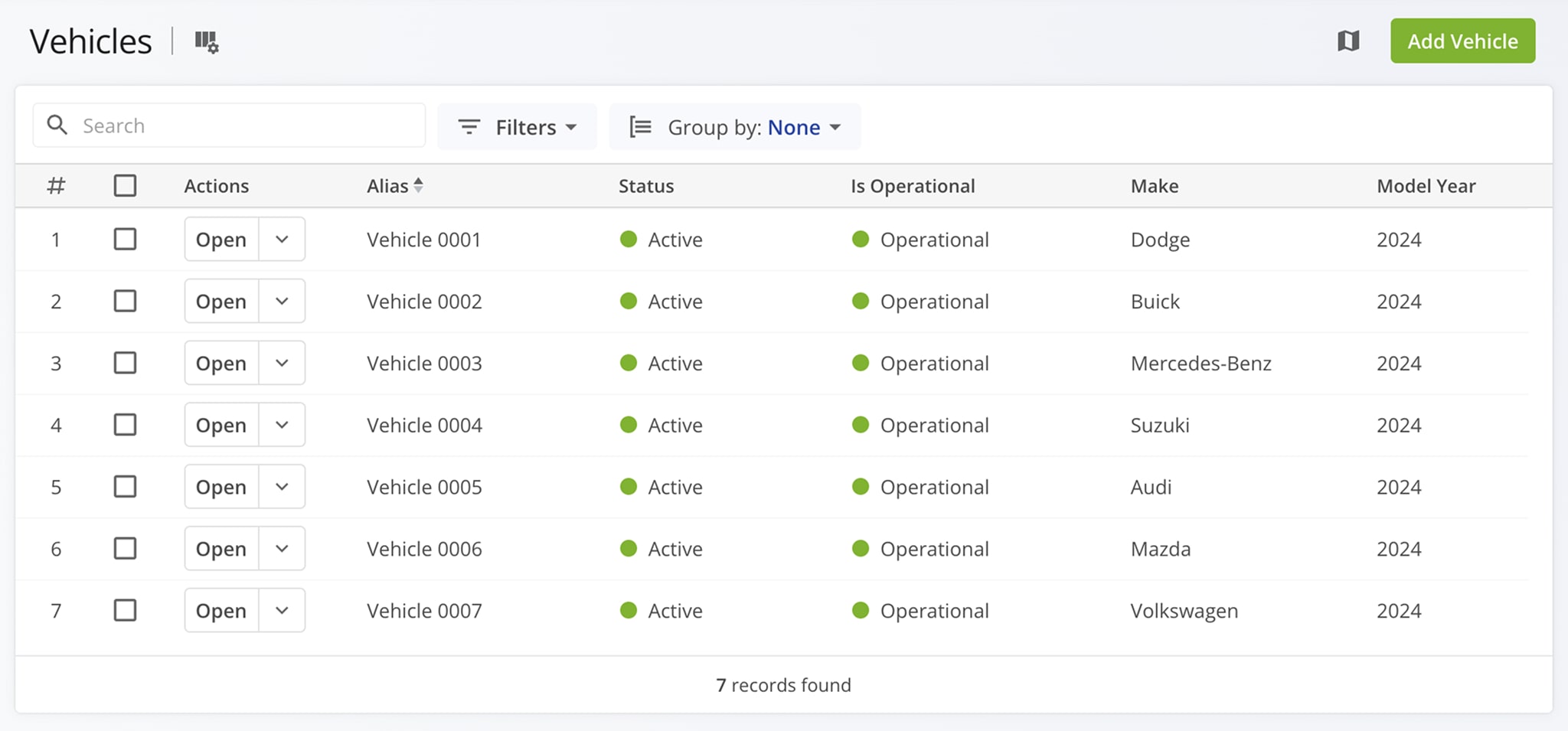
Learn more about Vehicle Access Authorization.
Travel-Only Driver Authorization Settings And Restrictions
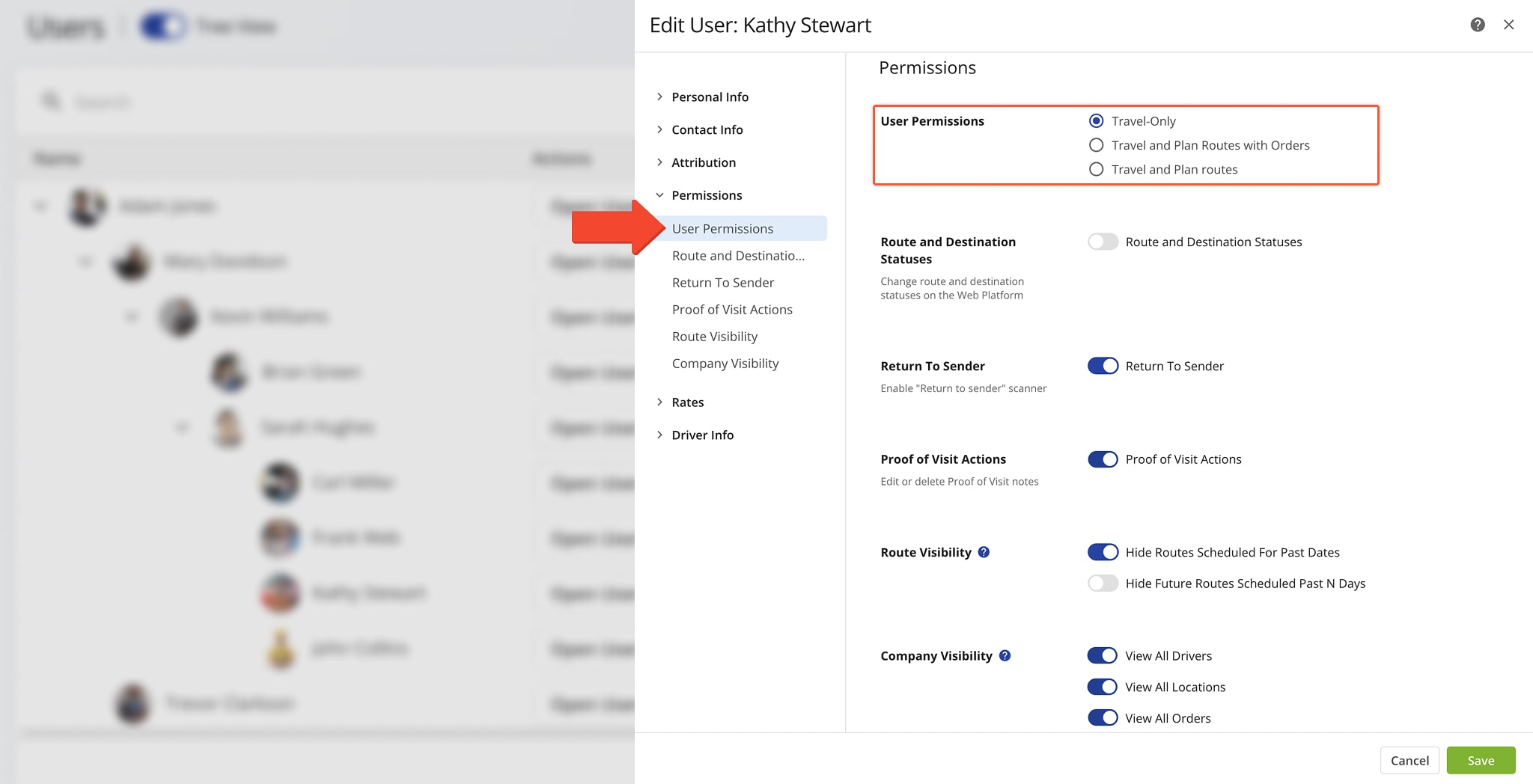
Travel-Only mode is the equivalent to read-only access and is designed for users, often drivers, who only need to navigate and complete routes without editing any data. Travel-Only users can:
- View assigned routes assigned to them; optionally, only within a specific time frame.
- Navigate to stops using the Route4Me Mobile App and complete destination visitation.
- Collect electronic proof of visit, and mark destinations as done, failed, or skipped.
Depending on your specific order routing needs, you can also authorize drivers to plan order routes by enabling barcode scanning for order routing or mobile app route planning.
User And Role-Based Authorization vs Account Access Authentication And Sign-In
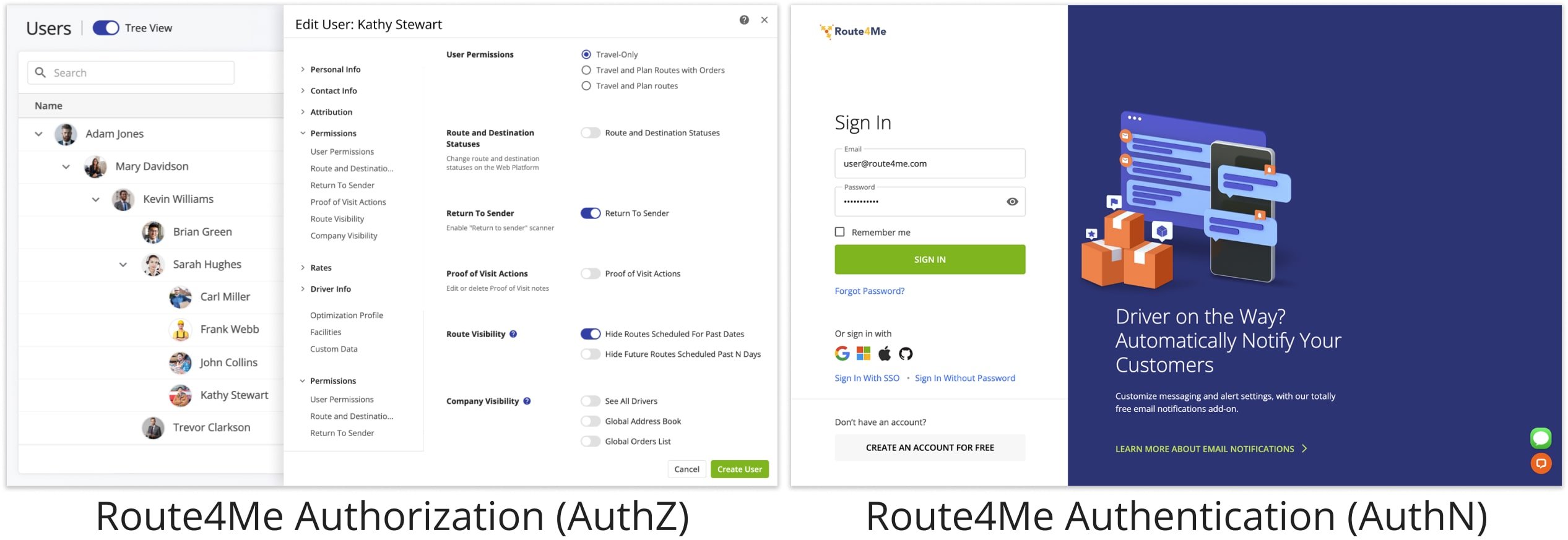
Account Authorization (AuthZ) is the process of determining a team member’s permissions and what they can do on Route4Me’s Web Software or Mobile App after their identity has been verified through Account Authentication (AuthN). Specifically, AuthZ covers account-level permissions, company and fleet visibility settings, and access controls that define a user’s capabilities.
For example, a dispatcher may be authorized to assign users to routes, while a driver may only be authorized to start, navigate, and complete their assigned routes. As described in this guide, AuthZ governs which Route4Me features a user can access, while AuthN verifies the user’s identity and signs them in to their account. Learn more about Route4Me Account Authentication.
Visit Route4Me's Marketplace to Check Out More Add-Ons and Modules:
- Route Optimization
Address Book and Territories Planning
- Operations
Custom Data Add-On
About author: Kristian Andreev

