
Route Properties – View And Manage Route Details In The Route Editor
Route Properties provide a centralized view of key route details directly within the Route Editor. From a single panel, you can review scheduling information, assigned users, vehicles, crews, and facilities, and manage route-level Custom Data. This makes it easier to understand how a route is configured and ensure all required information is correct before execution.
Table of Contents
Route Properties Overview – Planned Route Information Panel
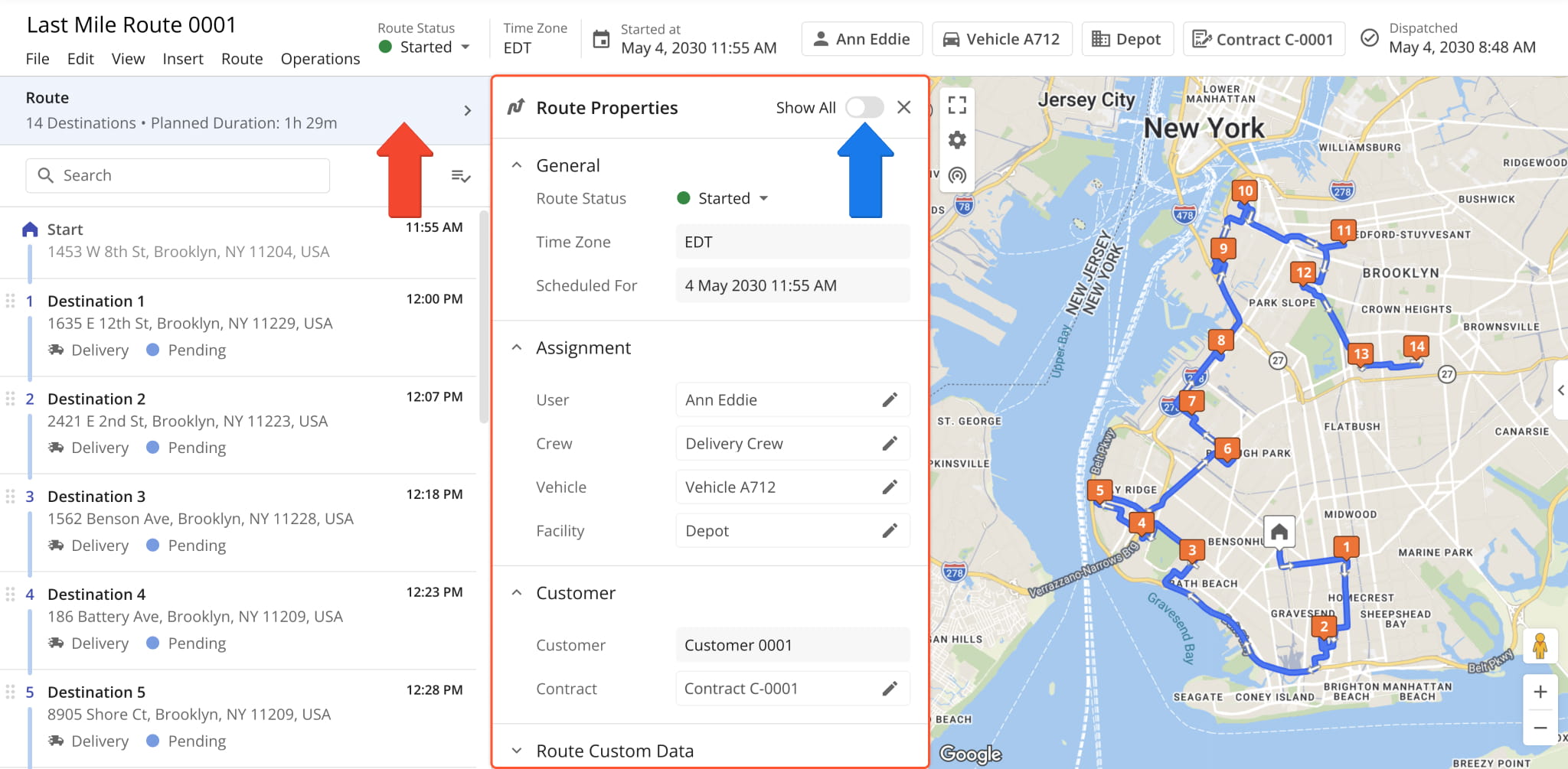
When you open a route in the Route Editor, you’ll see the Route Properties field above the Destinations List. It shows the total number of destinations and the route’s planned duration. Click the field to open the “Route Properties” panel.
You’ll see expanded route schedule and attribution data. Click the “Show All” toggle to see all fields, including empty fields with no associated information. See the table below to learn about the available Route Properties fields.
Route Properties Fields
Route Assignment And Attribution Settings
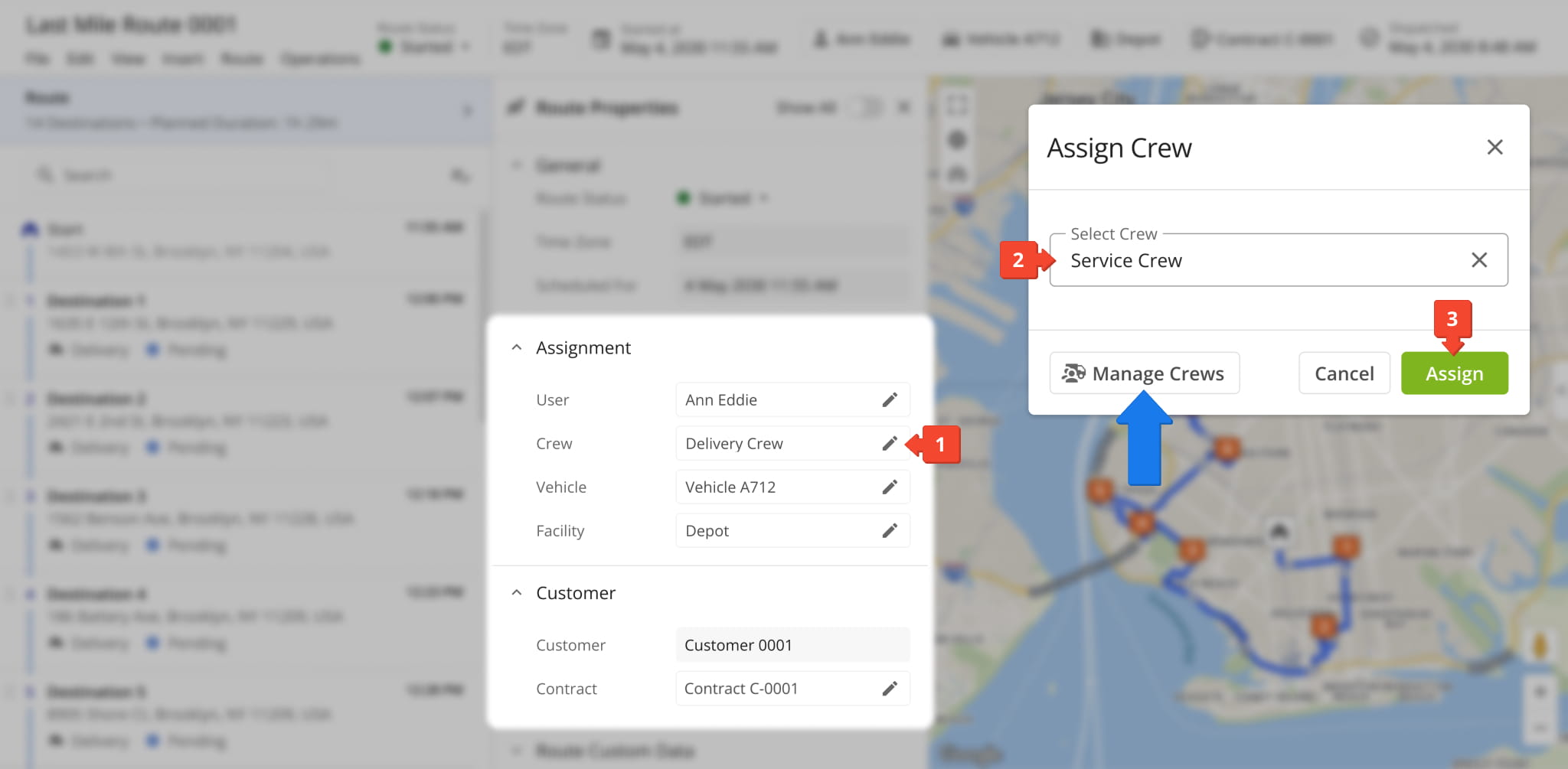
The “Assignment” and “Customer” sections of the Route Properties panel show the entities (users, vehicles etc.) assigned to or associated with the route. You can also change assigned entites by following these steps:
- Click the Pencil Icon in a field you want to edit.
- Use the main field in the assignment pop-over to select an entity.
- Click “Assign” to save your changes and finalize.
From here, you can also click the “Manage…” button to go to the corresponding page on your Route4Me account.
Add And Manage Route Custom Data
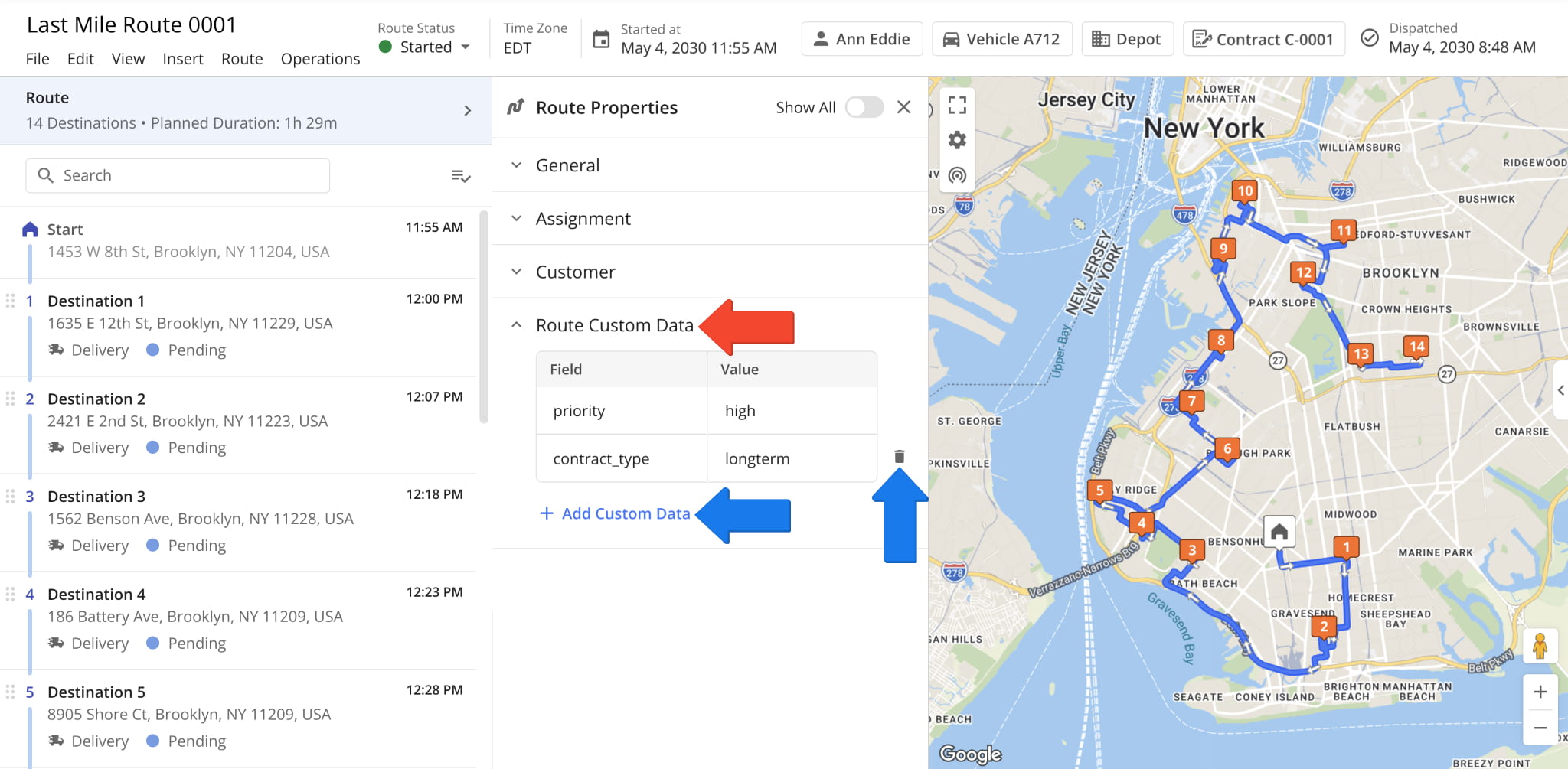
In the “Route Custom Data” section, you can add and manage new custom data fields and values. You can add more fields with the “Add Custom Data” button or remove fields with the Delete Icon.
The “Field” and “Value” cells are text fields where you can directly input your custom fields and values.
Visit Route4Me's Marketplace to Check out Associated Modules:
- Operations
Custom Data Add-On
- Operations
Advanced Team Management Add-On
- Route Optimization
Time Windows
About author: Kristian Andreev

