
Crew Snapshot – View Crew Assignments And Route Team Data
Crew Snapshots provide a centralized view of how route teams are assigned across your operations. From a single interface, you can see and access users associated with a Crew, which routes a Crew is assigned to, and access all related operational data. Crew Snapshots bring together key information associated with each Crew, helping you better understand how teams are deployed and managed across your organization. Keep reading to learn how to open, use, and customize Crew Snapshots.
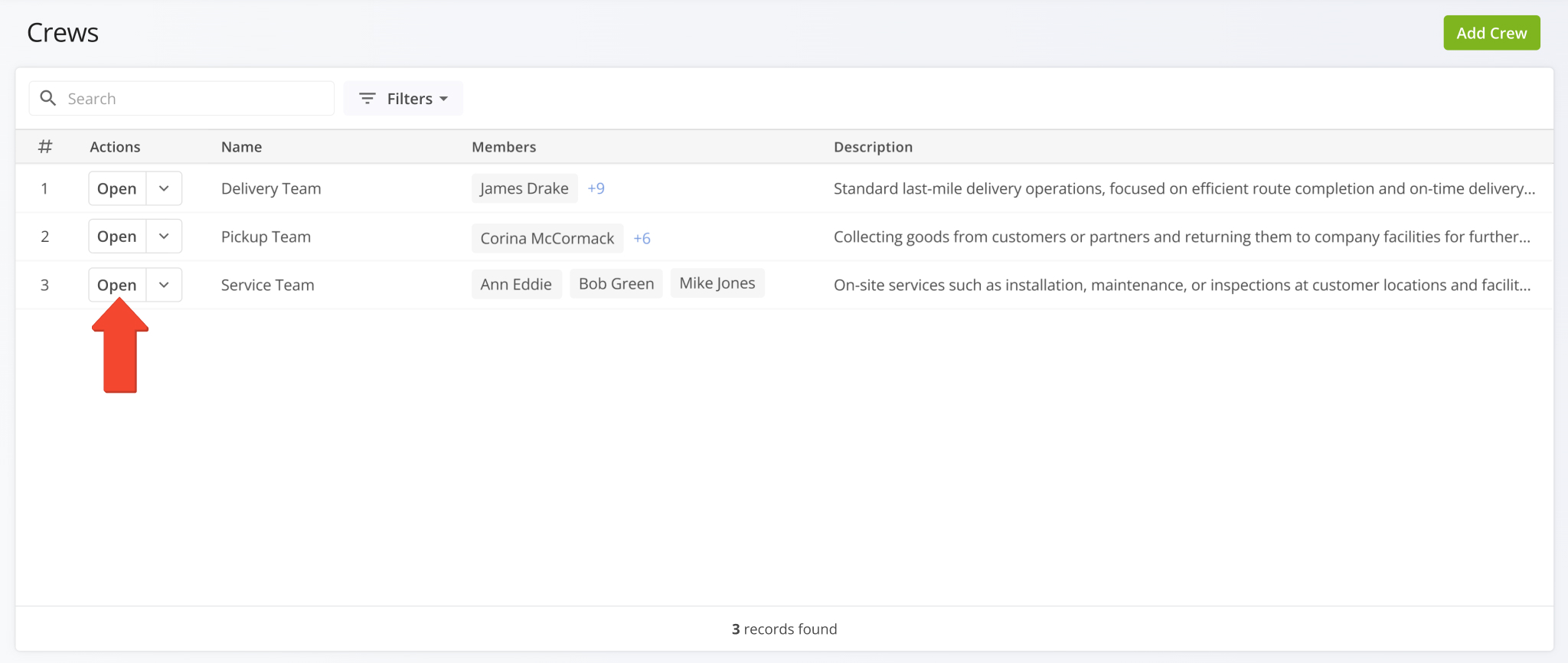
To open a Crew Snapshot, first go to “Team & Equipment” > “Crews” from the Navigation Menu to open your Crews Page. From there, simply click the “Open” button next to a Crew to open its snapshot page.
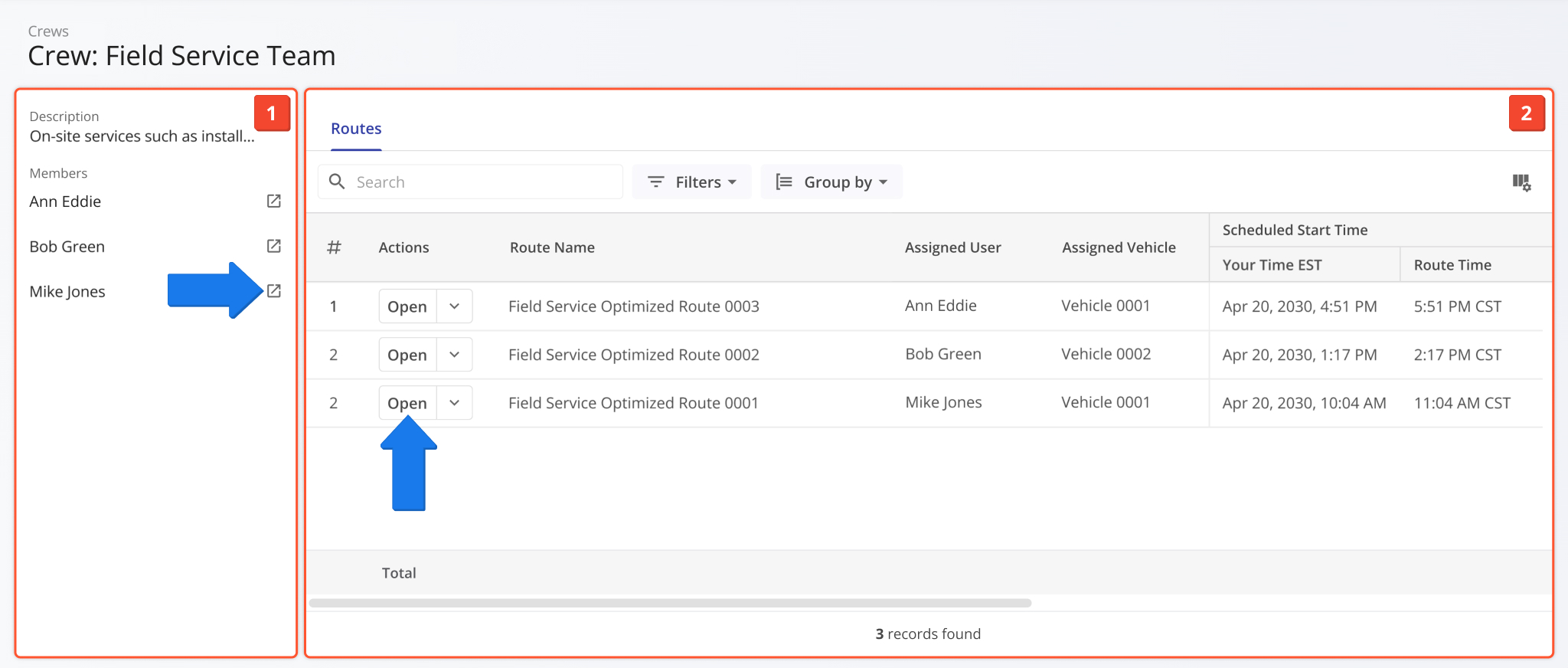
Crew Snapshots have two main interface sections:
- Crew Summary: Shows the Crew’s description and associated team members.
- Crew Route Data: Customizable data table that shows all routes the Crew is assigned to.
You can also access the Crew’s associated User Snapshots and Route Snapshots by clicking their respective Open Buttons.
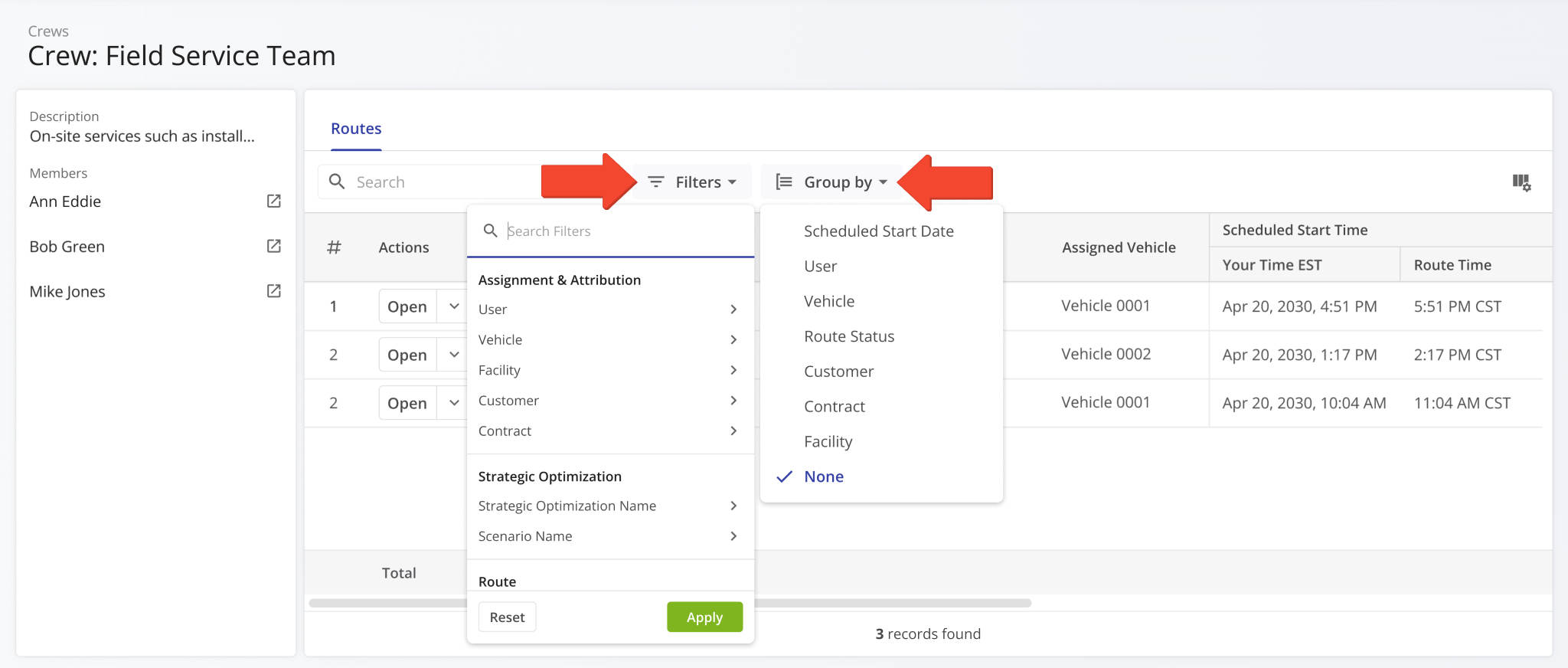
The “Routes” section data table supports the same filtering and grouping functionality as your Routes Page. Simply click “Filters” and “Group by” and enable your preferred options. Learn more about Route4Me Route Data Filters.
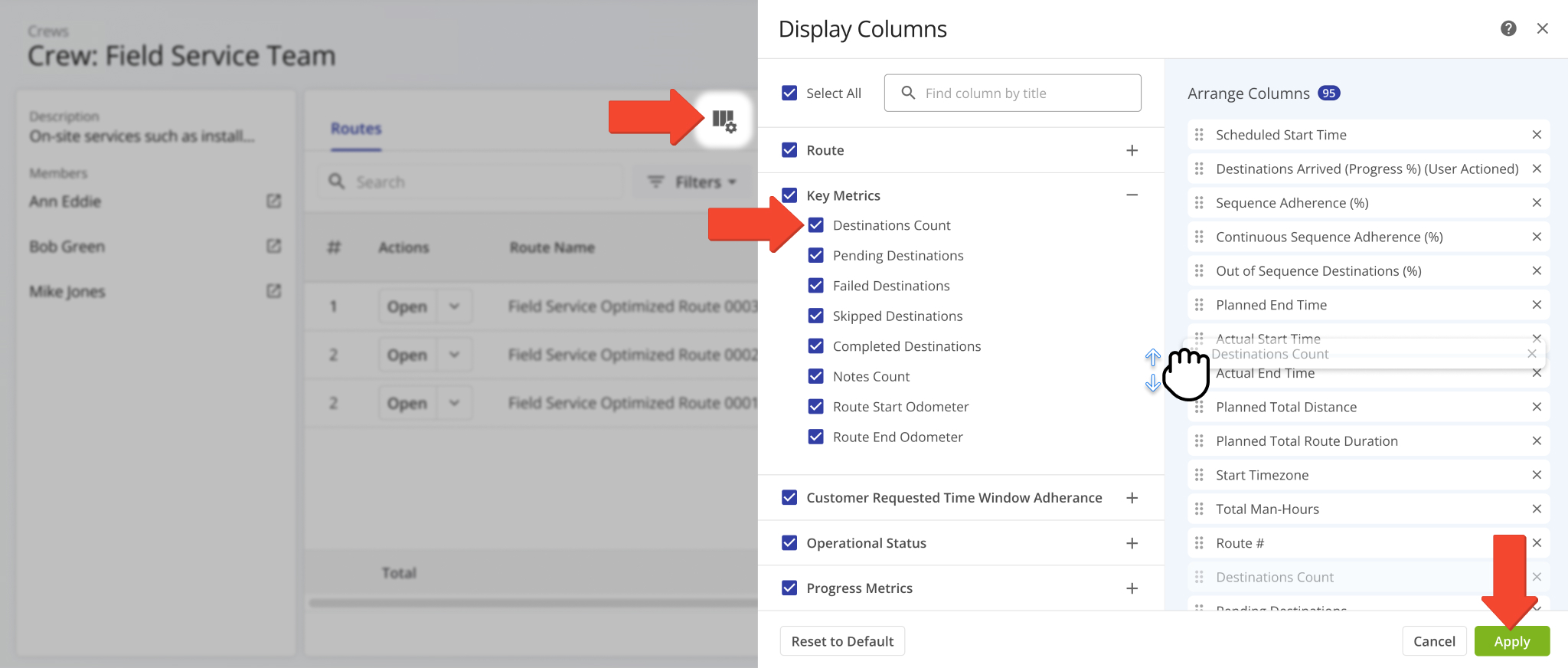
You can also customize the data displayed in the table. To do so, click the Columns Icon and check the boxes next to the route data fields you want to enable. Adjust their order to suit your operational needs by dragging column names in the “Arrange Columns” section. When finished, click “Apply” to save your changes. Learn more about Route Data Fields.
Visit Route4Me's Marketplace to Check out Associated Modules:
- Operations
Advanced Team Management Add-On
- Operations
Audit Logging and Activity Stream
About author: Kristian Andreev

