Commercial Road Restriction Violations – Plan Truck Routes Through Restricted Roads
By default, Route4Me avoids roads with commercial constraints, such as low bridges or weight limits, and leaves unrouted any destination it can’t reach legally. If your operation requires driving through restricted roads, like local deliveries on restricted streets, turn on the “Allow Routing Through Commercial Road Restrictions” setting. Route4Me will then plan the route and flag each restricted stretch as a Restriction Violation on the Route Map, Destination List, and Route Timeline. Learn more in this guide.
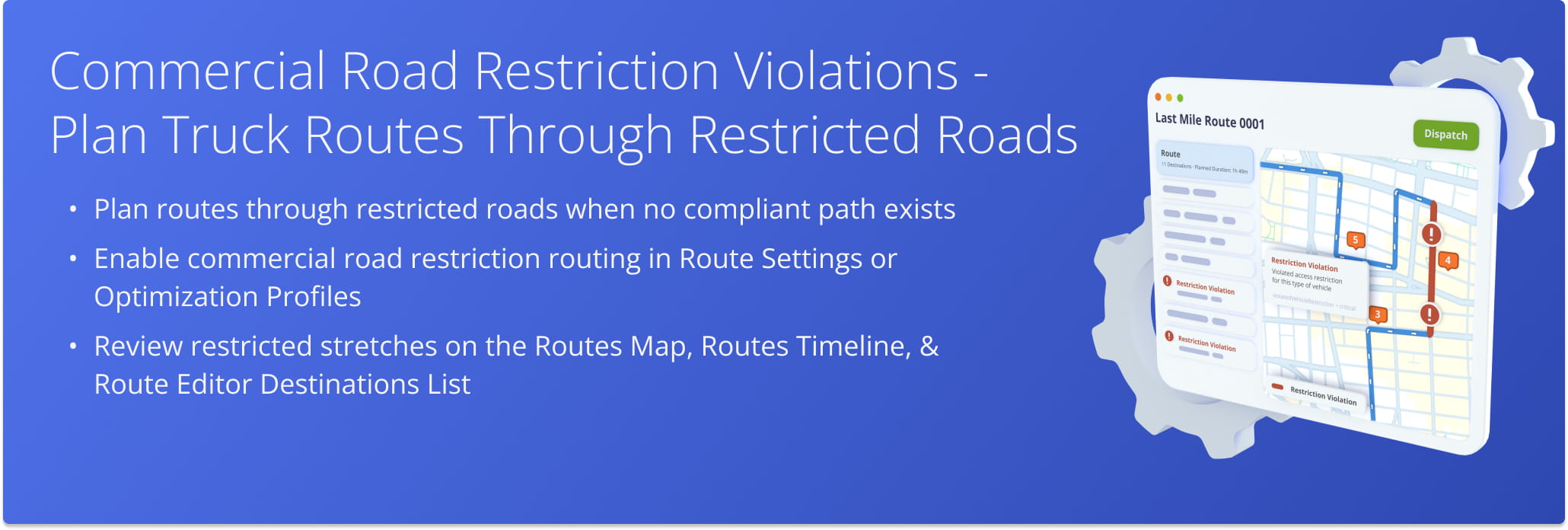
Table of Contents
Enable Road Restriction Violations – Allow Routing Through Restricted Roads
Commercial road restriction violations must be activated for your account. To get started, contact Customer Support.
Once active, the “Allow Routing Through Commercial Road Restrictions” toggle appears in the Route Settings drawer when you plan a new route. You can also turn it on in an Optimization Profile to reuse the setting every time you plan a route.
View Restricted Road Segments – Identifying Restriction Violations
Interactive Route Map – Review Road Restrictions In Routes List And Route Editor
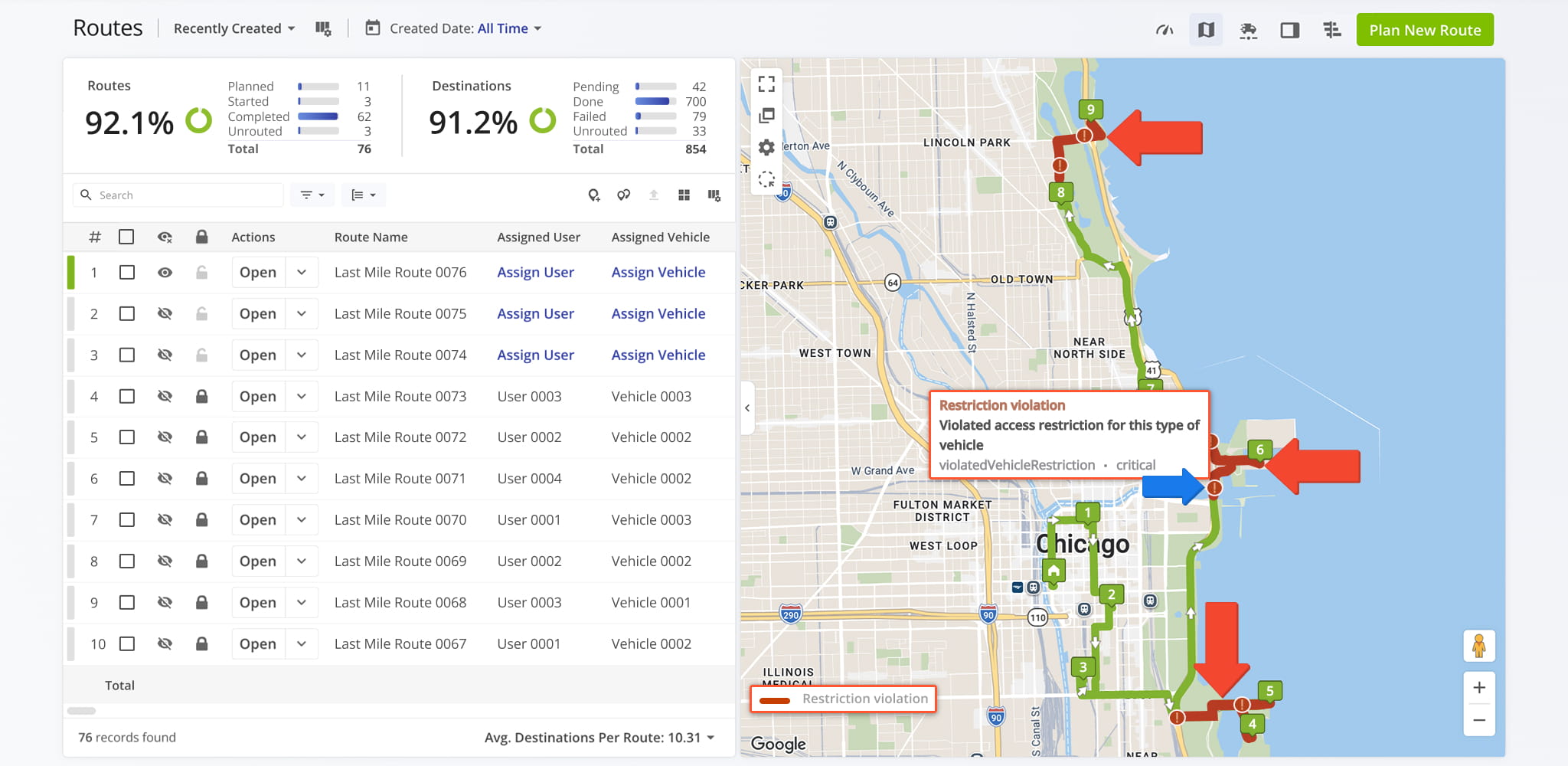
On the Routes Map, accessible from the Routes List or Route Editor, compliant portions of the route appear in standard route colors. Restricted, non-drivable stretches appear as a dark red solid line overlaid with “!” warning markers.
Hover over a “!” marker to open a tooltip with the event label, cause of the restriction, notice code, and severity level. An active “Restriction violation” entry also appears in the map legend, so you can identify regular route paths from restricted stretches.
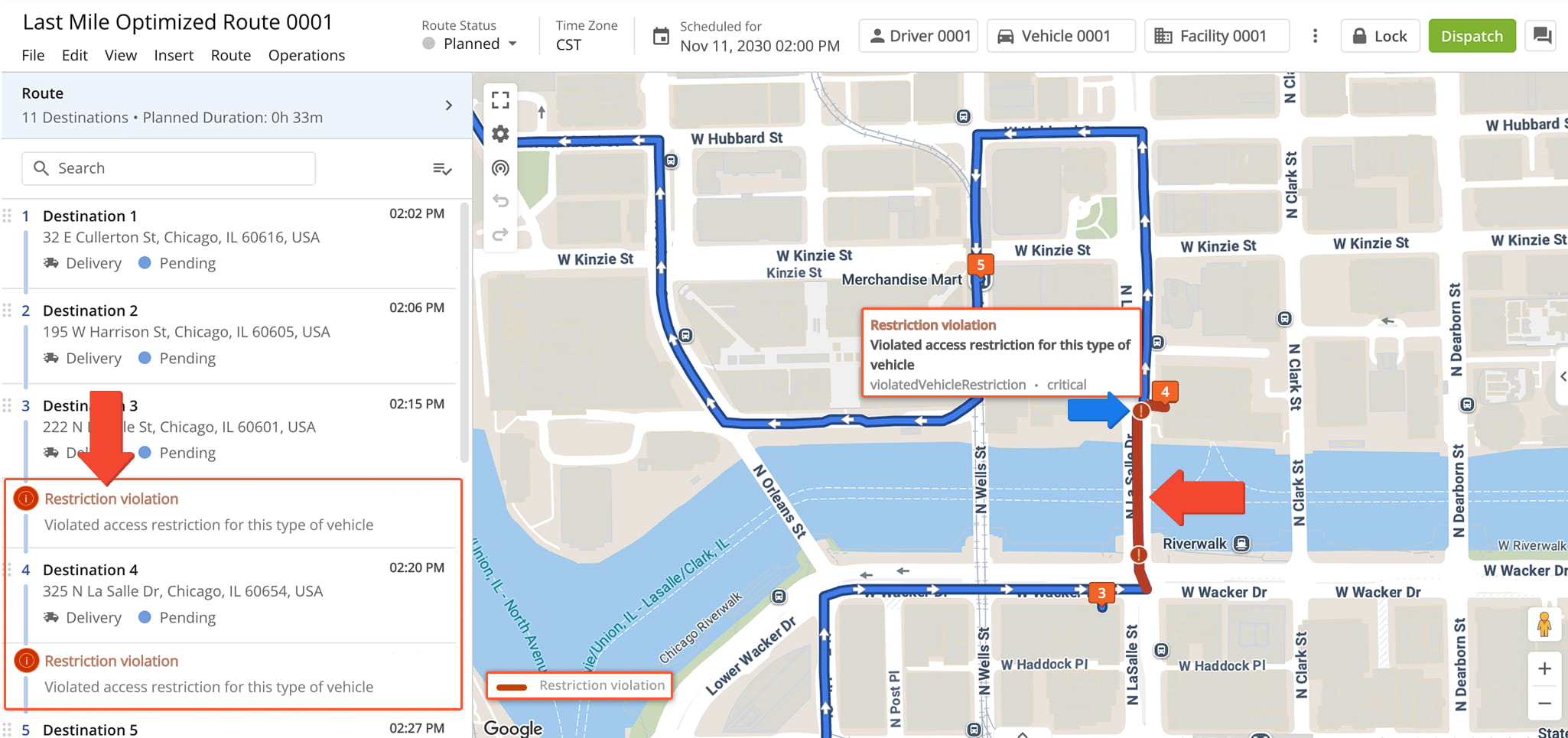
Route Editor Destination List – Review Restriction Violations In The Stop List
In the Route Editor stop list, legs that lead to or from destinations along restricted paths display dedicated “Restriction Violation” rows. Each row shows the exact cause of the restriction, such as “Violated access restriction for this type of vehicle”.
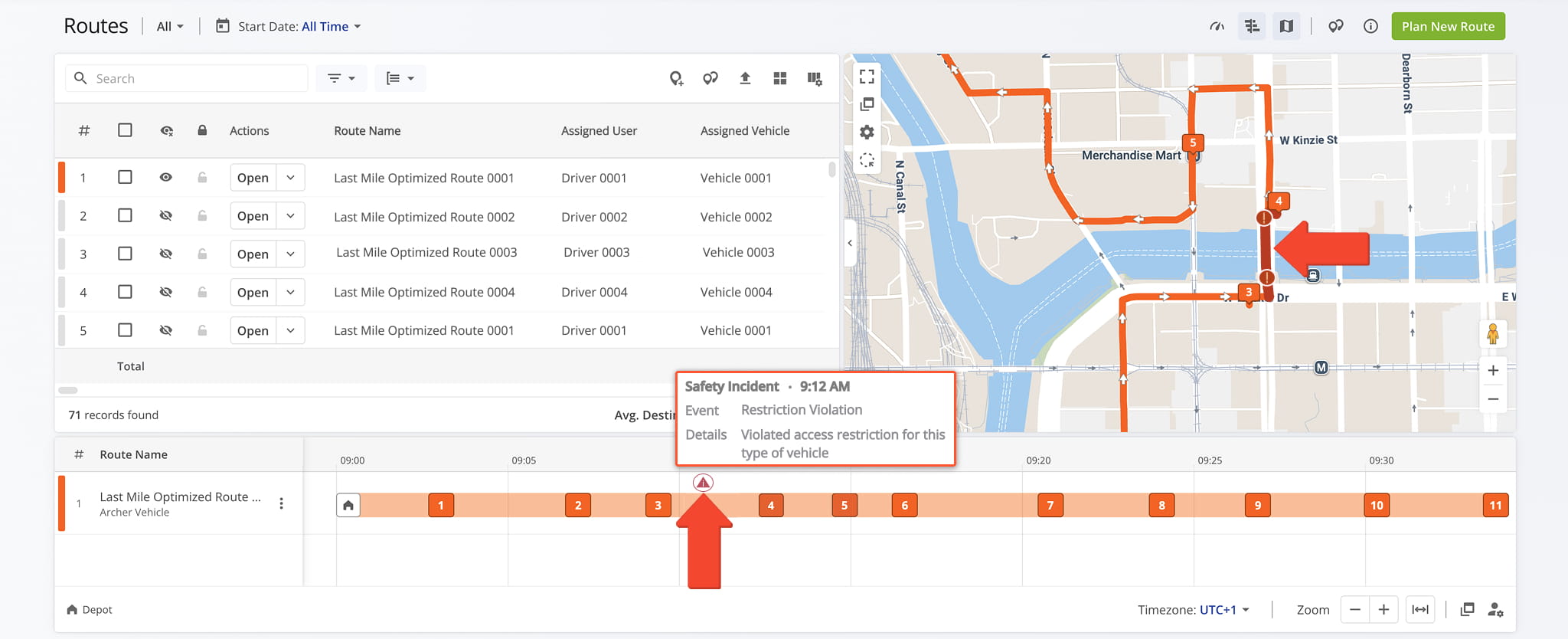
Route Timeline And Safety Events – Track Restriction Violations On The Timeline
On the Route Timeline, accessible from the Routes Page and Route Editor, breached road sections appear as Safety Incident event markers. Hover over a marker to open a popover with the event type, the event, and the specific cause of the restriction.
Visit Route4Me's Marketplace to Check out Associated Modules:
- Operations
Custom Data Add-On
- Operations
Advanced Team Management Add-On
About author: Daniel Archer