
Dynamic Service Time Rules – Adjust Stop Duration By Real-World Conditions
Not every stop takes the same amount of time to complete. Dynamic Service Time Rules build on your Service Time settings, automatically adjusting them to reflect real-world conditions at each stop. Each Dynamic Service Time Rule starts with a baseline time, called the Base Duration, and adjusts it when conditions like weather, time of day, or item quantity apply. The Dynamic Service Time Rules page shows every rule you’ve created, so you can review, add, and fine-tune them at any time.
Table of Contents
Add Dynamic Service Time Rules – Create Time Adjustment Rules
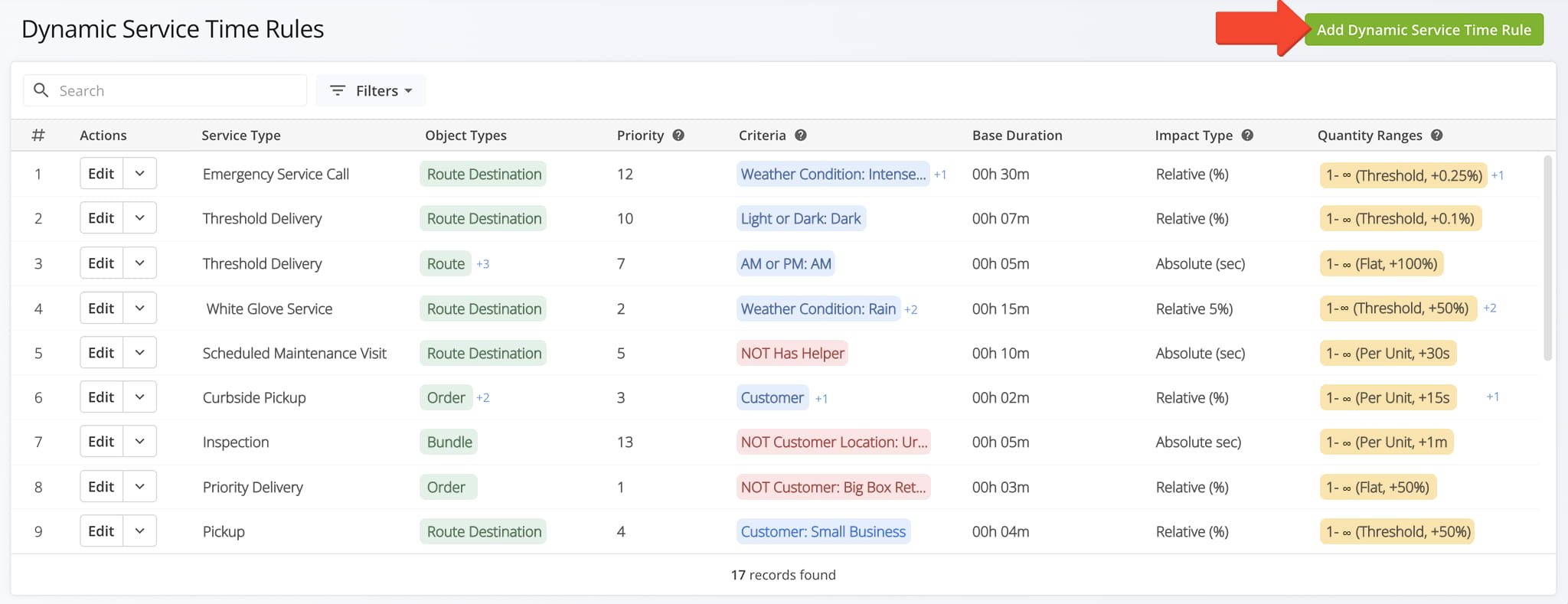
To access the Dynamic Service Time Rules feature, go to “Optimization Settings” > “Dynamic Service Time Rules” from the Navigation Menu. To create a new rule, click “Add Dynamic Service Time Rule” in the upper-right corner of the page.
Open Your Dynamic Service Time Rules Page
Then, in the Editor Panel, complete all of the fields, detailed in the table below. Click “Add” to finalize.
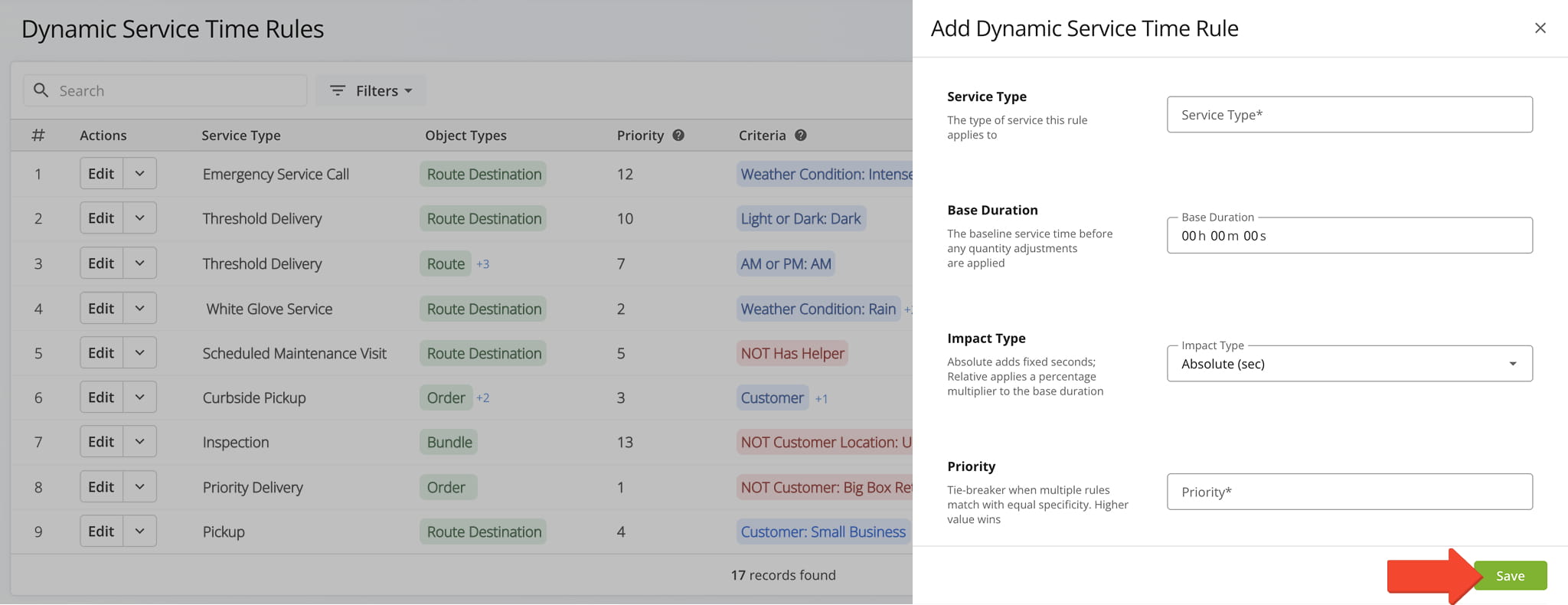
Editor Panel Fields
Manage Dynamic Service Time Rules – Edit And Delete Rules
The Dynamic Service Time Rules page lists every rule added to your account. From this page, you can:
- Use the “Search” field and “Filters“, detailed in the table below, to locate a specific rule.
- Review each rule’s key settings at a glance.
- Click “Edit” next to a rule to modify it.
- Click the Down Arrow button next to a rule to “Delete” it.
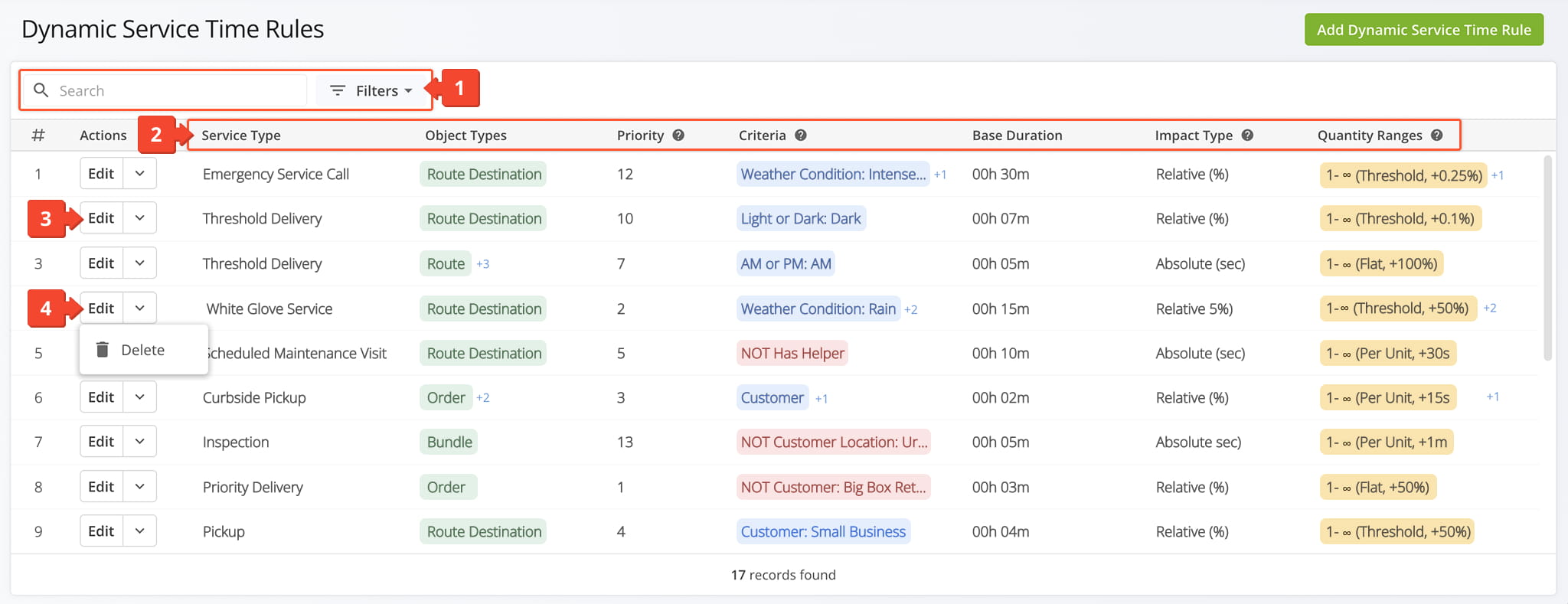
Filters
Using Dynamic Service Time Rules – How Rules Are Applied
Dynamic Service Time Rules calculate and adjust stop durations based on service type, cargo quantity, and location-specific conditions, applying during route optimization, in the Route Editor, or when processing orders.
Once created, a rule works on its own. Route4Me applies it automatically anytime it estimates how long a stop will take. The following breaks down exactly what happens, step by step:
- Find matching rules: Route4Me checks a stop’s Service Type, Object Types, and Criteria against your rules and finds any that match.
- Break ties: If more than one rule matches, the rule with the higher Priority is used.
- Start with the Base Duration: The selected rule’s Base Duration is used as the starting point.
- Apply the Impact Type: Absolute (sec) adds a fixed number of seconds to the Base Duration; Relative (%) multiplies it by a percentage.
- Apply a Quantity Range: If the rule includes Quantity Ranges and the stop’s item quantity falls within one, that adjustment is added.
Visit Route4Me's Marketplace to Check out Associated Modules:
- Operations
Custom Data Add-On
- Operations
Advanced Team Management Add-On
About author: Daniel Archer

