
Build Route Templates From Strategic Planning – Create Recurring Routes At Scale
Strategic Planning helps businesses create optimized routes for complex, large-scale routing scenarios. You can import these routes as Route Templates, then schedule and reuse them in your recurring routing workflows. This keeps your optimized routes consistent across every cycle. In this guide, learn how to build Route Templates from strategic planning and use them to create recurring schedules.
Table of Contents
Sync Strategic Scenarios – Import Planned Routes With Schedules
When you optimize Strategic Scenario Routes with Route4Me’s automated strategic cycle planning, you can sync the scenario to import its routes as Route Templates for recurring routing.
Syncing brings in the routes and their schedule settings together, so you don’t have to rebuild them one by one. Before you sync, review the scenario and confirm its routes meet your requirements. Then sync the scenario for recurring routing.
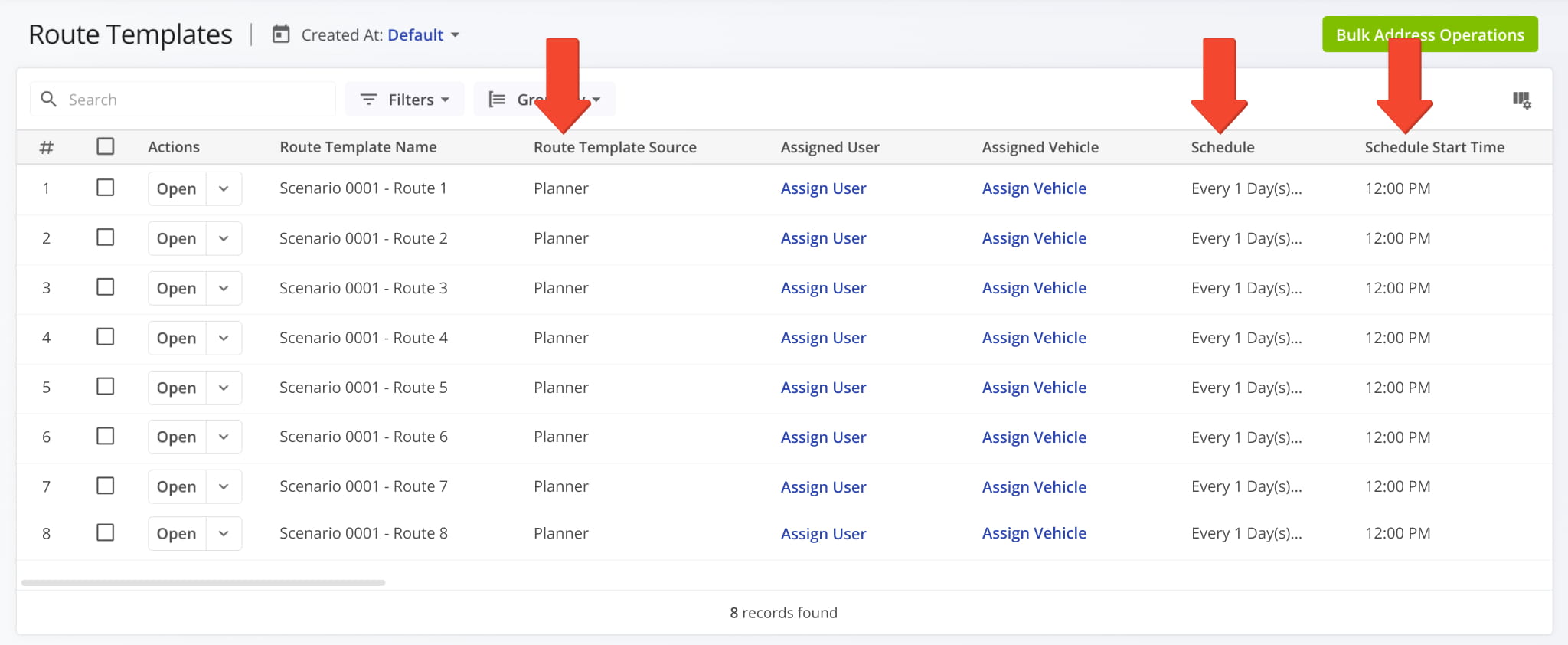
After syncing, your routes appear on the Route Templates page with “Planner” in the “Route Template Source” column. Some may already have schedules, while others may need rules added. To complete a schedule, follow the steps in the next section.
Schedule Imported Route Templates – Add Rules To Strategic Routes
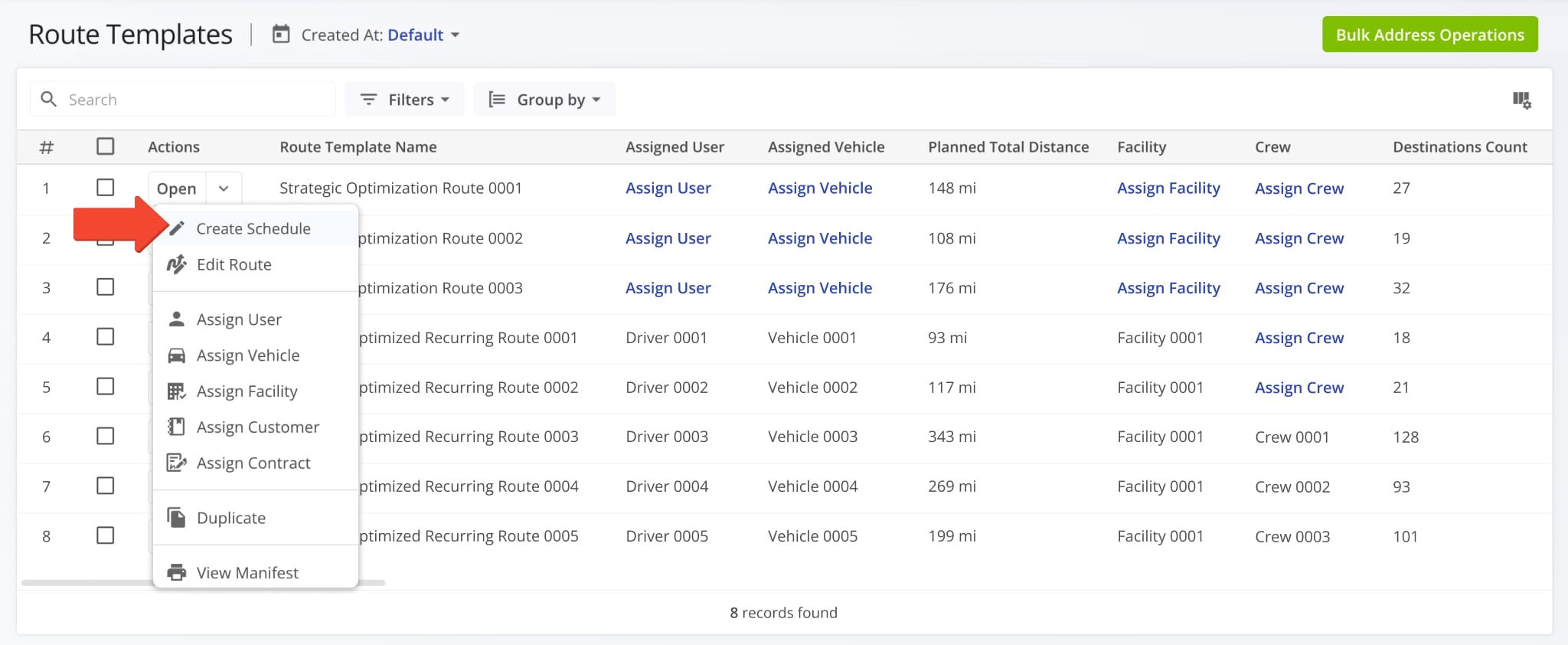
If a route was imported without a recurring schedule, click the Down Arrow next to it and select “Create Schedule”.
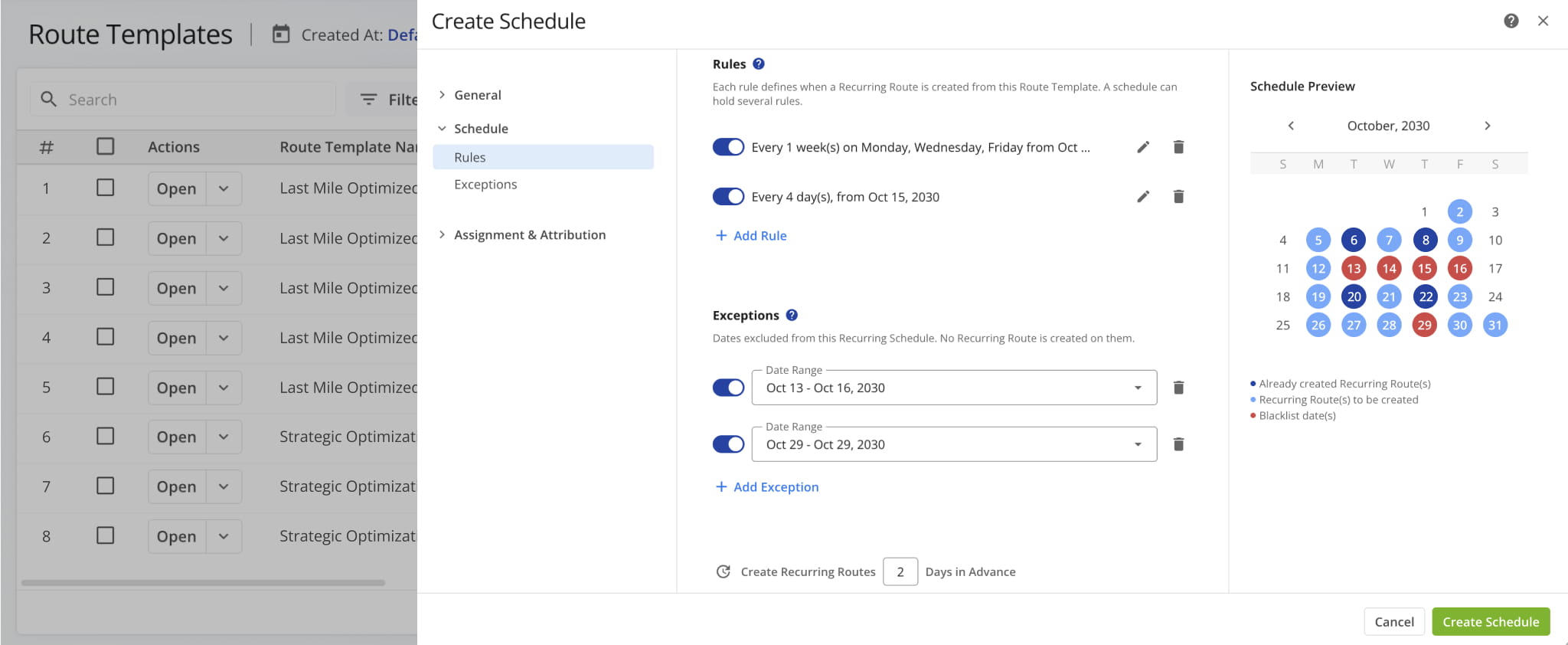
You’ll be redirected to the Schedule Editor, where you can configure your Route Template. Add rules and exceptions, set how many days in advance to create recurring routes, and assign users, vehicles, and other details.
Learn more about using the Schedule Editor to configure Route Templates.
Visit Route4Me's Marketplace to Check out Associated Modules:
- Operations
Audit Logging and Activity Stream
- Operations
Custom Data Add-On
- Operations
Advanced Team Management Add-On
About author: Daniel Archer

