
Route Planning & Optimization Guide – Routing Types And Business Use Cases
Route4Me supports multiple routing types and business use cases across operations. These include Dynamic, Strategic, Recurring, and Commercial Truck Route Planning, each designed for a different routing approach, from real-time routing to long-term scenario planning and recurring scheduling. Together, these routing types help businesses adapt to a wide range of operational needs. Explore the differences between each routing type and how they are used in practice.
Table of Contents
Overview Of Route Types – Key Differences
Route4Me provides several routing types for different planning needs. Each type works differently depending on how routes are created and managed. The table below gives a quick overview to help you understand the differences between them.
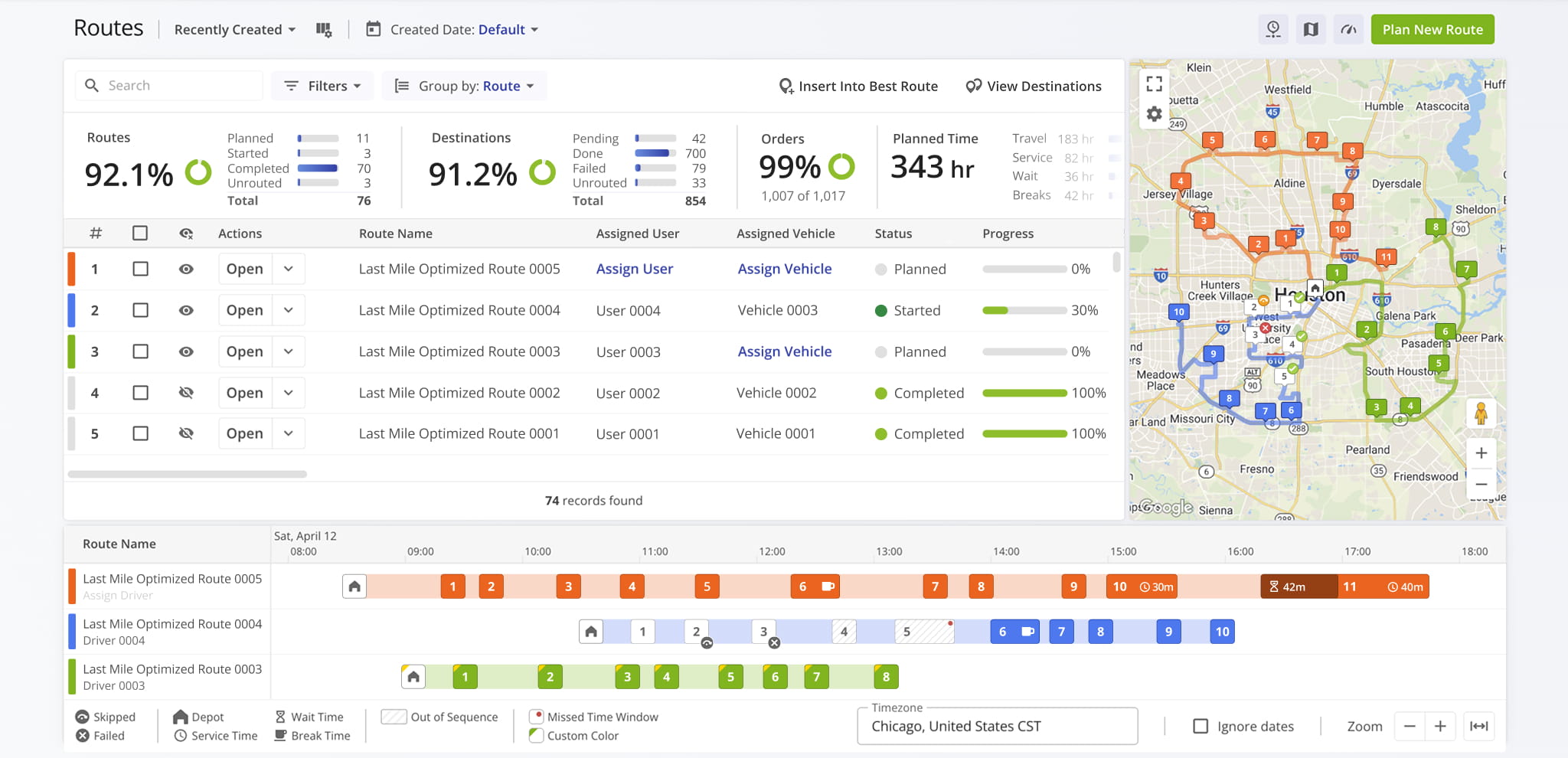
Route4Me Routing Types
Dynamic Route Planning – Flexible Route Optimization
Dynamic Route Planning lets you create and optimize routes in real time using Route4Me’s Web Platform. It’s built for on-demand routing, making it easy to add or adjust addresses and generate optimized routes without relying on preconfigured schedules.
This makes it ideal for situations where stops or conditions may change during planning and require immediate re-optimization.
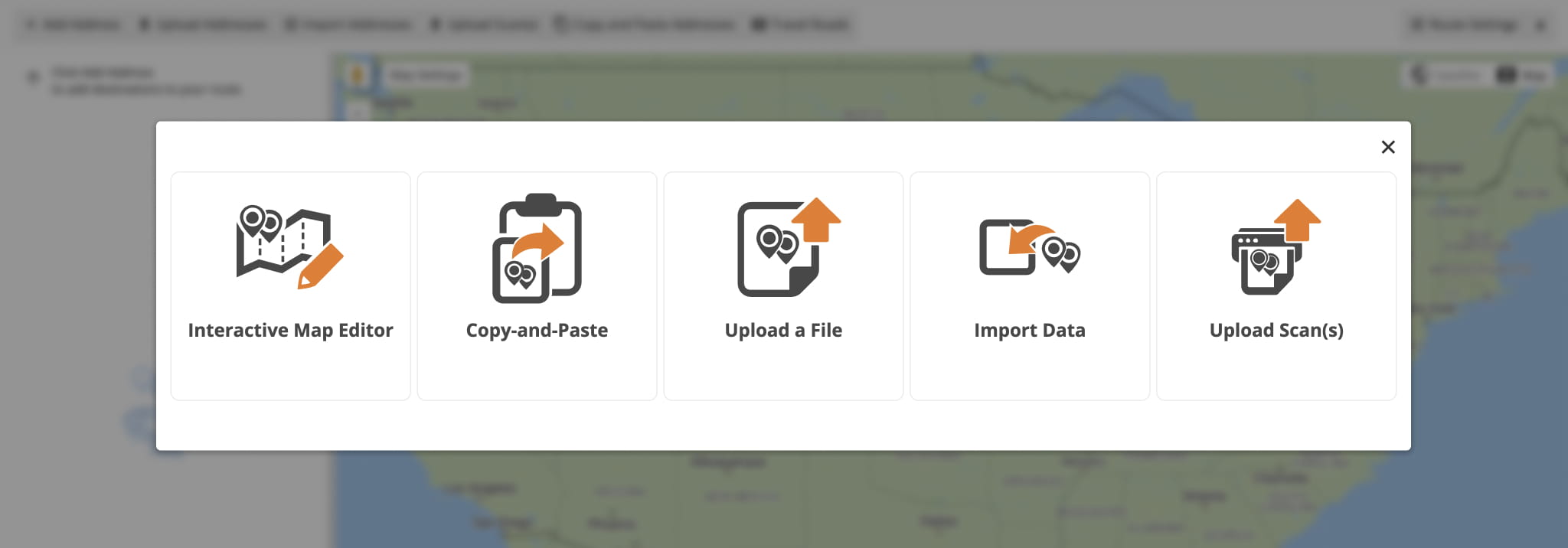
To plan a Dynamic Route, go to “Dynamic Routing” > “Plan New Route” from the Navigation Menu. Then, select how you want to add addresses: via spreadsheet or scan upload, copy-paste, cloud storage import, or the interactive map.
Next, choose an Optimization Profile or configure settings manually, review and verify addresses, and click to optimize and generate a route. Route4Me will automatically create the most efficient route or routes based on your inputs and constraints. 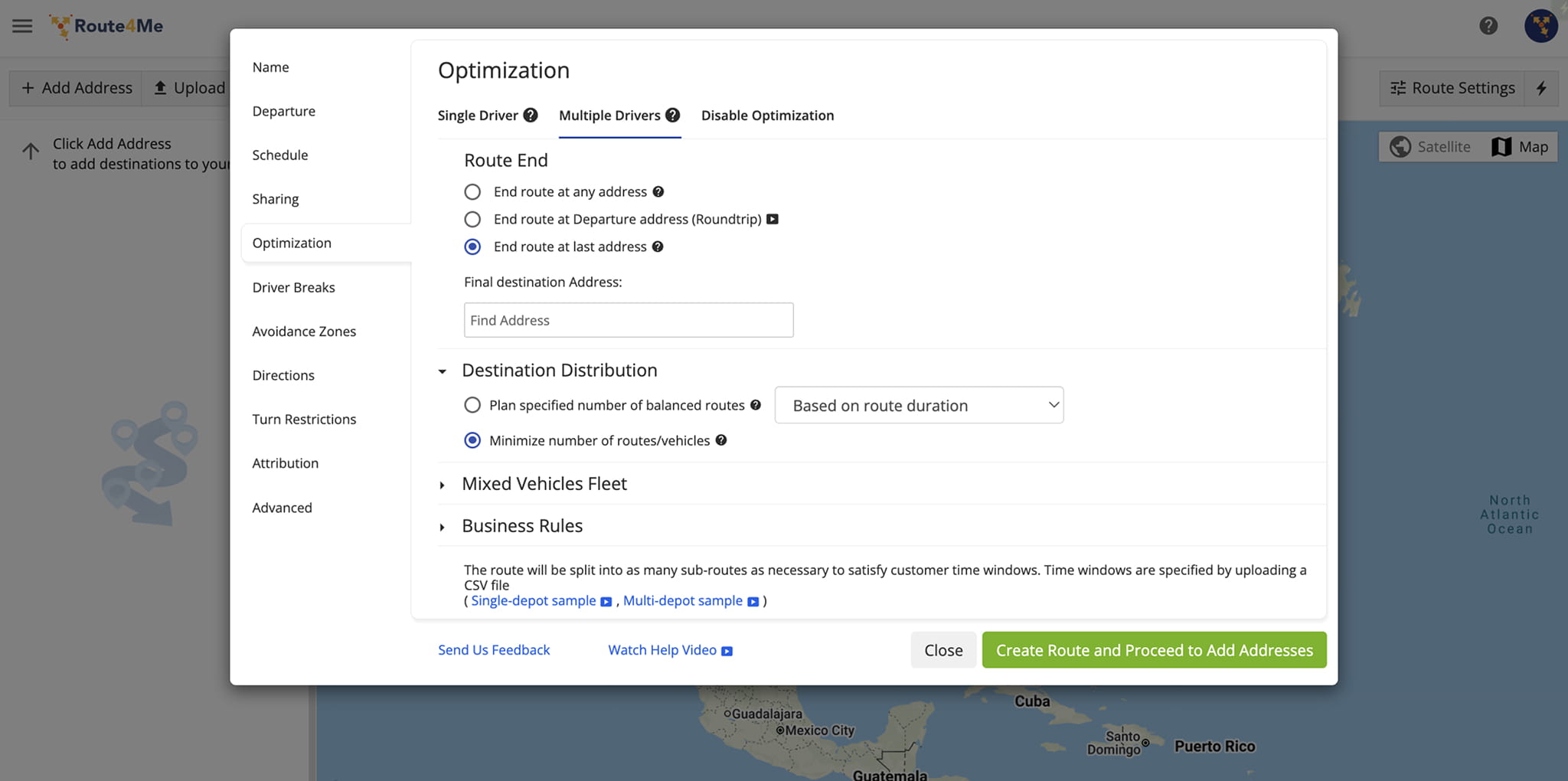
Strategic Route Planning – Scenario-Based Route Optimization
Strategic Route Planning creates long-term routing scenarios based on recurring schedules, visitation frequencies, and large-scale location data across hundreds of thousands of stops. It builds on optimization scenarios instead of day-to-day route creation.
To create a strategic plan, go to “Strategic Routing” > “Plan New Scenarios” from the Navigation Menu. Then, upload your locations using a spreadsheet or sync data via SFTP, depending on how your data is managed.
Once uploaded, define the strategic optimization by naming it, selecting route start locations, and configuring optimization settings and scenario schedules. Route4Me will then create Strategic Scenarios based on your locations and optimization settings.
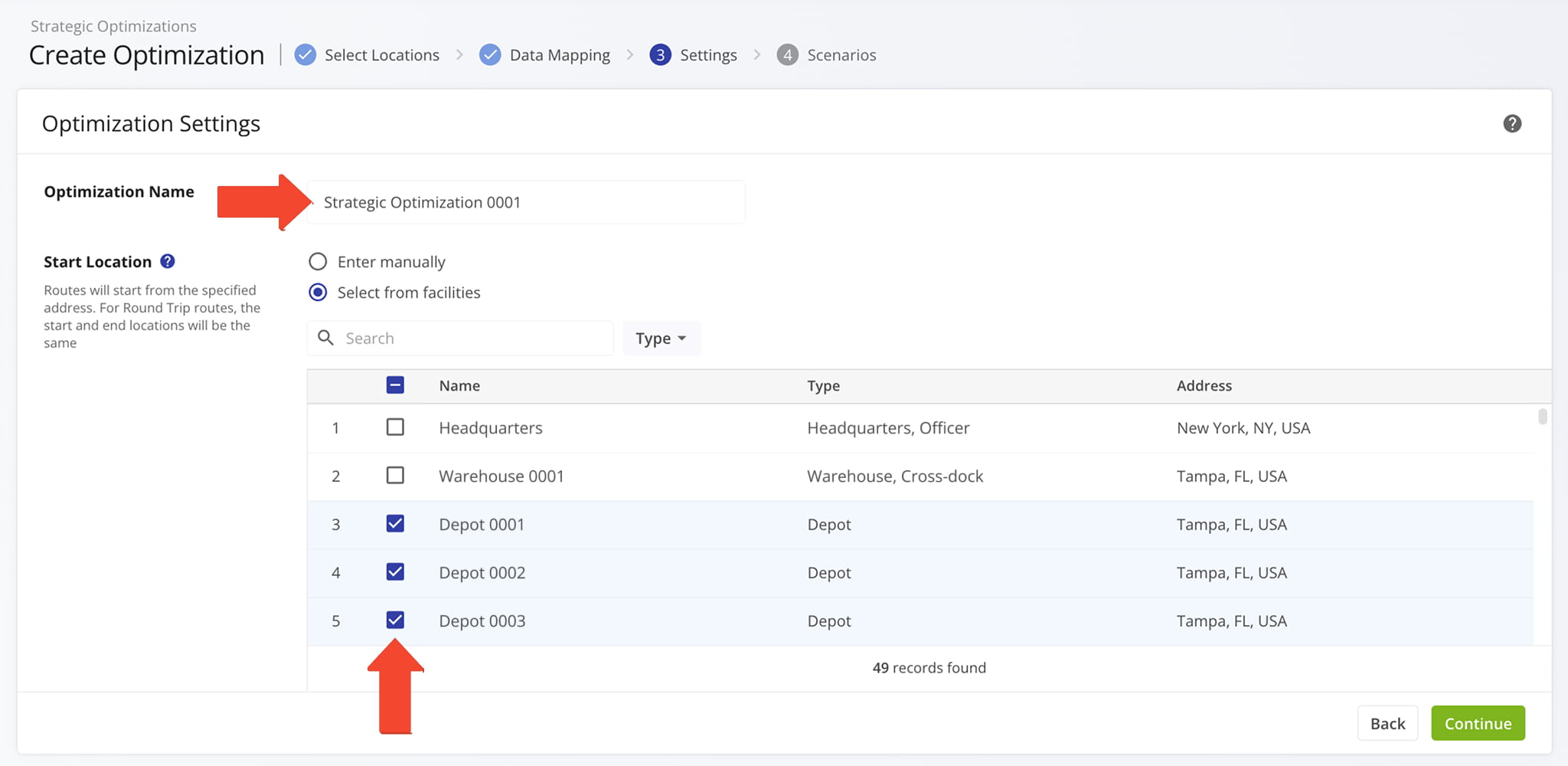
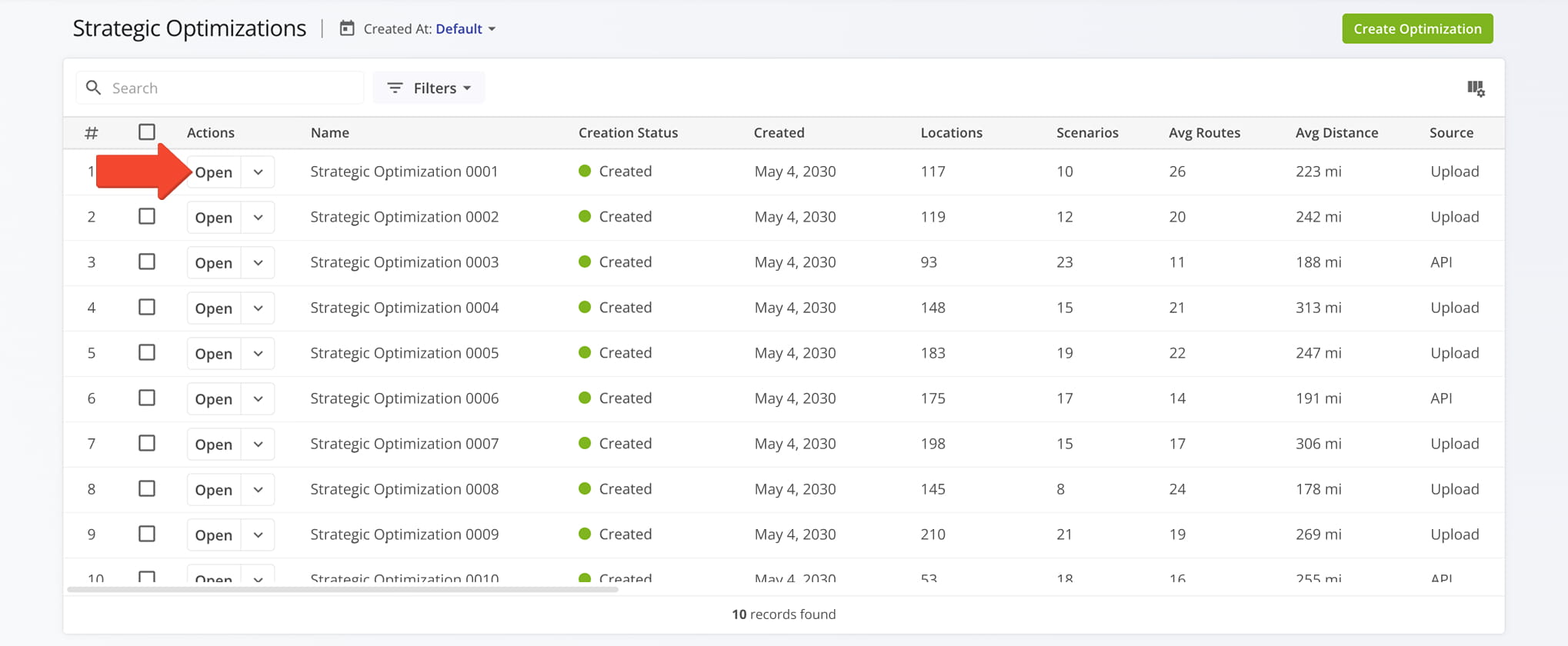
You can open a Strategic Optimization to review associated Scenarios, compare routing outcomes, and adjust configuration settings if needed. Select the Scenario that fits your planning needs and sync it as a regular or master route for Recurring Routing.
Recurring Route Planning – Automated Route Scheduling
Recurring Route Planning creates repeatable routes using a Master Route template and a recurring schedule that defines how often the route is generated.
It automates route creation for regularly serviced locations by generating future routes based on frequency rules such as daily or weekly schedules.
To set up a Recurring Route, open the Recurring Routes Schedule Editor from a route in your Routes List and define a schedule using frequency rules, date ranges, and any required exceptions.
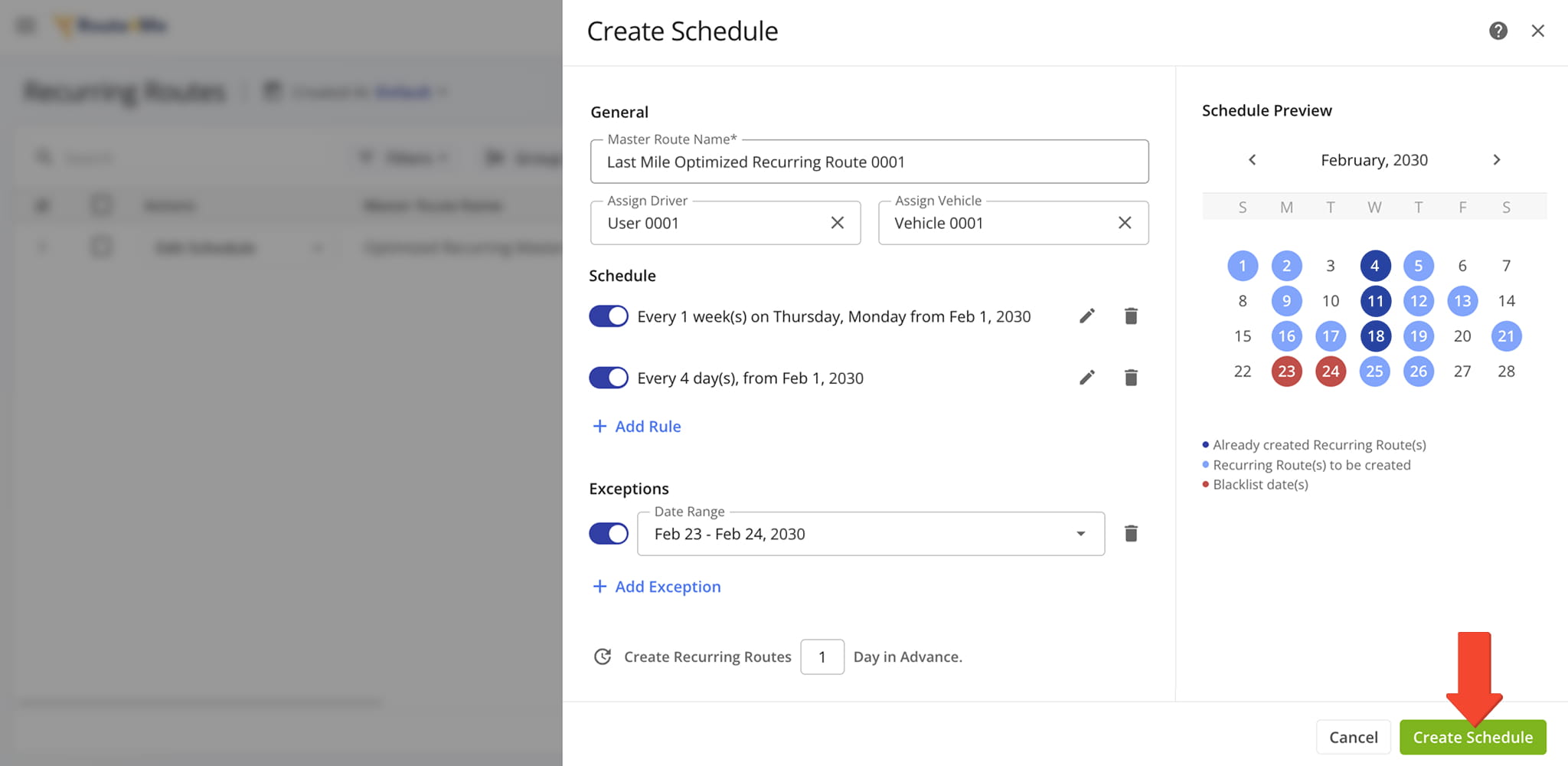
Route4Me then automatically generates future routes based on the Master Route and schedule settings. You can review and manage these routes as they are created, adjusting assignments, timing, and routing details as needed.
Changes to the schedule or Master Route are automatically reflected in all future routes.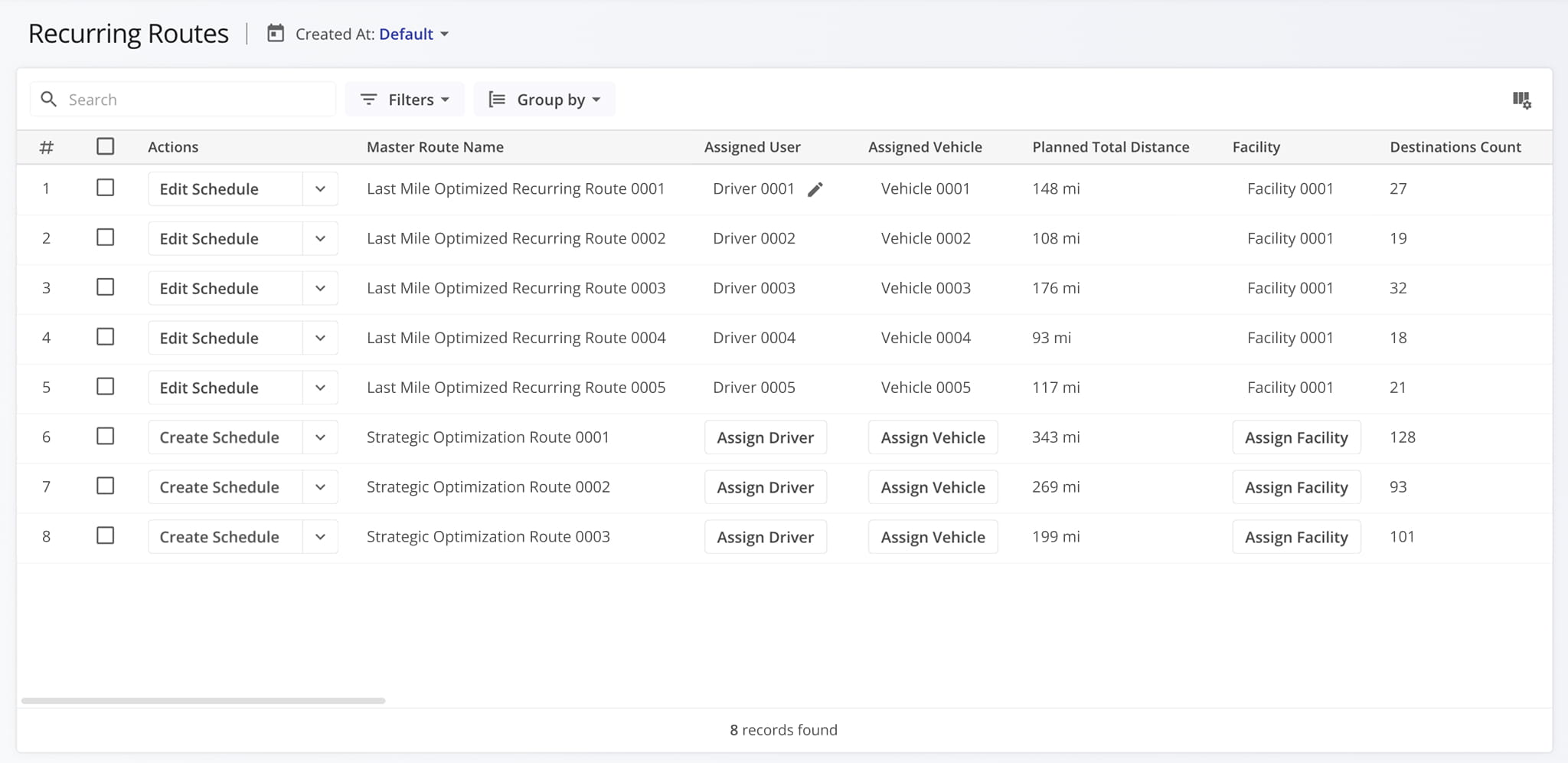
Commercial Truck Route Planning – Commercial Vehicle Constraints
Commercial Truck Route Planning creates optimized routes for trucks by accounting for vehicle-specific restrictions such as height, weight, length, and road access limitations, ensuring routes follow safe, compliant roads suitable for commercial vehicles.
To support route execution, Route4Me also provides commercial vehicle navigation for iOS and Android so drivers can follow commercially compliant turn-by-turn directions throughout the route.
To enable commercial truck routing, your Route4Me fleet must include commercial vehicles with assigned Vehicle Profiles, which define each vehicle’s routing constraints and operating limits.
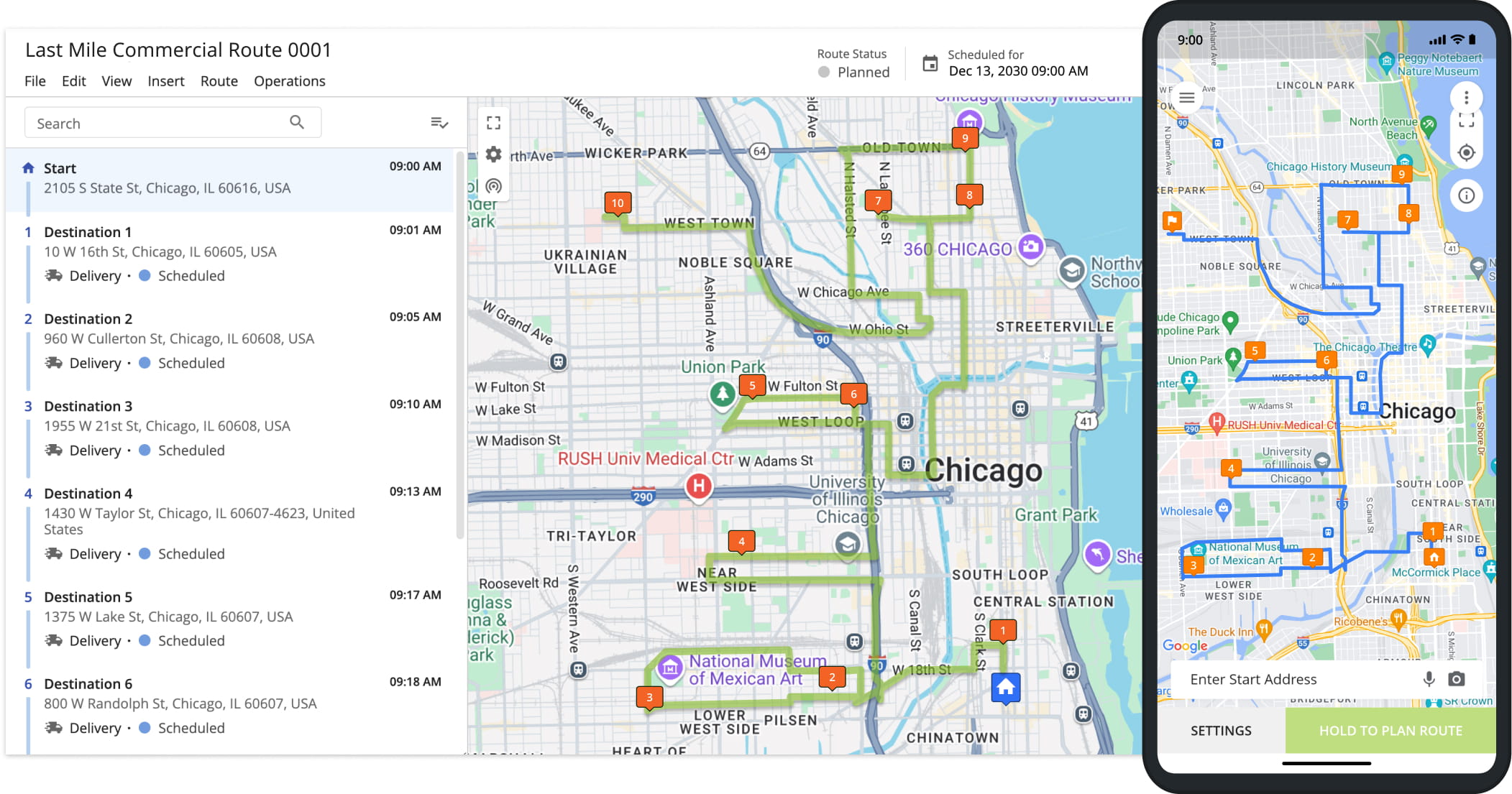
To access Commercial Vehicle Profiles, go to “Team & Equipment” > “Vehicles” from the Navigation Menu. From here, you can manage commercial vehicles and their routing profiles.
Route4Me applies these Vehicle Profiles during optimization to ensure all generated routes comply with each vehicle’s defined commercial constraints.
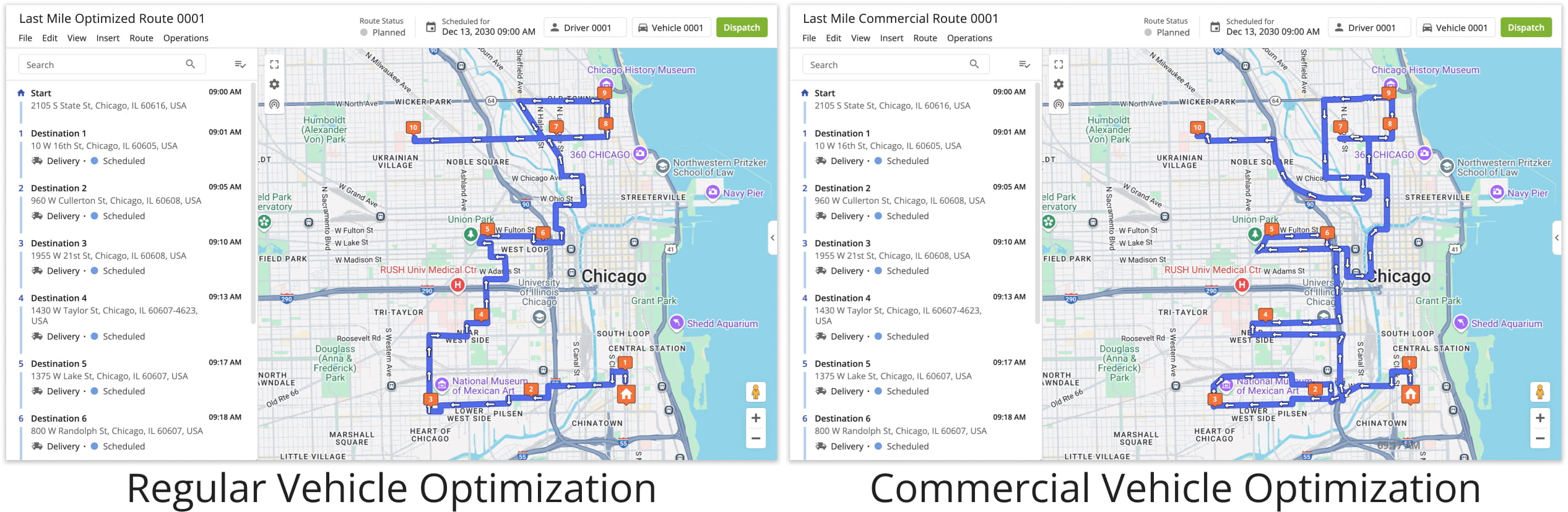
Business Route Scenarios – Orders, Locations, And Territory Routing
Orders Routing – Customer Order Route Optimization
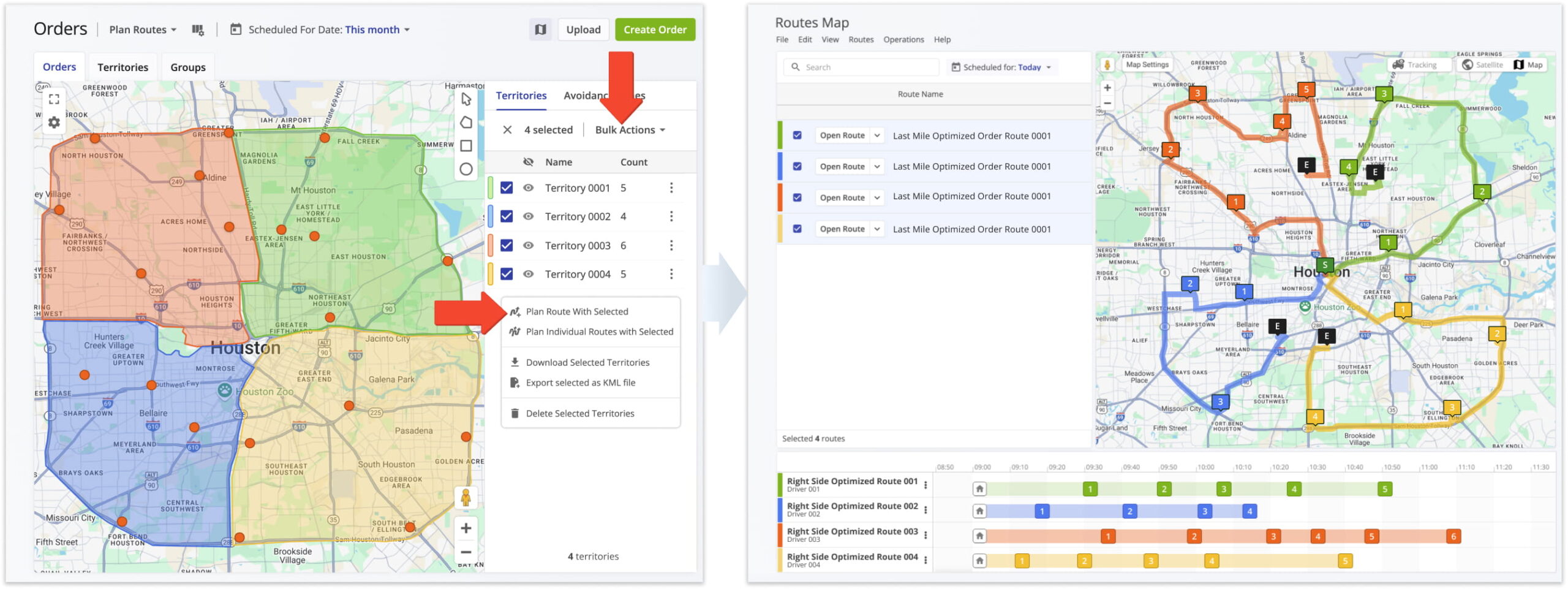
Orders Routing enables route planning directly from customer orders imported into Route4Me. It is designed to organize structured order data and turn it into optimized routes for delivery or service execution.
Order data is organized based on attributes such as schedule, status, or geography, which Route4Me uses to group and prioritize orders during optimization. Routes are generated for efficient delivery and service execution.
Locations Routing – Customer Location Route Optimization
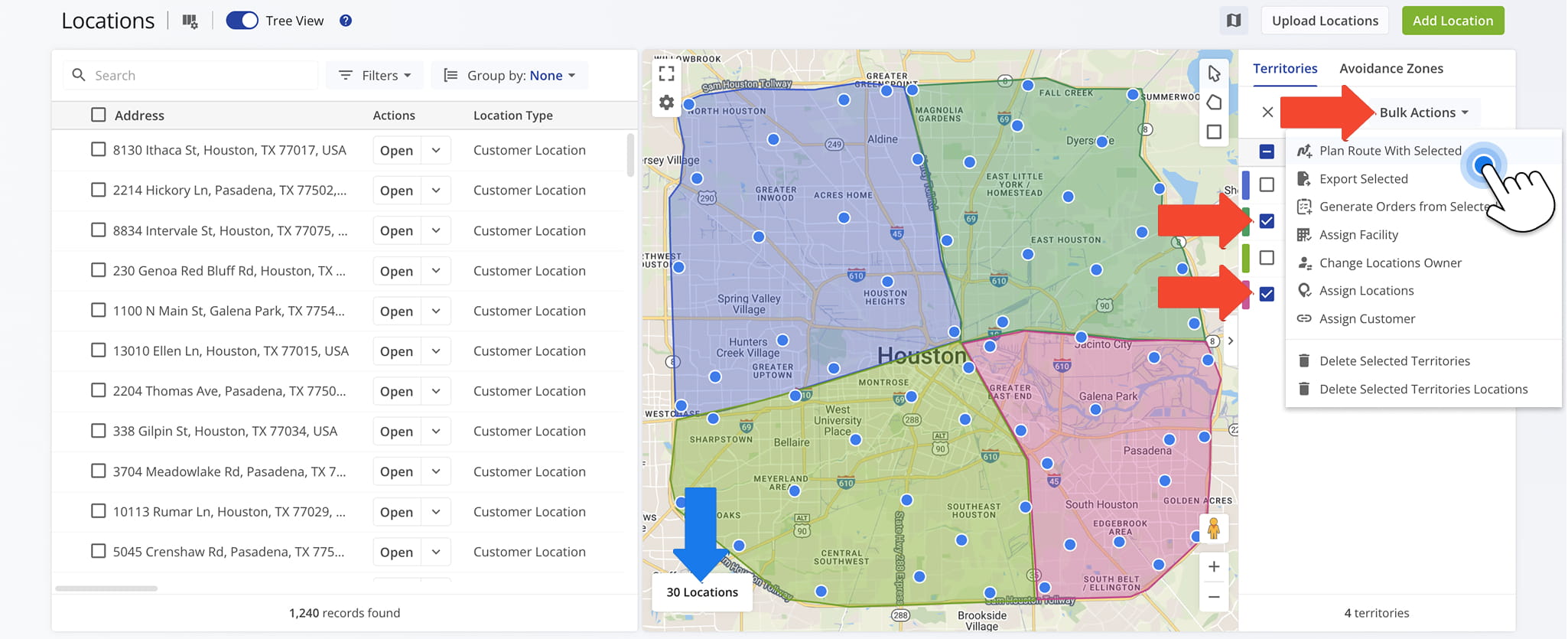
Locations Routing enables route planning directly from customer locations stored in Route4Me’s address database. It is designed to use existing location data to build optimized routes based on geographic distribution and operational needs.
Location data is grouped based on attributes such as geography or service area, enabling Route4Me to organize locations for efficient routing during optimization.
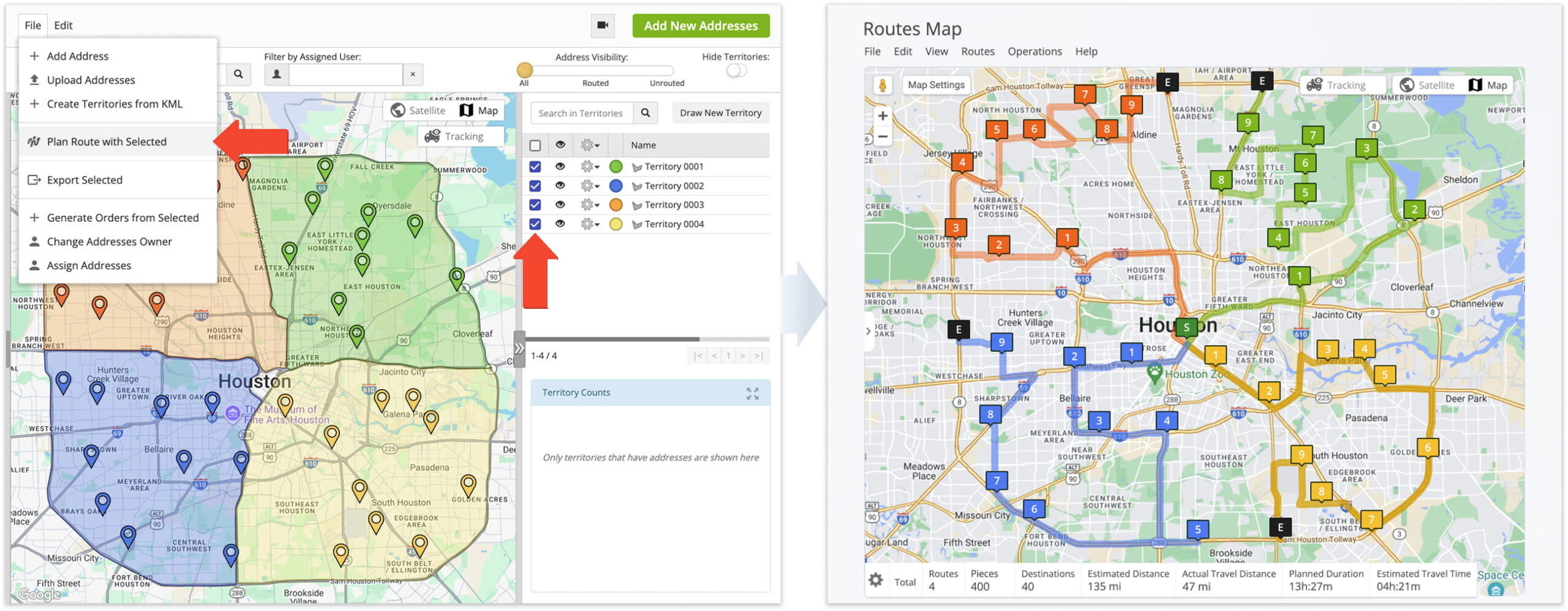
Territory Routing – Service Area Route Optimization
Territory Routing enables route planning based on predefined geographic territories in Route4Me. It organizes customer locations into defined service areas to support structured geographic planning.
Territories define the geographic boundaries for routing, ensuring routes are planned and executed within assigned service areas.
Visit Route4Me's Marketplace to Check out Associated Modules:
- Route Optimization
Stops Bundling
- Route Optimization
Mixed Vehicles Routing
- Route Optimization
Max Weight per Route
- Route Optimization
Max Stops Per Route
About author: Daniel Archer

