Route4Me API And SDK Docs – Route Optimization And ERP APIs And SDKs Documentation
Route4Me APIs and SDKs connect your business systems to Route4Me’s route optimization and ERP features. Medium and large enterprises can use them to automate route planning, import orders and addresses, and generate optimized last mile routes. Route4Me’s patented route optimization engine reduces miles, fuel consumption, manpower overhead, and planning time.
A Route4Me API integration is more cost-efficient than building and maintaining an in-house transportation management system, with scalable deployment on AWS, Google Cloud, and Microsoft Azure. Route4Me’s API also streamlines capturing and analyzing data for performance tracking. This guide covers the Route4Me Developer Portal, API References, SDKs, and API rate limits.
Table of Contents
Route4Me Developer Portal – Route Planning & Optimization API Documentation
Through Route4Me’s APIs, you can access the same capabilities that power the Route4Me Web Platform and mobile apps, including real-time search, track and trace functionality, and advanced route optimization. This includes dynamic routing features such as continuous route re-optimization, scheduling constraints, route balancing, real-time rerouting, multi-destination navigation, dynamic ETAs, and advanced vehicle routing for Class 1–8 trucks with height, weight, tunnel, and bridge restrictions.
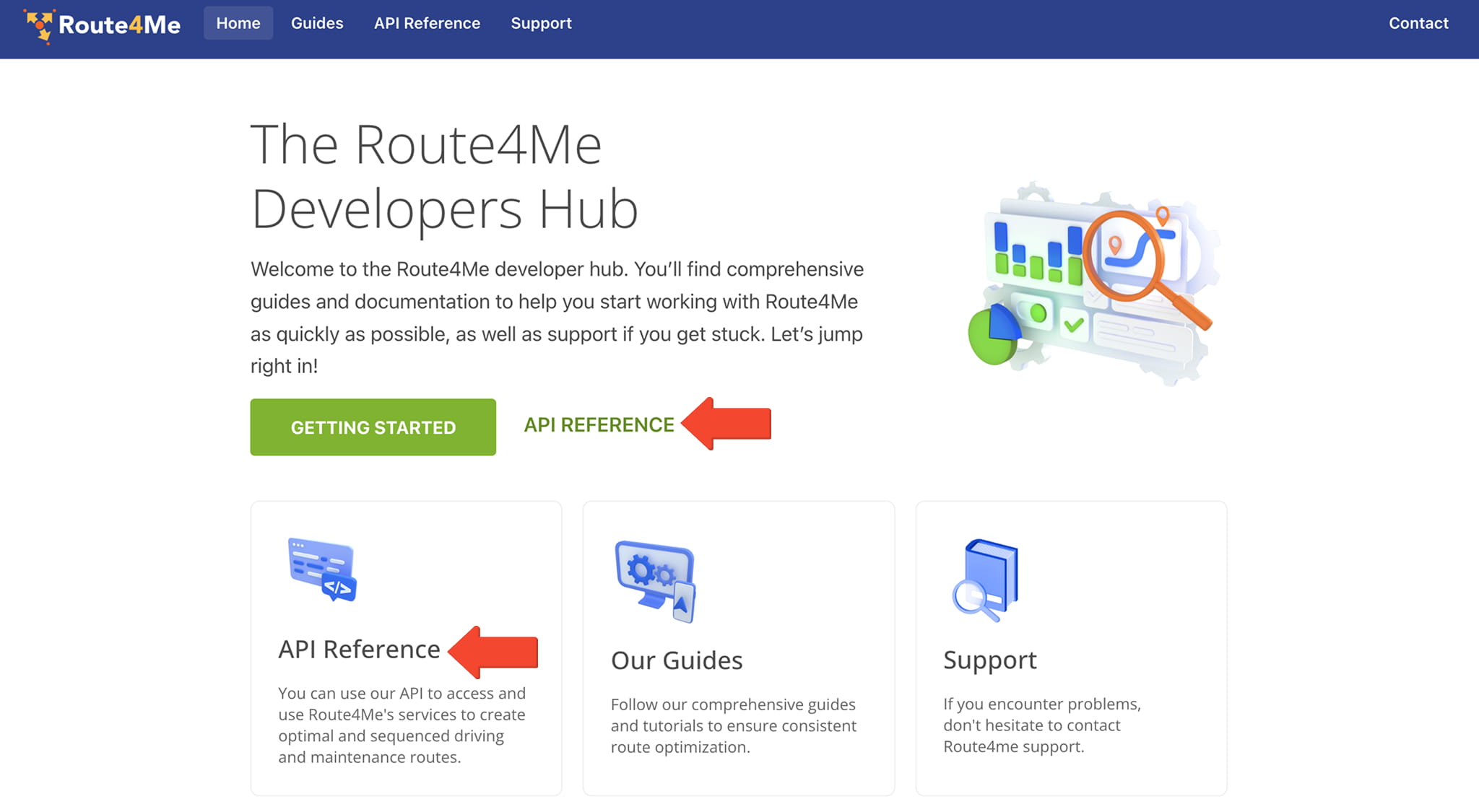
The Route4Me Developer Portal is where you can find Route4Me API documentation. It includes the Getting Started guide, security and authentication guides, and the API Reference with all available endpoints and code samples in multiple languages. Because Route4Me is a plug-and-play Logistics-as-a-Service platform, you don’t need to build complex routing systems or manage the underlying infrastructure. No software installation is required.
Access Route4Me Developer Portal
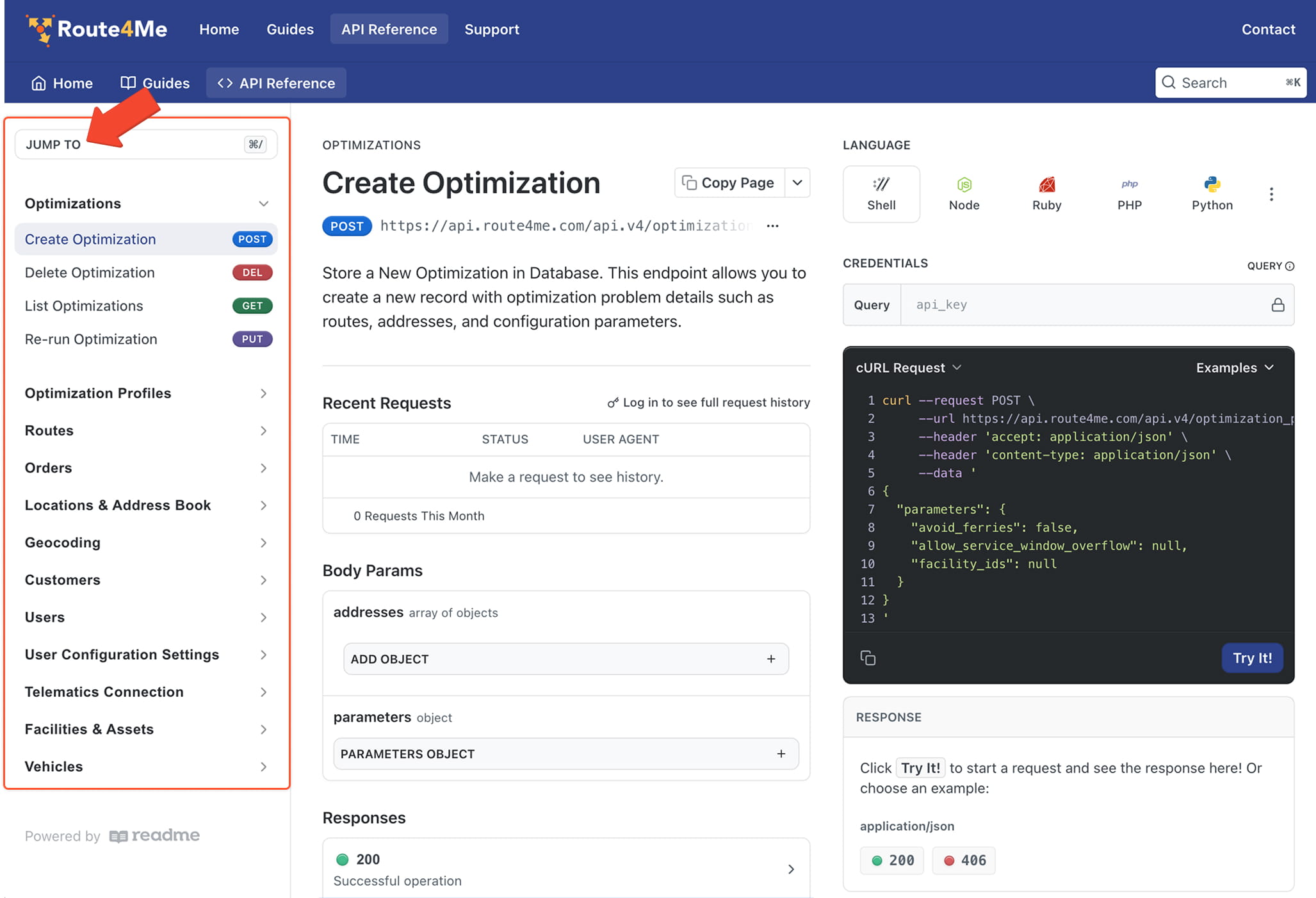
Route4Me API Endpoints Overview And Navigation
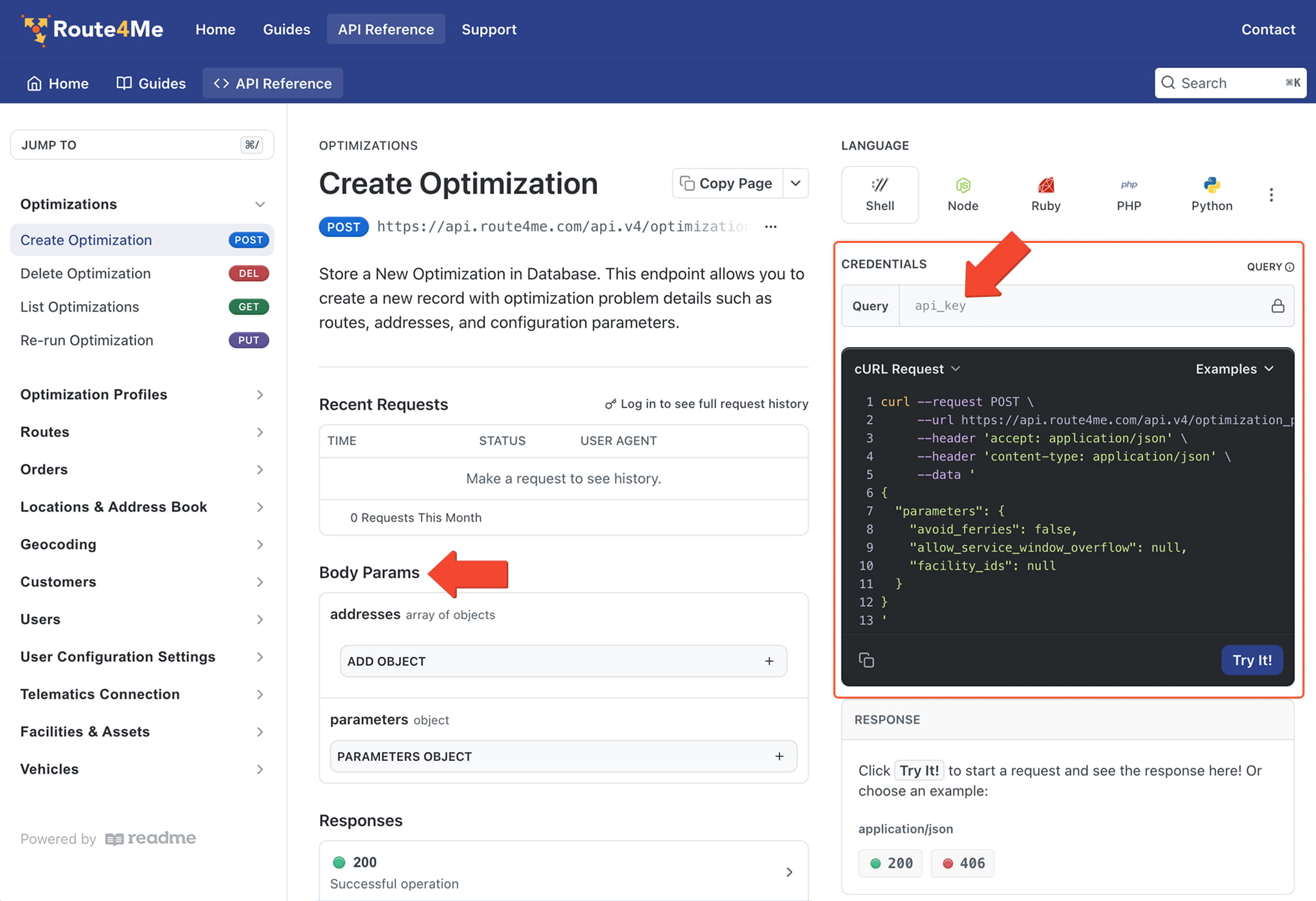
The Route4Me API Reference provides access to a complete set of API endpoints for routing, logistics, and last mile optimization.
These endpoints are organized by core platform areas such as routes, optimizations, orders, address books, users, vehicles, and integrations, allowing developers to manage all key routing operations through the API.
Use the “Jump To” search field to quickly filter and locate specific endpoints. Each endpoint supports standard HTTP methods such as GET, POST, and DELETE, enabling full control over creating, retrieving, updating, and deleting routing data.
Supported Languages And Technologies For Route4Me API Integration
Route4Me’s API can be accessed using a wide range of programming languages, frameworks, and tools.
The table below outlines supported languages and technologies you can use to send requests, integrate routing functionality, and work with Route4Me API data.
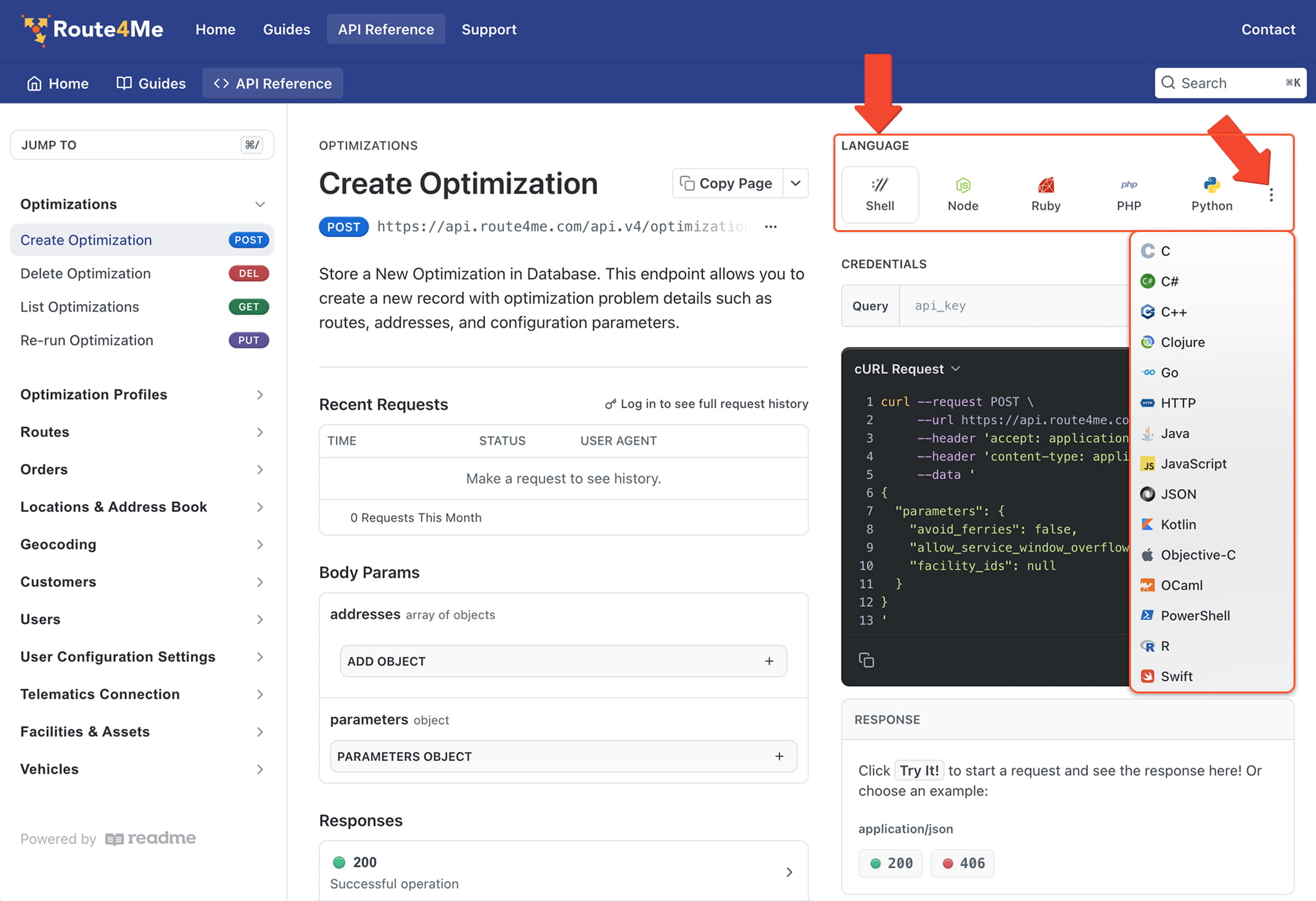
Route4Me API Supported Languages
Test Route4Me EndPoints In The API Reference
You can test Route4Me API endpoints directly from the API Reference by selecting an endpoint and entering your Route4Me API key in the credentials field.
Then, configure any required or optional parameters for the request, and run the call to view the results.
The response is displayed in the request output area and is also reflected in your Route4Me account, allowing you to verify data and behavior in real time.
Use SDKs To Interact With Route4Me APIs
Large enterprises invest heavily in logistics and supply chain optimization, but many legacy systems adapted for web use lack the flexibility and scalability of modern SaaS APIs and SDKs.
Route4Me, by contrast, is a cloud-native enterprise platform designed for high performance and scalability, using elastic scaling to deliver strong price-to-performance efficiency.
Route4Me combines geocoding, route optimization, planning, dispatch, execution, and post-route processes into a single integrated environment across the web platform and mobile apps, enabling seamless routing operations.
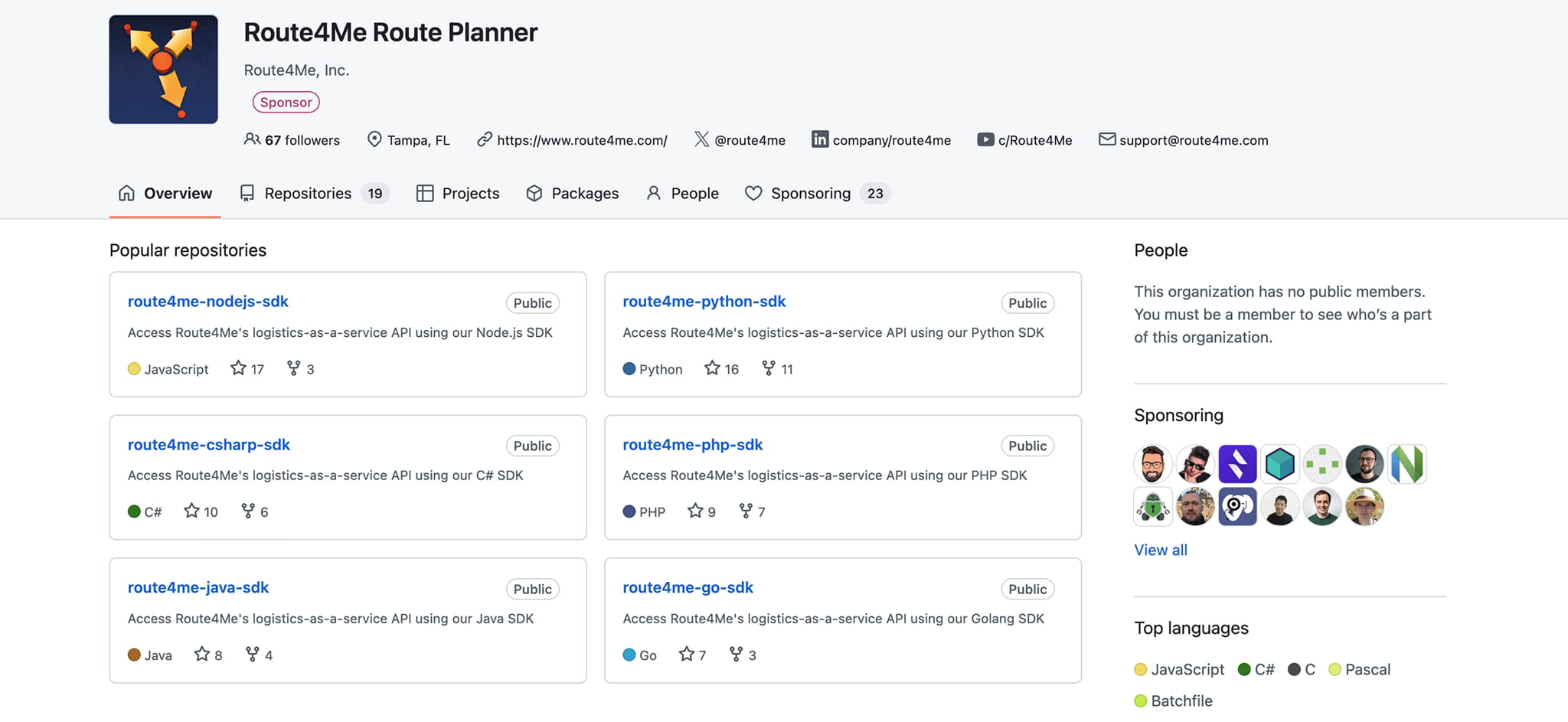
To support developers, the Route4Me SDK enables interaction with Route4Me APIs in multiple programming languages, making it easier to integrate routing functionality into existing systems and workflows without building complex routing logic from scratch.
Route4Me API Rate Limits – Rate-Limiting Rules And Response Headers
Route4Me API rate limits control how many requests you can send to each service per minute. Requests are counted per user and per service, and every API response shows your current limit and remaining requests. The rules below explain how requests are counted and what happens when you exceed a limit:
- Authentication: Rate limits apply to API requests authenticated with an API key or token in the
"Authorization"header. - Per-User Limits: All requests made by the same user share one rate limit counter, regardless of API key, device, or IP address. Different users within the same account have separate counters.
- Unauthenticated Requests: Requests without authentication are counted by IP address.
- Per-Service Limits: Each service has a separate counter. For example, Vehicles requests do not count toward the Orders rate limit.
- Time Window: All rate limits are counted over a 1-minute window.
- Account-Level Limits: Your account has no overall rate limit. Only the per-User and per-service limits apply.
- Response Headers: Every API response includes the
"X-RateLimit-Limit"and"X-RateLimit-Remaining"headers, which show the service’s limit and the requests left in the current window. - Rate Limit Exceeded: The API returns
"429 Too Many Requests"with a"Retry-After"header that shows how many seconds to wait before retrying.
Rate Limits By Service – Requests Per Minute For Each API Service
Each Route4Me service has a rate limit, ranging from 60 requests per minute to unlimited. Most services use the default limit of 500 requests per minute. The list below shows the limit for each service:
- 60 requests/min: Billing Engine.
- 500 requests/min (default): Most services, including Vehicles, Orders, Telematics, Team Management, Address Book, Territories, Notes, Geocoding, File Uploads, Tracking History, User Settings, Static Map, and others.
- 1,000 requests/min: Route Optimization, Upload Downloader.
- 1,500 requests/min: Asset Management, Customer Management, Route Export, Route Status, Internal Menu.
- 3,000 requests/min: Tracking Page.
- Unlimited: Routes, Route Stop Status, Customer Notification History.
Visit Route4Me's Marketplace to Check Out More Add-Ons and Modules:
- Route Optimization
Address Book and Territories Planning
- Operations
Custom Data Add-On
About author: Kristian Andreev