
Equipment Types – Create & Manage Vehicle, Capacity & Skill Profiles
Equipment Types in Route4Me allow you to create reusable profiles that define how vehicles, capacity limits, and required skills are applied to routing. These profiles help ensure operational requirements are consistently configured across routes, supporting more accurate planning and simpler setup within your account. By organizing these settings into structured profiles, you can more easily manage different equipment configurations and apply them where needed during route optimization.
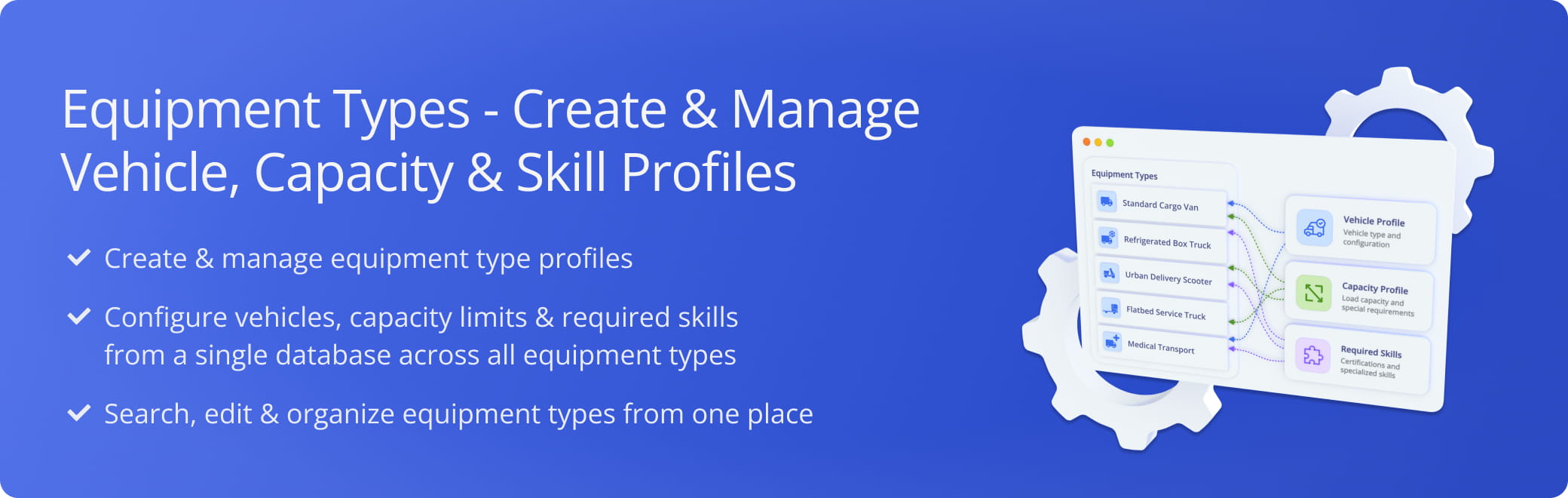
Table of Contents
Equipment Types Page – Overview
To access Route4Me’s Equipment Types feature, go to “Optimization Settings” > “Equipment Types” from the Navigation Menu or click the button below.
This page lists every Equipment Type Profile added to your account, along with the corresponding data for each, detailed in the table below.
Open Your Equipment Types Page
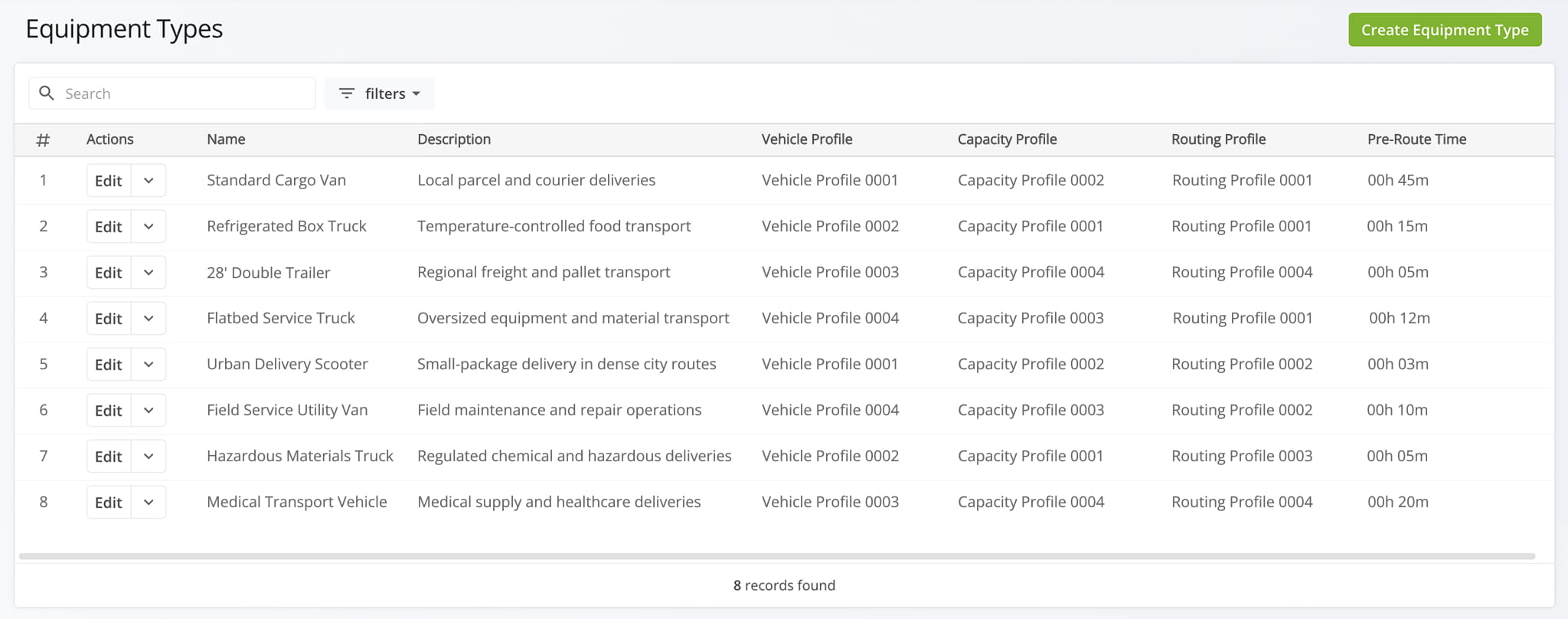
Equipment Type Data Columns
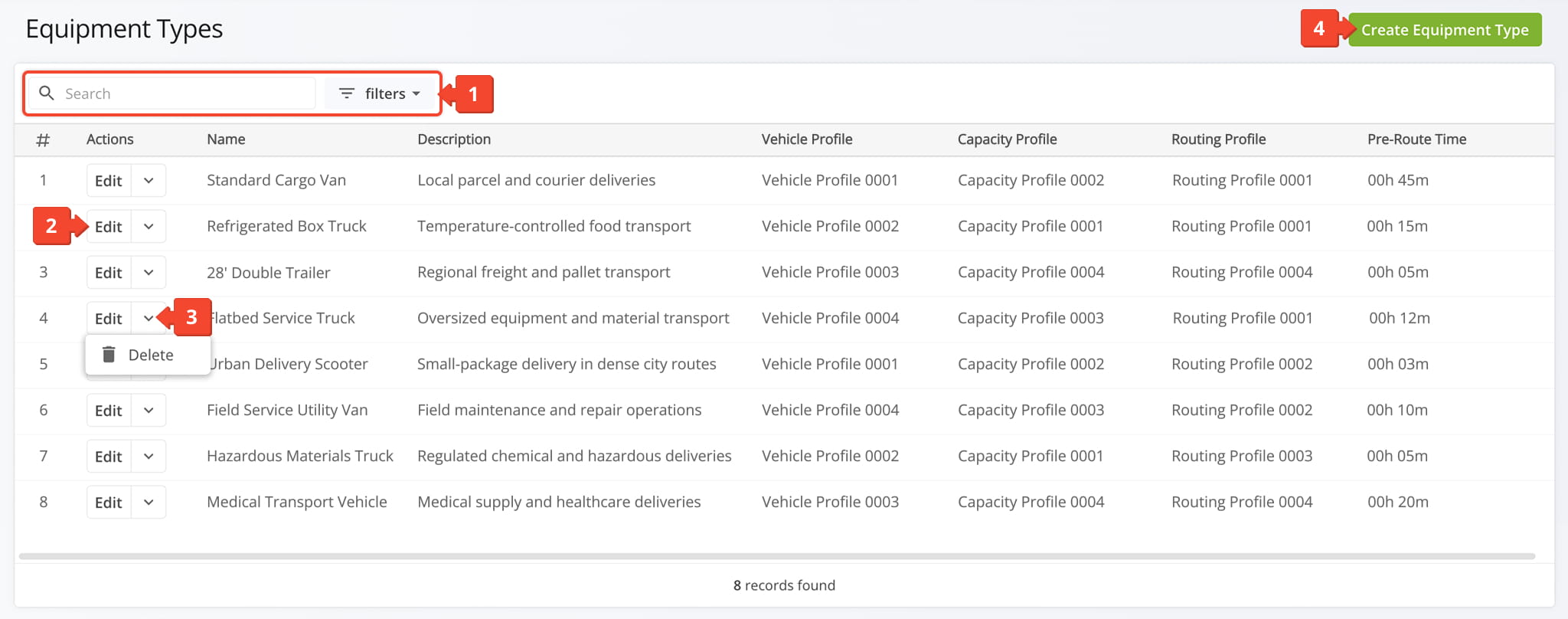
From the Equipment Types Page, you can:
- Use the “Search” field and Filters to locate an Equipment Type Profile.
- Click “Edit” to modify an Equipment Type Profile.
- Click the Down Arrow Button to delete an Equipment Type Profile.
- Create new Equipment Type Profiles.
Open Your Equipment Types Page
Add New Equipment Types – Create Equipment Type Profiles
Click “Create Equipment Type” in the upper-right corner to set up a new Equipment Type Profile. Then, complete each field in the “Create Equipment Type” Editor, detailed in the table below.
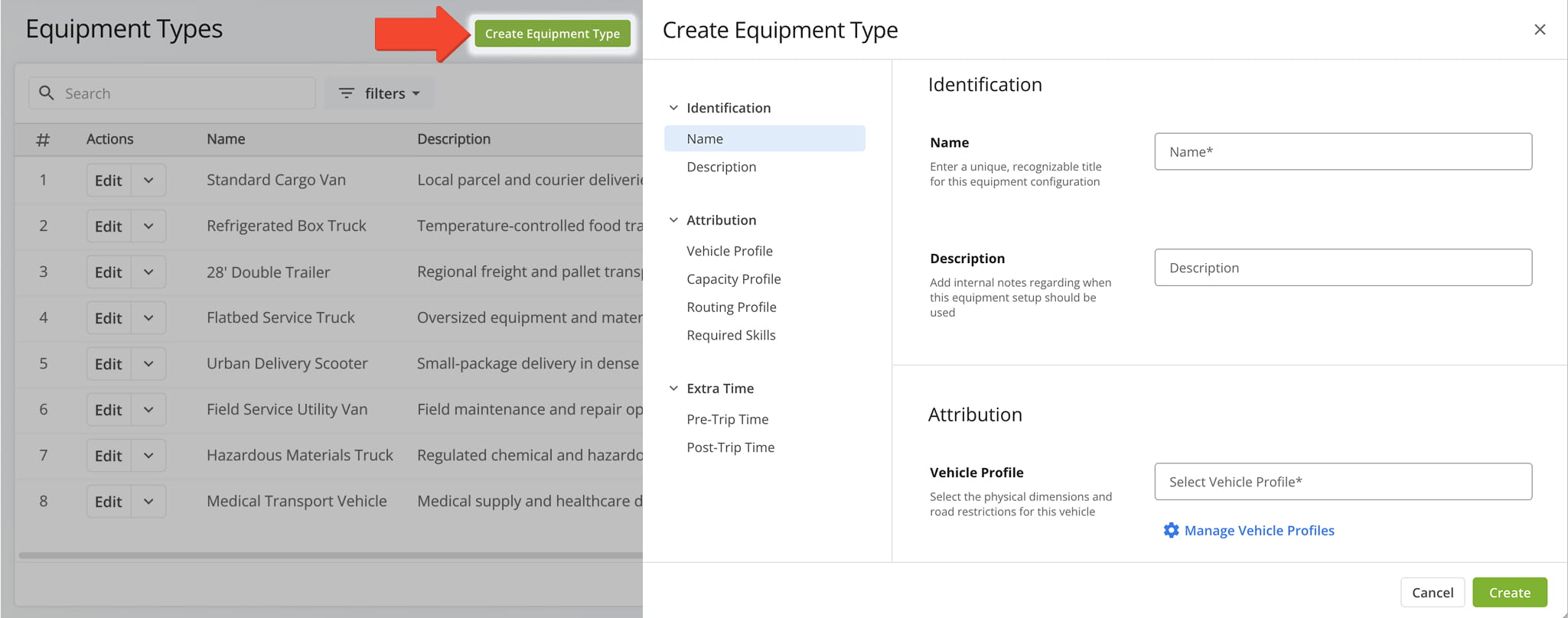
Equipment Type Profile Fields
Manage Equipment Types – Modify Equipment Type Profiles
To modify an Equipment Type Profile, click the “Edit” button next to it to open the Editor Panel. The table below outlines all editable fields. Once finished, click “Save” to apply your changes.
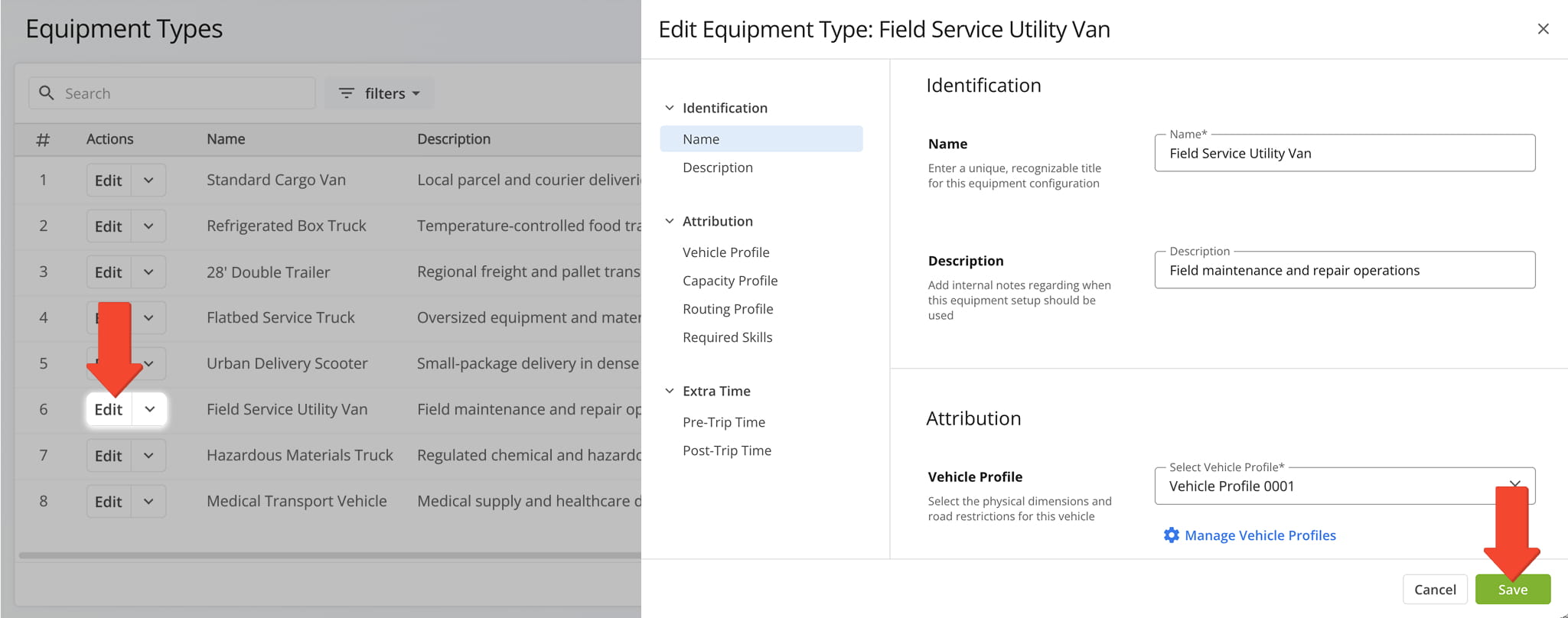
Equipment Type Profile Fields
Filter Equipment Data – Narrow Results By Filter Criteria
If you have a large number of Equipment Type Profiles, you can use the filters to narrow down which data appears in the table. See the table below for details on each filter.
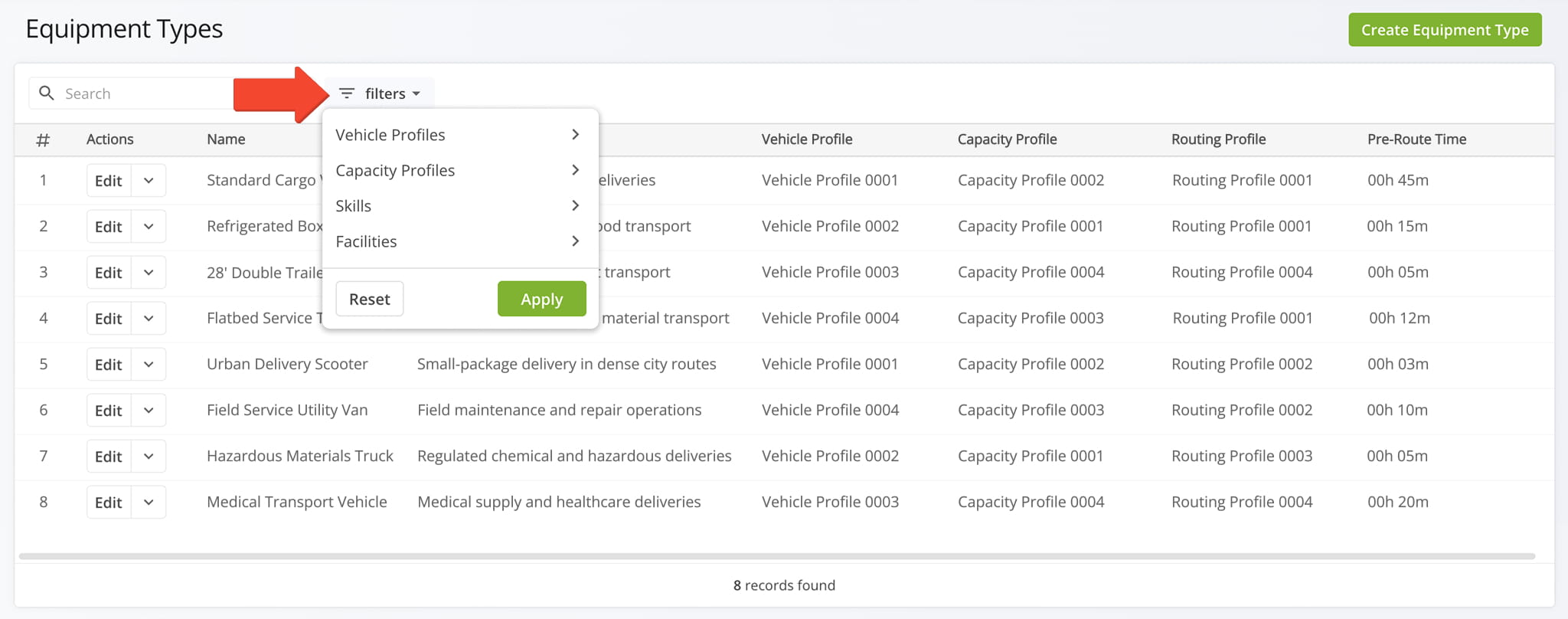
Equipment Type Filter Options
Visit Route4Me's Marketplace to Check Out More Add-Ons and Modules:
- Route Optimization
Mixed Vehicles Routing
- Operations
Custom Data Add-On
About author: Daniel Archer

