
Route4Me 2026 Roadmap – Planned Releases & In-Development Features Roadmap
Explore what’s coming next in the Route4Me Roadmap and stay informed about upcoming features, enhancements, and in-development improvements. This page provides a forward-looking overview of the product updates currently in progress and planned for release. For a complete list and overview of released features and updates, see the Route4Me 2026 Release Notes.
NOTE: Features on this page are in development and may change before release. Availability may vary by account.
2026 Planned Releases
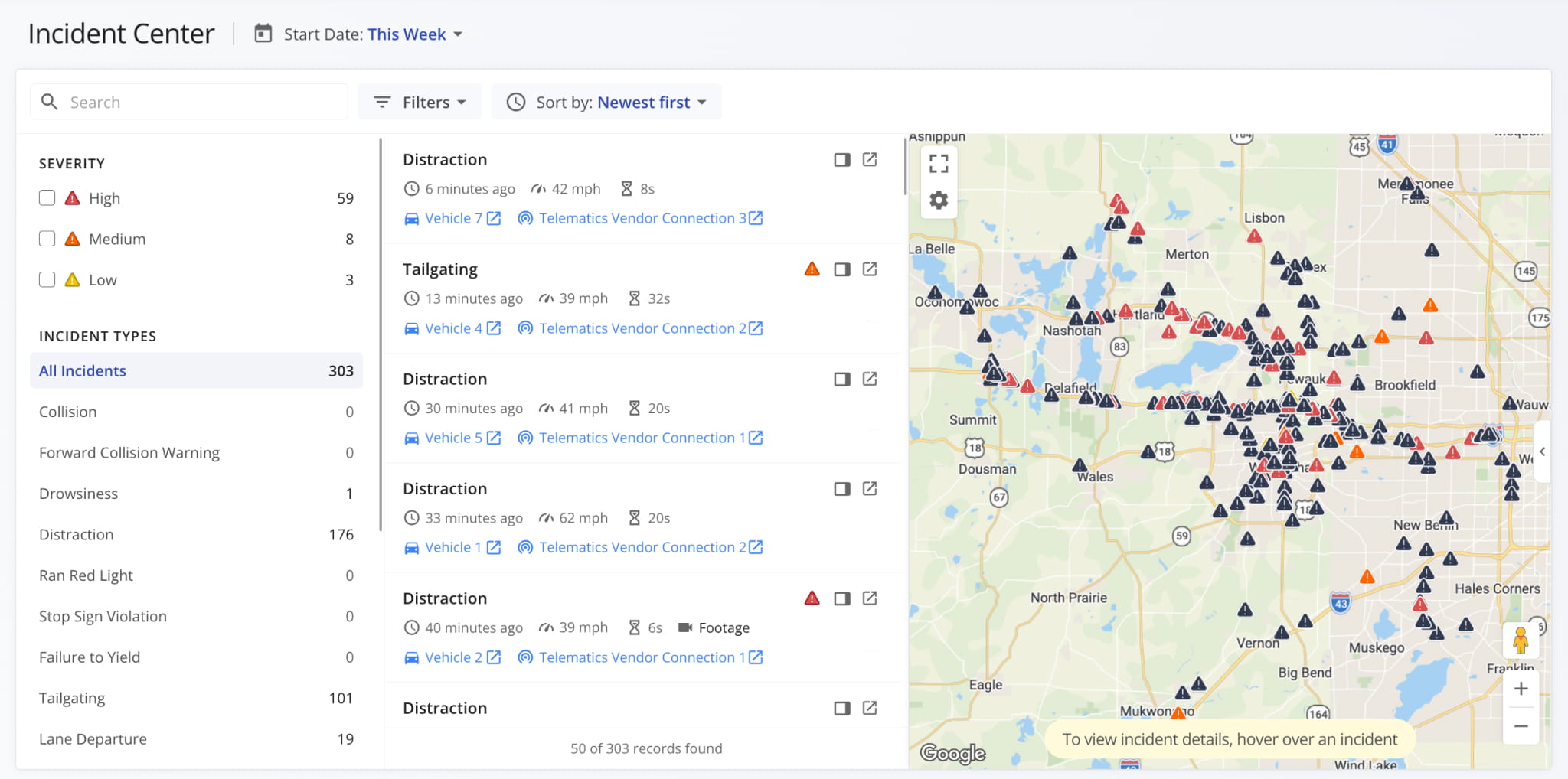
The Incident Center is a new central dashboard for safety incident data across your fleet. It brings together the incident reports currently available in snapshots into a single page where you can review detected cases of distraction, tailgating, lane departures, collisions, and other events from all connected telematics devices and dashcams.
You can filter incidents by type and severity to handle the most serious ones first, check speed, duration, and dashcam footage, and spot high-risk areas on the live incident map.
Additionally, you can customize the Incident Center to see which routes, team members, telematics vehicles, telematics connections, etc. are associated with the safety incidents recorded on your account.
Route4Me’s last mile driver app will track fuel level against remaining route distance and notify drivers when they need to refuel. Tapping “Show Gas Stations” finds the nearest approved fueling stations and calculates their route impact.
Opening a station shows its hours, typical wait, and exact detour distance and duration. Field employees can then tap “Add to Route” to insert it as a refuel stop and get optimal directions with minimal detour distance.
Your company’s Fueling Strategies define when refueling notifications are sent, which gas stations are approved, and how much drivers need to refuel on routes.

Fueling Strategies enable you to set company-wide refueling rules. You can build a separate Strategy for each operation like city delivery, long haul, return-to-depot, etc. Then, you can apply the right Strategy to the right routes.

A Fueling Strategy is built from Fueling Policies that define the conditions triggering a fuel stop, which fueling stations qualify, how far off the route a vehicle is allowed to detour, and how much to fill.

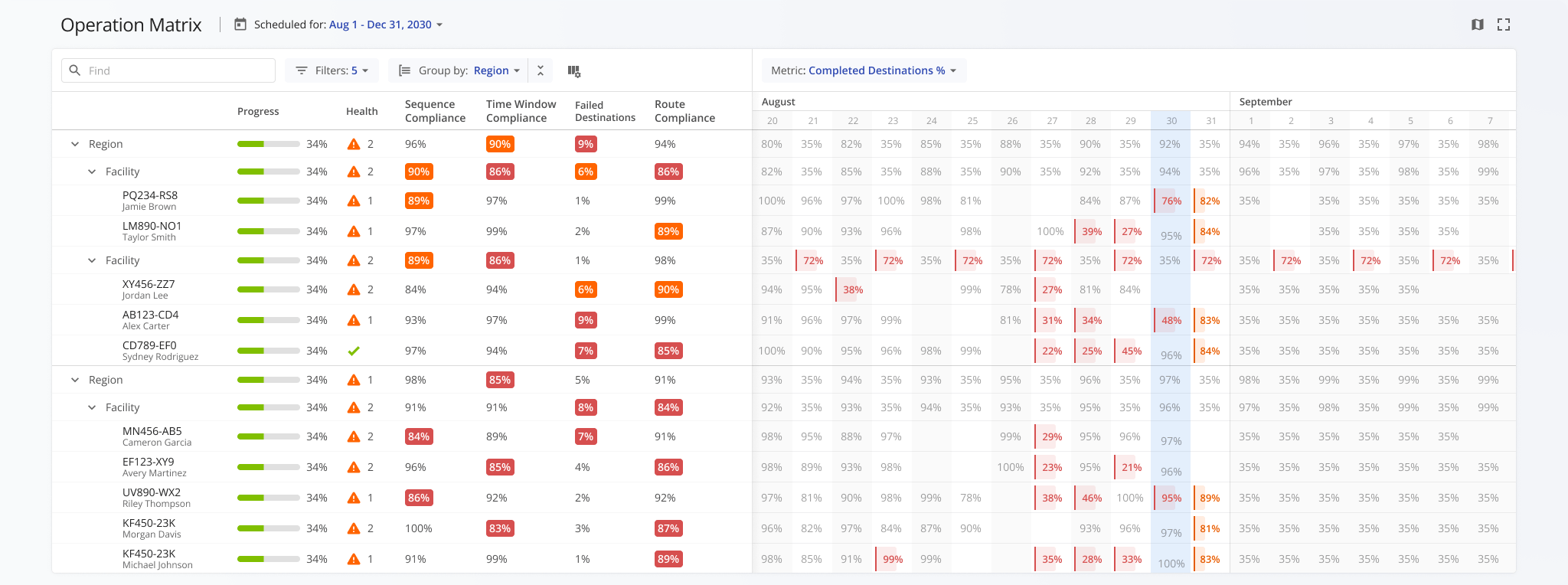
A new Operation Matrix is being introduced to provide a centralized, data-driven view of operational performance across regions, facilities, and routes. It combines key metrics such as progress, compliance, and successful and failed destinations with time-based visualization, enabling users to quickly identify patterns, issues, and trends.
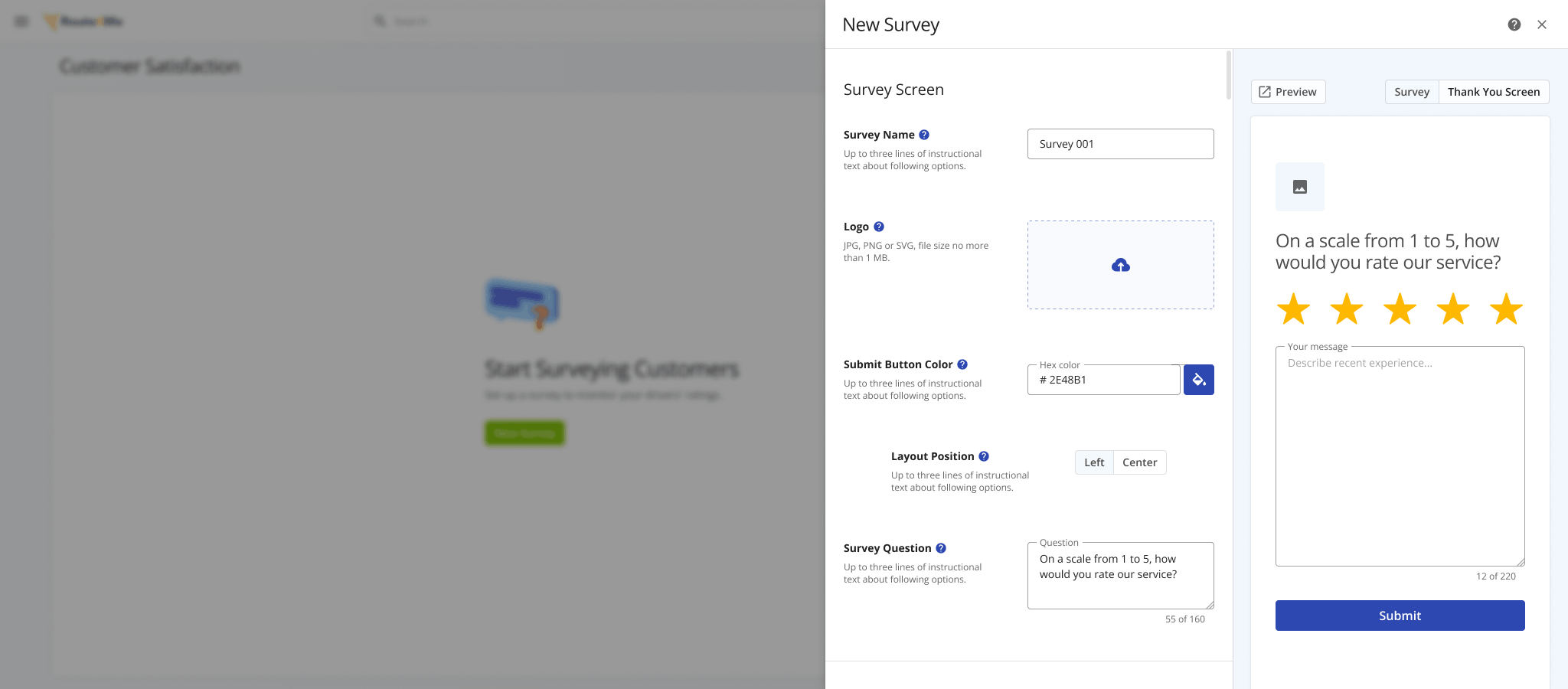
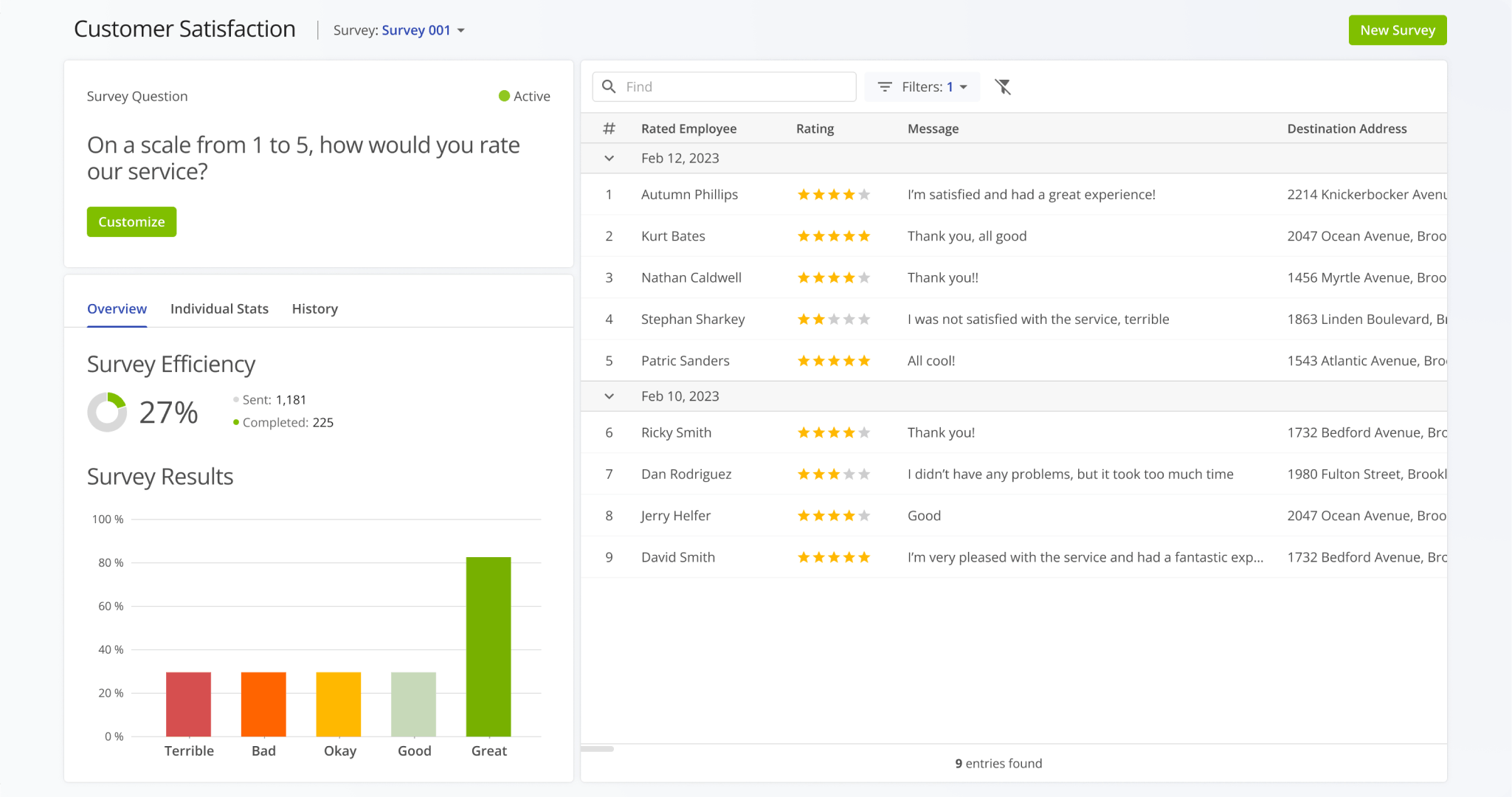
The Customer Satisfaction dashboard is being redesigned to provide a more flexible and intuitive way to create and customize surveys. The updated configuration interface offers improved control over survey questions, branding elements, and response formats, making it easier to tailor feedback collection to specific operational needs.
The overhauled dashboard aggregates customer responses into a clearer, more structured view of feedback, response rates, and satisfaction trends. With improved visualization of ratings, messages, and performance data, this update enables teams to better evaluate service quality, identify recurring issues, and make more informed, data-driven decisions.
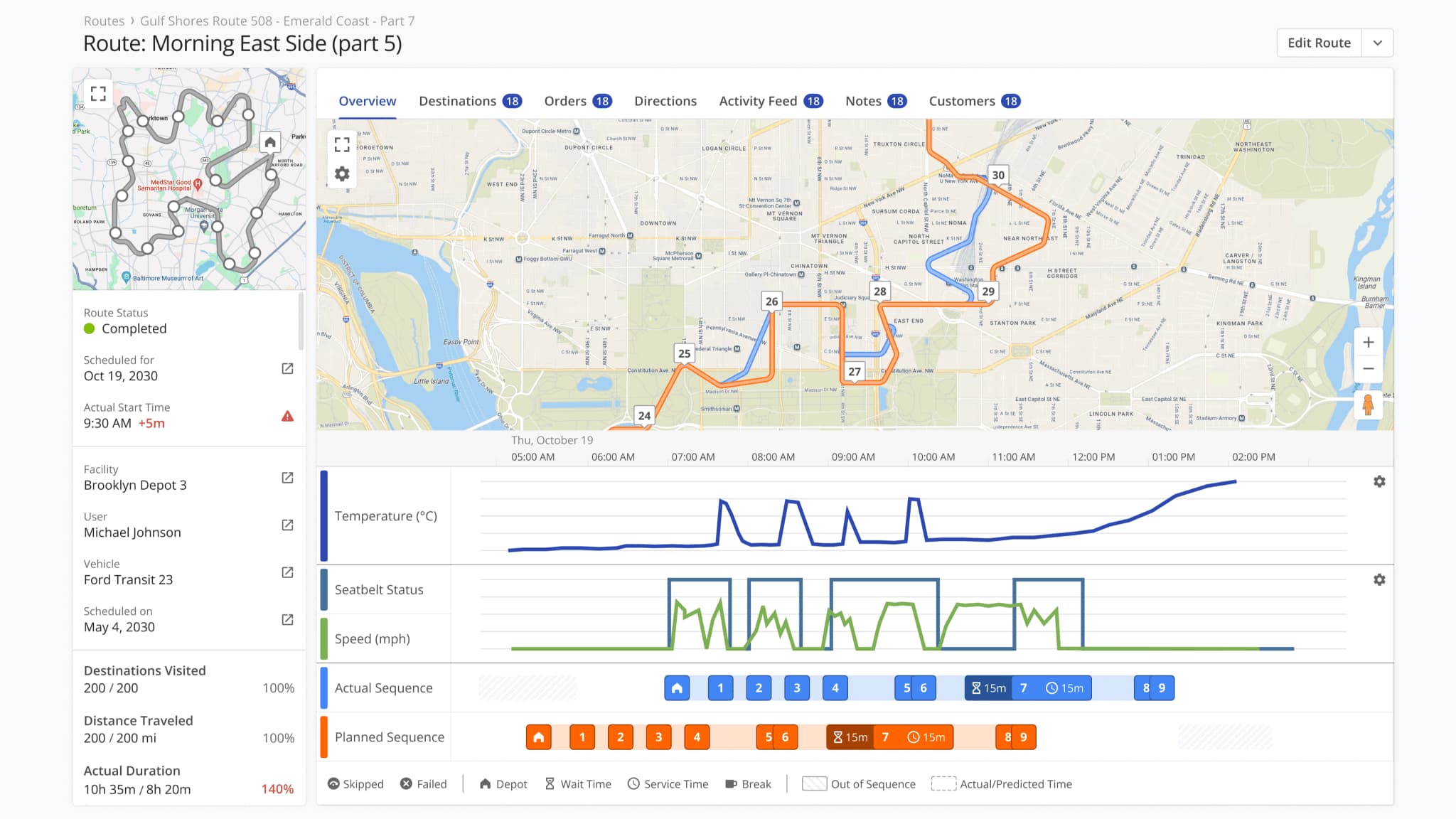
The Route Snapshot experience is being expanded with a new visual analytics layer that provides deeper insight into route execution. The updated overview introduces new dynamic graphs and a detailed interactive map, allowing users to analyze performance metrics such as speed, service time, and route progression in a more intuitive and structured way.
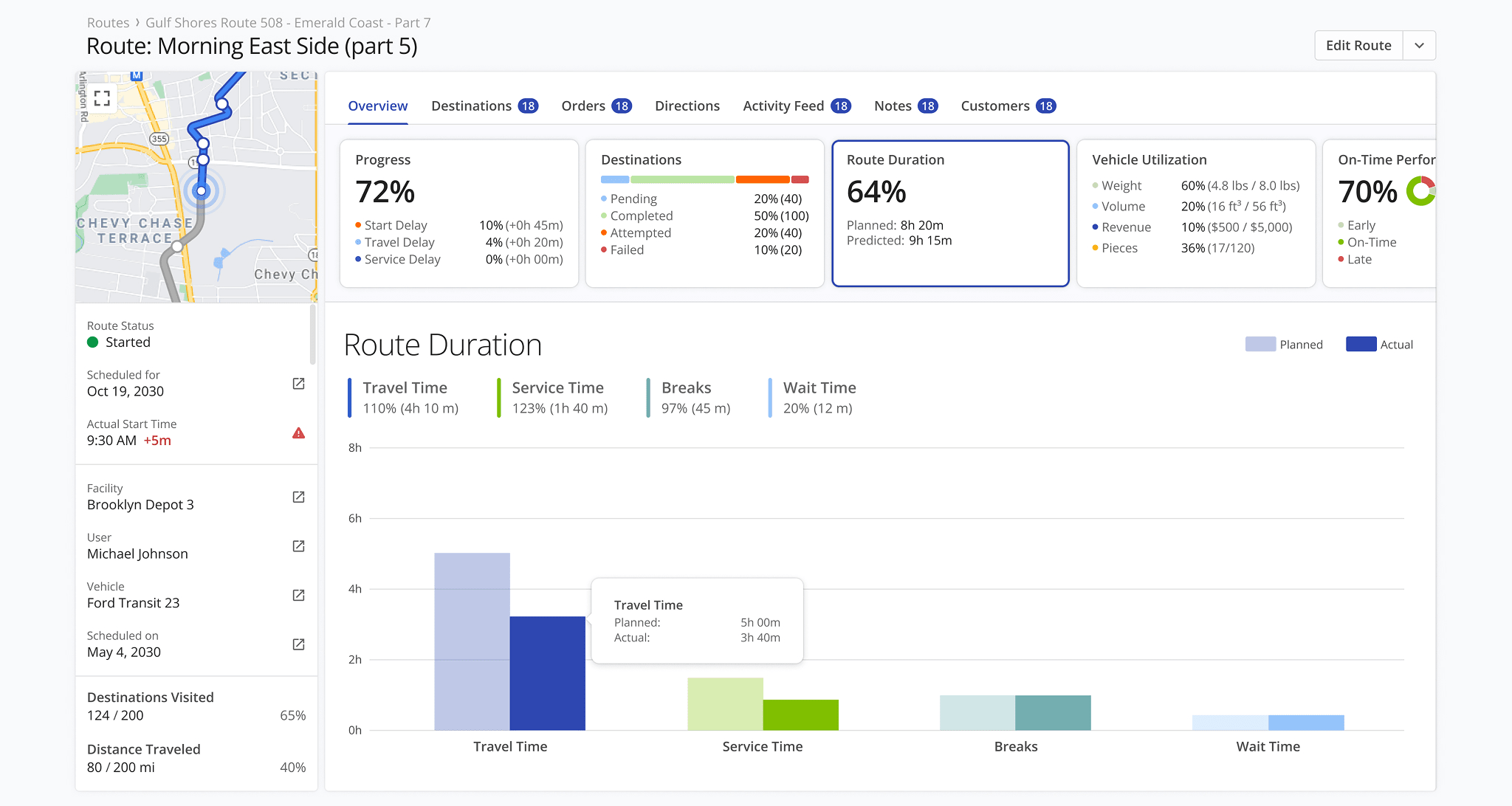
Graphs are grouped into categories, enabling you to visualize key metrics such as route duration distribution, vehicle utilization, on-time performance, route sequence compliance, and more, all tailored to your specific operational needs.
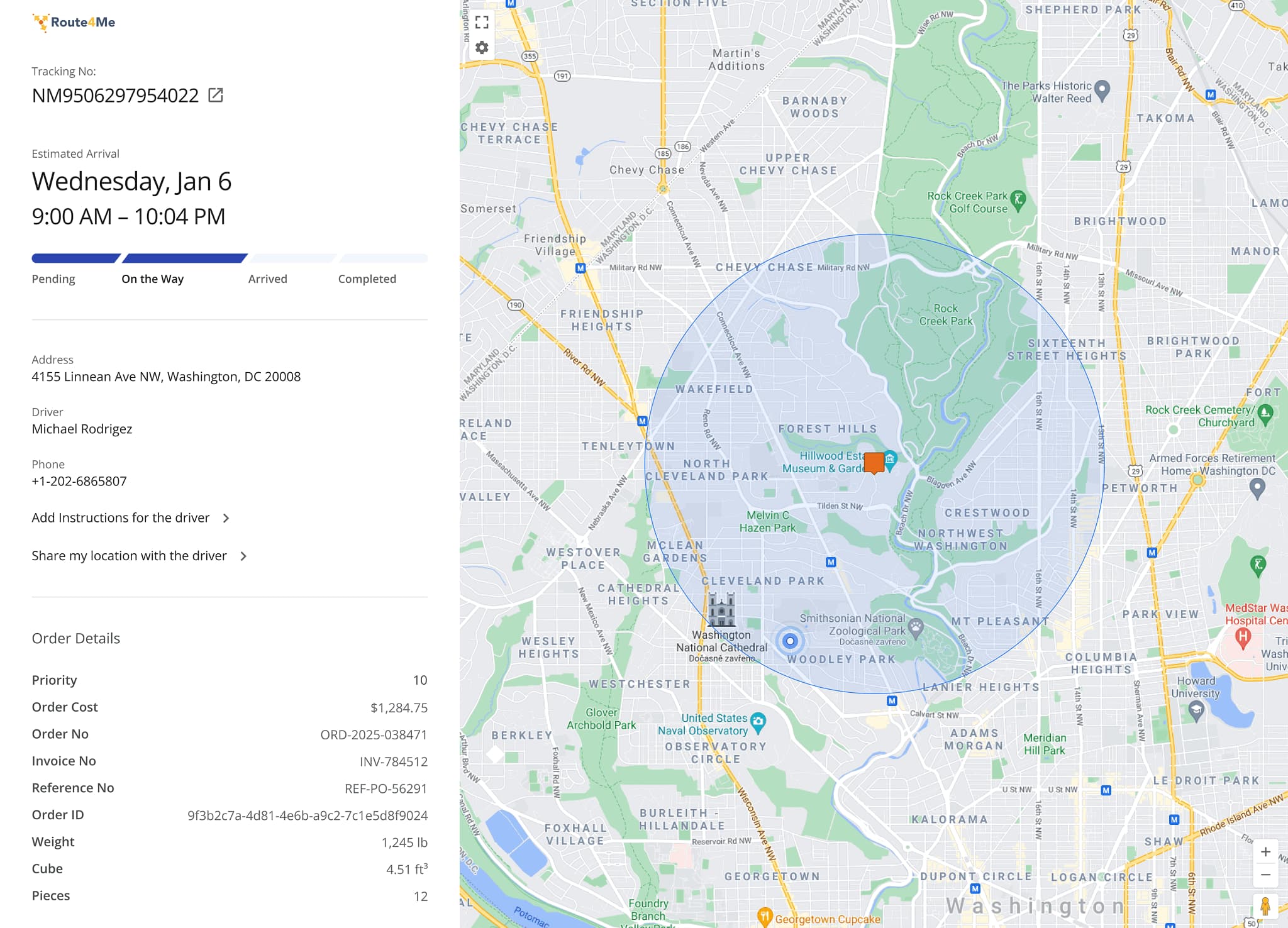
The Tracking Page for customers is being redesigned to align with the overall look and feel of the Route4Me platform while improving usability and clarity. This update will provide a more structured view of delivery status and order details.
In addition, new interaction features such as sharing location and sending instructions to the driver enable more direct communication, helping to improve delivery accuracy and the overall customer experience.
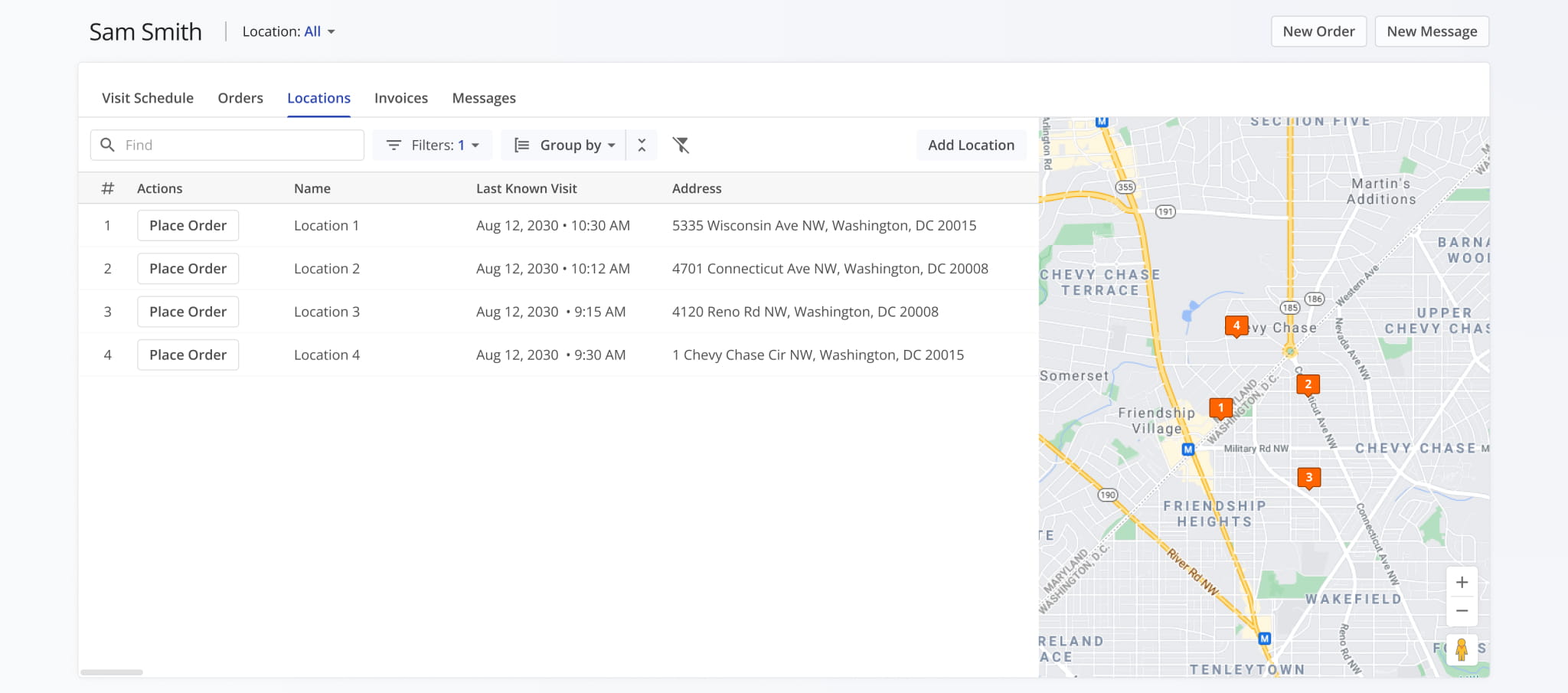
A new Customer Portal is being introduced to provide a centralized, self-service interface where clients can manage their locations, orders, and account data. The portal supports secure access via Magic Link authentication, configurable permissions, and role-based access control, allowing businesses to tailor visibility and editing rights for different user types.
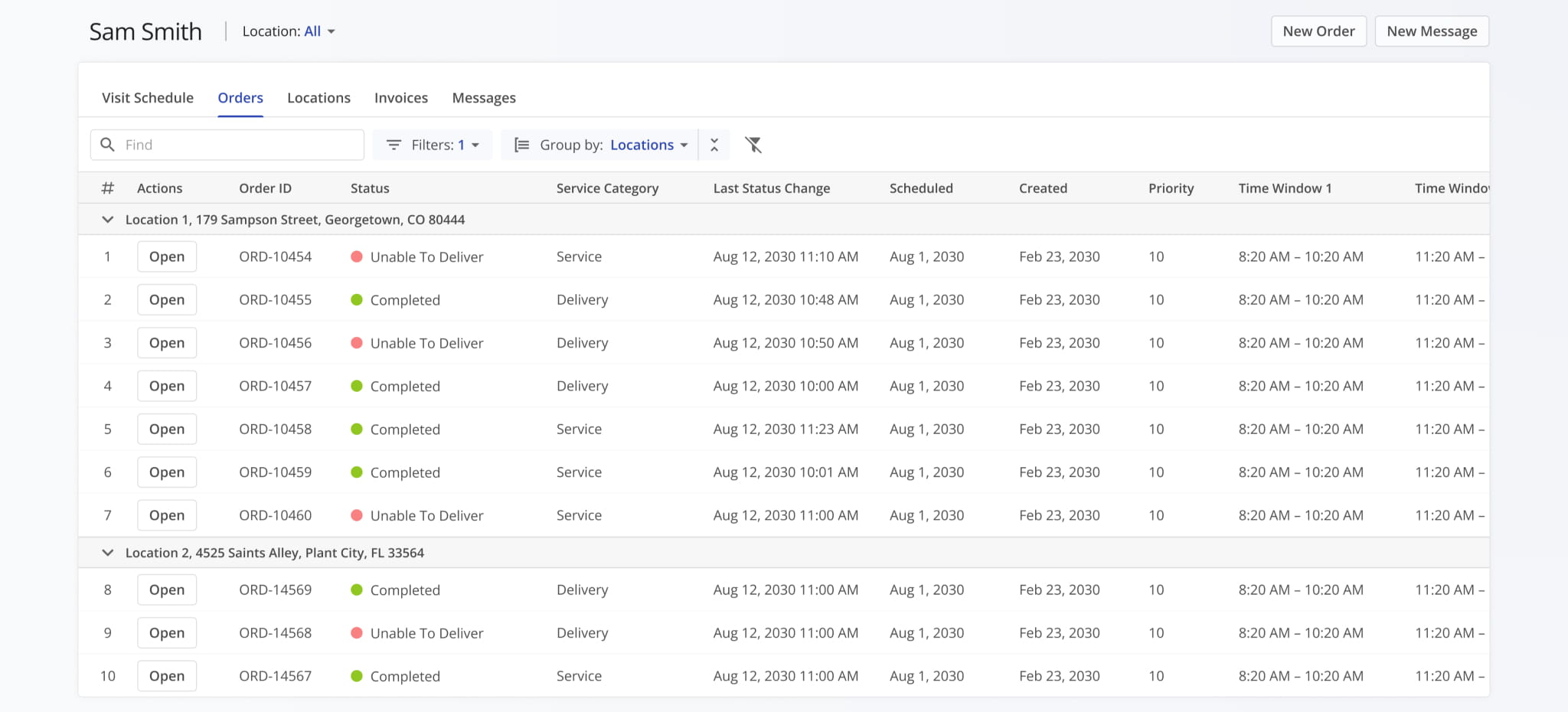
Within the portal, customers can view and manage locations, place and track orders, access order snapshots, and monitor performance through built-in analytics and reporting.
Businesses can enable or disable specific modules, control available attributes, and configure workflows, creating a flexible interface that scales from lightweight access to a fully integrated Route4Me experience.
Route4Me Update Categories And Release Types Legend
Route4Me’s industry-leading transportation management software is continuously evolving, with new features and updates released regularly. The table below lists the types of planned updates described on this page.
Route4Me Release Types & Release Notes Legend
● Highlights
Highlighted releases are major updates and brand new features.
Any of the release types listed below can be highlighted, and you can use the "Release Type" filter to add or exclude "Highlights" from the visible Release Notes.
● New Feature
Introduces brand-new functionality, pages, or tools. These updates expand the core capabilities of the platform, such as new optimization types and dedicated management modules.
● Enhancement
Improvements to existing features. This includes adding new data columns, advanced filtering options, or increasing the efficiency of current workflows.
● UI/UX Updates
Visual and structural changes. These updates focus on redesigns and navigation improvements to make the software more intuitive and easier to navigate.
● System Updates
Behind-the-scenes technical improvements. While not always visible, these updates enhance platform stability, security, and backend processing speed.
● Integration
Updates related to connecting Route4Me with external systems. This includes ERP and API integrations, Telematics providers, and third-party applications to ensure seamless data flow across your organization.
● Feature Removal
The retirement or deprecation of legacy tools.
Features are removed to reduce complexity, replace outdated tech, streamline the user experience, and ensure you always have access to the most up-to-date Route4Me functionality.
About author: Alex Yasko

