
Send Messages To Drivers – Communicating With Users In Real Time
For enterprise businesses managing large-scale delivery and service operations, real-time communication is critical to successful last mile route optimization. Route4Me’s Route Editor allows Dispatchers and administrators to message Drivers and Field Team members directly, keeping routes on track even after dispatch. Every message is delivered instantly as both a text notification and a spoken voice alert, ensuring drivers receive time-sensitive updates without needing to stop and read their phone.
Table of Contents
Message The Driver – Send Real-Time Messages To Users
Route Dispatchers and other administrators can communicate with Drivers and Field Team members in real time via the Route Editor. Communication can occur either before or after a route has been dispatched.
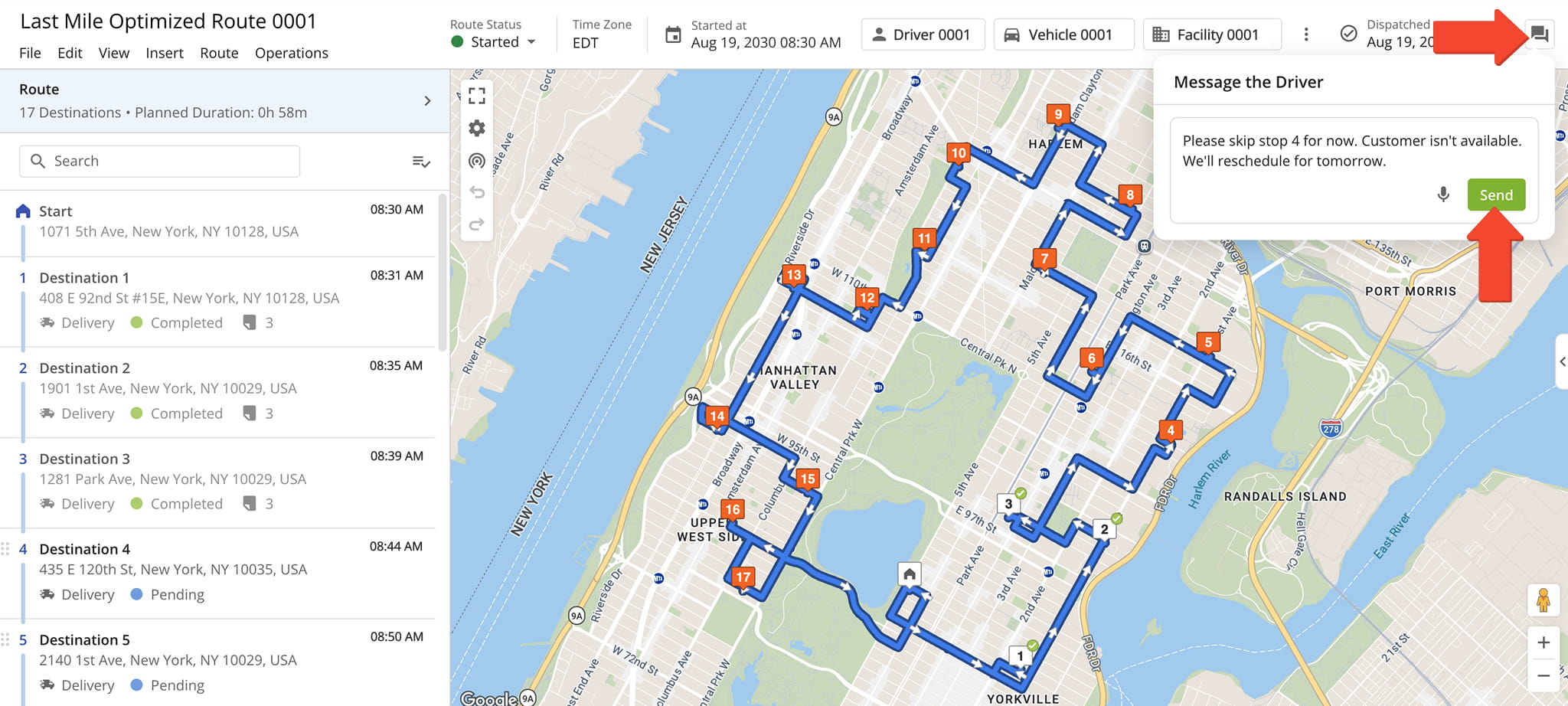
Click the Dialogue Icon in the upper-right corner of the Route Editor to open the “Message the Driver” panel. Then, to send a message click the Microphone Icon to record and transcribe a message or type your message directly into the message field.
Press “Send” to instantly reach the Driver or Field Team member.
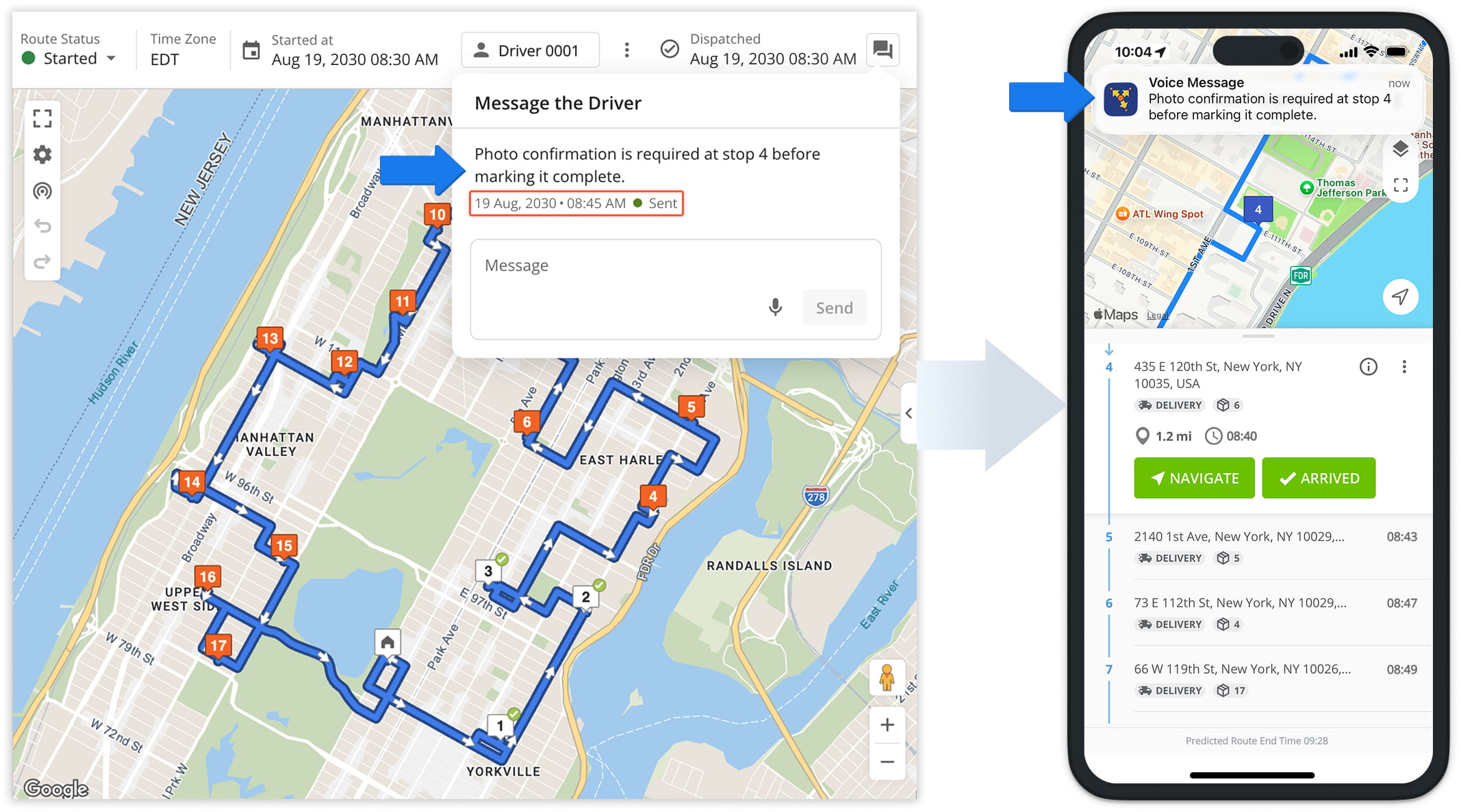
Once sent, the message is timestamped and marked as sent for your records.
The Driver or Field Team member receives the message right away. It appears as a text notification in their Driver Mobile App, with the app automatically reading the message aloud using its built-in voice playback feature.
Driver-Side Communication – Workflow-Based Updates
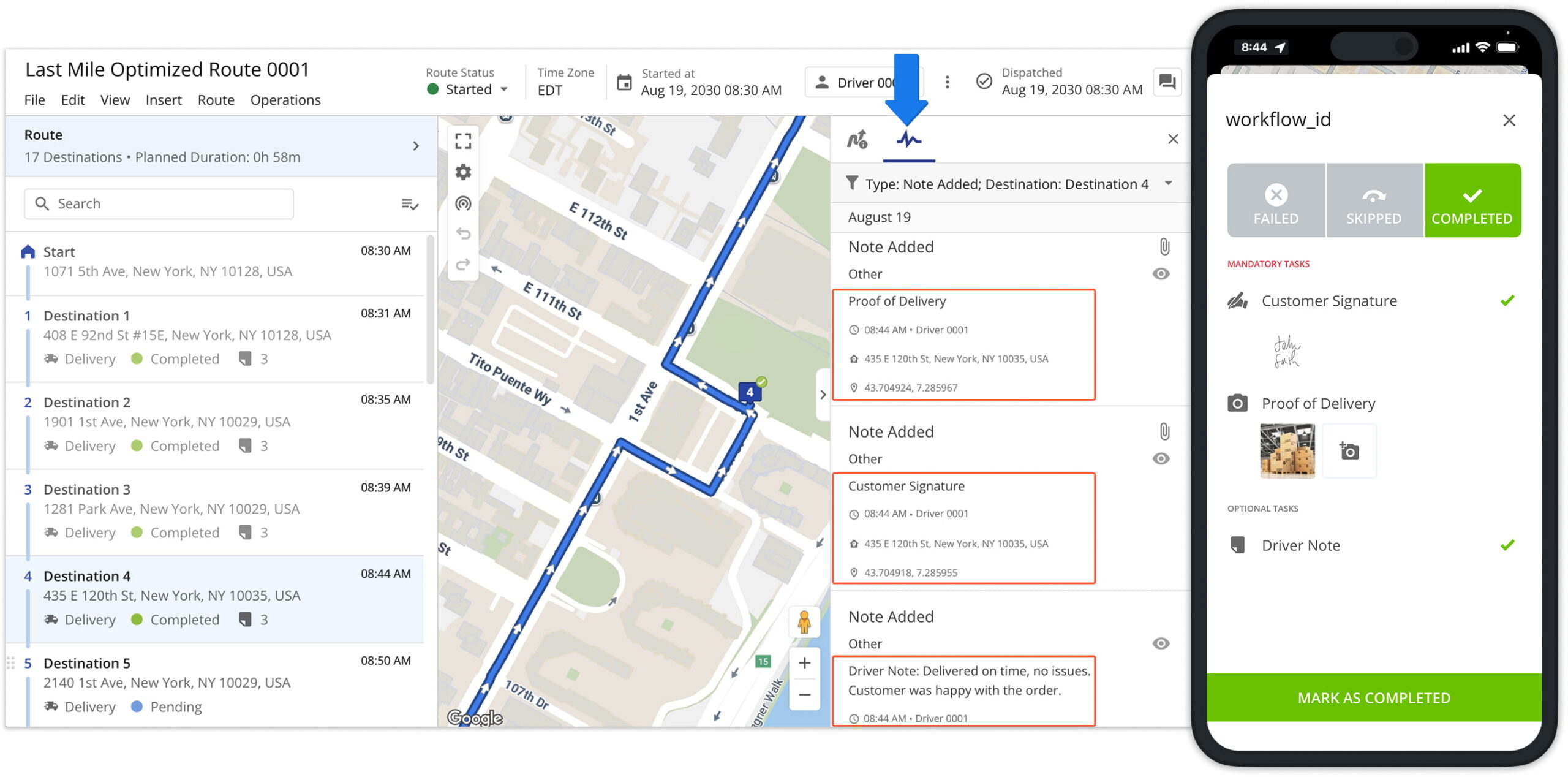
Drivers cannot reply to messages directly. However, they can still communicate status updates back to administrators through the app.
Every time a user marks a workflow step as complete, admins will see that update reflected in the Route Editor in real time. Status updates appear in the Route Editor’s Destination Panels and Activity Feed.
NOTE: Learn more about creating workflows and completing workflows with Route4Me’s driver mobile app.
Monitoring Communication History – Track Message History
User Snapshot – Viewing User-Specific Voice Alert History
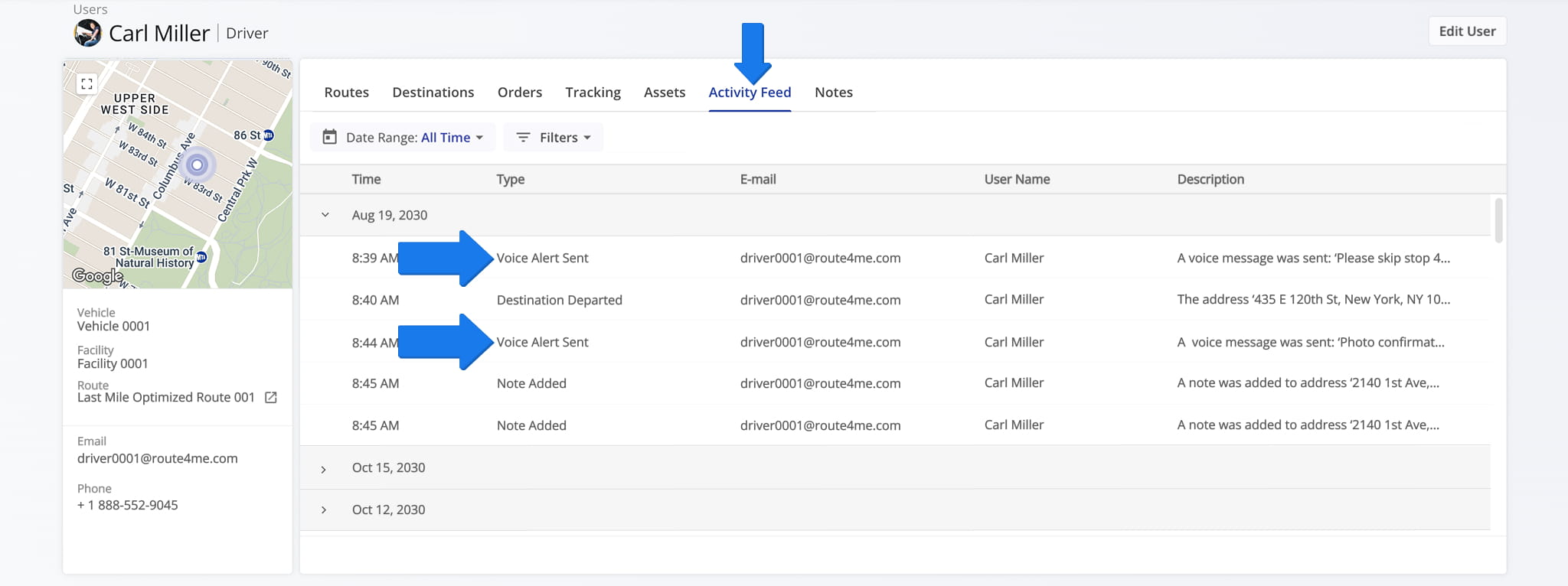
Under the “Activity Feed” tab in the User Snapshot, you’ll find a history of communications with that user. Messages sent to the Driver are denoted as “Voice Alert” entries in the feed.
Route Snapshot – Viewing Voice Alerts By Route
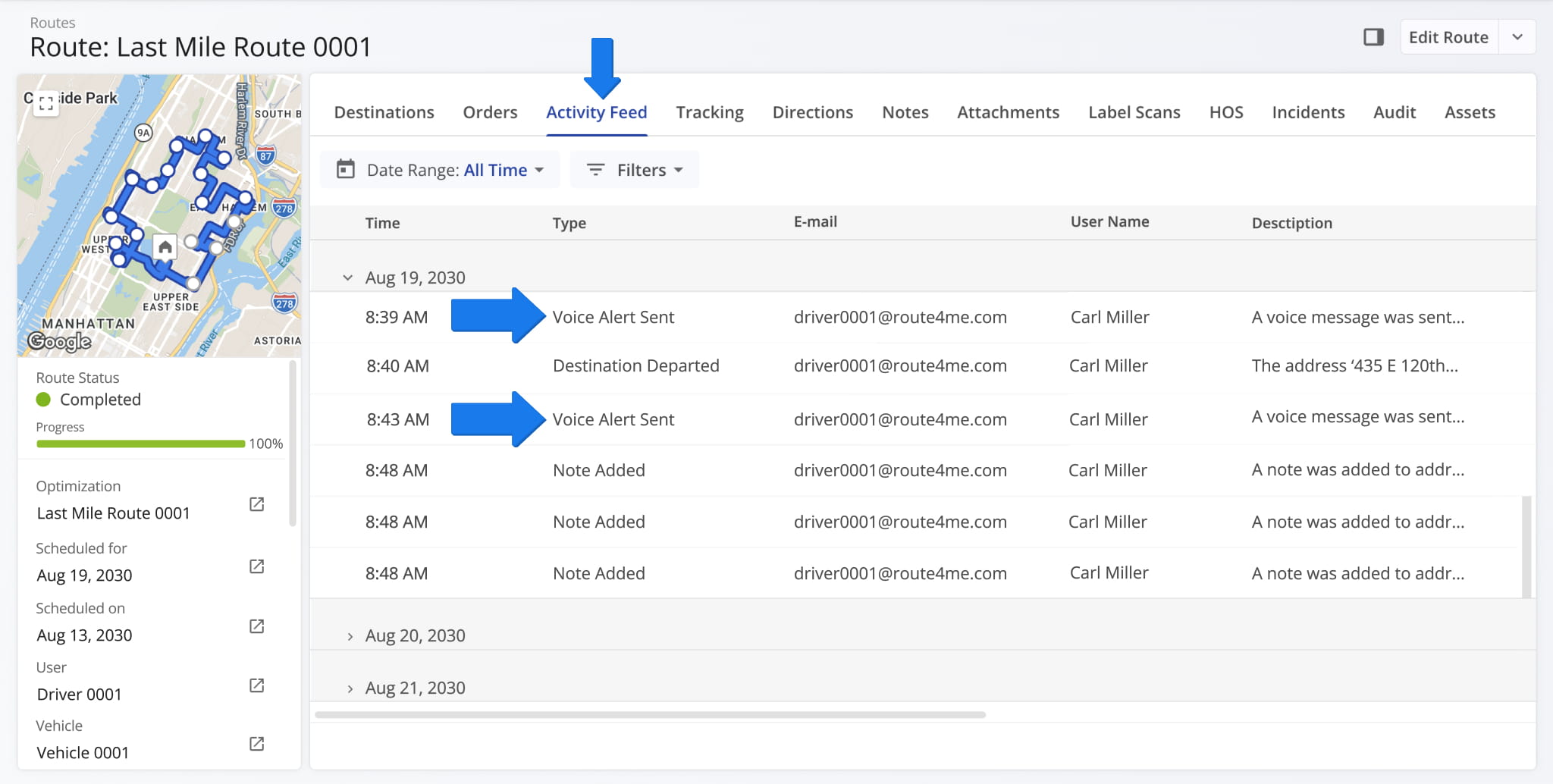
Under the “Activity Feed” tab in the Route Snapshot, you’ll find the communication history, shown as “Voice Alert” items, for that specific route.
Activity Feed – Viewing Account-Wide Voice Alerts
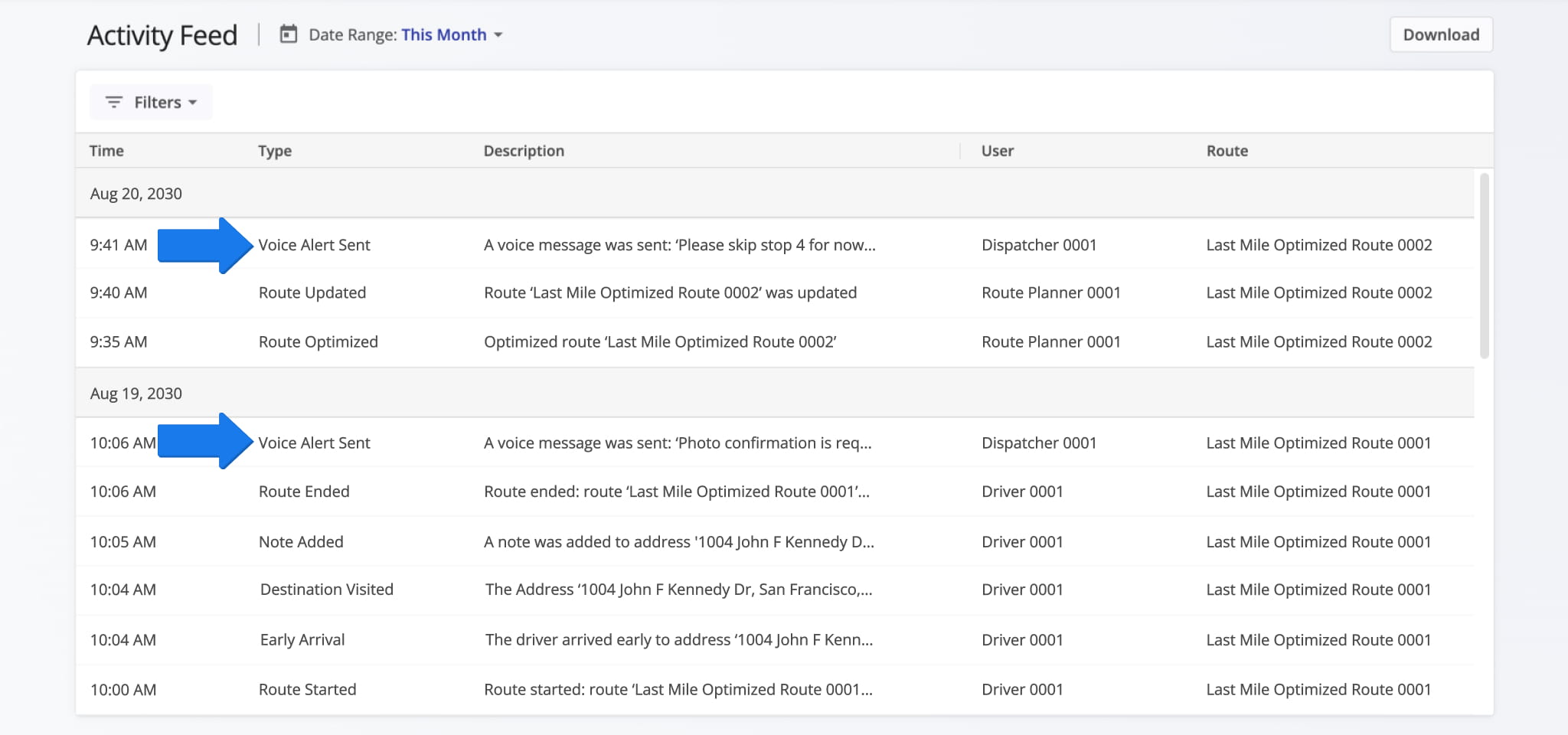
Communications history is also available in the Activity Feed, identifiable by the “Voice Alert” tag.
Visit Route4Me's Marketplace to Check out Associated Modules:
- Operations
Custom Data Add-On
- Operations
Advanced Team Management Add-On
Last Updated:
About author: Daniel Archer

