
Re-Optimize Routes And Remaining Route Destinations
When routes change due to new stops, delays, or shifting priorities, Route4Me helps you quickly re-optimize for maximum efficiency. You can re-optimize an entire route after making edits, or re-optimize remaining destinations to adjust only unfinished stops while keeping completed ones unchanged. This helps you adapt in real time without disrupting completed deliveries.
Table of Contents
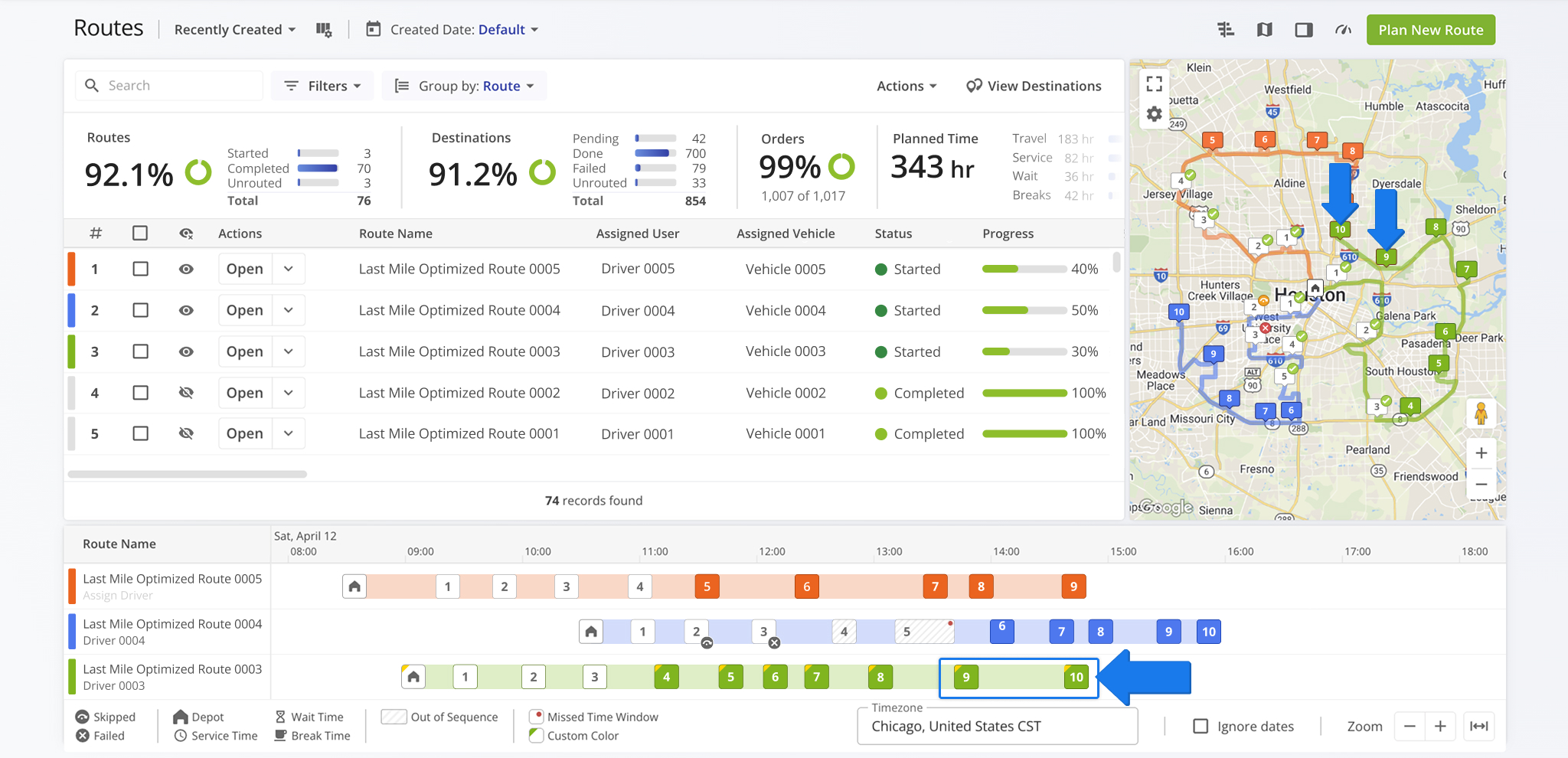
Re-Optimize From The Routes List
Re-Optimize Routes – Recalculate Route Sequence
After making changes to a route, such as removing, moving, or adding destinations, you should re-optimize the route to ensure it remains as efficient as possible. Re-optimizing recalculates the optimal sequence for one or multiple routes.
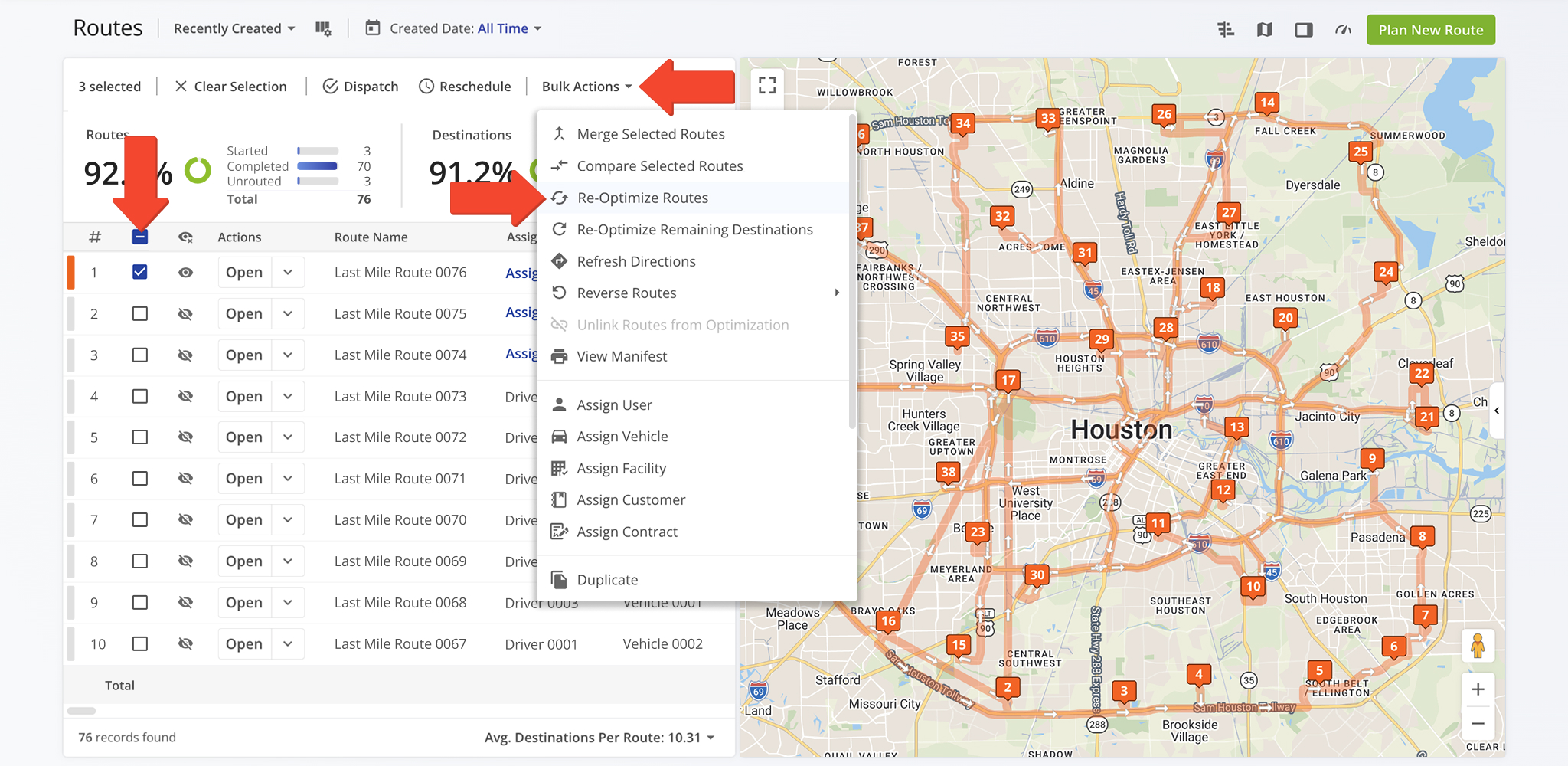
To re-optimize a route from your Routes List, go to “Dynamic Routing” > “Routes” in the Navigation Menu. Check the box next to the route or routes you wish to re-optimize, click “Bulk Actions“, and select “Re-Optimize Routes“.
The system will update all selected routes using the current destinations and settings.
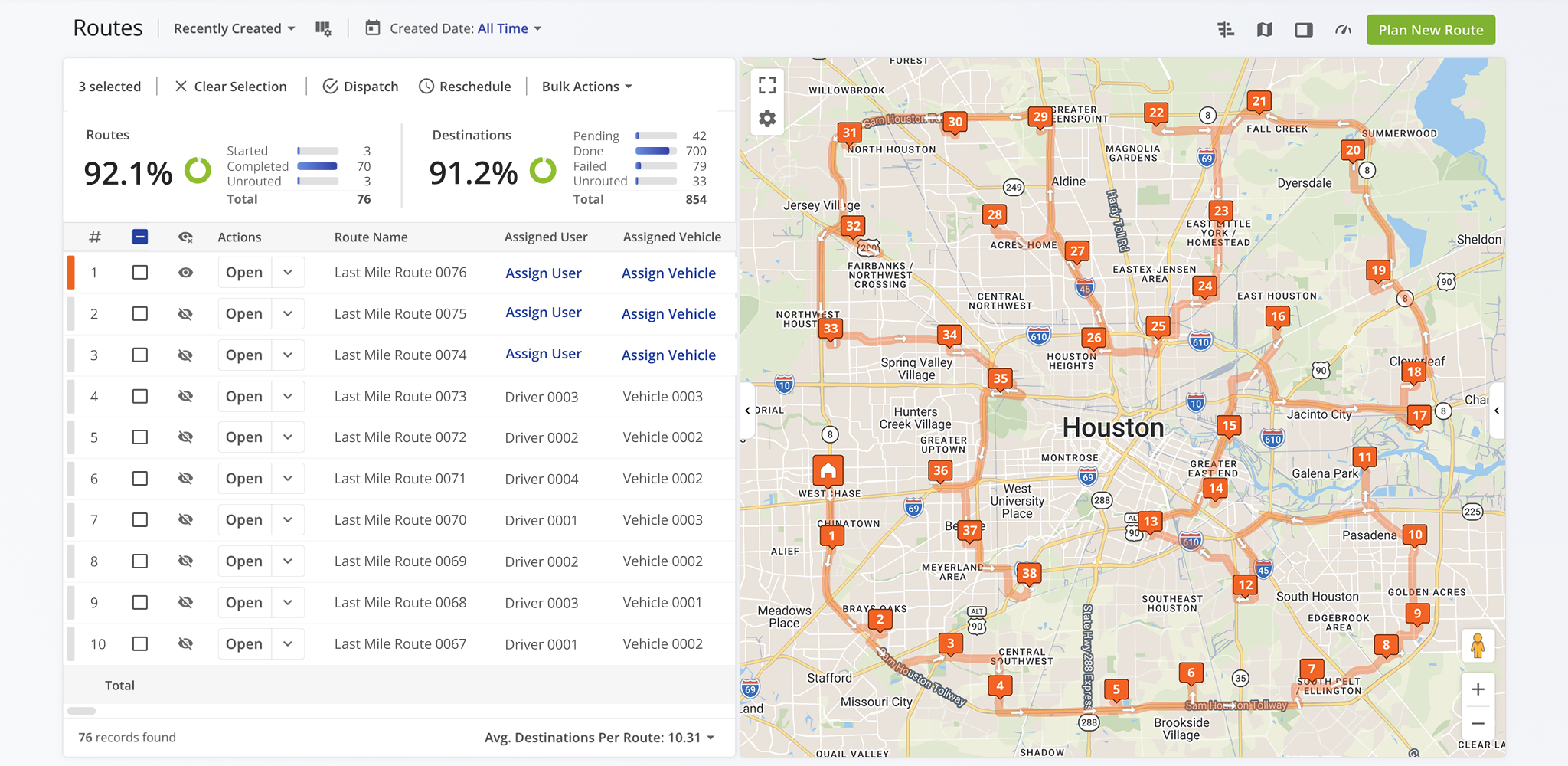
Once executed, the re-optimized route will automatically appear in your Routes List with the updated sequence applied and displayed on the Interactive Routes Page Map and Routes Timeline.
Re-Optimize Remaining Destinations – Recalculate Uncompleted Stops
Once a route has been dispatched and started, you may need to adjust stops to improve efficiency or respond to changes. For example, you might update route settings, add new destinations, or move destinations to another route.
To handle these situations, check the boxes next to the routes you wish to modify and select “Re-Optimize Remaining Destinations” from “Bulk Actions“.
Select how you wish to re-optimize remaining destinations: by Priority, Customer Importance, Time Window, or Auto Sequencing. This will re-sequence only stops not yet completed, while leaving completed destinations unchanged.
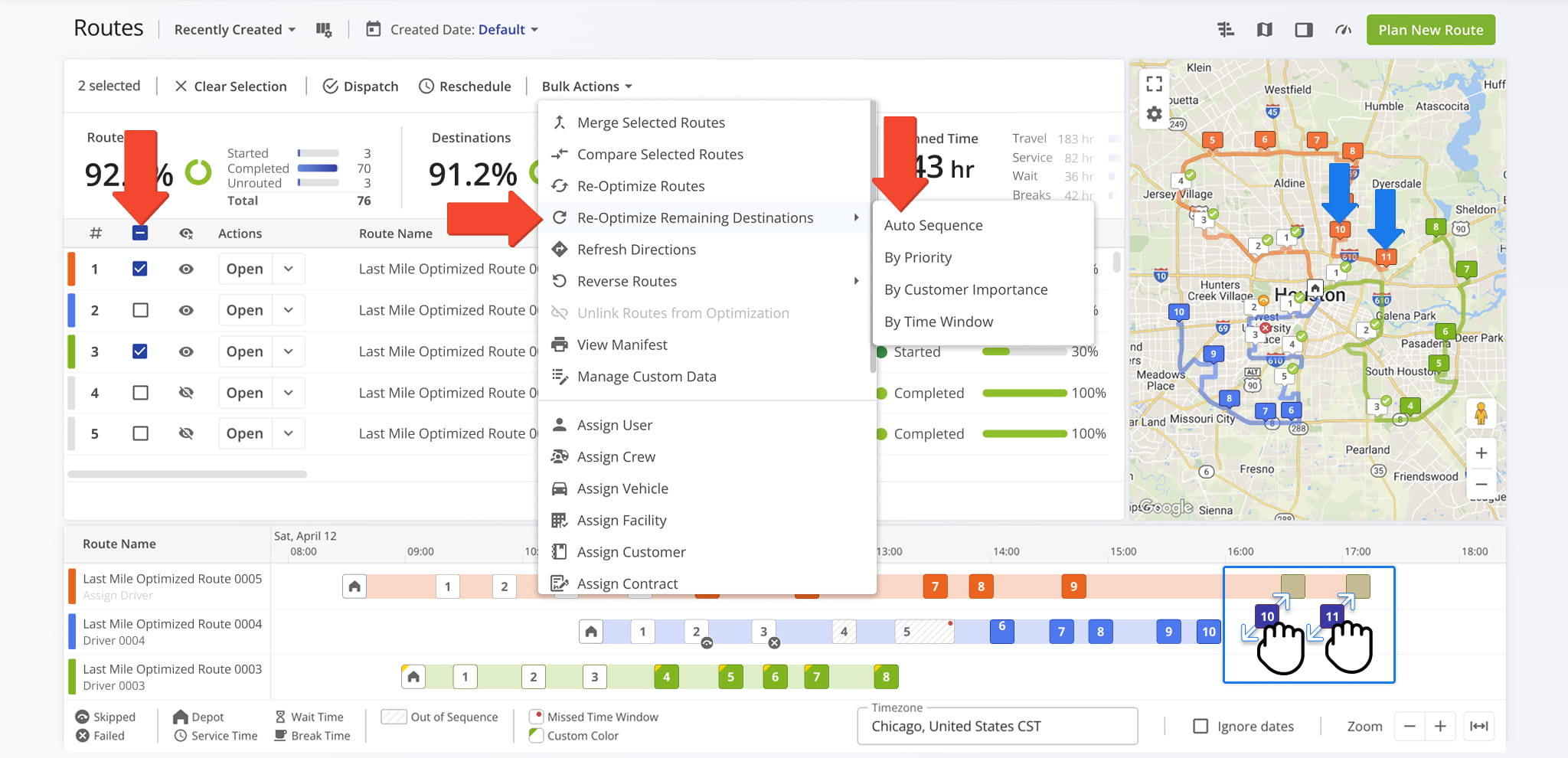
This ensures that the remaining stops follow the most efficient path without undoing any progress already made on the route. NOTE: Destinations with a status cannot be re-optimized.
For changes impacting more than one route, you’ll want to re-optimize the remaining stops on each route to ensure optimal efficiency across all routes.
Re-Optimize From The Route Editor
Re-Optimize A Route – Update Route Order
From the Route Editor, you may need to adjust a route after making changes such as moving, adding, or removing stops.
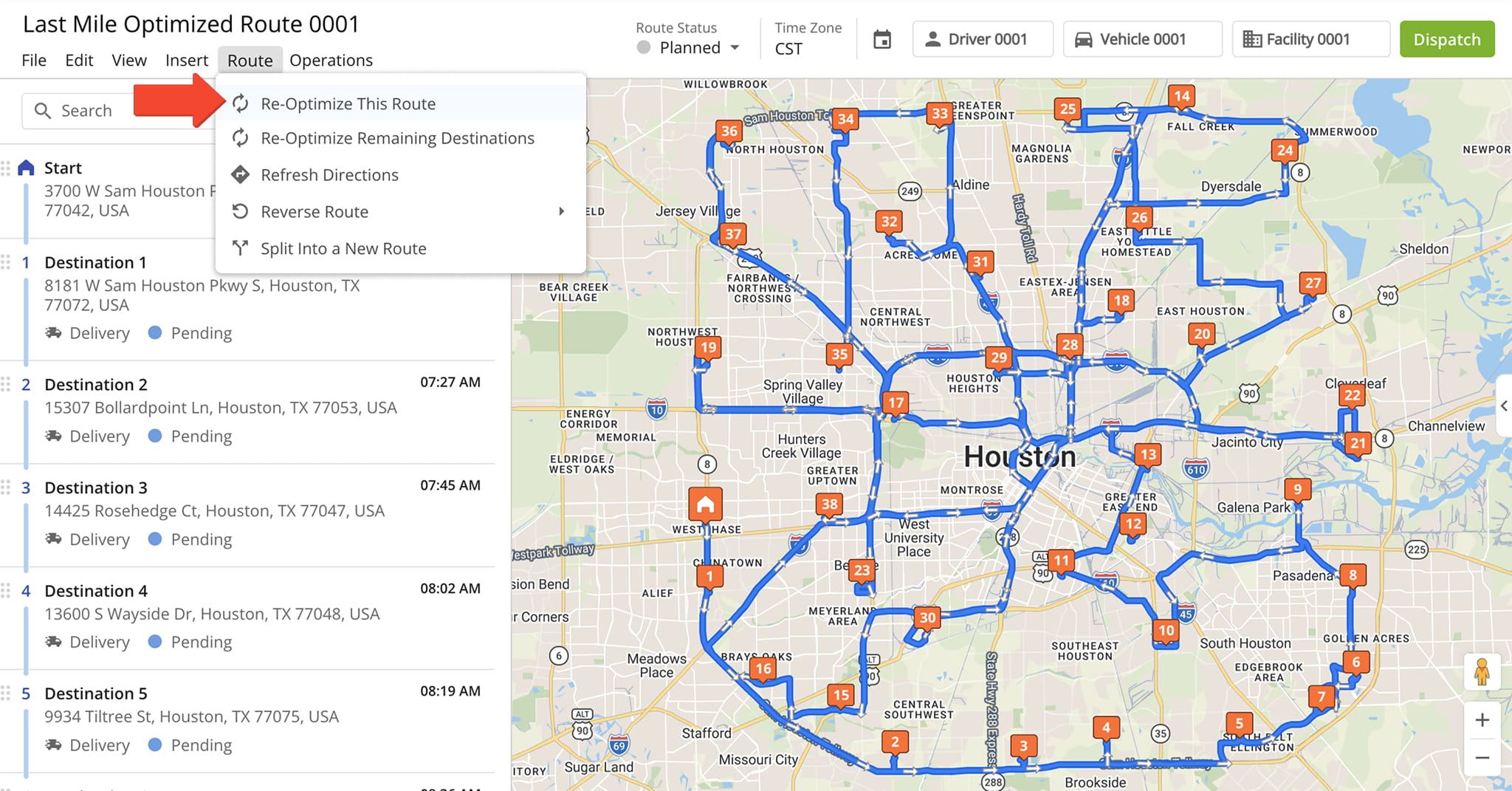
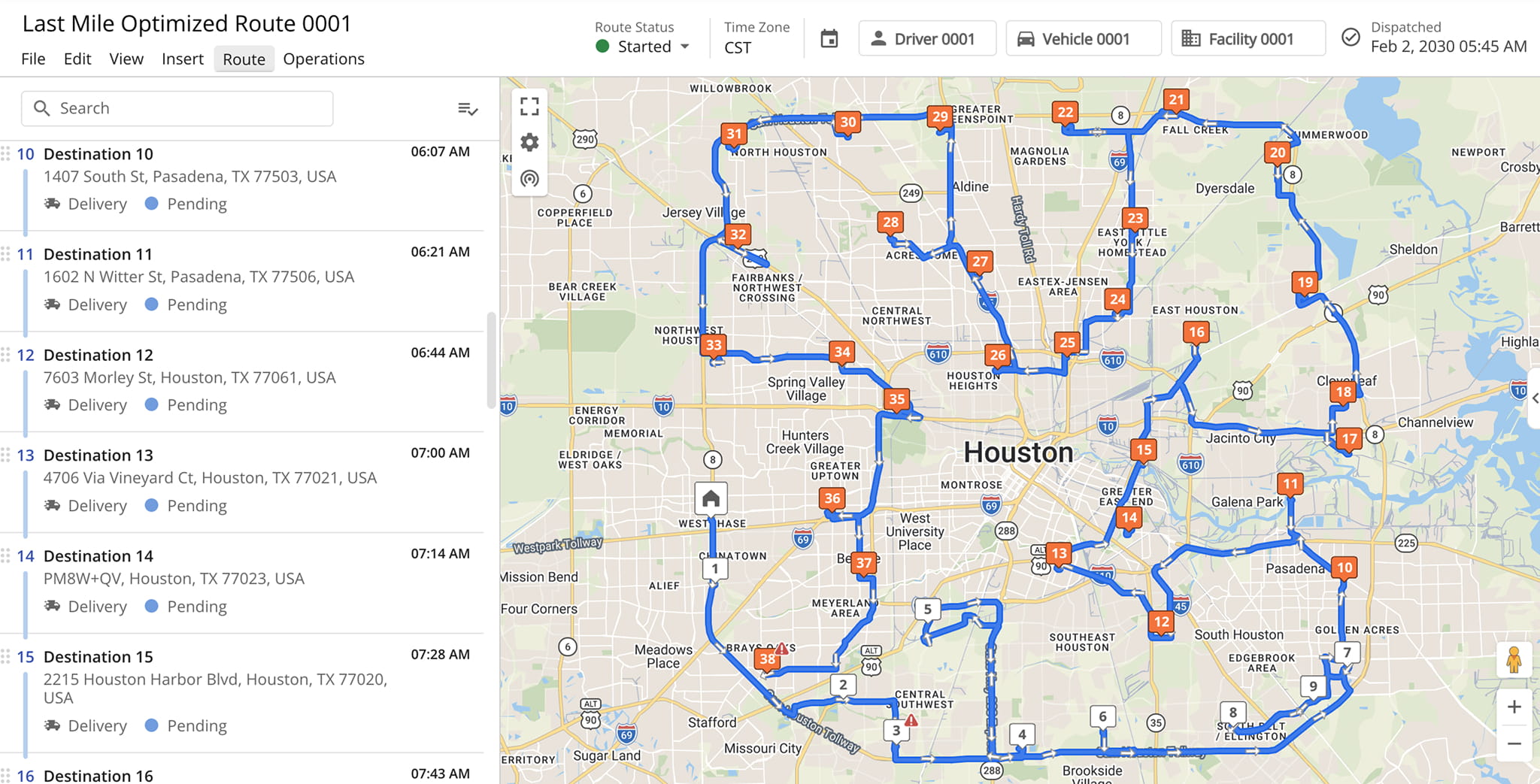
Re-optimizing updates the route immediately, recalculating the most efficient sequence based on the current destinations and settings. To do this, click “Route” in the Toolbar and select “Re-Optimize This Route“.
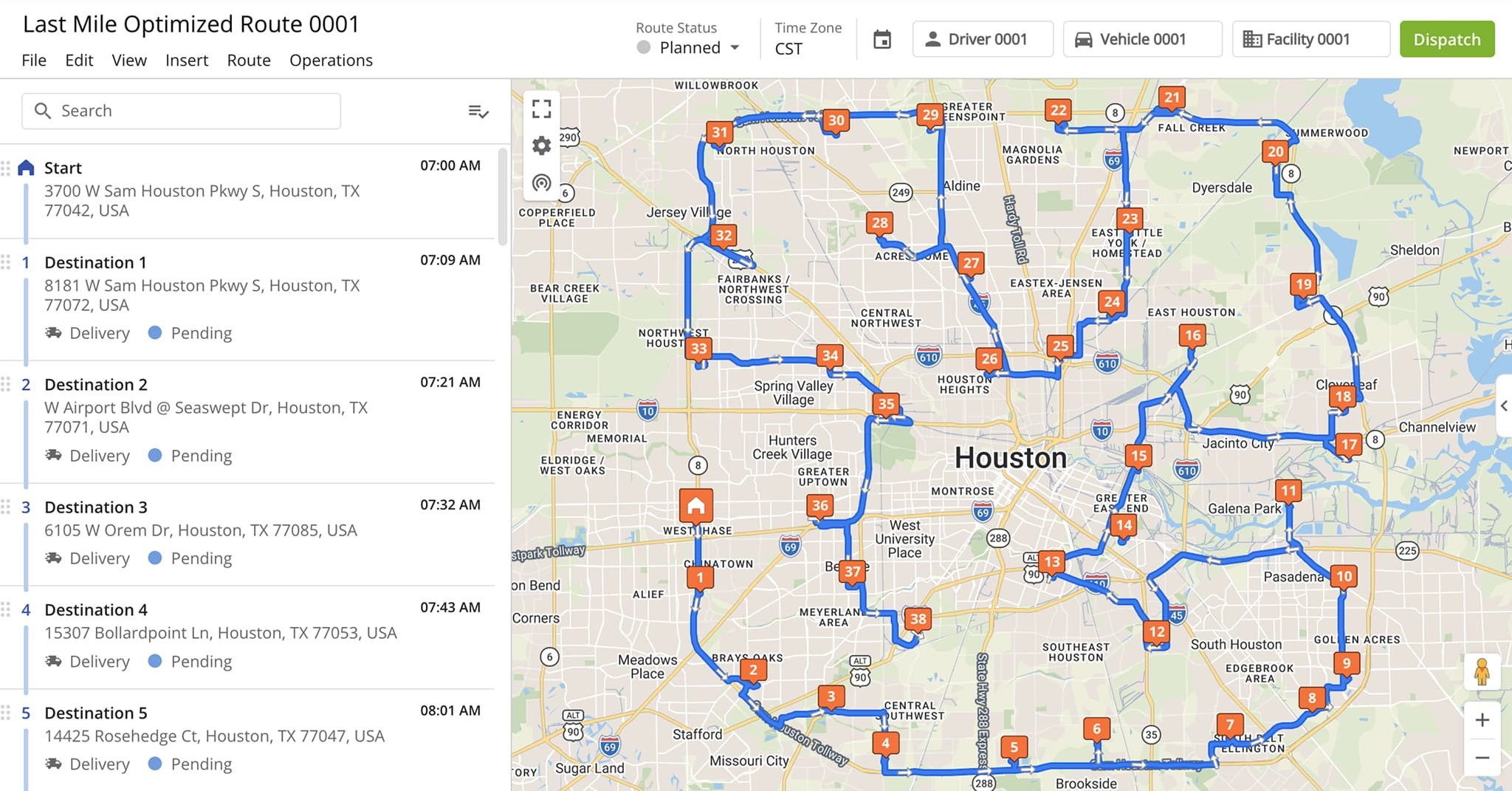
The system will automatically apply the new optimization, with the updated destination sequence and route path reflected in the Destinations List and on the Interactive Map.
Re-Optimize Remaining Destinations – Update Unvisited Stops
If a route is already in progress, you can re-optimize unvisited stops after dispatch to reflect changes you make to the route, such as moving, removing, or adding destinations. NOTE: Stops with a status cannot be re-optimized.
To do this, click “Route” in the Toolbar and select “Re-Optimize Remaining Destinations“. Then, select how you wish to re-optimize remaining destinations: by Priority, Customer Importance, Time Window, or Auto Sequencing.
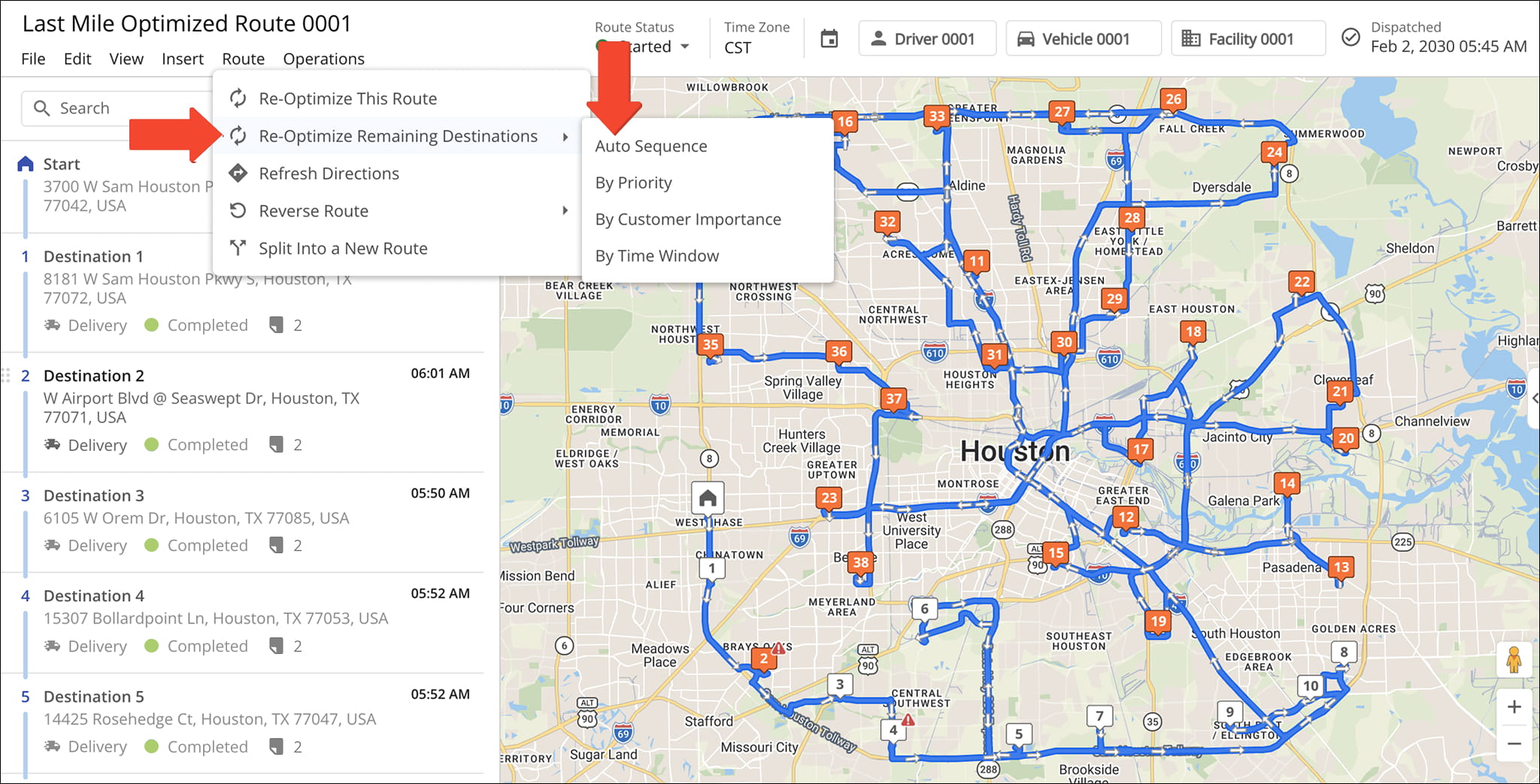
The system will automatically update the sequence of all remaining stops, which will be reflected in both the Destinations List and the Interactive Map. This allows you to quickly review the updated route and confirm the changes at a glance.
Visit Route4Me's Marketplace to Check out Associated Modules:
- Route Optimization
Mixed Vehicles Routing
- Route Optimization
Route Optimization for Multiple Drivers Without Advanced Constraints
- Route Optimization
Commercial Vehicle Route Planning
About author: Daniel Archer

