
Contacts And Customer Locations – Mobile Route Planning And Optimization
Route4Me’s mobile Locations List, available for iOS and Android Route Planner apps, helps you store, manage, and use addresses for routing. Add new addresses, edit existing ones, insert them into planned routes, and view locations on a map. Learn how to use the Locations List and Map to manage customer locations and streamline route planning.
NOTE: Features may vary between iPhone and Android devices depending on your account settings. Review your subscription type to see all supported functions. Contact Route4Me Support to enable specific features.
Table of Contents
Customer Locations List – Open and Manage Your Contacts List
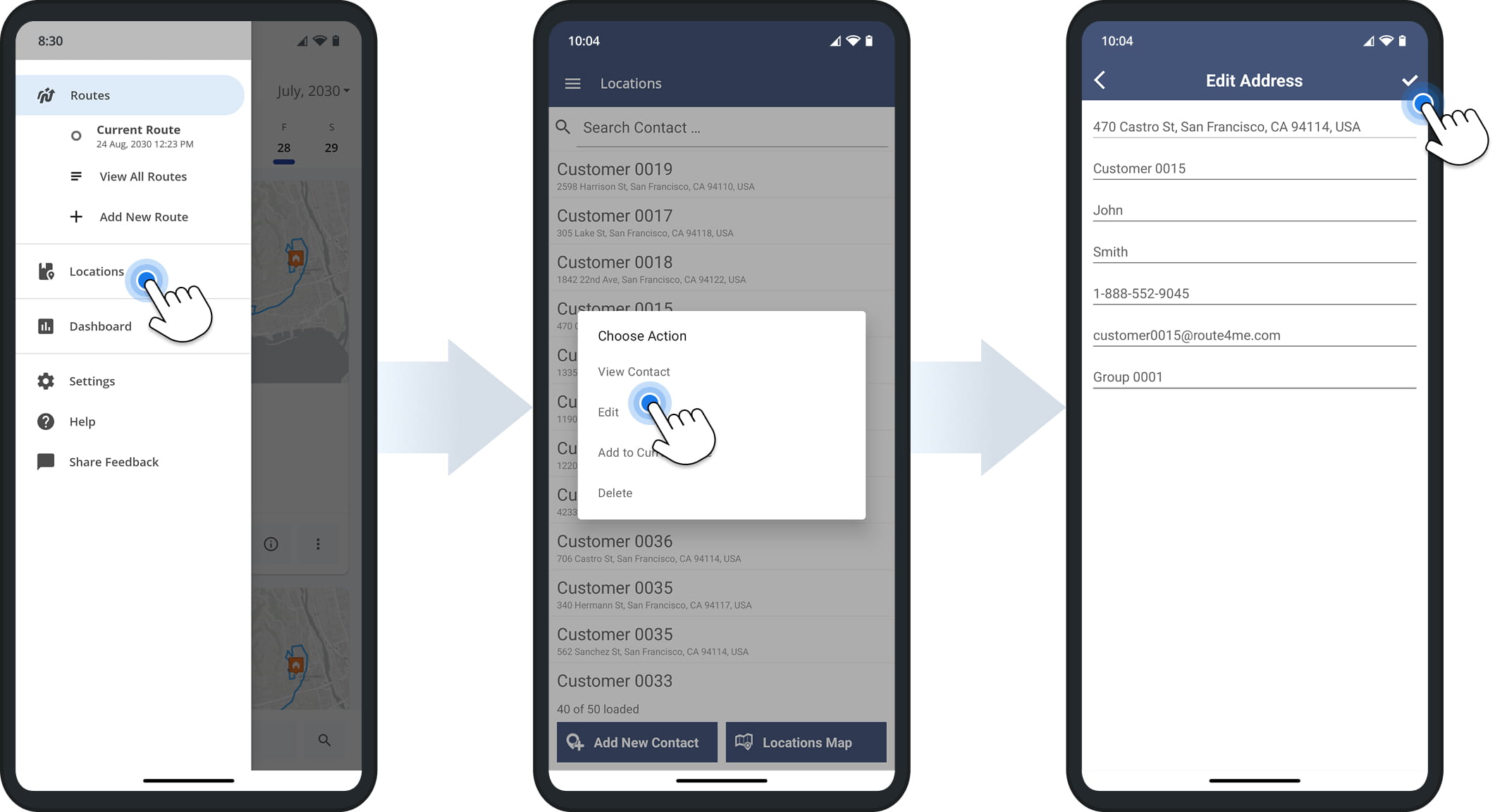
To open your Route4Me Locations List, tap “Locations” in the app’s navigation menu. To view a specific address, tap on it and select “View Contact“. To edit an address, tap “Edit“. After making modifications, click the Check Mark to save.
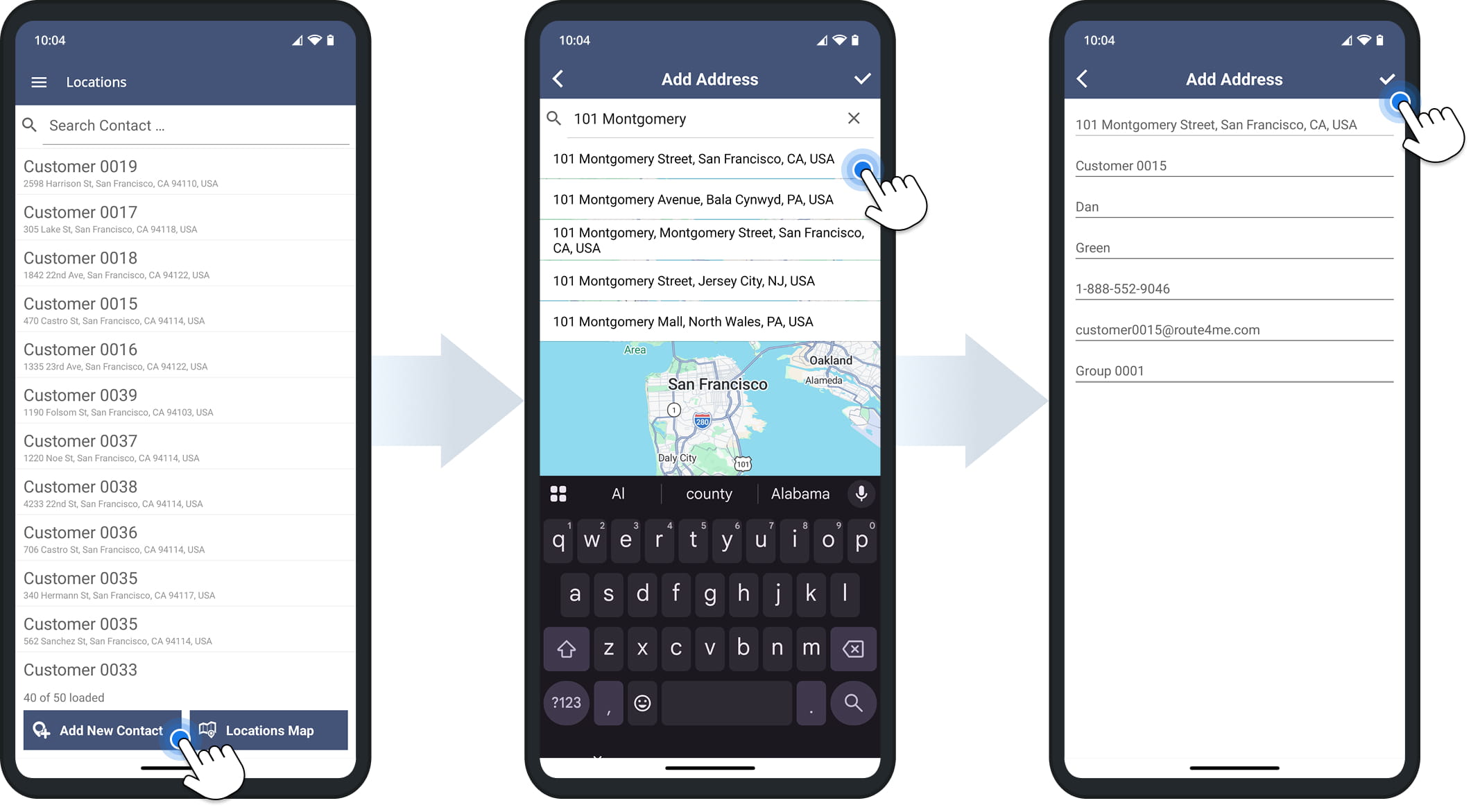
To add a new address, tap “Add New Customer“. Enter a full or partial address, then select one of the suggested autocompleted and geocoded options. After entering all details, tap the Check Mark to add the address to your Locations List.
Locations Map – View And Add Addresses On The Map
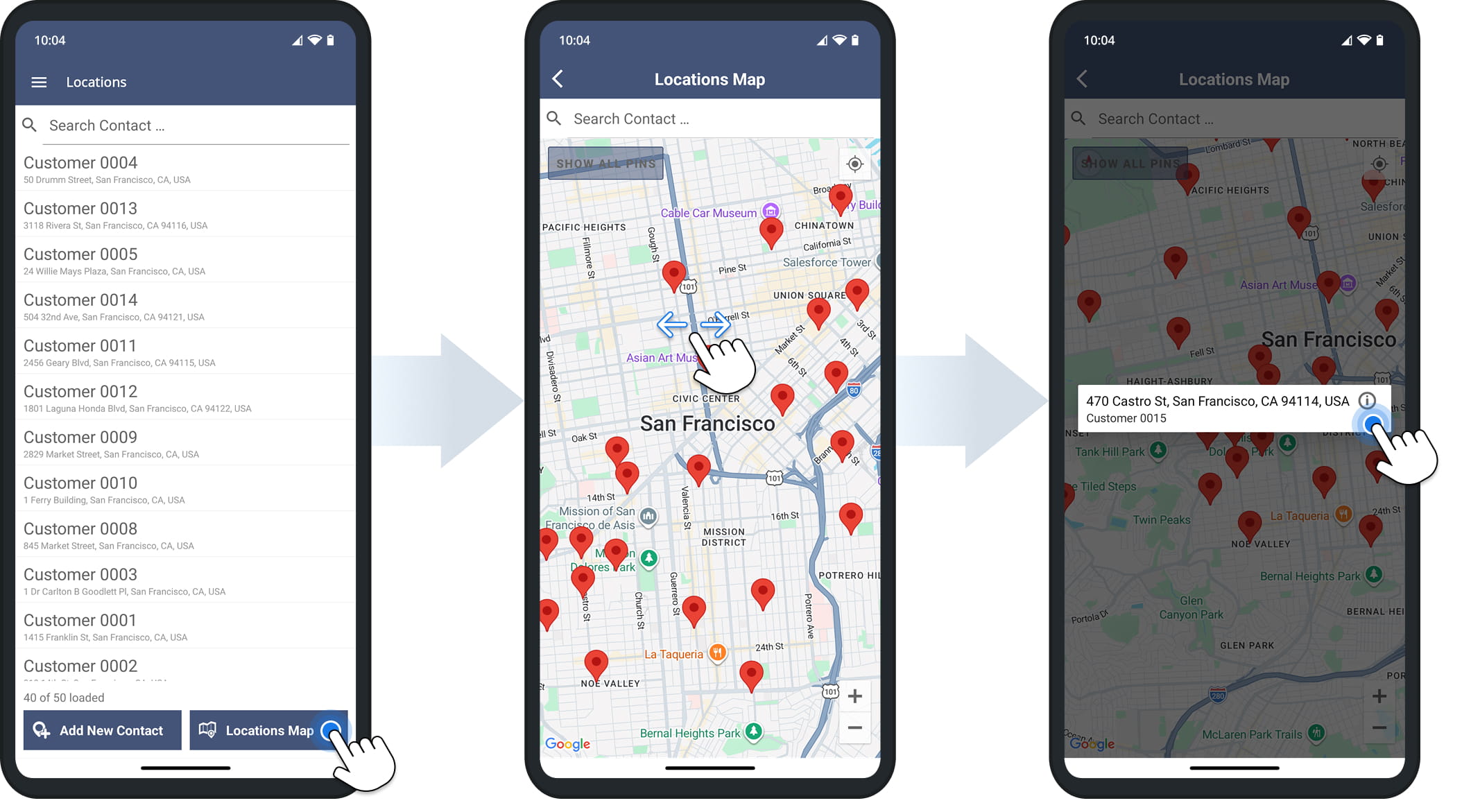
The Locations Map displays all your saved addresses on a map. To open it, tap “Locations Map“. You can zoom in and out to explore different locations, and tap on a Location pin to view its address and alias.
To view additional Location information, tap the Information Icon next to the address.
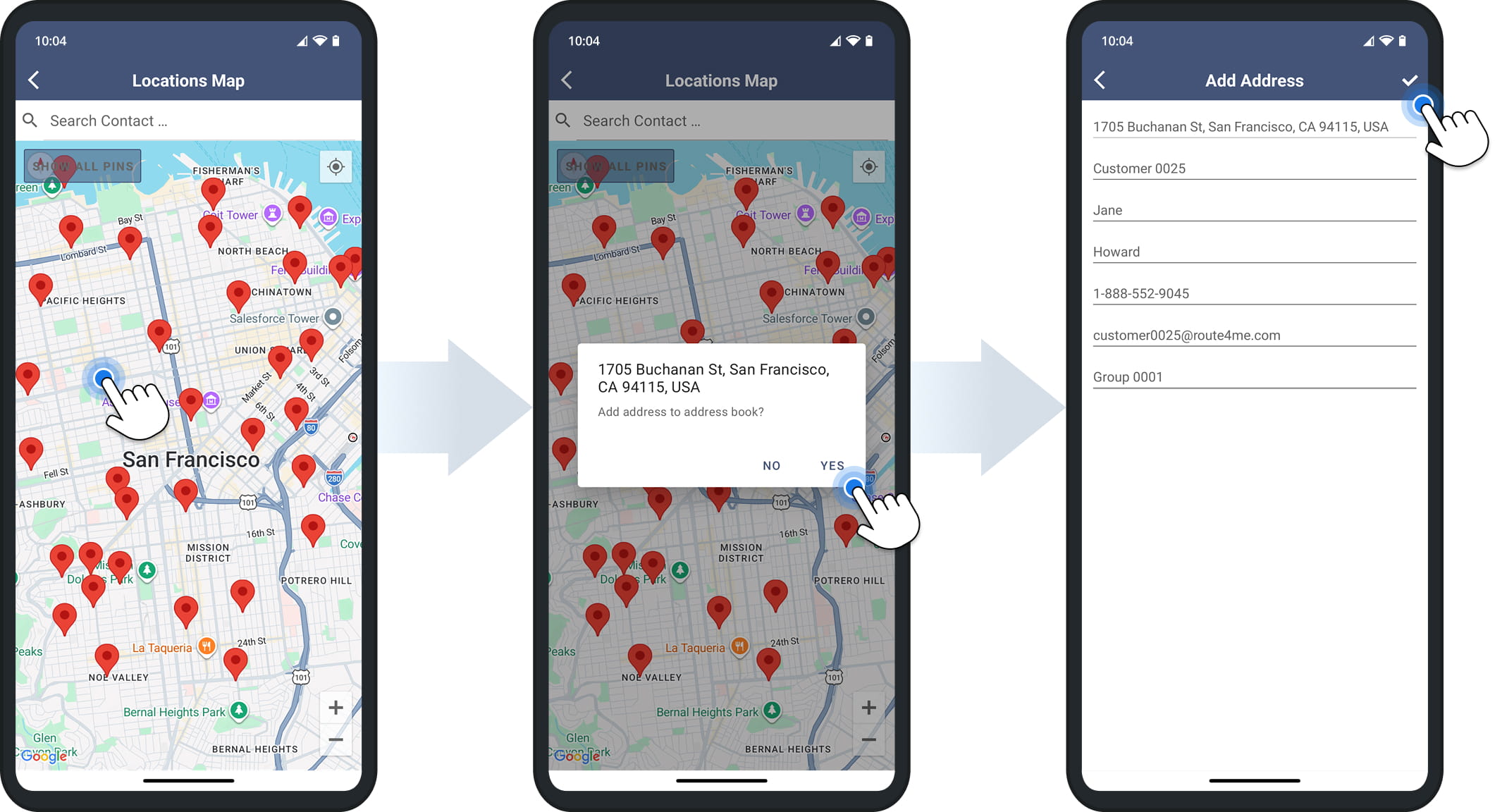
You can also add Locations directly from the map. Tap and hold a Location, and the app will suggest the nearest valid address. You can then add additional Location details before saving it to your Locations list.
Insert Locations Into Routes – Add Contacts To Your Planned Routes
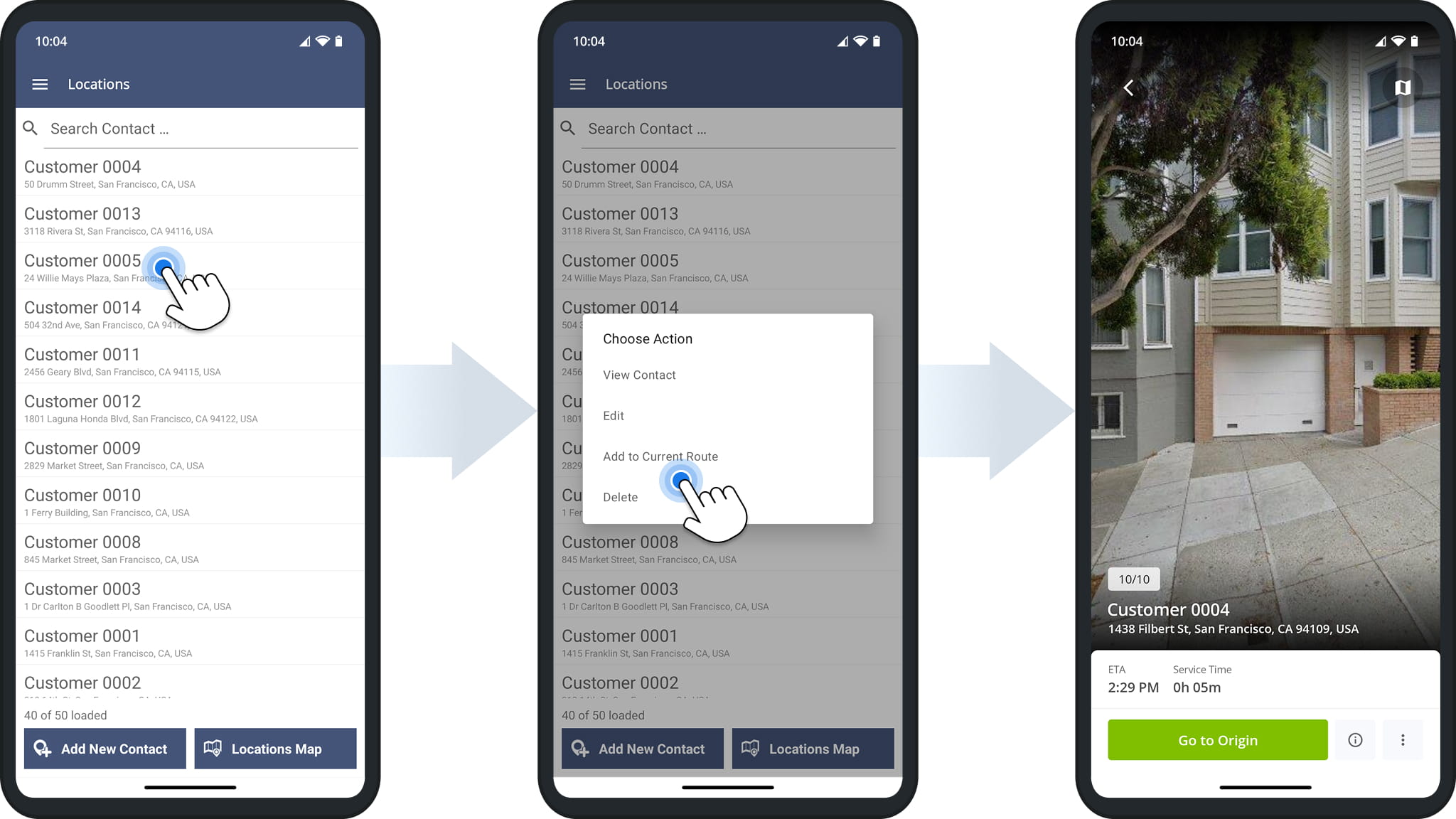
You can easily insert Locations into planned routes. First, open the route you want to update to make it the Current Route. Then, go to your Address Book and tap the address you want to add.
Next, tap “Add to Current Route” to add the Location. You can insert multiple addresses and re-optimize the route to ensure the most efficient stop sequence.
Visit Route4Me's Marketplace to Check out Associated Modules:
- Operations
Custom Data Add-On
- Operations
Advanced Team Management Add-On
About author: Daniel Archer

