
Reverse Routes – Reverse Route Destinations
Reversing routes helps teams save time and improve scheduling flexibility when managing logistics for deliveries, service calls, or round-trip routes. Route4Me’s route planning software lets you reverse either the entire route or just the destinations, making quick adjustments without rebuilding your plan. Learn how to reverse routes from your Routes Page or Route Editor.
Table of Contents
Reverse Routes From The Routes List
To reverse routes from your Routes List, go to “Dynamic Routing” > “Routes” in the Navigation Menu. Check the box next to the route or routes you wish to reverse. Then, click “Bulk Actions” and select “Reverse Routes“.
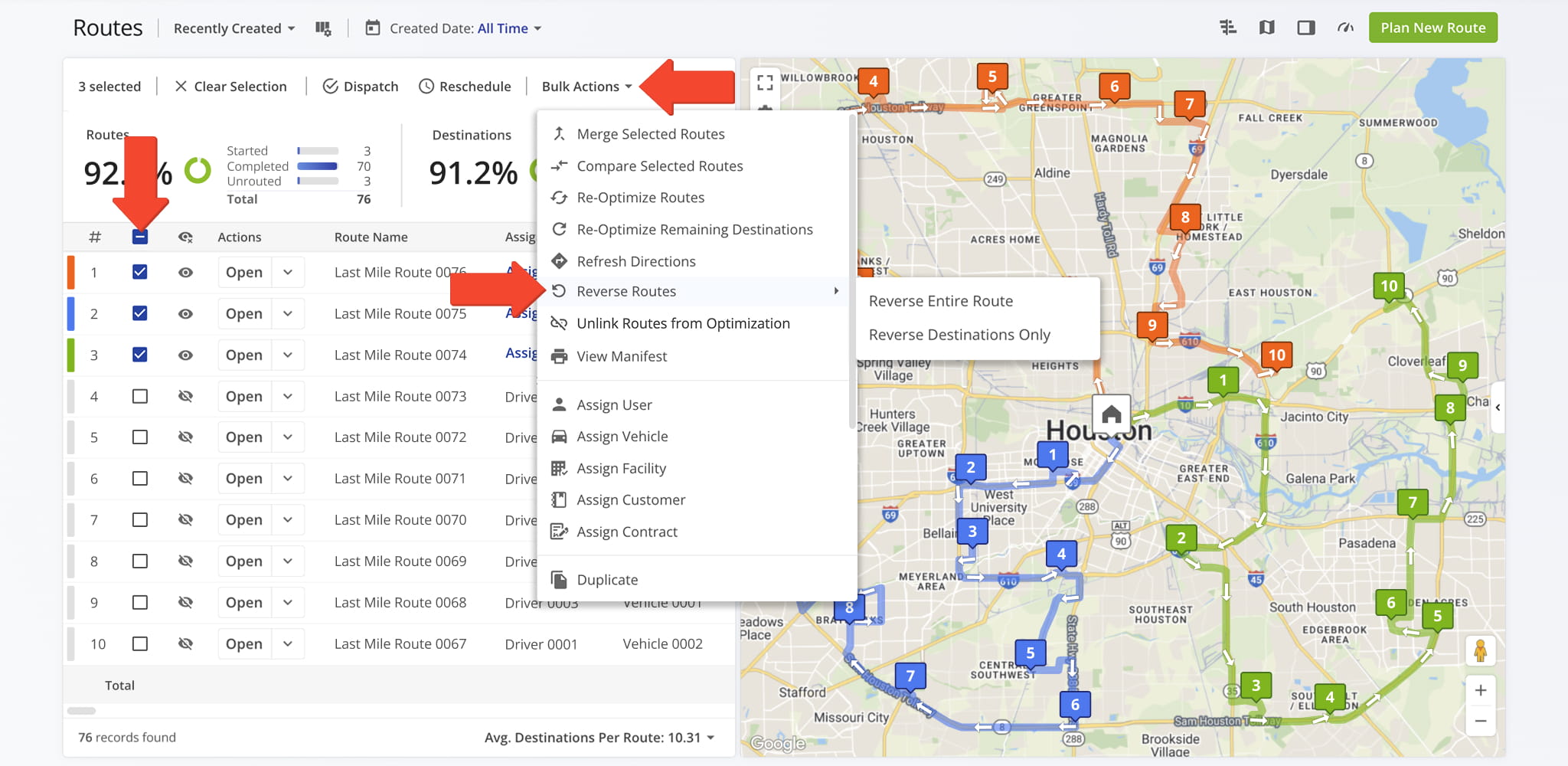
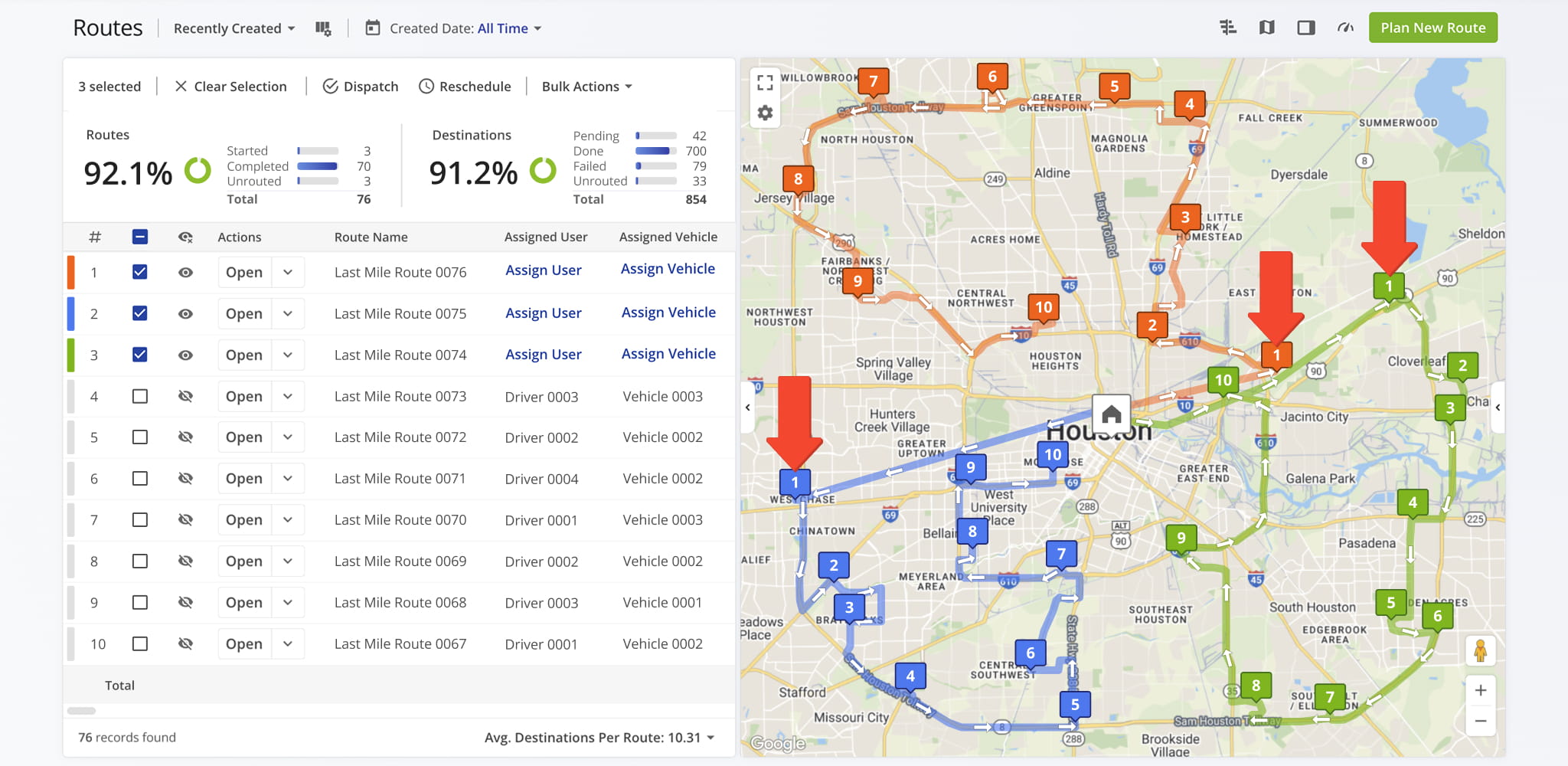
You can reverse the entire route or just the destinations. Reversing the full route flips the entire stop order, including start and end points (unless it’s a round trip). Reversing destinations only flips the stops while keeping the departure address the same.
Once executed, the newly sequenced route will replace the original sequence and become automatically available.
Reverse Routes From The Route Editor
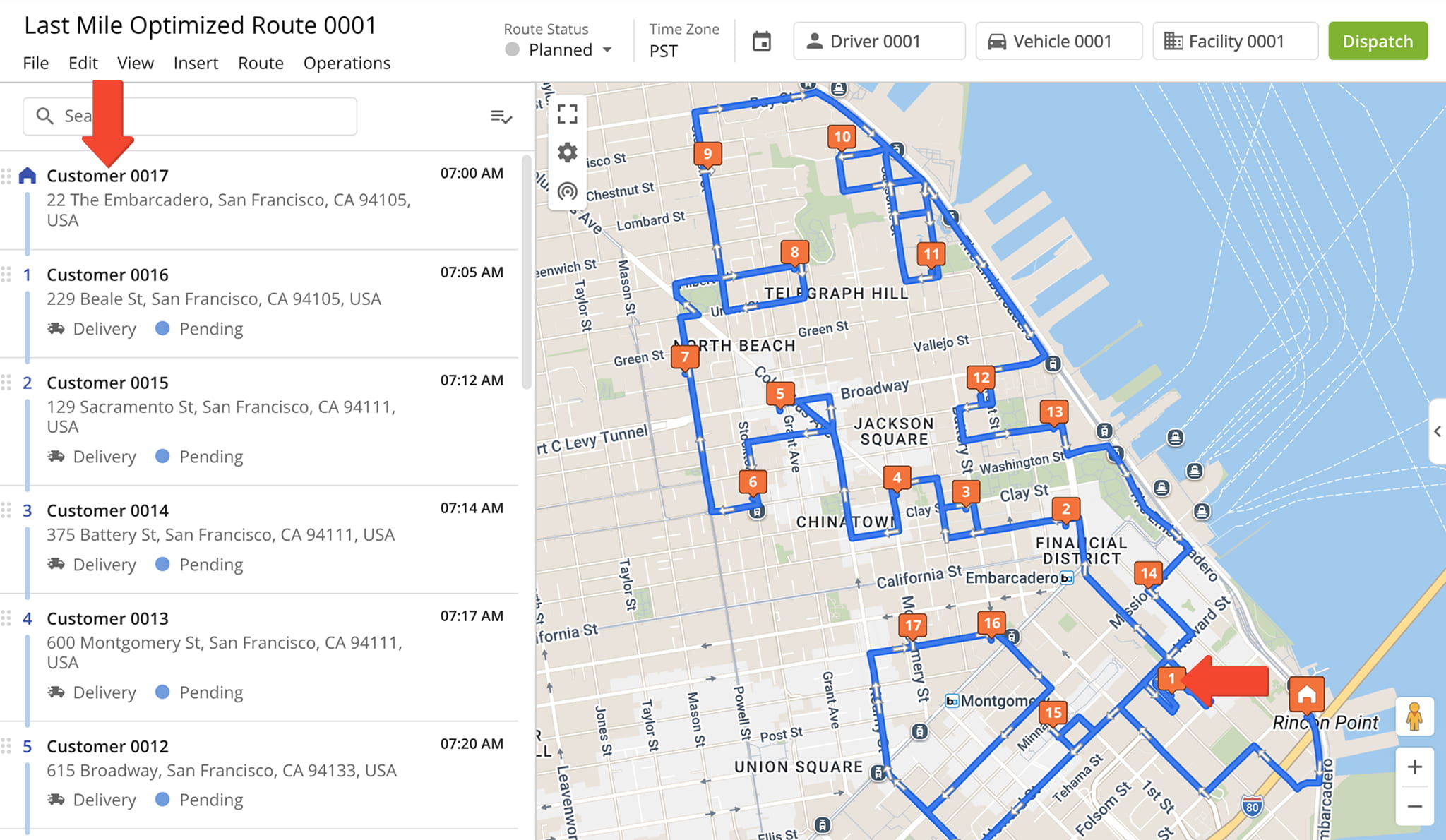
To reverse a route from the Route Editor, click “Route” > “Reverse Route” in the Toolbar. From the top menu, select “Route“, then “Reverse Route“, and specify if you want to reverse the entire route or reverse destinations only.
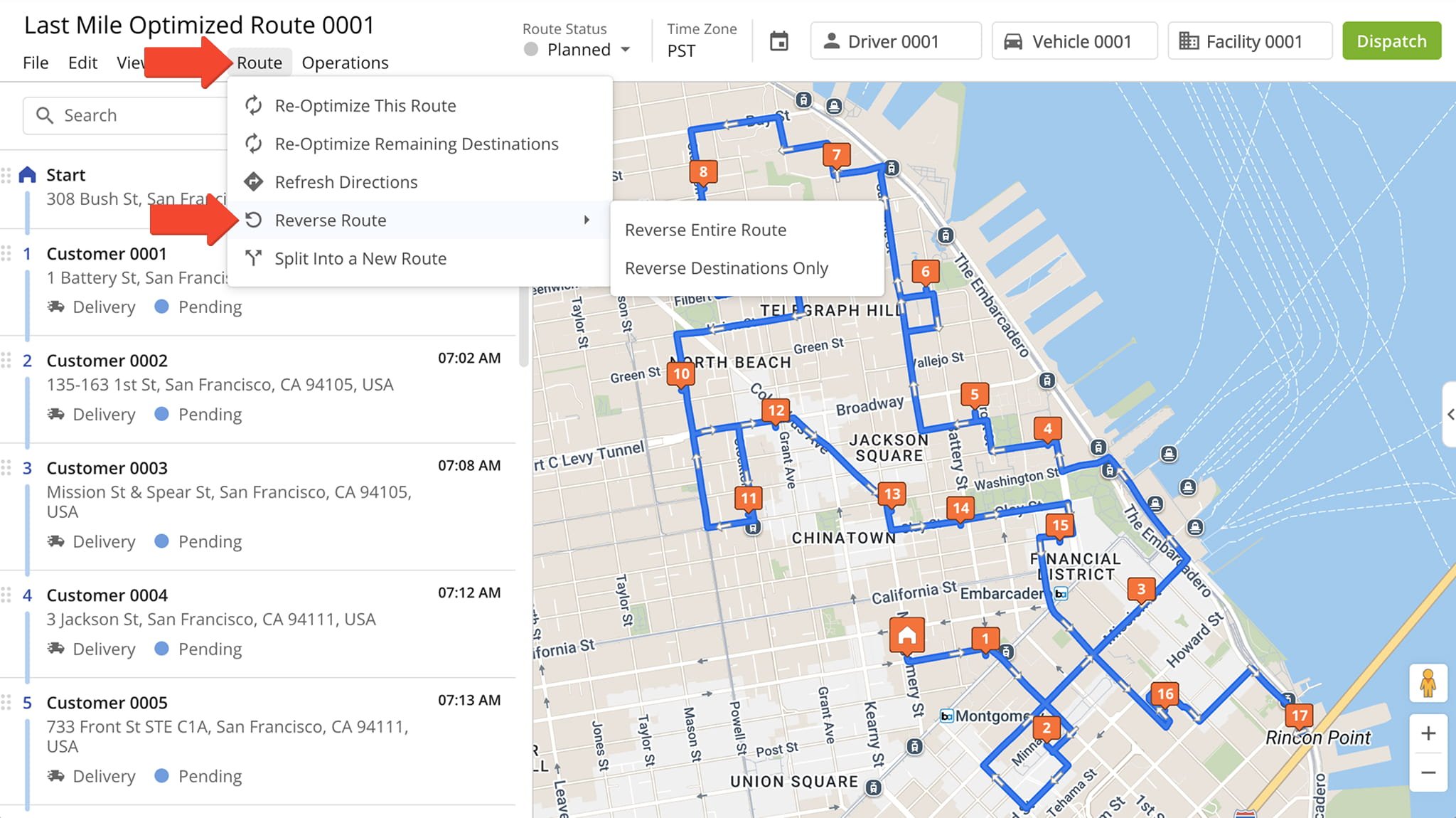
The system will apply the new sequence, with changes reflected in both the Destinations List and the Interactive Map.
Visit Route4Me's Marketplace to Check out Associated Modules:
- Route Optimization
Mixed Vehicles Routing
- Route Optimization
Route Optimization for Multiple Drivers Without Advanced Constraints
- Route Optimization
Commercial Vehicle Route Planning
About author: Daniel Archer

