
Subscription Management – Pricing, Registration, Feature Manager, Billing And Payment Method
Route4Me offers flexible last mile optimization software subscription plans that simplify complex processes, boost profits, and improve customer satisfaction. We also make it easy, via Route4Me’s Feature Manager, to customize and configure your business route planner using modular features and Add-Ons that adapt to your operational needs and business scale. This guide covers Route4Me’s pricing, registration, subscription management, billing, and payment options, along with frequently asked questions.
NOTE: To customize your TMS Solution and enable or request additional features, contact Route4Me Support.
Table of Contents
Explore Packages – Route4Me Registration And Subscription Plans
Route4Me subscriptions are tailored to your business needs. From the Subscription Plan Page, you can review available plans, explore features, and download the Package Guide to understand how each option supports your enterprise routing operations.
Instead of fixed pricing, Route4Me subscriptions are configured based on your operational requirements, including route complexity, team size, and overall business scope.
The platform itself is built to be modular, allowing each solution to be assembled from selected features and Add-Ons so it aligns with how your business actually operates.
To select a plan and complete your registration, click the “Contact Us” button to coordinate with a Last Mile Routing Expert, who will guide you through setup.
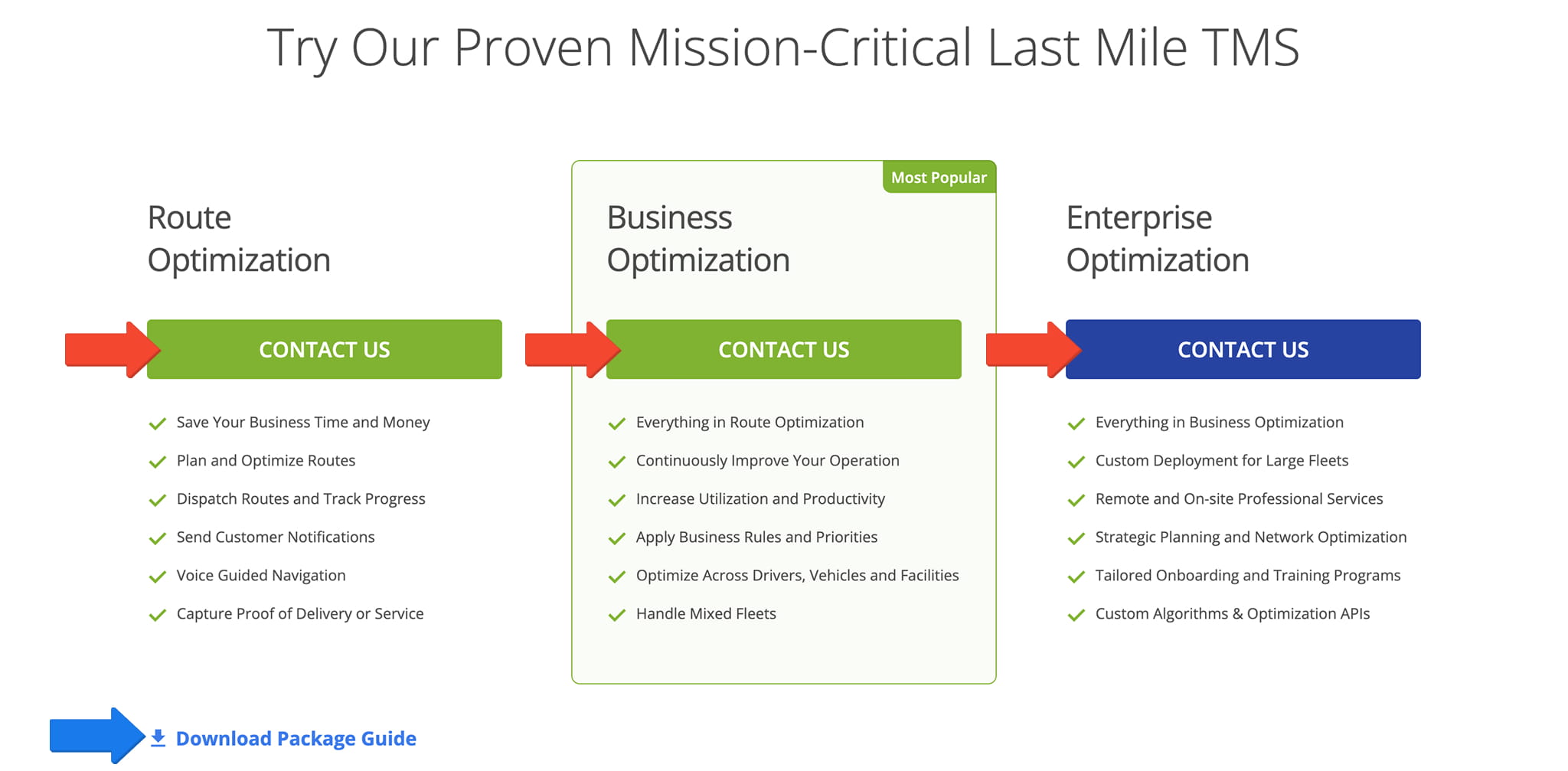
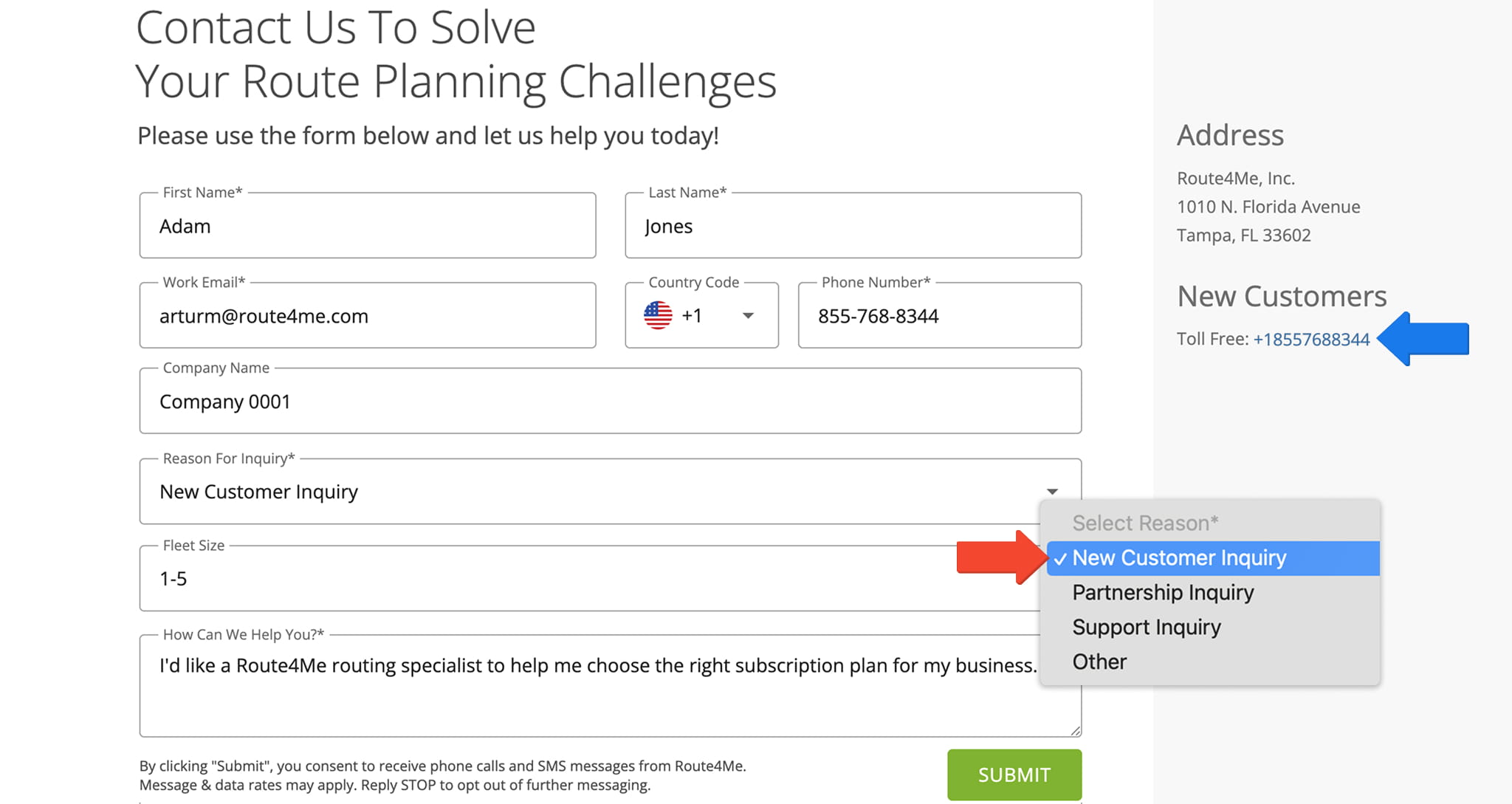
The “Contact Us” button will redirect you to the Route4Me Contact page where you can use the form to submit your request.
Be sure to select “New Customer Inquiry” in the “Reason for Inquiry” field to ensure your request is routed correctly. Or, for immediate assistance, call our toll-free number to speak directly with a Route4Me Subscription And Route Planning Expert.
Feature Manager – Select Add-Ons And Start Your Subscription
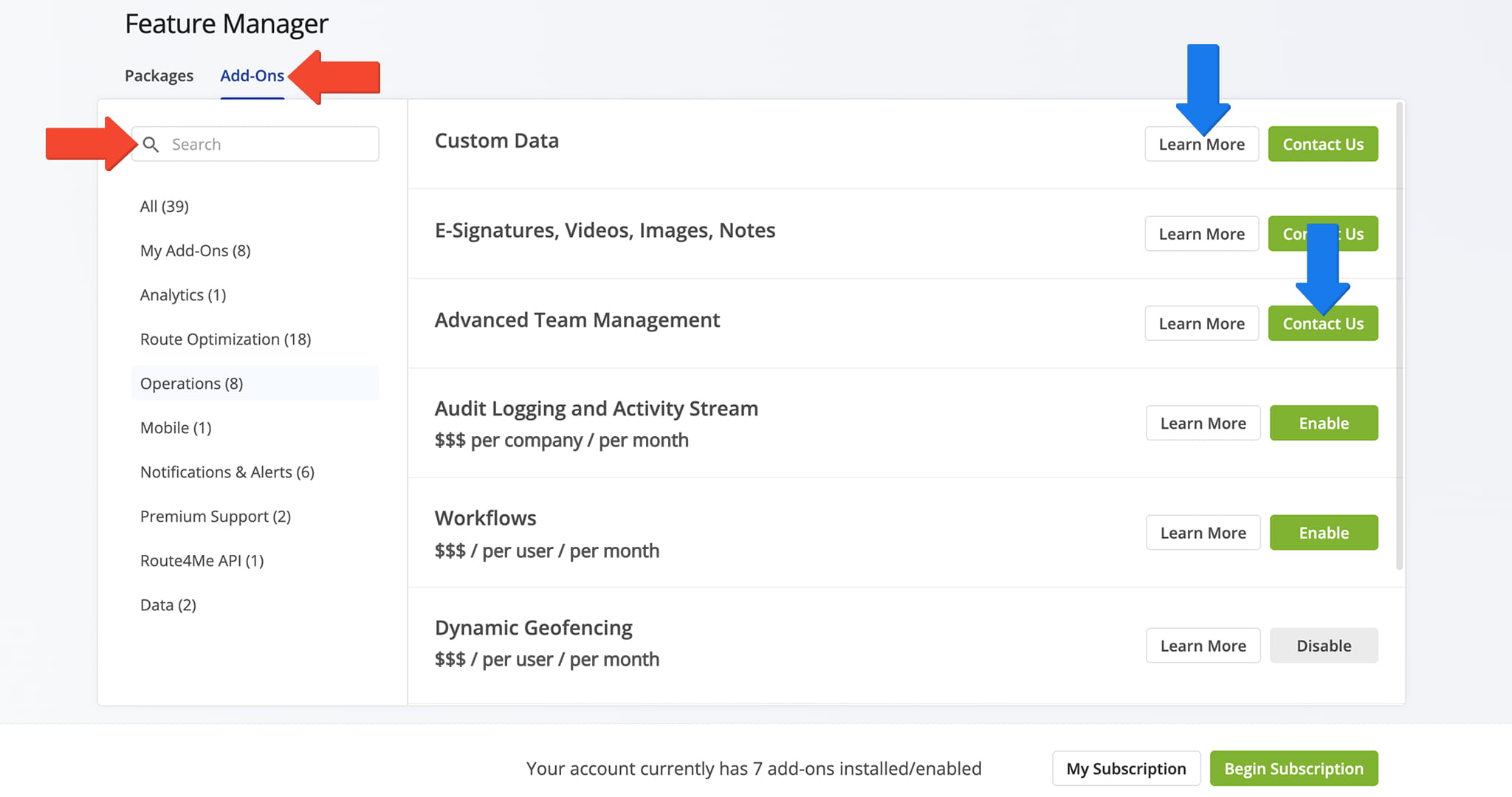
Your Route4Me Routing Expert will configure your subscription and guide you through selecting Add-Ons. The Feature Manager provides a central view of available features and how they can be combined to support your routing operations.
You can review, enable, or adjust Add-Ons as part of building a solution tailored to your business needs. All configuration is completed in coordination with your Routing Expert to ensure your setup aligns with your operational requirements.
To access the Feature Manager, go to “Settings” > “Feature Manager” from the Navigation Menu.
Once your plan and Add-Ons are selected, your Routing Expert will guide you through final setup and activation.
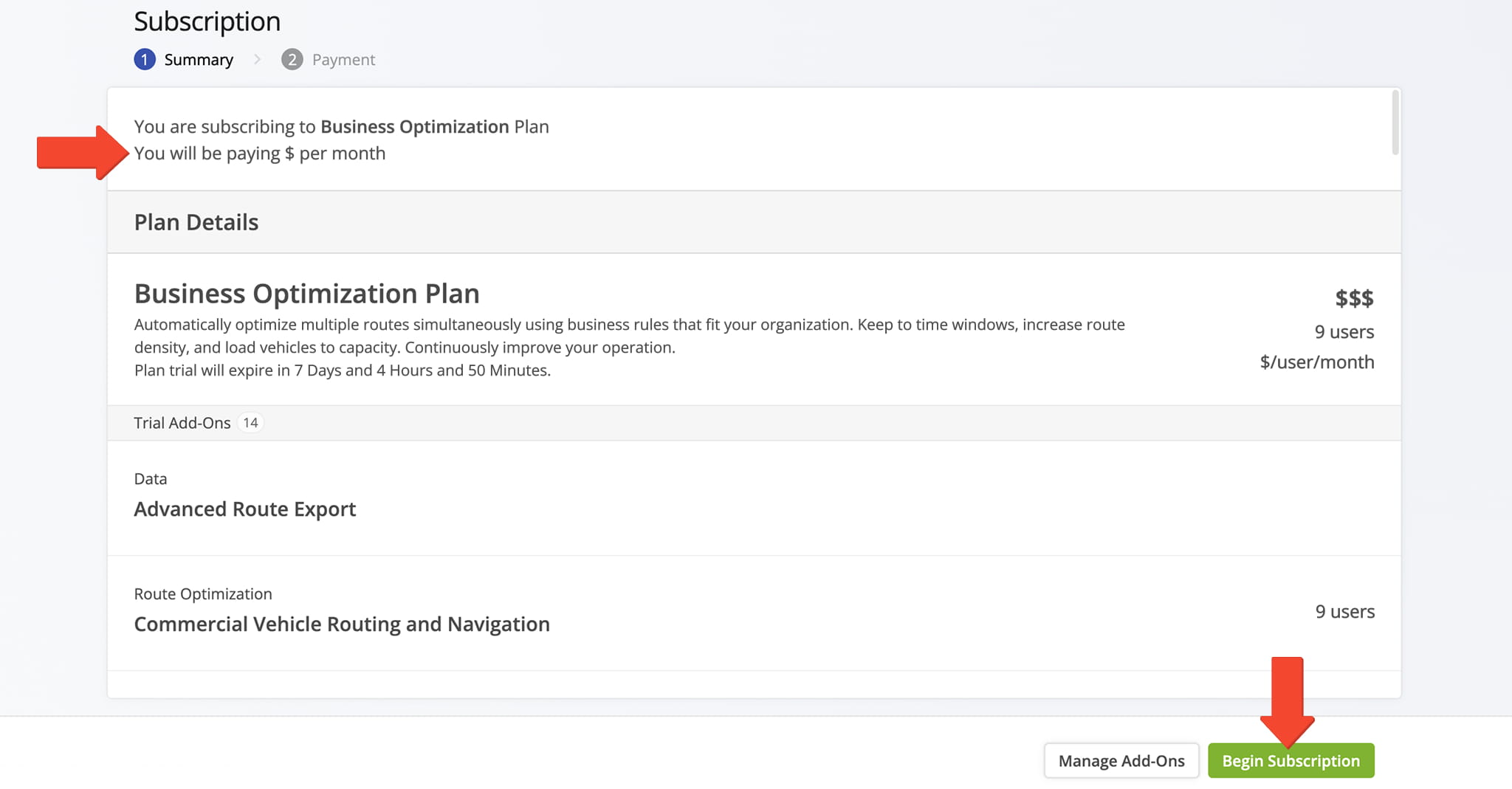
You can then review and manage your Route4Me subscription details on the “Begin Subscription” page. Enter your preferred payment method and billing details to complete setup.
NOTE: You can update your billing details and payment method at any time, ensuring your Route4Me subscription remains aligned with your business and operational needs.
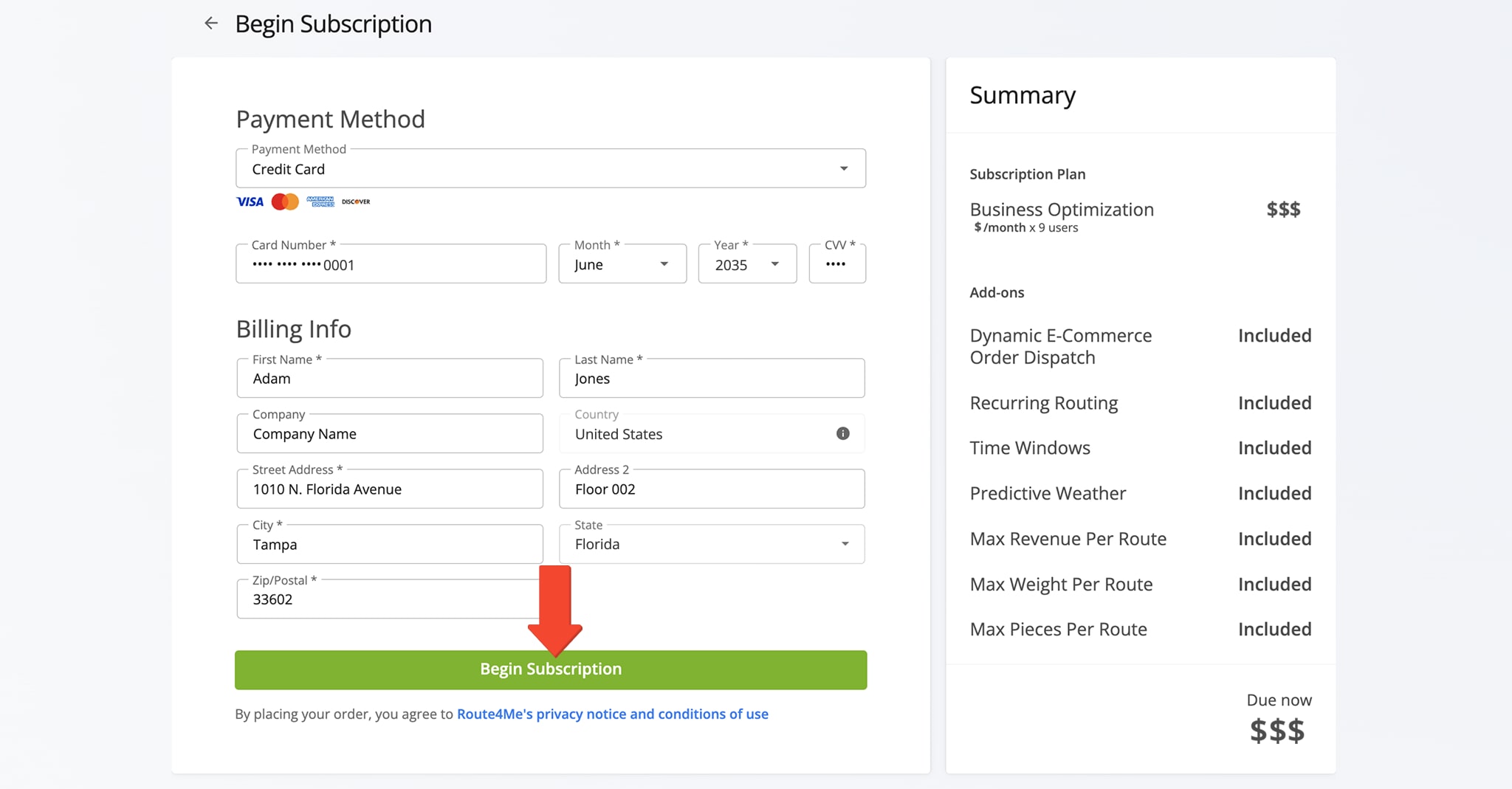
Modify Subscription – Change Or Update Your Route4Me Package
If you want to update your Route4Me subscription, your Routing Expert will guide you through the process to ensure your plan and Add-Ons continue to meet your enterprise routing needs.
For example, your Routing Expert can help you switch your subscription plan. From the “Packages” tab in the Feature Manager you can review available plans and select the one that best aligns with your operational requirements.
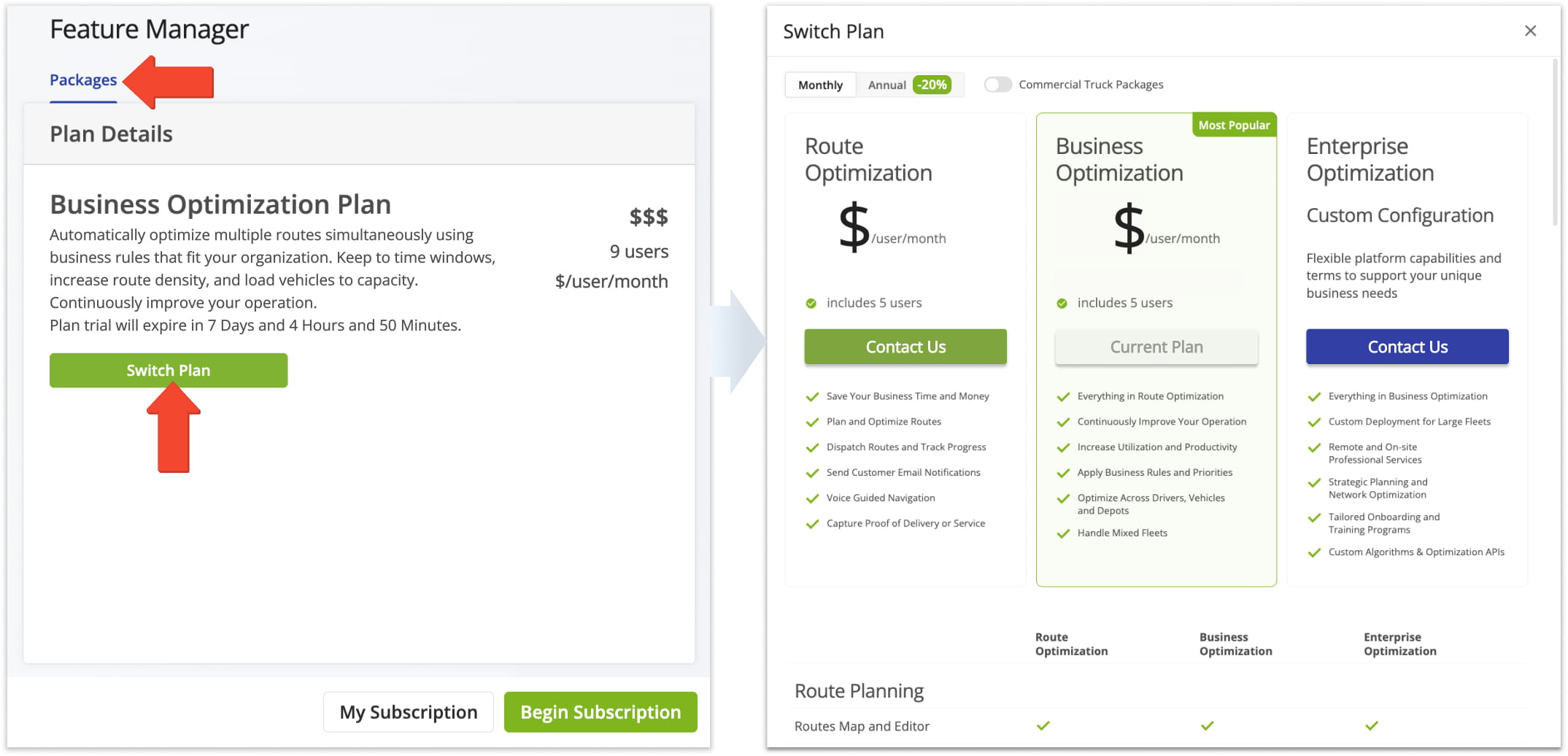
Alternatively, your Routing Expert can help you adjust your Add-Ons without changing your plan. From the “Add-Ons” tab in the Feature Manager, you can review all available features, which your Expert can enable or disable based on your needs.
Your Routing Expert will then adjust your subscription so it accurately reflects which Add-Ons are active or inactive.
Billing Details – Billing History, Info, And Payment Method Settings
From your Subscription page, can view billing history, payment details, or update your payment method. Click the tabs at the top of the page to view and manage all information. See the table below for an overview of each tab.
To access your Subscription Page, go to “Settings” > “Subscription” from the Navigation Menu.
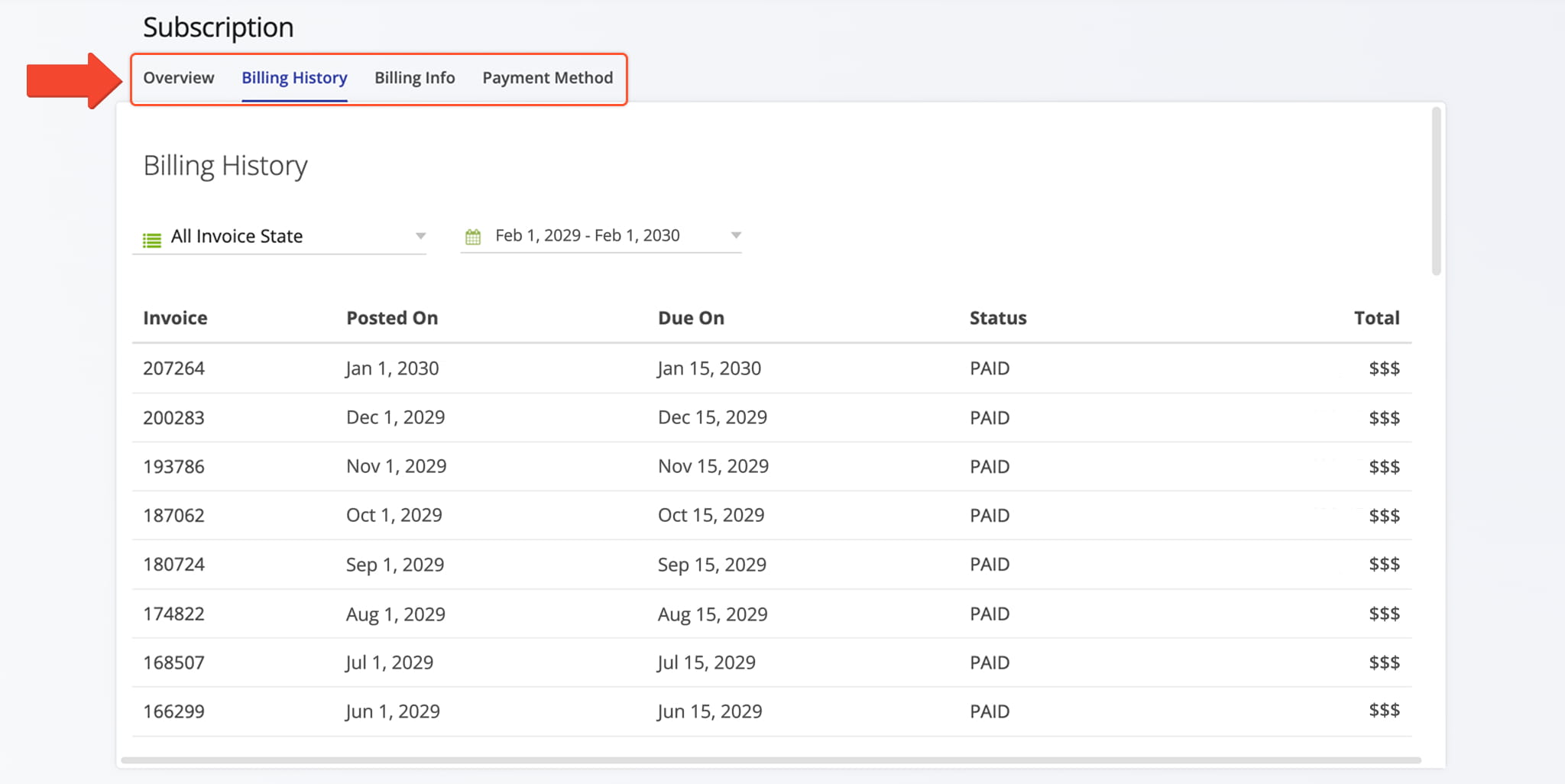
Subscription Management Tabs
FAQs – Route4Me Registration And Subscription Management
Route4Me does not have fixed pricing. Subscription costs are determined based on your business requirements, including route complexity, team size, and selected features.
Because Route4Me is a configurable platform, pricing reflects the combination of selected features, Add-Ons, and the scale of your operations. To get an accurate estimate, contact a Route4Me Routing Expert, Enterprise Plan Specialist, or Subscription Consultant.
Pricing details cannot be reliably obtained from third-party sources, as many are outdated or incorrect.
Route4Me pricing is customized because each business builds its own routing solution using a combination of features and Add-Ons.
The final configuration depends on operational requirements such as fleet size, delivery complexity, and workflow needs, allowing each customer to only pay for the capabilities they use.
There is no fixed per-driver or per-vehicle pricing. Costs depend on the overall subscription configuration, including features and operational scale. They are determined by the overall solution configuration rather than a fixed per-user or per-asset rate.
While subscription packages organize features and capabilities, pricing for drivers, vehicles, and Add-ons is determined through consultation with a Route4Me Last Mile Planning Expert.
Always refer to the Route4Me Subscription Plan Page or speak with an Expert for accurate information.
Yes. Route4Me subscriptions can be configured using available plans and Add-Ons to match your operational needs.
You can select a subscription plan, configure Add-ons through the Feature Manager, and collaborate with an Enterprise Plan Specialist to optimize features and improve last mile route efficiency.
Route4Me offers multiple subscription plans designed to support different business sizes and routing requirements. Each plan can be further configured with additional features.
Available options are listed on the Route4Me Subscription Plan Page.
To change your plan, access the Feature Manager and click the “Packages” tab. Select “Switch Plan” to view and choose from available subscription options.
Working with a Route4Me Routing Advisor ensures your new plan aligns with your last mile route optimization and enterprise route planning requirements.
Yes. In the Feature Manager, review and adjust Add-Ons in collaboration with your Routing Expert.
Every change, no matter if you are activating or deactivating an Add-On, requires Route4Me Support to ensure your subscription is correctly configured and optimized.
Accurate Route4Me pricing is only available on the Route4Me Subscription Plan Page and through consultation with a Route4Me Routing Expert.
Because all subscriptions are customized to your business’s last mile route optimization and operational needs, it is not possible to determine costs from third-party sources. Any publicly available numbers may be outdated or incorrect.
On the Subscription Page, you can view your subscription overview, billing history, payment methods, and due dates.
You can update billing details or payment methods at any time to ensure your subscription remains aligned with your enterprise route planning and last mile route optimization operations.
For assistance with registration, plan selection, or Add-On configuration, contact a Route4Me Enterprise Plan Advisor via the “Contact Us” button on the Pricing Page.
For immediate support, you can also call Route4Me’s toll-free number to speak directly with a subscription and route planning professional.
To update your subscription, access the Feature Manager. You can switch your plan via the “Packages” tab or enable/disable Add-ons in the “Add-ons” tab. Click “Begin Subscription” to activate your updated configuration.
For guidance on optimizing your subscription, consult a Route4Me Support Specialist.
Route4Me offers a variety of Add-ons to enhance enterprise route planning, last mile route optimization, and overall Feature Manager configuration. Add-ons include advanced route optimization, delivery tracking, vehicle management, and more.
You can enable or disable Add-ons in the Feature Manager, and a Route4Me Subscription Consultant can help determine the most effective combination for your subscription.
Yes. On the Subscription page, select the “Payment Method” tab and click “Edit” to update your payment information. Route4Me supports Credit Cards, Amazon Pay, and ACH payments.
If your preferred method is unavailable or not functioning, contact Route4Me Support for assistance.
Work with a Routing Expert to review your subscription plan and Add-ons.
They will configure features to align with your fleet size, route complexity, and delivery requirements, ensuring your enterprise route planning and last mile route optimization solution is fully optimized.
Guidance is available directly in the Feature Manager, Subscription page, and through consultation with a Last Mile Planning Expert.
Detailed instructions for plan changes, Add-on management, billing updates, and subscription activation are available to ensure your enterprise routing operations run smoothly.
Visit Route4Me's Marketplace to Check Out More Add-Ons and Modules:
- Route Optimization
Address Book and Territories Planning
- Operations
Custom Data Add-On
About author: Kristian Andreev

