
2024 Route4Me Release Notes & Product Updates
Discover what’s new in Route4Me and stay up to date with the latest releases, improvements, and product updates. This page provides a comprehensive overview of our completed and upcoming releases for 2024.
2025 Release Notes
Stay up to date with the latest product changes and upcoming enhancements planned for 2025. Learn more about both planned and completed 2026 releases by visiting the 2025 Route4Me Release Notes page, which serves as the central reference for product updates and roadmap details.
December 2024
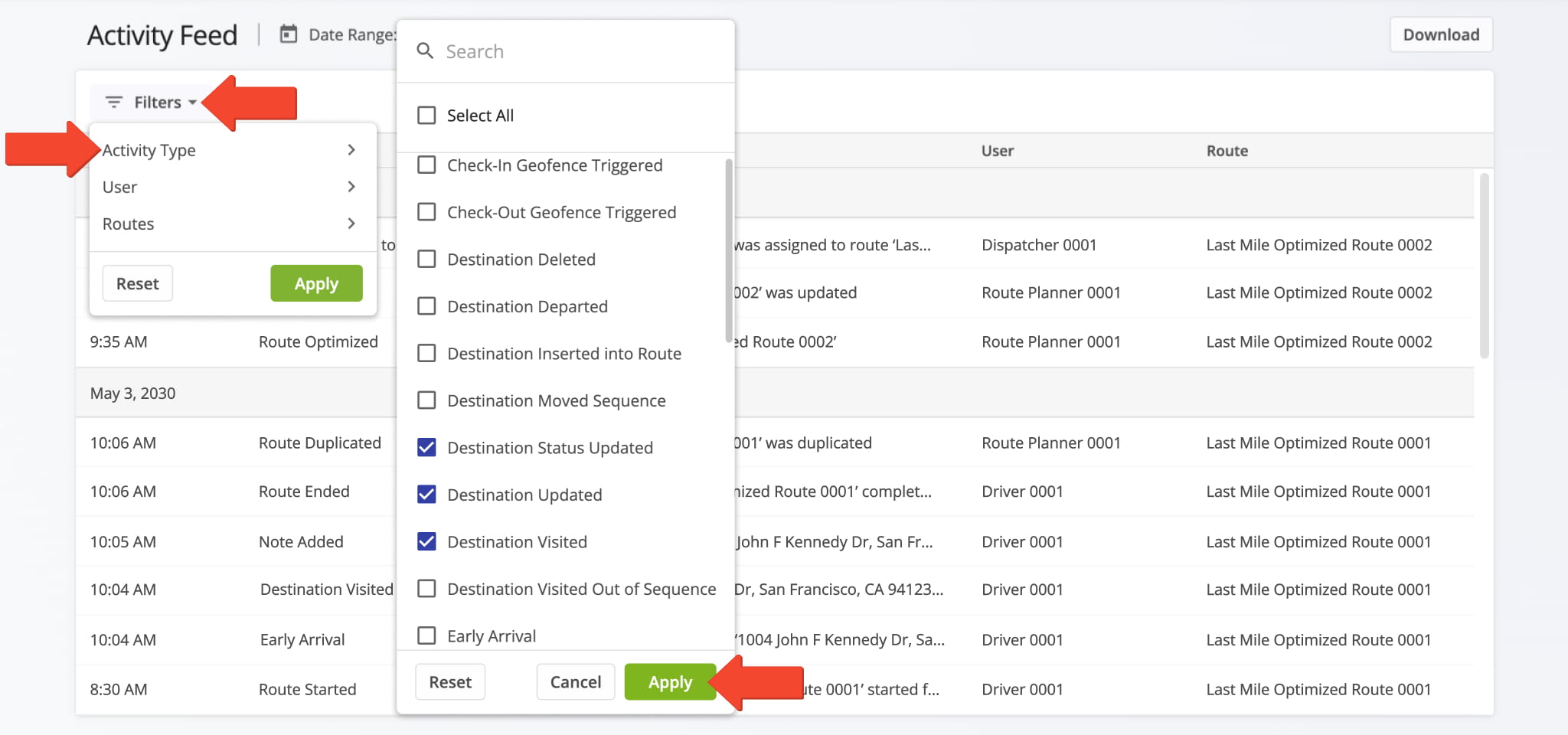
3The Activity Feed interface has been updated to match Route4Me’s modern user experience, making it easier to navigate, customize, filter, and export activities.
Open Your Account Activity Feed
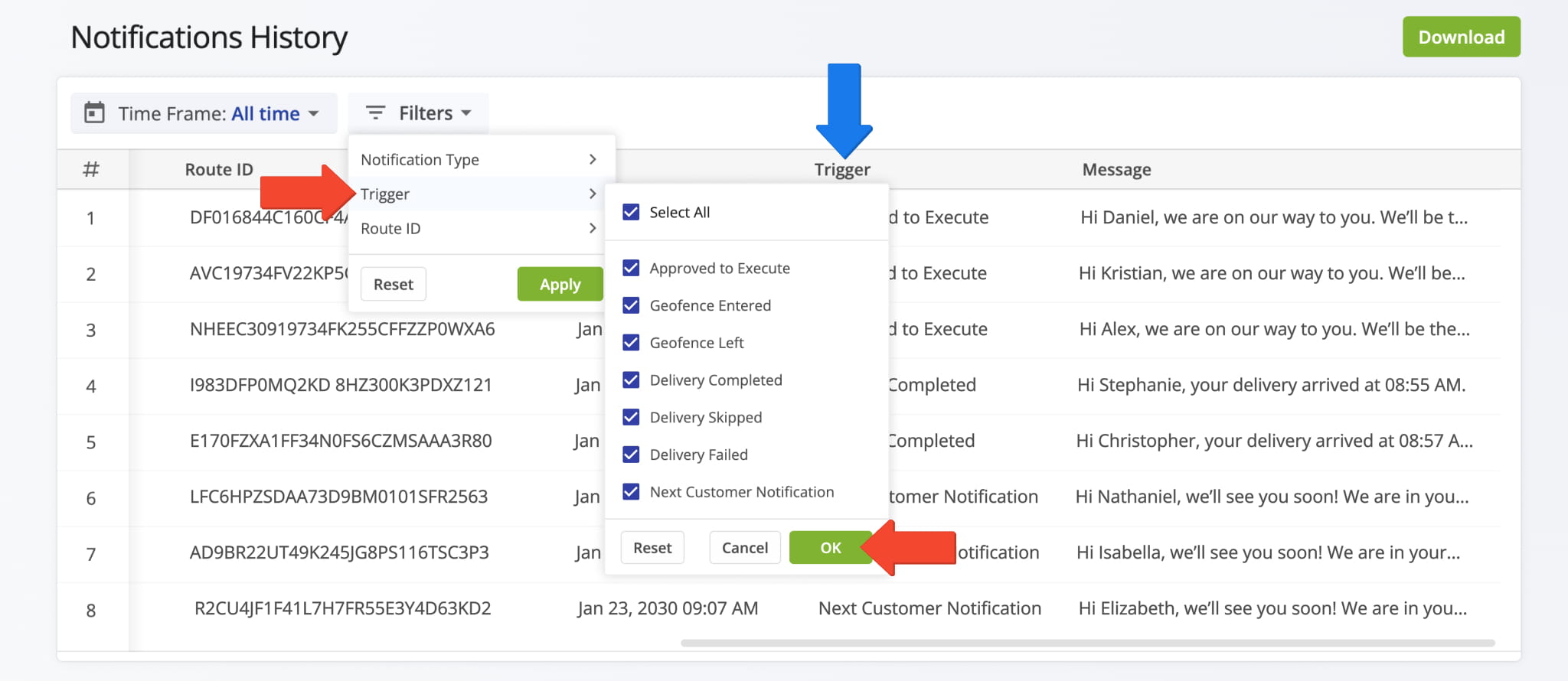
The Notifications History page has been updated to match Route4Me’s modern user experience, making it easier to review and track notifications.
Open Your Notifications History
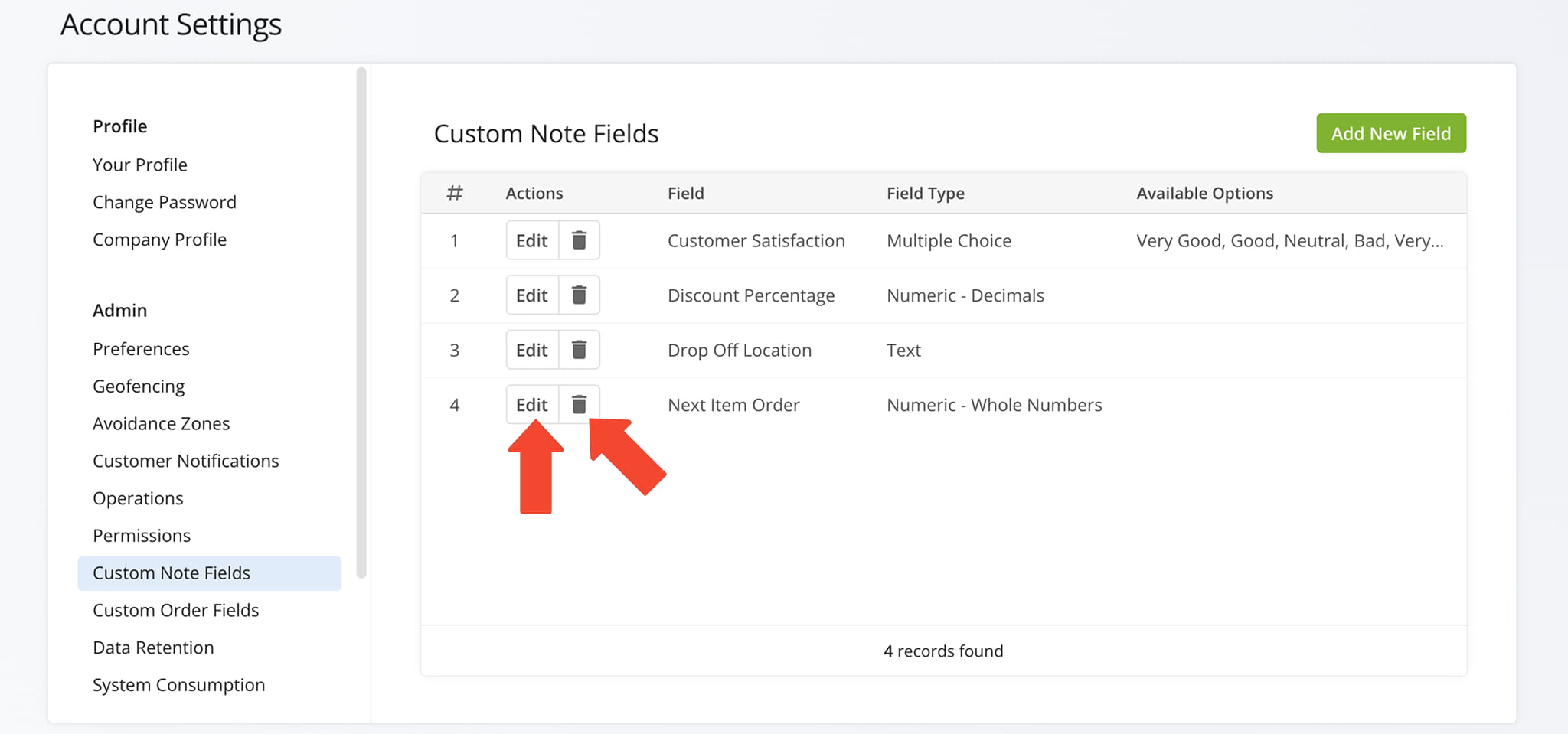
The Custom Note Fields page and editor have been updated to match Route4Me’s modern user experience, making it easier to create and manage custom notes.
November 2024
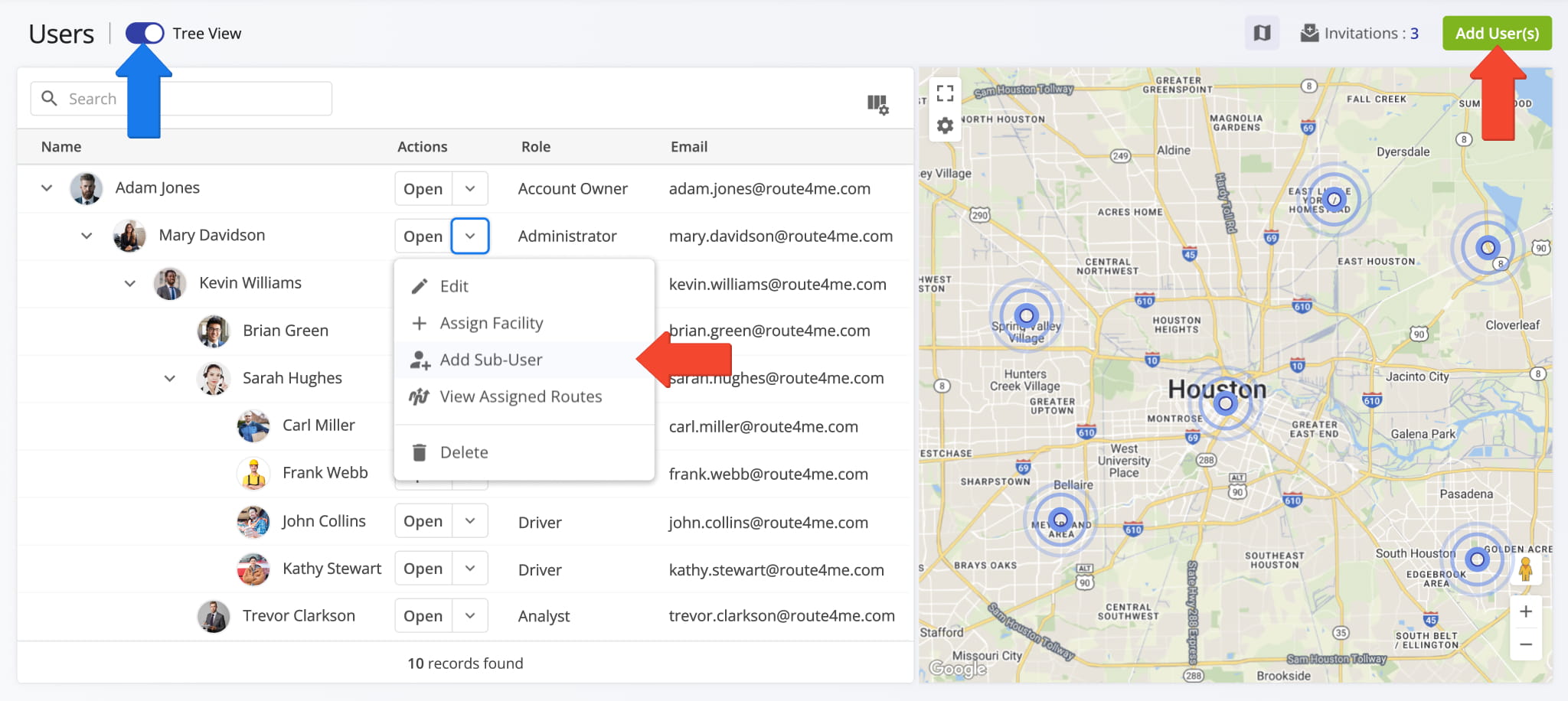
9The Team Management and User Editor interfaces have been updated to match Route4Me’s modern user experience, making it easier to manage users and switch between hierarchical or table views.
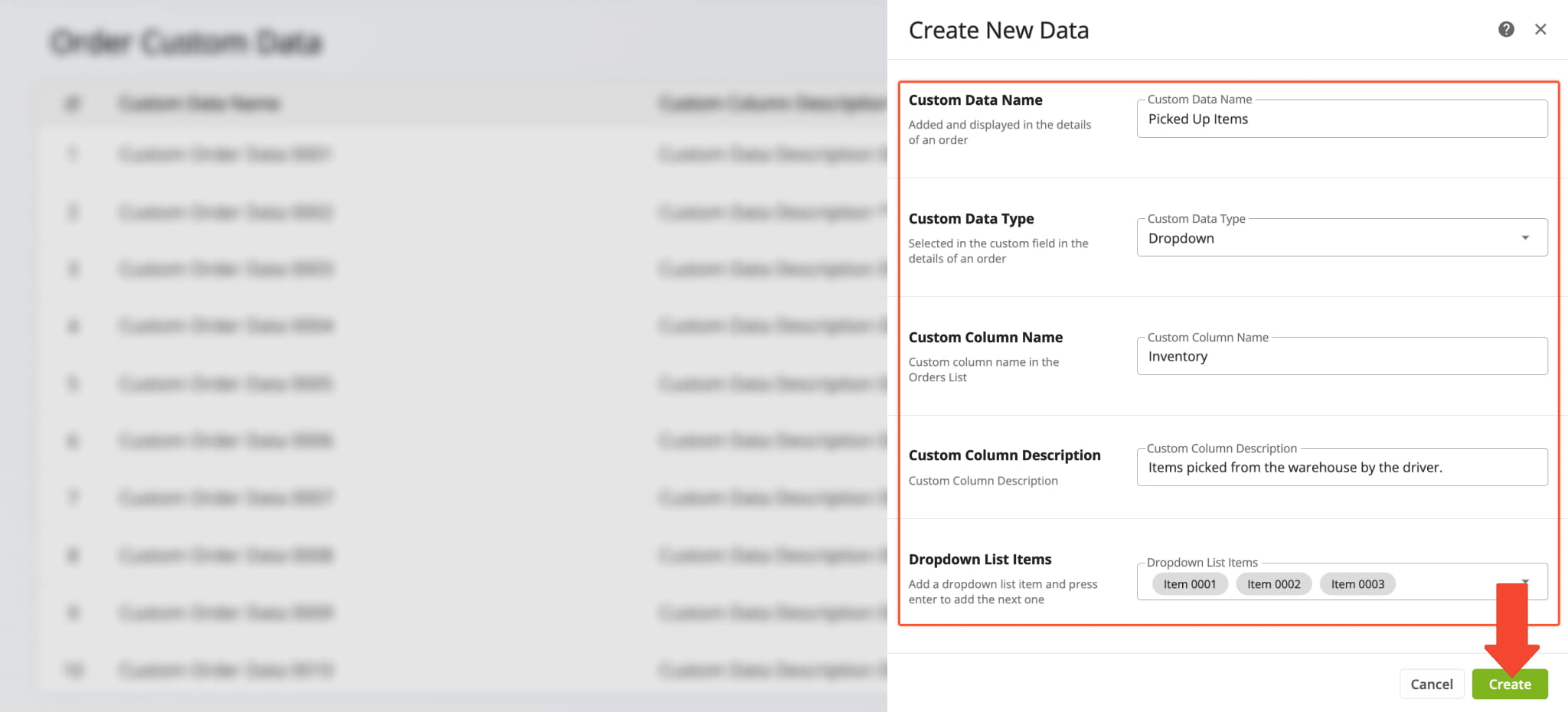
The Order Custom Fields interface has been updated to match Route4Me’s modern user experience, making it easier to manage and customize fields.
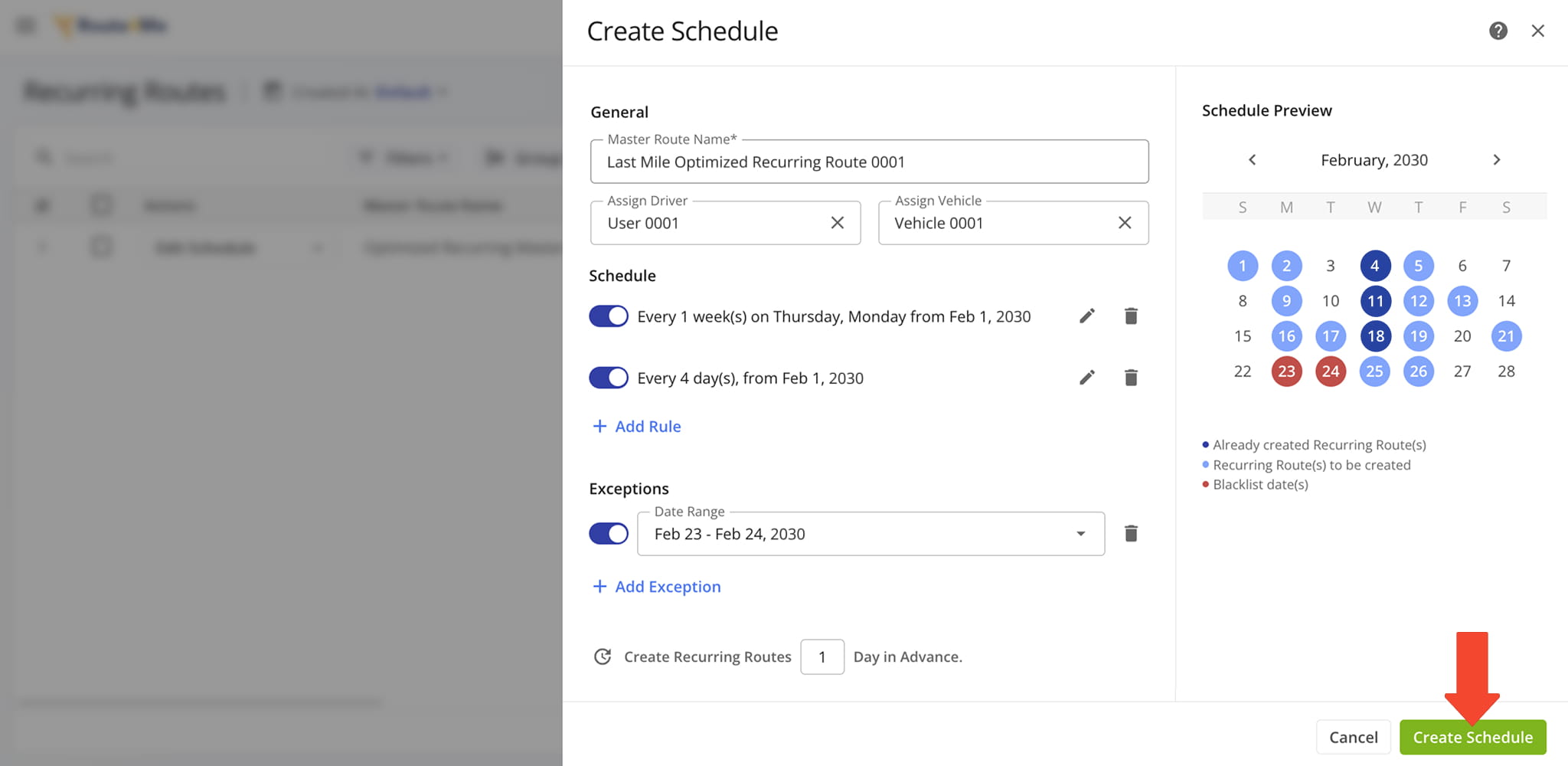
The Recurring Routes schedule editor and management interfaces have been updated to match Route4Me’s modern user experience, making it easier to create and manage recurring routes.
Open Your Recurring Routes Page
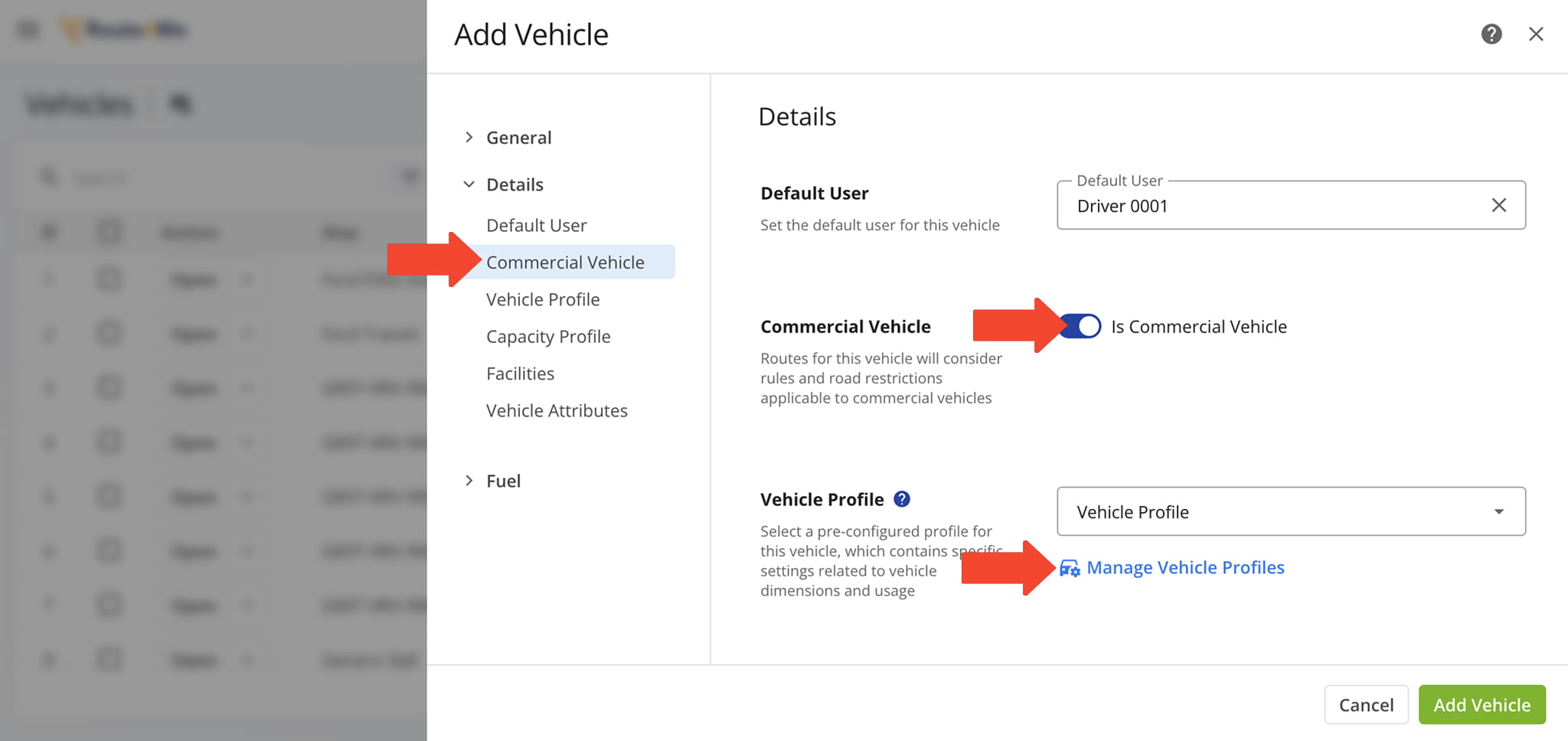
The Commercial Vehicle Profiles interface has been updated for a smoother, more intuitive experience when adding and managing vehicles.
The Vehicle Capacity Profiles interface has been updated to match Route4Me’s modern user experience, making it easier to manage capacities for mixed fleet route planning.
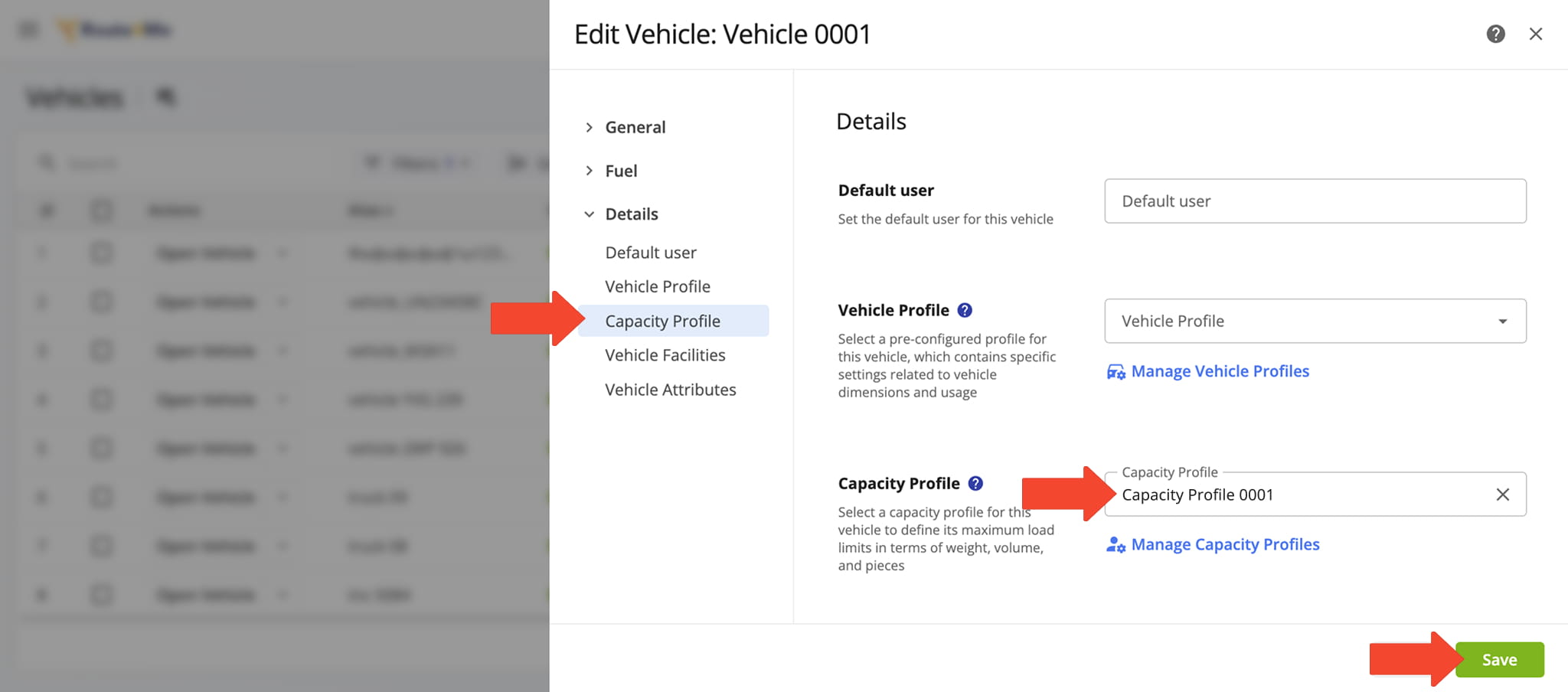
The Vehicles page and Vehicle Editor have been updated to match Route4Me’s modern user experience, making it easier to add and manage vehicles.
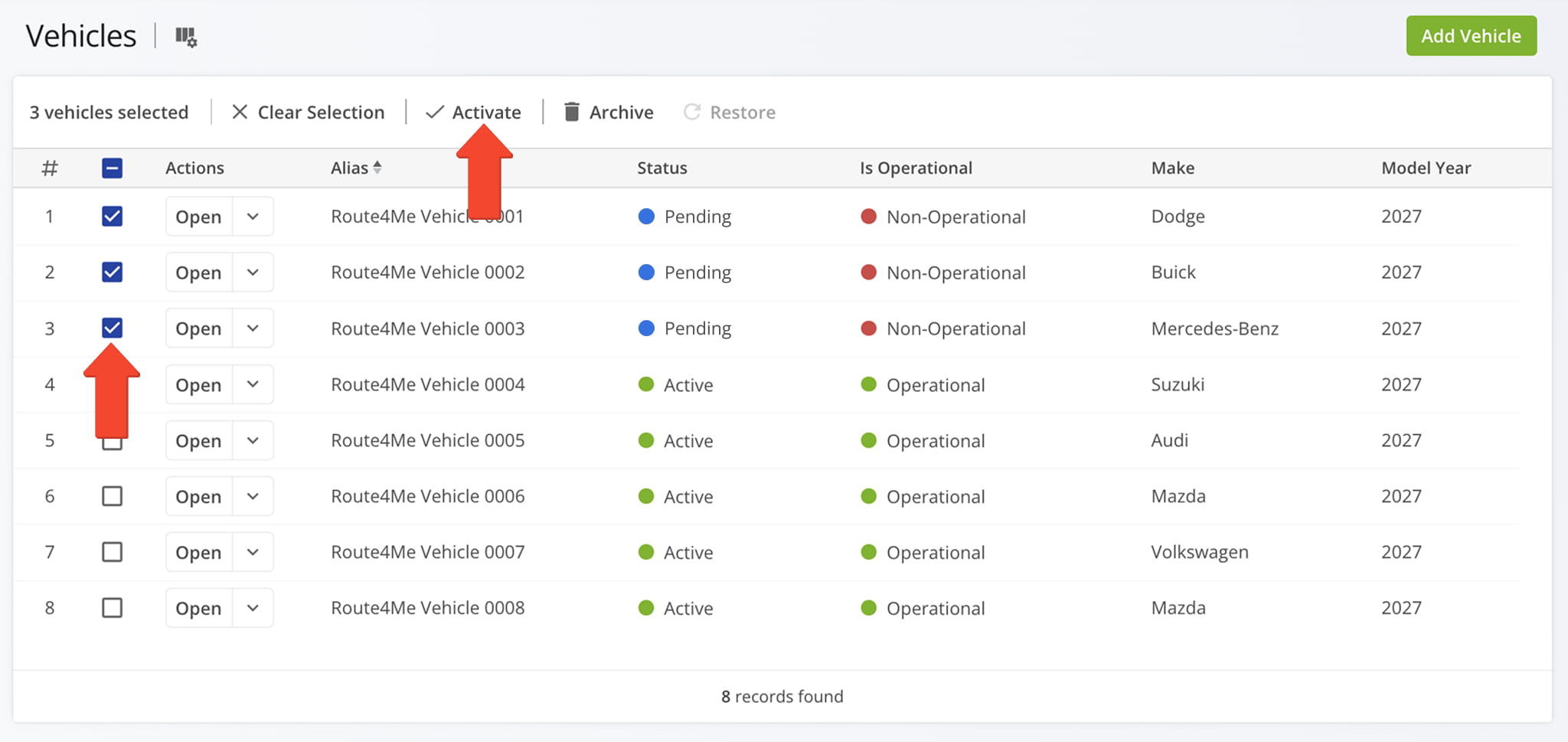
The new Destinations View Mode in the Routes List lets you group destinations by multiple parameters for deeper analysis of performance metrics, customer trends, and vehicle utilization.
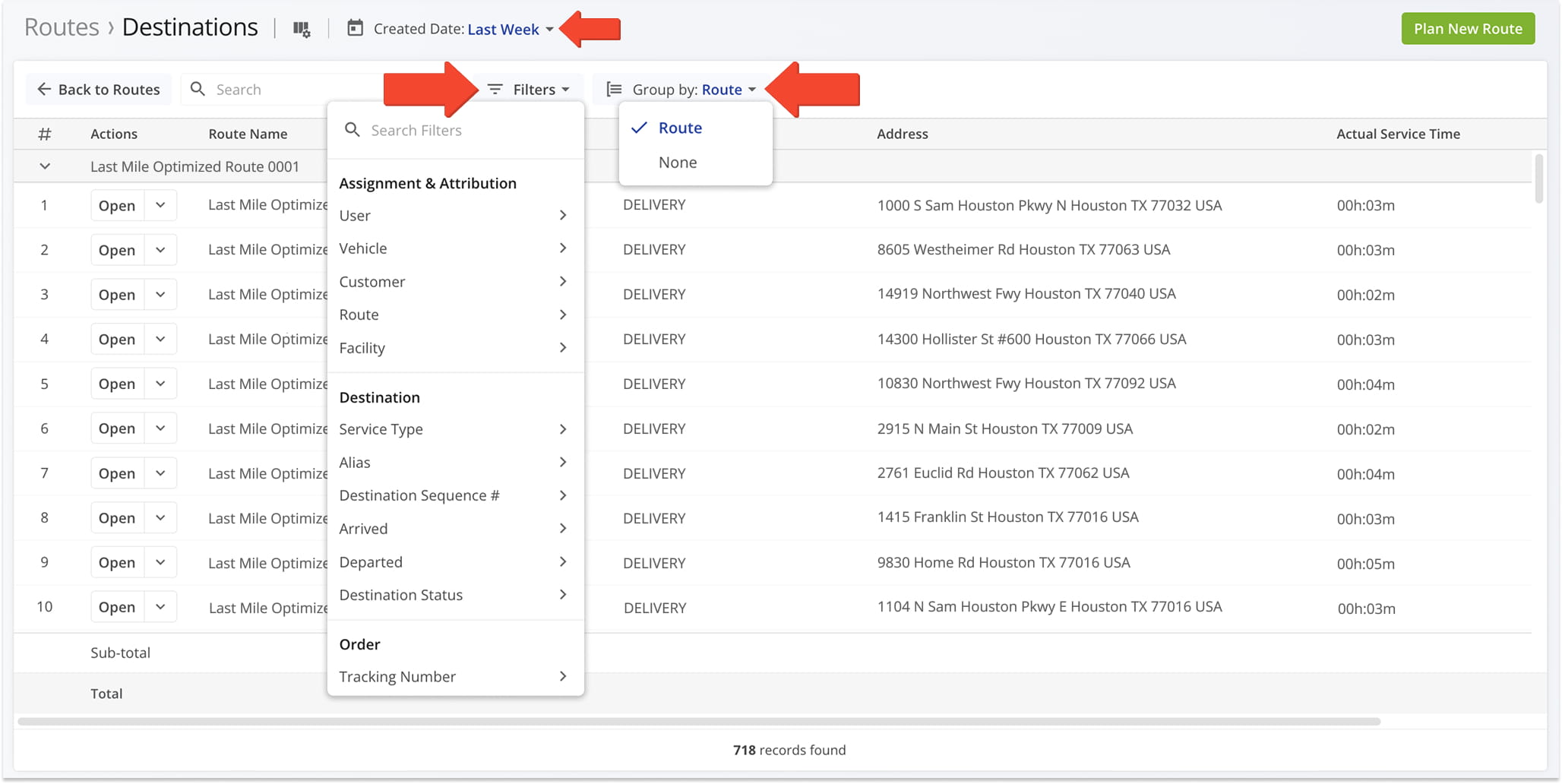
The Telematics Connections interface has been updated to match Route4Me’s modern user experience and is now located in Account Settings, where you can track synchronized vehicles and manage connections more easily.
Open Your Telematics Connections
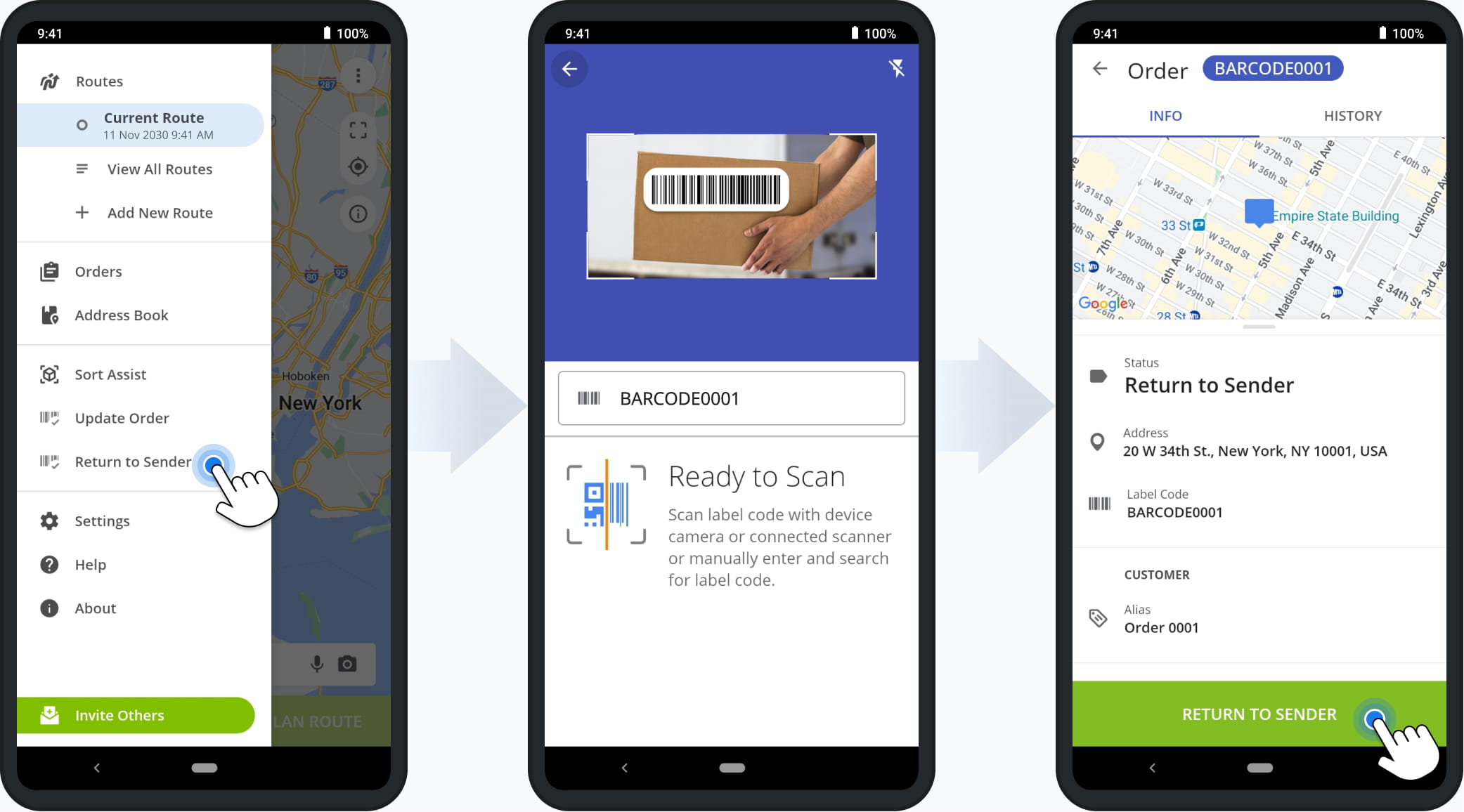
The Return To Sender feature makes it easy to return incorrect or damaged orders by assigning the status through a simple barcode scan in the Route4Me Mobile App.
October 2024
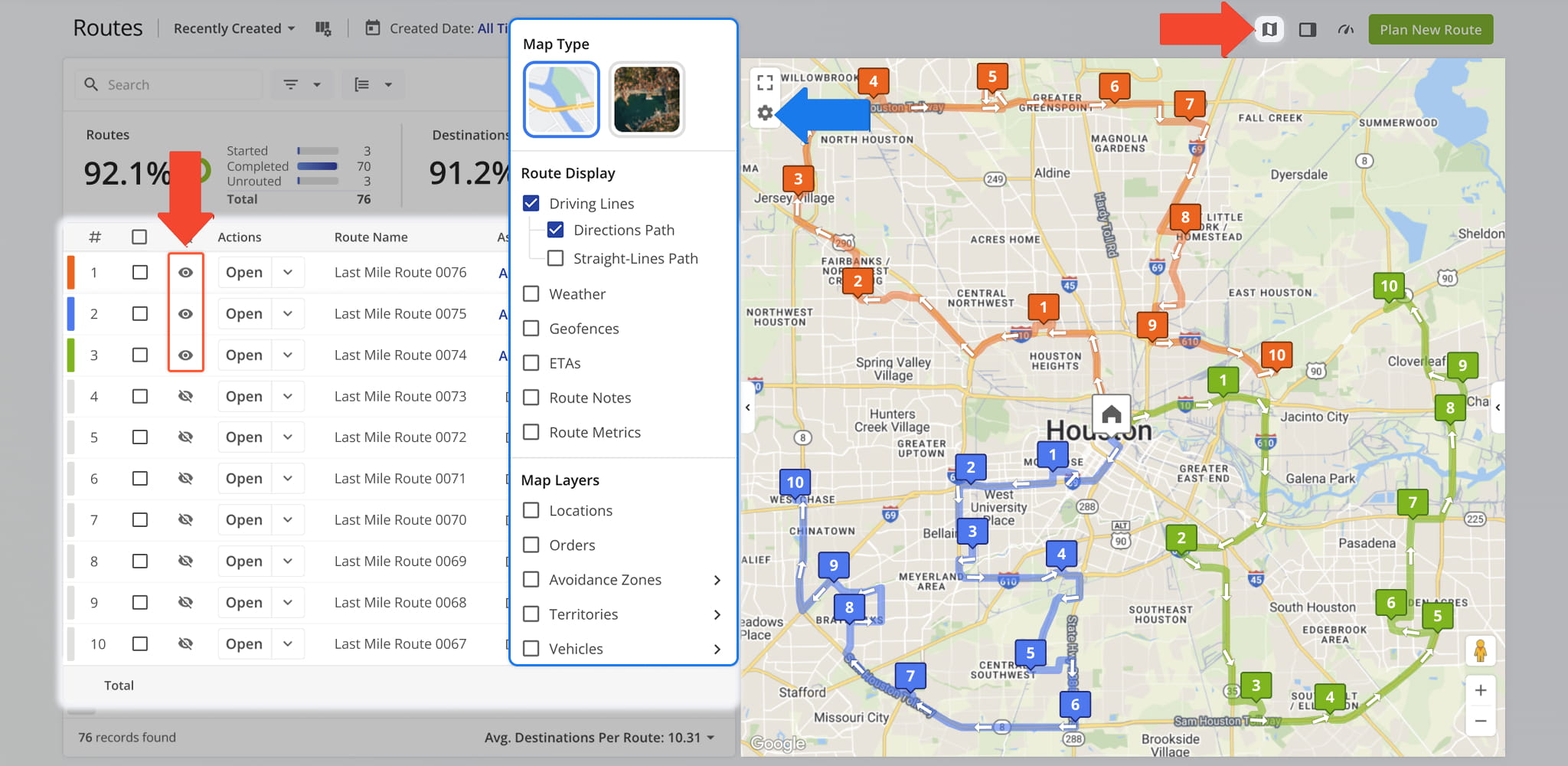
7The Routes Map interface has been updated to match Route4Me’s modern user experience, making route navigation and management more intuitive.
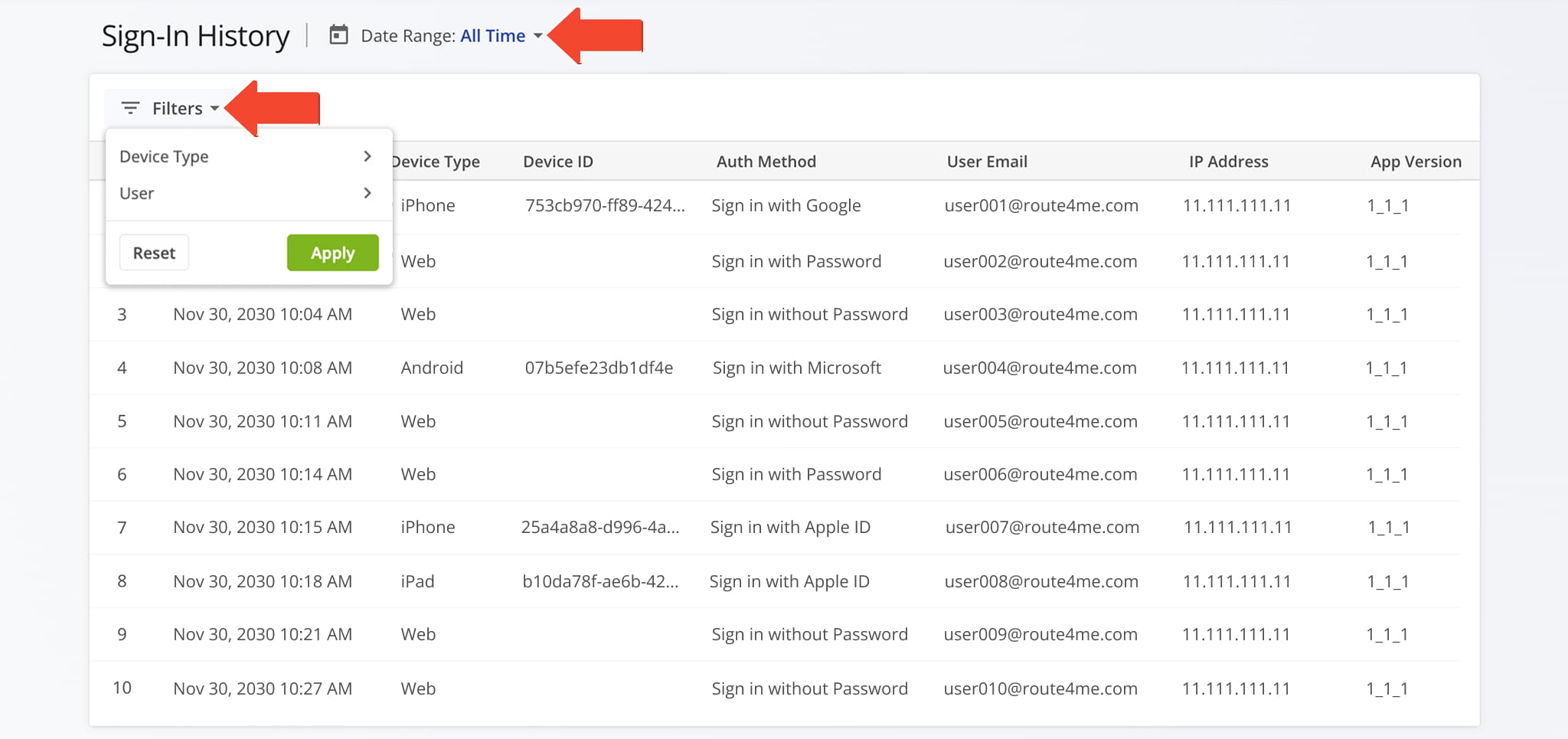
The Sign-In History page has been updated to match Route4Me’s modern user experience, making it easier to review and navigate sign-in activity.
Open Your Account Sign-In History
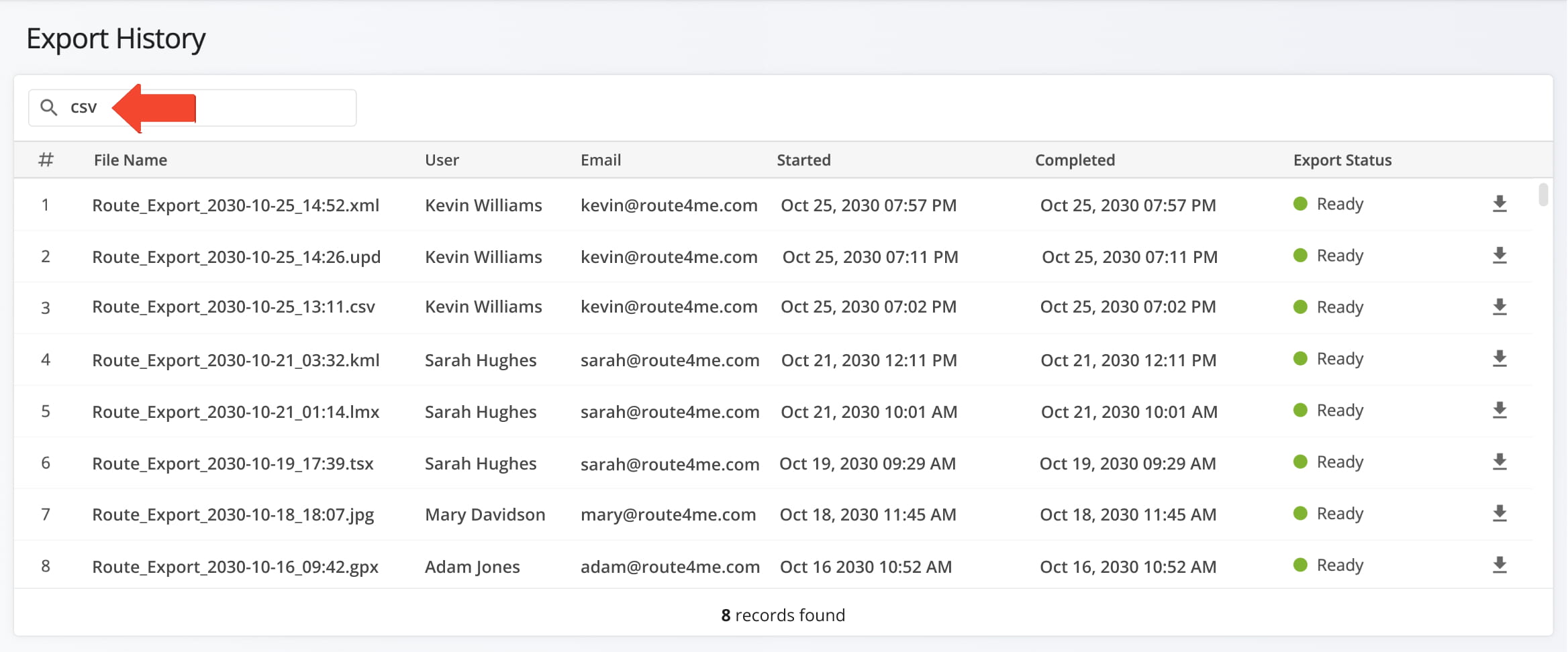
The Export History page has been updated to match Route4Me’s modern user experience, making it easier to manage and track exported files.
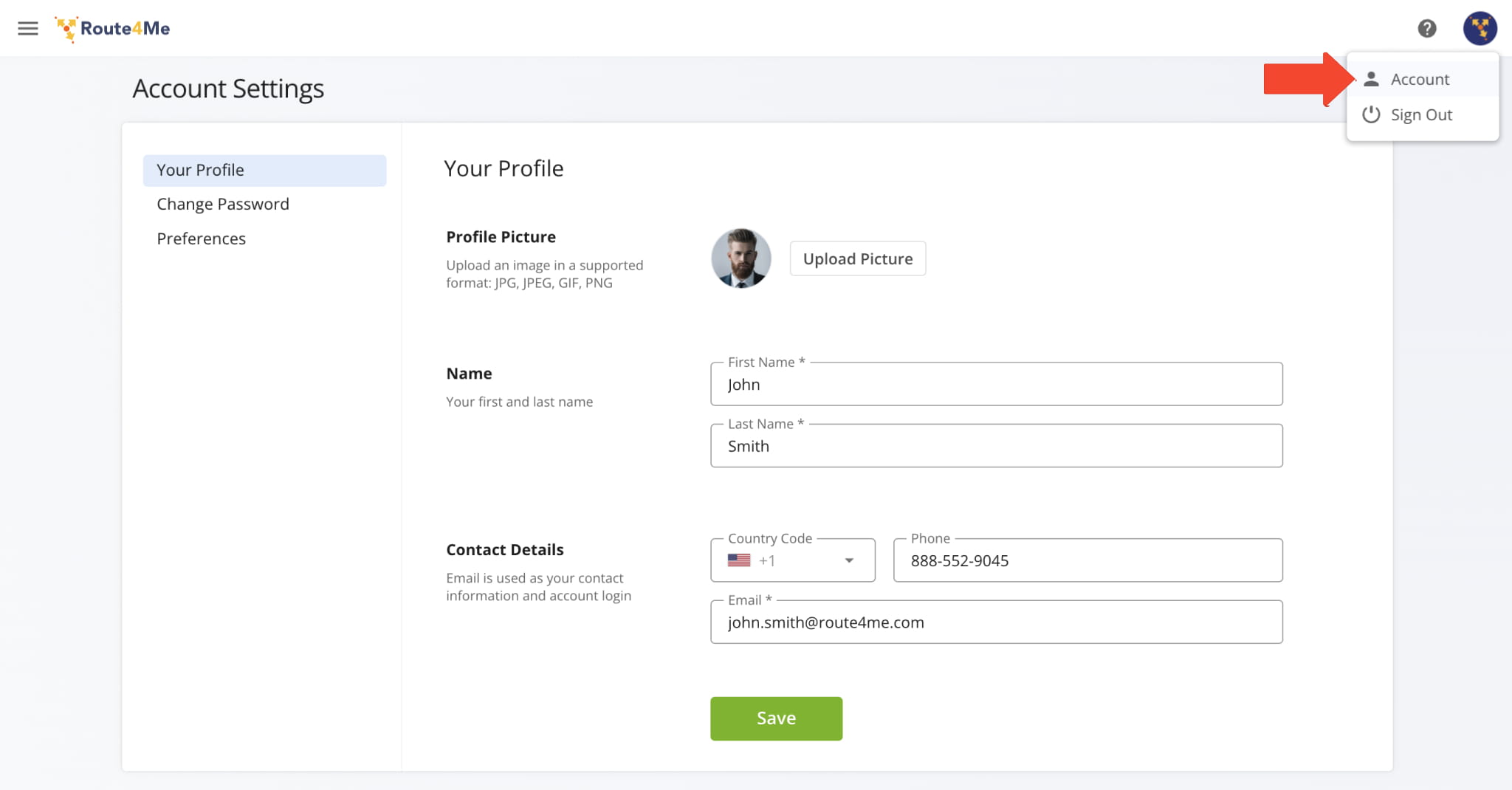
The Account Settings page has been updated to match Route4Me’s modern user experience, making it easier to navigate and adjust your account settings.
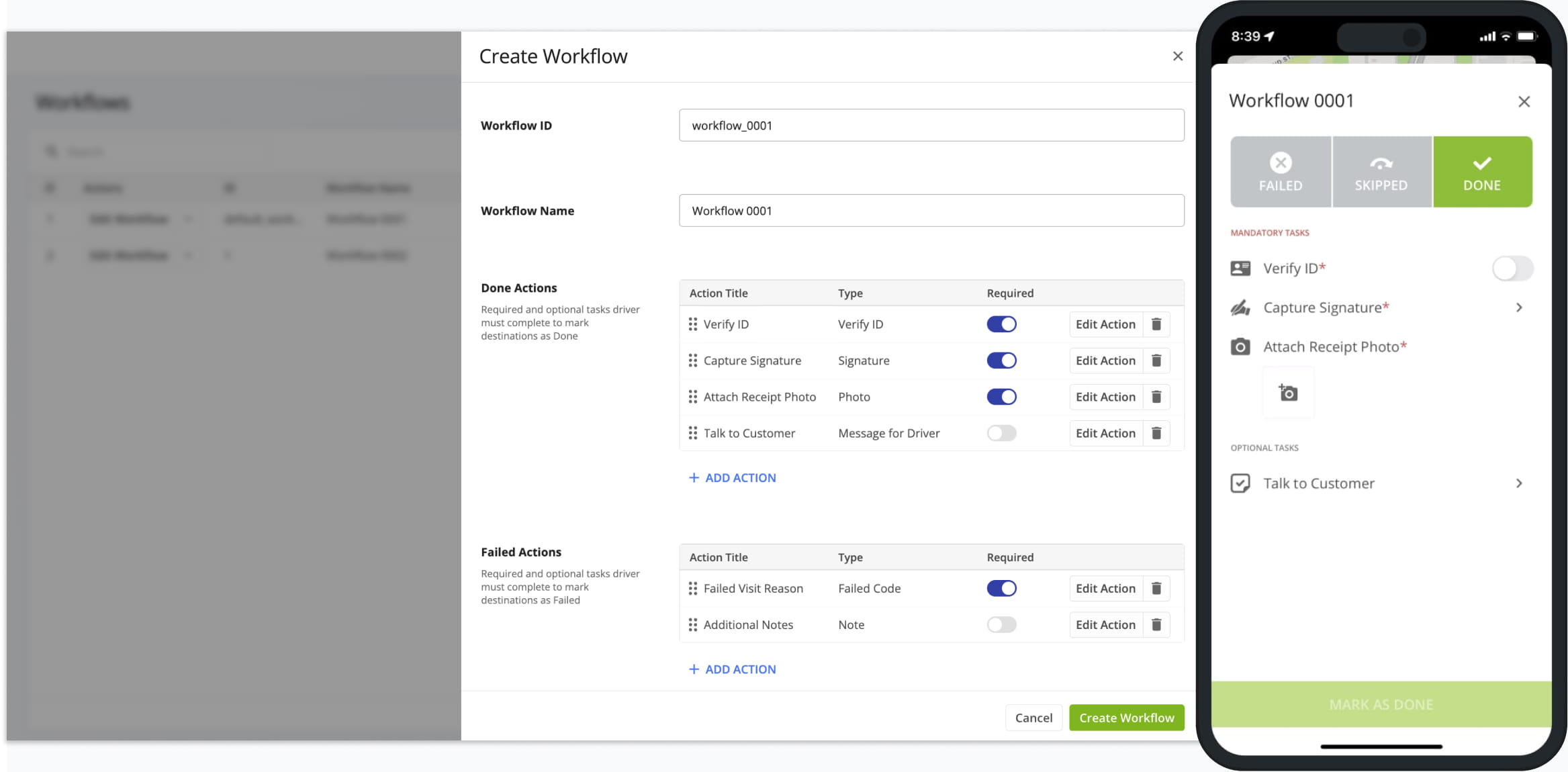
The Workflows page has been updated to match Route4Me’s modern user experience, making it easier to create and manage tasks.
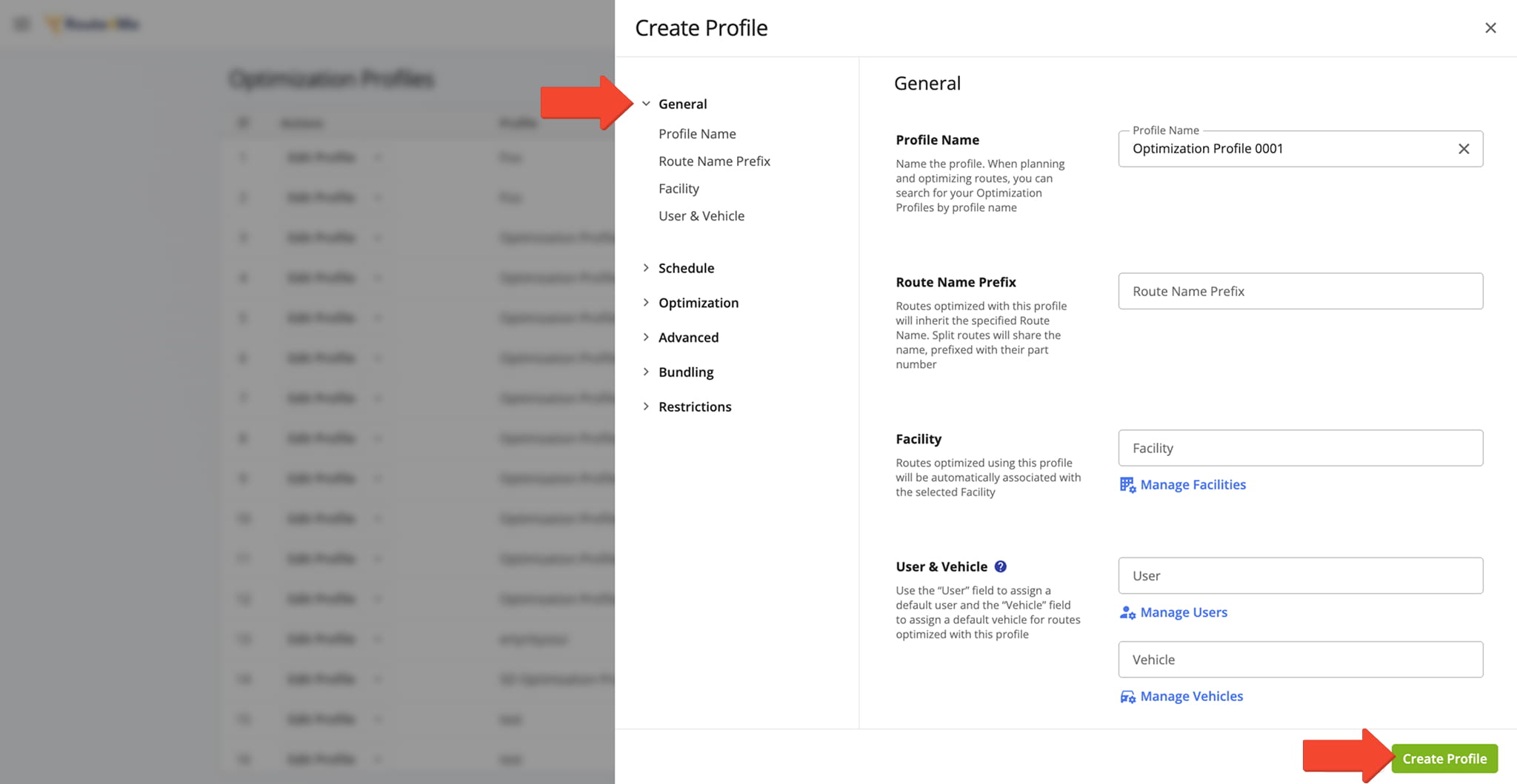
The Optimization Profiles page has been updated to match Route4Me’s modern user experience, making it easier to create and manage optimization profiles.
Open Your Optimization Profiles
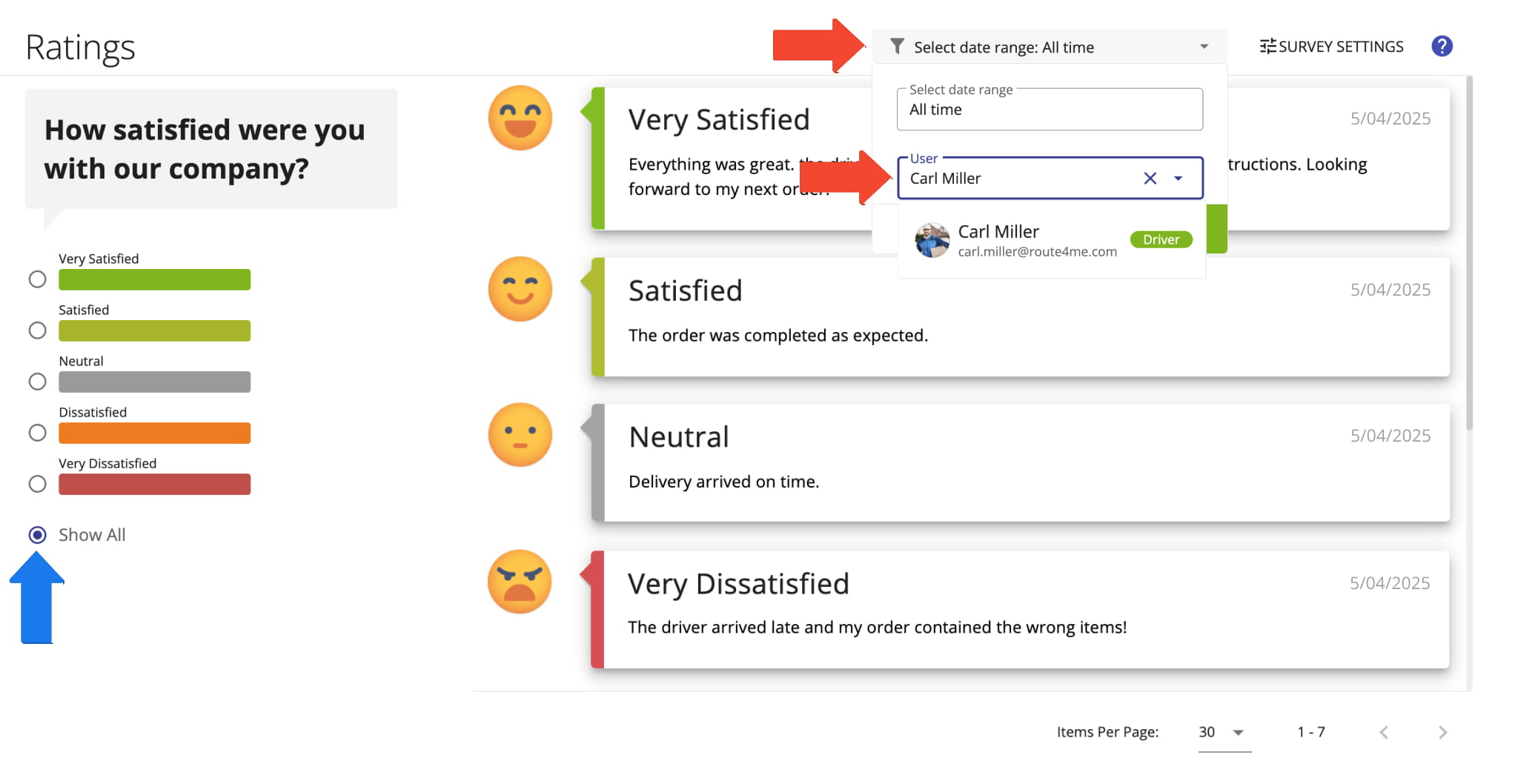
The Driver Rating page has been updated to match Route4Me’s modern user experience and design standards, making it easier to view and manage driver ratings.
September 2024
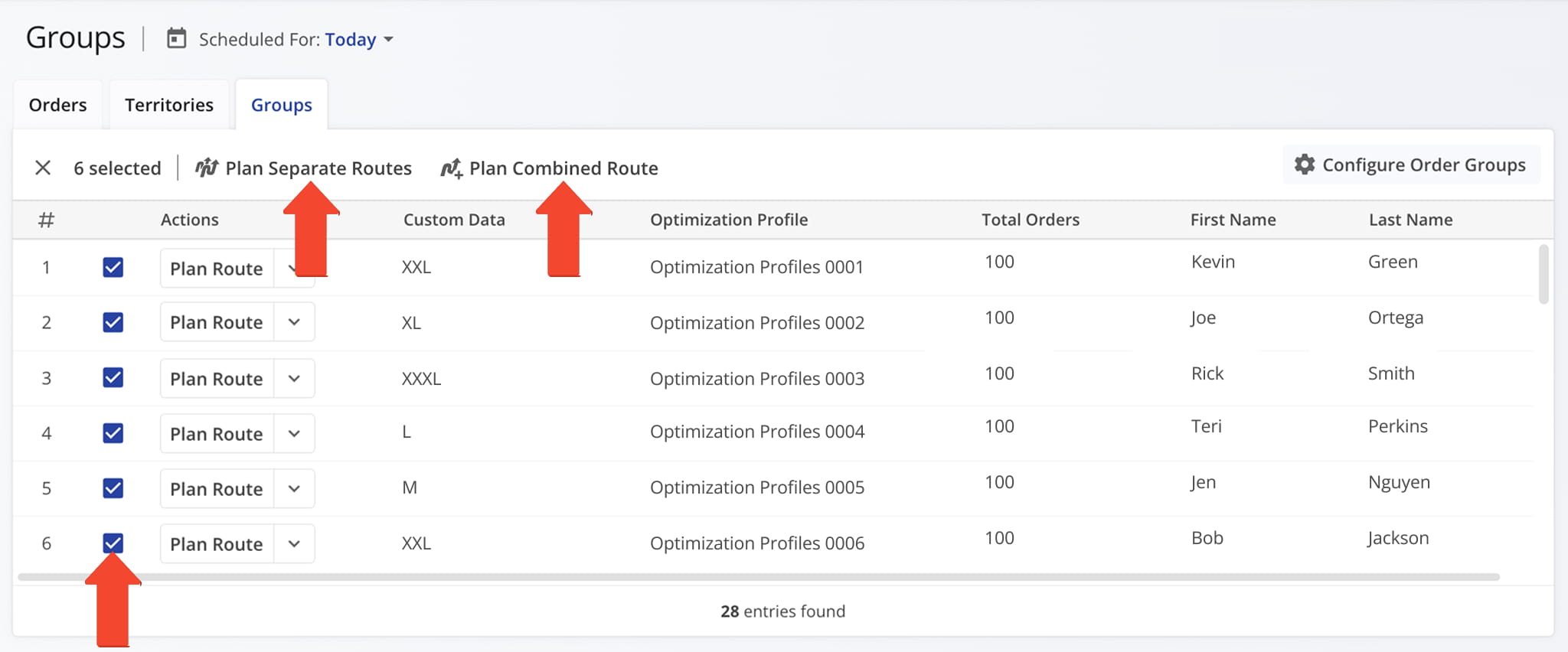
5Order Groups have been moved to the Orders Page for easier access and efficiency. You can now create orders, group them, and route Order Groups from one place.
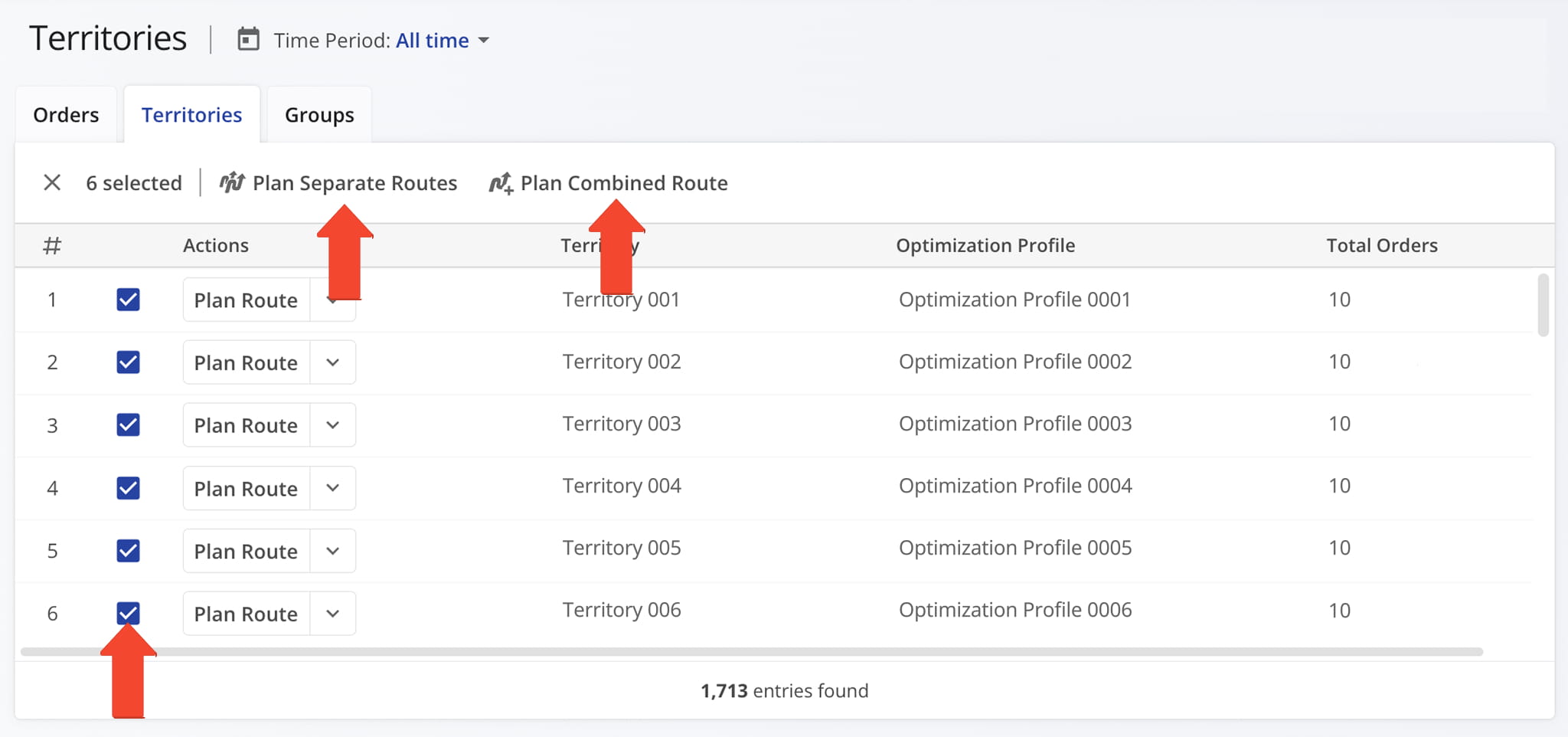
Order Territories have been moved to the Orders Page for easier access. You can now create orders and territories, and route Order Territories all from one place.
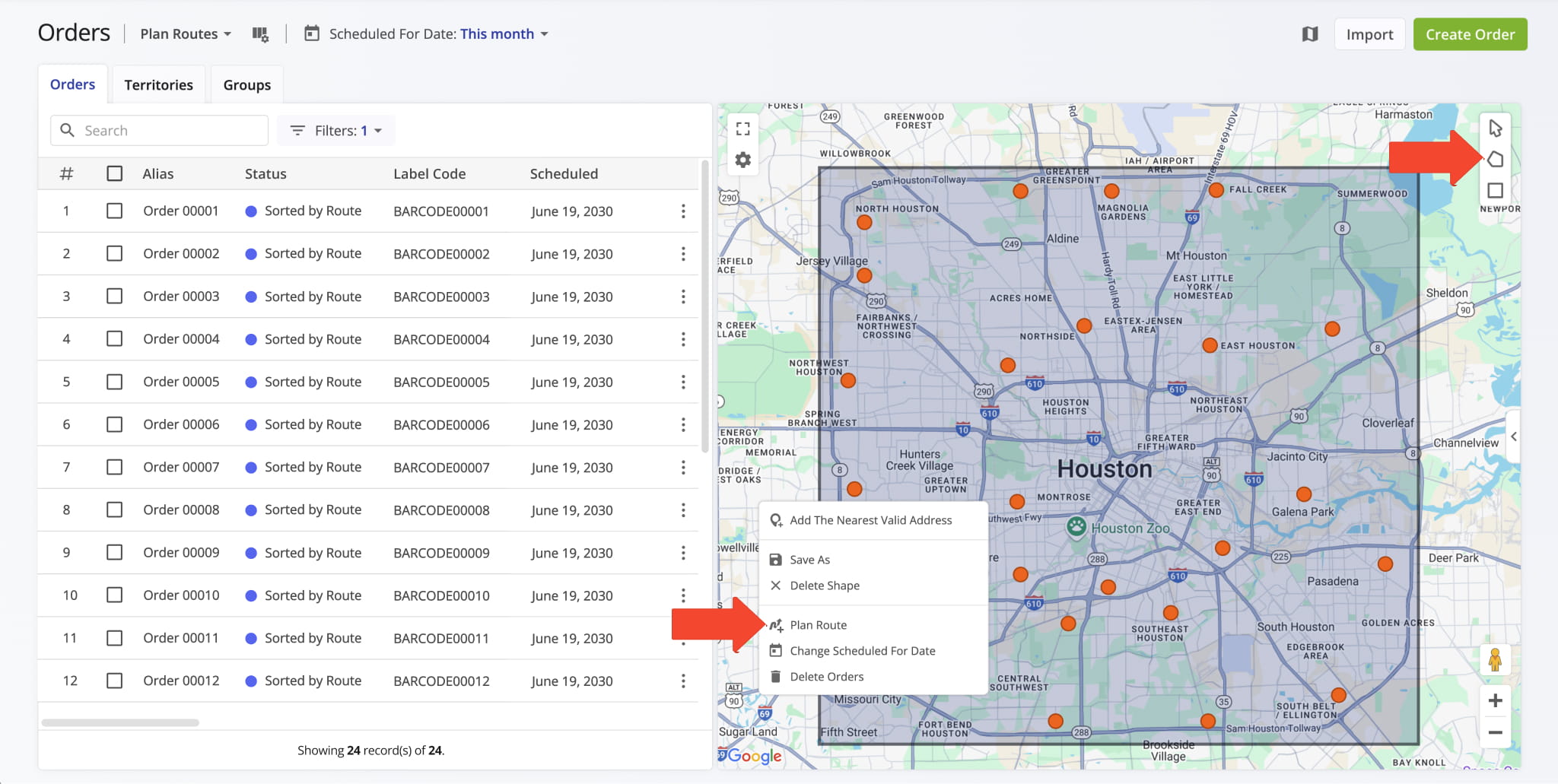
A map has been added to the Orders page, making it easy to visualize orders, select them directly from the map, create territories, and plan Order Territory routes.
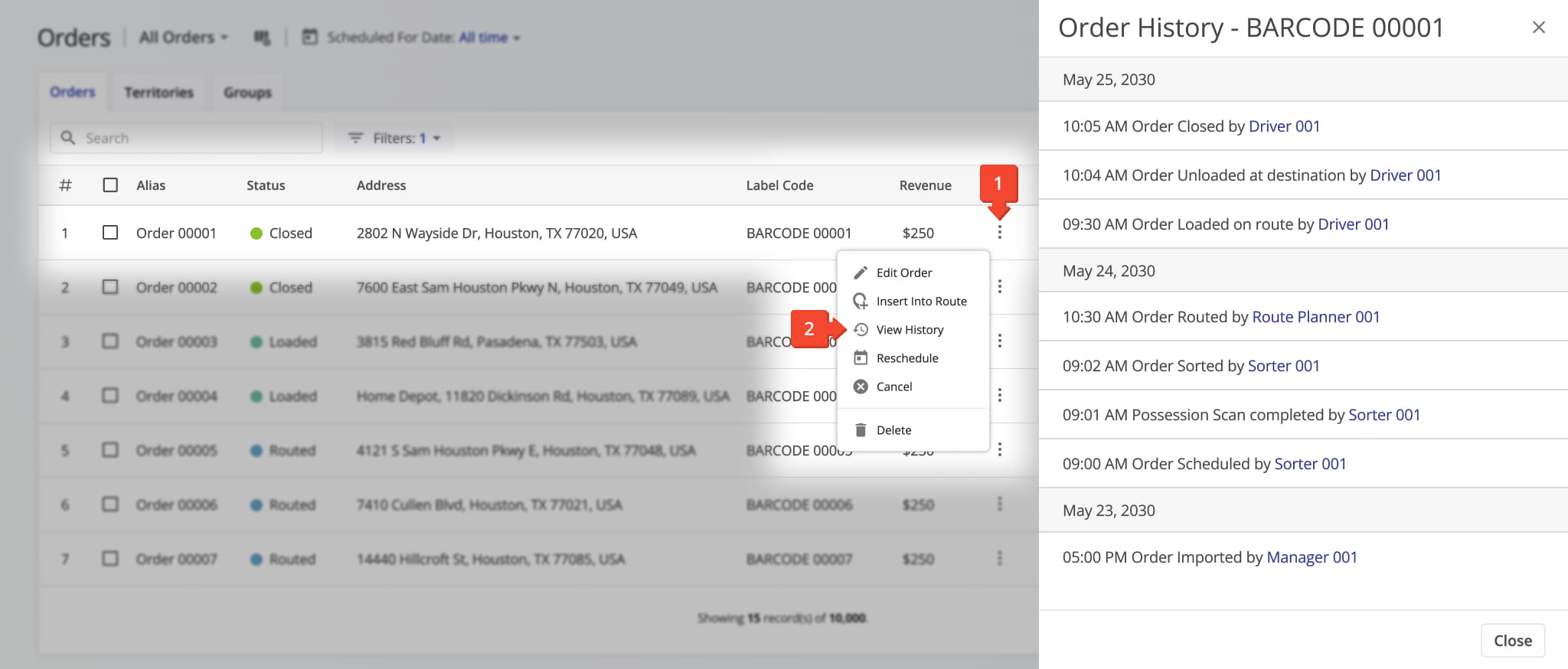
A new History section has been added to individual orders, allowing you to view all historical activity, such as when an order was created or routed. Order History makes it easy to track every action throughout the order’s lifecycle.
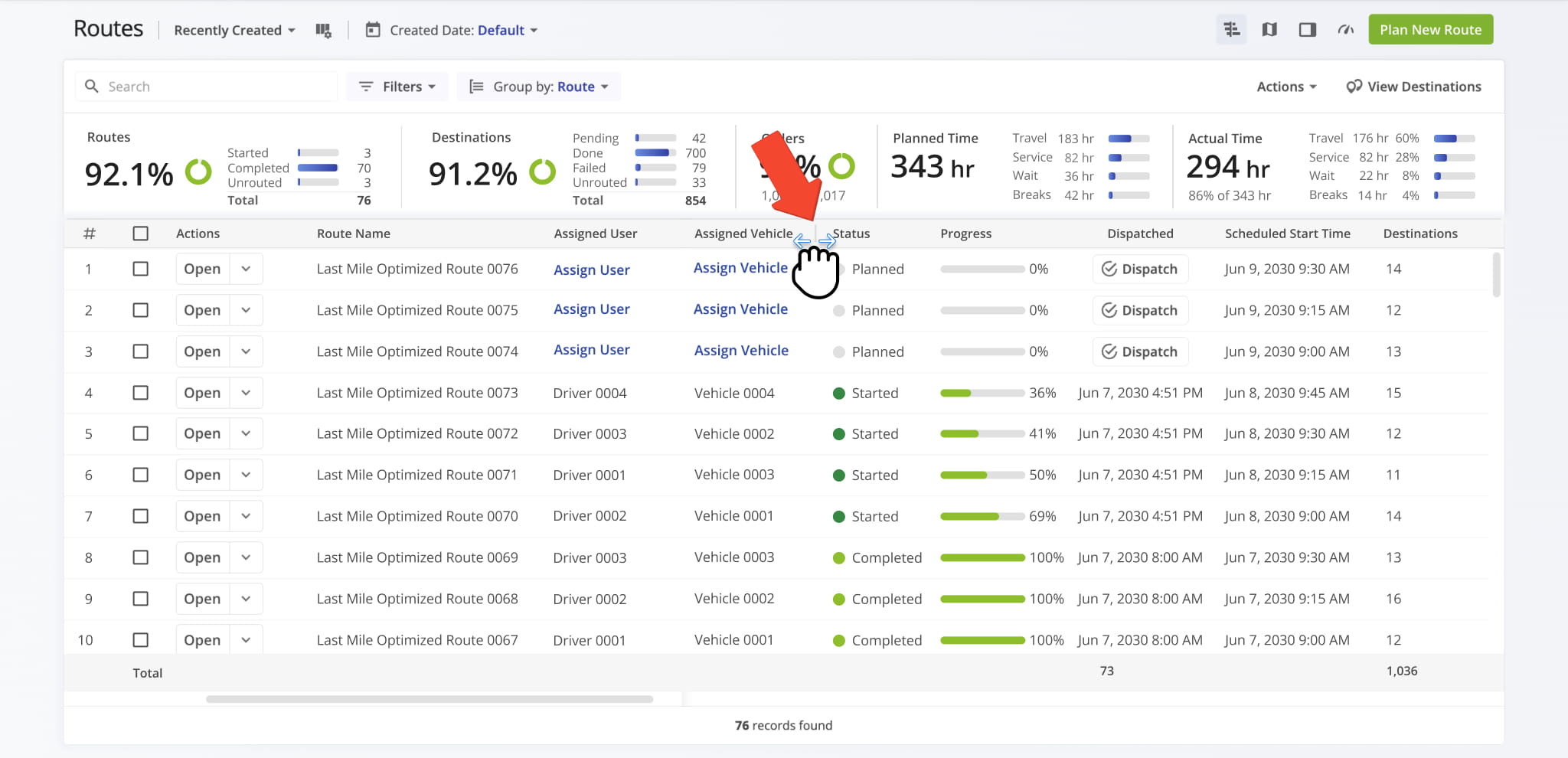
The Routes List now includes a flexible data table with adjustable column widths, allowing you to customize how routes are displayed for better visibility and organization.
August 2024
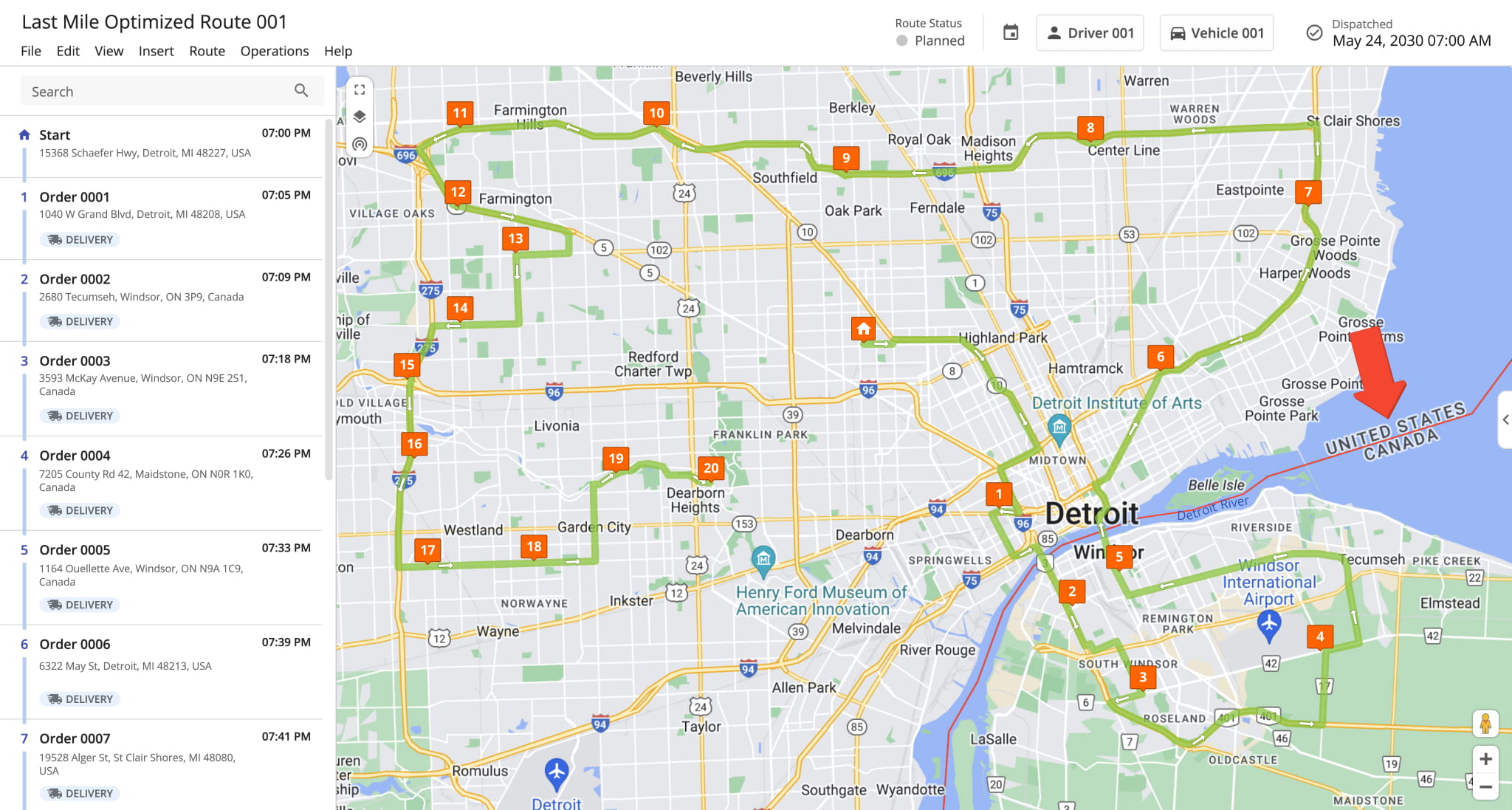
4The new Cross Border Routing feature lets you plan routes that either cross country borders or remain within them. It helps prevent routes near borders from unintentionally crossing into another country.
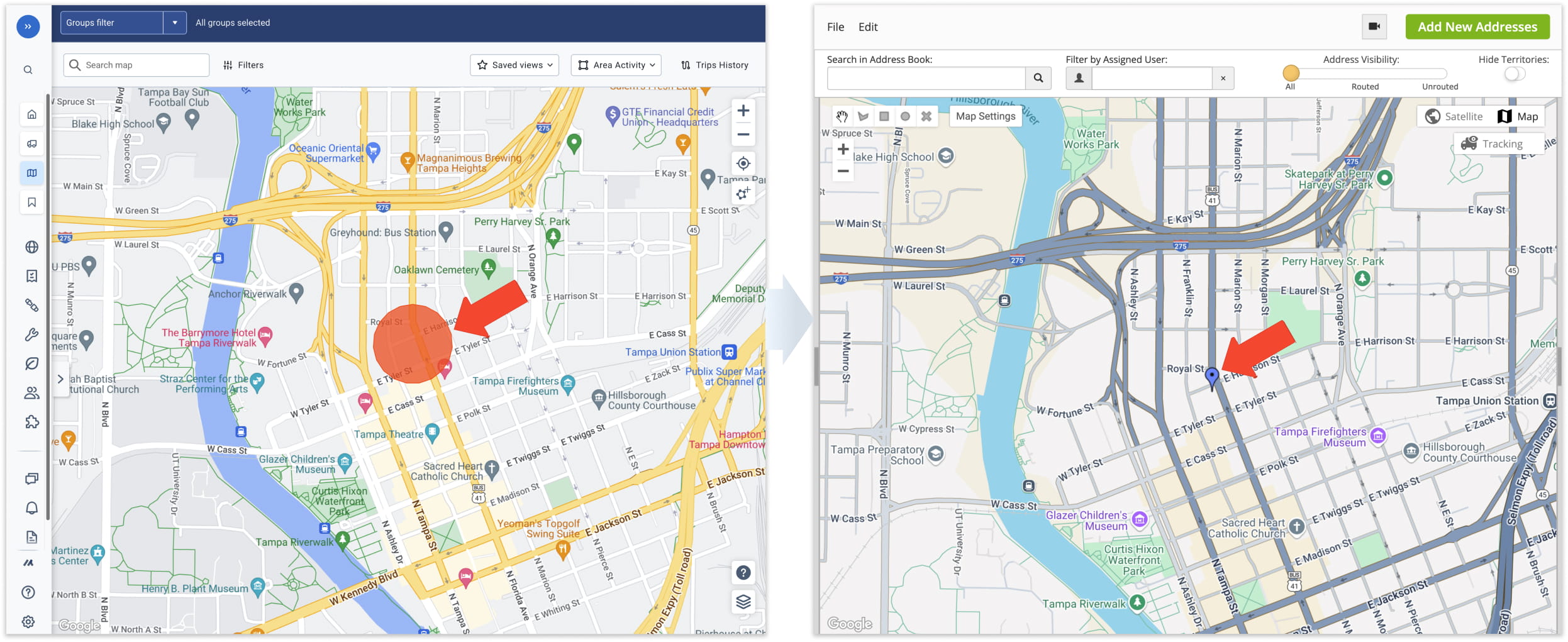
In addition to syncing vehicles, you can now sync customer data from your telematics provider, with automatic imports to streamline route planning. Customer Zones and associated custom data are automatically imported and kept up to date in your Route4Me account.
Open Your Telematics Connections
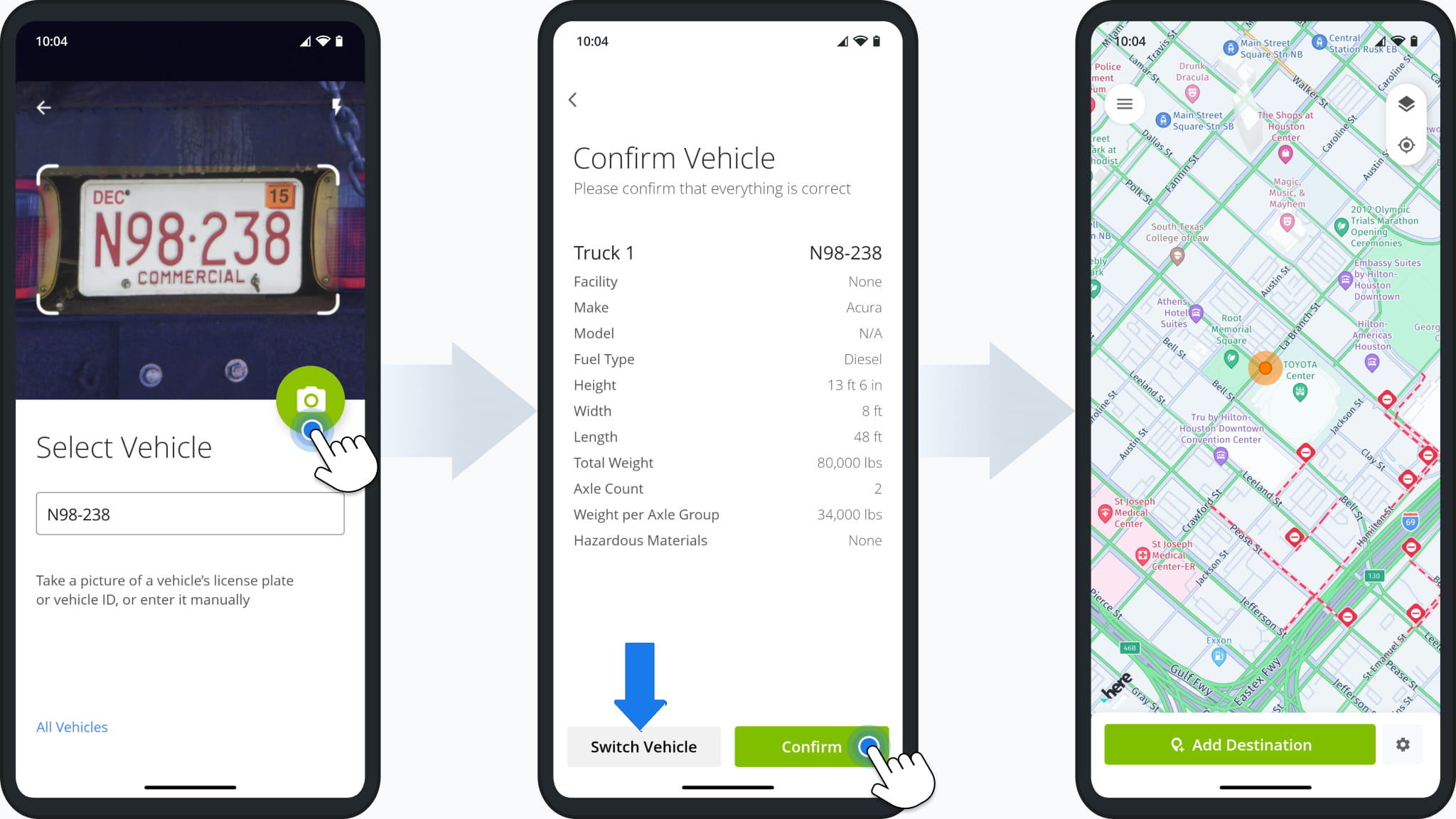
Route4Trucks Enterprise is now available for businesses and enterprises. Managers can add commercial vehicles with custom parameters, assign them to users and facilities, and dispatch routes. Drivers start and navigate dispatched commercial routes simply by scanning the assigned vehicle’s license plate in the mobile app.
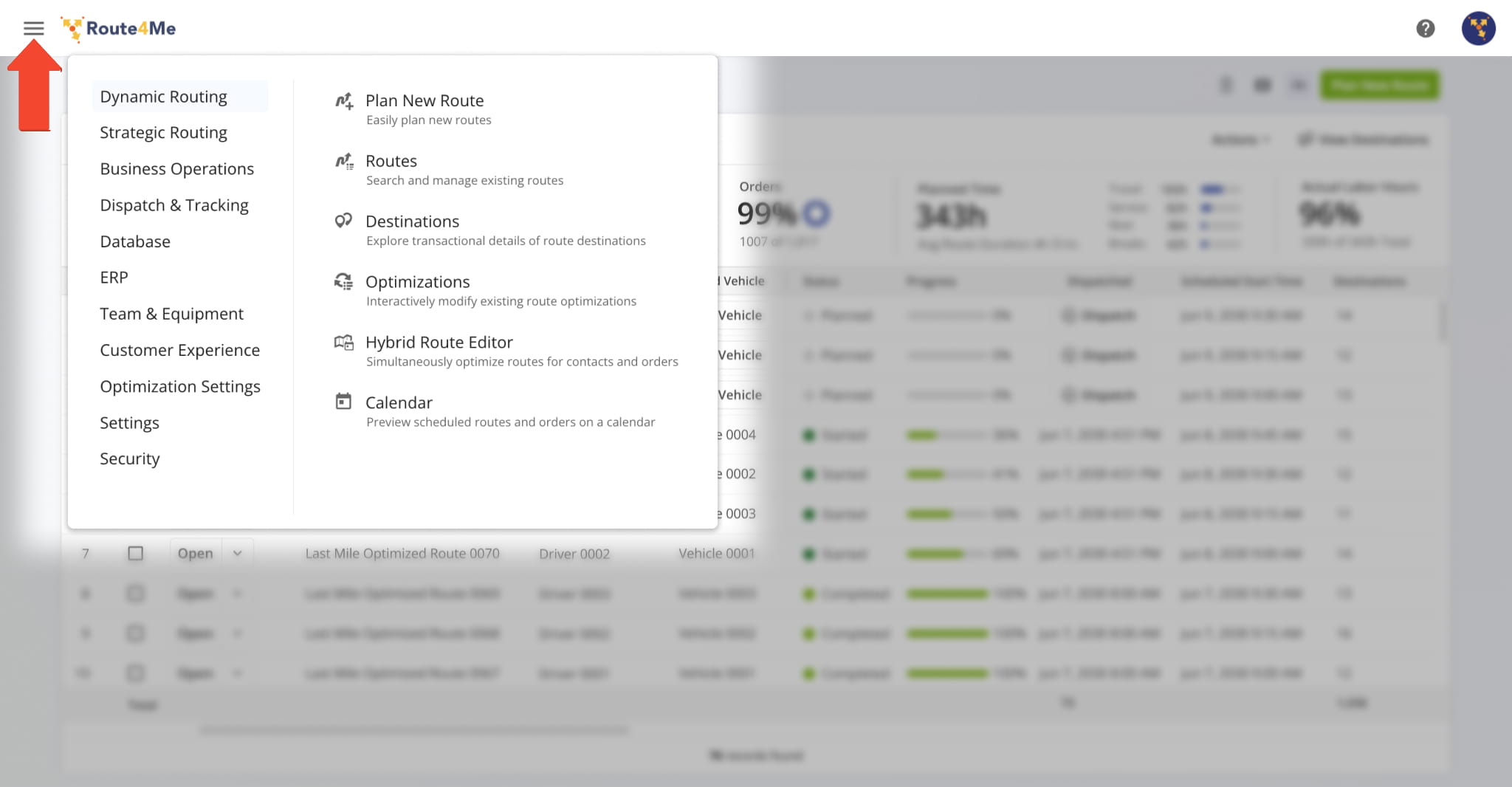
The Global Menu has been redesigned to make navigation easier, free up more screen space, and organize options more logically.
July 2024
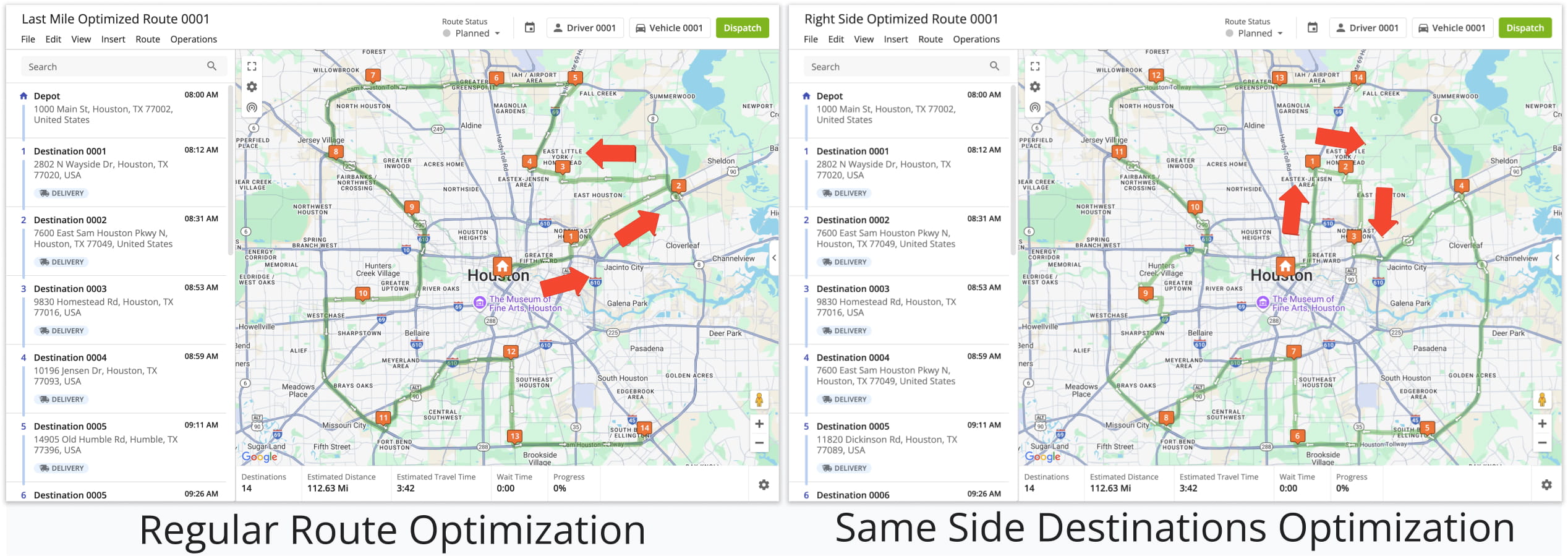
2Same-Side Routing lets you plan routes that visit destinations on only the left or right side of the route. It’s ideal for businesses with specialized vehicles, equipment, or services that require one-side stops.
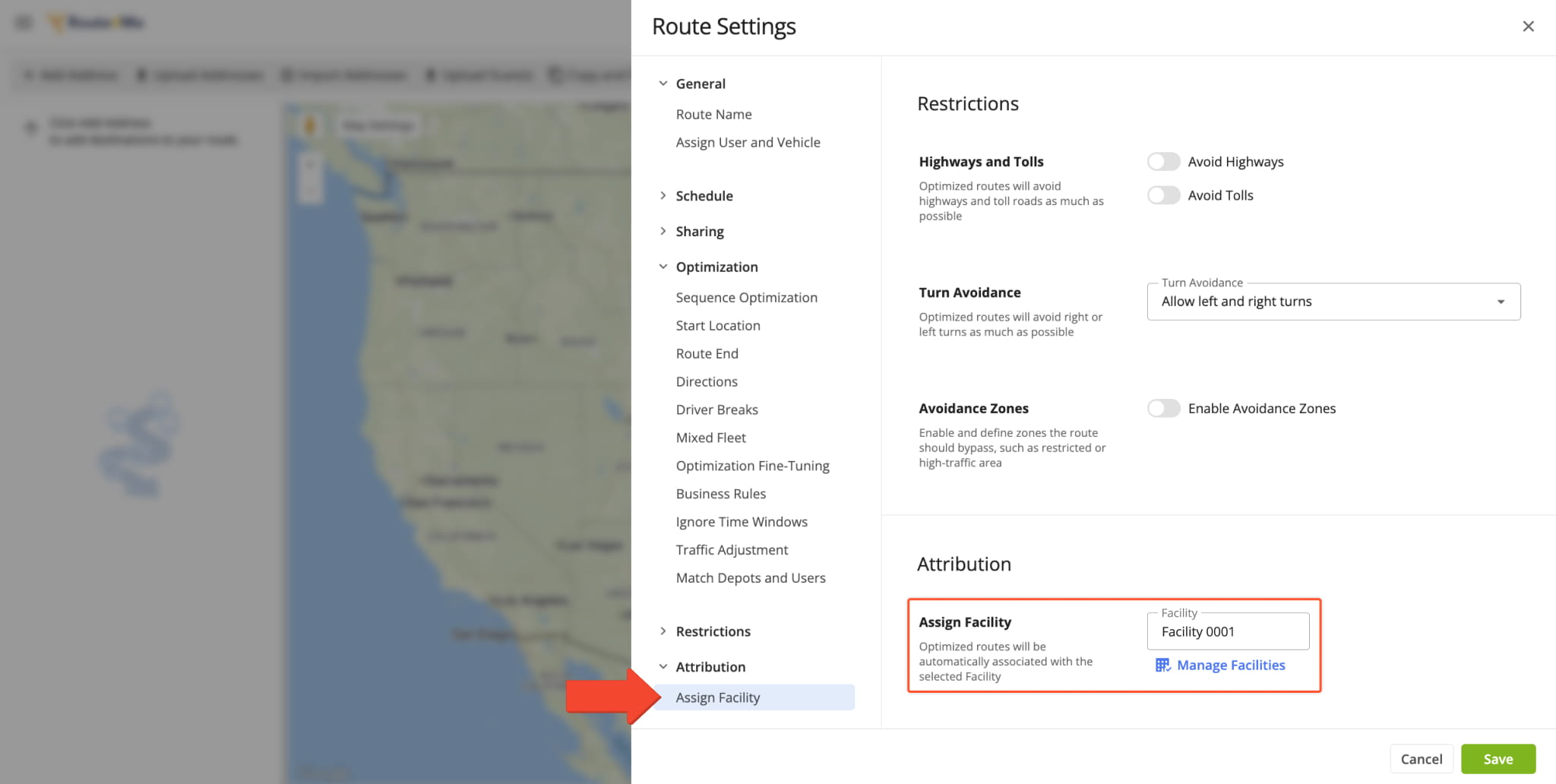
The Facilities feature lets you map your business locations – including depots, warehouses, offices, stores, and distribution centers – and link users, vehicles, routes, and other assets for advanced analytics and reporting.
May 2024
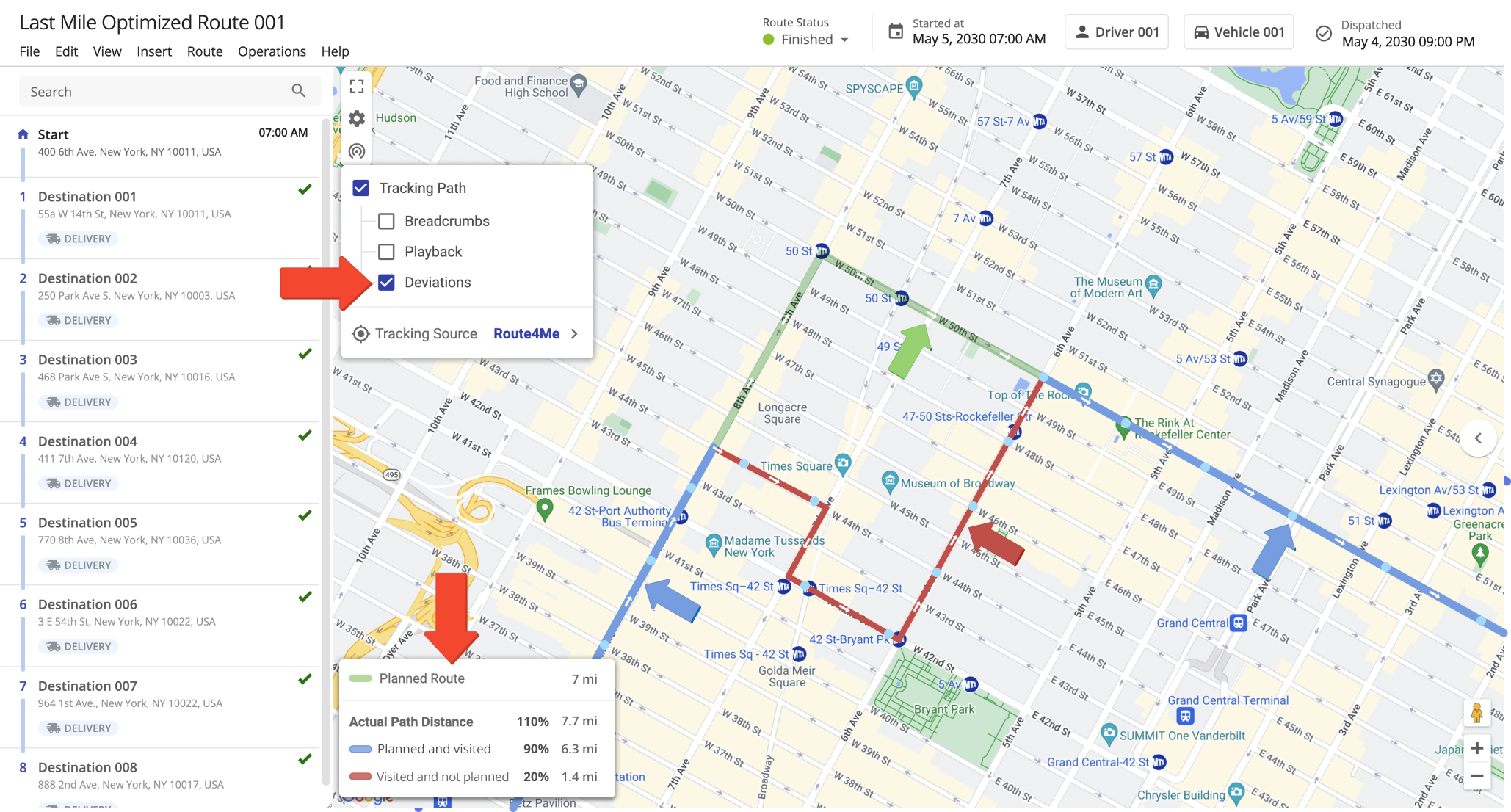
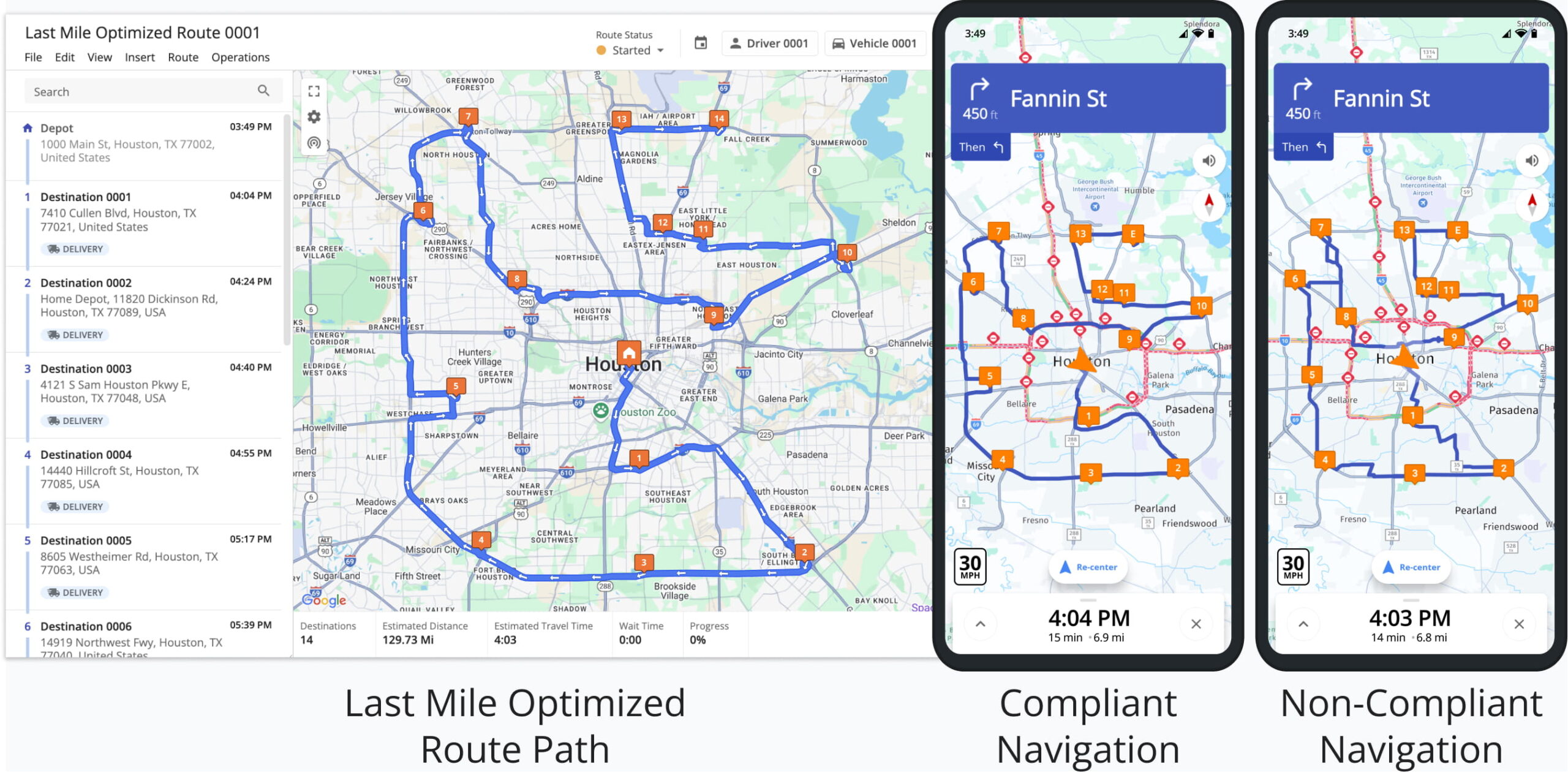
3The Route Compliance GPS Tracking feature makes it easy to spot route deviations. You can view on the map which routes were followed, where deviations occurred, and which stops were missed.
With the new Mandatory Navigation feature, Route4Me Mobile ensures drivers follow routes exactly as planned on the Web Platform. Mobile directions may still vary due to factors like traffic, but this feature keeps the planned sequence and stops intact. You can enable Mandatory Navigation through your Advanced Configuration settings.
Open Advanced Configuration Editor
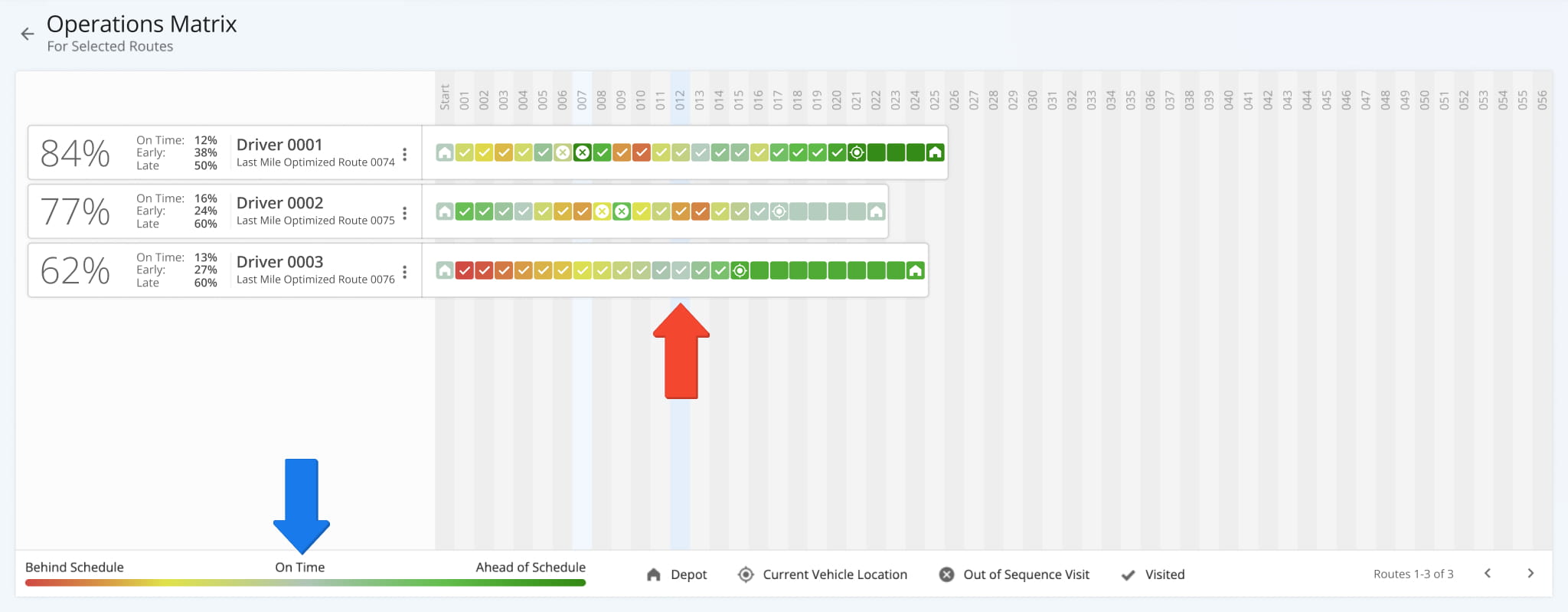
The Operations Matrix interface has been updated for a smoother experience. It now features a horizontal layout for route progress, visual status indicators for each destination, color coding, and more intuitive icons.
April 2024
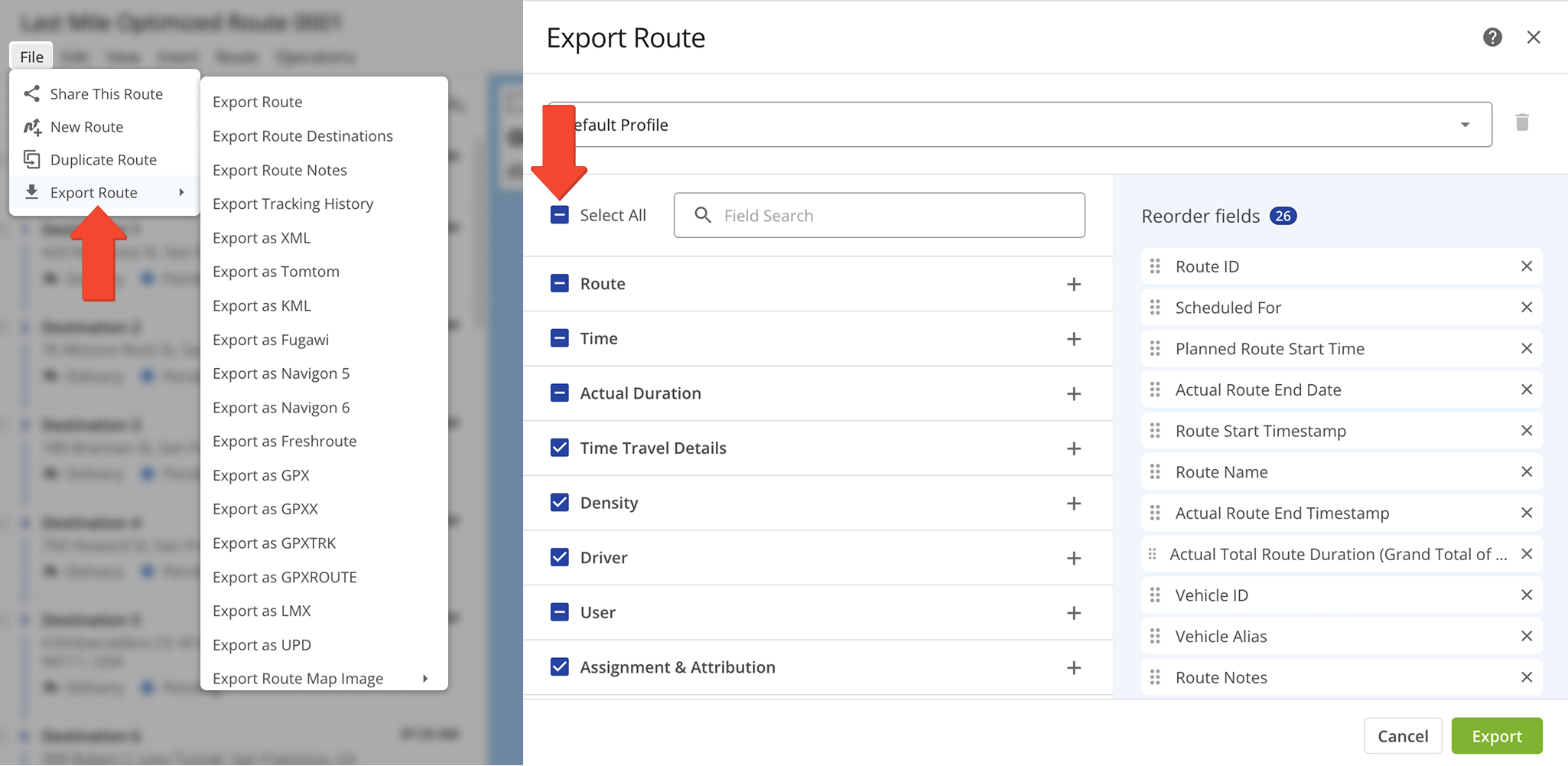
2The Route Editor now supports more data types and detailed route exports, including additional fields and columns like GPS tracking and proof of visit collection. You can view theses updates in the destination information, route export, and dashboard sections of the Route Editor.
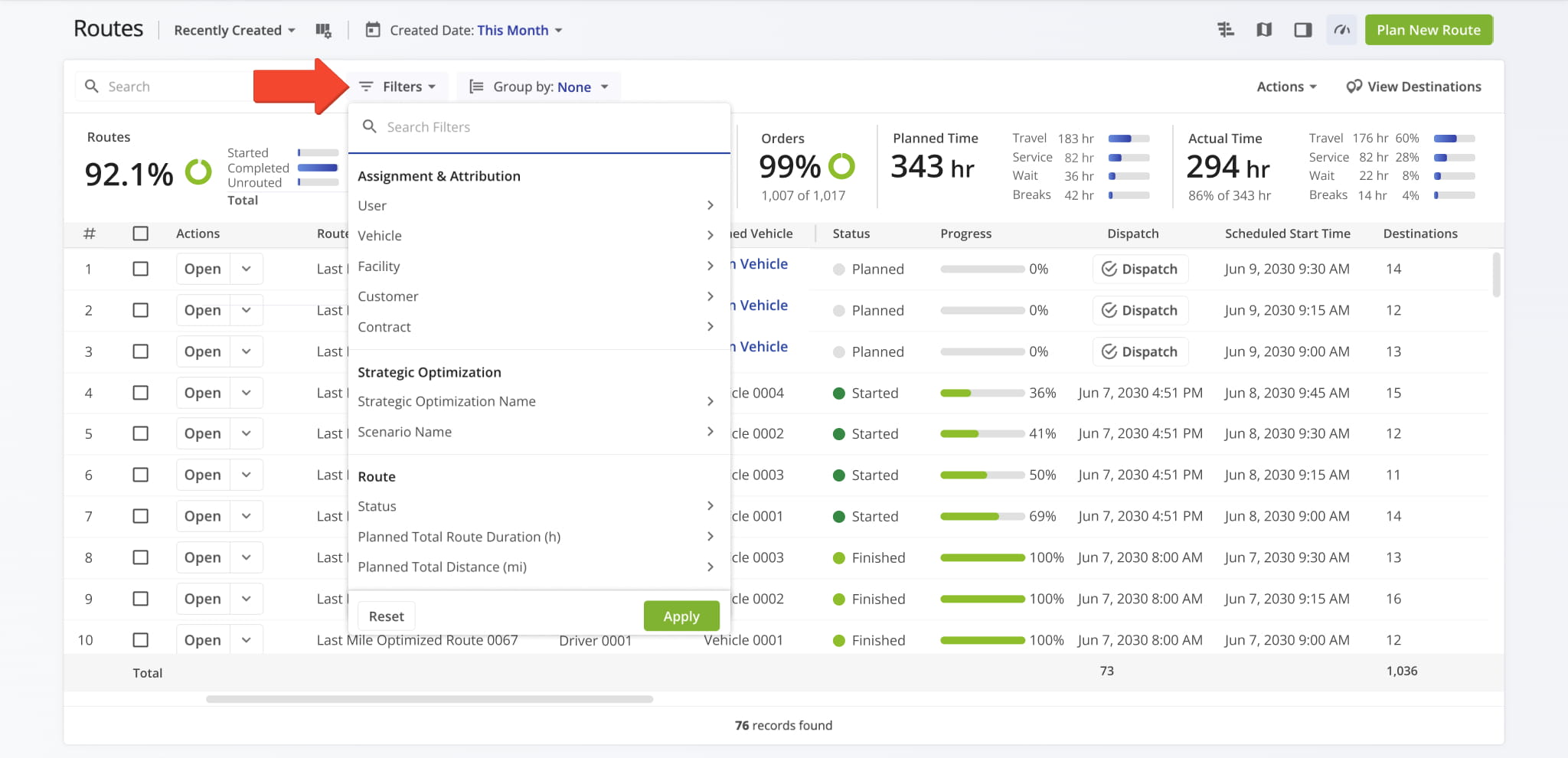
The Routes List now includes a “Group By” menu to quickly organize routes by status, start date, and other categories.
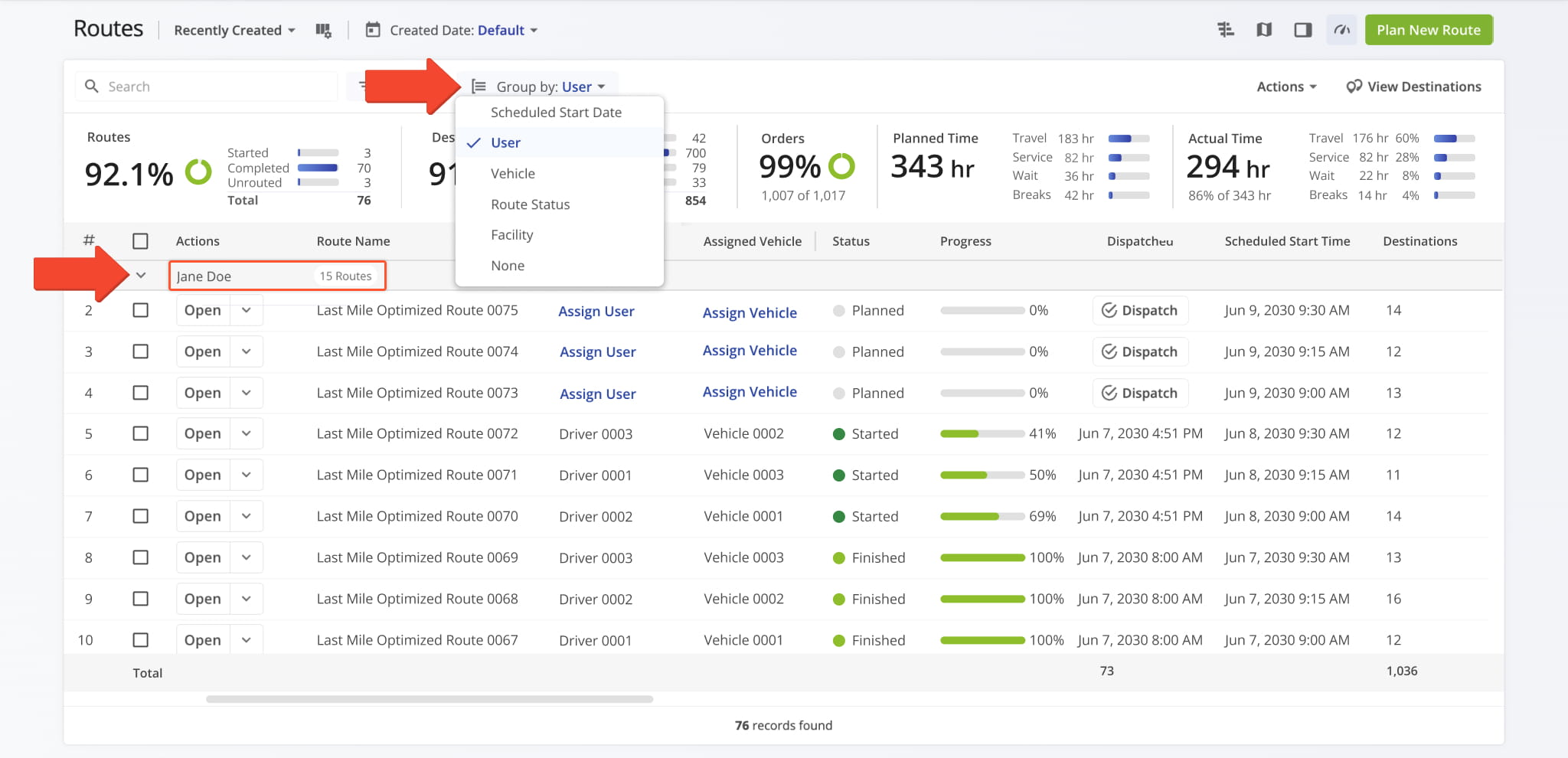
We’ve also added new filters to help you easily find and manage routes across different data columns.
March 2024
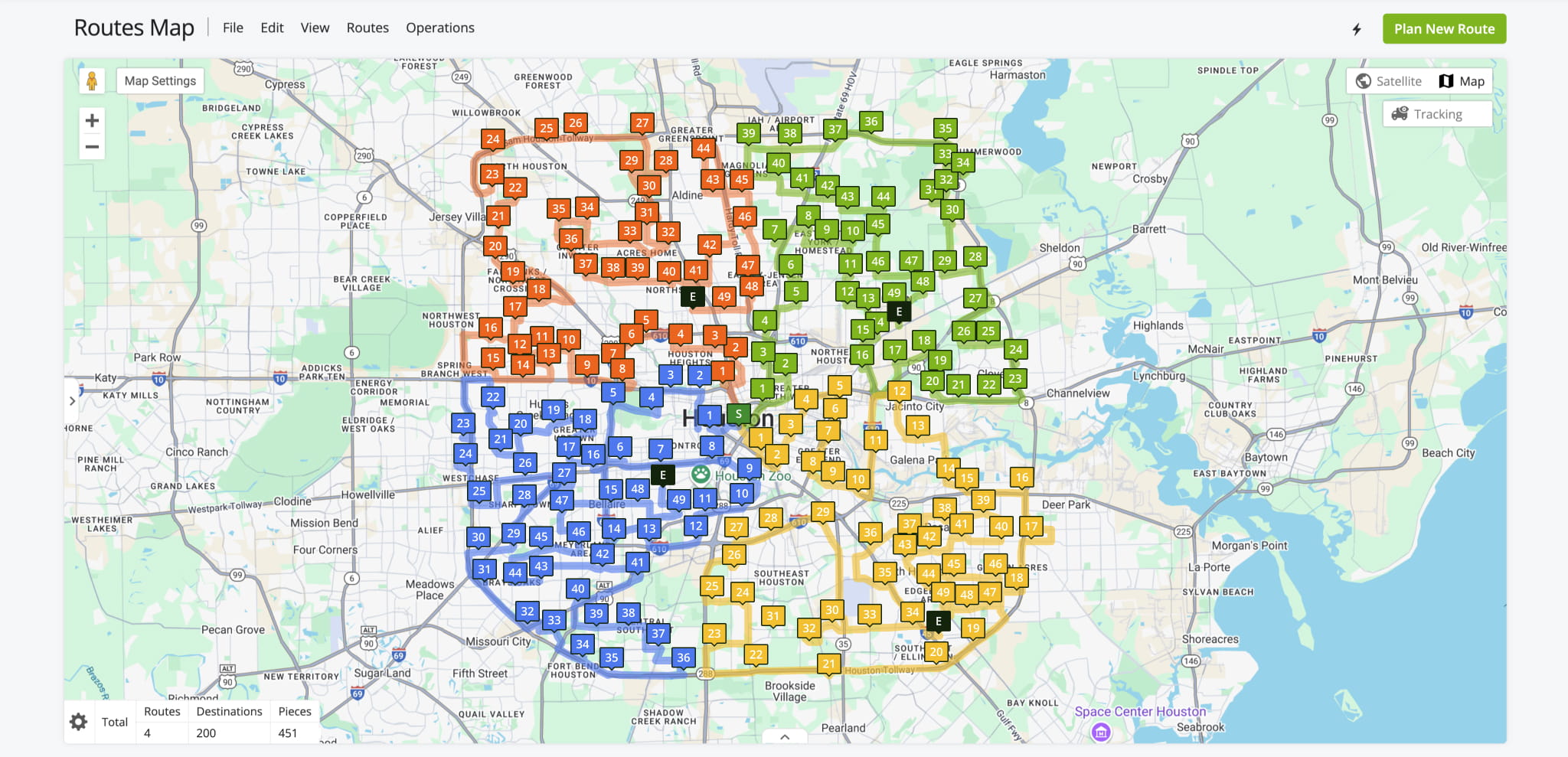
1You can now use High-Density Routing to plan large, dense routes without overlap. It clusters destinations and distributes workloads efficiently across multiple routes, even at scale.
February 2024
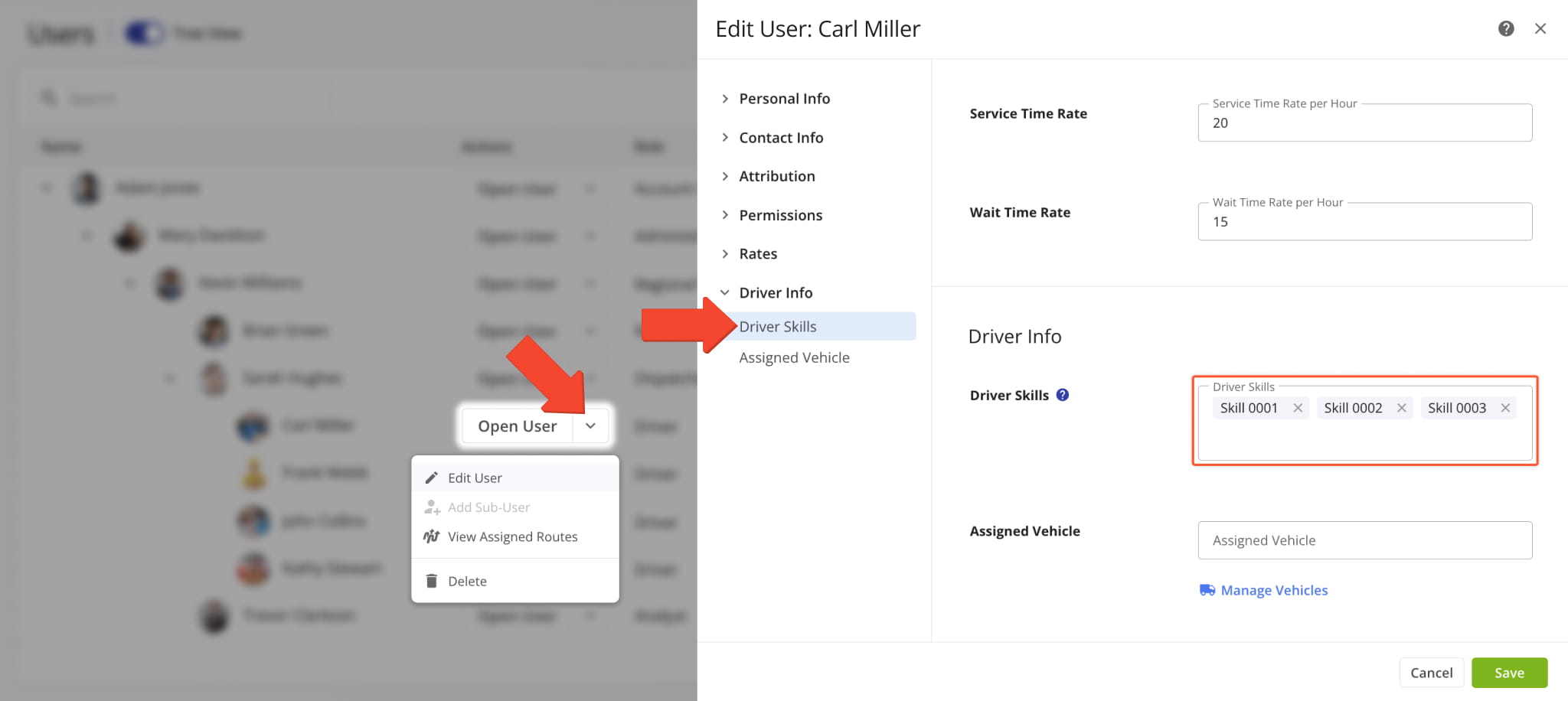
4You can now combine Mixed Fleet Routing with Driver Skills. This enhancement helps you better optimize team parameters to maximum capacity and make the most out of your resources and assets.
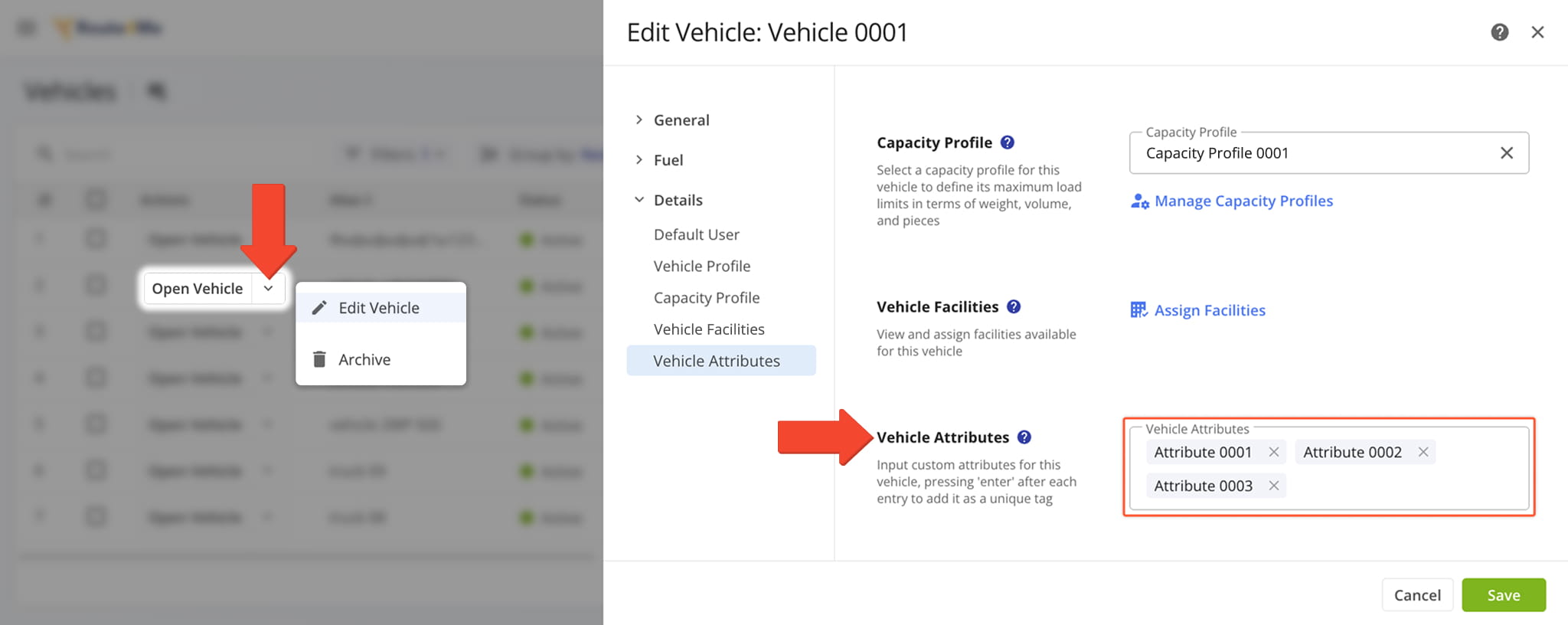
You can now add Vehicle Attributes along with Driver Skills to match each stop with vehicles that have the necessary capabilities and drivers who have the right skills. Pair them with Mixed Fleet Routing to optimize even the most complex routes in seconds.
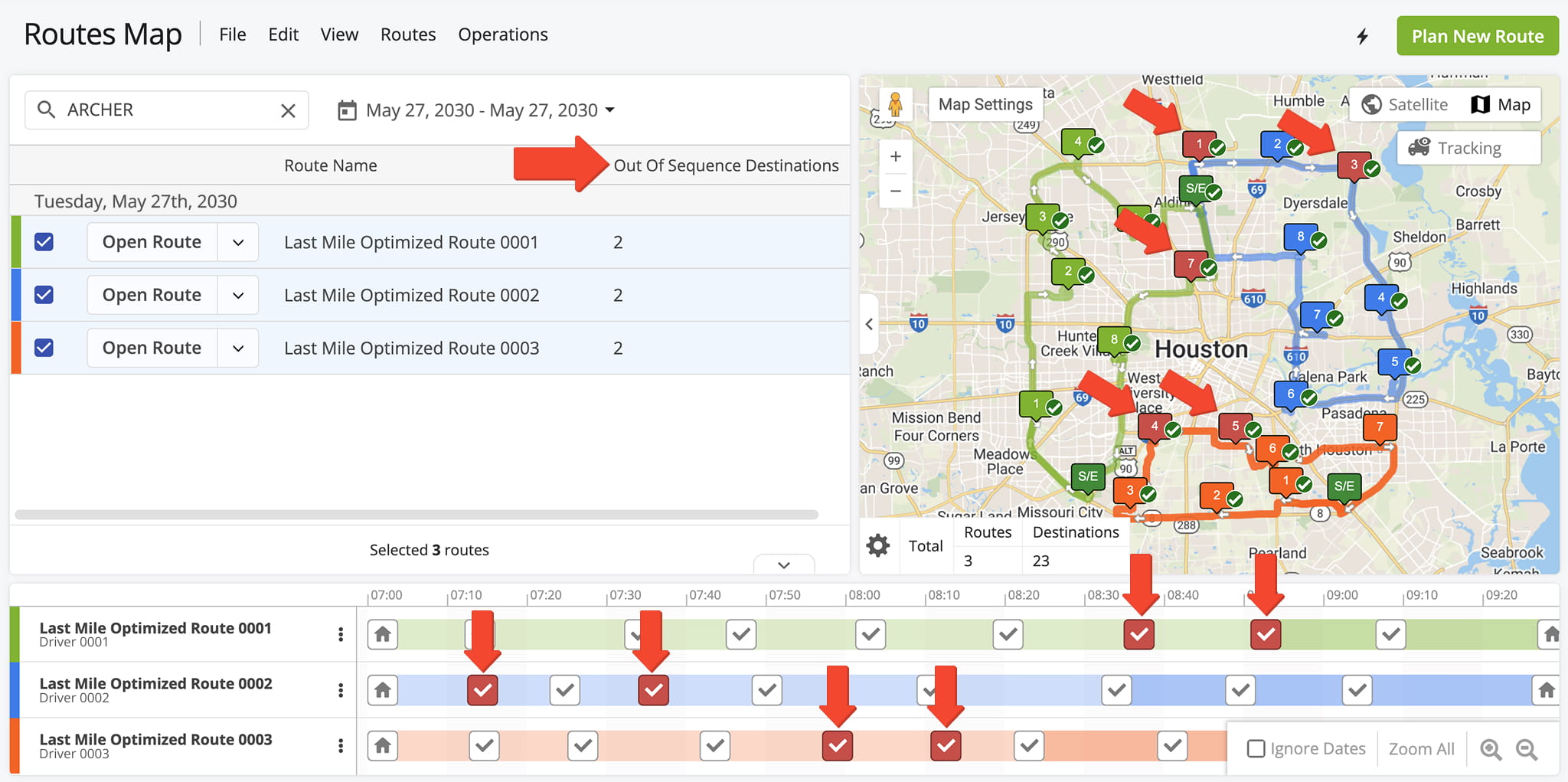
Route4Me now highlights destinations visited out of their planned sequence in red on the Routes Map and Route Editor, making deviations easy to spot.
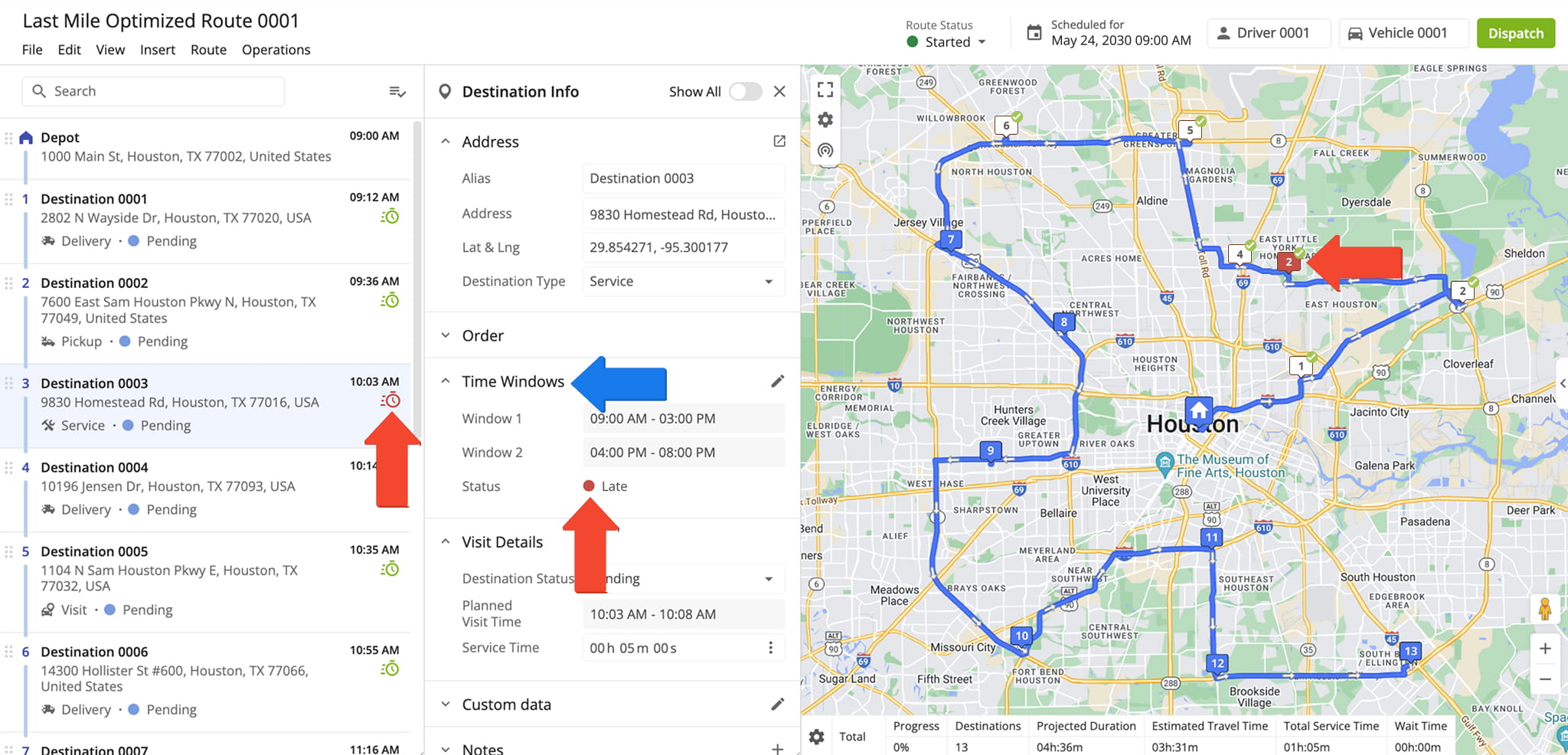
Destinations visited outside of their planned Time Windows now appear in red on the Routes Map and in the Route Editor, making it easy to identify Time Window violations.
January 2024
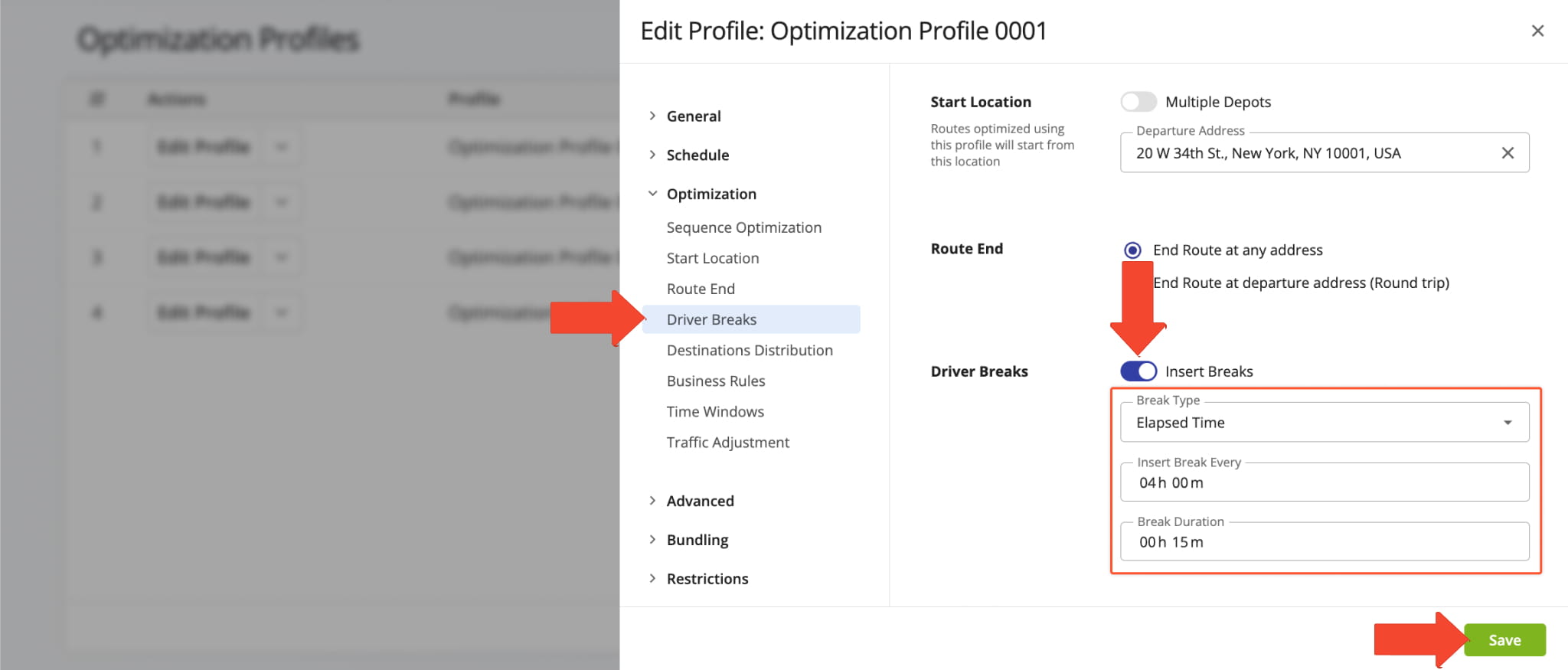
4Driver breaks can now be added during route optimization. You can automatically insert Driver Breaks into routes with Optimization Profiles or enable them when planning routes with manual optimization settings.
Just specify your preferred settings, and the system will place breaks in the optimal sequence.
Open Your Optimization Profiles
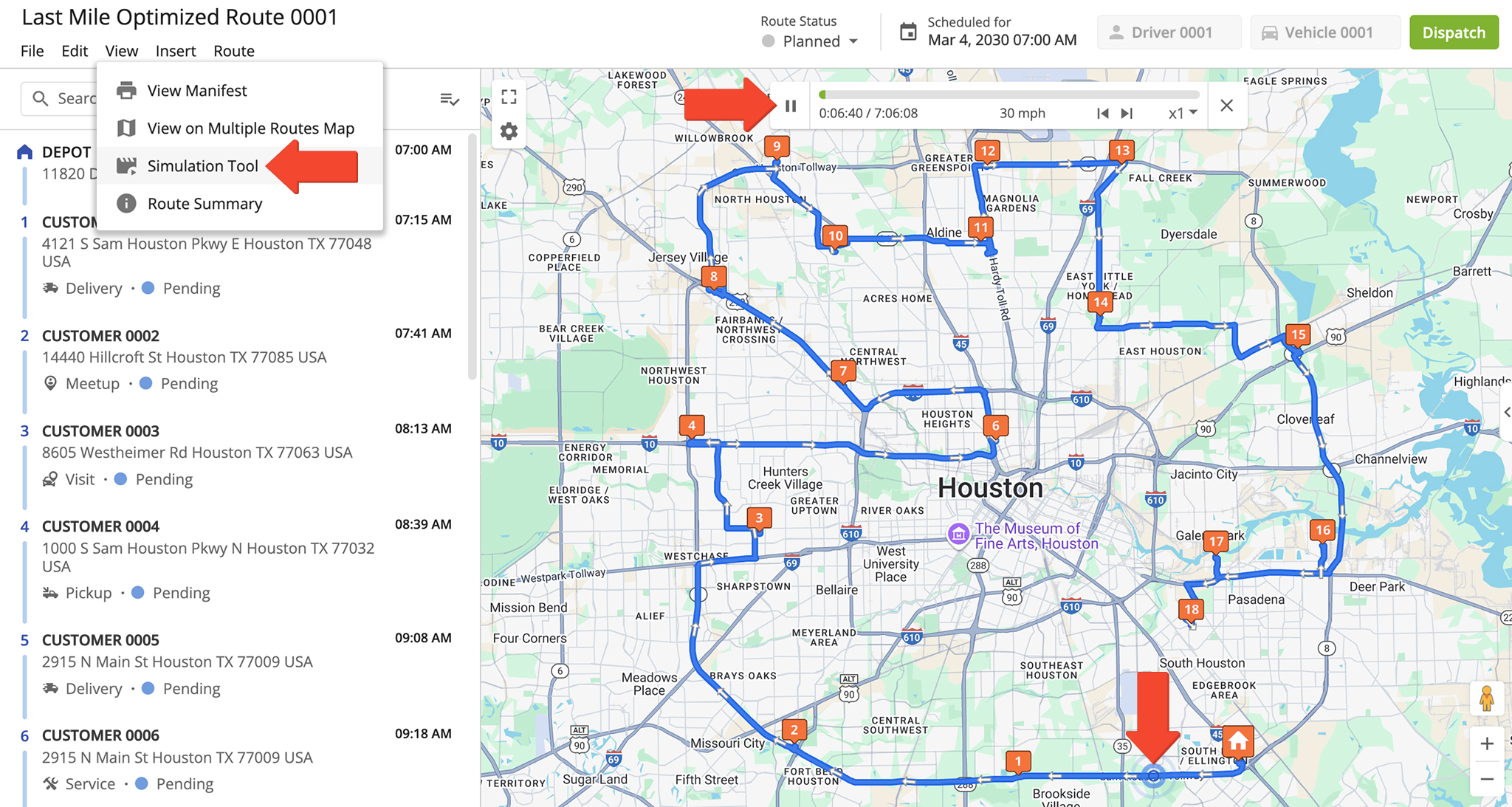
Route simulation is now available in the Route Editor, making it easy to simulate routes in real-time before starting them.
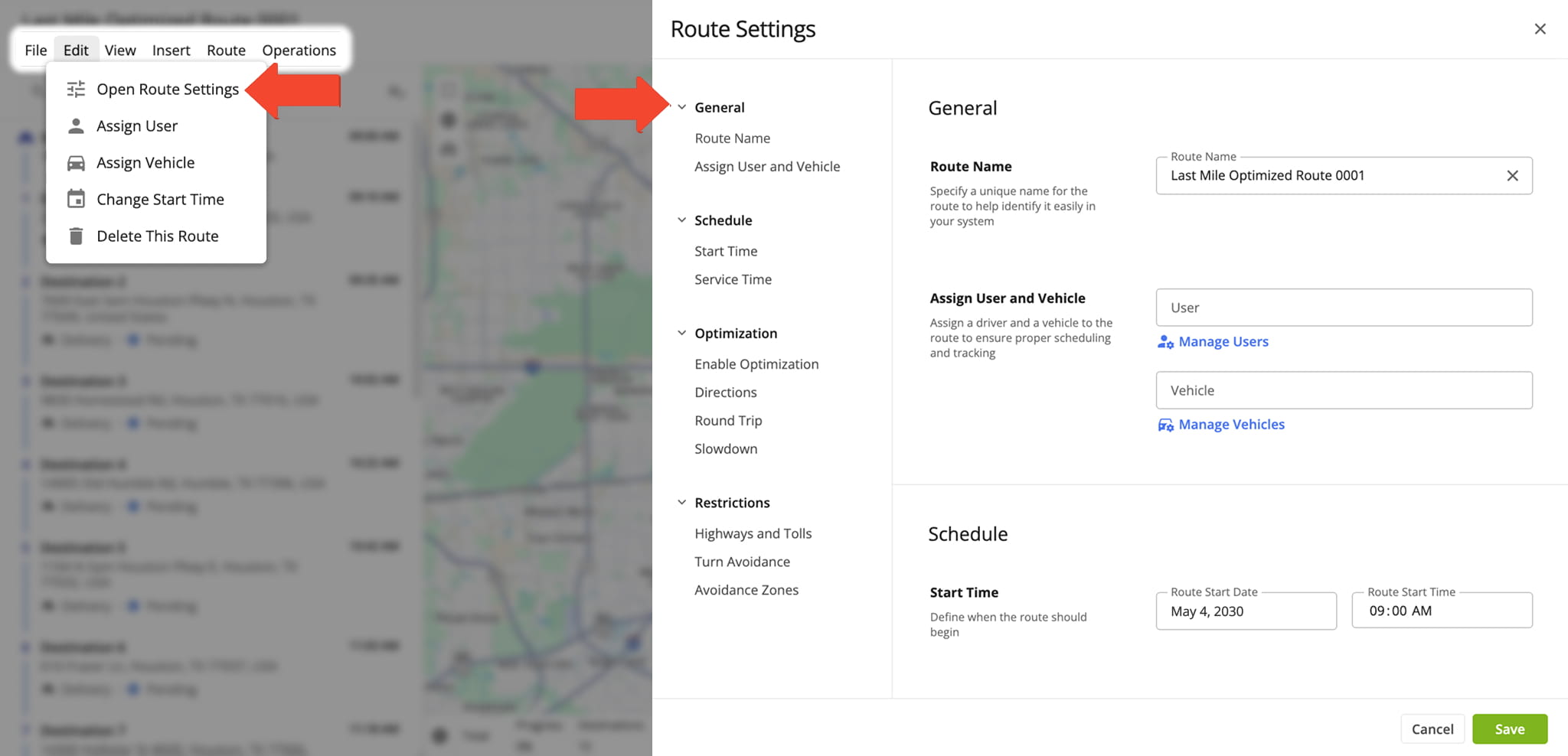
The Route Editor user interface was updated for easier navigation, destination management, and route settings adjustments.
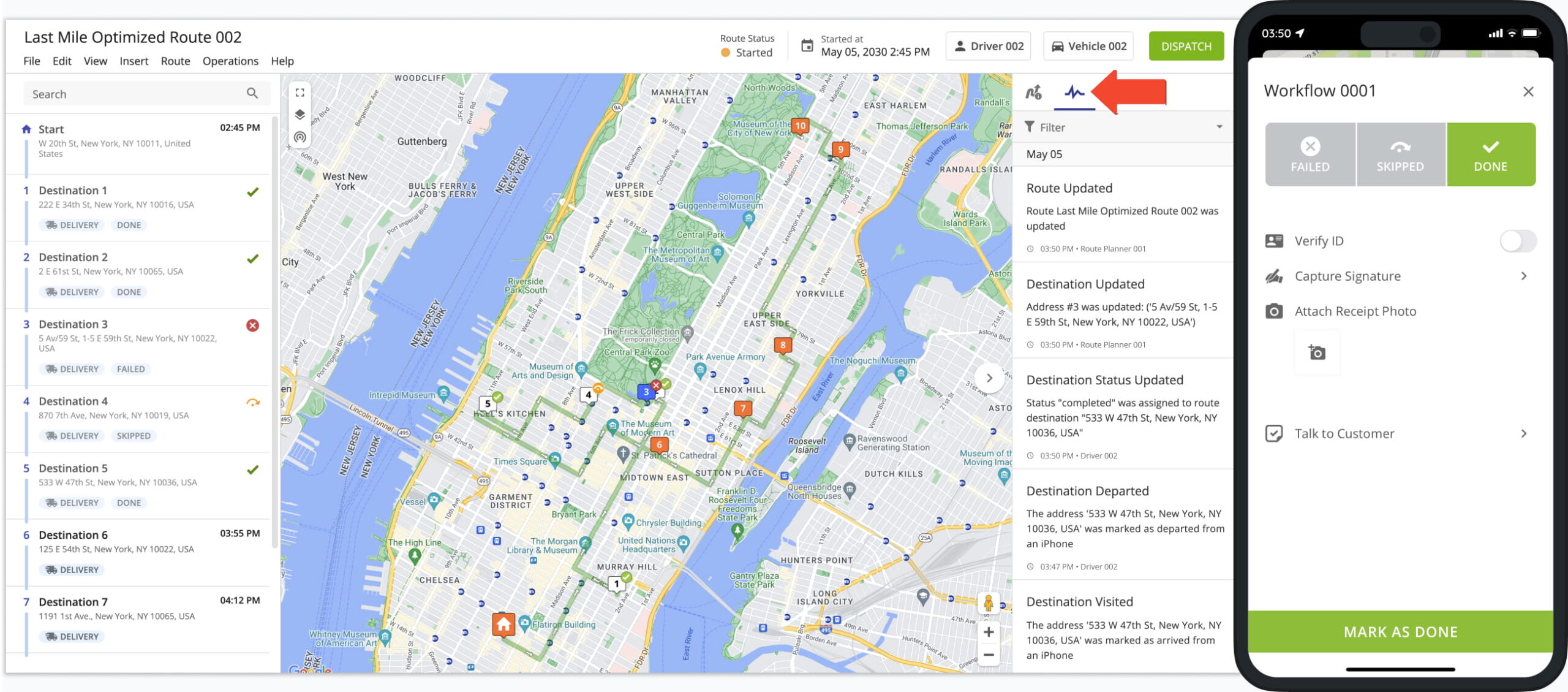
In addition, the Route Editor Activity Feed now includes more details, such as proof of delivery, signatures, and image data.
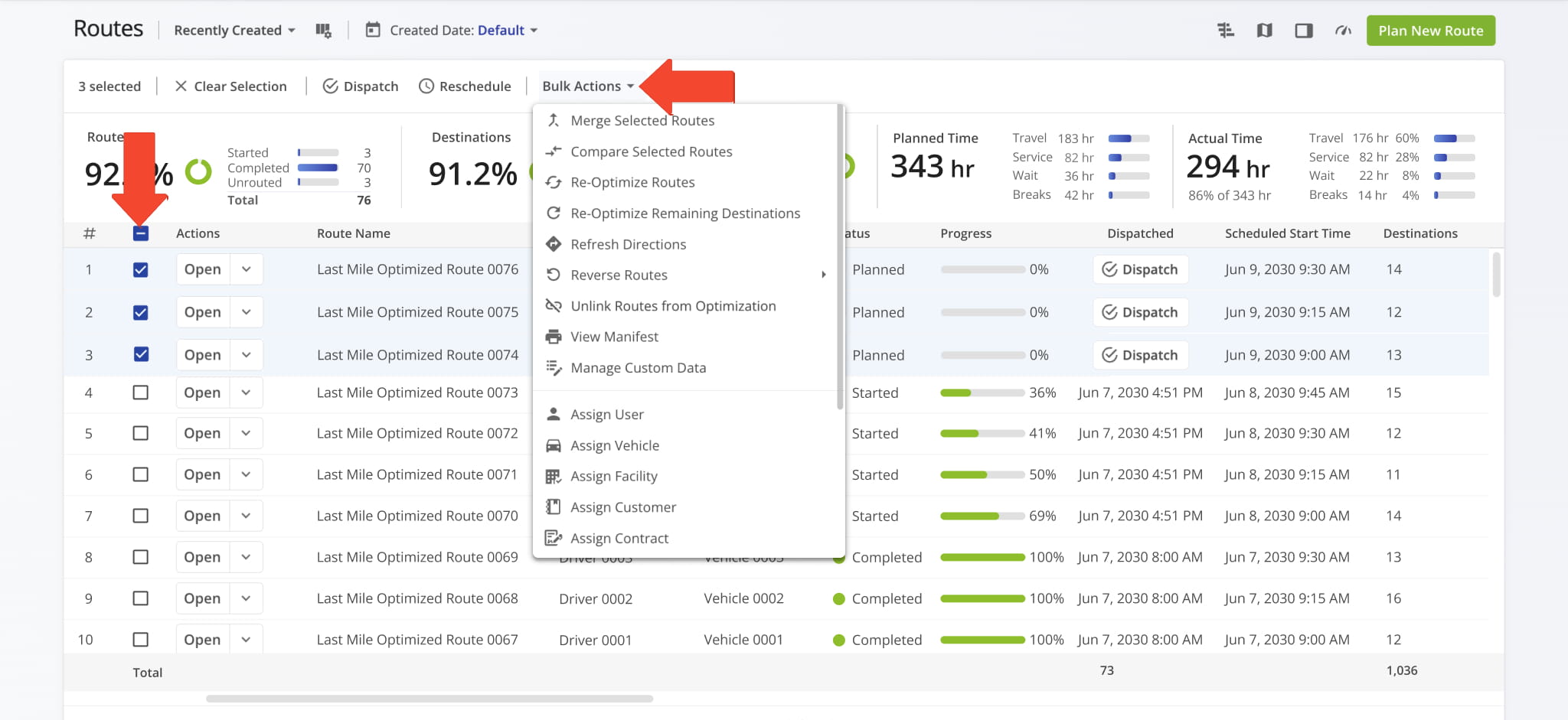
“Bulk Actions” was added to the Routes List menu to simplify bulk route management. You can now select multiple routes and apply the same actions to all of them at once.
Route4Me Update Types And Release Notes Legend
Route4Me’s industry-leading transportation management software is continuously evolving, with new features and updates released regularly. The table below lists the types of updates described on this page.
| Release Type | Description |
|---|---|
| ⬤ Highlights | Highlighted releases are major updates and brand new features. Any of the release types listed below can be highlighted, and you can use the “Release Type” filter to add or exclude “Highlights” from the visible Release Notes. |
| ⬤ New Feature | Introduces brand-new functionality or tools. These updates expand the core capabilities of the platform, such as new optimization types and dedicated management modules. |
| ⬤ Enhancement | Improvements to existing features. This includes adding new data columns, advanced filtering options, or increasing the efficiency of current workflows. |
| ⬤ UI/UX Update | Visual and structural changes. These updates focus on redesigns and navigation improvements to make the software more intuitive and easier to navigate. |
| ⬤ System Update | Behind-the-scenes technical improvements. While not always visible, these updates enhance platform stability, security, and backend processing speed. |
| ⬤ Integration | Updates related to connecting Route4Me with external systems. This includes ERP and API integrations, Telematics providers, and third-party applications to ensure seamless data flow across your organization. |
| ⬤ Feature Removal | The retirement or deprecation of legacy tools. Features are removed to reduce complexity, replace outdated tech, streamline the user experience, and ensure you always have access to the most up-to-date Route4Me functionality. |
About author: Alex Yasko

