
Recurring Routes Guide – Route Templates And Recurring Schedules
Enterprise businesses with recurring deliveries, pickups, and service visits need efficient route planning. With Route4Me’s Route Templates, you can turn any route into a reusable Master Route. Set a schedule and Route4Me automatically creates new routes that copy its destinations, customer details, time windows, driver assignments, and settings. The result is less repetitive planning, simpler operations, and fewer missed or delayed visits.
NOTE: The Recurring Routes page is now called Route Templates. All features and your existing schedules remain the same.
Table of Contents
Recurring Routes Overview – Create Master Routes And Route Template Schedules
To simplify multi-frequency recurring route planning, follow these steps:
- Plan a route: Plan and optimize a new route, or choose an existing one from your Routes List.
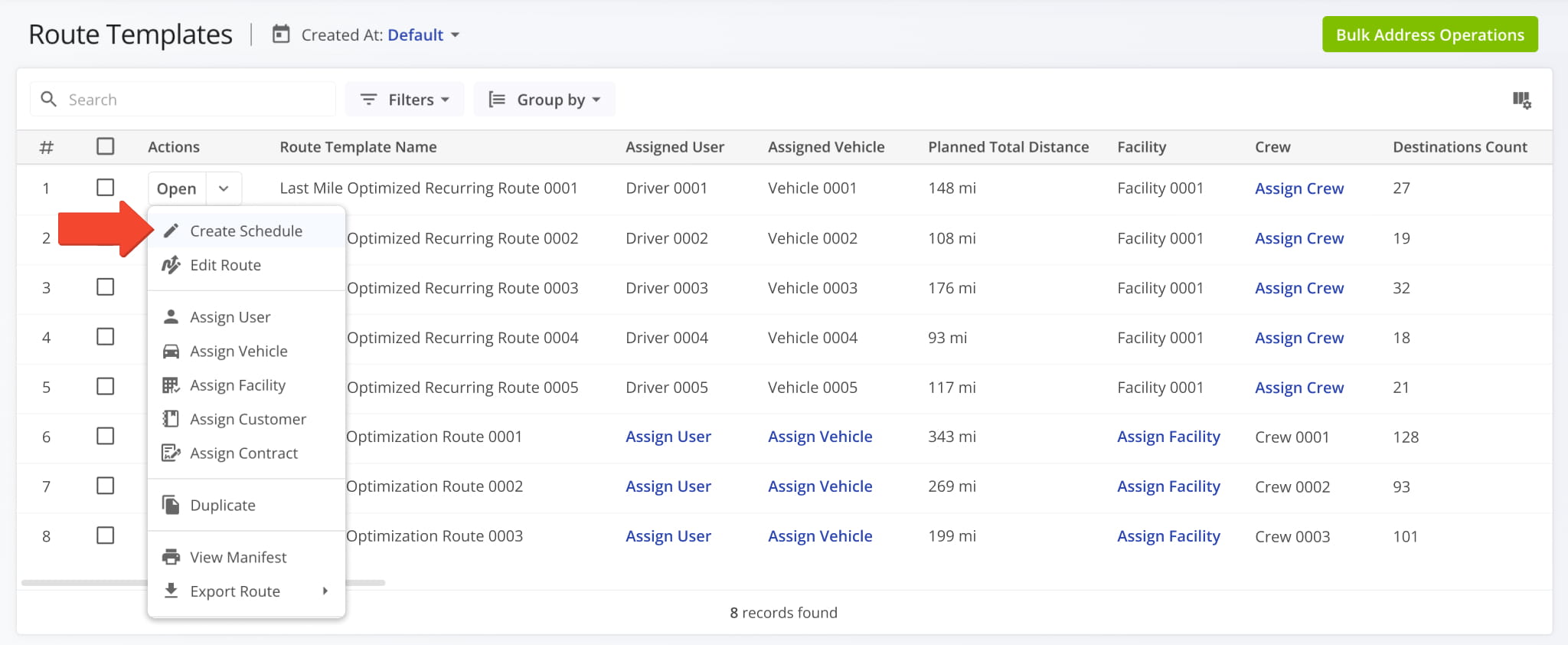
- Create a Master Route: Open the route’s Actions menu and select “Create Route Template” to set it up for recurring routes. Route4Me uses the Master Route as the template for every recurring route it generates.
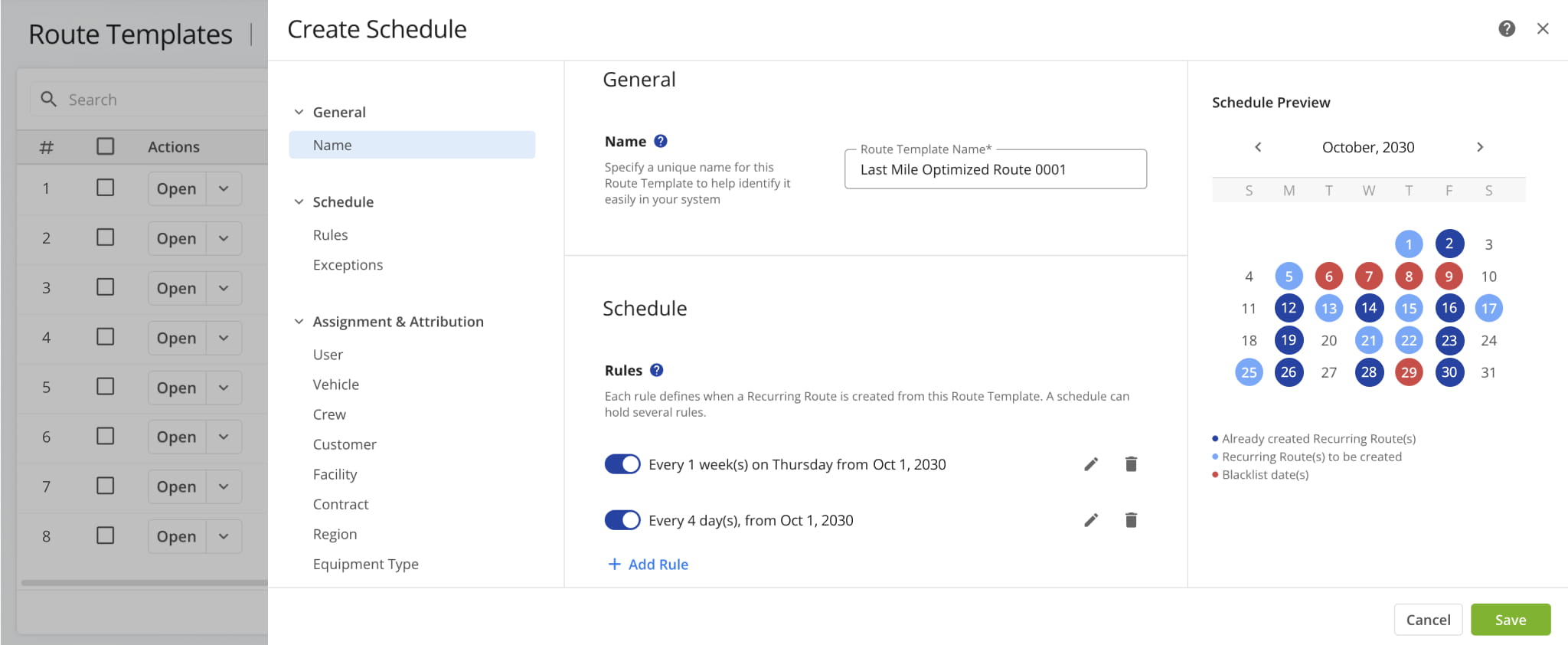
- Create a Recurring Schedule: In the schedule editor, add rules and blacklist dates to set when recurring routes are created. You can change the schedule anytime from the Route Templates page.
Create Recurring Schedules – Automate Recurring Routes With Route Template
Recurring Schedules automate routes that repeat daily, weekly, monthly, or on a custom cadence. Using a master route as a Route Template, Route4Me can automatically generate future routes with predefined stops, settings, and assigned users.
As your needs change, you can update rules from the Route Templates page without rebuilding the schedule. Learn more about creating and managing Recurring Route Schedules.
Manage Master Routes – Edit Route Templates For All Recurring Routes
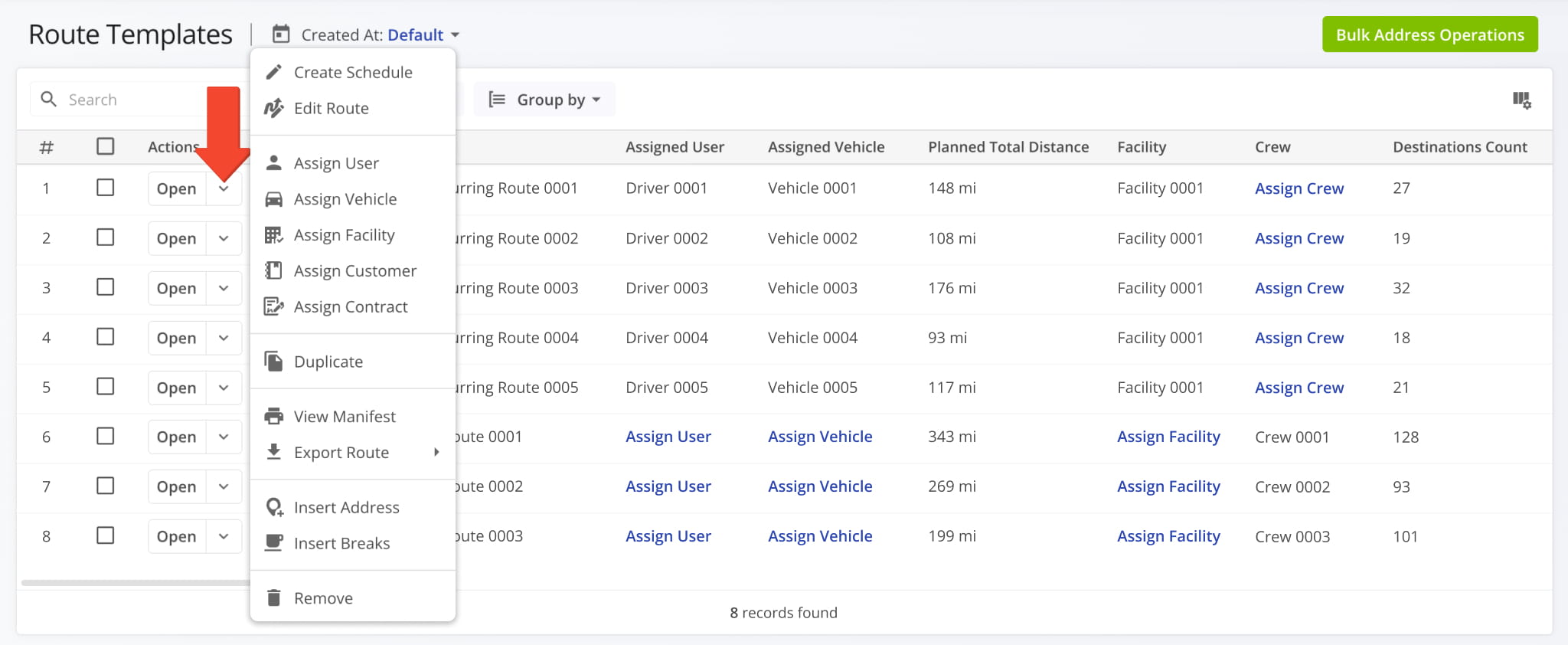
Each Master Route is listed on the Route Templates page (formerly Recurring Routes). To manage one, open its Actions menu and choose the action you want to perform.
Changes to a Master Route carry over to the recurring routes it generates, so you can update all of them in one place. To update several Master Routes at once, use bulk actions. Learn more about managing Master Routes.
Edit Recurring Routes – Change A Route Without Changing Its Master Route
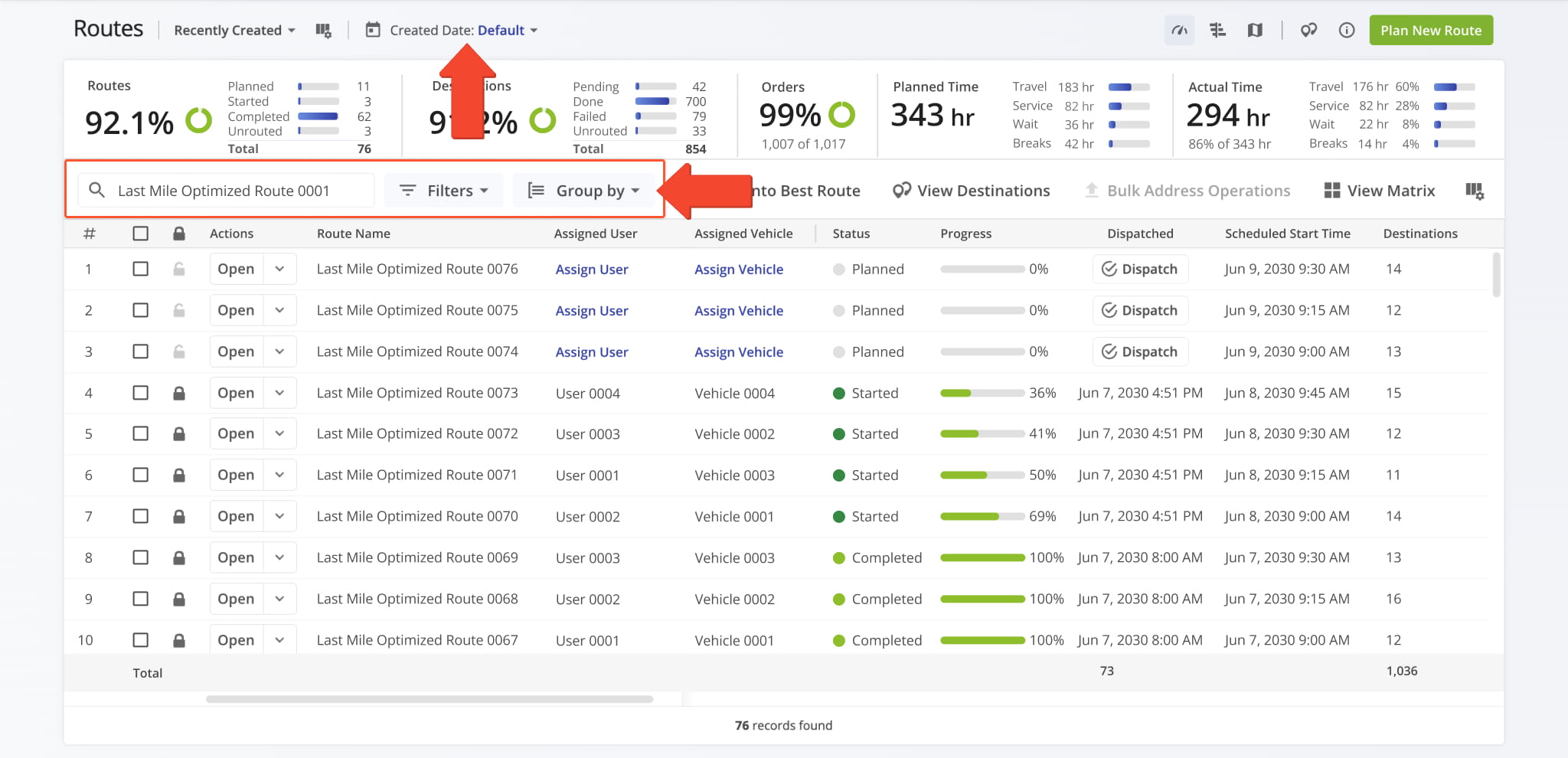
Each recurring route generated from a Master Route appears in your Routes List along with your other routes. To find one, use the search bar, the Created Date selector, or Filters.
Editing a recurring route changes only that route. Its Master Route, schedule, and other recurring routes stay the same. This is useful for one-off changes, such as adding a stop, assigning a different driver, or rescheduling a single day.
To make a change that applies to every recurring route, edit the Master Route on the Route Templates page instead. Learn more about managing Recurring Routes.
Schedule Strategic Routes – Import Optimization Plans Into Route Templates
Strategic Routes are optimized routes created in a Scenario with Route4Me’s strategic planning tools. When you import a Scenario’s routes, each one appears on your Route Templates page as a Master Route.
From there, you can schedule them like any other Master Route. Add rules to set when they run and Route4Me will generate recurring routes on that schedule.
Your long-term optimization plan becomes daily, weekly, or custom routes without any manual re-planning. Learn more about creating Recurring Schedules with Strategic Routes.
Visit Route4Me's Marketplace to Check out Associated Modules:
- Operations
Audit Logging and Activity Stream
- Operations
Custom Data Add-On
- Operations
Advanced Team Management Add-On
About author: Kristian Andreev

