
Multi-Day Routing – Plan Routes That Span Multiple Days
Route4Me’s multi-day routing functionality enables last mile businesses to plan and optimize routes across multiple days or spanning multiple time zones while maintaining compliance and maximizing efficiency. By coordinating Customer Time Windows, HOS Driver Breaks, and configurable business rules, you gain full control over how and when visits occur. Keep reading to learn how to manage long-distance deliveries and multi-day schedules that remain realistic, compliant, and cost-effective.
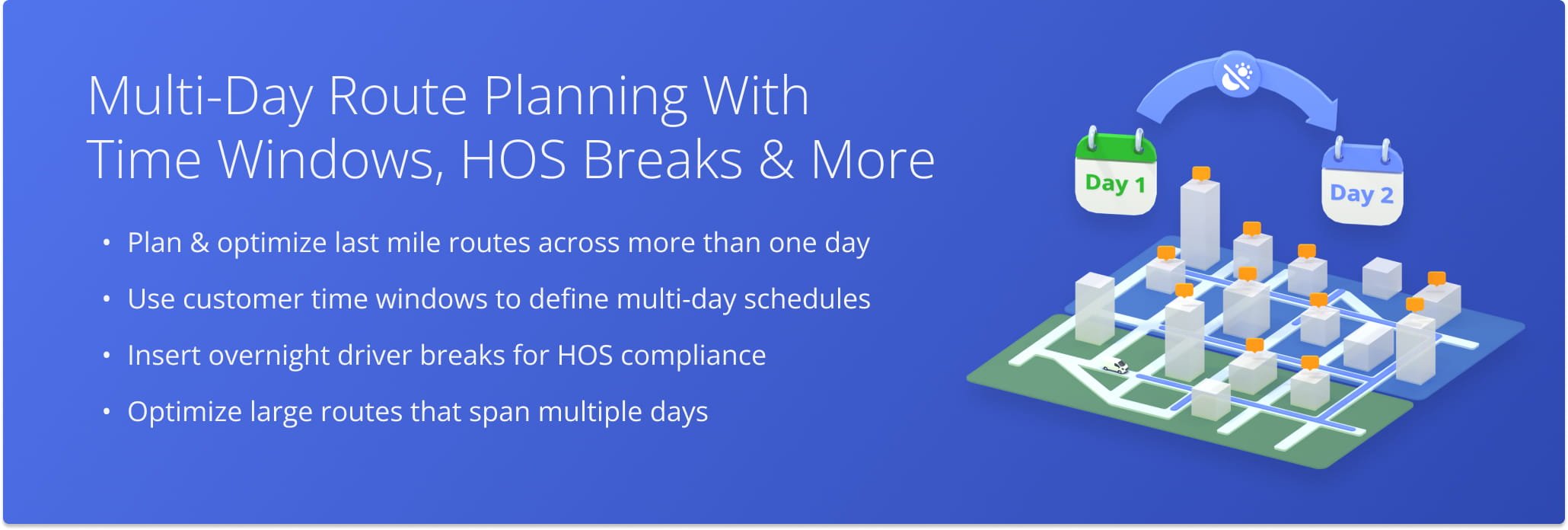
Table of Contents
Time Windows – Multi-Day Routing With Customer Available Hours
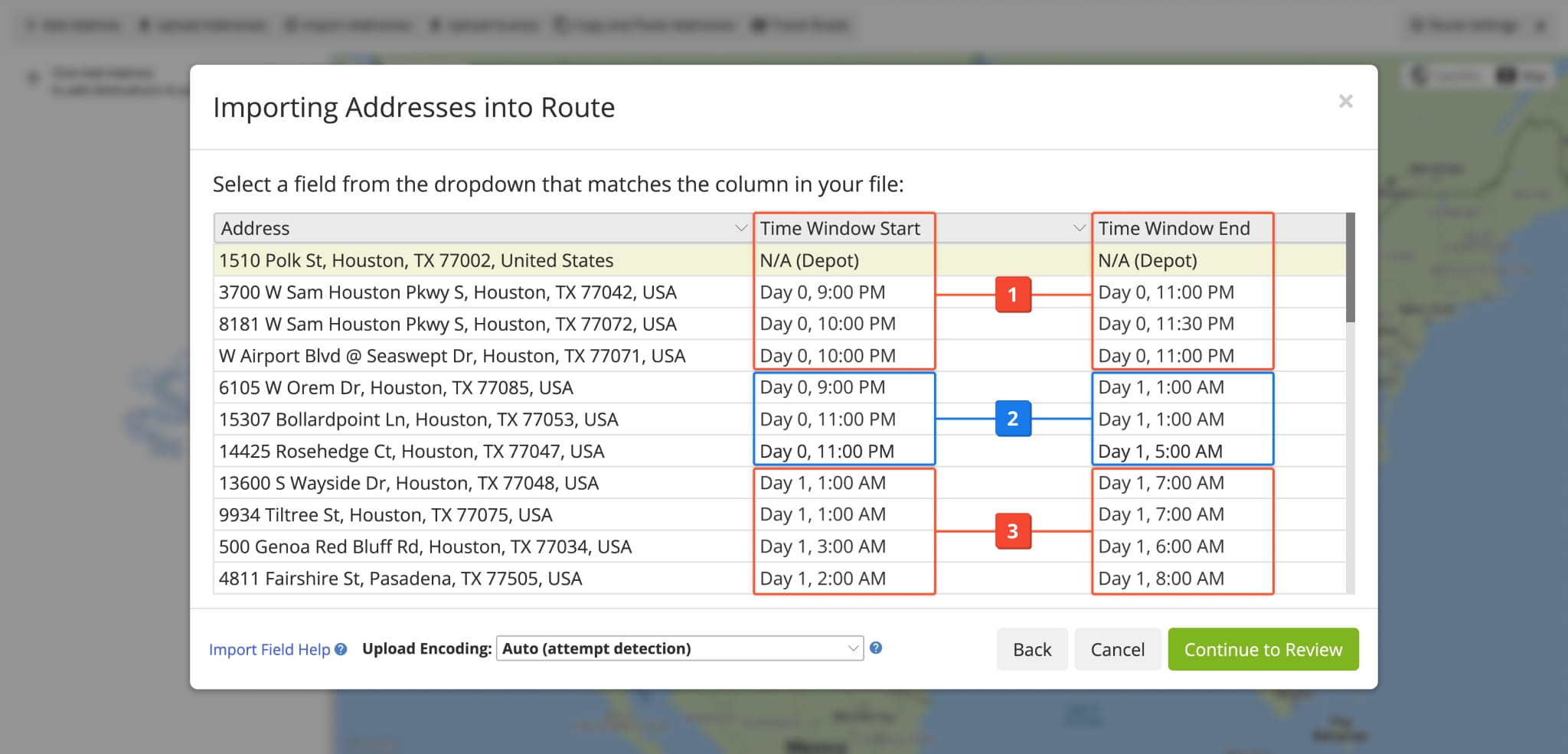
The primary way to ensure multi-day routes stay on schedule is by planning routes with Time Windows. You can specify Time Window durations for your Locations or simply include Time Windows in your address spreadsheet. When it comes to multi-day routing, there are three basic types of Time Windows (based on their “Day” value).
- Scheduled Day: Day 0 – Day 0 Time Windows with different available hours on the route’s scheduled start date.
- Multiple Day: Time Windows which span multiple days, i.e. Day 0 – Day 1, Day 1 – Day 3, etc.
- Following Day: Any Time Windows on days following the route’s scheduled start date, i.e. Day 1 – Day 1, Day 1 – Day 2, etc.
When a route has Time Windows spanning multiple days or Time Windows on different days, it will be a multi-day route.
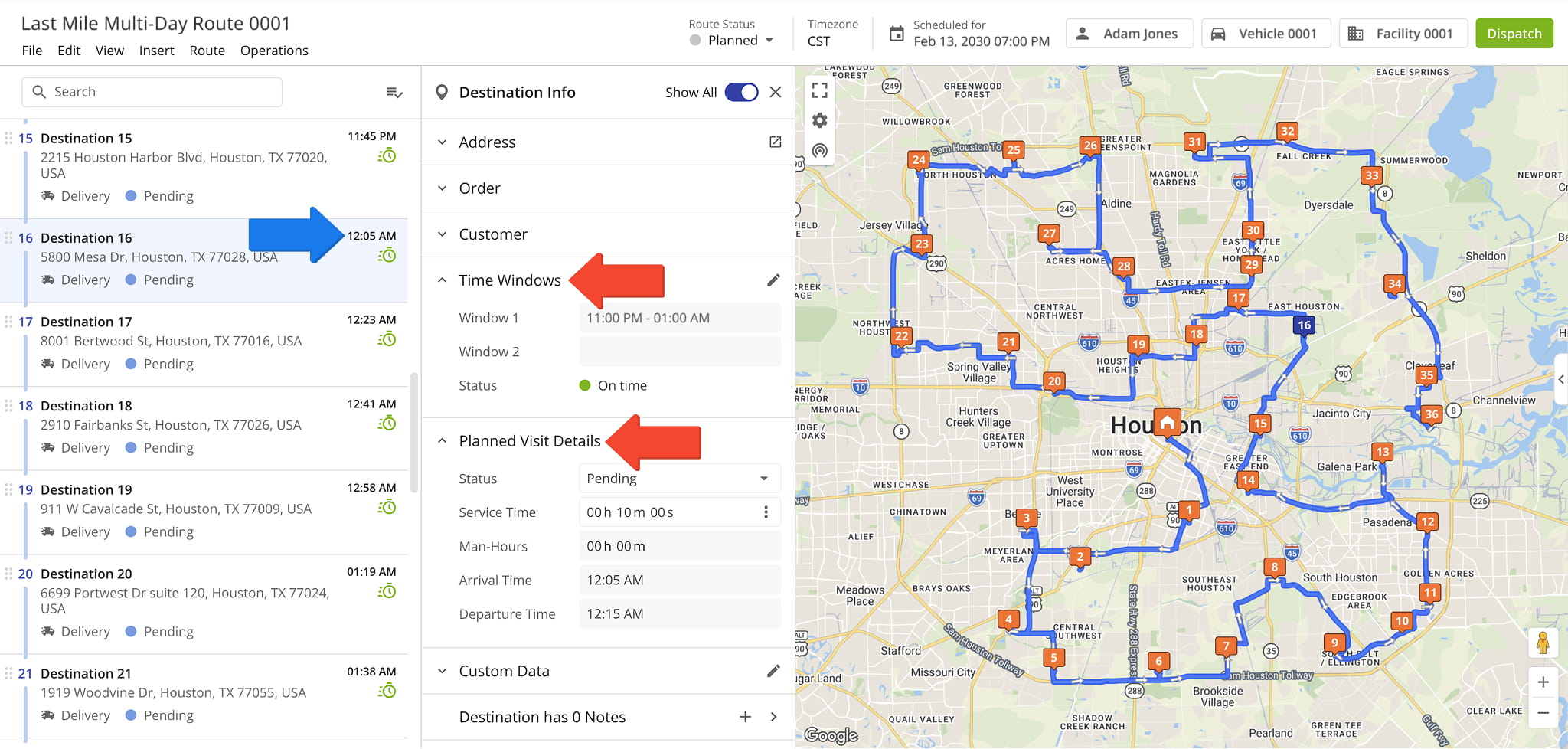
When you plan a route spanning multiple days, you can open it in the Route Editor to see its schedule and visit details. The example below shows a highlighted destination that is visited on the day after the route’s start date.
The “Destination Info” panel has sections for Time Windows, planned visit details, and actual visit details, showing when the destination is planned to be visited by the assigned user and when it was actually visited, respectively.
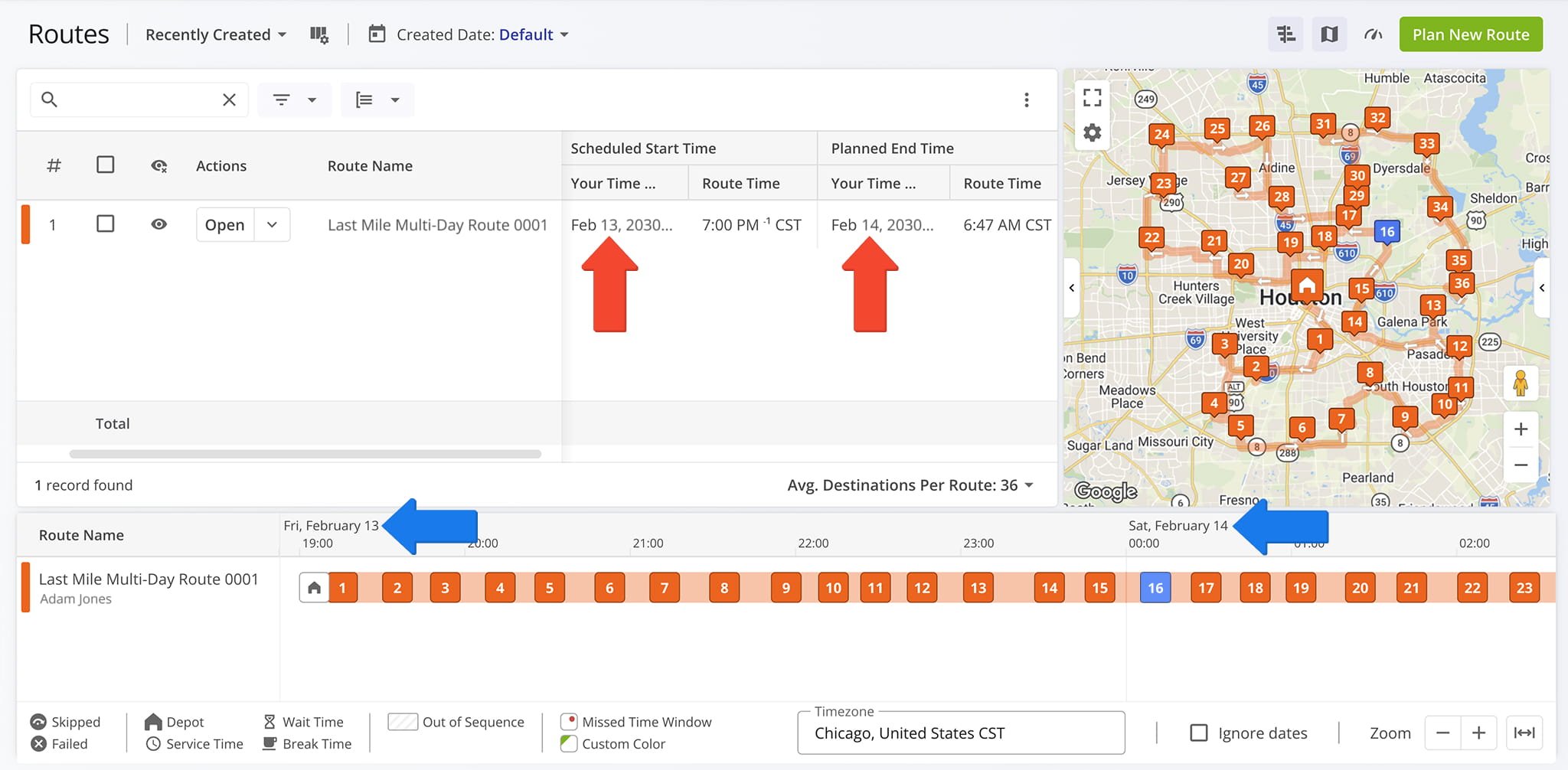
On the Routes Page, you can use the customizable display columns to see schedule data and the Routes Timeline to get a visual overview of your multiple-day route schedules. The timeline is a visual representation of your multi-day routes and makes it easy to see how destinations are distributed across the different days your routes are planned for.
Driver Breaks – Insert Overnight Breaks For HOS Compliance
Route4Me’s Driver Breaks simplify compliance with hours of service (HOS) regulations. You can manually adjust Driver Breaks in your route settings when planning overnight routes or use Optimization Profiles.
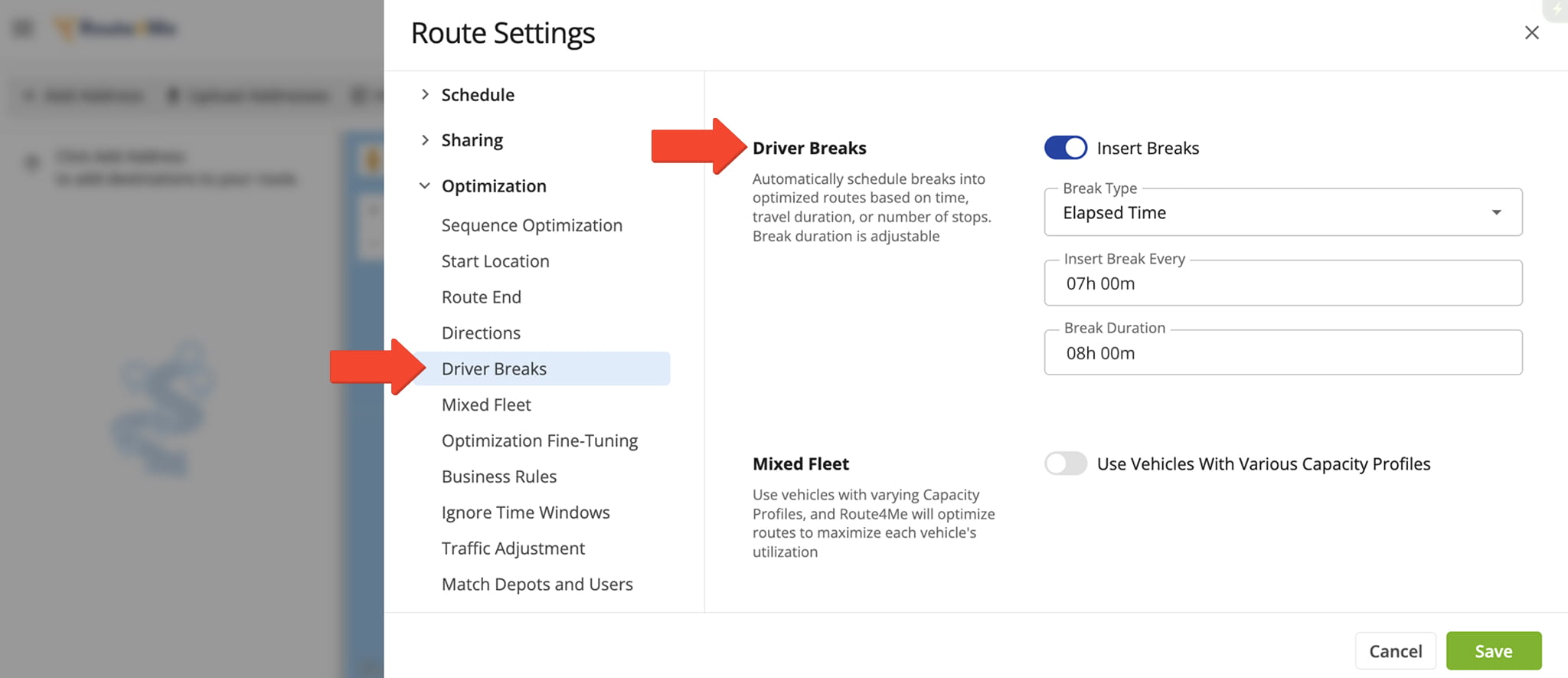
Depending on your business needs, Driver Breaks can be used to plan routes across multiple days while staying HOS compliant and simplifying enterprise resource planning by completing more visits in fewer routes.
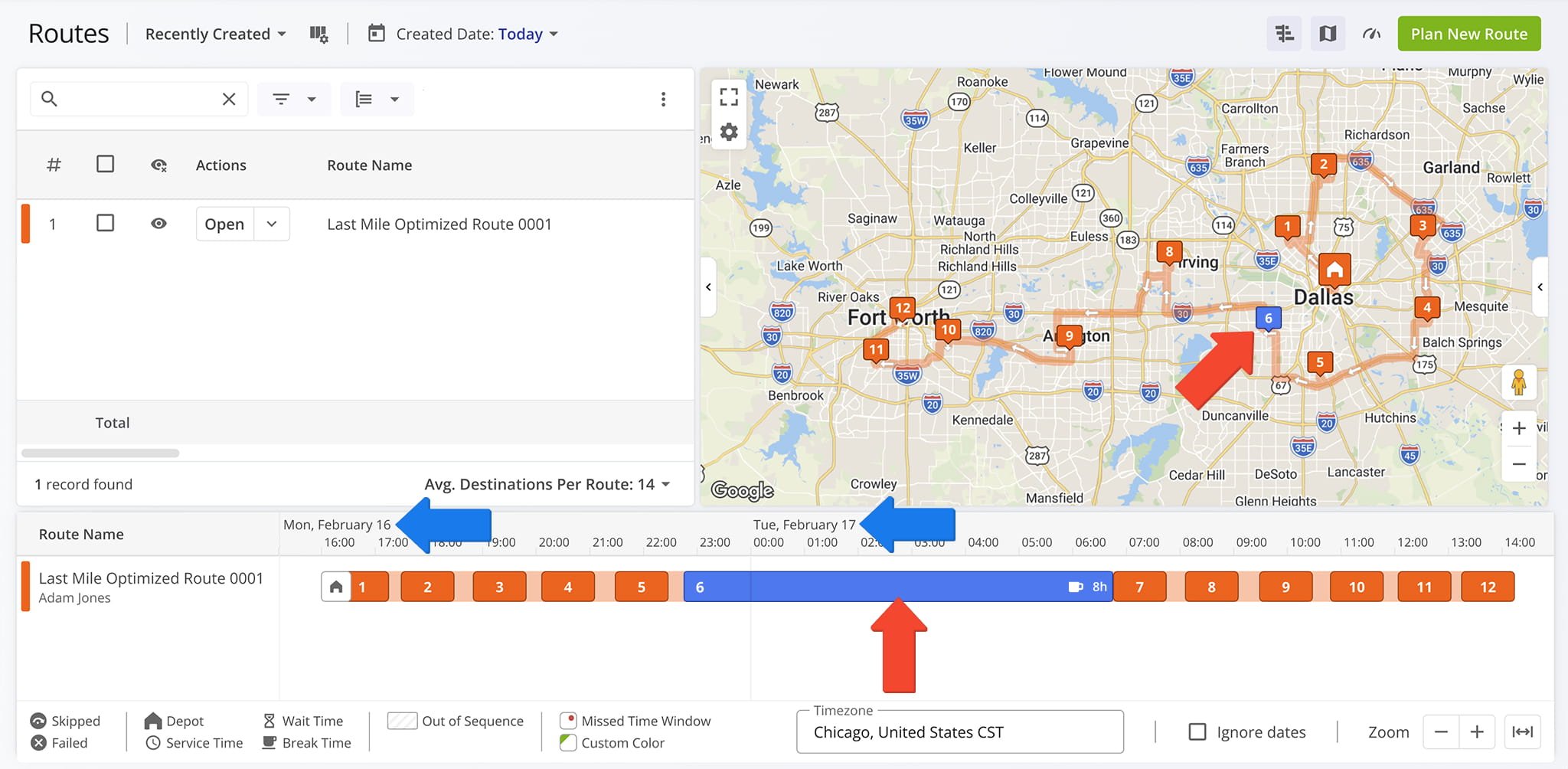
Long-Distance Routes – Routing Across Multiple Days And Time Zones
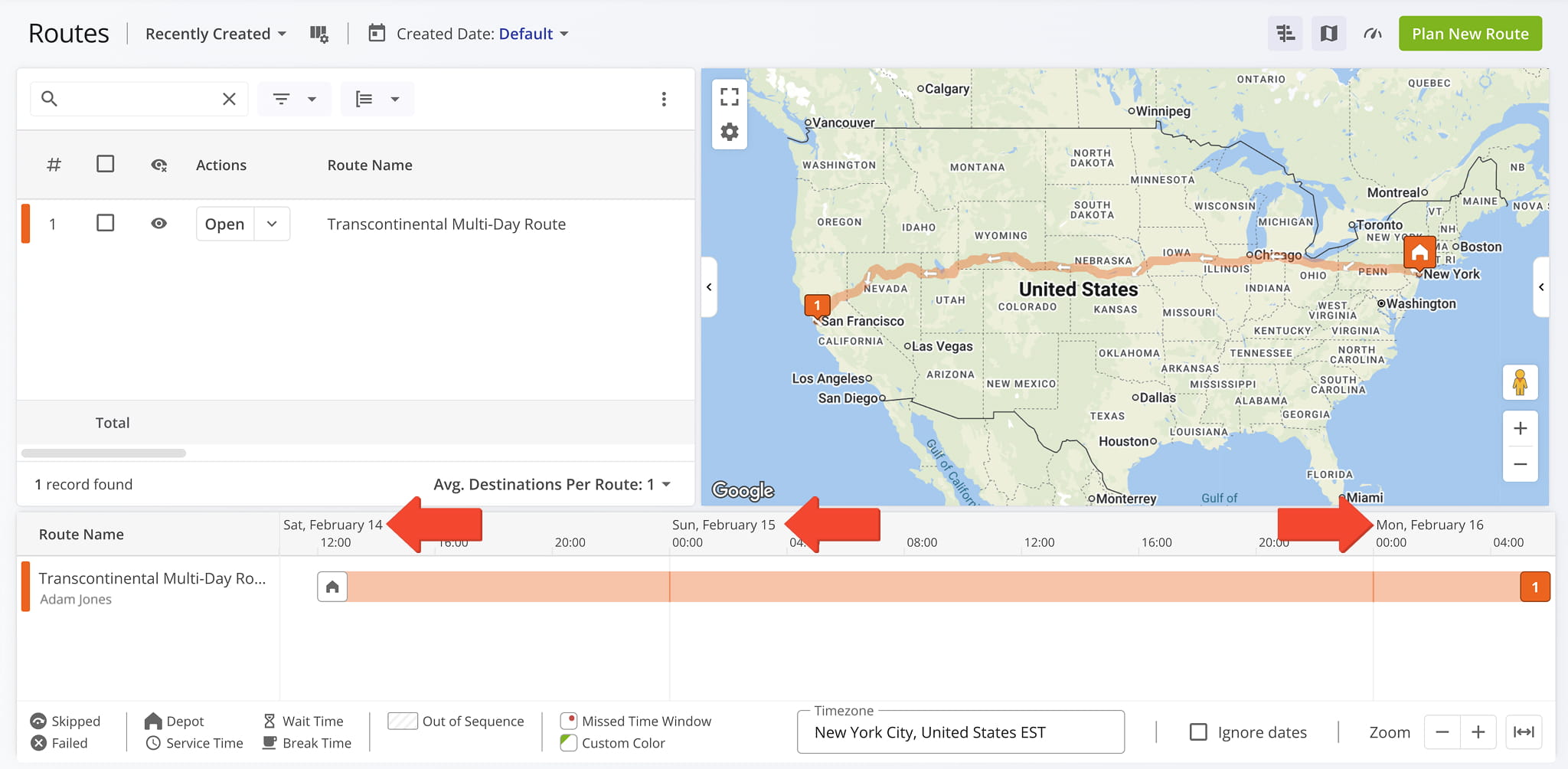
Long-haul routes can span multiple days when necessary because multi-day routing is a standard feature of our enterprise transportation management software. Customizable settings ensure you’re in control of how and when routes are executed.
In case you want to avoid planning routes across several days, you can use routing constraints and business rules.
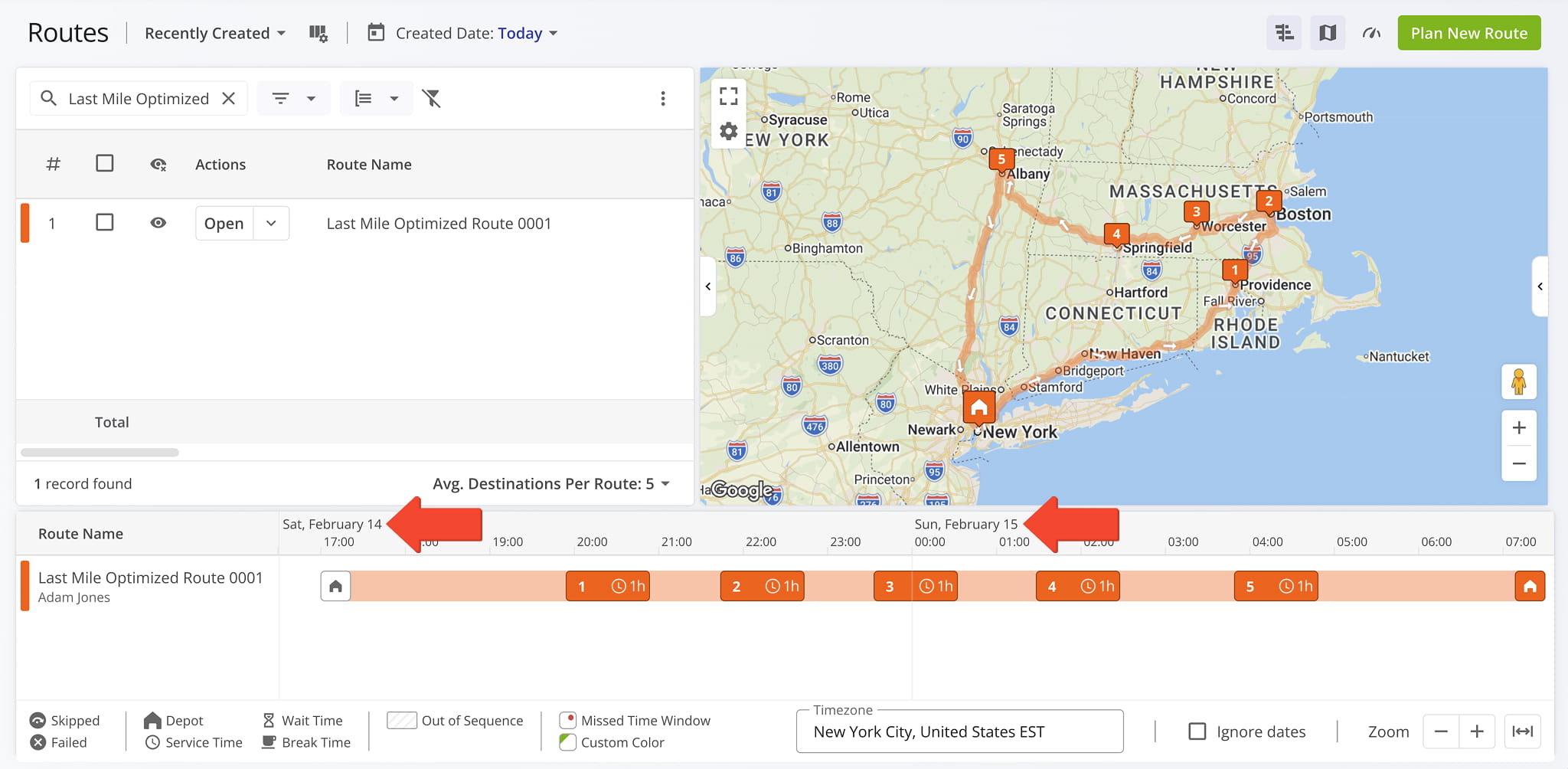
Routes can also span across multiple time zones, and Route4Me’s enterprise route optimization engine will find the optimal directions effortlessly. Learn more about Route4Me Time Zone Management.
Visit Route4Me's Marketplace to Check out Associated Modules:
- Operations
Advanced Team Management Add-On
About author: Kristian Andreev

