
Share Routes From Routes Page – Send Routes To Team Members And Partners
Route4Me’s last mile route software helps enterprise businesses collaborate efficiently by sharing routes with team members or external partners. From the Routes Page, you can send routes via email or generate read-only links for quick access. This guide explains how to share routes and highlights the differences between sharing and assigning routes to your team.
Table of Contents
Share Route – Send Routes Via Email Or View-Only Link
To share a route from your Routes List, go to “Dynamic Routing” > “Routes” from the Navigation Menu.
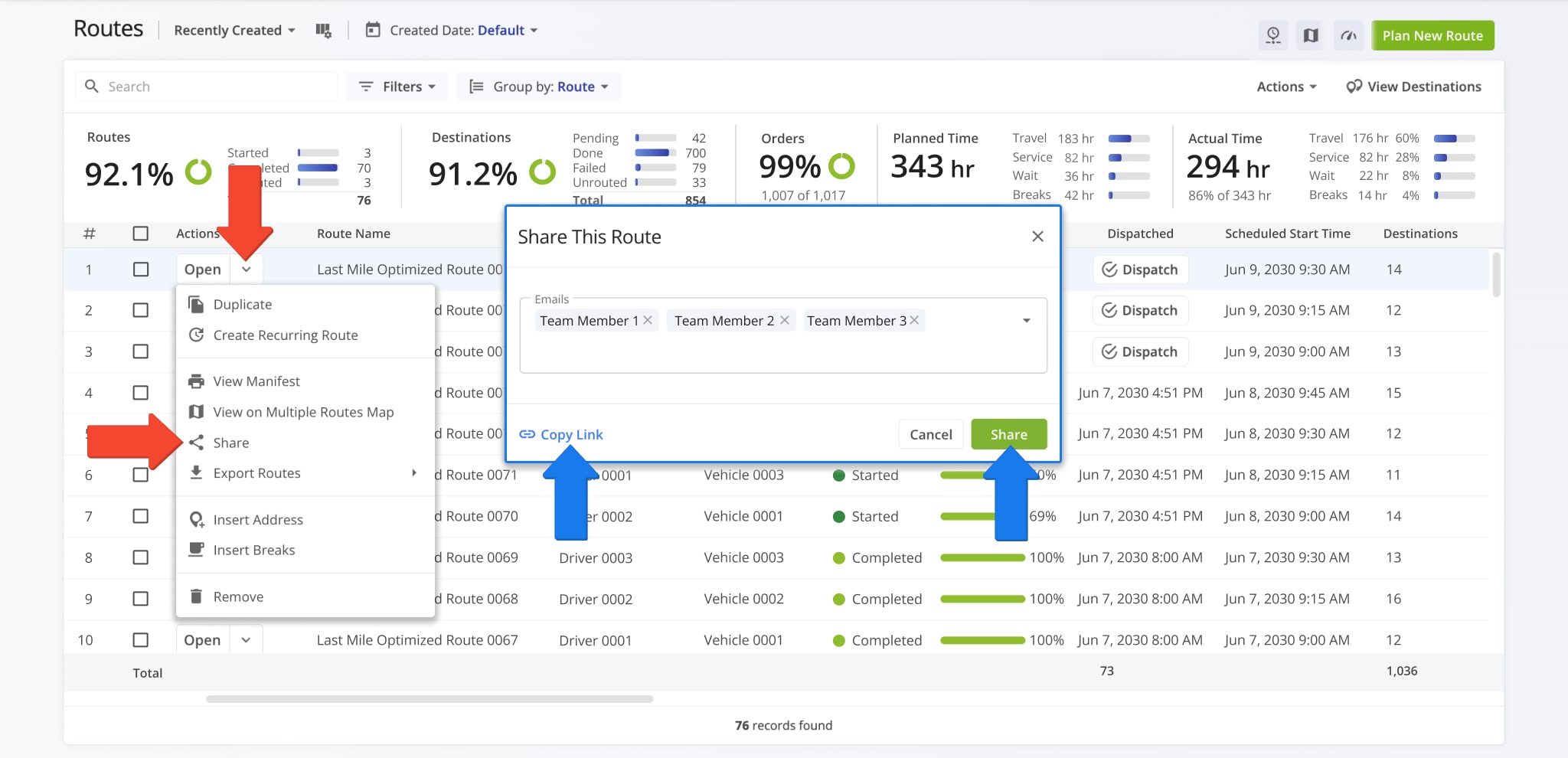
Locate the route you want to share, click the Down Arrow next to it, and select “Share“. Then, choose team members from the drop-down menu to send a link to the route via email.
If you don’t have an email address for a recipient, select “Copy Link” to generate a read-only link that you can share.
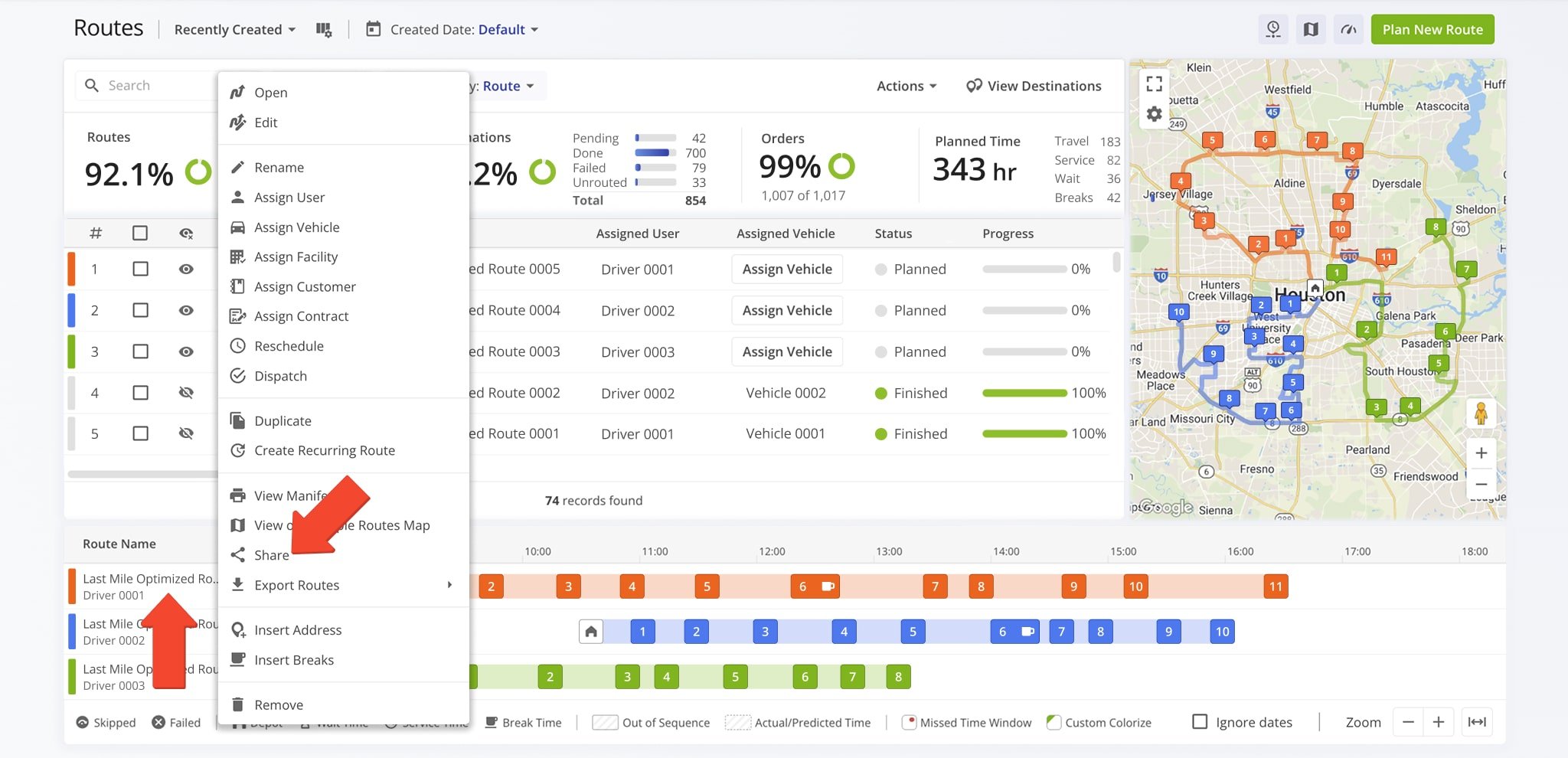
You can also share a route from the Routes Timeline. Just right click a route and select “Share“.
From there, pick team members from the drop-down menu to email a link to the route, or choose “Copy Link” to generate a read-only version for recipients without an email address.
Sharing And Assigning Routes: Key Differences
Sharing and assigning routes serve different purposes.
Assigning a route allows others – such as your team members – to manage, edit, and complete the route, depending on their User Permission Settings. NOTE: Learn more about assigning Users to routes.
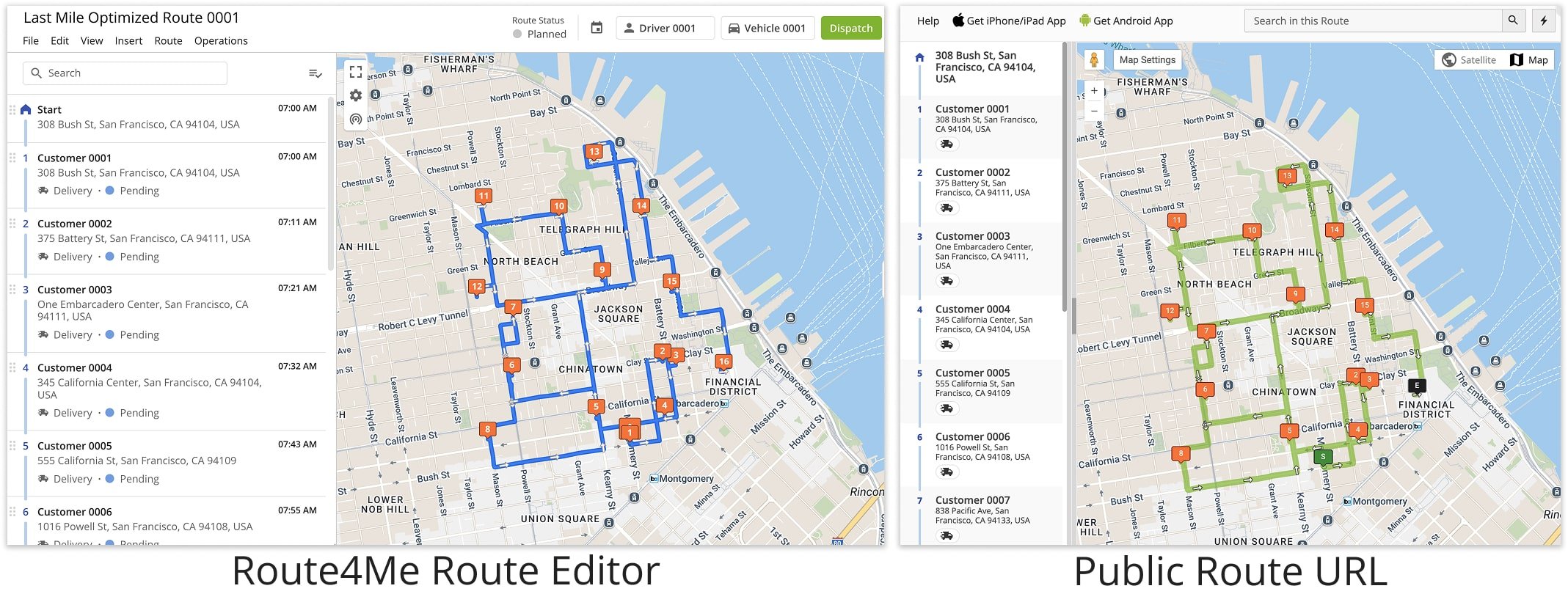
On the other hand, when you share a route, you’re providing a public link – usually to customers or business associates without a Route4Me account – that lets others view, but not edit, a route.
Opening Shared Route On The Web
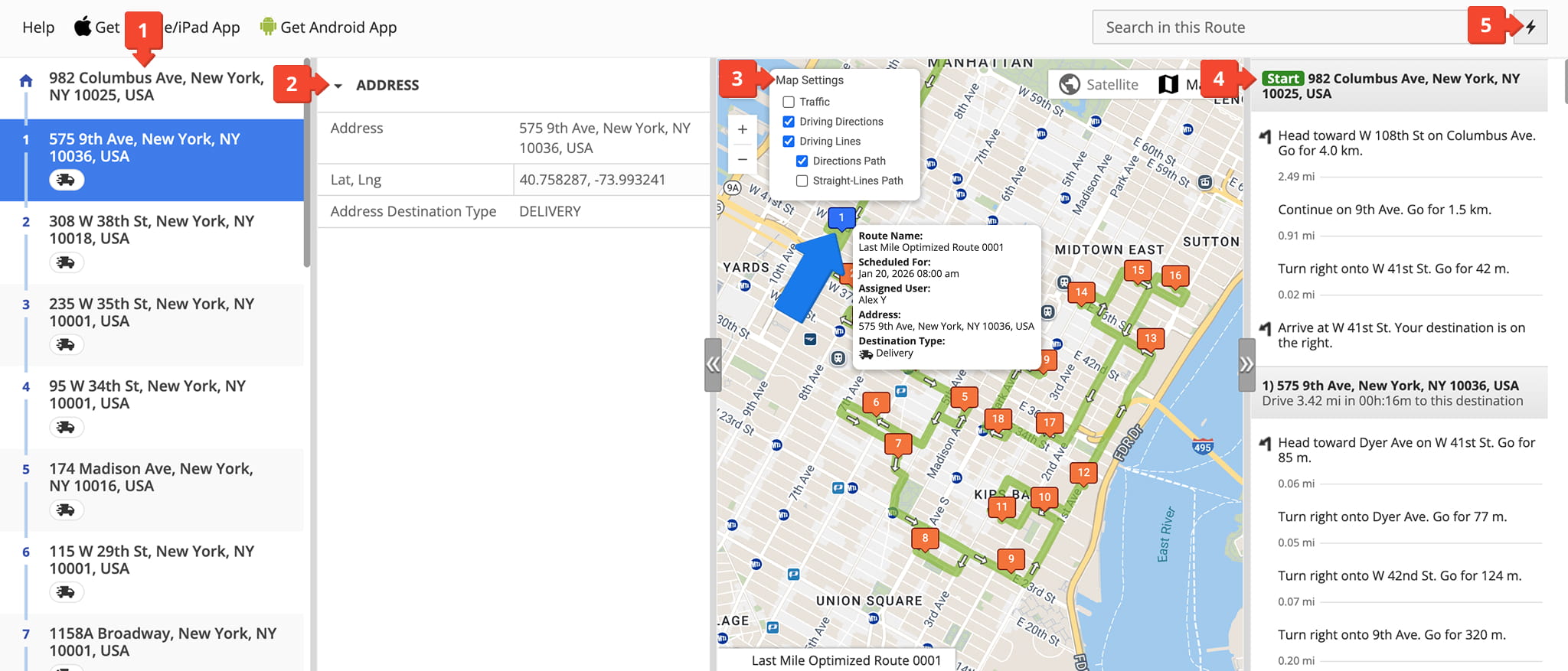
Shared, read-only routes include several tools that help others view route details. When viewed on the web, others will see:
- A full destinations list allowing them to view every stop on the route.
- An address detail panel that provides stop-specific information such as address coordinates and address type.
- An interactive map where they can view a route with customized map settings and click on destinations to access additional information.
- Comprehensive turn-by-turn driving directions for the entire route.
- A Quick Actions menu from which they can access assistance from the Route4Me Support Portal or Customer Support Team.
Opening Shared Route On Mobile
When the shared route link is opened on a mobile device, the behavior depends on whether the Route4Me app is installed and whether the user has permission to access the route.
- If the Route4Me app is not installed, the user will be prompted to download the app.
- If the Route4Me app is installed but the user does not have access to the route, the link opens a draft route that is prefilled with the same destinations and ready for optimization.
- If the Route4Me app is installed and the user does have access, the link opens the exact shared route for viewing and completion.
Visit Route4Me's Marketplace to Check out Associated Modules:
- Route Optimization
Mixed Vehicles Routing
- Route Optimization
Route Optimization for Multiple Drivers Without Advanced Constraints
- Route Optimization
Commercial Vehicle Route Planning

