
Data Retention And Data Pruning – Storing And Removing Account Data
Route4Me implements data retention policies to meet various business requirements, keeping data for predefined periods before it is eligible for pruning. On your Data Retention page, you can see the types of data stored in your account – such as Orders, Route Data, and Addresses – and track how much of each data type is stored over time. Learn more in this guide.
Table of Contents
Access Data Retention Page – Track Stored Data And Data Removal
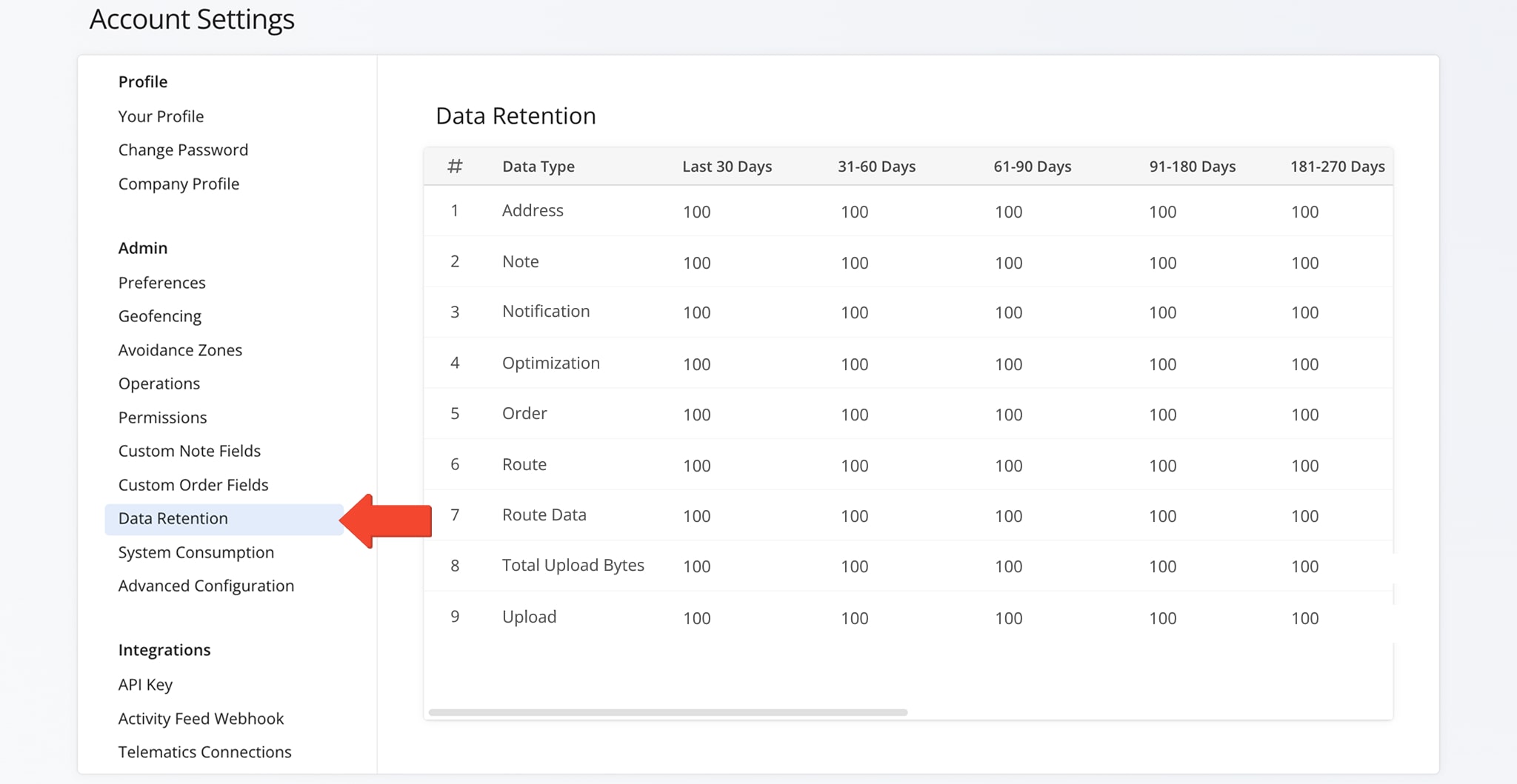
To access the Data Retention page, go to “Settings” > “Organization Settings” from the Navigation Menu, then click the “Data Retention” tab.
Here, you’ll see an overview of the types of data in your account and how much of each has been stored over time. The page also shows which data may soon reach your pre-defined pruning window, becoming eligible for automatic removal.
View Data Created Over Time – Data Retention And Pruning Overview
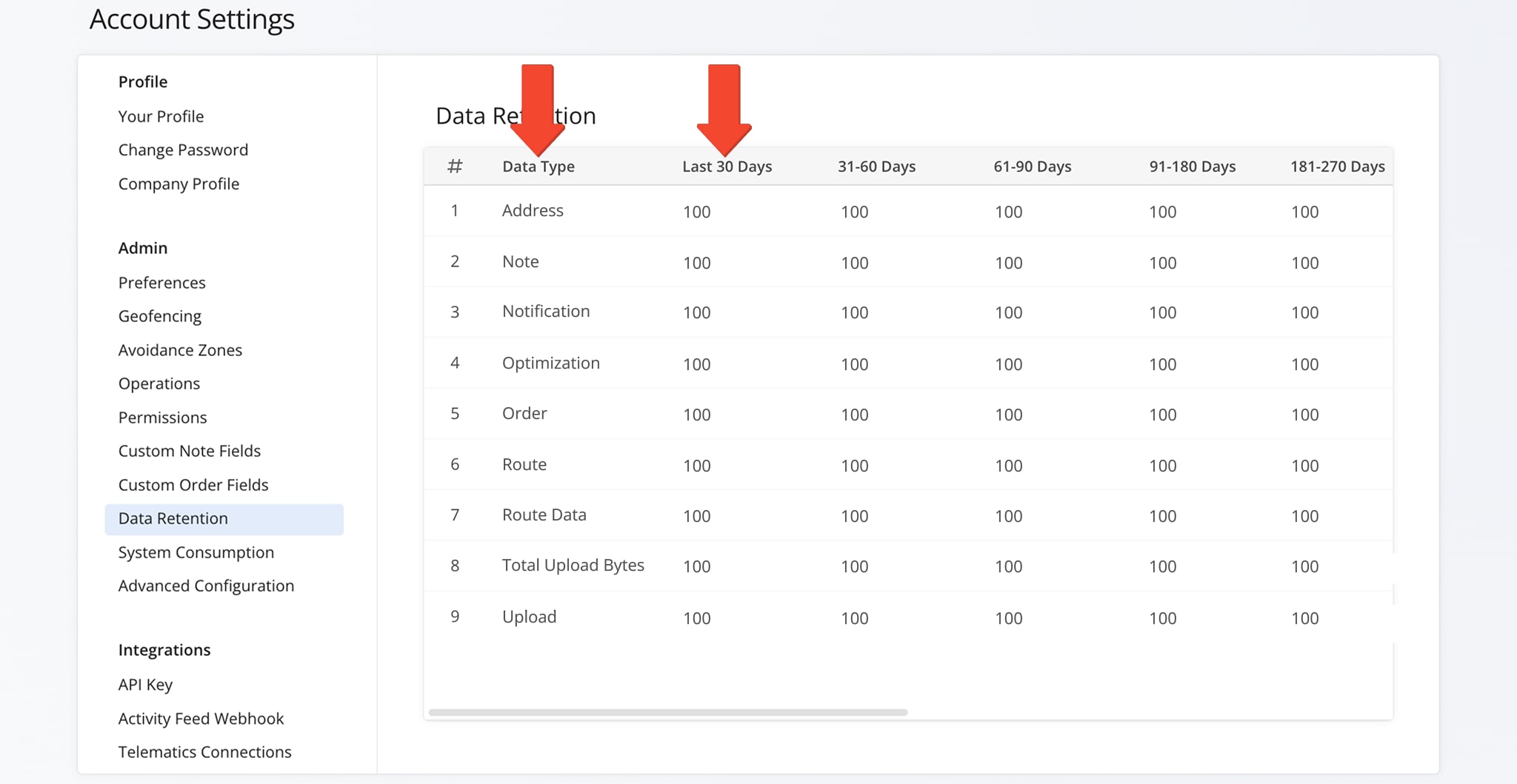
All stored data is organized by “Data Type” and time period.
The time period columns show how many entries of each data type were created in specific intervals – the last 30 days, 31–60 days, and so on. This helps you track your data over time and see when it will reach your preset pruning window.
For example, if the “Address” row shows 100 under “Last 30 Days“, it means 100 addresses were added during that period. These entries will remain in your account until they reach the pruning window and become eligible for automatic removal.
See the table below for a complete overview of all data types on this page.
Data Types
Extend Your Data Retention Period – Prevent Automatic Data Pruning
By default, Route4Me retains data for the period set when your account was created. Once this period ends, eligible data may be automatically deleted. To extend the retention period for specific data, contact Route4Me’s Customer Support.
Data Storage For Seasonal Businesses – Protect Data From Deletion In Off-Seasons
For seasonal businesses, Route4Me lets you manage your subscription and data storage flexibly. You can pause your subscription during the off-season instead of canceling, keeping your data and access to important records.
Contact Route4Me’s Customer Support for more information.
Account Termination, Data Deletion Requests & Privacy
When an account is cancelled, terminated, or becomes past due for longer than the shorter of 14 days, Route4Me’s terms of service, or a Customer’s Custom Contract, all associated data is automatically pruned and permanently erased within 30 days from production systems.
To request deletion of your personal data, contact the Route4Me Support Team by email at [email protected] or through the Route4Me Contact Us page. We verify the requester’s identity, delete the specified data across our systems, and confirm completion within 30 days.
For details on how we collect, use, and remove personal data, see our Privacy Policy.
Visit Route4Me's Marketplace to Check out Associated Modules:
- Operations
Custom Data Add-On
- Operations
Advanced Team Management Add-On
About author: Daniel Archer

