
Image Watermarks – Secure Delivery Photo Timestamps In Proof Of Visit Notes
Delivery photos are one of the most common forms of proof of delivery (POD) and proof of visit (POV). To provide verifiable and transparent documentation, Route4Me embeds a secure, timestamped watermark into exported POD images. It displays the exact date, time, and coordinates at which an image was captured by a field employee. The watermark is applied at export to reflect validated capture data while preserving the original file. Keep reading to learn more about proof of delivery photo watermarks.

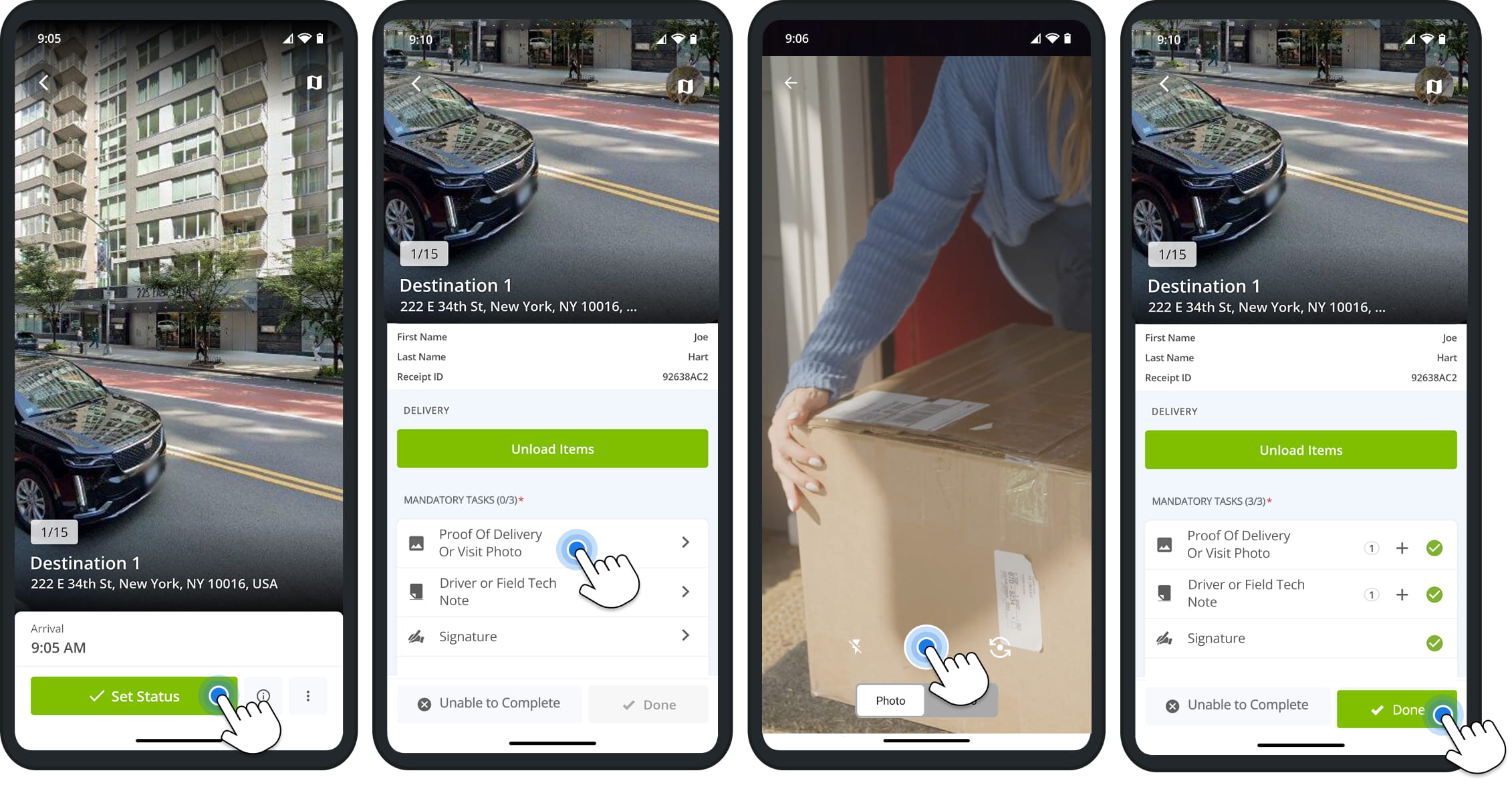
Users can easily collect proof of delivery, service, and visit with the Route4Me mobile app. Once you’ve set up your proof of visit Workflows, users assigned to routes simply need to tap the corresponding actions at destinations to capture delivery photos, customer signatures, and other types of POD and POV. Attachments are automatically synced with your company account in real time.
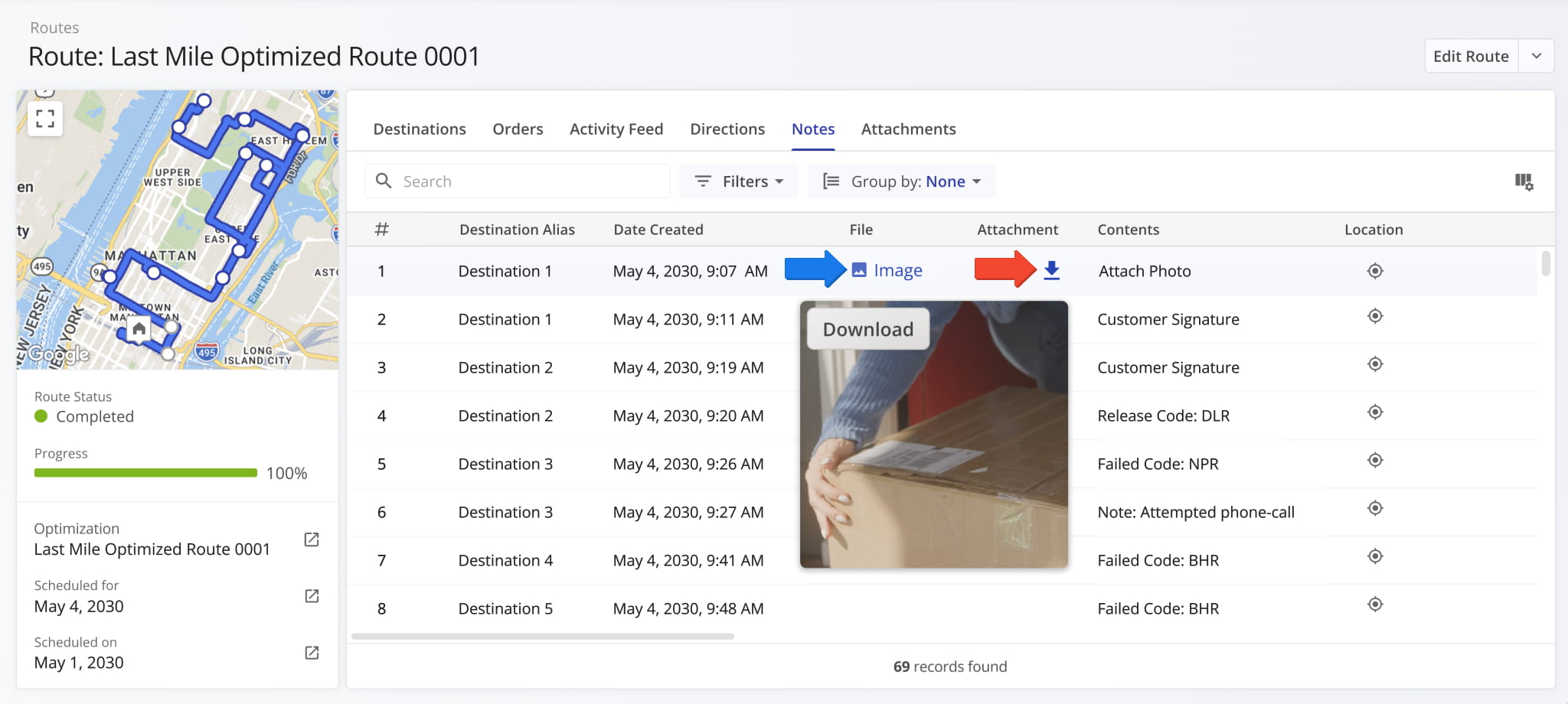
You can export route notes and attachments from most Route4Me interfaces where you can view collected POD data. For example, Route Snapshots support the “Notes” and “Attachments” data categories. When you open a route snapshot and go to the “Notes” tab, you can see which destination notes have attachments and their file types.
The Download Button in the “Attachments” column enables you to download the attachment associated with a destination note. You can also hover over the file type in the “File” column to see a preview of delivery photos and customer signatures.
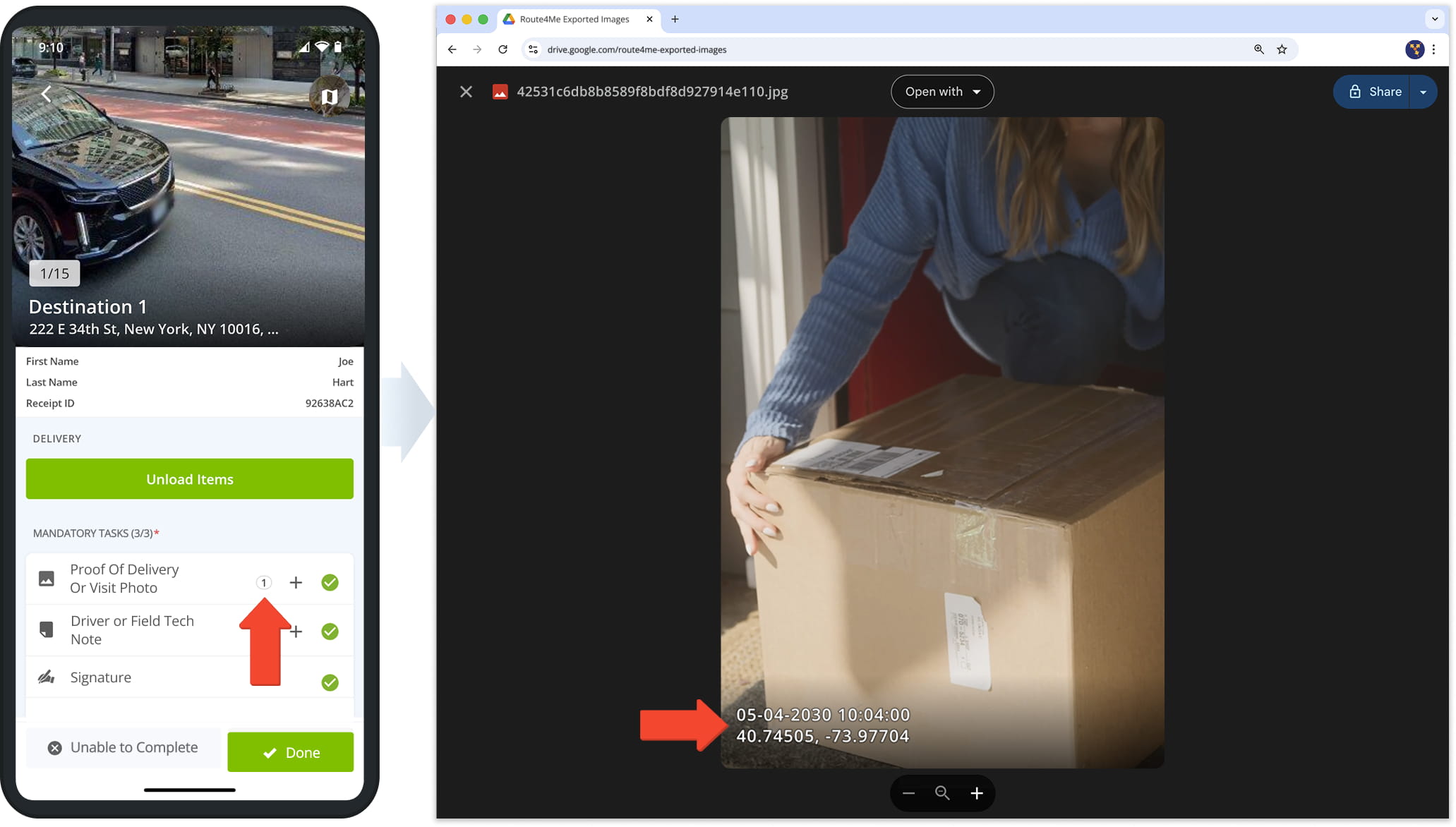
When you export a note attachment image from your Route4Me account, the system automatically applies an immutable timestamp watermark to the image. It shows the exact date, time, and coordinates at which the image was captured.
NOTE: Delivery photo watermarks may look different than the example below.
Visit Route4Me's Marketplace to Check out Associated Modules:
- Operations
Custom Data Add-On
- Operations
Advanced Team Management Add-On
About author: Kristian Andreev

