
Route4Trucks Offline Mode – Plan And Navigate Truck Routes Without Internet
Independent truck drivers can use Route4Trucks without an internet connection. For example, when travelling through rural areas, experiencing connection issues, no coverage, etc. As long as you’ve signed in to your account and opened the app while connected, Route4Trucks retains its most important functions. You can even edit, start, navigate, and complete routes with voice-guided GPS truck navigation. Keep reading to learn more about offline trucker app functionality.
Without an internet connection, features that rely on real-time updates won’t work. For example, real-time traffic data is unavailable while offline. See the table below for more information on Route4Trucks offline functionality.
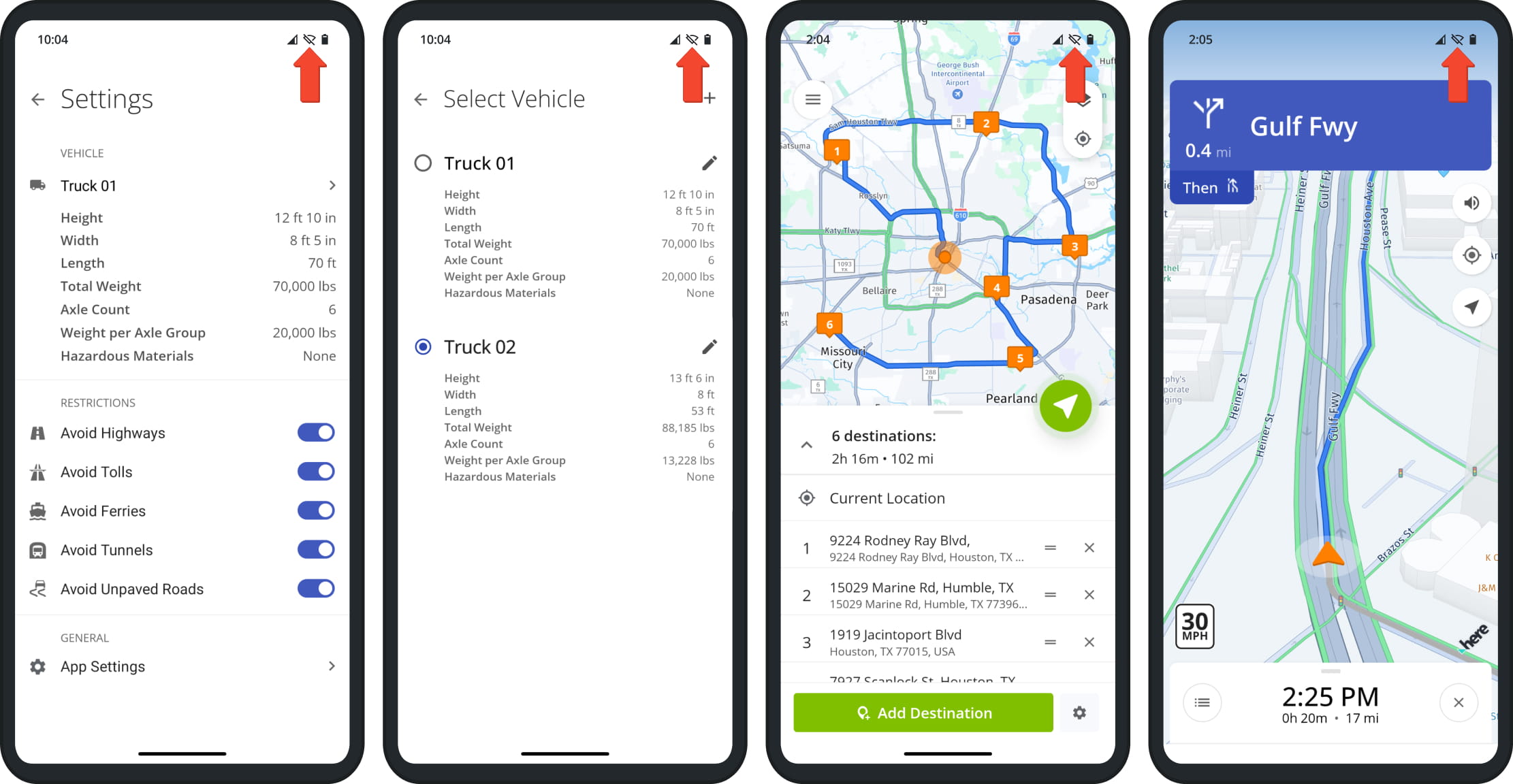
If you've signed in to the app while online, you can add and edit trucks without an internet connection.
If you've previously opened the map in the area of the route, you can add destinations and plan truck routes when offline.
Show Traffic Overlay
When traffic data can't be synced in real time, the live traffic overlay feature is not available.
If you've previously opened the map in the area of the route, road types are already synced, and avoidance settings function normally when offline. NOTE: Route4Trucks automatically avoids roads with construction work. If construction work starts on a road while the app is not connected to the internet, this won't be reflected on your offline trucker map.
Visit Route4Me's Marketplace to Check Out More Add-Ons and Modules:
- Route Optimization
Commercial Vehicle & Truck Routing
About author: Kristian Andreev

