
Item and Service Master – Manage ERP Items And Services
The Item and Service Master page provides enterprise business users with a centralized view of all Items and Services in their ERP system. From this page, you can review details, track status, and organize records. Using filters, grouping, and customizable columns, you can quickly locate specific records and tailor the view to your workflow. Learn more in this guide.
Table of Contents
Filter And Group Item And Service Data
To access your Item & Service Master page, click “ERP” > “Item & Service Master” from the Navigation Menu.
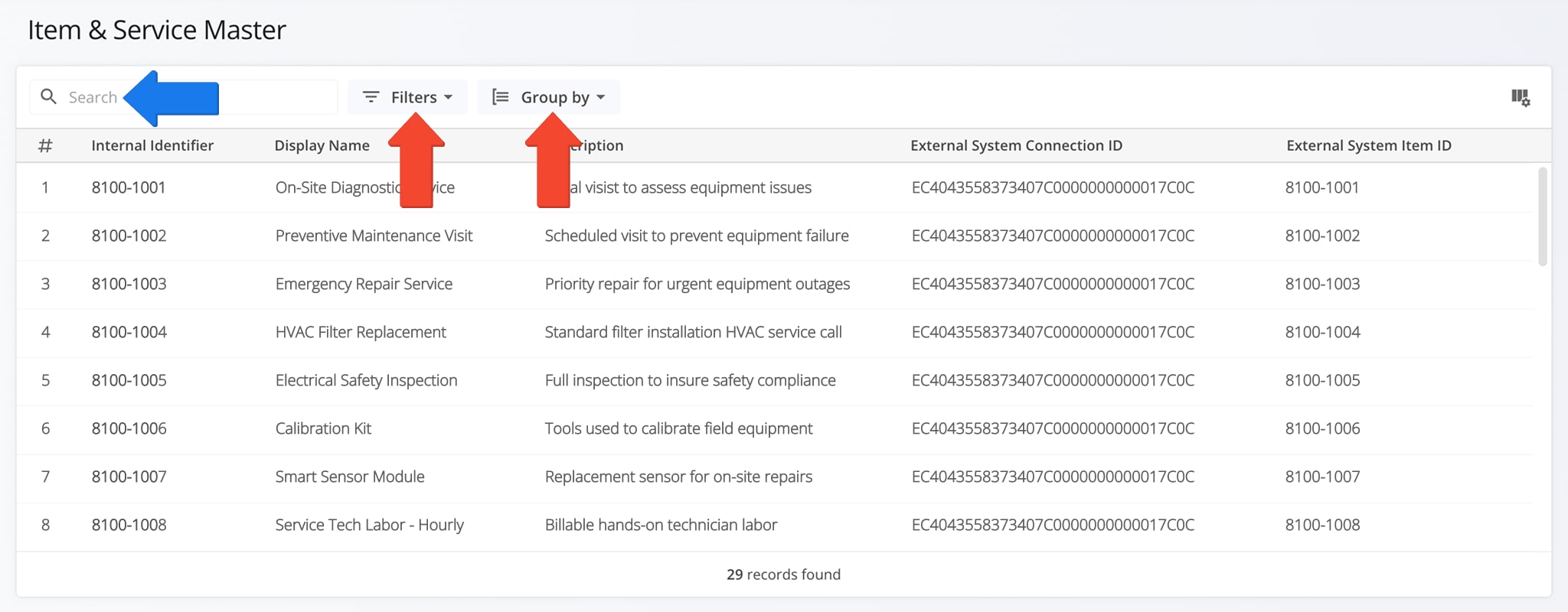
You can filter and group Item and Service data to quickly find specific records or organize information for analysis. The table below details all available Filter and Grouping options. Using these tools ensures accurate item and service management.
NOTE: You can also use the Search Field to locate specific records.
Open Your Item & Service Master Page
| Parameter | Description | |
|---|---|---|
| Filter Options | ||
| Group | Filter items and services by assigned group. | |
| Type | Filter records based on item or service type. | |
| Status | Filter records by current status (active, inactive, etc.). | |
| Group By Options | ||
| Item Group | Group items and services by their assigned group to see related records together. | |
| None | Display items and services without grouping, showing all records in a single list. | |
View And Customize Item And Service Columns
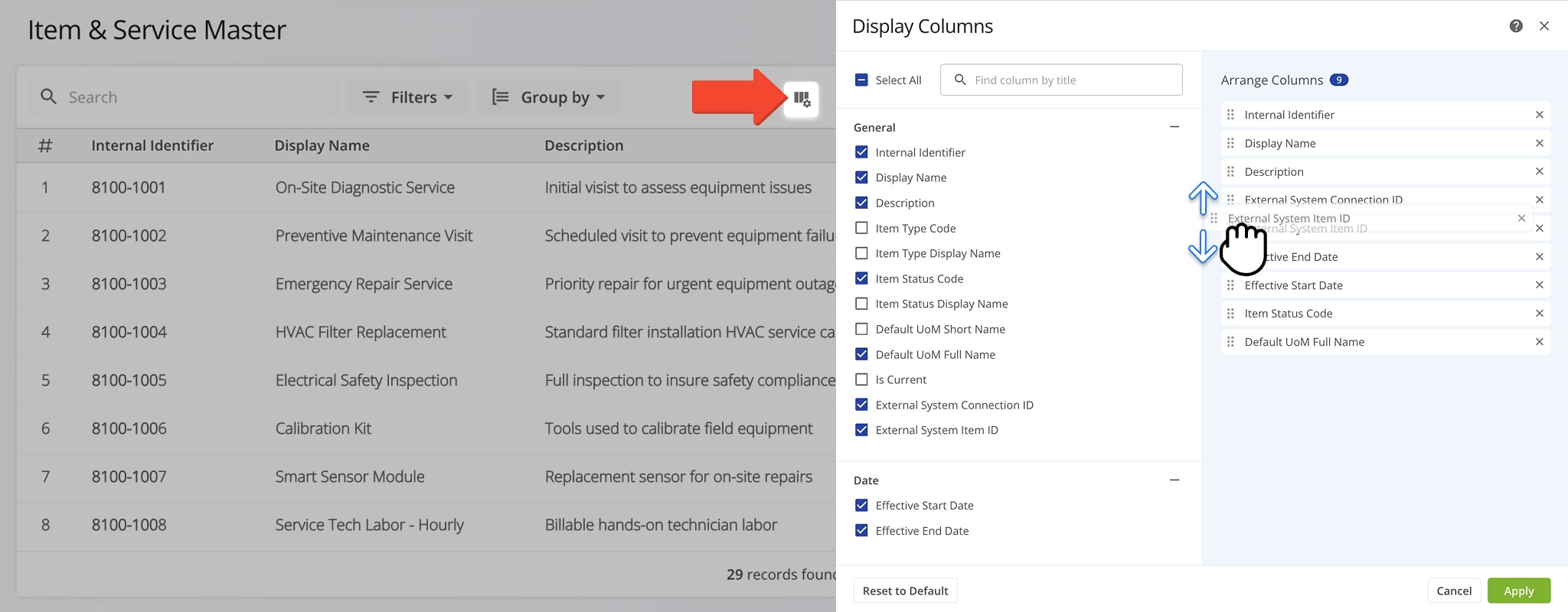
The Item and Service Master page displays multiple columns of Item and Service data which can be customized to show only the information most relevant to your needs.
To customize the data, click the Column Icon, check the boxes next to the columns you want to see, and drag columns to arrange their display order. The table below provides a complete overview of available columns.
| Column Name | Description | |
|---|---|---|
| General | ||
| Internal Identifier | Unique ID for the item or service within the system. | |
| Display Name | The name of the item or service as it appears in the interface. | |
| Description | Additional details or notes about the item or service. | |
| Item Type Code | Code representing the type of item or service. | |
| Item Type Display Name | Readable name of the item or service type. | |
| Item Status Code | Code indicating the current status of the item or service. | |
| Item Status Display Name | Readable name of the item or service status. | |
| Default UoM Short Name | Abbreviated unit of measure (e.g., kg, lb, ea). | |
| Default UoM Full Name | Full unit of measure name. | |
| Is Current | Indicates if this record is the currently active version. | |
| External System Connection ID | Identifier for integration with an external system. | |
| External System Item ID | ID assigned to the item or service in an external system. | |
| Date | ||
| Effective Start Date | Date when this item or service record becomes effective. | |
| Effective End Date | Date when this item or service record is no longer effective. | |
Visit Route4Me Marketplace to Check Out More Add-Ons:
- Optimization
Address Book and Territories Planning
- Route Optimization
Commercial Vehicle & Truck Routing
- Operations
Audit Logging and Activity Stream

