
Route4Trucks – Select And Confirm Commercial Vehicles From Facilities

The Route4Trucks app for company truckers enables you to select and confirm trucks from company Facilities. Use this guide to learn how to select Facility Vehicles from the Route4Trucks Settings and the in-app License Plate Scanner.
The Route4Trucks app for company truckers enables you to select and confirm trucks from company Facilities.


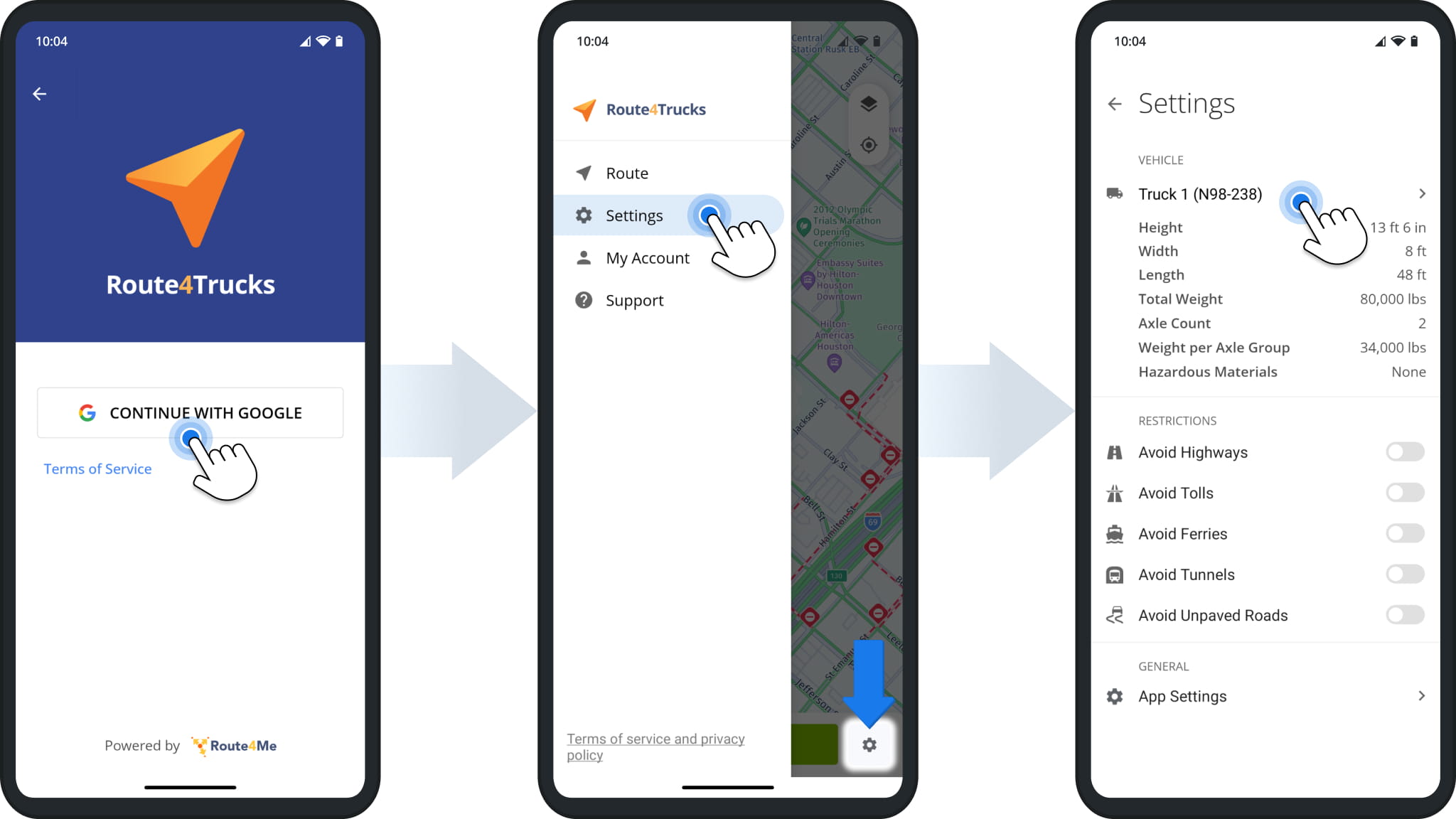
To manually confirm vehicles from Facilities assigned to you, first sign in with your Google account. If you already have a commercial vehicle selected in the app, go to “Settings” in the main menu and tap the active vehicle.
Select commercial vehicles from your Route4Me facilities on the Route4Trucks app for commercial truckers.


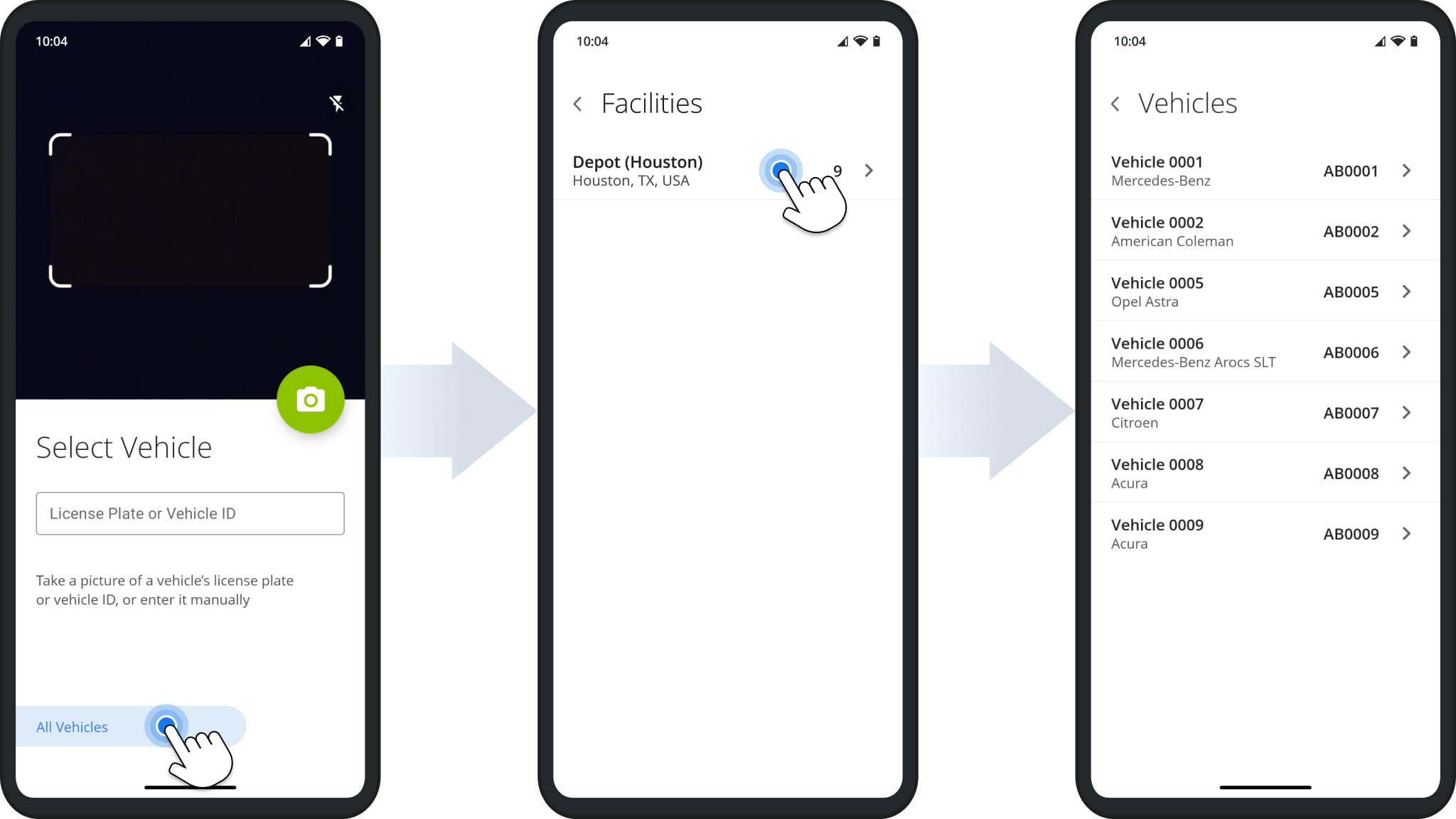
The app will open the Truck License Plate Scanner. Tap “All Vehicles“, and you’ll see a list of Facilities you have access to. Select the correct Facility, and you’ll see a list of Vehicles associated with it.
Select commercial vehicles from your Route4Me facilities on the Route4Trucks app for commercial truckers.


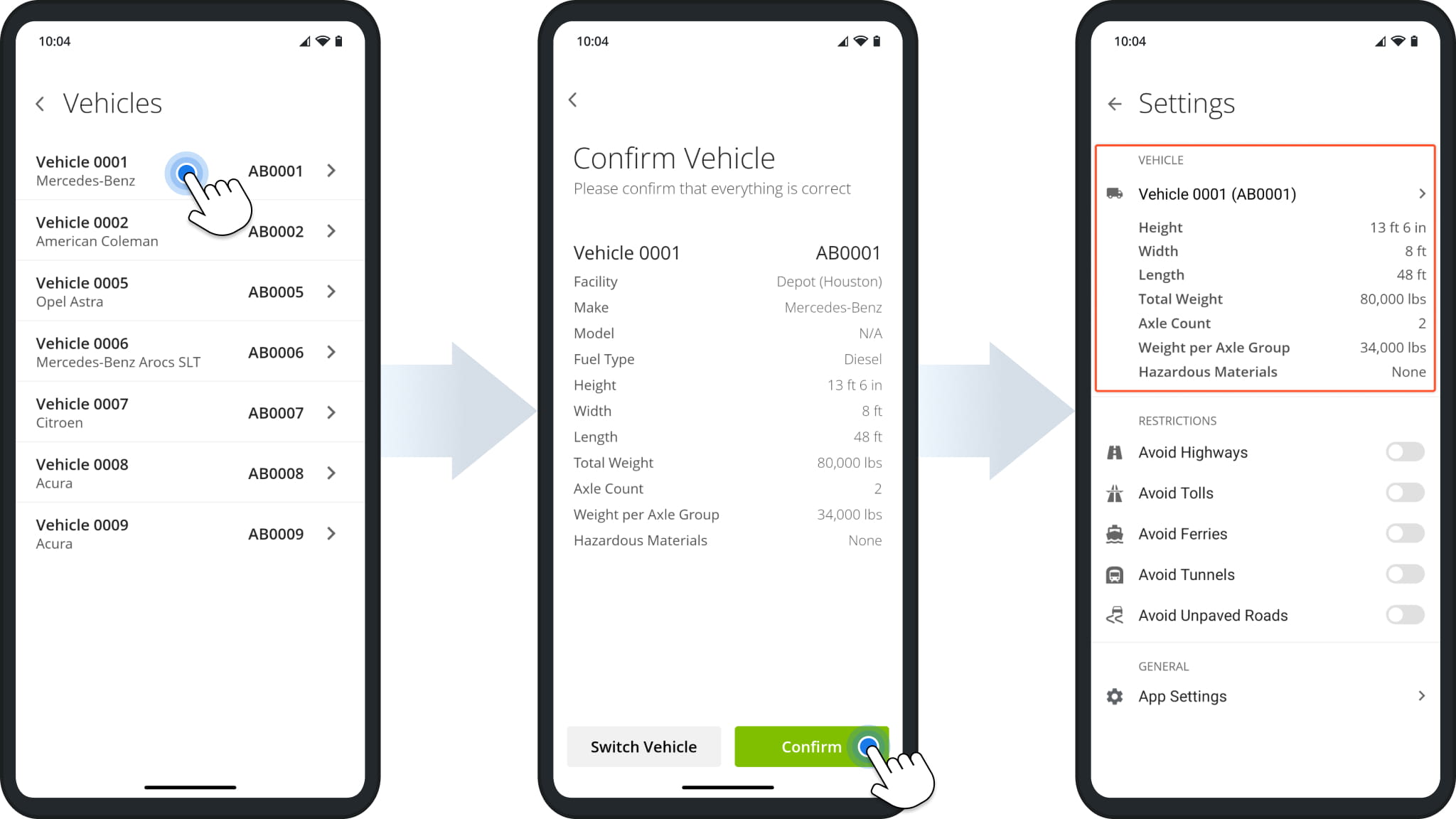
Tap a vehicle from the list to check and confirm its details. If everything is correct, tap “Confirm” to proceed. Finally, you’ll see the vehicle you confirmed in the trucker app settings. Route4Trucks always uses the active vehicle’s parameters such as height, width, weight, etc. to provide the most accurate and compliant truck route directions when you navigate commercial vehicle routes.
Tap a vehicle from the list to check and confirm its details. If everything is correct, tap Confirm to proceed. Finally, you


Visit Route4Me's Marketplace to Check Out More Add-Ons and Modules:

Last Updated:

About author: Kristian Andreev

Kristian is a Technical Writer at Route4Me. With over a decade of experience in writing and localization, he's an expert at communicating complex technical data in a clear, concise, and user-friendly way. Passionate about bridging the gap between engineers and users, he specializes in creating documentation to streamline onboarding, enhance product usability, and support global teams on the path to success.

Was this article helpful?
Still can't find what you're looking for? Contact us
Route4Me

About Route4Me

Route4Me has over 40,000 customers globally. Route4Me's Android and iPhone mobile apps have been downloaded over 2 million times since 2009. Extremely easy-to-use, Route4Me's apps create optimized routes, synchronize routes to mobile devices, enable communication with drivers and customers, offer turn-by-turn directions, delivery confirmation, and more. Behind the scenes, Route4Me's operational optimization platform combines high-performance algorithms with data science, machine learning, and big data to plan, optimize, and analyze routes of almost any size in real-time.
