
Route4Trucks iOS Install & Sign Up – iPhone Mobile App For Commercial Truck Drivers
Route4Trucks is supported on iOS and Android. You can easily download and install the Route4Trucks Trucking GPS App on your iPhone, iPad, or Android device. Our trucker app provides identical functionality and supports identical features on both iOS and Android GPS apps for truckers. To install Route4Trucks on your iOS device, scan the QR code in the image below. Further in this starter guide, you can learn how to install and sign in to Route4Trucks on your iOS device.

Download And Install Route4Trucks On iOS From Apple App Store
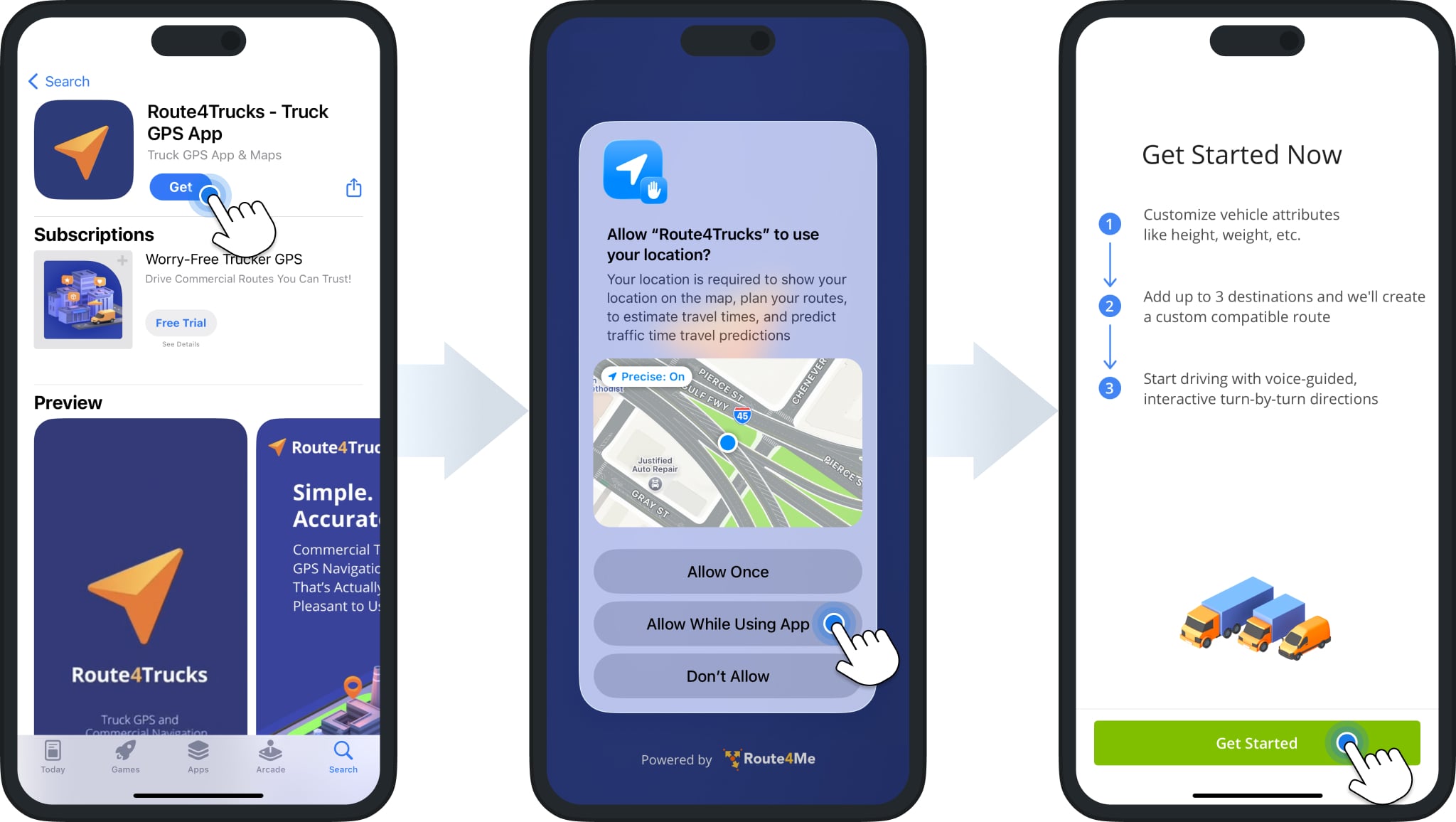
The best iPhone app for truckers is available to download for free directly from the App Store. To do so, open the App Store on your device, search for “Route4Trucks“, and tap the “Get” button. Alternatively, simply tap the button below and install the app. Then, enable location permissions for the app to allow GPS navigation. Next, tap “Get Started” to proceed.
Route4Trucks iPhone & iPad Truck App
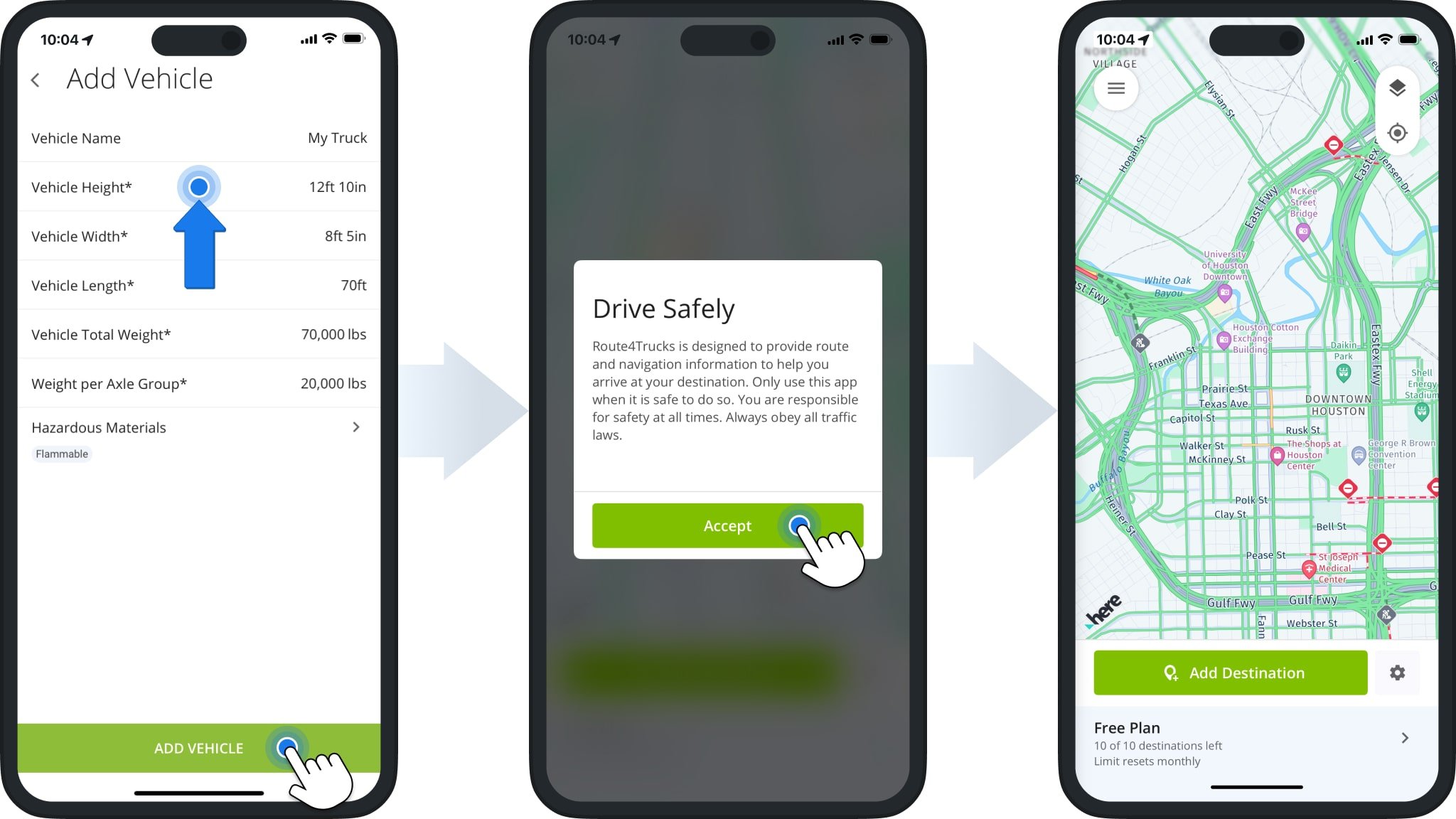
After installing Route4Trucks and enabling location permissions, fill the mandatory fields in the “Add Vehicle” screen.
To get through the Get Started process and sign up your account, you can tap each field, confirm the default values, and tap “Add Vehicle“. Next, tap “Accept” to confirm you’ve read the “Drive Safely” message.
Sign In To iPhone App For Truckers With Company Account
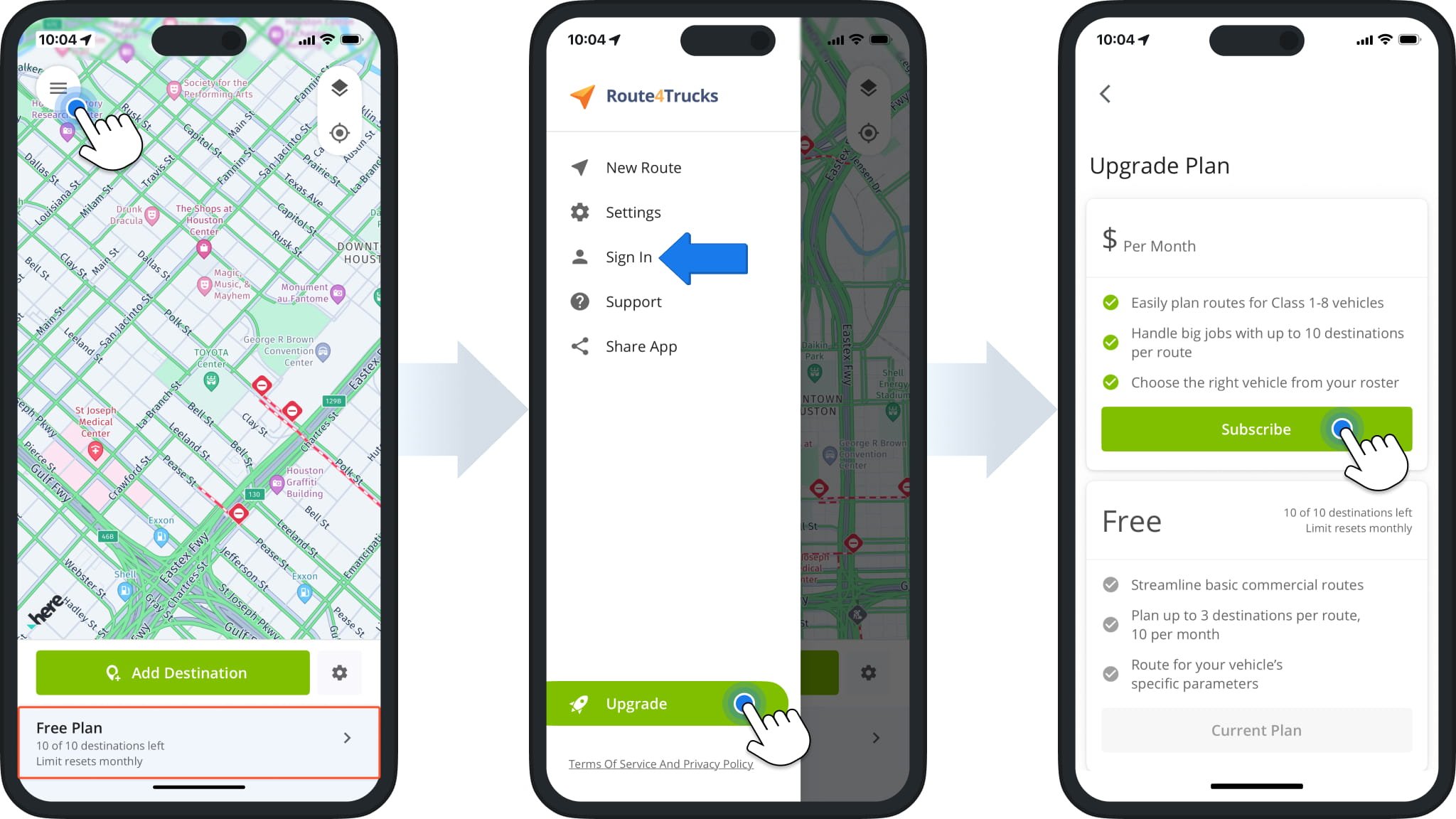
Once you’ve completed the Get Started process, you’ll see the “Free Plan” section on the bottom of the screen. To start your subscription, you can tap the “Free Plan” section or tap the Menu Button in the top-left and select “Upgrade“. Tap “Subscribe” to upgrade from your Free Plan and start planning unlimited commercial truck routes.
From the app menu, you can tap the “Sign In” option to sign in to your account after you start a subscription. Learn more about your Route4Trucks App and Account Settings.
Visit Route4Me's Marketplace to Check Out More Add-Ons and Modules:
- Route Optimization
Commercial Vehicle & Truck Routing
About author: Kristian Andreev

