
Route4Trucks – Plan Commercial Vehicle Routes With Truck Driver App
Route4Trucks is the best GPS truck navigation and multi-destination truck route planner for truckers, commercial drivers, and company drivers. Company truckers can effortlessly sign in to Route4Trucks and use the assigned trucks, plan multi-destination commercial vehicle compliant routes, and continuously navigate routes with safe, voice-guided truck GPS navigation. In this guide, you’ll learn how to add destinations and plan truck routes with addresses.
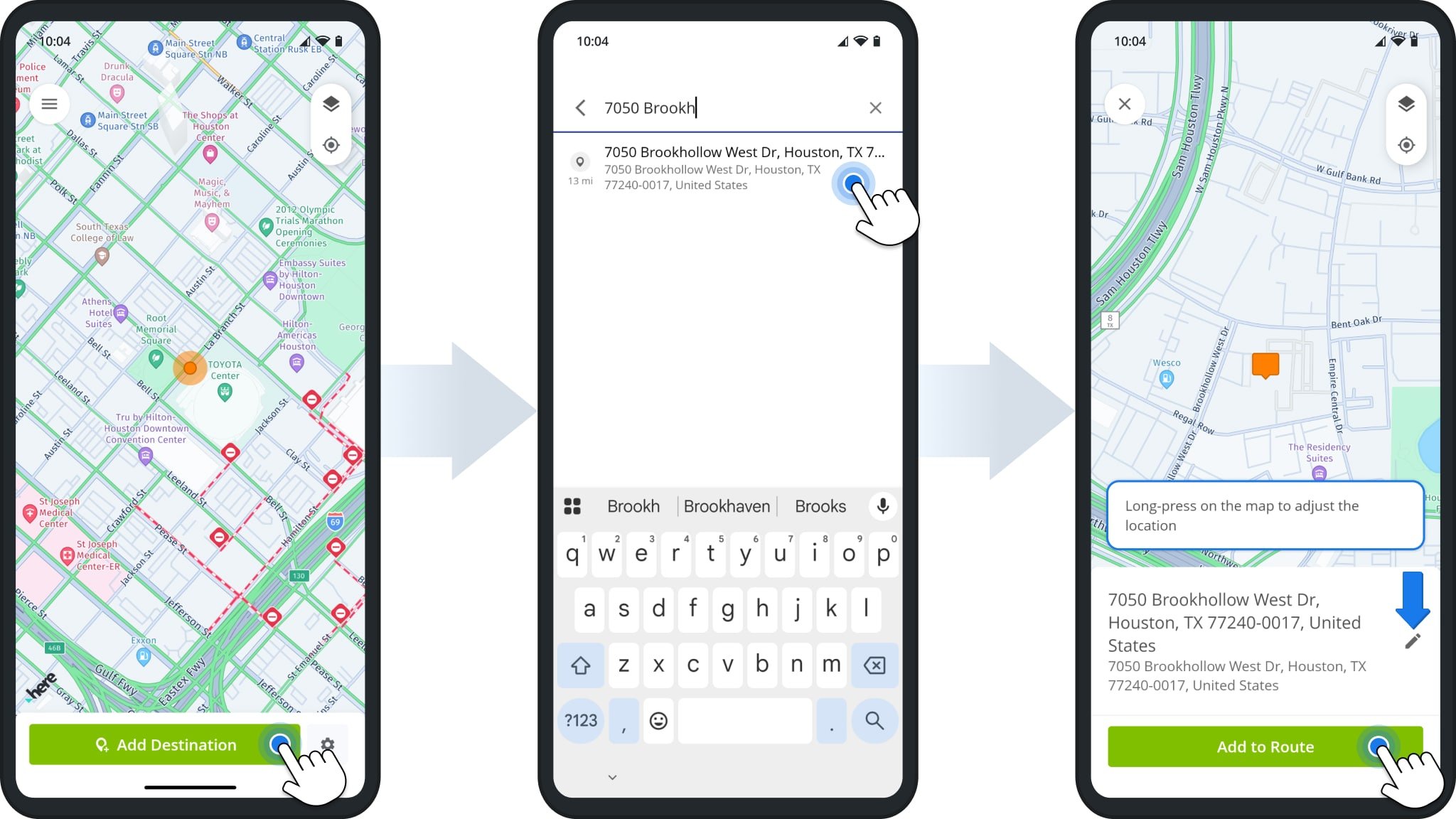
To plan single-destination or multi-destination truck routes, all you need to do is tap “Add Destination” and start typing an address. Route4Trucks will automatically suggest the best match. Tap the suggested address to select it.
You’ll see the new destination address on the map. If everything is correct, tap “Add to Route” to proceed. If you need to make changes, tap the Pencil Icon or tap and hold the orange Destination Icon on the map to move it.
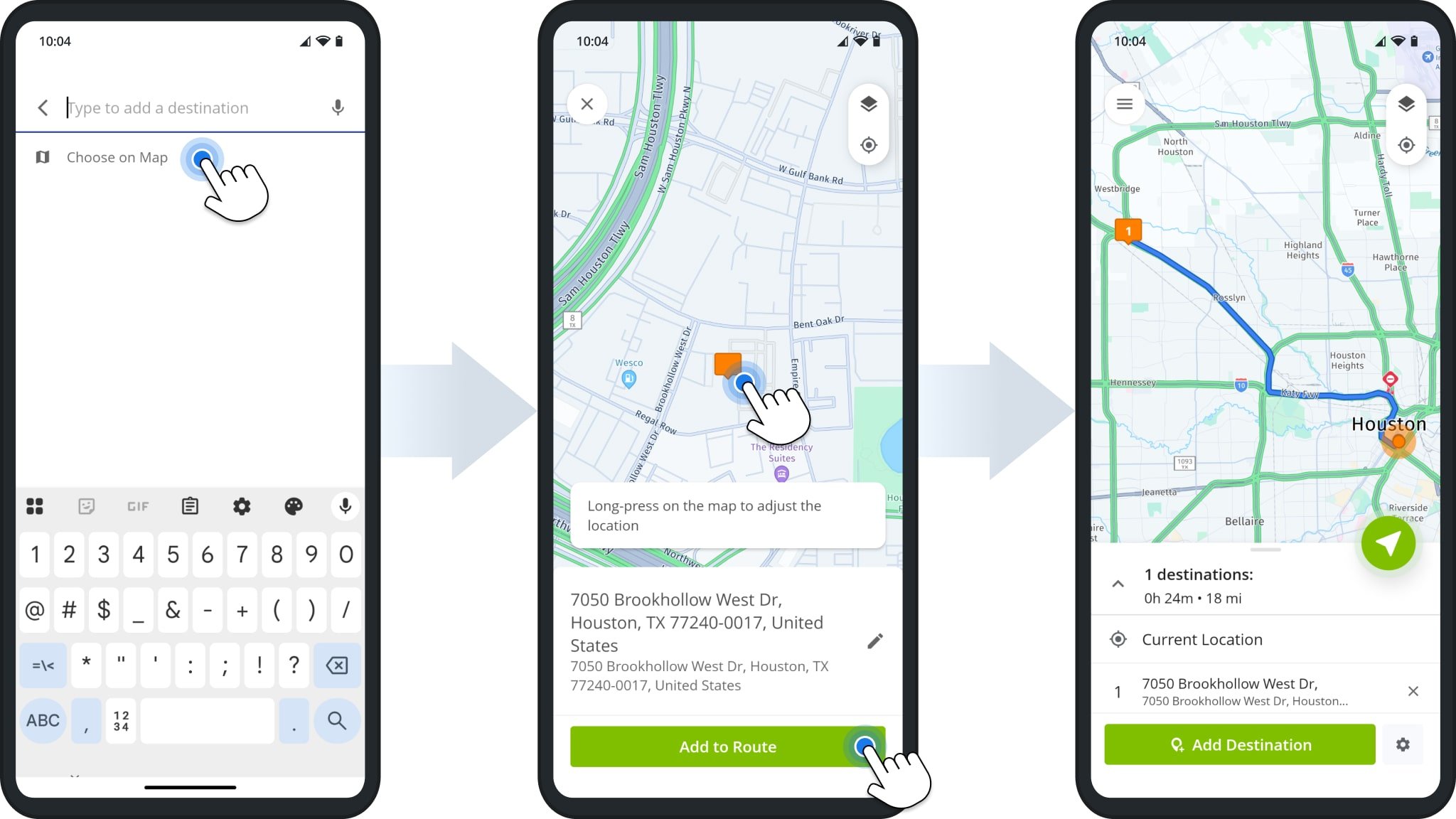
Alternatively, instead of typing an address, you can tap “Choose on Map” and tap and hold an address on the map to select it as a destination. Tap “Add to Route” to add the selected address as a destination on the route.
After you’ve added the first destination, you’ll see the new route and can start navigating directly or add more destinations.
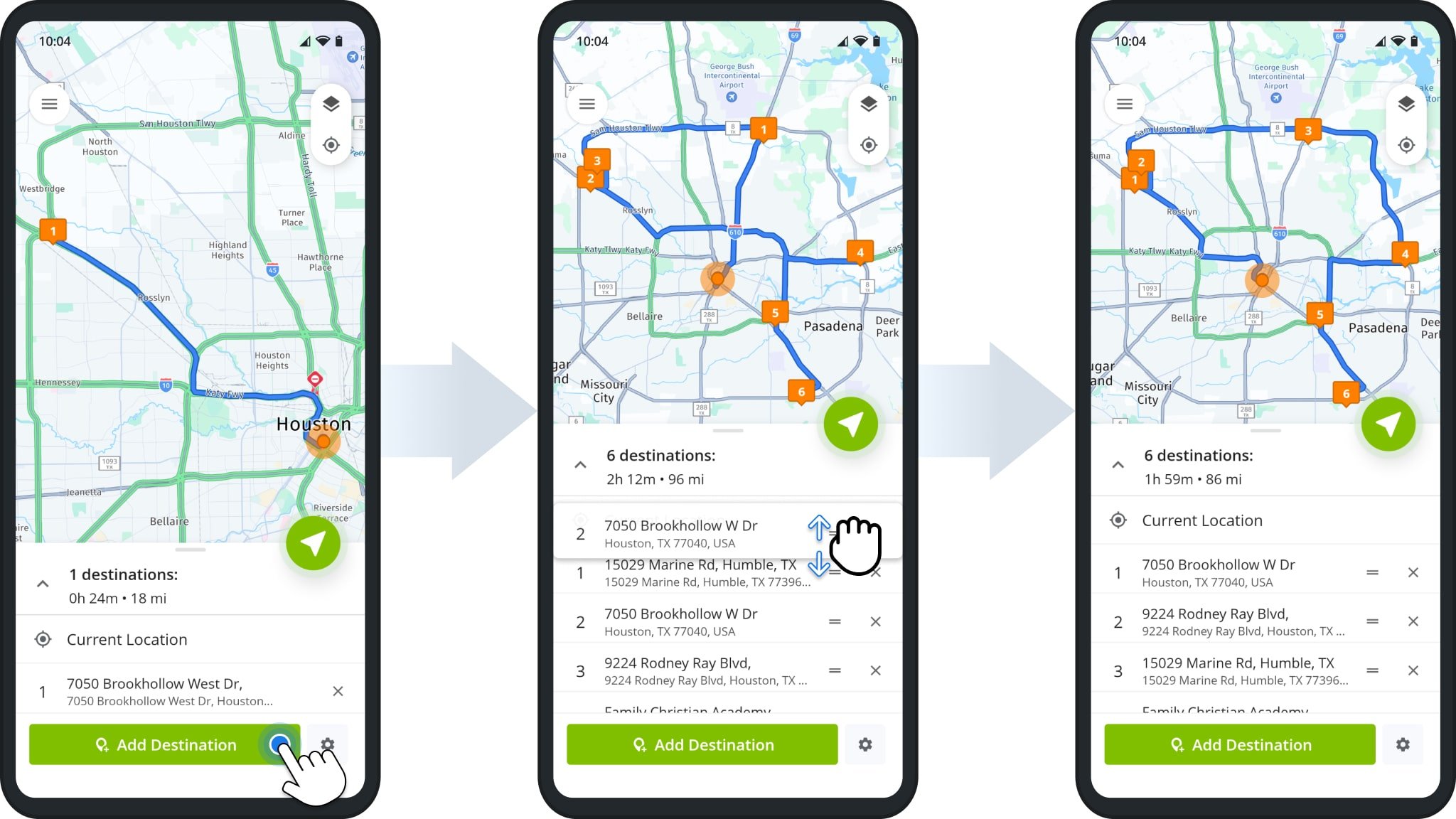
To plan a multi-stop truck route, add more destinations as described above. The route’s sequence will match the order in which you added the destinations. At any time, you can tap and drag a destination to change its position in the route sequence.
By adjusting the route sequence, you can use Route4Trucks to plan the most efficient truck route according to your preferences. When finished, you can start using truck GPS navigation to complete your new optimized commercial route.
Visit Route4Me's Marketplace to Check Out More Add-Ons and Modules:
- Route Optimization
Commercial Vehicle & Truck Routing

